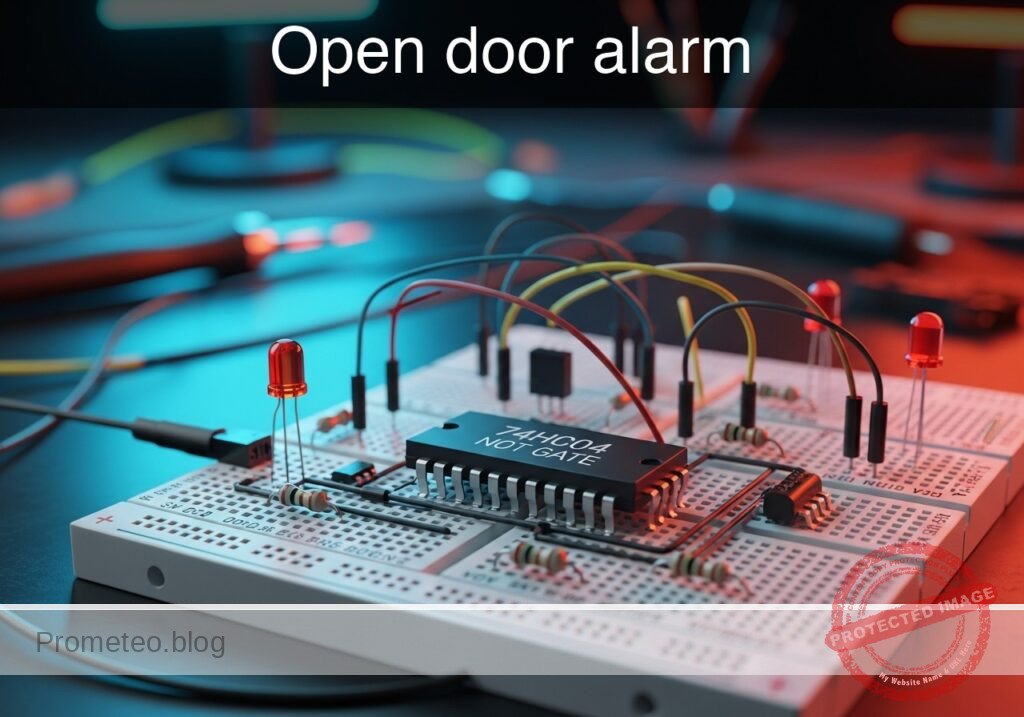
Practical case: Open door alarm

Open door alarm prototype (Maker Style)

Level: Basic. Objective: Build a logic circuit using a NOT gate that activates an LED when a switch contact is opened.

Objective and use use case

You will build a digital monitoring circuit that illuminates an LED indicator whenever a switch (representing a door sensor) breaks contact. This demonstrates the fundamental operation of the NOT gate (Inverter) in security logic.

  • Why it is useful:

    • Home Security: Basic principle behind magnetic reed switches used on windows and doors.
    • Appliance Safety: Ensures devices like microwaves or washing machines do not run if the door is open.
    • Industrial Interlocks: Visual warning systems for machine guards.
  • Expected outcome:

    • Door Closed (Switch Closed): Input logic High (5V), Output logic Low (0V), LED OFF.
    • Door Open (Switch Open): Input logic Low (0V), Output logic High (5V), LED ON.
    • Target audience and level: Introductory Electronics Students (Basic).

Materials

  • V1: 5 V DC supply, function: Main power source
  • U1: 74HC04, function: Hex Inverter (NOT gate logic)
  • SW1: SPST Switch, function: Simulates door sensor (Closed = Door Closed)
  • R1: 10 kΩ resistor, function: Pull-down for U1 input
  • R2: 330 Ω resistor, function: LED current limiting
  • D1: Red LED, function: Visual alarm indicator

Pin-out of the IC used

Chip: 74HC04 (Hex Inverter)

Pin Name Logic function Connection in this case
1 1A Input Connected to SW1 and R1
2 1Y Output Connected to LED resistor R2
7 GND Ground Connected to 0V (Power Supply Ground)
14 VCC Power Connected to 5V (Power Supply Positive)

Wiring guide

  • VCC connects to V1 positive terminal, U1 pin 14, and one side of SW1.
  • 0 (GND) connects to V1 negative terminal, U1 pin 7, R1, and cathode of D1.
  • DOOR_STATUS (Node A) connects to the other side of SW1, the other side of R1, and U1 pin 1.
  • ALARM_OUT (Node Y) connects to U1 pin 2 and one side of R2.
  • LED_ANODE connects to the other side of R2 and the anode of D1.

Conceptual block diagram

Conceptual block diagram — 74HC04 NOT gate

Schematic

[ INPUT / SENSOR ]                 [ LOGIC PROCESSING ]               [ OUTPUT / ALARM ]

    [ VCC (5V Source) ]
             |
             v
    [ SW1 (Door Switch) ]
             |
             v
          (Node A) -------------------->+------------------+
             |                          |    U1: 74HC04    |
             v                          |    (NOT Gate)    | --(Pin 2)--> [ R2: 330Ω ] --> [ D1: LED ] --> GND
    [ R1 (10k Pull-down) ]              |  Input: Pin 1    |
             |                          +------------------+
             v
            GND
Schematic (ASCII)

Truth table

Door Status Switch (SW1) Input Voltage (Pin 1) Logic Input Logic Output (Pin 2) LED Status
Closed Closed 5 V (High) 1 0 OFF
Open Open 0 V (Low) 0 1 ON

Measurements and tests

  1. Supply Check: Before inserting the IC, verify V1 provides exactly 5 V.
  2. State 1 (Secure): Close SW1. Measure voltage at Pin 1 (Input). It should be ~5 V. Measure Pin 2 (Output). It should be ~0 V. Verify LED is OFF.
  3. State 2 (Alarm): Open SW1. Measure voltage at Pin 1 (Input). It should drop to 0 V (pulled down by R1). Measure Pin 2 (Output). It should rise to ~5 V. Verify LED is ON.

SPICE netlist and simulation

Reference SPICE Netlist (ngspice) — excerptFull SPICE netlist (ngspice)

* Practical case: Open door alarm
*
* BILL OF MATERIALS:
* V1: 5V DC Supply
* U1: 74HC04 Hex Inverter (Behavioral Model)
* SW1: SPST Switch (Modeled as Voltage-Controlled Switch)
* R1: 10k Pull-down Resistor
* R2: 330 Ohm Current Limiting Resistor
* D1: Red LED
*
* WIRING CONNECTIONS:
* VCC: V1(+), U1(14), SW1(1)
* GND: V1(-), U1(7), R1(2), D1(Cathode)
* DOOR_STATUS: SW1(2), R1(1), U1(1)
* ALARM_OUT: U1(2), R2(1)
* LED_ANODE: R2(2), D1(Anode)

* --- Main Power Supply ---
V1 VCC 0 DC 5

* ... (truncated in public view) ...

Copy this content into a .cir file and run with ngspice.

🔒 Part of this section is premium. With the 7-day pass or the monthly membership you can access the full content (materials, wiring, detailed build, validation, troubleshooting, variants and checklist) and download the complete print-ready PDF pack.

* Practical case: Open door alarm
*
* BILL OF MATERIALS:
* V1: 5V DC Supply
* U1: 74HC04 Hex Inverter (Behavioral Model)
* SW1: SPST Switch (Modeled as Voltage-Controlled Switch)
* R1: 10k Pull-down Resistor
* R2: 330 Ohm Current Limiting Resistor
* D1: Red LED
*
* WIRING CONNECTIONS:
* VCC: V1(+), U1(14), SW1(1)
* GND: V1(-), U1(7), R1(2), D1(Cathode)
* DOOR_STATUS: SW1(2), R1(1), U1(1)
* ALARM_OUT: U1(2), R2(1)
* LED_ANODE: R2(2), D1(Anode)

* --- Main Power Supply ---
V1 VCC 0 DC 5

* --- User Interaction (Door Sensor) ---
* Model SW1 as a voltage-controlled switch S1 driven by a pulse source.
* Logic: Control High = Switch Closed (Door Closed). Control Low = Switch Open (Door Open).
* Pulse: Starts 0V (Open/Alarm ON), goes to 5V (Closed/Alarm OFF) at 1ms, stays for 2ms.
V_SW_CTRL SW_CTRL 0 PULSE(0 5 1m 10u 10u 2m 5m)

* S1 connects VCC to DOOR_STATUS when SW_CTRL is High.
S1 VCC DOOR_STATUS SW_CTRL 0 SW_DOOR
.model SW_DOOR SW(Vt=2.5 Ron=0.1 Roff=100Meg)

* --- Pull-down Resistor ---
R1 DOOR_STATUS 0 10k

* --- 74HC04 Hex Inverter (U1) ---
* Implements NOT gate logic: ALARM_OUT = NOT(DOOR_STATUS)
* Pin mapping: 1=In, 2=Out, 7=GND, 14=VCC
XU1 DOOR_STATUS ALARM_OUT 0 VCC 74HC04_GATE

* --- Output Stage ---
R2 ALARM_OUT LED_ANODE 330
D1 LED_ANODE 0 D_RED

* --- Models and Subcircuits ---

* LED Model
.model D_RED D(IS=1e-22 RS=6 N=1.5 CJO=50p BV=5 IBV=10u)

* 74HC04 Single Gate Behavioral Model
* Pins: In Out GND VCC
.subckt 74HC04_GATE 1 2 7 14
* Continuous sigmoid function for robust NOT logic
* Vout goes Low when Vin > 2.5V, High when Vin < 2.5V
B_INV 2 7 V = V(14,7) * (1 / (1 + exp(50 * (V(1,7) - 2.5))))
.ends

* --- Simulation Directives ---
.tran 10u 5ms
.op

* --- Output Printing ---
.print tran V(DOOR_STATUS) V(ALARM_OUT) V(LED_ANODE) V(SW_CTRL)

.end

Simulation Results (Transient Analysis)

Simulation Results (Transient Analysis)
Show raw data table (1126 rows)
Index   time            v(door_status)  v(alarm_out)    v(led_anode)
0	0.000000e+00	4.999500e-04	5.000000e+00	1.842385e+00
1	1.000000e-07	4.999500e-04	5.000000e+00	1.842385e+00
2	2.000000e-07	4.999500e-04	5.000000e+00	1.842385e+00
3	4.000000e-07	4.999500e-04	5.000000e+00	1.842385e+00
4	8.000000e-07	4.999500e-04	5.000000e+00	1.842385e+00
5	1.600000e-06	4.999500e-04	5.000000e+00	1.842385e+00
6	3.200000e-06	4.999500e-04	5.000000e+00	1.842385e+00
7	6.400000e-06	4.999500e-04	5.000000e+00	1.842385e+00
8	1.280000e-05	4.999500e-04	5.000000e+00	1.842385e+00
9	2.280000e-05	4.999500e-04	5.000000e+00	1.842385e+00
10	3.280000e-05	4.999500e-04	5.000000e+00	1.842385e+00
11	4.280000e-05	4.999500e-04	5.000000e+00	1.842385e+00
12	5.280000e-05	4.999500e-04	5.000000e+00	1.842385e+00
13	6.280000e-05	4.999500e-04	5.000000e+00	1.842385e+00
14	7.280000e-05	4.999500e-04	5.000000e+00	1.842385e+00
15	8.280000e-05	4.999500e-04	5.000000e+00	1.842385e+00
16	9.280000e-05	4.999500e-04	5.000000e+00	1.842385e+00
17	1.028000e-04	4.999500e-04	5.000000e+00	1.842385e+00
18	1.128000e-04	4.999500e-04	5.000000e+00	1.842385e+00
19	1.228000e-04	4.999500e-04	5.000000e+00	1.842385e+00
20	1.328000e-04	4.999500e-04	5.000000e+00	1.842385e+00
21	1.428000e-04	4.999500e-04	5.000000e+00	1.842385e+00
22	1.528000e-04	4.999500e-04	5.000000e+00	1.842385e+00
23	1.628000e-04	4.999500e-04	5.000000e+00	1.842385e+00
... (1102 more rows) ...

Common mistakes and how to avoid them

  1. Floating Input: Forgetting the pull-down resistor (R1). Without R1, when the switch opens, the input pin floats and the LED may flicker or remain in an unpredictable state. Always tie CMOS inputs to a defined logic level.
  2. No LED Resistor: Connecting the LED directly to the 74HC04 output without R2. This can burn out the LED or damage the IC output stage due to excessive current.
  3. Wrong Polarity: Inserting the LED backwards (anode to ground). The LED will never light up. Ensure the longer leg (anode) faces the resistor coming from the IC.

Troubleshooting

  • LED always ON: Check if SW1 is actually closing. If using a push-button, ensure it is connected to VCC. Verify R1 is connected to Ground.
  • LED always OFF: Check if the 74HC04 has power (Pin 14) and Ground (Pin 7). Check LED polarity. Ensure SW1 is actually disconnecting VCC when «Open».
  • LED is dim: The value of R2 might be too high (e.g., 10kΩ instead of 330Ω) or the 5V supply is sagging.
  • IC gets hot: Immediate disconnect power. Check for short circuits between Output (Pin 2) and Ground, or if the chip is inserted backwards.

Possible improvements and extensions

  1. Audible Alarm: Connect an NPN transistor and a buzzer to the output to generate sound alongside the light when the door opens.
  2. Latch Circuit: Add a feedback loop or a Flip-Flop so that once the alarm triggers, it stays ON even if the door is closed again, requiring a manual reset button.

More Practical Cases on Prometeo.blog

Find this product and/or books on this topic on Amazon

Go to Amazon

As an Amazon Associate, I earn from qualifying purchases. If you buy through this link, you help keep this project running.

Quick Quiz

Question 1: What is the primary objective of the circuit described in the text?


Question 2: Which logic gate is used to build this monitoring circuit?


Question 3: In the expected outcome, what is the state of the LED when the door (switch) is closed?


Question 4: What real-world application uses the principle described in this circuit?


Question 5: What is the function of the 10 kΩ resistor (R1) in this circuit?


Question 6: Which specific IC chip is listed in the materials for the inverter function?


Question 7: According to standard pinouts for the 74HC04 chip, where is Ground (GND) typically connected?


Question 8: What voltage level represents a Logic High input in this specific circuit?


Question 9: What is the function of the 330 Ω resistor (R2)?


Question 10: When the switch is open (Door Open), what is the logic state at the input?


Carlos Núñez Zorrilla
Electronics & Computer Engineer

Telecommunications Electronics Engineer and Computer Engineer (official degrees in Spain).
Follow me:


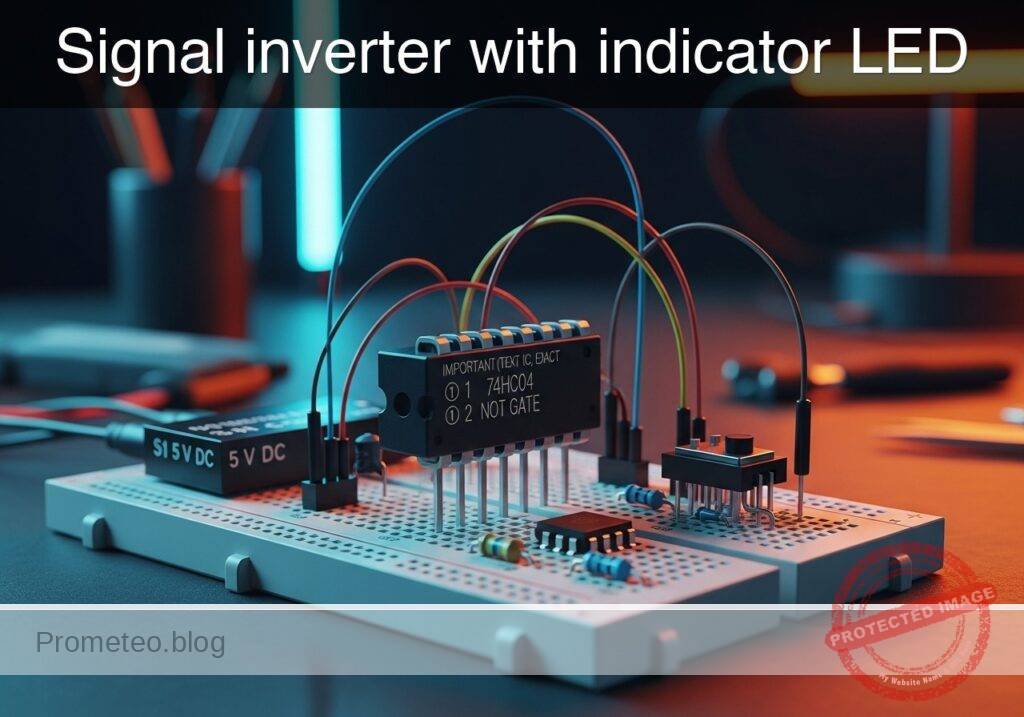
Practical case: Signal inverter with indicator LED

Signal inverter with indicator LED prototype (Maker Style)

Level: Basic – Understand the logic of a NOT gate (inverter) by observing opposite input and output states via light indicators.

Objective and use case

In this practical case, you will build a digital logic circuit using a 74HC04 Hex Inverter IC. The circuit will demonstrate the fundamental inversion function where a HIGH input signal results in a LOW output signal, visually confirmed by two LEDs operating in alternate states.

Why it is useful:
* Safety Interlocks: Used in machinery to ensure a system stops (logic LOW) when a sensor is activated (logic HIGH).
* Status Indicators: Allows creating «Standby» lights that turn ON only when the main power switch is OFF.
* Logic Level Adaptation: Essential for interfacing active-high sensors with active-low microcontroller inputs.
* Signal Conditioning: Cleans up noisy digital signals and ensures distinct logic levels.

Expected outcome:
* Input LED (Green): Turns ON when the switch is pressed (Logic 1).
* Output LED (Red): Turns OFF when the switch is pressed (Logic 0).
* Inverse Relationship: When the switch is released (Logic 0), the Red LED turns ON.
* Voltage Levels: Input at 0V $\rightarrow$ Output $\approx$ 5V; Input at 5V $\rightarrow$ Output $\approx$ 0V.

Target audience: Students and hobbyists (Level: Basic).

Materials

  • V1: 5 V DC supply (battery or regulated power supply)
  • S1: SPST toggle or tactile switch, function: Input signal generator
  • U1: 74HC04 (Hex Inverter IC), function: Logic inversion
  • R1: 10 kΩ resistor, function: Pull-down resistor for input VA
  • R2: 330 Ω resistor, function: Current limiting for input LED (D1)
  • R3: 330 Ω resistor, function: Current limiting for output LED (D2)
  • D1: Green LED, function: Input state indicator (Active High)
  • D2: Red LED, function: Output state indicator (Active High)

Pin-out of the IC used

Chip Selected: 74HC04 (Hex Inverter)

Pin Name Logic function Connection in this case
1 1A Input Connected to Switch S1 and Pull-down R1
2 1Y Output Connected to Output LED (D2) via R3
7 GND Ground Connected to Power Supply Negative (0V)
14 VCC Power Connected to Power Supply Positive (5V)

Note: Pins 3, 4, 5, 6, 8, 9, 10, 11, 12, and 13 are unused in this single-gate demonstration. In a permanent circuit, unused inputs on CMOS chips should be tied to GND.

Wiring guide

  • VCC: Connect positive terminal of V1, Pin 14 of U1, and one side of S1.
  • 0 (GND): Connect negative terminal of V1, Pin 7 of U1, one side of R1, cathode of D1, and cathode of D2.
  • VA (Input Node): Connect the other side of S1, the other side of R1, Pin 1 of U1, and one side of R2.
  • Input Indicator: Connect the other side of R2 to the anode of D1.
  • VOUT (Output Node): Connect Pin 2 of U1 to one side of R3.
  • Output Indicator: Connect the other side of R3 to the anode of D2.

Conceptual block diagram

Conceptual block diagram — 74HC04 NOT gate

Schematic

[ INPUT GENERATION ]               [ LOGIC & MONITORING ]               [ OUTPUT STAGE ]

    [ VCC ] -> [ Switch S1 ] --+
                               |
                               V
                           (Node VA) --(Pin 1)--> [ U1: 74HC04 ] --(Pin 2)--> [ R3: 330 ] -> [ D2: Red ] -> GND
                               |                  (Hex Inverter)
                               |
    [ GND ] <- [ R1: 10k ] <---+
                               |
                               +----(Monitor)---> [ R2: 330 ] --> [ D1: Green ] -> GND
Schematic (ASCII)

Truth table

The 74HC04 contains six independent NOT gates. We are using one.

Input (VA) Switch State Output (VOUT) Green LED (D1) Red LED (D2)
0 (Low) Open 1 (High) OFF ON
1 (High) Closed 0 (Low) ON OFF

Measurements and tests

To validate the circuit, perform the following steps using a multimeter and visual observation:

  1. Default State Check:

    • Ensure S1 is open (not pressed).
    • Measure voltage at VA relative to GND. It should be 0V.
    • Measure voltage at VOUT relative to GND. It should be close to 5V.
    • Visual: Red LED (D2) is ON; Green LED (D1) is OFF.
  2. Active State Check:

    • Close (press) S1.
    • Measure voltage at VA. It should be close to 5V.
    • Measure voltage at VOUT. It should be close to 0V.
    • Visual: Red LED (D2) turns OFF; Green LED (D1) turns ON.
  3. Transition Threshold (Optional):

    • If using a variable voltage source instead of S1, slowly increase voltage at VA. The output state will flip when the input crosses approximately half of VCC (approx. 2.5V for 74HC series).

SPICE netlist and simulation

Reference SPICE Netlist (ngspice) — excerptFull SPICE netlist (ngspice)

* Practical case: Signal inverter with indicator LED

* --- Power Supply ---
V1 VCC 0 DC 5

* --- Input Signal Generator (Switch S1) ---
* S1 connects VCC to VA (Input Node) when pressed.
* R1 pulls VA to Ground when S1 is open.
* V_S1_ACT simulates the user pressing the button (Active High).
* Pulse timing: Wait 10u, Press for 100u, Repeat every 200u.
V_S1_ACT S_ACT 0 PULSE(0 5 10u 1u 1u 100u 200u)
S1 VCC VA S_ACT 0 SW_IDEAL

* --- Input Circuit Components ---
R1 VA 0 10k
R2 VA N_D1_A 330
D1 N_D1_A 0 LED_GREEN

* --- Logic Inverter (U1: 74HC04) ---
* Wiring: Pin1=VA, Pin2=VOUT, Pin7=GND, Pin14=VCC
* Implemented as a behavioral subcircuit to match pinout
XU1 VA VOUT 0 VCC 74HC04_1G

* --- Output Circuit Components ---
R3 VOUT N_D2_A 330
D2 N_D2_A 0 LED_RED

* --- Models ---
* Voltage Controlled Switch Model
.model SW_IDEAL SW(Vt=2.5 Ron=1 Roff=10Meg)
* ... (truncated in public view) ...

Copy this content into a .cir file and run with ngspice.

🔒 Part of this section is premium. With the 7-day pass or the monthly membership you can access the full content (materials, wiring, detailed build, validation, troubleshooting, variants and checklist) and download the complete print-ready PDF pack.

* Practical case: Signal inverter with indicator LED

* --- Power Supply ---
V1 VCC 0 DC 5

* --- Input Signal Generator (Switch S1) ---
* S1 connects VCC to VA (Input Node) when pressed.
* R1 pulls VA to Ground when S1 is open.
* V_S1_ACT simulates the user pressing the button (Active High).
* Pulse timing: Wait 10u, Press for 100u, Repeat every 200u.
V_S1_ACT S_ACT 0 PULSE(0 5 10u 1u 1u 100u 200u)
S1 VCC VA S_ACT 0 SW_IDEAL

* --- Input Circuit Components ---
R1 VA 0 10k
R2 VA N_D1_A 330
D1 N_D1_A 0 LED_GREEN

* --- Logic Inverter (U1: 74HC04) ---
* Wiring: Pin1=VA, Pin2=VOUT, Pin7=GND, Pin14=VCC
* Implemented as a behavioral subcircuit to match pinout
XU1 VA VOUT 0 VCC 74HC04_1G

* --- Output Circuit Components ---
R3 VOUT N_D2_A 330
D2 N_D2_A 0 LED_RED

* --- Models ---
* Voltage Controlled Switch Model
.model SW_IDEAL SW(Vt=2.5 Ron=1 Roff=10Meg)

* LED Models (Generic)
.model LED_GREEN D(IS=1e-22 RS=5 N=1.5 CJO=50p)
.model LED_RED D(IS=1e-22 RS=5 N=1.5 CJO=50p)

* --- Subcircuits ---
* 74HC04 Hex Inverter (Single Gate Representation)
* Pins: 1=Input, 2=Output, 7=GND, 14=VCC
.subckt 74HC04_1G 1 2 7 14
* Behavioral source implementing Inverter Logic: Vout = NOT(Vin)
* Uses sigmoid function for convergence: 1 / (1 + exp(k*(Vin - Vth)))
* Multiplied by V(14) to track supply voltage
B1 2 7 V = V(14) * (1 / (1 + exp(50 * (V(1) - 2.5))))
.ends

* --- Analysis Directives ---
* Transient analysis for 500us to capture pulse cycles
.tran 1u 500u

* Output data for plotting/logging
.print tran V(VA) V(VOUT) V(N_D1_A) V(N_D2_A)

.op
.end

Simulation Results (Transient Analysis)

Simulation Results (Transient Analysis)
Show raw data table (1334 rows)
Index   time            v(va)           v(vout)         v(n_d1_a)
0	0.000000e+00	4.995005e-03	5.000000e+00	4.995005e-03
1	1.000000e-08	4.995005e-03	5.000000e+00	4.995005e-03
2	2.000000e-08	4.995005e-03	5.000000e+00	4.995005e-03
3	4.000000e-08	4.995005e-03	5.000000e+00	4.995005e-03
4	8.000000e-08	4.995005e-03	5.000000e+00	4.995005e-03
5	1.600000e-07	4.995005e-03	5.000000e+00	4.995005e-03
6	3.200000e-07	4.995005e-03	5.000000e+00	4.995005e-03
7	6.400000e-07	4.995005e-03	5.000000e+00	4.995005e-03
8	1.280000e-06	4.995005e-03	5.000000e+00	4.995005e-03
9	2.280000e-06	4.995005e-03	5.000000e+00	4.995005e-03
10	3.280000e-06	4.995005e-03	5.000000e+00	4.995005e-03
11	4.280000e-06	4.995005e-03	5.000000e+00	4.995005e-03
12	5.280000e-06	4.995005e-03	5.000000e+00	4.995005e-03
13	6.280000e-06	4.995005e-03	5.000000e+00	4.995005e-03
14	7.280000e-06	4.995005e-03	5.000000e+00	4.995005e-03
15	8.280000e-06	4.995005e-03	5.000000e+00	4.995005e-03
16	9.280000e-06	4.995005e-03	5.000000e+00	4.995005e-03
17	1.000000e-05	4.995005e-03	5.000000e+00	4.995005e-03
18	1.010000e-05	4.995005e-03	5.000000e+00	4.995005e-03
19	1.026000e-05	4.995005e-03	5.000000e+00	4.995005e-03
20	1.030750e-05	4.995005e-03	5.000000e+00	4.995005e-03
21	1.039062e-05	4.995005e-03	5.000000e+00	4.995005e-03
22	1.041363e-05	4.995005e-03	5.000000e+00	4.995005e-03
23	1.045390e-05	4.995005e-03	5.000000e+00	4.995005e-03
... (1310 more rows) ...

Common mistakes and how to avoid them

  1. Floating Inputs:
    • Error: Omitting the pull-down resistor (R1). The input floats when the switch is open, causing the output LED to flicker or oscillate due to electromagnetic noise.
    • Solution: Always ensure the input has a defined path to GND (via R1) when the switch is open.
  2. Missing Current Limiting Resistors:
    • Error: Connecting LEDs directly to the IC output or VCC without R2 or R3.
    • Solution: Always use series resistors (330 Ω to 1 kΩ) to prevent burning out the LED or damaging the 74HC04 output stage.
  3. Confusing Pin Numbering:
    • Error: Wiring the IC upside down or counting pins from the wrong side.
    • Solution: Identify the notch/dot on the package. Pin 1 is to the left of the notch when the notch faces up.

Troubleshooting

  • Both LEDs remain OFF:
    • Cause: Power supply disconnected or IC inserted backwards.
    • Fix: Check VCC (Pin 14) and GND (Pin 7) connections. Ensure 5V is present.
  • Output LED (Red) never turns OFF:
    • Cause: The input VA is not reaching Logic High (5V) effectively, or the IC is damaged.
    • Fix: Check the continuity of Switch S1. Measure voltage at Pin 1 while pressing the switch.
  • Output LED (Red) is dim:
    • Cause: Resistor R3 is too high in value, or the supply voltage is too low.
    • Fix: Verify R3 is 330 Ω. Check if V1 is actually 5V.

Possible improvements and extensions

  1. Buffer Circuit: Connect the output of the first inverter (Pin 2) into the input of a second inverter (Pin 3). The output of the second inverter (Pin 4) will now match the original input state, acting as a non-inverting buffer.
  2. Square Wave Oscillator: Use three NOT gates in a ring loop (Logic Ring Oscillator) to create a circuit that blinks the LEDs automatically without a switch.

More Practical Cases on Prometeo.blog

Find this product and/or books on this topic on Amazon

Go to Amazon

As an Amazon Associate, I earn from qualifying purchases. If you buy through this link, you help keep this project running.

Quick Quiz

Question 1: What is the primary function of the 74HC04 IC used in this circuit?


Question 2: Which logic gate behavior is demonstrated in this practical case?


Question 3: If the input signal to the inverter is HIGH, what is the resulting output signal?


Question 4: What is the function of the 10 kΩ resistor (R1) in the circuit?


Question 5: When the switch is pressed (Logic 1), what is the state of the Input LED (Green)?


Question 6: When the switch is released (Logic 0), what happens to the Output LED (Red)?


Question 7: What is a practical use case for this circuit mentioned in the text?


Question 8: Assuming a 5V supply, what is the approximate output voltage when the input is at 0V?


Question 9: Why are the 330 Ω resistors (R2 and R3) used in the circuit?


Question 10: Which component acts as the input signal generator in this setup?


Carlos Núñez Zorrilla
Electronics & Computer Engineer

Telecommunications Electronics Engineer and Computer Engineer (official degrees in Spain).

Follow me:


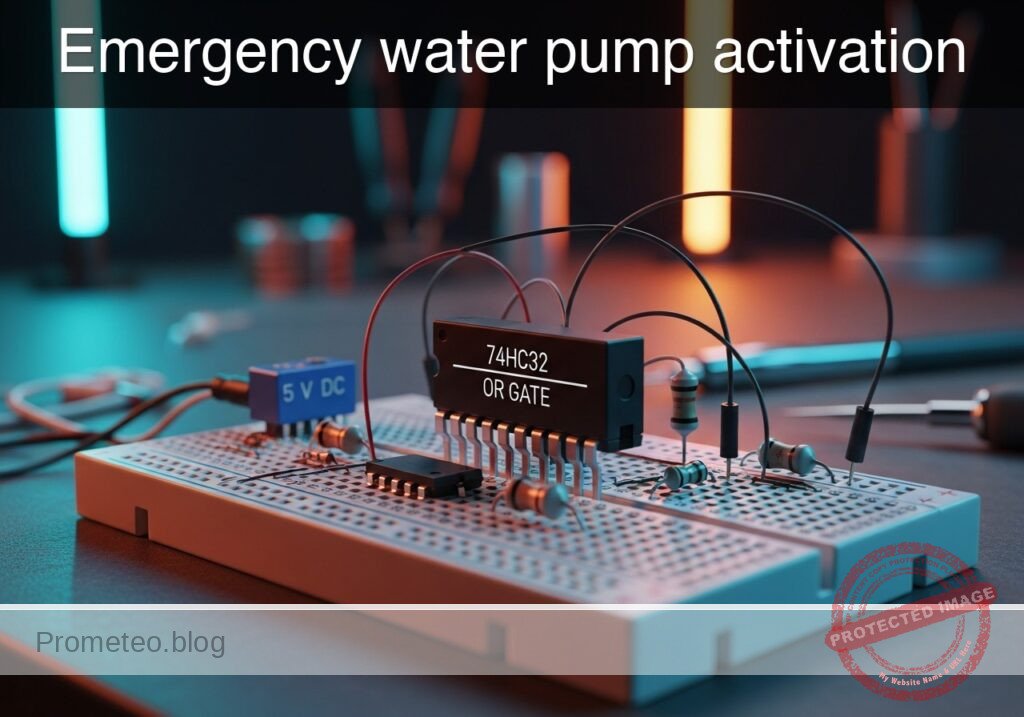
Practical case: Emergency water pump activation

Emergency water pump activation prototype (Maker Style)

Level: Basic. Design a control system that activates a drainage pump if either of two water level sensors is triggered.

Objective and use case

You will build a logic control circuit using a 74HC32 (OR Gate) to drive a DC motor via a transistor driver whenever water is detected by at least one sensor.

Why it is useful:
* Flood Prevention: Automatically activates a sump pump in a basement when water rises to a critical level.
* Industrial Safety: Prevents tank overflows by draining liquid if primary or secondary high-level sensors are triggered.
* Marine Applications: Activates a boat’s bilge pump if water enters the hull from either the port or starboard side.
* Redundancy: Ensures the pump starts even if one sensor fails (provided the other detects the water).

Expected outcome:
* The motor turns ON if Sensor A is HIGH.
* The motor turns ON if Sensor B is HIGH.
* The motor turns ON if both sensors are HIGH.
* The logic output at the gate pin reads ~5 V (Logic 1) when active.
* Target audience: Basic electronics students and hobbyists.

Materials

  • V1: 5 V DC supply, function: Main circuit power.
  • S1: SPST Switch, function: Simulates Water Level Sensor A.
  • S2: SPST Switch, function: Simulates Water Level Sensor B.
  • R1: 10 kΩ resistor, function: Pull-down for Sensor A.
  • R2: 10 kΩ resistor, function: Pull-down for Sensor B.
  • U1: 74HC32 Quad 2-Input OR Gate.
  • R3: 1 kΩ resistor, function: Transistor base current limiting.
  • Q1: 2N2222 NPN Transistor, function: Motor driver switch.
  • D1: 1N4007 Diode, function: Flyback protection (snubber).
  • M1: 5 V DC Motor, function: Drainage pump simulation.

Pin-out of the IC used

Chip: 74HC32 (Quad 2-Input OR Gate)

Pin Name Logic function Connection in this case
1 1A Input A Connected to Node SENS_A
2 1B Input B Connected to Node SENS_B
3 1Y Output Connected to Node GATE_OUT
7 GND Ground Connected to Node 0 (GND)
14 VCC Power (+5V) Connected to Node VCC

Wiring guide

Construct the circuit following these node connections:

  • VCC: Connect positive terminal of V1, one side of S1, one side of S2, Pin 14 of U1, and the positive terminal of M1.
  • 0 (GND): Connect negative terminal of V1, Pin 7 of U1, Emitter of Q1, bottom of R1, and bottom of R2.
  • SENS_A: Connect other side of S1, top of R1, and Pin 1 of U1.
  • SENS_B: Connect other side of S2, top of R2, and Pin 2 of U1.
  • GATE_OUT: Connect Pin 3 of U1 to one side of R3.
  • BASE_NODE: Connect the other side of R3 to the Base of Q1.
  • MOTOR_DRIVE: Connect the Collector of Q1, the negative terminal of M1, and the Anode of D1.
  • PROTECTION: Connect the Cathode of D1 to VCC (Across the motor).

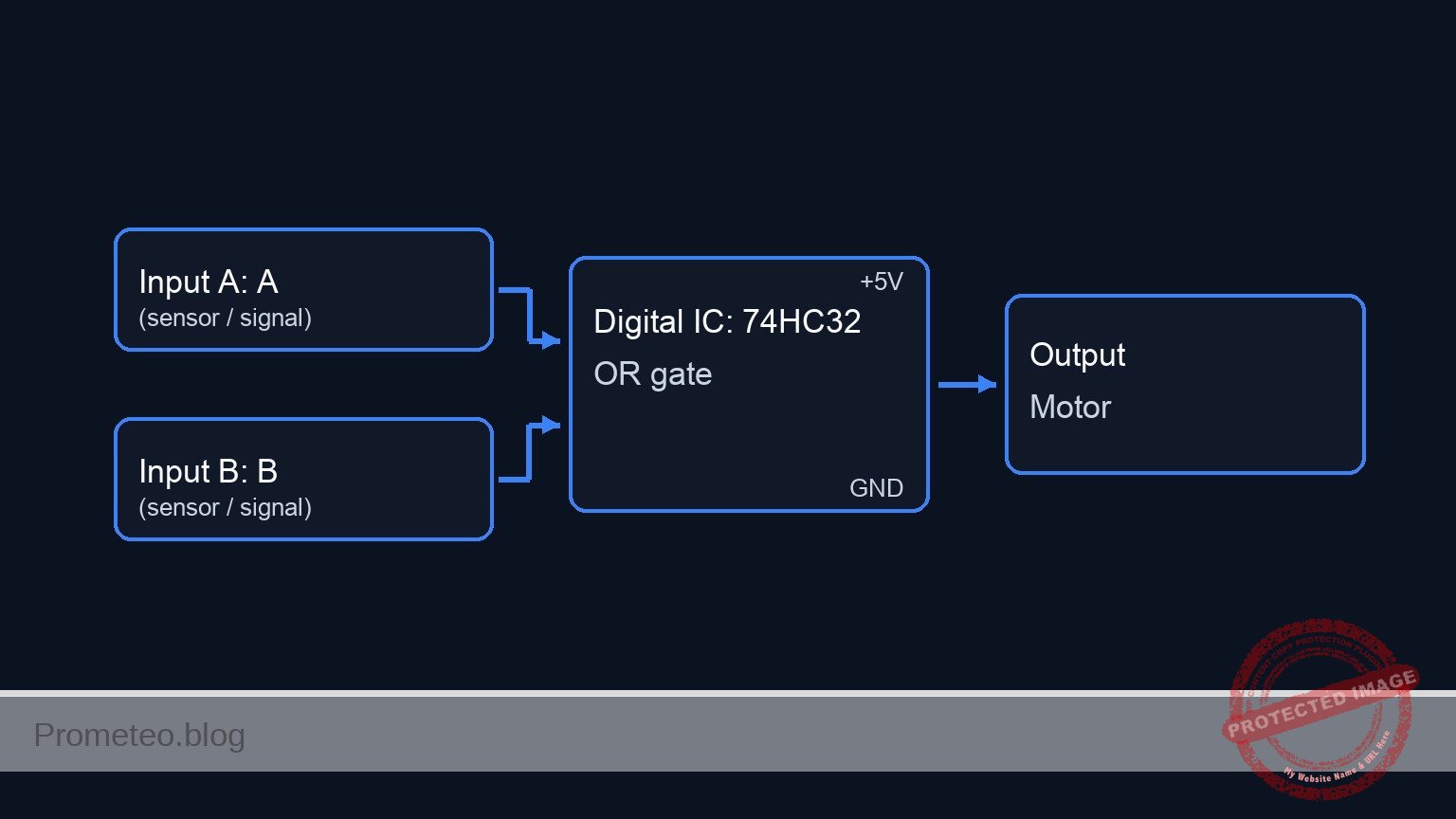
Conceptual block diagram

Conceptual block diagram — 74HC32 OR gate

Schematic

[ INPUTS / SENSORS ]                 [ LOGIC CONTROL ]                   [ ACTUATOR / OUTPUT ]

                                          +----------------+
    [ Switch S1 ]                         |                |
    [ + R1 (PD) ] --(SENS_A / Pin 1)----->|   U1: 74HC32   |
                                          |   (OR Gate)    |
                                          |                |--(GATE_OUT / Pin 3)--> [ Resistor R3 ]
                                          |   Logic:       |                            |
    [ Switch S2 ]                         |   If A OR B    |                            |
    [ + R2 (PD) ] --(SENS_B / Pin 2)----->|   Then HIGH    |                            |
                                          |                |                      (BASE_NODE)
                                          +----------------+                            |
                                                                                        v
                                                                               [ Q1 NPN Transistor ]
                                                                               (Electronic Switch)
                                                                                        |
                                                                                        | (Switches GND)
                                                                                        |
                                                                                  (MOTOR_DRIVE)
                                                                                        |
                                                                                        v
                                                                             [ Motor M1 + Diode D1 ]
                                                                             (Connected to VCC)
Schematic (ASCII)

Truth table

This table describes the logic state of the 74HC32 and the resulting physical action of the pump.

Sensor A (Input 1A) Sensor B (Input 1B) Logic Output (Pin 1Y) Transistor State Pump Status
Low (0) Low (0) Low (0) OFF (Open) OFF
Low (0) High (1) High (1) ON (Saturation) ON
High (1) Low (0) High (1) ON (Saturation) ON
High (1) High (1) High (1) ON (Saturation) ON

Measurements and tests

  1. Power Check: Before connecting the motor, measure the voltage between VCC and GND. It should be stable at 5 V.
  2. Idle State: Ensure both switches are open. Measure voltage at Pin 3 (GATE_OUT). It should be ~0 V. The motor should be stopped.
  3. Sensor A Activation: Close S1. Measure voltage at Pin 1 (Input A). It should be 5 V. Pin 3 should go High, and the motor should spin.
  4. Sensor B Activation: Open S1 and close S2. Verify the motor spins.
  5. Simultaneous Activation: Close both S1 and S2. The motor should remain spinning.
  6. Current Draw: Place an ammeter in series with the motor. Note the current consumption (typically 50mA to 200mA for small hobby motors).

SPICE netlist and simulation

Reference SPICE Netlist (ngspice) — excerptFull SPICE netlist (ngspice)

* Emergency water pump activation fixed

* --- Power Supply ---
V1 VCC 0 DC 5

* --- Switches & Sensors ---
* S1: Simulates Water Level Sensor A
V_ACT_A ACT_A 0 PULSE(0 5 0 1u 1u 1m 2m)
S1 VCC SENS_A ACT_A 0 SW_MOD

* R1: Pull-down for Sensor A
R1 SENS_A 0 10k

* S2: Simulates Water Level Sensor B
V_ACT_B ACT_B 0 PULSE(0 5 0 1u 1u 0.5m 1m)
S2 VCC SENS_B ACT_B 0 SW_MOD

* R2: Pull-down for Sensor B
R2 SENS_B 0 10k

* --- Logic Gate U1: 74HC32 (Quad OR) ---
* Pin 1: SENS_A, Pin 2: SENS_B, Pin 3: GATE_OUT, Pin 7: GND, Pin 14: VCC
XU1 SENS_A SENS_B GATE_OUT 0 VCC 74HC32_GATE

* --- Driver Stage ---
* R3: Base resistor
R3 GATE_OUT BASE_NODE 1k

* Q1: NPN Transistor Switch
* Collector: MOTOR_DRIVE, Base: BASE_NODE, Emitter: 0 (GND)
* ... (truncated in public view) ...

Copy this content into a .cir file and run with ngspice.

🔒 Part of this section is premium. With the 7-day pass or the monthly membership you can access the full content (materials, wiring, detailed build, validation, troubleshooting, variants and checklist) and download the complete print-ready PDF pack.

* Emergency water pump activation fixed

* --- Power Supply ---
V1 VCC 0 DC 5

* --- Switches & Sensors ---
* S1: Simulates Water Level Sensor A
V_ACT_A ACT_A 0 PULSE(0 5 0 1u 1u 1m 2m)
S1 VCC SENS_A ACT_A 0 SW_MOD

* R1: Pull-down for Sensor A
R1 SENS_A 0 10k

* S2: Simulates Water Level Sensor B
V_ACT_B ACT_B 0 PULSE(0 5 0 1u 1u 0.5m 1m)
S2 VCC SENS_B ACT_B 0 SW_MOD

* R2: Pull-down for Sensor B
R2 SENS_B 0 10k

* --- Logic Gate U1: 74HC32 (Quad OR) ---
* Pin 1: SENS_A, Pin 2: SENS_B, Pin 3: GATE_OUT, Pin 7: GND, Pin 14: VCC
XU1 SENS_A SENS_B GATE_OUT 0 VCC 74HC32_GATE

* --- Driver Stage ---
* R3: Base resistor
R3 GATE_OUT BASE_NODE 1k

* Q1: NPN Transistor Switch
* Collector: MOTOR_DRIVE, Base: BASE_NODE, Emitter: 0 (GND)
Q1 MOTOR_DRIVE BASE_NODE 0 2N2222MOD

* --- Output Load (Motor) ---
* M1: 5V DC Motor simulation (Inductive Load)
* Fixed: Subcircuit name changed from DC_MOTOR_MODEL to DC_MOTOR to match definition
XM1 VCC MOTOR_DRIVE DC_MOTOR

* --- Protection ---
* D1: Flyback Diode
D1 MOTOR_DRIVE VCC 1N4007MOD

* --- Models and Subcircuits ---

* Switch Model
.model SW_MOD SW(Vt=2.5 Vh=0.1 Ron=0.1 Roff=10Meg)

* Transistor Model (Generic 2N2222)
.model 2N2222MOD NPN(Is=14.34f Xti=3 Eg=1.11 Vaf=74.03 Bf=255.9 Ne=1.307 Ise=14.34f Ikf=.2847 Xtb=1.5 Br=6.092 Nc=2 Isc=0 Ikr=0 Rc=1 Cjc=7.306p Mjc=.3416 Vjc=.75 Fc=.5 Cje=22.01p Mje=.377 Vje=.75 Tr=46.91n Tf=411.1p Itf=.6 Vtf=1.7 Xtf=3 Rb=10)

* Diode Model (Generic 1N4007)
.model 1N4007MOD D(IS=7.027n RS=0.03415 N=1.267 EG=1.11 XTI=3 BV=1000 IBV=10m CJO=10p VJ=0.7 M=0.5 FC=0.5 TT=100n)

* Motor Model (Simple RL series)
.subckt DC_MOTOR POS NEG
Rcoil POS INT 50
Lcoil INT NEG 5m
.ends

* 74HC32 Logic Gate Model (Behavioral)
* Implements OR logic: OUT = 1 if (IN1=1 OR IN2=1)
.subckt 74HC32_GATE IN1 IN2 OUT GND VCC
B_OR OUT GND V=V(VCC) * ( (1/(1+exp(-20*(V(IN1)-2.5)))) + (1/(1+exp(-20*(V(IN2)-2.5)))) - ( (1/(1+exp(-20*(V(IN1)-2.5)))) * (1/(1+exp(-20*(V(IN2)-2.5)))) ) )
.ends

* --- Simulation Directives ---
.tran 10u 2.5m

* Print required nodes for validation
.print tran V(SENS_A) V(SENS_B) V(GATE_OUT) V(BASE_NODE) V(MOTOR_DRIVE)

.end

Simulation Results (Transient Analysis)

Simulation Results (Transient Analysis)
Show raw data table (2750 rows)
Index   time            v(sens_a)       v(sens_b)       v(gate_out)
0	0.000000e+00	4.995005e-03	4.995005e-03	2.131385e-21
1	1.000000e-08	4.995005e-03	4.995005e-03	2.131385e-21
2	2.000000e-08	4.995005e-03	4.995005e-03	2.131385e-21
3	4.000000e-08	4.995005e-03	4.995005e-03	2.131385e-21
4	8.000000e-08	4.995005e-03	4.995005e-03	2.131385e-21
5	1.600000e-07	4.995005e-03	4.995005e-03	2.131385e-21
6	3.200000e-07	4.995005e-03	4.995005e-03	2.131385e-21
7	3.600000e-07	4.995005e-03	4.995005e-03	2.131385e-21
8	4.300000e-07	4.995005e-03	4.995005e-03	2.131385e-21
9	4.493750e-07	4.995005e-03	4.995005e-03	2.131385e-21
10	4.832812e-07	4.995005e-03	4.995005e-03	2.131385e-21
11	5.162979e-07	4.999950e+00	4.999950e+00	5.000000e+00
12	5.395702e-07	4.999950e+00	4.999950e+00	5.000000e+00
13	5.611432e-07	4.999950e+00	4.999950e+00	5.000000e+00
14	5.884211e-07	4.999950e+00	4.999950e+00	5.000000e+00
15	6.429769e-07	4.999950e+00	4.999950e+00	5.000000e+00
16	7.520886e-07	4.999950e+00	4.999950e+00	5.000000e+00
17	9.703119e-07	4.999950e+00	4.999950e+00	5.000000e+00
18	1.000000e-06	4.999950e+00	4.999950e+00	5.000000e+00
19	1.030157e-06	4.999950e+00	4.999950e+00	5.000000e+00
20	1.090472e-06	4.999950e+00	4.999950e+00	5.000000e+00
21	1.211102e-06	4.999950e+00	4.999950e+00	5.000000e+00
22	1.452361e-06	4.999950e+00	4.999950e+00	5.000000e+00
23	1.934879e-06	4.999950e+00	4.999950e+00	5.000000e+00
... (2726 more rows) ...

Common mistakes and how to avoid them

  1. Floating Inputs: Forgetting the pull-down resistors (R1, R2).
    • Solution: Always connect inputs to ground via a resistor (10kΩ) so they default to 0 V when switches are open.
  2. Missing Flyback Diode: Omitting D1 across the motor.
    • Solution: Inductive loads generate voltage spikes when turned off. Always place a diode in reverse bias across the motor to protect the transistor.
  3. Overloading the Gate: Connecting the motor directly to the 74HC32 output pin.
    • Solution: Logic gates can only supply small currents (~20mA). Use a transistor (Q1) to handle the higher current required by the motor.

Troubleshooting

  • Symptom: Motor runs continuously even when switches are open.
    • Cause: Inputs are floating or the transistor is shorted.
    • Fix: Check R1/R2 connections or replace Q1.
  • Symptom: IC gets very hot immediately.
    • Cause: VCC and GND pins are reversed or shorted.
    • Fix: Disconnect power immediately and verify Pin 14 and Pin 7 wiring.
  • Symptom: Logic output is High (5V), but motor does not spin.
    • Cause: Base resistor (R3) too high or transistor gain too low.
    • Fix: Verify R3 is 1kΩ. Ensure the motor power supply is adequate.

Possible improvements and extensions

  1. Visual Indicators: Add an LED with a current-limiting resistor in parallel with the motor to provide a visual warning when the pump is active.
  2. Hysteresis/Latching: Replace the OR gate with an SR Latch logic. This would keep the pump running even if the water level drops momentarily, ensuring a full drain cycle until a bottom sensor resets it.

More Practical Cases on Prometeo.blog

Find this product and/or books on this topic on Amazon

Go to Amazon

As an Amazon Associate, I earn from qualifying purchases. If you buy through this link, you help keep this project running.

Quick Quiz

Question 1: What is the primary objective of the control system described?


Question 2: Which logic gate IC is used to process the sensor inputs in this project?


Question 3: What component is typically used to simulate the digital input of water level sensors in this basic circuit?


Question 4: What is the function of the 1N4007 Diode (D1) placed across the motor?


Question 5: Under which condition will the motor turn ON?


Question 6: What is the purpose of the 10 kΩ resistors (R1 and R2) connected to the switches?


Question 7: Which component acts as the driver switch to handle the current for the DC motor?


Question 8: What is the expected logic output voltage at the gate pin when the system is active?


Question 9: Why is this system useful for marine applications like a bilge pump?


Question 10: What is the specific function of the resistor R3 (1 kΩ) connected to the transistor?


Carlos Núñez Zorrilla
Electronics & Computer Engineer

Telecommunications Electronics Engineer and Computer Engineer (official degrees in Spain).

Follow me:


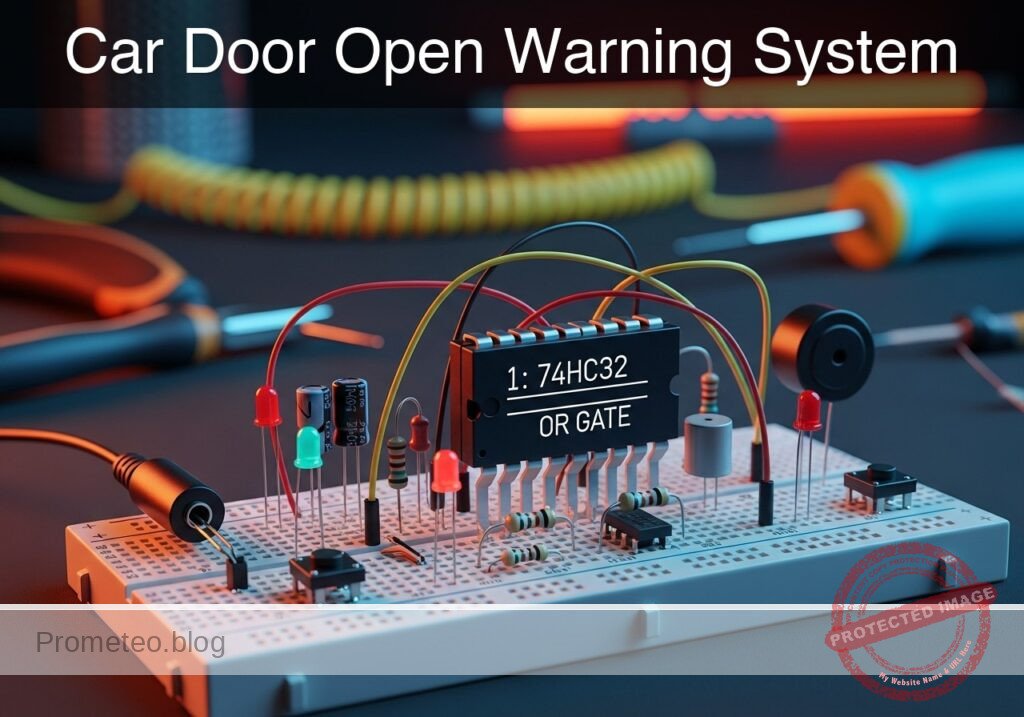
Practical case: Car Door Open Warning System

Car Door Open Warning System prototype (Maker Style)

Level: Basic – Implement a logic circuit that triggers an indicator when any door is left ajar.

Objective and use case

In this session, you will build a digital monitoring circuit using a 74HC32 OR gate to detect if any vehicle door is not fully closed. The circuit uses «Normally Closed» (NC) switches to simulate the door mechanics, ensuring that the alarm activates (LED turns ON) when a door opens.

  • Why it is useful:

    • Automotive Safety: Alerts drivers if a door is not latched before driving, preventing accidents.
    • Security Systems: Monitors multiple entry points (windows/doors) and triggers a central alarm if any single one is breached.
    • Industrial Enclosures: Ensures safety guards on dangerous machinery are closed before operation is allowed.
    • Access Control: Simple logic aggregation for multiple sensors.
  • Expected outcome:

    • Both Doors Closed: Inputs are Logic 0 (0 V); LED is OFF.
    • Door A Open: Input A becomes Logic 1 (5 V); LED turns ON.
    • Door B Open: Input B becomes Logic 1 (5 V); LED turns ON.
    • Both Open: Both inputs Logic 1; LED remains ON.
  • Target audience: Basic electronics students and automotive hobbyists.

Materials

  • V1: 5 V DC power supply, function: main circuit power.
  • S1: NC (Normally Closed) Pushbutton, function: Door A sensor (Released = Door Open).
  • S2: NC (Normally Closed) Pushbutton, function: Door B sensor (Released = Door Open).
  • R1: 10 kΩ resistor, function: pull-down for Input A.
  • R2: 10 kΩ resistor, function: pull-down for Input B.
  • U1: 74HC32, function: Quad 2-input OR gate IC.
  • R3: 330 Ω resistor, function: LED current limiting.
  • D1: Red LED, function: Open door warning indicator.
  • C1: 100 nF capacitor, function: decoupling for U1 power supply.

Pin-out of the IC used

Selected Chip: 74HC32 (Quad 2-Input OR Gate)

Pin Name Logic function Connection in this case
1 1A Input A Connected to Node DOOR_A
2 1B Input B Connected to Node DOOR_B
3 1Y Output Connected to Node V_ALARM
7 GND Ground Connected to Node 0
14 VCC Power Connected to Node VCC

Wiring guide

Follow these connections to create the SPICE-compatible netlist logic:

  • Power Supply

    • V1 connects between node VCC and node 0 (GND).
    • C1 connects between node VCC and node 0 (near the IC).
  • Input Stage (Door Sensors)

    • S1 connects between node VCC and node DOOR_A.
    • R1 connects between node DOOR_A and node 0. (Ensures Logic 0 when door is closed/switch pressed).
    • S2 connects between node VCC and node DOOR_B.
    • R2 connects between node DOOR_B and node 0.
  • Logic Processing (74HC32)

    • U1 Pin 14 connects to VCC.
    • U1 Pin 7 connects to 0.
    • U1 Pin 1 (Input 1A) connects to node DOOR_A.
    • U1 Pin 2 (Input 1B) connects to node DOOR_B.
    • U1 Pin 3 (Output 1Y) connects to node V_ALARM.
  • Output Stage (Indicator)

    • R3 connects between node V_ALARM and node LED_ANODE.
    • D1 anode connects to LED_ANODE.
    • D1 cathode connects to node 0.

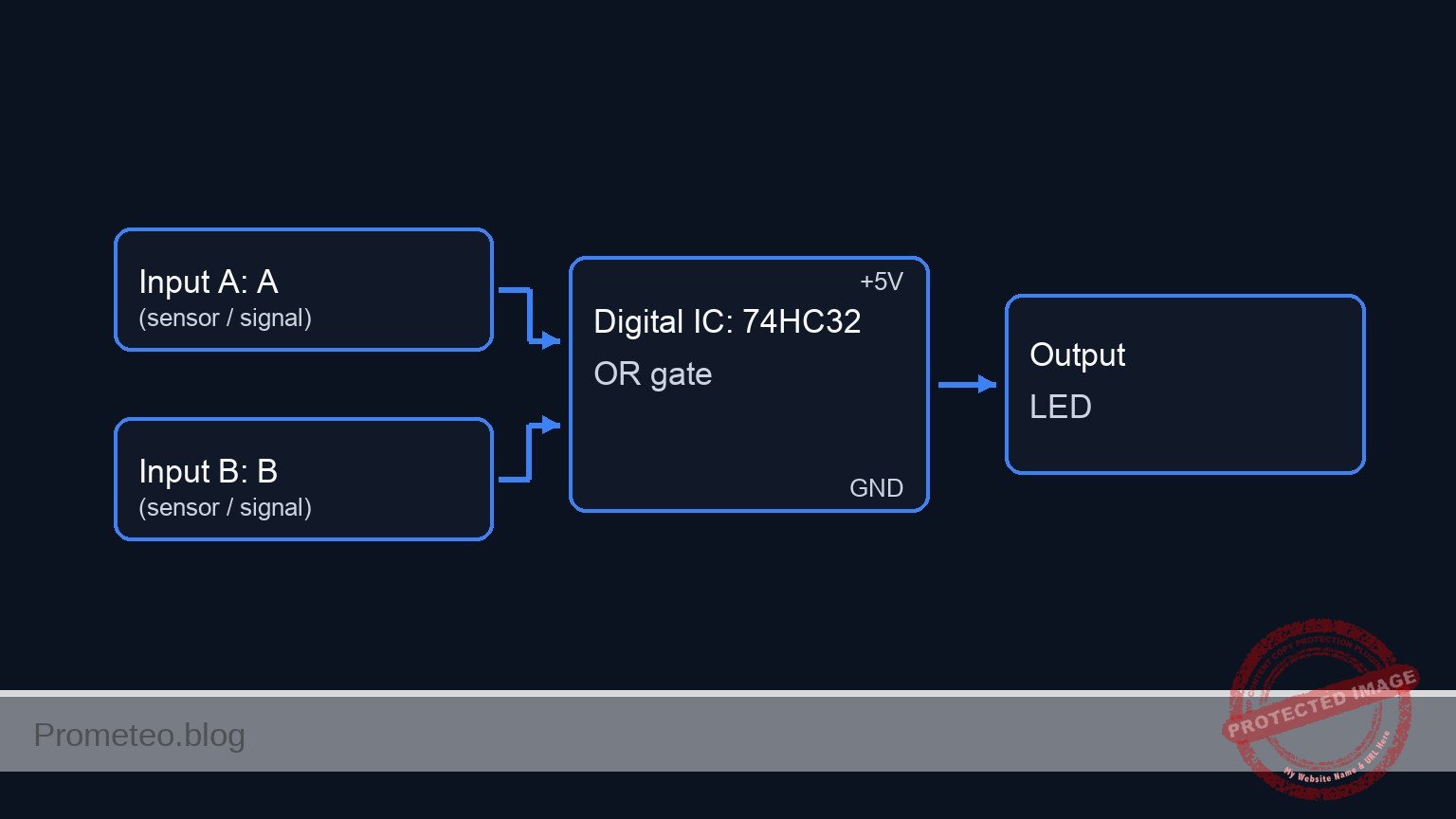
Conceptual block diagram

Conceptual block diagram — 74HC32 OR gate

Schematic

[ INPUT STAGE ]                      [ LOGIC STAGE ]                  [ OUTPUT STAGE ]

(VCC 5V)
   |
[ S1: Door A Switch (NC) ]
   |
   +---> [ Node: DOOR_A ] --(Pin 1)---->+------------------+
   |                                    |                  |
[ R1: 10k Pull-Down ] -> GND            |    U1: 74HC32    |
                                        |    (OR Gate)     |
                                        |                  |--(Pin 3)---> [ R3: 330 Ohm ]
                                        |    Logic:        |                   |
(VCC 5V)                                |    A + B = Y     |                   v
   |                                    |                  |             [ D1: Red LED ]
[ S2: Door B Switch (NC) ]              |                  |                   |
   |                                    |                  |                  GND
   +---> [ Node: DOOR_B ] --(Pin 2)---->+------------------+
   |                                            ^
[ R2: 10k Pull-Down ] -> GND                    |
                                          [ C1: 100nF ]
                                          (Decoupling)
Schematic (ASCII)

Truth table

The 74HC32 behaves according to the standard OR logic. In this scenario:
* Logic 0 = 0 V (Door Closed / Switch Pressed).
* Logic 1 = 5 V (Door Open / Switch Released).

Door A (Input 1) Door B (Input 2) Output (LED) State Description
0 (Closed) 0 (Closed) 0 (OFF) Secure
0 (Closed) 1 (Open) 1 (ON) Warning
1 (Open) 0 (Closed) 1 (ON) Warning
1 (Open) 1 (Open) 1 (ON) Warning

Measurements and tests

  1. Supply Verification: Measure the voltage between VCC and 0. It should be stable at 5 V.
  2. Default State (Safe): Press and hold both S1 and S2 (simulating closed doors). Measure voltage at DOOR_A and DOOR_B. Both should be ~0 V. The LED should be OFF.
  3. Door A Test: Release S1 while holding S2. The voltage at DOOR_A should jump to ~5 V. The voltage at V_ALARM should go High (~5 V), and the LED should light up.
  4. Door B Test: Release S2 while holding S1. The voltage at DOOR_B should jump to ~5 V. The LED should light up.
  5. Logic Threshold Verification: If using a variable supply, verify that the 74HC32 registers a «High» signal once the input voltage crosses approximately 3.5 V (for 5 V VCC).

SPICE netlist and simulation

Reference SPICE Netlist (ngspice) — excerptFull SPICE netlist (ngspice)

* Car Door Open Warning System
* Practical case implementation for ngspice

* --- Component Models ---
* Generic Red LED Model
.model DLED D(IS=10n N=2 RS=10 CJO=20p)
* Voltage Controlled Switch Model
* Vt=2.5V: Threshold voltage
* Ron=0.1: Resistance when ON (Closed)
* Roff=100Meg: Resistance when OFF (Open)
.model MYSW SW(Vt=2.5 Ron=0.1 Roff=100Meg)

* --- Power Supply ---
V1 VCC 0 DC 5

* --- Decoupling ---
C1 VCC 0 100n

* --- Input Stage: Door Sensors ---
* Logic: 
* S1/S2 are NC (Normally Closed) Pushbuttons.
* Function: Released = Door Open. Pressed = Door Closed.
* Wiring: S1 connects VCC to DOOR_A. R1 pulls DOOR_A to GND.
* Simulation Logic:
* We use Voltage Controlled Switches (S1, S2) to simulate the physical contacts.
* Control Pulses (V_ACT_A, V_ACT_B) simulate the "Door Open" state.
* High Pulse = Door Open = Switch Released (Closed contacts) -> VCC connected.
* Low Pulse = Door Closed = Switch Pressed (Open contacts) -> Pulled to 0V.

* Door A
* ... (truncated in public view) ...

Copy this content into a .cir file and run with ngspice.

🔒 Part of this section is premium. With the 7-day pass or the monthly membership you can access the full content (materials, wiring, detailed build, validation, troubleshooting, variants and checklist) and download the complete print-ready PDF pack.

* Car Door Open Warning System
* Practical case implementation for ngspice

* --- Component Models ---
* Generic Red LED Model
.model DLED D(IS=10n N=2 RS=10 CJO=20p)
* Voltage Controlled Switch Model
* Vt=2.5V: Threshold voltage
* Ron=0.1: Resistance when ON (Closed)
* Roff=100Meg: Resistance when OFF (Open)
.model MYSW SW(Vt=2.5 Ron=0.1 Roff=100Meg)

* --- Power Supply ---
V1 VCC 0 DC 5

* --- Decoupling ---
C1 VCC 0 100n

* --- Input Stage: Door Sensors ---
* Logic: 
* S1/S2 are NC (Normally Closed) Pushbuttons.
* Function: Released = Door Open. Pressed = Door Closed.
* Wiring: S1 connects VCC to DOOR_A. R1 pulls DOOR_A to GND.
* Simulation Logic:
* We use Voltage Controlled Switches (S1, S2) to simulate the physical contacts.
* Control Pulses (V_ACT_A, V_ACT_B) simulate the "Door Open" state.
* High Pulse = Door Open = Switch Released (Closed contacts) -> VCC connected.
* Low Pulse = Door Closed = Switch Pressed (Open contacts) -> Pulled to 0V.

* Door A
S1 VCC DOOR_A CTRL_A 0 MYSW
R1 DOOR_A 0 10k

* Door B
S2 VCC DOOR_B CTRL_B 0 MYSW
R2 DOOR_B 0 10k

* --- Control Signals (User Stimuli) ---
* Timing Sequence:
* 0us - 100us: Both Doors Closed (Low)
* 100us - 200us: Door A Open (High)
* 200us - 300us: Both Doors Open (High)
* 300us - 400us: Door B Open (High)
* 400us - 600us: Both Doors Closed (Low)
V_ACT_A CTRL_A 0 PULSE(0 5 100u 1u 1u 200u 1000u)
V_ACT_B CTRL_B 0 PULSE(0 5 200u 1u 1u 200u 1000u)

* --- Logic Processing: U1 (74HC32) ---
* Quad 2-input OR gate
* Connections per wiring guide:
* Pin 1 (A) -> DOOR_A
* Pin 2 (B) -> DOOR_B
* Pin 3 (Y) -> V_ALARM
* Pin 7 (GND) -> 0
* Pin 14 (VCC) -> VCC
XU1 DOOR_A DOOR_B V_ALARM 0 VCC 74HC32

* --- Output Stage: Indicator ---
R3 V_ALARM LED_ANODE 330
D1 LED_ANODE 0 DLED

* --- Subcircuits ---
.subckt 74HC32 InA InB OutY GND VCC
* Behavioral OR Gate implementation
* Uses tanh for continuous, robust switching
* Logic: Out = VCC if (A > 2.5) OR (B > 2.5)
* Formula: Vout = VCC * ( 1 - (NOT A * NOT B) )
* NOT A is approximated by 0.5 * (1 - tanh(10*(V(InA)-2.5)))
B1 OutY GND V = V(VCC) * (1 - ( (0.5*(1-tanh(10*(V(InA)-2.5)))) * (0.5*(1-tanh(10*(V(InB)-2.5)))) ))
.ends

* --- Analysis Directives ---
.tran 1u 600u
.print tran V(DOOR_A) V(DOOR_B) V(V_ALARM) V(LED_ANODE)
.op

.end

Simulation Results (Transient Analysis)

Simulation Results (Transient Analysis)
Show raw data table (1382 rows)
Index   time            v(door_a)       v(door_b)       v(v_alarm)
0	0.000000e+00	4.999500e-04	4.999500e-04	1.110223e-15
1	1.000000e-08	4.999500e-04	4.999500e-04	1.110223e-15
2	2.000000e-08	4.999500e-04	4.999500e-04	1.110223e-15
3	4.000000e-08	4.999500e-04	4.999500e-04	1.110223e-15
4	8.000000e-08	4.999500e-04	4.999500e-04	1.110223e-15
5	1.600000e-07	4.999500e-04	4.999500e-04	1.110223e-15
6	3.200000e-07	4.999500e-04	4.999500e-04	1.110223e-15
7	6.400000e-07	4.999500e-04	4.999500e-04	1.110223e-15
8	1.280000e-06	4.999500e-04	4.999500e-04	1.110223e-15
9	2.280000e-06	4.999500e-04	4.999500e-04	1.110223e-15
10	3.280000e-06	4.999500e-04	4.999500e-04	1.110223e-15
11	4.280000e-06	4.999500e-04	4.999500e-04	1.110223e-15
12	5.280000e-06	4.999500e-04	4.999500e-04	1.110223e-15
13	6.280000e-06	4.999500e-04	4.999500e-04	1.110223e-15
14	7.280000e-06	4.999500e-04	4.999500e-04	1.110223e-15
15	8.280000e-06	4.999500e-04	4.999500e-04	1.110223e-15
16	9.280000e-06	4.999500e-04	4.999500e-04	1.110223e-15
17	1.028000e-05	4.999500e-04	4.999500e-04	1.110223e-15
18	1.128000e-05	4.999500e-04	4.999500e-04	1.110223e-15
19	1.228000e-05	4.999500e-04	4.999500e-04	1.110223e-15
20	1.328000e-05	4.999500e-04	4.999500e-04	1.110223e-15
21	1.428000e-05	4.999500e-04	4.999500e-04	1.110223e-15
22	1.528000e-05	4.999500e-04	4.999500e-04	1.110223e-15
23	1.628000e-05	4.999500e-04	4.999500e-04	1.110223e-15
... (1358 more rows) ...

Common mistakes and how to avoid them

  1. Leaving Inputs Floating: Failing to install R1 or R2 will cause the inputs to «float» when the switch is open (pressed). This leads to erratic LED behavior. Always use pull-down resistors with this switch configuration.
  2. Confusing NC vs NO Switches: If you use NO (Normally Open) switches with this specific wiring, the logic reverses (LED ON when doors are closed). Ensure you understand the mechanical state of the switch when the door is physically closed.
  3. Missing LED Resistor: Connecting the LED directly to the IC output (Pin 3) without R3 will damage the LED or the 74HC32 chip due to excessive current.

Troubleshooting

  • LED is always ON:
    • Check if S1 or S2 are wired incorrectly (e.g., shorting VCC to Input constantly).
    • Verify R1 and R2 are connected to Ground, not VCC.
    • Ensure the IC is a 74HC32 (OR) and not a 74HC00 (NAND) or similar.
  • LED never turns ON:
    • Check power supply connections to Pin 14 and Pin 7.
    • Ensure the LED polarity is correct (Anode to resistor, Cathode to GND).
    • Verify the switches are actually passing 5 V when released.
  • LED is dim:
    • The value of R3 might be too high (e.g., 10 kΩ instead of 330 Ω).
    • The power supply voltage might be below 3 V.

Possible improvements and extensions

  1. Audible Alarm: Connect a 5 V active buzzer in parallel with the LED (driven by a transistor if current exceeds 20 mA) to provide sound feedback.
  2. Interior Light Control: Add a delay circuit (using a capacitor and resistor or a 555 timer) so the light stays on for 10 seconds after the doors are closed, simulating a modern car courtesy light.

More Practical Cases on Prometeo.blog

Find this product and/or books on this topic on Amazon

Go to Amazon

As an Amazon Associate, I earn from qualifying purchases. If you buy through this link, you help keep this project running.

Quick Quiz

Question 1: What is the primary objective of the circuit described in the text?


Question 2: Which specific logic gate IC is used in this project?


Question 3: What type of switches are used to simulate the door mechanics?


Question 4: What is the state of the LED when both doors are fully closed?


Question 5: What happens to the input signal when Door A is opened?


Question 6: What is the logic level of the inputs when both doors are closed?


Question 7: Why is this circuit useful for automotive safety?


Question 8: Besides automotive safety, what is another listed use case for this circuit?


Question 9: If both Door A and Door B are open, what is the status of the LED?


Question 10: What is the target audience level mentioned for this project?


Carlos Núñez Zorrilla
Electronics & Computer Engineer

Telecommunications Electronics Engineer and Computer Engineer (official degrees in Spain).
Follow me:


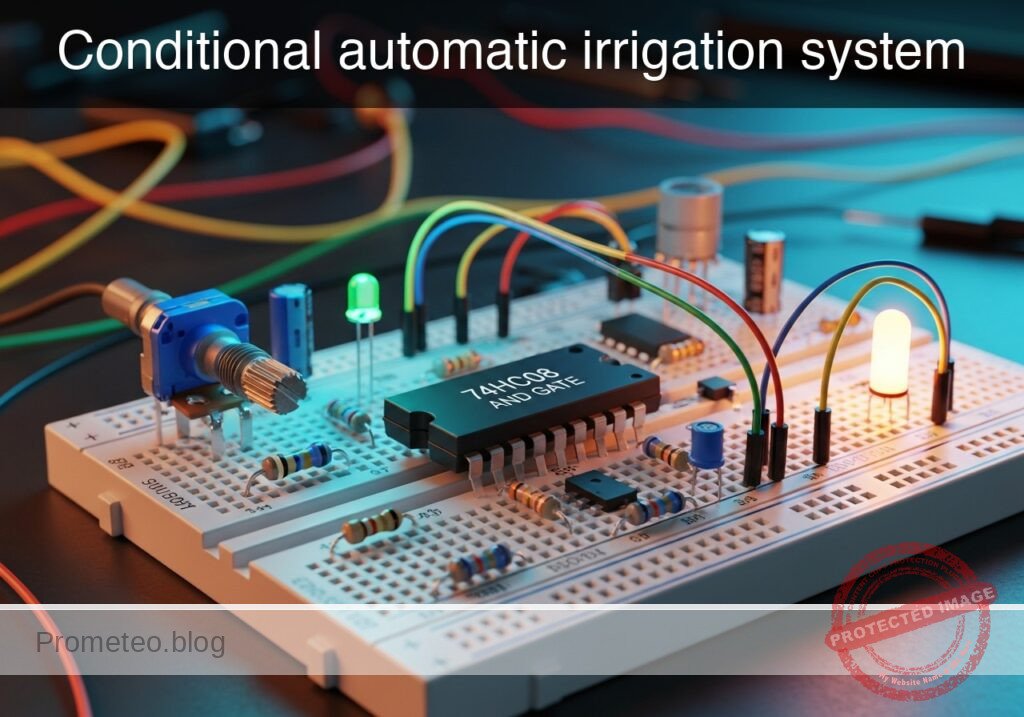
Practical case: Conditional automatic irrigation system

Conditional automatic irrigation system prototype (Maker Style)

Level: Basic – Build a logic circuit to activate a pump only when soil is dry and water is available.

Objective and use case

In this practical case, you will build a safety interlock circuit using a 74HC08 AND gate. The circuit simulates a smart irrigation controller that decides whether to turn on a water pump based on two environmental conditions.

Why this is useful:
* Equipment Protection: Prevents pumps from running «dry» (without water input), which often causes mechanical failure.
* Resource Conservation: Ensures water is only dispensed when the soil actually needs moisture.
* Industrial Logic: Demonstrates the fundamental «safety interlock» concept used in heavy machinery (e.g., machine runs ONLY if guard is closed AND operator presses button).
* Digital Logic Basics: Provides a clear physical representation of the Boolean AND function ($Y = A \cdot B$).

Expected outcome:
* The Output LED (Pump) turns ON only when Switch A (Soil Sensor) is HIGH AND Switch B (Tank Sensor) is HIGH.
* If the Tank is Empty (Switch B = LOW), the pump remains OFF even if the soil is dry.
* Logic 0: Voltage $\approx$ 0 V. Logic 1: Voltage $\approx$ 5 V.

Target audience: Electronic students and hobbyists at a basic level.

Materials

  • U1: 74HC08, function: Quad 2-Input AND Gate IC.
  • S1: SPST Switch, function: Soil Moisture Sensor simulation (Closed = Dry/Logic 1).
  • S2: SPST Switch, function: Water Tank Level simulation (Closed = Water Present/Logic 1).
  • R1: 10 kΩ resistor, function: pull-down for Input A.
  • R2: 10 kΩ resistor, function: pull-down for Input B.
  • R3: 330 Ω resistor, function: LED current limiting.
  • D1: Green LED, function: Water Pump active indicator.
  • V1: 5 V DC supply, function: Main power source.

Pin-out of the IC: 74HC08

The 74HC08 contains four independent AND gates. We will use only one of them for this experiment.

Pin Name Logic Function Connection in this case
1 1A Input A Connected to S1 (Soil Status)
2 1B Input B Connected to S2 (Tank Status)
3 1Y Output Y Connected to LED (Pump indicator)
7 GND Ground Connected to Power Supply Ground (0V)
14 VCC Power Supply Connected to +5V Source

Wiring guide

Follow these connections carefully. The node names correspond to the function of the wire in the circuit.

  • V1 connects between node VCC and node 0 (GND).
  • U1 (Pin 14) connects to node VCC.
  • U1 (Pin 7) connects to node 0 (GND).
  • S1 connects between node VCC and node SOIL_Status.
  • R1 connects between node SOIL_Status and node 0 (GND) (Keeps input Low when switch is open).
  • S2 connects between node VCC and node TANK_Status.
  • R2 connects between node TANK_Status and node 0 (GND) (Keeps input Low when switch is open).
  • U1 (Pin 1, Input A) connects to node SOIL_Status.
  • U1 (Pin 2, Input B) connects to node TANK_Status.
  • U1 (Pin 3, Output Y) connects to node PUMP_Cmd.
  • R3 connects between node PUMP_Cmd and node LED_Anode.
  • D1 connects between node LED_Anode (Anode) and node 0 (GND) (Cathode).

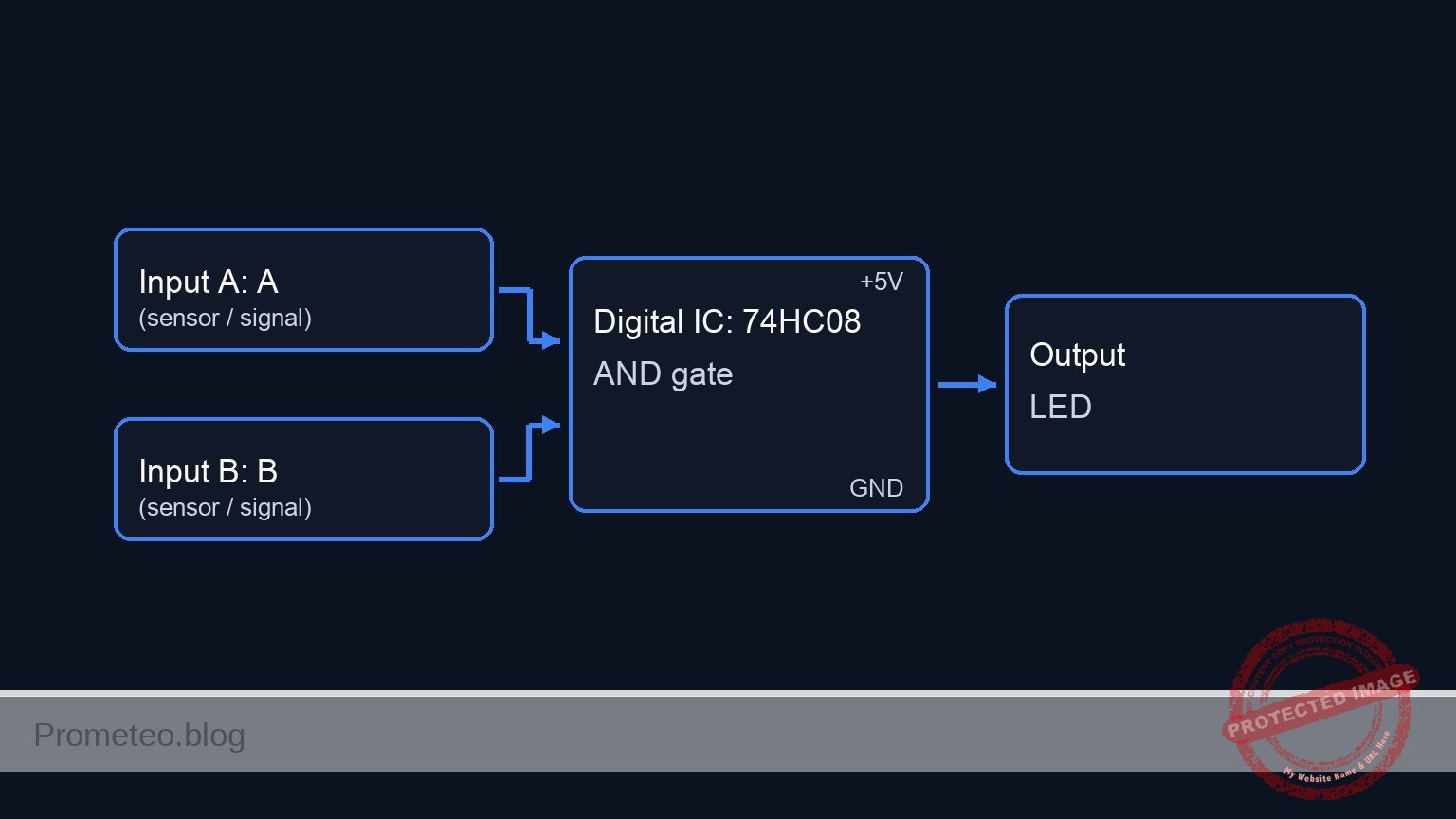
Conceptual block diagram

Conceptual block diagram — 74HC08 AND gate

Schematic

[ INPUTS ]                                  [ LOGIC ]                             [ OUTPUT ]

[ S1: Soil Sensor ]
[ (Switch to VCC) ] --(Node: SOIL_Status)-->+---------------------+
[ (R1: 10k to GND)]                         |      U1: 74HC08     |
                                            |      (AND Gate)     |
                                            |                     |--(Node: PUMP_Cmd)--> [ R3: 330 Ohm ] --> [ D1: Green LED ] --> GND
                                            |   Pin 1 (Input A)   |                      (Current Lim.)      (Pump Active)
                                            |                     |
                                            |   Pin 2 (Input B)   |
[ S2: Tank Level  ] --(Node: TANK_Status)-->|                     |
[ (Switch to VCC) ]                         +---------------------+
[ (R2: 10k to GND)]
Schematic (ASCII)

Truth table

This table defines the logic states.
0 = Switch Open / 0V / Wet Soil / Empty Tank / Pump OFF
1 = Switch Closed / 5V / Dry Soil / Full Tank / Pump ON

Soil Status (A) Tank Status (B) Output Pump (Y) Real-world State
0 0 0 Soil wet, Tank empty -> Standby
0 1 0 Soil wet, Tank full -> Standby
1 0 0 Soil dry, Tank empty -> Safety Cutoff (Protect Pump)
1 1 1 Soil dry, Tank full -> Irrigation Active

Measurements and tests

Validate your circuit using a multimeter set to DC Voltage (20V range).

  1. Standby Check: Ensure both S1 and S2 are Open (OFF). Measure voltage at Pin 3 of U1.
    • Expected: ~0 V. D1 is OFF.
  2. Dry Run Protection Test: Close S1 (Soil is Dry) but leave S2 Open (Tank Empty).
    • Expected: Pin 1 reads 5 V, Pin 2 reads 0 V. Output Pin 3 must remain at 0 V. D1 is OFF.
  3. No Demand Test: Open S1 (Soil Wet) and Close S2 (Tank Full).
    • Expected: Pin 1 reads 0 V, Pin 2 reads 5 V. Output Pin 3 must remain at 0 V. D1 is OFF.
  4. Active Irrigation Test: Close both S1 and S2.
    • Expected: Pin 1 reads 5 V, Pin 2 reads 5 V. Output Pin 3 should read ~5 V (Logic High). D1 lights up Green.

SPICE netlist and simulation

Reference SPICE Netlist (ngspice) — excerptFull SPICE netlist (ngspice)

* Title: Practical case: Conditional automatic irrigation system

* -----------------------------------------------------------------------------
* POWER SUPPLY
* -----------------------------------------------------------------------------
* V1: 5V DC supply, function: Main power source.
V1 VCC 0 DC 5

* -----------------------------------------------------------------------------
* STIMULI GENERATION (Simulating User Interaction)
* -----------------------------------------------------------------------------
* These voltage sources drive the control pins of the ideal switches (S1, S2)
* to simulate the physical sensors changing state over time.
* They are not part of the BOM but are necessary for dynamic simulation.

* Control signal for S1 (Soil Sensor): Period 200us
* Logic: 0 -> 1 -> 0 -> 1
V_CTRL_S1 N_CTRL_S1 0 PULSE(0 5 10u 1u 1u 100u 200u)

* Control signal for S2 (Tank Sensor): Period 400us
* Logic: 0 -> 0 -> 1 -> 1
V_CTRL_S2 N_CTRL_S2 0 PULSE(0 5 10u 1u 1u 200u 400u)

* -----------------------------------------------------------------------------
* INPUT STAGE (Sensors and Pull-downs)
* -----------------------------------------------------------------------------
* S1: SPST Switch, function: Soil Moisture Sensor simulation.
* Wiring: Connects between node VCC and node SOIL_Status.
* Logic: Closed (Controlled by V_CTRL_S1 High) = Dry/Logic 1.
S1 VCC SOIL_Status N_CTRL_S1 0 SW_IDEAL
* ... (truncated in public view) ...

Copy this content into a .cir file and run with ngspice.

🔒 Part of this section is premium. With the 7-day pass or the monthly membership you can access the full content (materials, wiring, detailed build, validation, troubleshooting, variants and checklist) and download the complete print-ready PDF pack.

* Title: Practical case: Conditional automatic irrigation system

* -----------------------------------------------------------------------------
* POWER SUPPLY
* -----------------------------------------------------------------------------
* V1: 5V DC supply, function: Main power source.
V1 VCC 0 DC 5

* -----------------------------------------------------------------------------
* STIMULI GENERATION (Simulating User Interaction)
* -----------------------------------------------------------------------------
* These voltage sources drive the control pins of the ideal switches (S1, S2)
* to simulate the physical sensors changing state over time.
* They are not part of the BOM but are necessary for dynamic simulation.

* Control signal for S1 (Soil Sensor): Period 200us
* Logic: 0 -> 1 -> 0 -> 1
V_CTRL_S1 N_CTRL_S1 0 PULSE(0 5 10u 1u 1u 100u 200u)

* Control signal for S2 (Tank Sensor): Period 400us
* Logic: 0 -> 0 -> 1 -> 1
V_CTRL_S2 N_CTRL_S2 0 PULSE(0 5 10u 1u 1u 200u 400u)

* -----------------------------------------------------------------------------
* INPUT STAGE (Sensors and Pull-downs)
* -----------------------------------------------------------------------------
* S1: SPST Switch, function: Soil Moisture Sensor simulation.
* Wiring: Connects between node VCC and node SOIL_Status.
* Logic: Closed (Controlled by V_CTRL_S1 High) = Dry/Logic 1.
S1 VCC SOIL_Status N_CTRL_S1 0 SW_IDEAL

* R1: 10 kΩ resistor, function: pull-down for Input A.
* Wiring: Connects between node SOIL_Status and node 0 (GND).
R1 SOIL_Status 0 10k

* S2: SPST Switch, function: Water Tank Level simulation.
* Wiring: Connects between node VCC and node TANK_Status.
* Logic: Closed (Controlled by V_CTRL_S2 High) = Water Present/Logic 1.
S2 VCC TANK_Status N_CTRL_S2 0 SW_IDEAL

* R2: 10 kΩ resistor, function: pull-down for Input B.
* Wiring: Connects between node TANK_Status and node 0 (GND).
R2 TANK_Status 0 10k

* -----------------------------------------------------------------------------
* LOGIC STAGE (74HC08 Quad 2-Input AND Gate)
* -----------------------------------------------------------------------------
* U1: 74HC08
* Wiring Guide:
* - Pin 1 (Input A) -> SOIL_Status
* - Pin 2 (Input B) -> TANK_Status
* - Pin 3 (Output Y) -> PUMP_Cmd
* - Pin 7 -> GND (0)
* - Pin 14 -> VCC
* Implemented as a subcircuit to strictly expose pins as nodes.
XU1 SOIL_Status TANK_Status PUMP_Cmd 0 VCC 74HC08_Behavioral

* -----------------------------------------------------------------------------
* OUTPUT STAGE (Indicator)
* -----------------------------------------------------------------------------
* R3: 330 Ω resistor, function: LED current limiting.
* Wiring: Connects between node PUMP_Cmd and node LED_Anode.
R3 PUMP_Cmd LED_Anode 330

* D1: Green LED, function: Water Pump active indicator.
* Wiring: Connects between node LED_Anode (Anode) and node 0 (GND).
D1 LED_Anode 0 LED_Green

* -----------------------------------------------------------------------------
* MODELS & SUBCIRCUITS
* -----------------------------------------------------------------------------
* Switch Model: Low On-Resistance, High Off-Resistance, Threshold 2.5V
.model SW_IDEAL SW(Vt=2.5 Ron=0.1 Roff=100Meg)

* LED Model: Generic Green LED approximation
.model LED_Green D(IS=1e-22 N=1.5 RS=5 BV=5 IBV=10u)

* 74HC08 Subcircuit (Behavioral Implementation)
* Pinout: 1=A, 2=B, 3=Y, 7=GND, 14=VCC
.subckt 74HC08_Behavioral 1 2 3 7 14
* Logic Y = A AND B
* Implementation: Continuous sigmoid function for robust convergence.
* Output voltage swings to V(14) (VCC) when both inputs > 2.5V.
B_AND 3 7 V = V(14,7) * (1 / (1 + exp(-40 * (V(1,7) - 2.5)))) * (1 / (1 + exp(-40 * (V(2,7) - 2.5))))
.ends

* -----------------------------------------------------------------------------
* ANALYSIS COMMANDS
* -----------------------------------------------------------------------------
* Transient analysis: 500us duration to capture all logic states (00, 10, 01, 11)
.tran 1u 500u

* Print critical nodes for verification
.print tran V(SOIL_Status) V(TANK_Status) V(PUMP_Cmd) V(LED_Anode)

* Calculate DC operating point
.op

.end

Simulation Results (Transient Analysis)

Simulation Results (Transient Analysis)
Show raw data table (1202 rows)
Index   time            v(soil_status)  v(tank_status)  v(pump_cmd)
0	0.000000e+00	4.999500e-04	4.999500e-04	7.201843e-87
1	1.000000e-08	4.999500e-04	4.999500e-04	7.201843e-87
2	2.000000e-08	4.999500e-04	4.999500e-04	7.201843e-87
3	4.000000e-08	4.999500e-04	4.999500e-04	7.201843e-87
4	8.000000e-08	4.999500e-04	4.999500e-04	7.201843e-87
5	1.600000e-07	4.999500e-04	4.999500e-04	7.201843e-87
6	3.200000e-07	4.999500e-04	4.999500e-04	7.201843e-87
7	6.400000e-07	4.999500e-04	4.999500e-04	7.201843e-87
8	1.280000e-06	4.999500e-04	4.999500e-04	7.201843e-87
9	2.280000e-06	4.999500e-04	4.999500e-04	7.201843e-87
10	3.280000e-06	4.999500e-04	4.999500e-04	7.201843e-87
11	4.280000e-06	4.999500e-04	4.999500e-04	7.201843e-87
12	5.280000e-06	4.999500e-04	4.999500e-04	7.201843e-87
13	6.280000e-06	4.999500e-04	4.999500e-04	7.201843e-87
14	7.280000e-06	4.999500e-04	4.999500e-04	7.201843e-87
15	8.280000e-06	4.999500e-04	4.999500e-04	7.201843e-87
16	9.280000e-06	4.999500e-04	4.999500e-04	7.201843e-87
17	1.000000e-05	4.999500e-04	4.999500e-04	7.201843e-87
18	1.010000e-05	4.999500e-04	4.999500e-04	7.201843e-87
19	1.026000e-05	4.999500e-04	4.999500e-04	7.201843e-87
20	1.030750e-05	4.999500e-04	4.999500e-04	7.201843e-87
21	1.039062e-05	4.999500e-04	4.999500e-04	7.201843e-87
22	1.041363e-05	4.999500e-04	4.999500e-04	7.201843e-87
23	1.045390e-05	4.999500e-04	4.999500e-04	7.201843e-87
... (1178 more rows) ...

Common mistakes and how to avoid them

  • Floating Inputs: Forgetting R1 or R2 causes the inputs to «float,» making the LED flicker or turn on randomly when switches are open. Solution: Always verify pull-down resistors are connected to Ground.
  • LED Orientation: Placing the LED backwards prevents it from lighting up even when logic is correct. Solution: Ensure the longer leg (Anode) faces the resistor and the IC.
  • Confusing Chips: Using a 74HC32 (OR gate) instead of 74HC08 (AND gate). Solution: Read the text printed on the top of the IC before insertion. If it behaves like «Pump on if EITHER condition is met,» you have the wrong chip.

Troubleshooting

  • Symptom: LED is always ON, regardless of switches.
    • Cause: Inputs might be shorted directly to VCC, or the IC is damaged.
    • Fix: Check wiring at Pin 1 and 2. Ensure R1 and R2 go to Ground, not VCC.
  • Symptom: LED is very dim when active.
    • Cause: R3 value is too high.
    • Fix: Replace R3 with a value between 220 Ω and 470 Ω.
  • Symptom: Circuit works inversely (LED off when switches are closed).
    • Cause: You might be using a NAND gate (like 74HC00) or connected the LED to VCC instead of Ground (sourcing vs sinking).
    • Fix: Verify part number is 74HC08 and LED Cathode is at Ground.

Possible improvements and extensions

  1. High Power Interface: Replace the LED with an NPN transistor (e.g., 2N2222) and a relay to control a real 12V water pump.
  2. Manual Override: Add a third switch connected to an OR gate after the AND gate output, allowing a user to force the pump ON regardless of sensors.

More Practical Cases on Prometeo.blog

Find this product and/or books on this topic on Amazon

Go to Amazon

As an Amazon Associate, I earn from qualifying purchases. If you buy through this link, you help keep this project running.

Quick Quiz

Question 1: What is the primary function of the 74HC08 IC used in this circuit?


Question 2: What real-world device does the circuit simulate?


Question 3: Under what specific condition will the Output LED (Pump) turn ON?


Question 4: What is the main purpose of the 'safety interlock' concept demonstrated here?


Question 5: What does Switch A (Soil Sensor) represent in the logic of this project?


Question 6: What is the function of the 10 kΩ resistors (R1 and R2) connected to the switches?


Question 7: If the Water Tank is Empty (Switch B = LOW), what is the state of the pump?


Question 8: What voltage level corresponds to Logic 1 in this circuit?


Question 9: What does the Output LED visually indicate when it is lit?


Question 10: Which Boolean algebraic expression represents the logic of this circuit?


Carlos Núñez Zorrilla
Electronics & Computer Engineer

Telecommunications Electronics Engineer and Computer Engineer (official degrees in Spain).
Follow me:


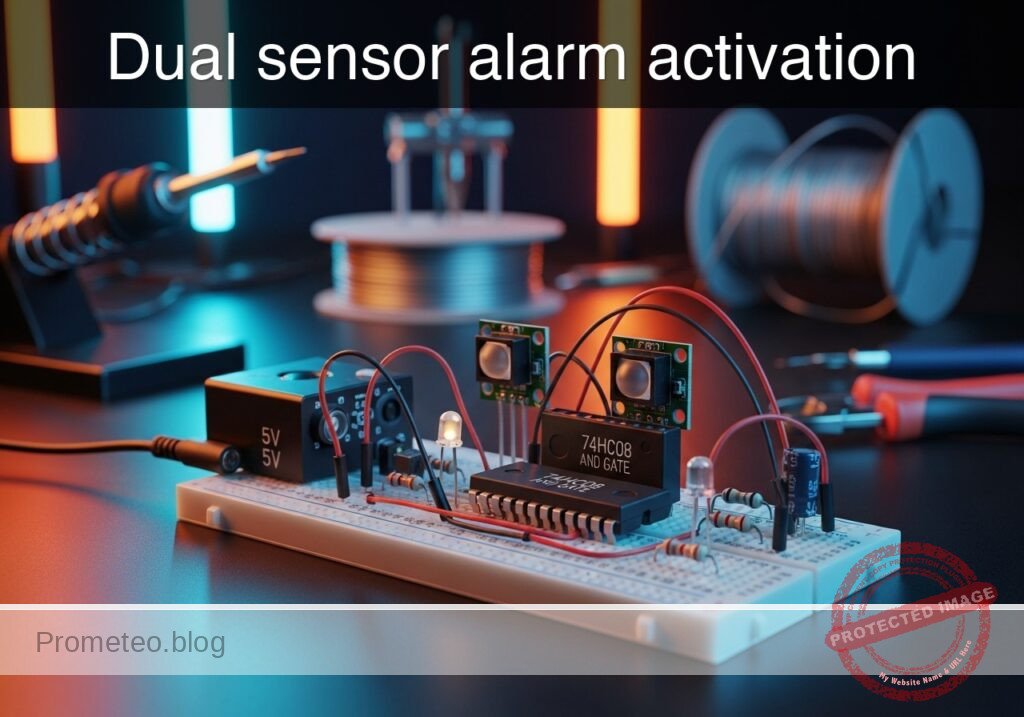
Practical case: Dual sensor alarm activation

Dual sensor alarm activation prototype (Maker Style)

Level: Basic. Implement a logic circuit where an alarm sounds only if two distinct sensors are activated simultaneously.

Objective and use case

In this tutorial, you will build a security logic circuit using a 74HC08 (AND gate) integrated circuit. The circuit processes signals from two independent switches (simulating a door and a window sensor) and activates an output LED only when both switches are closed at the same time.

Why it is useful:
* Safety Interlocks: Ensures machinery operates only when an operator presses two buttons simultaneously, keeping both hands away from danger.
* Security Systems: Triggers a specific high-priority alarm only when multiple zones are breached simultaneously.
* Data Validation: Logic gates are fundamental for validating that two necessary conditions (e.g., «System Ready» AND «Start Command») are met before executing an action.

Expected outcome:
* Input A (Low) + Input B (Low): LED remains OFF (0 V output).
* Input A (High) + Input B (Low): LED remains OFF (0 V output).
* Input A (Low) + Input B (High): LED remains OFF (0 V output).
* Input A (High) + Input B (High): LED turns ON (~5 V output).
* Target audience: Electronics students and hobbyists getting started with digital logic.

Materials

  • V1: 5 V DC supply, function: Main power source.
  • S1: SPST Switch, function: Sensor A (Door).
  • S2: SPST Switch, function: Sensor B (Window).
  • R1: 10 kΩ resistor, function: Pull-down for Sensor A (prevents floating state).
  • R2: 10 kΩ resistor, function: Pull-down for Sensor B.
  • U1: 74HC08 Quad 2-Input AND Gate, function: Logic decision core.
  • R3: 330 Ω resistor, function: LED current limiting.
  • D1: Red LED, function: Alarm visual indicator.

Pin-out of the IC used

Selected Chip: 74HC08 (Quad 2-Input AND Gate).
Note: This chip contains four independent gates. We will use only one.

Pin Name Logic function Connection in this case
1 1A Input A Connect to Node SENSOR_A
2 1B Input B Connect to Node SENSOR_B
3 1Y Output Connect to Node ALARM_OUT
7 GND Ground Connect to Node 0 (GND)
14 VCC Power Supply Connect to Node VCC (+5 V)

Wiring guide

Construct the circuit following these connections using specific node names:

  • V1: Connect positive terminal to node VCC and negative terminal to node 0.
  • U1 Power: Connect Pin 14 to VCC and Pin 7 to 0.
  • S1: Connect one side to VCC and the other side to node SENSOR_A.
  • R1: Connect between node SENSOR_A and node 0.
  • S2: Connect one side to VCC and the other side to node SENSOR_B.
  • R2: Connect between node SENSOR_B and node 0.
  • U1 Logic:
    • Connect Pin 1 to node SENSOR_A.
    • Connect Pin 2 to node SENSOR_B.
    • Connect Pin 3 to node ALARM_OUT.
  • Output Stage:
    • R3: Connect between node ALARM_OUT and node LED_ANODE.
    • D1: Connect Anode to node LED_ANODE and Cathode to node 0.

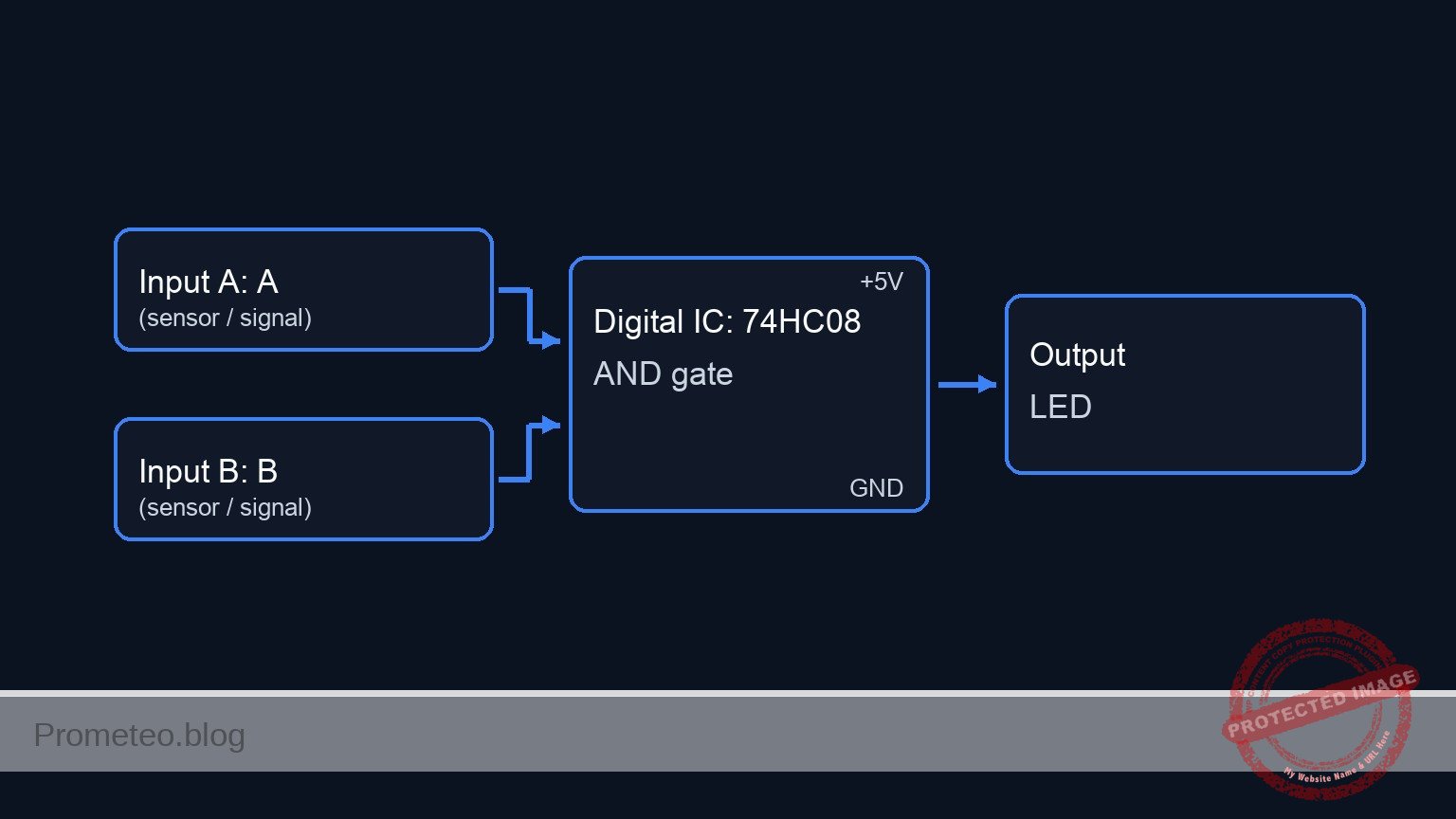
Conceptual block diagram

Conceptual block diagram — 74HC08 AND gate

Schematic

[ INPUT SENSORS ]                          [ LOGIC CORE ]                       [ OUTPUT ALARM ]

                                                   +--------------+
    [ VCC ] --> [ S1: Door ] --(SENSOR_A)--------->| Pin 1        |
                                   |               |              |
                                   +-> [ R1: 10k ] |              |
                                          |        |  U1: 74HC08  |
                                       [ GND ]     |  (AND Gate)  |--(ALARM_OUT)--> [ R3: 330 Ω ] --> [ D1: LED ] --> [ GND ]
                                                   |              |
                                                   |              |
    [ VCC ] --> [ S2: Window ] --(SENSOR_B)------->| Pin 2        |
                                   |               |              |
                                   +-> [ R2: 10k ] | Power:       |
                                          |        | 14(VCC), 7(0)|
                                       [ GND ]     +--------------+
Schematic (ASCII)

Truth table

The 74HC08 output is High (1) only if both inputs are High (1).

Sensor A (S1) Sensor B (S2) Output (Pin 3) LED State
0 (Open) 0 (Open) 0 (Low) OFF
0 (Open) 1 (Closed) 0 (Low) OFF
1 (Closed) 0 (Open) 0 (Low) OFF
1 (Closed) 1 (Closed) 1 (High) ON

Measurements and tests

  1. Power Verification: Measure voltage between VCC and 0. It should be stable at 5 V.
  2. Idle State: Ensure both S1 and S2 are open. Measure voltage at Pin 1 and Pin 2 of U1. Both should be 0 V (Logic 0). The LED should be OFF.
  3. Single Trigger Test: Close S1 only. Pin 1 should read 5 V, Pin 2 should read 0 V. Measure Pin 3 (Output); it should remain 0 V. Repeat for S2 only.
  4. Alarm Activation: Close both S1 and S2. Measure Pin 1 and Pin 2; both must be 5 V. Measure Pin 3; it should jump to ~5 V (Logic 1).
  5. Output Current: Check that D1 lights up brightly. The voltage drop across R3 should be approximately 3 V (depending on LED color).

SPICE netlist and simulation

Reference SPICE Netlist (ngspice) — excerptFull SPICE netlist (ngspice)

* Title: Practical case: Dual sensor alarm activation

* ==============================================================================
* Models
* ==============================================================================
* Generic Red LED Model
* IS: Saturation current, N: Emission coefficient, RS: Series resistance
.model DLED D(IS=1e-14 N=1.5 RS=5 BV=5 IBV=10u CJO=10p TT=10n)

* Voltage Controlled Switch Model (for S1, S2)
* Simulates a physical SPST switch
* Vt: Threshold voltage (2.5V), Ron: On resistance (1 ohm), Roff: Off resistance (100Meg)
.model SW_SENSOR SW(Vt=2.5 Ron=1 Roff=100Meg)

* ==============================================================================
* Subcircuits
* ==============================================================================
* U1: 74HC08 Quad 2-Input AND Gate (Single Gate Implementation)
* Pins: 1=A, 2=B, 3=Y, 7=GND, 14=VCC
.subckt 74HC08_GATE 1 2 3 7 14
* Behavioral implementation using continuous sigmoid functions for convergence robustness.
* Logic: V_out = VCC * sigmoid(A) * sigmoid(B)
* The slope factor (50) ensures a sharp transition near the 2.5V threshold.
B_LOGIC 3 7 V = V(14) * (1 / (1 + exp(-50 * (V(1) - 2.5)))) * (1 / (1 + exp(-50 * (V(2) - 2.5))))
.ends

* ==============================================================================
* Main Circuit
* ==============================================================================

* ... (truncated in public view) ...

Copy this content into a .cir file and run with ngspice.

🔒 Part of this section is premium. With the 7-day pass or the monthly membership you can access the full content (materials, wiring, detailed build, validation, troubleshooting, variants and checklist) and download the complete print-ready PDF pack.

* Title: Practical case: Dual sensor alarm activation

* ==============================================================================
* Models
* ==============================================================================
* Generic Red LED Model
* IS: Saturation current, N: Emission coefficient, RS: Series resistance
.model DLED D(IS=1e-14 N=1.5 RS=5 BV=5 IBV=10u CJO=10p TT=10n)

* Voltage Controlled Switch Model (for S1, S2)
* Simulates a physical SPST switch
* Vt: Threshold voltage (2.5V), Ron: On resistance (1 ohm), Roff: Off resistance (100Meg)
.model SW_SENSOR SW(Vt=2.5 Ron=1 Roff=100Meg)

* ==============================================================================
* Subcircuits
* ==============================================================================
* U1: 74HC08 Quad 2-Input AND Gate (Single Gate Implementation)
* Pins: 1=A, 2=B, 3=Y, 7=GND, 14=VCC
.subckt 74HC08_GATE 1 2 3 7 14
* Behavioral implementation using continuous sigmoid functions for convergence robustness.
* Logic: V_out = VCC * sigmoid(A) * sigmoid(B)
* The slope factor (50) ensures a sharp transition near the 2.5V threshold.
B_LOGIC 3 7 V = V(14) * (1 / (1 + exp(-50 * (V(1) - 2.5)))) * (1 / (1 + exp(-50 * (V(2) - 2.5))))
.ends

* ==============================================================================
* Main Circuit
* ==============================================================================

* --- Power Supply ---
* V1: 5 V DC supply (Main Power)
V1 VCC 0 DC 5

* --- Actuation Control Signals (Simulation Stimuli) ---
* These voltage sources act as the "hand" pressing the switches.
* They define the timing for the Truth Table test.
* ACT_A: Period 200us (High 0-100us)
V_ACT_A ACT_A 0 PULSE(0 5 0 1u 1u 100u 200u)
* ACT_B: Period 400us (High 0-200us)
V_ACT_B ACT_B 0 PULSE(0 5 0 1u 1u 200u 400u)

* --- Input A: Door Sensor ---
* S1: SPST Switch. Connects VCC to SENSOR_A when ACT_A is High (>2.5V).
S1 VCC SENSOR_A ACT_A 0 SW_SENSOR
* R1: 10 kΩ resistor. Pull-down for Sensor A.
R1 SENSOR_A 0 10k

* --- Input B: Window Sensor ---
* S2: SPST Switch. Connects VCC to SENSOR_B when ACT_B is High (>2.5V).
S2 VCC SENSOR_B ACT_B 0 SW_SENSOR
* R2: 10 kΩ resistor. Pull-down for Sensor B.
R2 SENSOR_B 0 10k

* --- Logic Core: U1 (74HC08) ---
* Instantiating the logic gate subcircuit.
* Mapping: Pin 1->SENSOR_A, Pin 2->SENSOR_B, Pin 3->ALARM_OUT, Pin 7->0, Pin 14->VCC
XU1 SENSOR_A SENSOR_B ALARM_OUT 0 VCC 74HC08_GATE

* --- Output Stage ---
* R3: 330 Ω resistor (Current limiting)
R3 ALARM_OUT LED_ANODE 330
* D1: Red LED (Visual indicator)
D1 LED_ANODE 0 DLED

* ==============================================================================
* Analysis Directives
* ==============================================================================
* Transient analysis: Step 1us, Stop 500us
* This duration covers all combinations of the input pulses (00, 01, 10, 11).
.tran 1u 500u

* Print required nodes for log output
.print tran V(SENSOR_A) V(SENSOR_B) V(ALARM_OUT) V(LED_ANODE)

* Calculate DC operating point
.op

.end

Simulation Results (Transient Analysis)

Simulation Results (Transient Analysis)
Show raw data table (1294 rows)
Index   time            v(sensor_a)     v(sensor_b)     v(alarm_out)
0	0.000000e+00	4.999500e-04	4.999500e-04	1.403014e-108
1	1.000000e-08	4.999500e-04	4.999500e-04	1.403014e-108
2	2.000000e-08	4.999500e-04	4.999500e-04	1.403014e-108
3	4.000000e-08	4.999500e-04	4.999500e-04	1.403014e-108
4	8.000000e-08	4.999500e-04	4.999500e-04	1.403014e-108
5	1.600000e-07	4.999500e-04	4.999500e-04	1.403014e-108
6	3.200000e-07	4.999500e-04	4.999500e-04	1.403014e-108
7	3.562500e-07	4.999500e-04	4.999500e-04	1.403014e-108
8	4.196875e-07	4.999500e-04	4.999500e-04	1.403014e-108
9	4.372461e-07	4.999500e-04	4.999500e-04	1.403014e-108
10	4.679736e-07	4.999500e-04	4.999500e-04	1.403014e-108
11	4.795524e-07	4.999500e-04	4.999500e-04	1.403014e-108
12	4.902290e-07	4.999500e-04	4.999500e-04	1.403014e-108
13	5.023412e-07	4.999500e+00	4.999500e+00	5.000000e+00
14	5.138119e-07	4.999500e+00	4.999500e+00	5.000000e+00
15	5.256739e-07	4.999500e+00	4.999500e+00	5.000000e+00
16	5.378128e-07	4.999500e+00	4.999500e+00	5.000000e+00
17	5.539238e-07	4.999500e+00	4.999500e+00	5.000000e+00
18	5.828205e-07	4.999500e+00	4.999500e+00	5.000000e+00
19	6.384927e-07	4.999500e+00	4.999500e+00	5.000000e+00
20	7.166884e-07	4.999500e+00	4.999500e+00	5.000000e+00
21	8.730798e-07	4.999500e+00	4.999500e+00	5.000000e+00
22	1.000000e-06	4.999500e+00	4.999500e+00	5.000000e+00
23	1.031278e-06	4.999500e+00	4.999500e+00	5.000000e+00
... (1270 more rows) ...

Common mistakes and how to avoid them

  1. Floating Inputs: Omitting R1 or R2 causes the inputs to «float» when switches are open. The 74HC08 may pick up noise and trigger erratically. Solution: Always use pull-down resistors (10 kΩ) connected to ground.
  2. Missing Power to IC: Students often wire the logic pins but forget Pins 14 (VCC) and 7 (GND). Solution: Always wire power rails first.
  3. No Current Limiting: Connecting the LED directly to the IC output without R3 will damage the LED or the 74HC08. Solution: Ensure a 220 Ω to 470 Ω resistor is in series with the LED.

Troubleshooting

  • LED never turns ON:
    • Check if the LED polarity is correct (Anode to resistor, Cathode to ground).
    • Verify the 74HC08 has power on Pin 14.
    • Ensure both switches are making good contact.
  • LED acts erratically or turns ON when switches are OFF:
    • Check for missing pull-down resistors R1 and R2.
    • Verify that you are using a 74HC08 (AND) and not a 74HC32 (OR) or 74HC00 (NAND).
  • LED is very dim:
    • R3 value might be too high (e.g., 100 kΩ instead of 330 Ω).
    • Source voltage V1 might be too low (< 3 V).

Possible improvements and extensions

  1. Audible Alarm: Connect a 5 V active buzzer in parallel with the LED (and its resistor) or use a transistor driver to sound a noise when the alarm triggers.
  2. Memory Latch: Feed the output into a Set-Reset (SR) Latch or Flip-Flop so that once the alarm is triggered, it stays ON even if the sensors are closed again, requiring a manual reset button.

More Practical Cases on Prometeo.blog

Find this product and/or books on this topic on Amazon

Go to Amazon

As an Amazon Associate, I earn from qualifying purchases. If you buy through this link, you help keep this project running.

Quick Quiz

Question 1: Which integrated circuit is used as the core logic component in this tutorial?


Question 2: What condition must be met for the output LED to turn ON?


Question 3: What is the primary purpose of using an AND gate in a safety interlock system?


Question 4: If Input A is Low and Input B is High, what is the expected state of the LED?


Question 5: What does the tutorial list as a use case for 'Data Validation'?


Question 6: What is the voltage output when the LED is OFF according to the expected outcome?


Question 7: Which components are used to simulate the door and window sensors?


Question 8: How does the circuit behave if both Input A and Input B are Low?


Question 9: What is the difficulty level of this logic circuit implementation?


Question 10: In the context of security systems, when does this circuit trigger a high-priority alarm?


Carlos Núñez Zorrilla
Electronics & Computer Engineer

Telecommunications Electronics Engineer and Computer Engineer (official degrees in Spain).

Follow me: