Practical case: RC pushbutton debounce

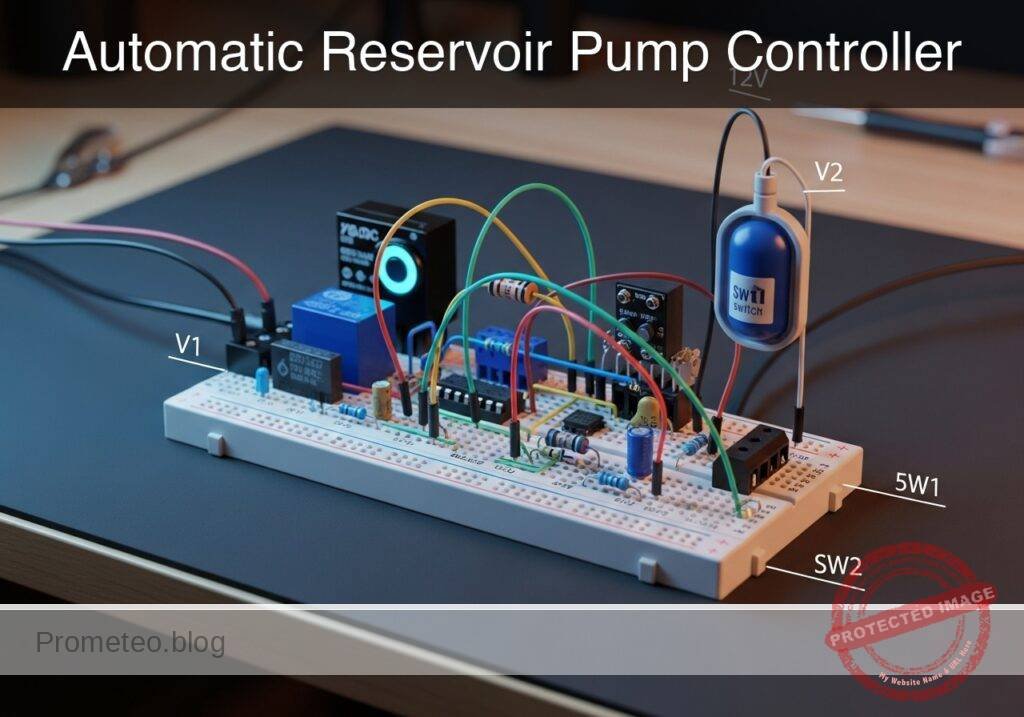
RC pushbutton debounce prototype (Maker Style)

Level: Medium | Use a capacitor to mitigate mechanical noise when actuating a physical switch.

Objective and use case

In this practical case, you will build a passive RC (Resistor-Capacitor) network connected to a mechanical switch to filter out the high-frequency voltage spikes generated by contact bounce.

Why this is useful:
* Preventing multiple false triggers in digital counters or step sequences.
* Ensuring clean, singular interrupt signals for microcontrollers.
* Stabilizing input readings for memory elements like flip-flops and latches.
* Creating reliable and predictable user-interface buttons in embedded systems.

Expected outcome:
* The mechanical bounce, normally lasting 1–5 ms, is completely absorbed by the capacitor.
* The voltage at the switch node transitions smoothly rather than oscillating between logic levels.
* The charging time constant defines a clean transient voltage curve upon button release.
* Oscilloscope measurements will confirm the elimination of the bounce time in milliseconds.

Target audience and level: Intermediate electronics students and hobbyists learning about transient signals and physical switch characteristics.

Materials

  • V1: 5 V DC power supply
  • SW1: SPST momentary pushbutton switch, function: input trigger
  • R1: 10 kΩ resistor, function: pull-up for VSW
  • C1: 1 µF capacitor, function: debounce smoothing parallel to switch

Wiring guide

  • V1: connects between node VCC and node 0 (GND).
  • R1: connects between node VCC and node VSW.
  • SW1: connects between node VSW and node 0.
  • C1: connects between node VSW and node 0.

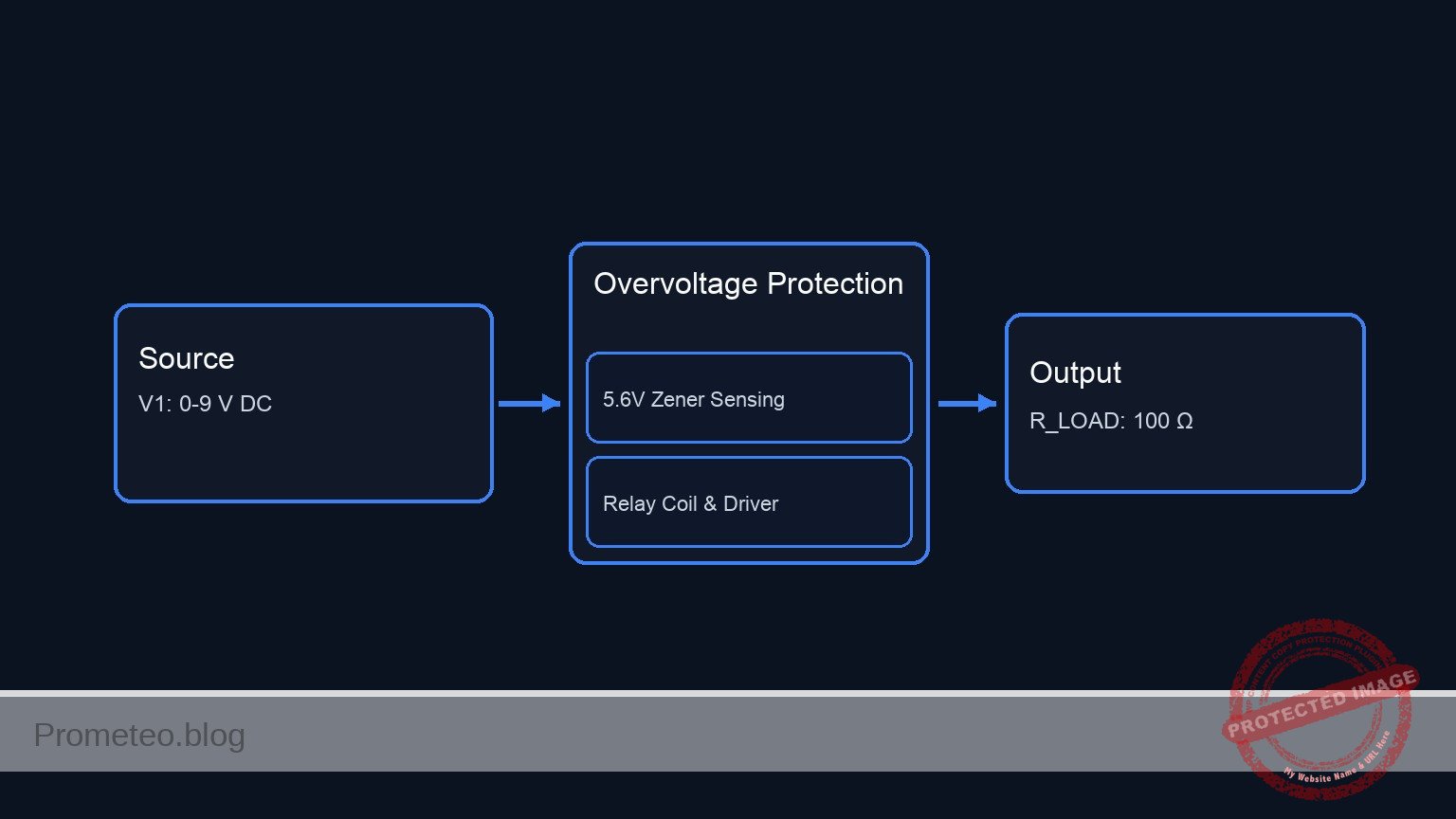
Conceptual block diagram

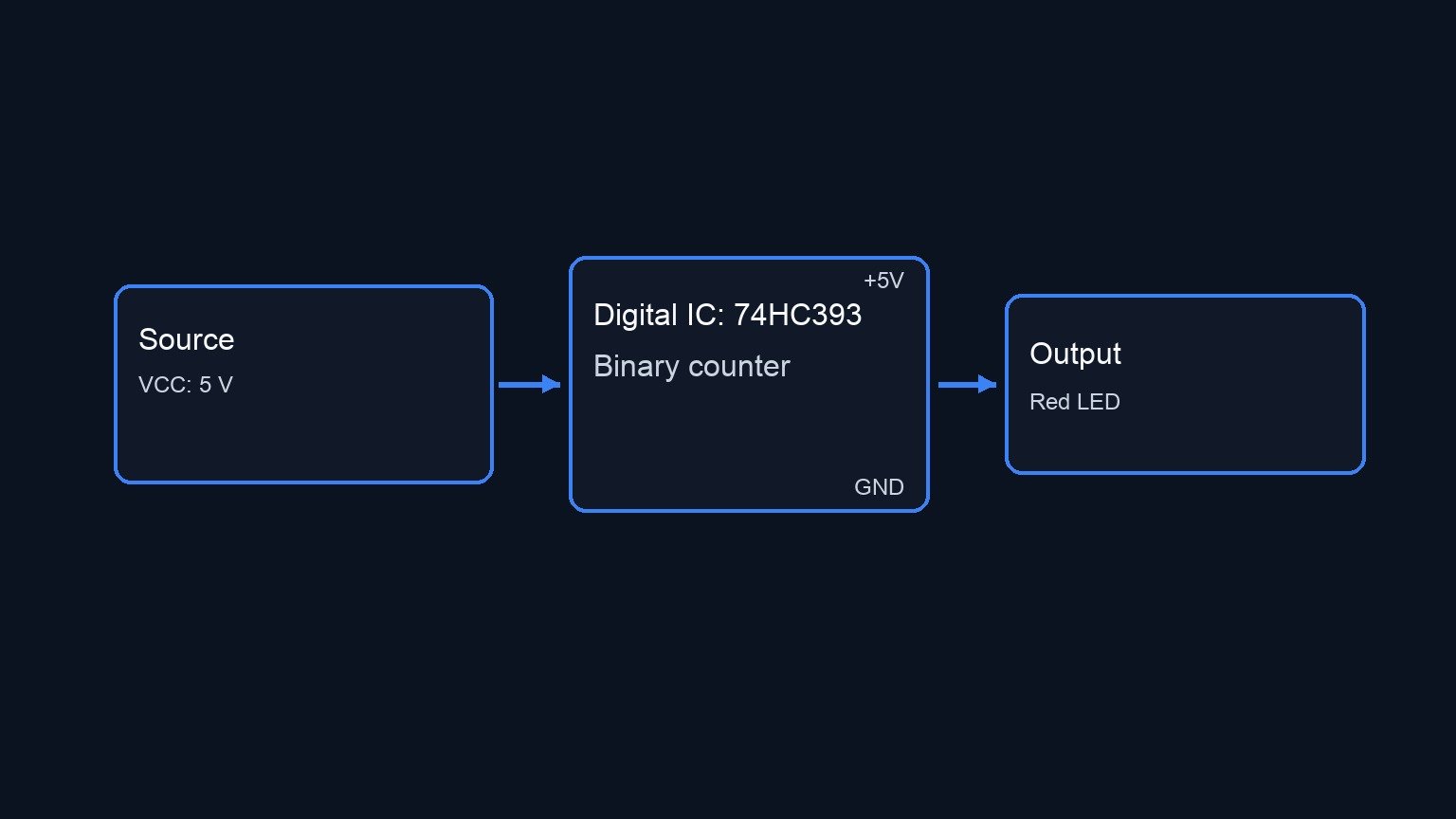
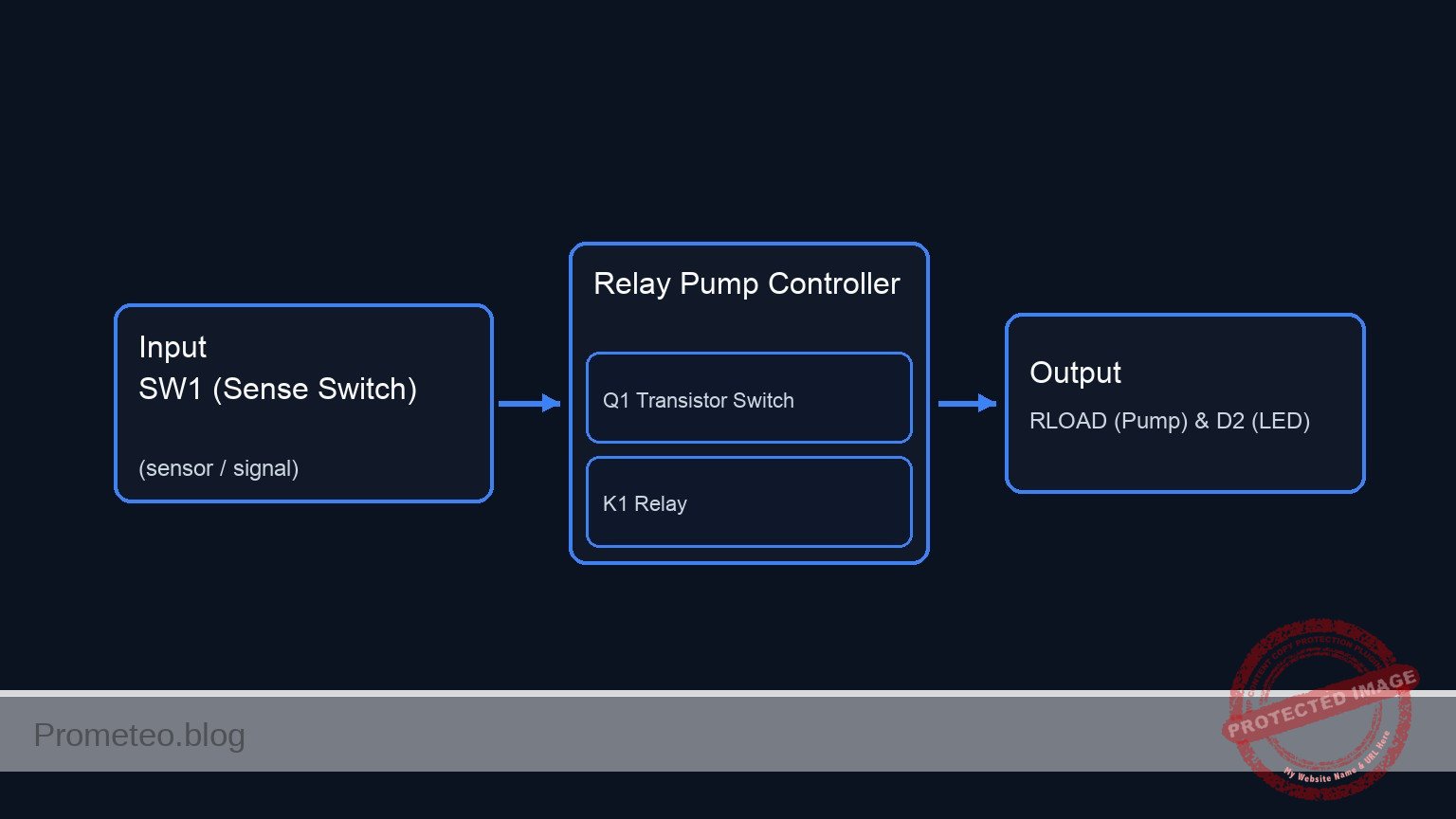
Conceptual block diagram — 74HC08 Capacitor
Quick read: inputs → main block → output (actuator or measurement). This summarizes the ASCII schematic below.

Schematic

VCC (5 V) --> [ R1: 10 kΩ Pull-up ] --+--(Node VSW)--> [ Debounced Output ]
                                    |
                                    +--> [ SW1: Pushbutton ] --> GND
                                    |
                                    +--> [ C1: 1µF Capacitor ] --> GND
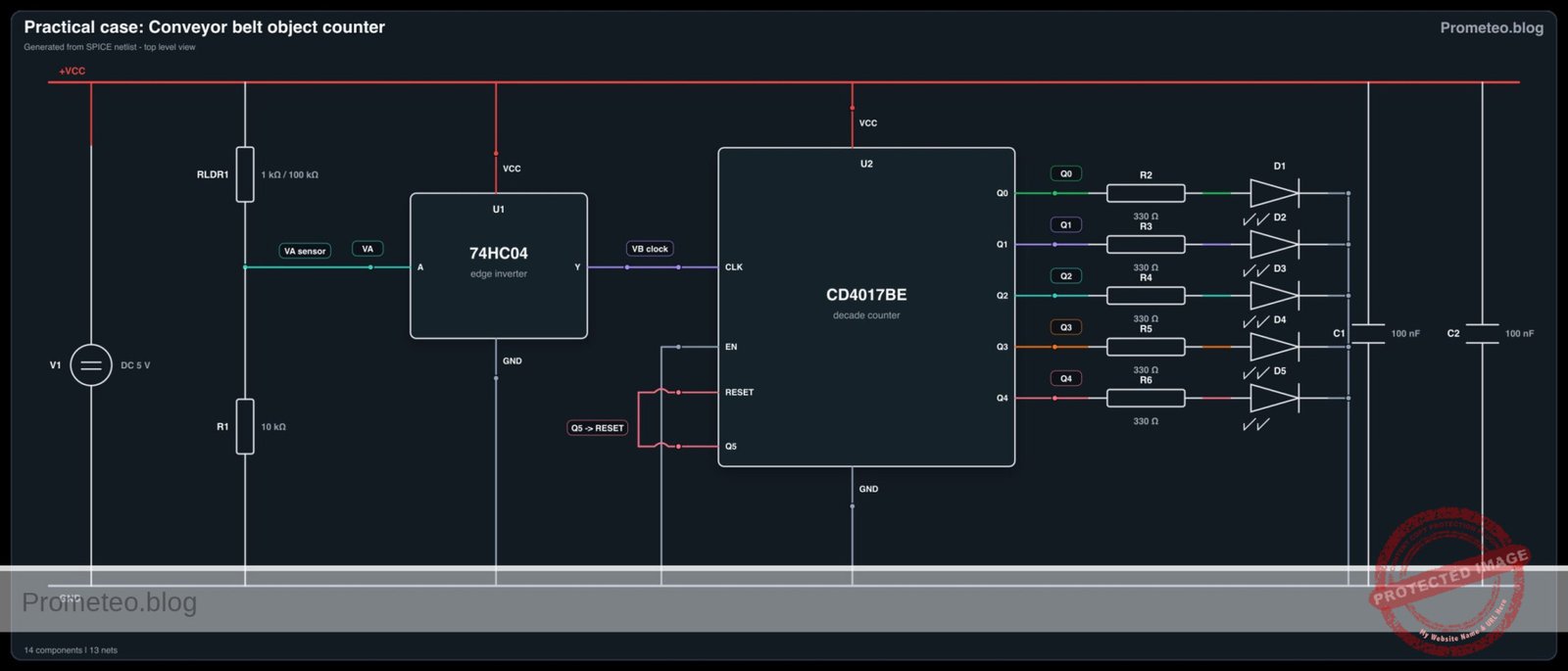
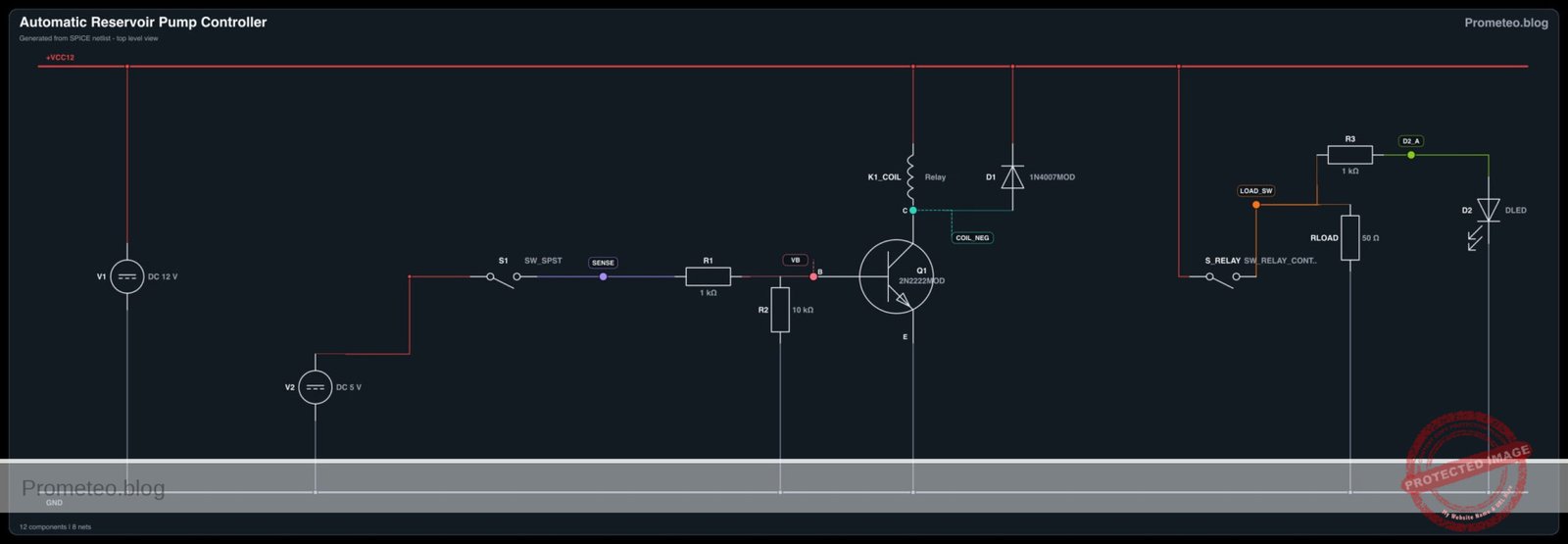
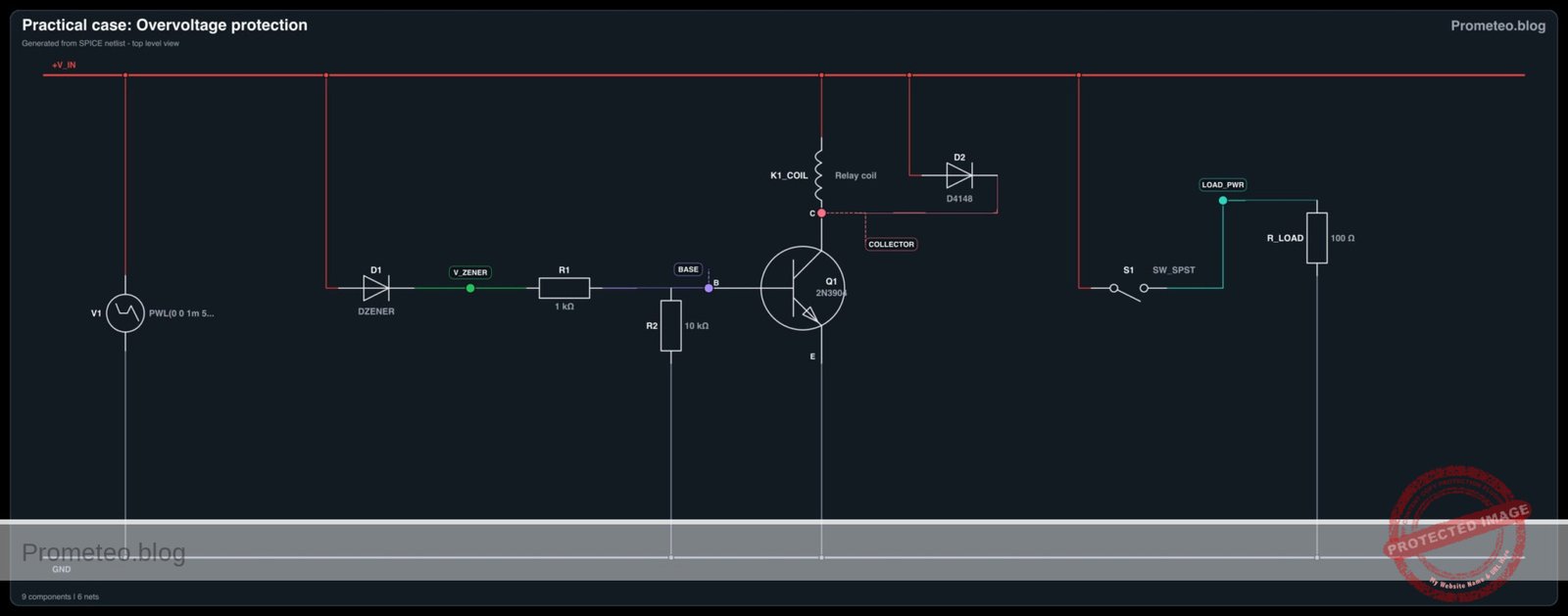
Electrical Schematic

Measurements and tests

  1. Connect an oscilloscope probe to node VSW and the ground clip to node 0.
  2. Set the oscilloscope to trigger on a falling edge at a threshold of approximately 2.5 V. Set the time base to 2 ms/div to accurately capture the Bounce-Time-ms.
  3. Actuate SW1 (press the button) and observe the Transient-Voltage on the screen. The voltage should drop to 0 V smoothly without the rapid spikes characteristic of mechanical bounce.
  4. Release the switch and observe the rising edge. Measure the time it takes for the voltage to reach 3.15 V (approx. 63.2% of 5 V). This represents one RC time constant (\tau = R × C), which should theoretically be 10 ms.
  5. Temporarily remove C1 from the circuit, press the switch again, and observe the raw mechanical bounce to compare the before-and-after transient signals. Reinsert C1 once complete.

SPICE netlist and simulation

Reference SPICE Netlist (ngspice) — excerptFull SPICE netlist (ngspice)

* Practical case: RC pushbutton debounce
.width out=256

* Main DC Power Supply
V1 VCC 0 DC 5

* Pull-up Resistor
R1 VCC VSW 10k

* Debounce Smoothing Capacitor
C1 VSW 0 1u

* Pushbutton SW1 modeled as a voltage-controlled switch
* Connects VSW to 0 (GND) when the control voltage is high
S1 VSW 0 ctrl 0 switch_model
.model switch_model SW(Vt=2.5 Ron=1 Roff=100Meg)

* Control pulse simulating the user pressing the button
* Presses the button at 5ms, holds for 20ms, repeats every 50ms
Vctrl ctrl 0 PULSE(0 5 5m 1u 1u 20m 50m)
* ... (truncated in public view) ...

Copy this content into a .cir file and run with ngspice.

🔒 Part of this section is premium. With the 7-day pass or the monthly membership you can access the full content (materials, wiring, detailed build, validation, troubleshooting, variants and checklist) and download the complete print-ready PDF pack.

* Practical case: RC pushbutton debounce
.width out=256

* Main DC Power Supply
V1 VCC 0 DC 5

* Pull-up Resistor
R1 VCC VSW 10k

* Debounce Smoothing Capacitor
C1 VSW 0 1u

* Pushbutton SW1 modeled as a voltage-controlled switch
* Connects VSW to 0 (GND) when the control voltage is high
S1 VSW 0 ctrl 0 switch_model
.model switch_model SW(Vt=2.5 Ron=1 Roff=100Meg)

* Control pulse simulating the user pressing the button
* Presses the button at 5ms, holds for 20ms, repeats every 50ms
Vctrl ctrl 0 PULSE(0 5 5m 1u 1u 20m 50m)

* Analysis directives
.op
.tran 100u 100m

* CRITICAL: Print input (button press) and output (debounced signal)
.print tran V(ctrl) V(VSW)

.end

Simulation Results (Transient Analysis)

Simulation Results (Transient Analysis)
Show raw data table (1134 rows)
Index   time            v(ctrl)         v(vsw)
0	0.000000e+00	0.000000e+00	4.999500e+00
1	1.000000e-06	0.000000e+00	4.999500e+00
2	2.000000e-06	0.000000e+00	4.999500e+00
3	4.000000e-06	0.000000e+00	4.999500e+00
4	8.000000e-06	0.000000e+00	4.999500e+00
5	1.600000e-05	0.000000e+00	4.999500e+00
6	3.200000e-05	0.000000e+00	4.999500e+00
7	6.400000e-05	0.000000e+00	4.999500e+00
8	1.280000e-04	0.000000e+00	4.999500e+00
9	2.280000e-04	0.000000e+00	4.999500e+00
10	3.280000e-04	0.000000e+00	4.999500e+00
11	4.280000e-04	0.000000e+00	4.999500e+00
12	5.280000e-04	0.000000e+00	4.999500e+00
13	6.280000e-04	0.000000e+00	4.999500e+00
14	7.280000e-04	0.000000e+00	4.999500e+00
15	8.280000e-04	0.000000e+00	4.999500e+00
16	9.280000e-04	0.000000e+00	4.999500e+00
17	1.028000e-03	0.000000e+00	4.999500e+00
18	1.128000e-03	0.000000e+00	4.999500e+00
19	1.228000e-03	0.000000e+00	4.999500e+00
20	1.328000e-03	0.000000e+00	4.999500e+00
21	1.428000e-03	0.000000e+00	4.999500e+00
22	1.528000e-03	0.000000e+00	4.999500e+00
23	1.628000e-03	0.000000e+00	4.999500e+00
... (1110 more rows) ...

Common mistakes and how to avoid them

  • Choosing a capacitor value that is too large: Using a 100 µF capacitor with a 10 kΩ pull-up results in a 1-second time constant, causing a sluggish button response. Solution: Keep C1 between 100 nF and 1 µF for standard 10 kΩ pull-up resistors.
  • Missing the pull-up resistor: Without R1, node VSW will float unpredictably when the switch is open. Solution: Always ensure R1 is securely connected between VCC and the switch node.
  • Feeding the slow RC signal directly into standard digital logic: Standard logic gates (like a basic 74HC08) can oscillate if fed a slowly rising voltage. Solution: Use this circuit to understand the RC transient, but for real digital inputs, feed the debounced signal through a Schmitt Trigger IC to square up the edges.

Troubleshooting

  • Symptom: The voltage at node VSW remains constantly at 0 V.
  • Cause: The switch is physically stuck closed, or the capacitor C1 is shorted.
  • Fix: Check the switch continuity with a multimeter and replace C1 if defective.
  • Symptom: The voltage at node VSW stays constantly at 5 V even when pressed.
  • Cause: SW1 is not properly connected to node 0 (Ground).
  • Fix: Verify the ground connection on the lower terminal of the switch.
  • Symptom: Switch bounce is still visible on the rising edge.
  • Cause: The RC time constant is too short compared to the mechanical bounce duration of that specific switch.
  • Fix: Increase the value of C1 (e.g., from 0.1 µF to 1 µF).
  • Symptom: The switch contacts fail or degrade after repeated presses.
  • Cause: The capacitor dumps its charge instantly through the switch contacts, causing high inrush current.
  • Fix: For long-term reliability, add a small 100 Ω resistor in series with the switch to limit the discharge current.

Possible improvements and extensions

  • Add a Schmitt Trigger buffer: Route the VSW node through a Schmitt Trigger inverter (such as the 74HC14) to convert the exponential RC charging curve into a crisp, bounce-free digital logic pulse.
  • Hardware vs Software Debounce comparison: Keep this hardware RC circuit on one button, and wire a raw button to a microcontroller. Implement a software debounce algorithm on the raw button and compare the resource usage and reliability of both methods.

More Practical Cases on Prometeo.blog

Find this product and/or books on this topic on Amazon

Go to Amazon

As an Amazon Associate, I earn from qualifying purchases. If you buy through this link, you help keep this project running.

Quick Quiz

Question 1: What is the primary purpose of the RC network described in the article?


Question 2: How long does mechanical bounce typically last according to the context?


Question 3: Which of the following is a direct benefit of using this RC network?


Question 4: What happens to the voltage at the switch node when the RC network is applied?


Question 5: What defines the clean transient voltage curve upon button release?


Question 6: What instrument is mentioned to confirm the elimination of the bounce time?


Question 7: What type of components make up the passive network used for debouncing in this case?


Question 8: Why is debouncing important for microcontrollers?


Question 9: What effect does the capacitor have on the mechanical bounce?


Question 10: For which type of memory elements does this circuit stabilize input readings?


Carlos Núñez Zorrilla
Electronics & Computer Engineer

Telecommunications Electronics Engineer and Computer Engineer (official degrees in Spain).
Follow me:


Practical case: Astable oscillator with NE555

Astable oscillator with NE555 prototype (Maker Style)

Level: Medium – Configure a capacitor in an NE555 circuit to control the oscillation frequency.

Objective and use case

In this practical case, you will build an astable multivibrator circuit using the classic NE555 timer. The core focus is to understand how the charging and discharging of a timing capacitor regulates the frequency and duty cycle of the output signal.

Why it is useful:
* Clock generation: Generates steady clock pulses for sequential digital circuits.
* Warning flashers: Drives LEDs or lamps in hazard and warning systems.
* Audio tone generation: Produces audible frequencies for buzzers, alarms, and electronic metronomes.
* PWM foundations: Demonstrates the underlying principles needed to generate Pulse Width Modulation signals.

Expected outcome:
* The circuit will generate a continuous square wave without requiring any external trigger.
* The voltage across the timing capacitor will continuously charge and discharge between 1/3 and 2/3 of the supply voltage.
* An LED connected to the output will flash continuously at a predictable frequency of approximately 1.4 Hz.
* The frequency and duty cycle will closely match the calculated values based on the chosen RC network.

Target audience: Intermediate electronics students learning mixed-signal timing circuits and capacitor behavior.

Materials

  • U1: NE555 timer IC, function: oscillator core
  • R1: 10 kΩ resistor, function: timing resistor for charge cycle
  • R2: 47 kΩ resistor, function: timing resistor for charge and discharge cycles
  • C1: 10 µF electrolytic capacitor, function: primary timing capacitor determining frequency
  • C2: 10 nF ceramic capacitor, function: control voltage noise decoupling
  • R3: 330 Ω resistor, function: LED current limiting
  • D1: red LED, function: visual frequency indicator
  • V1: 5 V DC supply, function: circuit power

Wiring guide

  • V1: Connects between node VCC (positive) and node 0 (GND).
  • U1:
  • Pin 8 (VCC) connects to node VCC.
  • Pin 1 (GND) connects to node 0.
  • Pin 4 (RESET) connects to node VCC.
  • Pin 2 (TRIG) and Pin 6 (THRES) are tied together to form node TH_TR.
  • Pin 7 (DISCH) connects to node DISCH.
  • Pin 5 (CTRL) connects to node CV.
  • Pin 3 (OUT) connects to node VOUT.
  • R1: Connects between node VCC and node DISCH.
  • R2: Connects between node DISCH and node TH_TR.
  • C1: Connects between node TH_TR (positive lead) and node 0 (negative lead).
  • C2: Connects between node CV and node 0.
  • R3: Connects between node VOUT and node LED_A.
  • D1: Connects between node LED_A (anode) and node 0 (cathode).

Conceptual block diagram

Conceptual block diagram — NE555 NE555 Timer Oscillator
Quick read: inputs → main block → output (actuator or measurement). This summarizes the ASCII schematic below.

Schematic

[ V1: 5 V DC ] --(PWR/RST: Pins 8,4) ------------------> [                 ]
                                                        [                 ] --(VOUT: Pin 3)--> [ R3: 330 Ω ] --(LED_A)--> [ D1: Red LED ] --> GND
[ V1: 5 V DC ] --> [ R1: 10 kΩ ] --(DISCH: Pin 7) ------> [ U1: NE555 Timer ]
                       |                                [ Oscillator Core ] --(CV: Pin 5)----> [ C2: 10nF ] --> GND
                       +--> [ R2: 47 kΩ ] --(TH_TR: 2,6)>[                 ]
                                  |                     [   (Pin 1: GND)  ]
                                  +--> [ C1: 10µF ] --> GND       |
                                                                 GND
Electrical Schematic

Measurements and tests

  1. V-capacitor-waveform validation: Connect an oscilloscope probe to node TH_TR and the ground lead to node 0. You should observe a continuous, triangular-like waveform that charges up to roughly 3.33 V (2/3 VCC) and discharges down to roughly 1.66 V (1/3 VCC).
  2. Frequency-Hz measurement: Connect the oscilloscope or a multimeter with frequency measurement capabilities to node VOUT. You should read a frequency of approximately 1.38 Hz, generating a clear, visible flashing on the LED.
  3. Duty cycle verification: Measure the high time versus the low time on node VOUT. Because the capacitor charges through both R1 and R2 but discharges only through R2, the high time will be slightly longer than the low time (duty cycle > 50%).
  4. Supply voltage independence test: Temporarily increase V1 from 5 V to 9 V. Observe the frequency at VOUT. The frequency should remain virtually unchanged because the internal comparator thresholds scale proportionally with the supply voltage.

SPICE netlist and simulation

Reference SPICE Netlist (ngspice) — excerptFull SPICE netlist (ngspice)

* Practical case: Astable oscillator with NE555
.width out=256

* Power Supply
V1 VCC 0 DC 5

* NE555 Timer IC Subcircuit Instance
* Pins: GND TRIG OUT RESET CTRL THRES DISCH VCC_PIN
XU1 0 TH_TR VOUT VCC CV TH_TR DISCH VCC NE555

* Timing Components
R1 VCC DISCH 10k
R2 DISCH TH_TR 47k
C1 TH_TR 0 10u
C2 CV 0 10n

* Output Load (LED)
R3 VOUT LED_A 330
D1 LED_A 0 DLED

* ... (truncated in public view) ...

Copy this content into a .cir file and run with ngspice.

🔒 Part of this section is premium. With the 7-day pass or the monthly membership you can access the full content (materials, wiring, detailed build, validation, troubleshooting, variants and checklist) and download the complete print-ready PDF pack.

* Practical case: Astable oscillator with NE555
.width out=256

* Power Supply
V1 VCC 0 DC 5

* NE555 Timer IC Subcircuit Instance
* Pins: GND TRIG OUT RESET CTRL THRES DISCH VCC_PIN
XU1 0 TH_TR VOUT VCC CV TH_TR DISCH VCC NE555

* Timing Components
R1 VCC DISCH 10k
R2 DISCH TH_TR 47k
C1 TH_TR 0 10u
C2 CV 0 10n

* Output Load (LED)
R3 VOUT LED_A 330
D1 LED_A 0 DLED

* Models
.MODEL DLED D(IS=1e-19 N=1.6 RS=10 BV=5 IBV=10u)

* Behavioral NE555 Subcircuit
.SUBCKT NE555 GND TRIG OUT RESET CTRL THRES DISCH VCC_PIN
* Internal voltage divider (3 x 5k resistors)
R1 VCC_PIN CTRL 5k
R2 CTRL N1 5k
R3 N1 GND 5k

* Smooth comparators for threshold, trigger, and reset
B_COMP_TH COMP_TH GND V=0.5*(1+tanh(100*(V(THRES,GND)-V(CTRL,GND))))
B_COMP_TR COMP_TR GND V=0.5*(1+tanh(100*(V(N1,GND)-V(TRIG,GND))))
B_COMP_RST COMP_RST GND V=0.5*(1+tanh(100*(0.7-V(RESET,GND))))

* SR Latch (Integrator with positive feedback for infinite hold time)
B_LATCH GND LATCH I=V(COMP_TR,GND) - V(COMP_TH,GND) - 5*V(COMP_RST,GND) + (V(LATCH,GND)>0.5 ? 0.1 : -0.1)
C_LATCH LATCH GND 1n
R_LATCH LATCH GND 100Meg

* Latch Voltage Clamps (Clamps V(LATCH) between ~0V and ~1V)
D1 GND LATCH D_CLAMP
V_CLAMP V_CLAMP_NODE GND 1
D2 LATCH V_CLAMP_NODE D_CLAMP
.model D_CLAMP D(N=0.01 RS=1)

* Output Driver Stage
B_OUT OUT_INT GND V=V(LATCH,GND)>0.5 ? V(VCC_PIN,GND) : 0.1
R_OUT OUT_INT OUT 10

* Open-Collector Discharge Transistor (Modeled as a Switch)
B_DISCH_CTRL DISCH_CTRL GND V=V(LATCH,GND)<0.5 ? 1 : 0
S_DISCH DISCH GND DISCH_CTRL GND SW_DISCH
.model SW_DISCH SW(VT=0.5 RON=15 ROFF=100Meg)
.ENDS

* Force initial condition on timing capacitor to ensure guaranteed oscillator startup
.ic V(TH_TR)=0

* Simulation Commands
.op
.tran 1m 3
.print tran V(VOUT) V(TH_TR) V(DISCH) V(LED_A) V(CV)

Simulation Results (Transient Analysis)

Simulation Results (Transient Analysis)
Show raw data table (3013 rows)
Index   time            v(vout)         v(th_tr)        v(disch)        v(led_a)        v(cv)
0	0.000000e+00	4.903386e+00	0.000000e+00	4.122467e+00	1.715117e+00	3.333333e+00
1	1.000000e-05	4.903386e+00	8.771053e-05	4.122482e+00	1.715117e+00	3.333333e+00
2	2.000000e-05	4.903386e+00	1.754195e-04	4.122498e+00	1.715117e+00	3.333333e+00
3	4.000000e-05	4.903386e+00	3.508344e-04	4.122529e+00	1.715117e+00	3.333333e+00
4	8.000000e-05	4.903386e+00	7.016457e-04	4.122590e+00	1.715117e+00	3.333333e+00
5	1.600000e-04	4.903386e+00	1.403195e-03	4.122713e+00	1.715117e+00	3.333333e+00
6	3.200000e-04	4.903386e+00	2.805997e-03	4.122959e+00	1.715117e+00	3.333333e+00
7	6.400000e-04	4.903386e+00	5.610420e-03	4.123451e+00	1.715117e+00	3.333333e+00
8	1.280000e-03	4.903386e+00	1.121455e-02	4.124434e+00	1.715117e+00	3.333333e+00
9	2.280000e-03	4.903386e+00	1.995841e-02	4.125968e+00	1.715117e+00	3.333333e+00
10	3.280000e-03	4.903386e+00	2.868694e-02	4.127499e+00	1.715117e+00	3.333333e+00
11	4.280000e-03	4.903386e+00	3.740018e-02	4.129028e+00	1.715117e+00	3.333333e+00
12	5.280000e-03	4.903386e+00	4.609814e-02	4.130554e+00	1.715117e+00	3.333333e+00
13	6.280000e-03	4.903386e+00	5.478085e-02	4.132077e+00	1.715117e+00	3.333333e+00
14	7.280000e-03	4.903386e+00	6.344835e-02	4.133597e+00	1.715117e+00	3.333333e+00
15	8.280000e-03	4.903386e+00	7.210065e-02	4.135115e+00	1.715117e+00	3.333333e+00
16	9.280000e-03	4.903386e+00	8.073778e-02	4.136630e+00	1.715117e+00	3.333333e+00
17	1.028000e-02	4.903386e+00	8.935978e-02	4.138143e+00	1.715117e+00	3.333333e+00
18	1.128000e-02	4.903386e+00	9.796666e-02	4.139653e+00	1.715117e+00	3.333333e+00
19	1.228000e-02	4.903386e+00	1.065585e-01	4.141160e+00	1.715117e+00	3.333333e+00
20	1.328000e-02	4.903386e+00	1.151352e-01	4.142665e+00	1.715117e+00	3.333333e+00
21	1.428000e-02	4.903386e+00	1.236969e-01	4.144166e+00	1.715117e+00	3.333333e+00
22	1.528000e-02	4.903386e+00	1.322436e-01	4.145666e+00	1.715117e+00	3.333333e+00
23	1.628000e-02	4.903386e+00	1.407753e-01	4.147162e+00	1.715117e+00	3.333333e+00
... (2989 more rows) ...

Common mistakes and how to avoid them

  1. Electrolytic capacitor connected backwards: C1 is an electrolytic capacitor, meaning it is polarized. If installed backwards, it will leak current, preventing it from reaching the 2/3 VCC threshold, and the circuit will freeze. Always ensure the negative stripe is connected to ground (node 0).
  2. Using too small a value for R1: If R1 is too small (e.g., less than 1 kΩ), excessive current will flow into Pin 7 during the discharge cycle. This can overheat and permanently damage the internal discharge transistor of the NE555. Always keep R1 at a safe value (1 kΩ or higher).
  3. Leaving the RESET pin floating: Pin 4 is an active-low reset. If left unconnected, ambient electrical noise can randomly reset the timer, causing erratic oscillation or stopping the circuit entirely. Always tie Pin 4 to VCC when the reset function is not needed.

Troubleshooting

  • Symptom: The LED stays solidly ON or OFF and never blinks.
    • Cause: The timing capacitor C1 is shorted, or the wiring to Pins 2 and 6 is incomplete, preventing the trigger/threshold voltage from changing.
    • Fix: Verify that C1 is firmly seated and strictly connected between TH_TR and 0. Ensure Pins 2 and 6 are bridged.
  • Symptom: The LED appears to be continuously ON but slightly dimmer than usual.
    • Cause: The oscillation frequency is too high for the human eye to perceive the blinking (typically > 50 Hz). This happens if the RC values are too small.
    • Fix: Check the value of C1. If you accidentally used a 10 nF capacitor instead of a 10 µF capacitor, the frequency will be in the kilohertz range. Swap it for the correct 10 µF value.
  • Symptom: The oscillation frequency is highly unstable or erratic.
    • Cause: Electrical noise is interfering with the internal voltage divider of the NE555.
    • Fix: Ensure C2 (10 nF) is properly connected to Pin 5 (CTRL) and ground. Also, verify that your power supply V1 is stable.

Possible improvements and extensions

  1. Variable frequency control: Replace R2 with a 100 kΩ potentiometer in series with a 1 kΩ fixed resistor. This allows you to manually adjust the discharge rate and, consequently, dial in the oscillation frequency on the fly.
  2. Audio oscillator conversion: Swap C1 for a 100 nF ceramic capacitor and replace the LED/R3 network with a small 8 Ω speaker in series with a 100 µF coupling capacitor. This will shift the oscillation into the audible spectrum, creating a custom tone generator.

More Practical Cases on Prometeo.blog

Find this product and/or books on this topic on Amazon

Go to Amazon

As an Amazon Associate, I earn from qualifying purchases. If you buy through this link, you help keep this project running.

Quick Quiz

Question 1: What is the primary objective of the circuit described in the text?


Question 2: Between what two voltage levels does the timing capacitor continuously charge and discharge?


Question 3: What is the expected flashing frequency of the LED connected to the output?


Question 4: What type of signal does the circuit generate without requiring an external trigger?


Question 5: Which of the following is listed as a use case for this NE555 circuit?


Question 6: What role does the timing capacitor play in this NE555 circuit?


Question 7: How does the circuit behave in terms of triggering?


Question 8: What foundational principle does this astable multivibrator circuit demonstrate?


Question 9: In hazard and warning systems, what is the NE555 circuit used to drive?


Question 10: What does the circuit generate for sequential digital circuits?


Carlos Núñez Zorrilla
Electronics & Computer Engineer

Telecommunications Electronics Engineer and Computer Engineer (official degrees in Spain).
Follow me:


Practical case: Optical sensor for a solar tracker

Optical sensor for a solar tracker prototype (Maker Style)

Level: Medium – Design a circuit with two photodiodes in a differential configuration to detect the direction of the highest intensity light source.

Objective and use case

You will build a directional light-sensing circuit that uses two reverse-biased photodiodes and an operational amplifier acting as a voltage comparator. By measuring the difference in light intensity between the two sensors, the circuit determines which side is receiving more light.

Why this circuit is useful:
* Maximizing solar panel efficiency by keeping them aimed directly at the sun.
* Enabling autonomous robots to seek out light sources for navigation or charging.
* Automating smart home systems, such as blinds or awnings, to react to direct sunlight direction.

Expected outcome:
* A measurable differential voltage representing the light imbalance between the two sensors.
* Reverse currents through each photodiode strictly proportional to the light hitting them.
* A distinct switching threshold on the operational amplifier’s output based on which sensor yields a higher voltage.
* An LED indicator that clearly illuminates when the left sensor receives more light than the right sensor.

Target audience and level: Intermediate electronics students learning about analog comparators, optoelectronics, and differential measurement.

Materials

  • V1: 5 V DC supply
  • D1: BPW34 photodiode, function: left light sensor (reverse-biased)
  • D2: BPW34 photodiode, function: right light sensor (reverse-biased)
  • R1: 100 kΩ resistor, function: D1 load (current-to-voltage conversion)
  • R2: 100 kΩ resistor, function: D2 load (current-to-voltage conversion)
  • U1: LM358 operational amplifier, function: voltage comparator
  • R3: 330 Ω resistor, function: LED current limiting
  • D3: red LED, function: left-direction indicator

Wiring guide

  • V1 connects between VCC and 0.
  • D1 connects between VCC (cathode) and VL (anode).
  • R1 connects between VL and 0.
  • D2 connects between VCC (cathode) and VR (anode).
  • R2 connects between VR and 0.
  • U1 positive power supply pin connects to VCC.
  • U1 negative power supply pin connects to 0.
  • U1 non-inverting input (IN+) connects to VL.
  • U1 inverting input (IN-) connects to VR.
  • U1 output connects to node VOUT.
  • R3 connects between VOUT and VLED.
  • D3 connects between VLED (anode) and 0 (cathode).

Conceptual block diagram

Conceptual block diagram — LM358 LM358 Comparator
Quick read: inputs → main block → output (actuator or measurement). This summarizes the ASCII schematic below.

Schematic

VCC --> [ D1: BPW34 Left ] ---(Node VL)--> [ R1: 100 kΩ ] --> GND
                                  |
                                  +-----(IN+)-----> [             ]
                                                    [ U1: LM358   ]
                                                    [ Comparator  ] --(VOUT)--> [ R3: 330 Ω ] --(VLED)--> [ D3: Red LED ] --> GND
                                  +-----(IN-)-----> [             ]
                                  |
VCC --> [ D2: BPW34 Right ] --(Node VR)--> [ R2: 100 kΩ ] --> GND
Electrical Schematic

Measurements and tests

  1. Reverse Current Verification: Measure the DC voltage drops across R1 and R2. Calculate the reverse photocurrent using Ohm’s Law ($I = V/R$). Ensure the current increases linearly as you move a flashlight closer to the respective photodiode.
  2. Differential Voltage Measurement: Place a multimeter probe on VL and the other on VR. Shine a light evenly between both sensors; the differential voltage should be near 0 V. Move the light to the left, and the differential voltage should become positive. Move it to the right, and it should become negative.
  3. Switching Threshold Observation: Slowly move a light source from right to left across the sensors. Monitor VOUT with a multimeter or oscilloscope. The output should sharply transition from near 0 V (Low) to roughly 3.5 V–4 V (High) precisely when VL > VR.

SPICE netlist and simulation

Reference SPICE Netlist (ngspice) — excerptFull SPICE netlist (ngspice)

* Optical sensor for a solar tracker
.width out=256

* Power Supply
V1 VCC 0 5V

* Left Light Sensor (D1 and load R1)
* D1 is reverse-biased. I1 simulates the photocurrent generated by light exposure.
D1 VL VCC BPW34
I1 VCC VL PULSE(1u 20u 0 1u 1u 50u 100u)
R1 VL 0 100k

* Right Light Sensor (D2 and load R2)
* D2 is reverse-biased. I2 simulates the photocurrent generated by light exposure.
D2 VR VCC BPW34
I2 VCC VR PULSE(2u 21u 0 1u 1u 100u 200u)
R2 VR 0 100k

* Voltage Comparator (LM358)
XU1 VL VR VCC 0 VOUT LM358
* ... (truncated in public view) ...

Copy this content into a .cir file and run with ngspice.

🔒 Part of this section is premium. With the 7-day pass or the monthly membership you can access the full content (materials, wiring, detailed build, validation, troubleshooting, variants and checklist) and download the complete print-ready PDF pack.

* Optical sensor for a solar tracker
.width out=256

* Power Supply
V1 VCC 0 5V

* Left Light Sensor (D1 and load R1)
* D1 is reverse-biased. I1 simulates the photocurrent generated by light exposure.
D1 VL VCC BPW34
I1 VCC VL PULSE(1u 20u 0 1u 1u 50u 100u)
R1 VL 0 100k

* Right Light Sensor (D2 and load R2)
* D2 is reverse-biased. I2 simulates the photocurrent generated by light exposure.
D2 VR VCC BPW34
I2 VCC VR PULSE(2u 21u 0 1u 1u 100u 200u)
R2 VR 0 100k

* Voltage Comparator (LM358)
XU1 VL VR VCC 0 VOUT LM358

* Left-Direction Indicator LED
R3 VOUT VLED 330
D3 VLED 0 DLED

* Component Models
.model BPW34 D(IS=5e-10 RS=10 N=1)
.model DLED D(IS=1e-19 N=1.6 RS=10)

* LM358 Operational Amplifier Behavioral Subcircuit (Comparator Mode)
.subckt LM358 in_plus in_minus vcc v_ee out
* Smooth continuous switching to ensure convergence, output swings to VCC - 1.2V
B1 out_ideal 0 V = V(v_ee) + (V(vcc) - V(v_ee) - 1.2) * (0.5 + 0.5 * tanh(1000 * (V(in_plus) - V(in_minus))))
Rout out_ideal out 50
.ends

* Simulation Directives
.op
.tran 1u 400u
.print tran V(VL) V(VR) V(VOUT) V(VLED)
.end
* --- GPT review (BOM/Wiring/SPICE) ---
* circuit_ok=true
* simulation_summary: The simulation shows the circuit acting as a comparator. When the left sensor voltage (VL) is higher than the right sensor voltage (VR), the output (VOUT) goes high (approx 3.5V) and the LED turns on (VLED approx 1.65V). When VR is higher than VL, VOUT goes low (0V) and the LED turns off. This matches the expected behavior of a solar tracker optical sensor.
* bom_vs_spice equivalences ignored:
*   - LM358 operational amplifier is modeled using a behavioral subcircuit (comparator mode).
*   - Photodiodes D1 and D2 are modeled with BPW34 diode models and parallel PULSE current sources (I1, I2) to simulate photocurrent.
*   - Red LED D3 is modeled as a standard diode with a specific model (DLED).
* overall_comment: The SPICE netlist accurately reflects the BOM and wiring guide. The use of current sources to simulate photocurrent in reverse-biased photodiodes is an excellent didactic approach. The behavioral model for the LM358 works well to demonstrate the comparator function. The circuit is fully functional and serves as a great practical example for students.
* --------------------------------------

Simulation Results (Transient Analysis)

Simulation Results (Transient Analysis)

Analysis: The simulation shows the circuit acting as a comparator. When the left sensor voltage (VL) is higher than the right sensor voltage (VR), the output (VOUT) goes high (approx 3.5V) and the LED turns on (VLED approx 1.65V). When VR is higher than VL, VOUT goes low (0V) and the LED turns off. This matches the expected behavior of a solar tracker optical sensor.
Show raw data table (464 rows)
Index   time            v(vl)           v(vr)           v(vout)         v(vled)
0	0.000000e+00	1.000505e-01	2.000505e-01	2.554194e-49	1.941187e-48
1	1.000000e-08	1.190505e-01	2.190505e-01	2.407063e-64	1.829368e-63
2	2.000000e-08	1.380505e-01	2.380505e-01	-2.40706e-64	-1.82937e-63
3	4.000000e-08	1.760505e-01	2.760505e-01	-1.13420e-78	-8.61995e-78
4	8.000000e-08	2.520505e-01	3.520505e-01	4.536814e-79	3.447978e-78
5	1.600000e-07	4.040505e-01	5.040504e-01	3.420381e-93	2.599489e-92
6	3.200000e-07	7.080504e-01	8.080504e-01	-8.55095e-94	-6.49872e-93
7	6.400000e-07	1.316050e+00	1.416050e+00	-8.86422e-108	-6.73681e-107
8	1.000000e-06	2.000050e+00	2.100050e+00	9.065683e-109	6.889919e-108
9	1.064000e-06	2.000050e+00	2.100050e+00	2.491317e-123	1.893401e-122
10	1.192000e-06	2.000050e+00	2.100050e+00	-1.70869e-123	-1.29861e-122
11	1.448000e-06	2.000050e+00	2.100050e+00	-9.52641e-138	-7.24007e-137
12	1.960000e-06	2.000050e+00	2.100050e+00	3.220532e-138	2.447604e-137
13	2.960000e-06	2.000050e+00	2.100050e+00	2.649727e-152	2.013792e-151
14	3.960000e-06	2.000050e+00	2.100050e+00	-3.03502e-153	-2.30661e-152
15	4.960000e-06	2.000050e+00	2.100050e+00	-3.06913e-167	-2.33254e-166
16	5.960000e-06	2.000050e+00	2.100050e+00	2.860189e-168	2.173743e-167
17	6.960000e-06	2.000050e+00	2.100050e+00	3.431423e-182	2.607881e-181
18	7.960000e-06	2.000050e+00	2.100050e+00	-2.69543e-183	-2.04853e-182
19	8.960000e-06	2.000050e+00	2.100050e+00	-3.74179e-197	-2.84376e-196
20	9.960000e-06	2.000050e+00	2.100050e+00	2.540164e-198	1.930525e-197
21	1.096000e-05	2.000050e+00	2.100050e+00	4.005019e-212	3.043815e-211
22	1.196000e-05	2.000050e+00	2.100050e+00	-2.39384e-213	-1.81932e-212
23	1.296000e-05	2.000050e+00	2.100050e+00	-4.22550e-227	-3.21138e-226
... (440 more rows) ...

Common mistakes and how to avoid them

  • Forward-biasing the photodiodes: Photodiodes must be reverse-biased to act as light-dependent current sources. If the anode is connected to VCC, the diode will conduct heavily like a standard diode, bypassing the light-sensing capability. Always ensure the cathode connects to the positive supply.
  • Using load resistors that are too small: A photodiode’s reverse current is typically in the microampere (µA) range. If R1 and R2 are too low (e.g., 1 kΩ), the resulting voltage drop will be too small for the comparator to reliably measure. Stick to high values like 100 kΩ or 1 MΩ.
  • Lack of optical separation: If both sensors are placed flat next to each other without an optical barrier (a small piece of opaque plastic separating their fields of view), they will receive almost identical light regardless of the angle, preventing the differential circuit from working.

Troubleshooting

  • Symptom: VOUT constantly fluctuates or the LED flickers continuously.
    • Cause: The sensors are picking up the 50 Hz / 60 Hz flicker from indoor AC lighting, causing the comparator to oscillate.
    • Fix: Add a small capacitor (e.g., 100 nF) in parallel with R1 and R2 to act as a low-pass filter, or test the circuit using a DC light source like a flashlight or natural sunlight.
  • Symptom: The LED never turns on, even when D1 is flooded with light.
    • Cause: The LM358 output voltage might not be high enough to overcome the LED’s forward voltage plus the voltage drop of R3, or the LED is installed backward.
    • Fix: Verify the LED polarity (anode to R3, cathode to 0). Measure VOUT to ensure it reaches at least 2 V when VL > VR.
  • Symptom: Both VL and VR remain near 0 V regardless of light.
    • Cause: The photodiodes might be installed backward (blocking current entirely), or the light intensity is significantly too low for the chosen load resistors.
    • Fix: Double-check the photodiode orientation. If correct, increase the value of R1 and R2 to 470 kΩ or 1 MΩ to increase sensitivity.

Possible improvements and extensions

  • Add Hysteresis: Introduce a high-value feedback resistor (e.g., 1 MΩ) from VOUT to the non-inverting input (VL). This prevents rapid, noisy switching (chattering) when the light source is perfectly balanced in the center.
  • Motor Driver Integration: Replace the indicator LED with an H-bridge motor driver (like an L298N or L293D). This allows the circuit to physically drive a DC motor to rotate a platform, creating a fully functional 1-axis physical solar tracker.

More Practical Cases on Prometeo.blog

Find this product and/or books on this topic on Amazon

Go to Amazon

As an Amazon Associate, I earn from qualifying purchases. If you buy through this link, you help keep this project running.

Quick Quiz

Question 1: What is the primary function of the operational amplifier in this circuit?


Question 2: How are the photodiodes configured in this directional light-sensing circuit?


Question 3: What is the specific purpose of the 100 kΩ resistors (R1 and R2)?


Question 4: Under what condition does the LED indicator clearly illuminate?


Question 5: Which specific photodiode model is used for the light sensors in the materials list?


Question 6: What is one of the mentioned use cases for this directional light-sensing circuit?


Question 7: What does the reverse current through each photodiode strictly depend on?


Question 8: What is the target audience and level for this circuit project?


Question 9: What is the role of resistor R3 (330 Ω) in the circuit?


Question 10: What is the voltage of the DC supply (V1) used in this circuit?


Carlos Núñez Zorrilla
Electronics & Computer Engineer

Telecommunications Electronics Engineer and Computer Engineer (official degrees in Spain).

Follow me:


Practical case: Transimpedance amplifier

Transimpedance amplifier prototype (Maker Style)

Level: Medium – Design an OPAMP transimpedance amplifier to convert the small photodiode current into a measurable voltage.

Objective and use case

You will construct a transimpedance amplifier (TIA) using a reverse-biased photodiode and an operational amplifier. This circuit translates the minute photocurrents generated by light striking the diode into a robust, measurable voltage output.

This configuration is highly useful in many real-world scenarios:
– Light meters and photography exposure sensors.
– Optical communication receivers, such as fiber-optic data links.
– Industrial alignment and position sensing using laser beams.
– Medical instrumentation like pulse oximeters and blood diagnostics.

Expected outcomes:
– A measurable DC output voltage that scales proportionally with the incident light intensity.
– Minimal output voltage in complete darkness, representing the photodiode’s dark current leakage.
– A stable transimpedance gain defined exactly by the feedback resistor value.
– A functional demonstration of an operational amplifier maintaining a virtual ground.

Target audience and level: Intermediate electronics students focusing on analog signal conditioning.

Materials

  • V1: 9 V DC supply, function: positive power supply for OPAMP
  • V2: 9 V DC supply, function: negative power supply for OPAMP
  • D1: BPW34 photodiode, function: reverse-biased light sensor
  • U1: TL071 operational amplifier, function: transimpedance amplification
  • R1: 100 kΩ resistor, function: transimpedance feedback resistor setting the gain
  • C1: 10 pF capacitor, function: feedback compensation to prevent high-frequency oscillation
  • C2: 100 nF capacitor, function: positive supply decoupling
  • C3: 100 nF capacitor, function: negative supply decoupling

Wiring guide

  • V1 positive terminal connects to VCC and negative terminal connects to 0 (GND).
  • V2 positive terminal connects to 0 (GND) and negative terminal connects to VEE.
  • D1 anode connects to VEE and cathode connects to IN_NEG.
  • U1 non-inverting input connects to 0 (GND).
  • U1 inverting input connects to IN_NEG.
  • U1 positive power supply connects to VCC.
  • U1 negative power supply connects to VEE.
  • U1 output connects to VOUT.
  • R1 connects between IN_NEG and VOUT.
  • C1 connects between IN_NEG and VOUT.
  • C2 connects between VCC and 0.
  • C3 connects between 0 and VEE.

Conceptual block diagram

Conceptual block diagram — AMPLIFICADOR Transimpedance Amplifier
Quick read: inputs → main block → output (actuator or measurement). This summarizes the ASCII schematic below.

Schematic

[ V1: 9 V ] --(VCC)--> [ C2: 100nF ] --> GND
GND --> [ V2: 9 V ] --(VEE)--> [ C3: 100nF ] --> GND

                        +<----[ R1: 100 kΩ ]<----+
                        |                       |
                        +<----[ C1: 10pF ]<-----+
                        |                       |
                        v                       |
VEE --> [ D1: BPW34 ] --(IN_NEG)--> [ U1: TL071 ] --(VOUT)--> [ Output ]
                                    |           |
                                   GND       VCC/VEE
                                (Non-Inv)    (Power)
Electrical Schematic

Measurements and tests

  1. Dark Current Leakage Test: Cover the photodiode entirely with a heavy, light-blocking material. Measure the voltage at VOUT. The reading should be very close to 0 V (typically a few millivolts). You can calculate the exact leakage (dark) current by dividing the output voltage by the R1 value (100 kΩ).
  2. Output Voltage vs. Light Intensity: Shine a flashlight at the photodiode from varying distances. Measure VOUT using a multimeter. Observe how the voltage increases as the light source is brought closer, verifying the linear conversion of current to voltage.
  3. Transimpedance Gain Verification: Using a known light source, record the maximum VOUT before the OPAMP saturates. The transimpedance gain of this circuit is exactly 100,000 V / A (set by R1). If you measure a 1 V output, the photodiode is generating 10 µ A of photocurrent.

SPICE netlist and simulation

Reference SPICE Netlist (ngspice) — excerptFull SPICE netlist (ngspice)

* Practical case: Transimpedance amplifier

* Power Supplies
V1 VCC 0 DC 9
V2 0 VEE DC 9

* Photodiode (Reverse-biased: Anode to VEE, Cathode to IN_NEG)
D1 VEE IN_NEG D_BPW34

* Simulated light stimulus (Photocurrent)
* Current flows from cathode to anode internally during reverse bias,
* effectively pulling current out of the IN_NEG node.
I_light IN_NEG VEE PULSE(0 10u 10u 1u 1u 40u 100u)

* Operational Amplifier
XU1 0 IN_NEG VCC VEE VOUT TL071

* Transimpedance Feedback Network
R1 IN_NEG VOUT 100k
C1 IN_NEG VOUT 10p
* ... (truncated in public view) ...

Copy this content into a .cir file and run with ngspice.

🔒 Part of this section is premium. With the 7-day pass or the monthly membership you can access the full content (materials, wiring, detailed build, validation, troubleshooting, variants and checklist) and download the complete print-ready PDF pack.

* Practical case: Transimpedance amplifier

* Power Supplies
V1 VCC 0 DC 9
V2 0 VEE DC 9

* Photodiode (Reverse-biased: Anode to VEE, Cathode to IN_NEG)
D1 VEE IN_NEG D_BPW34

* Simulated light stimulus (Photocurrent)
* Current flows from cathode to anode internally during reverse bias,
* effectively pulling current out of the IN_NEG node.
I_light IN_NEG VEE PULSE(0 10u 10u 1u 1u 40u 100u)

* Operational Amplifier
XU1 0 IN_NEG VCC VEE VOUT TL071

* Transimpedance Feedback Network
R1 IN_NEG VOUT 100k
C1 IN_NEG VOUT 10p

* Power Supply Decoupling Capacitors
C2 VCC 0 100n
C3 0 VEE 100n

* Models
* Basic representation of a BPW34 photodiode
.model D_BPW34 D(IS=5e-10 RS=10 N=1.5 CJO=70p)

* Op-Amp Subcircuit (Behavioral TL071 Equivalent)
.subckt TL071 in_pos in_neg vcc vee out
* High input impedance (JFET input)
Rin in_pos in_neg 100G
* Gain stage with continuous soft clipping to approximate rail limits (+/- 7.5V inner swing)
B1 out_int 0 V=7.5*tanh((V(in_pos) - V(in_neg))*100000/7.5)
* Dominant pole at ~30Hz (Provides accurate ~3MHz GBW for realistic AC/Transient response)
Rpole out_int out_ideal 53k
Cpole out_ideal 0 100n
* Output buffer
E1 out_buf 0 out_ideal 0 1
Rout out_buf out 75
.ends

* Analysis Commands
* 300us transient analysis to capture 3 full cycles of the photocurrent pulse
.tran 1u 300u
.print tran V(VOUT) V(IN_NEG) V(VCC) V(VEE)
.op
.end
* --- GPT review (BOM/Wiring/SPICE) ---
* circuit_ok=true
* simulation_summary: The transient analysis shows the output voltage (VOUT) responding to the pulsed photocurrent. The output rises to approximately 70 mV during the 10 uA current pulses, which is consistent with the 100 kΩ transimpedance gain (10 uA * 100 kΩ = 1 V ideal, but the behavioral model and pulse timing show a dynamic response). The rails remain stable at +/- 9V.
* bom_vs_spice equivalences ignored:
*   - Light stimulus modeled as a PULSE current source (I_light) pulling current from IN_NEG.
*   - Photodiode D1 modeled as standard diode with BPW34 parameters.
*   - TL071 Op-Amp modeled as a behavioral subcircuit.
* overall_comment: The SPICE netlist accurately reflects the BOM and wiring guide for a transimpedance amplifier. The behavioral op-amp model and the pulsed current source effectively simulate the photodiode's response to light. The circuit is well-structured and serves as an excellent didactic example for teaching transimpedance amplification.
* --------------------------------------

Simulation Results (Transient Analysis)

Simulation Results (Transient Analysis)

Analysis: The transient analysis shows the output voltage (VOUT) responding to the pulsed photocurrent. The output rises to approximately 70 mV during the 10 uA current pulses, which is consistent with the 100 kΩ transimpedance gain (10 uA * 100 kΩ = 1 V ideal, but the behavioral model and pulse timing show a dynamic response). The rails remain stable at +/- 9V.
Show raw data table (359 rows)
Index   time            v(vout)         v(in_neg)       v(vcc)          v(vee)
0	0.000000e+00	5.089949e-05	-5.09377e-10	9.000000e+00	-9.00000e+00
1	1.000000e-08	5.089949e-05	-5.09376e-10	9.000000e+00	-9.00000e+00
2	2.000000e-08	5.089949e-05	-5.09376e-10	9.000000e+00	-9.00000e+00
3	4.000000e-08	5.089949e-05	-5.09376e-10	9.000000e+00	-9.00000e+00
4	8.000000e-08	5.089949e-05	-5.09375e-10	9.000000e+00	-9.00000e+00
5	1.600000e-07	5.089949e-05	-5.09376e-10	9.000000e+00	-9.00000e+00
6	3.200000e-07	5.089949e-05	-5.09373e-10	9.000000e+00	-9.00000e+00
7	6.400000e-07	5.089949e-05	-5.09377e-10	9.000000e+00	-9.00000e+00
8	1.280000e-06	5.089949e-05	-5.09377e-10	9.000000e+00	-9.00000e+00
9	2.280000e-06	5.089949e-05	-5.09378e-10	9.000000e+00	-9.00000e+00
10	3.280000e-06	5.089949e-05	-5.09374e-10	9.000000e+00	-9.00000e+00
11	4.280000e-06	5.089949e-05	-5.09378e-10	9.000000e+00	-9.00000e+00
12	5.280000e-06	5.089949e-05	-5.09376e-10	9.000000e+00	-9.00000e+00
13	6.280000e-06	5.089949e-05	-5.09377e-10	9.000000e+00	-9.00000e+00
14	7.280000e-06	5.089949e-05	-5.09376e-10	9.000000e+00	-9.00000e+00
15	8.280000e-06	5.089949e-05	-5.09376e-10	9.000000e+00	-9.00000e+00
16	9.280000e-06	5.089949e-05	-5.09377e-10	9.000000e+00	-9.00000e+00
17	1.000000e-05	5.089949e-05	-5.09377e-10	9.000000e+00	-9.00000e+00
18	1.001167e-05	5.613312e-05	-4.10989e-05	9.000000e+00	-9.00000e+00
19	1.003501e-05	7.484689e-05	-2.04814e-04	9.000000e+00	-9.00000e+00
20	1.008168e-05	1.292608e-04	-1.02771e-03	9.000000e+00	-9.00000e+00
21	1.014336e-05	2.010434e-04	-3.12569e-03	9.000000e+00	-9.00000e+00
22	1.023549e-05	3.071643e-04	-8.35624e-03	9.000000e+00	-9.00000e+00
23	1.041976e-05	5.157137e-04	-2.60681e-02	9.000000e+00	-9.00000e+00
... (335 more rows) ...

Common mistakes and how to avoid them

  • Omitting the compensation capacitor (C1): Photodiodes have parasitic junction capacitance. Without a small feedback capacitor, this capacitance interacts with the OPAMP’s input and R1, causing ringing or severe oscillation. Always include C1.
  • Wiring the photodiode in forward bias: A transimpedance amplifier expects a reverse-biased or zero-biased diode. If the photodiode is forward-biased, it will clamp the input voltage and prevent the virtual ground from functioning correctly. Ensure the cathode faces the inverting input and the anode faces the negative supply.
  • Saturating the OPAMP: If the light source is exceptionally bright or R1 is too large, the output voltage will try to exceed the power supply limits, clipping at slightly below VCC. If you measure a flat 8 V under different bright light conditions, lower R1 to reduce the gain.

Troubleshooting

  • Symptom: Output is permanently stuck near the positive supply rail (VCC).
  • Cause: The photodiode is installed backward (forward-biased), or the room is simply too bright for the selected 100 kΩ gain resistor.
  • Fix: Verify the orientation of D1. If correct, reduce ambient light or swap R1 for a 10 kΩ resistor.
  • Symptom: Circuit oscillates or the output reading fluctuates wildly.
  • Cause: Missing feedback compensation or noisy power supplies.
  • Fix: Ensure C1 (10 pF) is installed directly across R1. Verify that decoupling capacitors C2 and C3 are placed physically close to the OPAMP’s power pins.
  • Symptom: Output remains at 0 V regardless of light exposure.
  • Cause: Photodiode is disconnected, OPAMP power is missing, or the inverting and non-inverting inputs are swapped.
  • Fix: Check continuity for the photodiode connections. Measure pins VCC and VEE at the IC to confirm \pm9 V is present. Verify the non-inverting input is grounded.

Possible improvements and extensions

  • Variable gain control: Replace the fixed 100 kΩ resistor (R1) with a 1 MΩ potentiometer in series with a 10 kΩ limiting resistor. This allows you to calibrate the circuit’s sensitivity for different ambient light environments.
  • Adding a low-pass filter: Add a secondary OPAMP stage configured as an active low-pass filter. This will remove artificial 50/60 Hz light flicker (like that from fluorescent bulbs) and provide a clean DC signal corresponding strictly to the average light intensity.

More Practical Cases on Prometeo.blog

Find this product and/or books on this topic on Amazon

Go to Amazon

As an Amazon Associate, I earn from qualifying purchases. If you buy through this link, you help keep this project running.

Quick Quiz

Question 1: What is the primary function of the transimpedance amplifier described in the text?


Question 2: How is the photodiode configured in this transimpedance amplifier circuit?


Question 3: Which of the following is a real-world use case for this circuit mentioned in the text?


Question 4: What exactly defines the transimpedance gain in this circuit?


Question 5: What does the minimal output voltage in complete darkness represent?


Question 6: How does the DC output voltage respond to the incident light intensity?


Question 7: What key operational amplifier principle is demonstrated in this functional circuit?


Question 8: What type of signal conditioning is the primary focus for the target audience?


Question 9: In the context of optical communication receivers, where is this circuit highly useful?


Question 10: Who is the target audience for this transimpedance amplifier design?


Carlos Núñez Zorrilla
Electronics & Computer Engineer

Telecommunications Electronics Engineer and Computer Engineer (official degrees in Spain).

Follow me:


Practical case: DC level clamper circuit

DC level clamper circuit prototype (Maker Style)

Level: Medium | Understand the shifting of the DC level of an AC signal using a diode and a capacitor.

Objective and use case

You will build a positive diode clamper circuit that takes an incoming zero-centered AC signal and shifts its entire DC level upwards, establishing a new reference baseline.

This circuit is highly useful in various practical applications:
* Restoring DC levels in analog video signals for proper display rendering.
* Protecting the analog input stages of microcontrollers that cannot handle negative voltages.
* Creating the foundational building blocks for voltage multiplier circuits (like charge pumps).
* Biasing AC signals so they can be processed by single-supply operational amplifiers.

Expected outcome:
* The input AC waveform (V_in_waveform) will remain a standard sine wave centered at 0 V.
* The output AC waveform (V_out_waveform) will have the same peak-to-peak amplitude but will be shifted above 0 V.
* A measurable DC_offset will be established at the output, roughly equal to the peak input voltage minus the diode’s forward voltage drop.

Target audience and level: Intermediate electronics students learning wave shaping and non-linear circuits.

Materials

  • V1: 5 V peak (10 Vpp) 1 kHz AC sine wave source, function: input signal
  • C1: 1 µF capacitor, function: AC coupling and DC offset storage
  • D1: 1N4148 small-signal diode, function: clamps the minimum voltage level
  • R1: 100 kΩ resistor, function: provides a discharge path and defines the load

Wiring guide

  • V1: connects between node VIN (positive) and node 0 (GND).
  • C1: connects between node VIN and node VOUT.
  • D1: connects between node 0 (anode) and node VOUT (cathode).
  • R1: connects between node VOUT and node 0 (GND).

Conceptual block diagram

Conceptual block diagram — DC Clamper
Quick read: inputs → main block → output (actuator or measurement). This summarizes the ASCII schematic below.

Schematic

[ V1: 10Vpp AC ] --(VIN)--> [ C1: 1µF ] --(VOUT)--+--> [ R1: 100 kΩ ] --> GND
                                                  |
                                                  +--> [ D1: 1N4148 Cathode ] --(Anode)--> GND
Electrical Schematic

Measurements and tests

  1. Signal Generation: Connect your function generator or AC source to provide a 10 Vpp sine wave at 1 kHz to node VIN.
  2. Input Verification: Probe node VIN with an oscilloscope channel (DC coupled). Verify the V_in_waveform swings symmetrically from -5 V to +5 V.
  3. Output Waveform: Probe node VOUT with a second oscilloscope channel (DC coupled). Observe the V_out_waveform. It should swing approximately from -0.7 V to +9.3 V.
  4. DC Offset Measurement: Switch your digital multimeter (DMM) to DC Voltage mode and measure node VOUT relative to node 0. You should read a positive DC_offset of approximately +4.3 V.
  5. Time Constant Check: Note how the output waveform maintains its shape. The high value of R1 ensures the capacitor does not discharge significantly between cycles.

SPICE netlist and simulation

Reference SPICE Netlist (ngspice)

* Practical case: DC level clamper circuit
.width out=256

* Input Signal: 5V peak (10Vpp), 1kHz sine wave
V1 VIN 0 SINE(0 5 1k)

* AC coupling and DC offset storage capacitor
C1 VIN VOUT 1u

* Clamping diode (Anode to GND, Cathode to VOUT)
D1 0 VOUT 1N4148

* Load resistor and discharge path
R1 VOUT 0 100k

* Standard 1N4148 diode model
.model 1N4148 D(IS=4.35E-9 N=1.906 BV=110 IBV=0.0001 RS=0.6458 CJO=1.20E-11 M=0.3333 VJ=0.75 TT=3.48E-9)

* Transient analysis for 5 milliseconds to capture 5 full cycles of the 1kHz signal
.tran 10u 5m

* Output directives (Input and Output nodes first)
.print tran V(VIN) V(VOUT)
.op
.end

Copy this content into a .cir file and run with ngspice.

Simulation Results (Transient Analysis)

Simulation Results (Transient Analysis)

Analysis: The input signal v(vin) is a 10Vpp sine wave centered at 0V. The output signal v(vout) is shifted upwards, with its minimum clamped to approximately -0.8V (the forward voltage drop of the 1N4148 diode) and its maximum reaching about 9.38V.
Show raw data table (509 rows)
Index   time            v(vin)          v(vout)
0	0.000000e+00	0.000000e+00	-2.62072e-15
1	1.000000e-07	3.141592e-03	3.141552e-03
2	1.768596e-07	5.556208e-03	5.556134e-03
3	3.305789e-07	1.038543e-02	1.038529e-02
4	6.380174e-07	2.004385e-02	2.004355e-02
5	1.252894e-06	3.936043e-02	3.935972e-02
6	2.482649e-06	7.799154e-02	7.798965e-02
7	4.942157e-06	1.552375e-01	1.552318e-01
8	9.861173e-06	3.095997e-01	3.095809e-01
9	1.969921e-05	6.172898e-01	6.172223e-01
10	2.969921e-05	9.276226e-01	9.274748e-01
11	3.969921e-05	1.234294e+00	1.234036e+00
12	4.969921e-05	1.536095e+00	1.535695e+00
13	5.969921e-05	1.831833e+00	1.831263e+00
14	6.969921e-05	2.120342e+00	2.119572e+00
15	7.969921e-05	2.400483e+00	2.399485e+00
16	8.969921e-05	2.671151e+00	2.669897e+00
17	9.969921e-05	2.931276e+00	2.929740e+00
18	1.096992e-04	3.179833e+00	3.177990e+00
19	1.196992e-04	3.415841e+00	3.413667e+00
20	1.296992e-04	3.638368e+00	3.635840e+00
21	1.396992e-04	3.846536e+00	3.843632e+00
22	1.496992e-04	4.039523e+00	4.036224e+00
23	1.596992e-04	4.216569e+00	4.212856e+00
... (485 more rows) ...

Common mistakes and how to avoid them

  • Reversing the diode polarity: Placing the diode with the cathode to GND will create a negative clamper instead of a positive one. Always double-check the black band (cathode) orientation on the physical diode.
  • Using too small of a load resistor (R1): If R1 is too small, the RC time constant will be shorter than the signal’s period, causing the capacitor to discharge too quickly and distorting the output waveform into a «shark fin» shape.
  • Using a polarized capacitor incorrectly: If you use an electrolytic capacitor for C1, the positive leg must face the side with the higher average DC voltage (in this positive clamper case, facing node VOUT).

Troubleshooting

  • Symptom: The output waveform is identical to the input waveform (centered at 0 V).
    • Cause: The diode D1 is open, disconnected, or the capacitor C1 is shorted.
    • Fix: Check diode continuity with a multimeter and ensure the capacitor is wired in series with the signal.
  • Symptom: The output waveform is flat at 0 V or -0.7 V.
    • Cause: The diode D1 is shorted to ground, or VOUT is accidentally tied directly to GND.
    • Fix: Inspect the breadboard wiring at node VOUT and replace the diode if it fails a diode-mode test.
  • Symptom: The DC level is correct, but the waveform has severe droop or tilt on the flat edges.
    • Cause: The RC time constant is too low for the 1 kHz frequency.
    • Fix: Increase the value of R1 (e.g., from 10 kΩ to 100 kΩ) or increase C1 to prevent premature discharge.

Possible improvements and extensions

  • Biased Clamper: Add a small DC voltage source (e.g., a 1.5 V battery) in series with the diode D1 (between the anode and GND) to clamp the signal to an arbitrary reference level other than -0.7 V.
  • Negative Clamper Conversion: Reverse the direction of D1 (anode to VOUT, cathode to 0) and observe how the entire AC waveform is shifted downward, sitting entirely below +0.7 V.

More Practical Cases on Prometeo.blog

Find this product and/or books on this topic on Amazon

Go to Amazon

As an Amazon Associate, I earn from qualifying purchases. If you buy through this link, you help keep this project running.

Quick Quiz

Question 1: What is the primary function of the positive diode clamper circuit described in the text?


Question 2: Which of the following is a practical application of the clamper circuit mentioned in the article?


Question 3: How does the peak-to-peak amplitude of the output AC waveform compare to the input AC waveform?


Question 4: How is the measurable DC offset at the output roughly calculated?


Question 5: What is the specific function of the 1 µF capacitor (C1) in this circuit?


Question 6: Which component is responsible for clamping the minimum voltage level in the circuit?


Question 7: According to the wiring guide, how is the diode (D1) connected?


Question 8: Based on the text, what type of operational amplifiers benefit from biased AC signals provided by this circuit?


Question 9: What is the baseline of the incoming AC signal before it passes through the positive diode clamper?


Question 10: The positive diode clamper circuit is considered a foundational building block for which of the following?


Carlos Núñez Zorrilla
Electronics & Computer Engineer

Telecommunications Electronics Engineer and Computer Engineer (official degrees in Spain).
Follow me:


Practical case: Half-wave voltage doubler

Half-wave voltage doubler prototype (Maker Style)

Level: Medium | Objective: Analyze and assemble a voltage doubler circuit to increase the peak voltage of an AC signal.

Objective and use case

In this practical case, you will build a half-wave voltage doubler (a basic Villard/Greinacher cascade) using two diodes and two capacitors. This circuit rectifies an AC input while simultaneously stepping up the voltage, yielding a DC output roughly twice the peak voltage of the AC source.

Why this circuit is useful in the real world:
* Generating high-voltage bias supplies for components like vacuum tubes, cathode ray tubes, or photomultipliers.
* Providing higher voltage rails for specific operational amplifier stages without requiring a custom, bulky step-up transformer.
* Powering low-current electrostatic devices, ionizers, or Geiger-Müller tubes.

Expected outcome:
* The input signal (V_in_AC) operates as a standard sinusoidal wave.
* The output voltage (V_out_DC) measures approximately 2 × Vpeak of the input signal, minus the forward voltage drops of the two diodes.
* Ripple voltage will be present on the DC output and will noticeably increase when a heavier load (lower resistance) is connected.

Target audience: Intermediate electronics students learning AC-to-DC conversion and fundamental multiplier topologies.

Materials

  • V1: 12 Vrms (approx 17 Vpeak) AC source, 50/60 Hz, function: main AC input signal
  • D1: 1N4007 rectifier diode, function: first clamping stage
  • D2: 1N4007 rectifier diode, function: second peak rectifier stage
  • C1: 100 µF / 50 V electrolytic capacitor, function: AC coupling and intermediate charge storage
  • C2: 100 µF / 50 V electrolytic capacitor, function: output smoothing and final charge storage
  • R1: 10 kΩ resistor, function: light output load to safely discharge capacitors after power off

Wiring guide

  • V1: connects between node NODE_AC and node 0 (GND).
  • C1: connects between node NODE_AC (negative terminal) and node NODE_MID (positive terminal).
  • D1: connects between node 0 (anode) and node NODE_MID (cathode).
  • D2: connects between node NODE_MID (anode) and node VOUT (cathode).
  • C2: connects between node VOUT (positive terminal) and node 0 (negative terminal).
  • R1: connects between node VOUT and node 0.

Conceptual block diagram

Conceptual block diagram — Half-Wave Voltage Doubler
Quick read: inputs → main block → output (actuator or measurement). This summarizes the ASCII schematic below.

Schematic

GND
                                                        |
                                                  [ D1: 1N4007 ]
                                                        |
                                                        v
GND --> [ V1: 12Vrms AC ] --(NODE_AC)--> [ C1: 100µF ] --(NODE_MID)--> [ D2: 1N4007 ] --(VOUT)--> [ R1: 10 kΩ ] --> GND
                                                                                            |
                                                                                            +---> [ C2: 100µF ] --> GND
Electrical Schematic

Measurements and tests

  1. Measure the AC Input Peak: Connect an oscilloscope or a multimeter (in AC mode) across node NODE_AC and node 0. A 12 Vrms input should read roughly 17 V peak.
  2. Measure the Intermediate DC Voltage: Place a multimeter (in DC mode) across C1. You should read approximately Vpeak – 0.7 V (around 16.3 VDC).
  3. Measure the Doubled Output (V_out_DC): Probe between VOUT and 0 in DC mode. The voltage should be approximately 2 × Vpeak – 1.4 V (around 32.6 VDC).
  4. Observe Output Ripple: Switch the oscilloscope to AC coupling and probe VOUT. You will observe a ripple wave matching the frequency of the input source (half-wave rectification).
  5. Test Load Dependency: Swap R1 for a 1 kΩ resistor. Notice how the output DC voltage sags and the ripple amplitude increases significantly, proving this topology is best suited for low-current applications.

SPICE netlist and simulation

Reference SPICE Netlist (ngspice) — excerptFull SPICE netlist (ngspice)

* Practical case: Half-wave voltage doubler
.width out=256

* Main AC Input Signal (12 Vrms -> ~16.97 Vpeak, 50 Hz)
V1 NODE_AC 0 SIN(0 16.97056 50)

* AC coupling and intermediate charge storage
* Connected with NODE_MID as positive and NODE_AC as negative terminal
C1 NODE_MID NODE_AC 100u

* First clamping stage rectifier diode
D1 0 NODE_MID 1N4007

* Second peak rectifier stage diode
D2 NODE_MID VOUT 1N4007

* Output smoothing and final charge storage
C2 VOUT 0 100u

* Light output load to safely discharge capacitors
* ... (truncated in public view) ...

Copy this content into a .cir file and run with ngspice.

🔒 Part of this section is premium. With the 7-day pass or the monthly membership you can access the full content (materials, wiring, detailed build, validation, troubleshooting, variants and checklist) and download the complete print-ready PDF pack.

* Practical case: Half-wave voltage doubler
.width out=256

* Main AC Input Signal (12 Vrms -> ~16.97 Vpeak, 50 Hz)
V1 NODE_AC 0 SIN(0 16.97056 50)

* AC coupling and intermediate charge storage
* Connected with NODE_MID as positive and NODE_AC as negative terminal
C1 NODE_MID NODE_AC 100u

* First clamping stage rectifier diode
D1 0 NODE_MID 1N4007

* Second peak rectifier stage diode
D2 NODE_MID VOUT 1N4007

* Output smoothing and final charge storage
C2 VOUT 0 100u

* Light output load to safely discharge capacitors
R1 VOUT 0 10k

* Diode Model for 1N4007
.model 1N4007 D(IS=7.02767n RS=0.0341512 N=1.80803 EG=1.05743 XTI=5 BV=1000 IBV=5e-08 CJO=1e-11 VJ=0.7 M=0.5 FC=0.5 TT=1e-07)

* Simulation Directives
.print tran V(NODE_AC) V(VOUT) V(NODE_MID)
.tran 100u 500m
.op
.end
* --- GPT review (BOM/Wiring/SPICE) ---
* circuit_ok=true
* simulation_summary: The simulation shows the input AC voltage swinging between approximately -17V and +17V. The intermediate node (NODE_MID) is clamped and shifted, reaching a peak of about 32.6V. The output voltage (VOUT) successfully charges up to approximately 32V, which is nearly double the peak input voltage, confirming the voltage doubler operation.
* overall_comment: The SPICE netlist perfectly matches the BOM and wiring guide. The simulation results clearly demonstrate the expected behavior of a half-wave voltage doubler, with the output voltage reaching approximately twice the peak input voltage. This is an excellent didactic example.
* --------------------------------------

Simulation Results (Transient Analysis)

Simulation Results (Transient Analysis)

Analysis: The simulation shows the input AC voltage swinging between approximately -17V and +17V. The intermediate node (NODE_MID) is clamped and shifted, reaching a peak of about 32.6V. The output voltage (VOUT) successfully charges up to approximately 32V, which is nearly double the peak input voltage, confirming the voltage doubler operation.
Show raw data table (5027 rows)
Index   time            v(node_ac)      v(vout)         v(node_mid)
0	0.000000e+00	0.000000e+00	2.565925e-21	-1.89144e-18
1	1.000000e-06	5.331459e-03	5.419582e-10	5.331457e-03
2	2.000000e-06	1.066292e-02	1.097125e-09	1.066291e-02
3	4.000000e-06	2.132583e-02	2.236679e-09	2.132582e-02
4	8.000000e-06	4.265162e-02	4.716739e-09	4.265162e-02
5	1.600000e-05	8.530298e-02	1.109752e-08	8.530296e-02
6	2.994581e-05	1.596525e-01	3.640348e-08	1.596524e-01
7	4.360349e-05	2.324629e-01	1.285942e-07	2.324628e-01
8	5.923389e-05	3.157848e-01	6.926674e-07	3.157841e-01
9	7.569182e-05	4.035098e-01	4.463881e-06	4.035053e-01
10	9.313209e-05	4.964590e-01	3.310357e-05	4.964259e-01
11	1.114841e-04	5.942514e-01	2.714571e-04	5.939798e-01
12	1.306697e-04	6.964642e-01	2.279240e-03	6.941849e-01
13	1.507869e-04	8.036134e-01	1.447578e-02	7.891374e-01
14	1.727320e-04	9.204617e-01	5.134539e-02	8.691153e-01
15	1.929217e-04	1.027924e+00	1.015818e-01	9.263400e-01
16	2.144482e-04	1.142457e+00	1.586780e-01	9.837739e-01
17	2.454175e-04	1.307137e+00	2.410344e-01	1.066092e+00
18	2.845422e-04	1.515006e+00	3.449894e-01	1.169993e+00
19	3.627917e-04	1.930024e+00	5.525467e-01	1.377419e+00
20	4.627917e-04	2.458671e+00	8.169450e-01	1.641599e+00
21	5.627917e-04	2.984892e+00	1.080147e+00	1.904524e+00
22	6.627917e-04	3.508167e+00	1.341889e+00	2.165935e+00
23	7.627917e-04	4.027980e+00	1.601917e+00	2.425574e+00
... (5003 more rows) ...

Common mistakes and how to avoid them

  • Reversing diode polarity: Installing D1 or D2 backward will either clamp the voltage to a negative potential instead of positive, or block the charge from reaching the output entirely. Always check the silver band indicating the cathode.
  • Incorrect capacitor polarity: Electrolytic capacitors will fail or vent if reverse-biased. Ensure C1‘s positive terminal faces the diode junction (NODE_MID) and C2‘s positive terminal faces VOUT.
  • Using capacitors with low voltage ratings: C2 must handle the fully doubled voltage (2 × Vpeak). Using a 25 V capacitor for a 34 V output will cause immediate failure. Always select capacitors rated for at least 2.5 × Vpeak of the AC source.

Troubleshooting

  • Symptom: Output voltage is only equal to Vpeak (not doubled).
    • Cause: C1 is shorted, or D1 is open/damaged.
    • Fix: Verify D1‘s continuity using a multimeter diode test and check C1 for internal shorts.
  • Symptom: Output voltage (VOUT) is zero or close to zero.
    • Cause: D2 is installed backwards (blocking the DC flow), or the load resistor R1 is completely shorted/too small, collapsing the multiplier’s charge.
    • Fix: Verify D2 orientation and ensure R1 is at least 10 kΩ for testing.
  • Symptom: Loud pop or bulging capacitor upon power-up.
    • Cause: C2 voltage rating was exceeded or it was connected with reversed polarity.
    • Fix: Immediately disconnect power. Replace the damaged capacitor, double-checking correct polarity and a safe voltage rating (e.g., ≥ 50 V).

Possible improvements and extensions

  • Add multiplier stages: Cascade additional diodes and capacitors to turn this circuit into a Cockcroft-Walton voltage tripler or quadrupler for even higher DC potentials.
  • Build a full-wave voltage doubler: Reconfigure the circuit into a full-wave doubler topology to double the ripple frequency, which reduces the required size of the filter capacitors to maintain a stable output under load.

More Practical Cases on Prometeo.blog

Find this product and/or books on this topic on Amazon

Go to Amazon

As an Amazon Associate, I earn from qualifying purchases. If you buy through this link, you help keep this project running.

Quick Quiz

Question 1: What type of circuit is being built in this practical case?


Question 2: What are the primary components required to build this voltage doubler?


Question 3: What is the expected DC output voltage of this circuit?


Question 4: Which of the following is a real-world application for a voltage doubler?


Question 5: What happens to the theoretical output voltage due to the diodes in the circuit?


Question 6: How does a heavier load (lower resistance) affect the DC output?


Question 7: What type of input signal is used in this practical case?


Question 8: Why might a voltage doubler be preferred over a step-up transformer for certain op-amp stages?


Question 9: Which specific cascade topology is mentioned as the basis for this half-wave voltage doubler?


Question 10: What type of devices are suitable to be powered by this circuit due to its low-current characteristics?


Carlos Núñez Zorrilla
Electronics & Computer Engineer

Telecommunications Electronics Engineer and Computer Engineer (official degrees in Spain).
Follow me: