Practical case: Light-controlled oscillator

Light-controlled oscillator prototype (Maker Style)

Level: Medium. Design an astable NE555 oscillator where an LDR modulates the output frequency based on ambient light.

Objective and use case

In this project, you will build an astable oscillator using the 555 timer IC, where a Light Dependent Resistor (LDR) replaces one of the standard timing resistors. This substitution dynamically changes the pitch of a piezoelectric speaker depending on the amount of light hitting the sensor.

This circuit is highly useful in the real world:
* It serves as an auditory sensor for light warnings, such as an alarm for a refrigerator door left open.
* It acts as a fundamental building block for simple electronic musical instruments, like a basic optical theremin.
* It provides accessibility indicators, giving distinct audio feedback for visually impaired users to know if lights are turned on or off in a room.
* It demonstrates how to convert a varying analog physical property (luminosity) into a frequency-modulated electrical signal.

Expected outcome:
* The piezoelectric speaker will output a continuous, audible tone.
* The frequency (pitch) of the tone will increase significantly when the LDR is exposed to bright light.
* The frequency of the tone will drop to a lower pitch when the LDR is covered or in a dark environment.
* The primary timing capacitor will continuously charge and discharge between 1/3 and 2/3 of the supply voltage.

Target audience and level: Intermediate electronics students looking to combine analog sensors with standard timing ICs.

Materials

  • V1: 9 V DC supply
  • U1: NE555 timer IC, function: astable oscillator
  • R1: 1 kΩ resistor, function: fixed timing resistor limiting discharge current
  • R2: Photoresistor (LDR), function: variable timing resistor modulated by light
  • C1: 100 nF ceramic capacitor, function: primary timing oscillator capacitor
  • C2: 10 nF ceramic capacitor, function: control voltage stabilization for U1
  • C3: 10 µF electrolytic capacitor, function: AC coupling for the speaker
  • LS1: Piezoelectric speaker, function: audio output

Wiring guide

  • V1: connects between node VCC and node 0 (GND).
  • U1 Pin 1 (GND): connects to node 0.
  • U1 Pin 8 (VCC): connects to node VCC.
  • U1 Pin 4 (RESET): connects to node VCC.
  • U1 Pin 7 (DISCHARGE): connects to node DISCH.
  • U1 Pin 2 (TRIGGER): connects to node TRIG_THR.
  • U1 Pin 6 (THRESHOLD): connects to node TRIG_THR.
  • U1 Pin 5 (CONTROL): connects to node CTRL.
  • U1 Pin 3 (OUTPUT): connects to node OUT.
  • R1: connects between node VCC and node DISCH.
  • R2: connects between node DISCH and node TRIG_THR.
  • C1: connects between node TRIG_THR and node 0.
  • C2: connects between node CTRL and node 0.
  • C3: connects between node OUT (positive terminal) and node SPK_IN (negative terminal).
  • LS1: connects between node SPK_IN and node 0.

Conceptual block diagram

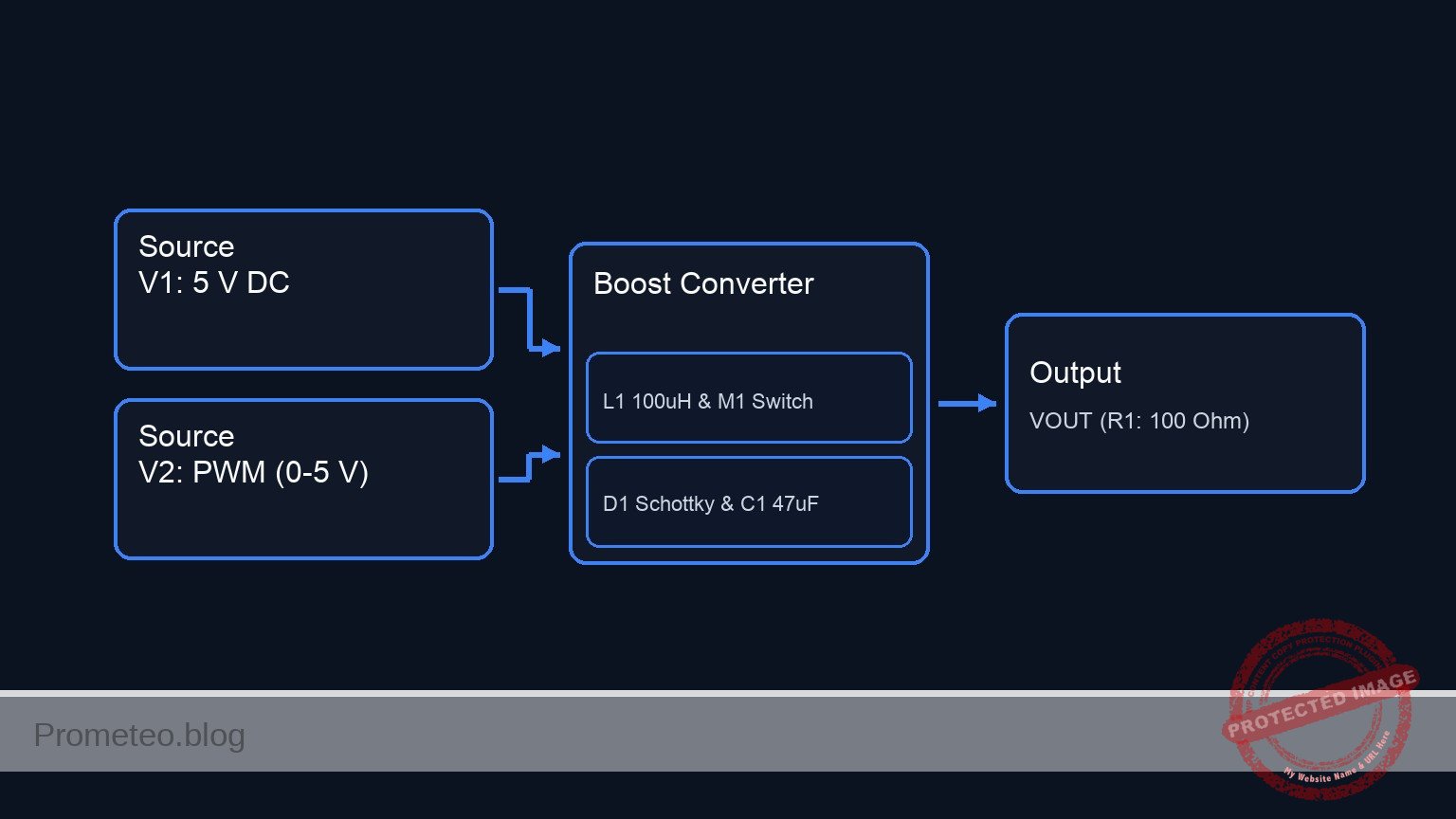
Conceptual block diagram — NE555 NE555 Oscillator
Quick read: inputs → main block → output (actuator or measurement). This summarizes the ASCII schematic below.

Schematic

Inputs / Timing Network                                        Processing                      Output / Load
=======================                                        ==========                      =============

[ VCC --> R1: 1 kΩ ] -----------------------(DISCH: Pin 7)----> [ U1: NE555 Timer ]
                                                               [                 ]
[ Node DISCH --> R2: LDR (Light Mod.) ] ---(TRIG_THR: Pins 2,6)[                 ]
                                                               [  (Oscillator)   ] --(OUT: Pin 3)--> [ C3: 10µF ] --(SPK_IN)--> [ LS1: Speaker ] --> GND
[ Node TRIG_THR --> C1: 100nF --> GND ] ---(Timing Ref)------> [                 ]
                                                               [                 ]
[ Node CTRL --> C2: 10nF --> GND ] --------(CTRL: Pin 5)-----> [                 ]
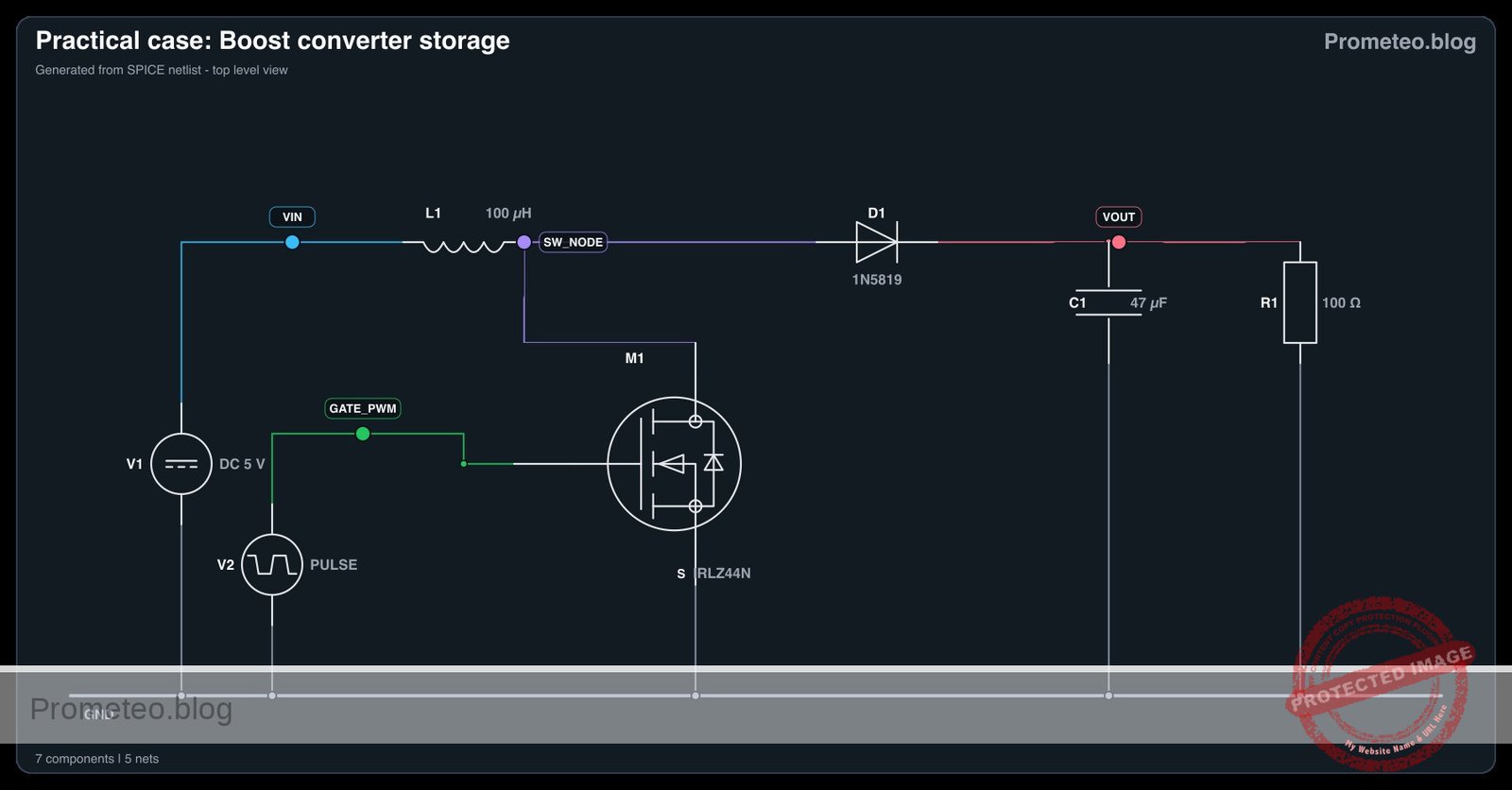
Electrical Schematic

Electrical diagram

Electrical diagram for case: Light-controlled oscillator
Generated from the validated SPICE netlist for this case.

🔒 This electrical diagram is premium. With the 7-day pass or the monthly membership you can unlock the complete didactic material and the print-ready PDF pack.🔓 See premium access plans

Measurements and tests

  1. LDR resistance: Before inserting the LDR into the circuit, measure its resistance with a digital multimeter. Record the value in absolute darkness (it should be very high, e.g., > 50 kΩ) and under direct flashlight illumination (it should drop significantly, e.g., < 1 kΩ).
  2. Capacitor voltage: Power the assembled circuit. Use an oscilloscope to probe the node TRIG_THR with respect to ground (node 0). You should observe a continuous charge-discharge waveform (resembling a shark fin or triangle) oscillating exactly between 3 V and 6 V (which correspond to 1/3 and 2/3 of the 9 V supply).
  3. Output frequency: Connect an oscilloscope or a frequency counter to node OUT with respect to ground. Shine a flashlight directly onto the LDR and observe the frequency rise rapidly. Cover the sensor with your hand to simulate darkness and watch the frequency fall.

SPICE netlist and simulation

Reference SPICE Netlist (ngspice) — excerptFull SPICE netlist (ngspice)

* Light-controlled oscillator (NE555 astable)
.width out=256

.op
.tran 10u 5m uic
.print tran V(TRIG_THR) V(OUT) V(VCC) V(SPK_IN)

* Power Supply
V1 VCC 0 DC 9

* 555 Timer IC Subcircuit Definition
.subckt NE555 1 2 3 4 5 6 7 8
* Pins: 1:GND 2:TRIG 3:OUT 4:RESET 5:CTRL 6:THR 7:DISCH 8:VCC
* Internal voltage divider
R1 8 5 5k
R2 5 N_TRIG_REF 5k
R3 N_TRIG_REF 1 5k

* Comparators using continuous tanh functions for robust convergence
B_S N_S 1 V=0.5 + 0.5*tanh(100 * (V(N_TRIG_REF) - V(2)))
* ... (truncated in public view) ...

Copy this content into a .cir file and run with ngspice.

🔒 Part of this section is premium. With the 7-day pass or the monthly membership you can access the full content (materials, wiring, detailed build, validation, troubleshooting, variants and checklist) and download the complete print-ready PDF pack.

* Light-controlled oscillator (NE555 astable)
.width out=256

.op
.tran 10u 5m uic
.print tran V(TRIG_THR) V(OUT) V(VCC) V(SPK_IN)

* Power Supply
V1 VCC 0 DC 9

* 555 Timer IC Subcircuit Definition
.subckt NE555 1 2 3 4 5 6 7 8
* Pins: 1:GND 2:TRIG 3:OUT 4:RESET 5:CTRL 6:THR 7:DISCH 8:VCC
* Internal voltage divider
R1 8 5 5k
R2 5 N_TRIG_REF 5k
R3 N_TRIG_REF 1 5k

* Comparators using continuous tanh functions for robust convergence
B_S N_S 1 V=0.5 + 0.5*tanh(100 * (V(N_TRIG_REF) - V(2)))
B_R N_R 1 V=0.5 + 0.5*tanh(100 * (V(6) - V(5)))
B_RESET N_RESET 1 V=0.5 + 0.5*tanh(100 * (0.7 - (V(4) - V(1))))

* SR Latch (Behavioral RC model ensuring smooth transitions)
B_INT N_INT 1 V=(V(N_RESET)<=0.5) * ( (V(N_S)>=0.5) + (V(N_S)<0.5) * (V(N_R)<=0.5) * V(N_INT_CAP) )
R_INT N_INT N_INT_CAP 100
C_INT N_INT_CAP 1 1n

* Output stage (Push-pull behavior)
B_OUT N_OUT 1 V=(V(N_INT_CAP)>0.5) * V(8)
R_OUT N_OUT 3 10

* Discharge stage (Open collector behavior)
B_DISCH 7 1 I=V(7) * ( (V(N_INT_CAP)<0.5)*0.1 + (V(N_INT_CAP)>=0.5)*1e-9 )
.ends

* Main Circuit
XU1 0 TRIG_THR OUT VCC CTRL TRIG_THR DISCH VCC NE555
R1 VCC DISCH 1k
R2 DISCH TRIG_THR 10k
C1 TRIG_THR 0 100n
C2 CTRL 0 10n
C3 OUT SPK_IN 10u
RLS1 SPK_IN 0 1k

.end
* --- GPT review (BOM/Wiring/SPICE) ---
* circuit_ok=true
* simulation_summary: The transient simulation shows the trigger/threshold voltage oscillating between approximately 3V (1/3 VCC) and 6V (2/3 VCC), and the output toggling between near 0V and near 9V. The AC-coupled speaker input (SPK_IN) correctly centers around 0V during operation.
* bom_vs_spice equivalences ignored:
*   - Photoresistor (LDR) R2 modeled as a fixed 10k resistor.
*   - Piezoelectric speaker LS1 modeled as a 1k resistor RLS1.
* overall_comment: The SPICE netlist accurately represents the light-controlled oscillator described in the BOM and wiring guide. The NE555 subcircuit functions correctly as an astable multivibrator, and the simulation results confirm the expected oscillation. The circuit is perfectly suitable as a didactic example.
* --------------------------------------

Simulation Results (Transient Analysis)

Simulation Results (Transient Analysis)

Analysis: The transient simulation shows the trigger/threshold voltage oscillating between approximately 3V (1/3 VCC) and 6V (2/3 VCC), and the output toggling between near 0V and near 9V. The AC-coupled speaker input (SPK_IN) correctly centers around 0V during operation.
Show raw data table (631 rows)
Index   time            v(trig_thr)     v(out)          v(vcc)          v(spk_in)
0	1.000000e-07	8.901188e-06	0.000000e+00	9.000000e+00	0.000000e+00
1	1.014392e-07	2.067642e-05	8.910891e+00	9.000000e+00	8.910890e+00
2	1.043176e-07	4.422687e-05	8.910891e+00	9.000000e+00	8.910887e+00
3	1.100744e-07	9.132756e-05	8.910891e+00	9.000000e+00	8.910882e+00
4	1.215880e-07	1.855282e-04	8.910891e+00	9.000000e+00	8.910872e+00
5	1.446152e-07	3.739266e-04	8.910891e+00	9.000000e+00	8.910852e+00
6	1.906696e-07	7.507115e-04	8.910892e+00	9.000000e+00	8.910811e+00
7	2.827784e-07	1.504234e-03	8.910893e+00	9.000000e+00	8.910730e+00
8	4.361485e-07	2.758782e-03	8.910894e+00	9.000000e+00	8.910595e+00
9	6.136134e-07	4.210203e-03	8.910896e+00	9.000000e+00	8.910438e+00
10	8.824756e-07	6.408686e-03	8.910898e+00	9.000000e+00	8.910201e+00
11	1.315870e-06	9.951414e-03	8.910902e+00	9.000000e+00	8.909818e+00
12	2.182659e-06	1.703268e-02	8.910909e+00	9.000000e+00	8.909054e+00
13	3.916236e-06	3.117850e-02	8.910925e+00	9.000000e+00	8.907525e+00
14	7.383392e-06	5.940335e-02	8.910955e+00	9.000000e+00	8.904468e+00
15	1.000000e-05	8.064538e-02	8.910978e+00	9.000000e+00	8.902161e+00
16	1.069343e-05	8.626452e-02	8.910985e+00	9.000000e+00	8.901550e+00
17	1.208029e-05	9.749572e-02	8.910997e+00	9.000000e+00	8.900328e+00
18	1.485402e-05	1.199157e-01	8.911021e+00	9.000000e+00	8.897884e+00
19	2.040147e-05	1.645865e-01	8.911070e+00	9.000000e+00	8.892998e+00
20	3.040147e-05	2.445449e-01	8.911158e+00	9.000000e+00	8.884197e+00
21	4.040147e-05	3.237797e-01	8.911246e+00	9.000000e+00	8.875405e+00
22	5.040147e-05	4.022975e-01	8.911334e+00	9.000000e+00	8.866622e+00
23	6.040147e-05	4.801047e-01	8.911422e+00	9.000000e+00	8.857848e+00
... (607 more rows) ...

Common mistakes and how to avoid them

  • Swapping the positions of R1 and the LDR: If the LDR is placed between VCC and pin 7 (DISCHARGE), intense light will drop its resistance to almost zero. When the NE555 attempts to discharge the capacitor by grounding pin 7, it will create a near short-circuit from VCC to ground, potentially destroying the IC. Always keep a fixed safety resistor (R1) in the upper position.
  • Choosing the wrong value for C1: If C1 is too large (like a 10 µF electrolytic capacitor), the oscillator will run at a sub-audio frequency, producing a series of clicks rather than a tone. Stick to the 10 nF to 100 nF range for audible results.
  • Omitting the AC coupling capacitor (C3): Connecting the piezo speaker directly from the output pin to ground forces a constant DC offset through the speaker, which draws unnecessary power and can degrade the component over time. Always use an AC coupling capacitor to block the DC component.

Troubleshooting

  • Symptom: The speaker emits a continuous clicking or ticking sound instead of a musical tone.
    • Cause: The oscillation frequency is too low, likely below 20 Hz.
    • Fix: Check the value of C1. Ensure it is a 100 nF ceramic capacitor (often marked 104) and not a much larger electrolytic capacitor. Also, ensure the LDR is not in total darkness.
  • Symptom: No sound is produced, and the NE555 chip feels hot to the touch.
    • Cause: A short circuit during the discharge cycle.
    • Fix: Disconnect power immediately. Verify that R1 is a fixed 1 kΩ resistor and that the LDR is strictly placed between pins 7 and 6, NOT between VCC and pin 7.
  • Symptom: A tone is heard, but the pitch barely changes when waving a hand over the sensor.
    • Cause: The resistance swing of the LDR in current lighting conditions is too small, or ambient room light is too uniform.
    • Fix: Test the circuit by shining a highly focused light source (like a smartphone flashlight) directly onto the LDR, then completely covering it with a dark cup. If the tone still doesn’t change much, verify that R2 is indeed an LDR and not a standard fixed resistor by mistake.

Possible improvements and extensions

  • Manual tuning potentiometer: Add a 10 kΩ potentiometer in series with the LDR. This allows you to manually offset the total resistance, providing a way to tune the «base pitch» of the oscillator for different room lighting conditions.
  • Inverse light response: Modify the configuration so that pitch decreases as light increases. This can be achieved by rewiring the timing section (keeping safety resistors in mind) or by using a secondary transistor to invert the LDR’s behavior over the control voltage (Pin 5) of the NE555 instead of the standard timing network.

More Practical Cases on Prometeo.blog

Find this product and/or books on this topic on Amazon

Go to Amazon

As an Amazon Associate, I earn from qualifying purchases. If you buy through this link, you help keep this project running.

Quick Quiz

Question 1: What is the main function of the NE555 timer IC in this project?


Question 2: How does the Light Dependent Resistor (LDR) affect the circuit's output?


Question 3: What happens to the frequency of the tone when the LDR is exposed to bright light?


Question 4: Which of the following is listed as a real-world use case for this circuit?


Question 5: What type of speaker is used to output the continuous tone in this project?


Question 6: What type of musical instrument is mentioned as a basic building block application for this circuit?


Question 7: What physical property does this circuit convert into a frequency-modulated electrical signal?


Question 8: What component replaces one of the standard timing resistors in this NE555 oscillator design?


Question 9: What is the difficulty level of this project?


Question 10: How does this circuit provide accessibility for visually impaired users?


Carlos Núñez Zorrilla
Electronics & Computer Engineer

Telecommunications Electronics Engineer and Computer Engineer (official degrees in Spain).
Follow me:


Practical case: Current measurement with shunt

Current measurement with shunt prototype (Maker Style)

Level: Medium – Use a very low-value resistor to indirectly measure a DC load’s current via voltage drop.

Objective and use case

You will build a direct current (DC) circuit featuring a primary dummy load and a low-value series resistor, known as a shunt. By measuring the tiny voltage drop across this shunt, you will indirectly calculate the total current flowing through the circuit using Ohm’s Law.

Why this is useful:
* Safe high-current measurement: Avoids running massive currents directly through your multimeter’s internal, potentially fragile, circuitry.
* Continuous monitoring: Allows microcontrollers or analog panels to constantly track power consumption without breaking the circuit.
* Overcurrent protection: Provides a proportional voltage signal that can trigger a shutdown mechanism if the current exceeds safe limits.
* Lowering burden voltage: Customizing the shunt size minimizes the interference the measurement instrument imposes on the operating circuit.

Expected outcome:
* You will generate a measurable millivolt-range voltage drop across the low-side shunt resistor.
* You will correctly calculate the load current ($I = V/R$) from the observed voltage.
* You will verify the power dissipation (P = I^2 × R) of the shunt to ensure it operates within safe thermal limits.

Target audience and level: Intermediate electronics students learning indirect measurement techniques and power calculations.

Materials

  • V1: 12 V DC supply, function: main power source
  • R_LOAD: 24 Ω resistor (10 W), function: primary DC load
  • R_SHUNT: 1 Ω resistor (1 W), function: current sensing shunt
  • VM1: Digital Multimeter, function: measure voltage drop across shunt

Wiring guide

  • V1: connects positive terminal to node VCC and negative terminal to node 0 (GND).
  • R_LOAD: connects between node VCC and node SENSE.
  • R_SHUNT: connects between node SENSE and node 0 (GND).
  • VM1: connects positive probe to node SENSE and negative probe to node 0 (GND) to measure the voltage drop across the shunt.

Conceptual block diagram

Conceptual block diagram — Load & Shunt Resistor
Quick read: inputs → main block → output (actuator or measurement). This summarizes the ASCII schematic below.

Schematic

[ V1: 12 V VCC ] --> [ R_LOAD: 24 Ω ] --(Node SENSE)--> [ R_SHUNT: 1 Ω ] --> GND
                                           |
                                           +--(+ probe)--> [ VM1: Multimeter ] --(- probe)--> GND
Electrical Schematic

Electrical diagram

Electrical diagram for current measurement with shunt
Generated from the validated SPICE netlist for this case.

🔒 This electrical diagram is premium. With the 7-day pass or the monthly membership you can unlock the complete didactic material and the print-ready PDF pack.🔓 See premium access plans

Measurements and tests

  1. Verify the power supply: Turn on V1 and measure the voltage at node VCC relative to node 0. It should read exactly 12 V.
  2. Measure the shunt voltage (Vshunt): Set your multimeter to the DC millivolts or volts range. Measure the voltage at node SENSE relative to node 0. With a 24 Ω load and a 1 Ω shunt (25 Ω total), you should measure approximately 480 mV (0.48 V).
  3. Calculate the current: Use Ohm’s law (I = Vshunt / Rshunt). Divide the 0.48 V measurement by 1 Ω. The total current flowing through the circuit is 480 mA (0.48 A).
  4. Calculate power dissipation: Calculate the power dissipated by the shunt using P = Vshunt × I. In this case, 0.48 V × 0.48 A = 0.23 W. Because we selected a 1 W resistor, it is operating safely within its limits.
  5. Measure load voltage drop: Measure the voltage between node VCC and node SENSE. It should be approximately 11.52 V, confirming that the shunt «steals» very little voltage from the primary load.

SPICE netlist and simulation

Reference SPICE Netlist (ngspice)

* Practical case: Current measurement with shunt
.width out=256

* Main power source
V1 VCC 0 DC 12

* Primary DC load
R_LOAD VCC SENSE 24

* Current sensing shunt
R_SHUNT SENSE 0 1

* Simulation commands
.op
.tran 1u 100u

* Print the input voltage and the voltage drop across the shunt (VM1)
.print tran V(VCC) V(SENSE)

.end

Copy this content into a .cir file and run with ngspice.

Simulation Results (Transient Analysis)

Simulation Results (Transient Analysis)

Analysis: The simulation shows a constant 12V supply at VCC and a constant 0.48V at the SENSE node. This perfectly matches the theoretical voltage divider calculation (12V * 1Ω / 25Ω = 0.48V), indicating a current of 0.48A.
Show raw data table (108 rows)
Index   time            v(vcc)          v(sense)
0	0.000000e+00	1.200000e+01	4.800000e-01
1	1.000000e-08	1.200000e+01	4.800000e-01
2	2.000000e-08	1.200000e+01	4.800000e-01
3	4.000000e-08	1.200000e+01	4.800000e-01
4	8.000000e-08	1.200000e+01	4.800000e-01
5	1.600000e-07	1.200000e+01	4.800000e-01
6	3.200000e-07	1.200000e+01	4.800000e-01
7	6.400000e-07	1.200000e+01	4.800000e-01
8	1.280000e-06	1.200000e+01	4.800000e-01
9	2.280000e-06	1.200000e+01	4.800000e-01
10	3.280000e-06	1.200000e+01	4.800000e-01
11	4.280000e-06	1.200000e+01	4.800000e-01
12	5.280000e-06	1.200000e+01	4.800000e-01
13	6.280000e-06	1.200000e+01	4.800000e-01
14	7.280000e-06	1.200000e+01	4.800000e-01
15	8.280000e-06	1.200000e+01	4.800000e-01
16	9.280000e-06	1.200000e+01	4.800000e-01
17	1.028000e-05	1.200000e+01	4.800000e-01
18	1.128000e-05	1.200000e+01	4.800000e-01
19	1.228000e-05	1.200000e+01	4.800000e-01
20	1.328000e-05	1.200000e+01	4.800000e-01
21	1.428000e-05	1.200000e+01	4.800000e-01
22	1.528000e-05	1.200000e+01	4.800000e-01
23	1.628000e-05	1.200000e+01	4.800000e-01
... (84 more rows) ...

Common mistakes and how to avoid them

  • Using a shunt with too much resistance: If the shunt value is too high (e.g., 100 Ω), it creates a massive «burden voltage,» starving the actual load of power and altering the circuit’s behavior. Always use low values (typically 1 Ω, 0.1 Ω, or even milliohms).
  • Ignoring the power rating of the shunt: A resistor dropping even a fraction of a volt can dissipate substantial heat if the current is high. Always calculate P = I^2 × R and select a resistor with double the calculated wattage rating.
  • Measuring current directly across the shunt: Setting the multimeter to «Amps» mode and putting it in parallel with the shunt will short out the shunt, potentially blowing the multimeter’s internal fuse. Always use the «Voltage» mode to measure the voltage drop across the shunt.

Troubleshooting

  • Symptom: Multimeter reads 0 V across the shunt.
    • Cause: The circuit is open; power isn’t reaching the load, or R_SHUNT is shorted out.
    • Fix: Check all wire continuity, ensure the power supply is turned on, and confirm the load is properly connected.
  • Symptom: The shunt resistor is smoking or gets dangerously hot.
    • Cause: The current exceeds the wattage rating of the shunt, or R_LOAD has been bypassed (creating a short circuit directly through the shunt).
    • Fix: Immediately turn off the power. Verify R_LOAD is not bypassed and replace the shunt with one of a higher wattage rating if necessary.
  • Symptom: The calculated current seems far lower than the expected load consumption.
    • Cause: The resistance of the connecting wires or breadboard contacts is acting as an unmeasured secondary shunt, adding to the total circuit resistance.
    • Fix: Ensure short, thick wires are used for power connections. Consider switching to a 4-wire (Kelvin) measurement setup for extreme precision.

Possible improvements and extensions

  • Add a current-sense amplifier: Connect an Operational Amplifier (Op-Amp) across R_SHUNT in a non-inverting configuration to amplify the small millivolt signal into a robust 0-5 V signal easily readable by a microcontroller’s ADC.
  • Implement high-side sensing: Move R_SHUNT to the «high side» (between VCC and R_LOAD). Use a dedicated high-side current sensing IC (such as the INA219) to measure the differential voltage, proving that current can be measured before it reaches the load while keeping the load strictly grounded.

More Practical Cases on Prometeo.blog

Find this product and/or books on this topic on Amazon

Go to Amazon

As an Amazon Associate, I earn from qualifying purchases. If you buy through this link, you help keep this project running.

Quick Quiz

Question 1: What is the primary purpose of the low-value series resistor (shunt) in this circuit?


Question 2: Which formula is used to calculate the load current from the observed voltage drop across the shunt?


Question 3: How does using a shunt resistor help with safe high-current measurements?


Question 4: What is one benefit of using a shunt resistor for continuous monitoring?


Question 5: How can a shunt resistor assist in overcurrent protection?


Question 6: Why is customizing the shunt size important for the operating circuit?


Question 7: What range of voltage drop is expected across the low-side shunt resistor?


Question 8: What type of circuit is being built in this scenario?


Question 9: What is another name for the low-value series resistor used to measure current?


Question 10: What physical principle is used to calculate the total current flowing through the circuit in this setup?


Carlos Núñez Zorrilla
Electronics & Computer Engineer

Telecommunications Electronics Engineer and Computer Engineer (official degrees in Spain).
Follow me:


Practical case: Shadow detector for visual alert

Shadow detector for visual alert prototype (Maker Style)

Level: Medium — Build a stable shadow detector with visual indication and low false triggering.

Objective and use case

You will build a photoresistor-based circuit that detects a sudden drop in light caused by a shadow and turns on an LED in a stable way. The design uses an LDR voltage divider, an RC filter, and a comparator with hysteresis to reduce false activations.

Why it is useful:

  • Detect when a hand or object passes in front of a lighted opening.
  • Create a simple visual warning for access points, boxes, or cabinets.
  • Monitor brief shadow events in classroom experiments on light sensing.
  • Add a reliable light-change trigger to small automation prototypes.

Expected outcome:

  • Sensor voltage at VA changes with light level, typically from about 0.8 V to 4.2 V depending on illumination.
  • Filtered voltage at VB changes more slowly than VA, reducing short spikes and flicker.
  • Comparator output at VOUT switches cleanly between low and high states.
  • LED D1 turns on when light drops below the adjusted threshold and remains stable near the switching point.
  • Hysteresis of about 0.2 V to 0.5 V avoids repeated on/off oscillation.

Target audience and level: Students with basic knowledge of resistors, capacitors, and voltage measurement.

Materials

  • V1: 5 V DC supply
  • R1: LDR photoresistor, function: light-dependent upper arm of sensor divider
  • R2: 10 kΩ potentiometer, function: adjustable lower arm of sensor divider and threshold tuning aid
  • R3: 22 kΩ resistor, function: series resistor from sensor node to RC filter
  • C1: 10 µF capacitor, function: low-pass filter for shadow event stabilization
  • U1: LM393 comparator, function: compare filtered sensor voltage against adjustable reference
  • R4: 10 kΩ potentiometer, function: reference voltage adjustment for comparator
  • R5: 220 kΩ resistor, function: positive feedback to add hysteresis
  • R6: 10 kΩ resistor, function: pull-up for LM393 open-collector output
  • D1: red LED, function: visual alert output
  • R7: 330 Ω resistor, function: LED current limiting

Wiring guide

  • V1 connects between nodes VCC and 0.
  • R1 connects between nodes VCC and VA.
  • R2 connects between nodes VA and 0; use the potentiometer as a variable resistor to adjust the divider sensitivity.
  • R3 connects between nodes VA and VB.
  • C1 connects between nodes VB and 0.
  • R4 connects between nodes VCC and 0; connect the wiper of R4 to node VREF.
  • U1 LM393 power pins connect as follows: supply pin to VCC, ground pin to 0.
  • U1 comparator non-inverting input connects to node VREF.
  • U1 comparator inverting input connects to node VB.
  • R5 connects between nodes VOUT and VREF.
  • R6 connects between nodes VCC and VOUT.
  • R7 connects between nodes VCC and VLED.
  • D1 connects between nodes VLED and VOUT; orient the LED so it turns on when VOUT is pulled low by U1.

Conceptual block diagram

Conceptual block diagram — COMPARADOR Photoresistor (LDR)
Quick read: inputs → main block → output (actuator or measurement). This summarizes the ASCII schematic below.

Schematic

Practical case: Shadow detector for visual alert

Light / Shadow
      --> [ R1: LDR ]
      --> (VA: sensor divider node)
      --> [ R3: 22 kΩ ]
      --> (VB: filtered sensor signal)
      --> [ U1: LM393 Comparator (-) ]

VCC --> [ R2: 10 kΩ Pot, sensitivity adjust ] --> GND
                  \
                   --> (VA)

VCC --> [ R4: 10 kΩ Pot, reference adjust ] --> GND
                  \
                   --> (VREF)
                   --> [ U1: LM393 Comparator (+) ]

[ U1: LM393 Comparator Output VOUT ]
      --> [ R5: 220 kΩ Positive Feedback ] --> (VREF)
      --> [ D1: Red LED ] --> [ R7: 330 Ω ] --> VCC
      --> [ Alert Output: LED ON when VOUT goes LOW ]

VCC --> [ R6: 10 kΩ Pull-up ] --> (VOUT)

(VB) --> [ C1: 10 µF Low-Pass Filter ] --> GND

V1: 5 V DC --> VCC
V1: 0 V    --> GND
U1 power: VCC, GND
Electrical Schematic

Electrical diagram

Electrical diagram for the shadow detector for visual alert case
Generated from the validated SPICE netlist for this case.

🔒 This electrical diagram is premium. With the 7-day pass or the monthly membership you can unlock the complete didactic material and the print-ready PDF pack.🔓 See premium access plans

Measurements and tests

  1. Power-off inspection
  2. Check that VCC and 0 are not shorted.
  3. Confirm LED polarity.
  4. Verify that the LM393 output has a pull-up resistor R6.

  5. Supply check

  6. Power the circuit with V1 = 5 V.
  7. Measure between VCC and 0; expected value: 4.9 V to 5.1 V.

  8. Sensor voltage measurement

  9. Measure VA in bright light and then under a shadow.
  10. Expected result: VA should change clearly, often by more than 1 V.
  11. If the change is too small, adjust R2 or change the light angle on the LDR.

  12. Filtered response measurement

  13. Measure VB while suddenly covering the LDR.
  14. VB should not jump instantly; it should move with a short delay set by R3 × C1.
  15. With R3 = 22 kΩ and C1 = 10 µF, the time constant is about 0.22 s.

  16. Threshold adjustment

  17. Adjust R4 until D1 is off in normal light and turns on when a clear shadow is applied.
  18. Measure VREF; typical useful range is 1 V to 4 V.

  19. Hysteresis verification

  20. Slowly move a hand to create a partial shadow and then slowly remove it.
  21. Measure the switching voltage at VB when the LED turns on and when it turns off.
  22. The two values should differ slightly because of R5; a difference of 0.2 V to 0.5 V is a good target.

  23. Response time test

  24. Repeatedly create a sudden shadow and observe LED behavior.
  25. The LED should react within a fraction of a second, without flickering from very brief light variations.
  26. If the response is too slow, reduce C1 to 4.7 µF.
  27. If false triggering remains, increase C1 to 22 µF or increase R5 slightly for more hysteresis.

  28. False activation test

  29. Illuminate the LDR with room light and introduce small disturbances such as hand motion nearby but not fully covering it.
  30. The LED should remain stable unless the light drop is large enough to cross the threshold.

SPICE netlist and simulation

Reference SPICE Netlist (ngspice) — excerptFull SPICE netlist (ngspice)

* Practical case: Shadow detector for visual alert
.width out=256

.param R2VAL=5k
.param R4POS=0.5
.param R4TOP={10000*(1-R4POS)+1m}
.param R4BOT={10000*(R4POS)+1m}
.param RLIGHT=2k
.param RDARK=50k

V1 VCC 0 DC 5

* Dynamic light/shadow stimulus: 0 = light, 1 = shadow
VLUX LUX 0 PULSE(0 1 50m 1m 1m 200m 400m)

* R1 LDR photoresistor: upper arm of divider
R1 VCC VA r='{RLIGHT + (RDARK-RLIGHT)*V(LUX)}'

* R2 10k potentiometer used as variable resistor
R2 VA 0 {R2VAL}
* ... (truncated in public view) ...

Copy this content into a .cir file and run with ngspice.

🔒 Part of this section is premium. With the 7-day pass or the monthly membership you can access the full content (materials, wiring, detailed build, validation, troubleshooting, variants and checklist) and download the complete print-ready PDF pack.

* Practical case: Shadow detector for visual alert
.width out=256

.param R2VAL=5k
.param R4POS=0.5
.param R4TOP={10000*(1-R4POS)+1m}
.param R4BOT={10000*(R4POS)+1m}
.param RLIGHT=2k
.param RDARK=50k

V1 VCC 0 DC 5

* Dynamic light/shadow stimulus: 0 = light, 1 = shadow
VLUX LUX 0 PULSE(0 1 50m 1m 1m 200m 400m)

* R1 LDR photoresistor: upper arm of divider
R1 VCC VA r='{RLIGHT + (RDARK-RLIGHT)*V(LUX)}'

* R2 10k potentiometer used as variable resistor
R2 VA 0 {R2VAL}

R3 VA VB 22k
C1 VB 0 10u

* R4 10k potentiometer with wiper at VREF
R4A VCC VREF {R4TOP}
R4B VREF 0 {R4BOT}

* U1 LM393 approximation
* Non-inverting input: VREF
* Inverting input: VB
* Open-collector output: VOUT
B_U1DRV NBASE 0 V='0.95*(1+tanh(80*(V(VREF)-V(VB))))/2'
R_U1B NBASE 0 100k
Q_U1 VOUT NBASE 0 QLM393OC

R5 VOUT VREF 220k
R6 VCC VOUT 10k

R7 VCC VLED 330
D1 VLED VOUT DRED

* Probe aliases so .print can include V(IN) and V(OUT) first
V_INMON IN VB DC 0
V_OUTMON OUT VOUT DC 0

.model QLM393OC NPN(IS=1e-14 BF=100 VAF=100 CJE=5p CJC=3p TF=1n TR=10n)
.model DRED D(IS=1e-18 N=2.0 RS=10 CJO=5p VJ=0.75 M=0.33 TT=50n BV=5 IBV=10u)

.print tran V(IN) V(OUT) V(VB) V(VOUT) V(VREF) V(VA) V(VLED) V(LUX)
.op
.tran 100u 500m
.end
* --- GPT review (BOM/Wiring/SPICE) ---
* circuit_ok=true
* simulation_summary: The simulation is consistent with a shadow detector. In bright condition, VA and VB are high, VB is above VREF, the LM393 output transistor is off, and VOUT stays high at about 4.89 V so the LED is off. After the light-to-shadow transition, VA drops, VB falls slowly because of the R3-C1 filter, and when VB crosses below VREF at about 0.168 s, VOUT is pulled low to about 18 mV and the LED turns on. When light returns, VB rises slowly again, so the alert remains on for a while before resetting, consistent with RC filtering and hysteresis.
* bom/wiring vs SPICE issues (modelo):
*   - The LM393 is not a specific manufacturer macro-model; it is only an approximation of open-collector comparator behavior. This is acceptable for logic/function teaching, but not for accurate device-level output saturation or input common-mode behavior.
* bom_vs_spice equivalences ignored:
*   - R2 is described in the wiring guide as a 10 kΩ potentiometer used as a variable resistor, but the netlist fixes it with .param R2VAL=5k. This is acceptable for one simulation run, but the adjustable setting is not exposed unless the parameter is changed manually.
*   - The 10 kΩ potentiometer R4 is validly modeled as two resistors R4A and R4B with the wiper at node VREF.
*   - The LDR R1 is validly modeled as a resistor whose value changes with a control stimulus (behavioral resistance driven by VLUX).
*   - The LED D1 is validly modeled as a diode, with R7 providing the series current limit.
*   - The LM393 comparator is validly modeled with behavioral circuitry plus an NPN open-collector output stage.
*   - The changing light/shadow condition is validly modeled by the PULSE source VLUX.
* overall_comment: This SPICE netlist is broadly faithful to the BOM and wiring and is usable as a didactic example of a shadow-triggered visual alarm. The divider, RC filter, adjustable reference, hysteresis, open-collector pull-up, and active-low LED wiring all match the intended circuit. The main caveat is pedagogical: the LM393 is only behaviorally approximated, and R2 is represented by a fixed chosen value rather than an interactively adjustable potentiometer position. Before classroom use, I would explain the active-low output, the delayed switching caused by R3-C1, and the role of positive feedback R5 in shifting VREF slightly between output states.
* --------------------------------------

Simulation Results (Transient Analysis)

Simulation Results (Transient Analysis)

Analysis: The simulation is consistent with a shadow detector. In bright condition, VA and VB are high, VB is above VREF, the LM393 output transistor is off, and VOUT stays high at about 4.89 V so the LED is off. After the light-to-shadow transition, VA drops, VB falls slowly because of the R3-C1 filter, and when VB crosses below VREF at about 0.168 s, VOUT is pulled low to about 18 mV and the LED turns on. When light returns, VB rises slowly again, so the alert remains on for a while before resetting, consistent with RC filtering and hysteresis.
Show raw data table (5027 rows)
Index   time            v(in)           v(out)          v(vb)           v(vout)         v(vref)         v(va)           v(vled)         v(lux)
0	0.000000e+00	3.571429e+00	4.892473e+00	3.571429e+00	4.892473e+00	2.526882e+00	3.571429e+00	5.000000e+00	0.000000e+00
1	1.000000e-06	3.571429e+00	4.892473e+00	3.571429e+00	4.892473e+00	2.526882e+00	3.571429e+00	5.000000e+00	0.000000e+00
2	2.000000e-06	3.571429e+00	4.892473e+00	3.571429e+00	4.892473e+00	2.526882e+00	3.571429e+00	5.000000e+00	0.000000e+00
3	4.000000e-06	3.571429e+00	4.892473e+00	3.571429e+00	4.892473e+00	2.526882e+00	3.571429e+00	5.000000e+00	0.000000e+00
4	8.000000e-06	3.571429e+00	4.892473e+00	3.571429e+00	4.892473e+00	2.526882e+00	3.571429e+00	5.000000e+00	0.000000e+00
5	1.600000e-05	3.571429e+00	4.892473e+00	3.571429e+00	4.892473e+00	2.526882e+00	3.571429e+00	5.000000e+00	0.000000e+00
6	3.200000e-05	3.571429e+00	4.892473e+00	3.571429e+00	4.892473e+00	2.526882e+00	3.571429e+00	5.000000e+00	0.000000e+00
7	6.400000e-05	3.571429e+00	4.892473e+00	3.571429e+00	4.892473e+00	2.526882e+00	3.571429e+00	5.000000e+00	0.000000e+00
8	1.280000e-04	3.571429e+00	4.892473e+00	3.571429e+00	4.892473e+00	2.526882e+00	3.571429e+00	5.000000e+00	0.000000e+00
9	2.280000e-04	3.571429e+00	4.892473e+00	3.571429e+00	4.892473e+00	2.526882e+00	3.571429e+00	5.000000e+00	0.000000e+00
10	3.280000e-04	3.571429e+00	4.892473e+00	3.571429e+00	4.892473e+00	2.526882e+00	3.571429e+00	5.000000e+00	0.000000e+00
11	4.280000e-04	3.571429e+00	4.892473e+00	3.571429e+00	4.892473e+00	2.526882e+00	3.571429e+00	5.000000e+00	0.000000e+00
12	5.280000e-04	3.571429e+00	4.892473e+00	3.571429e+00	4.892473e+00	2.526882e+00	3.571429e+00	5.000000e+00	0.000000e+00
13	6.280000e-04	3.571429e+00	4.892473e+00	3.571429e+00	4.892473e+00	2.526882e+00	3.571429e+00	5.000000e+00	0.000000e+00
14	7.280000e-04	3.571429e+00	4.892473e+00	3.571429e+00	4.892473e+00	2.526882e+00	3.571429e+00	5.000000e+00	0.000000e+00
15	8.280000e-04	3.571429e+00	4.892473e+00	3.571429e+00	4.892473e+00	2.526882e+00	3.571429e+00	5.000000e+00	0.000000e+00
16	9.280000e-04	3.571429e+00	4.892473e+00	3.571429e+00	4.892473e+00	2.526882e+00	3.571429e+00	5.000000e+00	0.000000e+00
17	1.028000e-03	3.571429e+00	4.892473e+00	3.571429e+00	4.892473e+00	2.526882e+00	3.571429e+00	5.000000e+00	0.000000e+00
18	1.128000e-03	3.571429e+00	4.892473e+00	3.571429e+00	4.892473e+00	2.526882e+00	3.571429e+00	5.000000e+00	0.000000e+00
19	1.228000e-03	3.571429e+00	4.892473e+00	3.571429e+00	4.892473e+00	2.526882e+00	3.571429e+00	5.000000e+00	0.000000e+00
20	1.328000e-03	3.571429e+00	4.892473e+00	3.571429e+00	4.892473e+00	2.526882e+00	3.571429e+00	5.000000e+00	0.000000e+00
21	1.428000e-03	3.571429e+00	4.892473e+00	3.571429e+00	4.892473e+00	2.526882e+00	3.571429e+00	5.000000e+00	0.000000e+00
22	1.528000e-03	3.571429e+00	4.892473e+00	3.571429e+00	4.892473e+00	2.526882e+00	3.571429e+00	5.000000e+00	0.000000e+00
23	1.628000e-03	3.571429e+00	4.892473e+00	3.571429e+00	4.892473e+00	2.526882e+00	3.571429e+00	5.000000e+00	0.000000e+00
... (5003 more rows) ...

Common mistakes and how to avoid them

  1. Connecting the LED directly to the comparator output without a resistor
  2. Always use R7 in series with D1 to limit current.

  3. Forgetting that the LM393 output is open collector

  4. Add R6 from VCC to VOUT, or the output will not produce a valid high level.

  5. Using no hysteresis near the threshold

  6. Keep R5 installed so the LED does not chatter when the light level is close to the switching point.

Troubleshooting

  • Symptom: LED never turns on
  • Cause: VREF is set too low or the LDR divider range is too small.
  • Fix: Adjust R4, then verify that VA and VB really change under a shadow.

  • Symptom: LED is always on

  • Cause: VREF is too high, or the LDR is wired incorrectly.
  • Fix: Lower VREF with R4 and confirm R1 is between VCC and VA.

  • Symptom: LED flickers near the switching point

  • Cause: insufficient filtering or hysteresis.
  • Fix: Increase C1 or reduce R5 moderately to strengthen hysteresis.

  • Symptom: Output voltage at VOUT never rises

  • Cause: missing or incorrect pull-up resistor R6.
  • Fix: Confirm R6 is connected between VCC and VOUT.

  • Symptom: Response is too slow

  • Cause: RC filter too large.
  • Fix: Reduce C1 or R3 to shorten the response time.

Possible improvements and extensions

  1. Add a buzzer output
  2. Connect a transistor driver to VOUT so the same shadow event activates both an LED and a buzzer for stronger alerting.

  3. Use a dual-threshold window

  4. Add a second comparator to detect both excessive darkness and excessive brightness, useful for light-condition monitoring rather than only shadow detection.

More Practical Cases on Prometeo.blog

Find this product and/or books on this topic on Amazon

Go to Amazon

As an Amazon Associate, I earn from qualifying purchases. If you buy through this link, you help keep this project running.

Quick Quiz

Question 1: What is the main purpose of adding hysteresis to the shadow detector comparator?


Question 2: Which component is the key energy-storage element in the RC low-pass filter that stabilizes brief shadow events?


Question 3: What typically happens to the voltage at VA when the light level changes?


Question 4: Why does the voltage at VB change more slowly than VA?


Question 5: What is the role of U1 in the circuit?


Question 6: When is LED D1 intended to turn on in this design?


Question 7: Which component is paired with the LDR to form the sensor voltage divider?


Question 8: What is a stated useful application of this shadow detector?


Question 9: What hysteresis range is mentioned for avoiding repeated switching?


Question 10: For what audience is this project mainly intended?


Carlos Núñez Zorrilla
Electronics & Computer Engineer

Telecommunications Electronics Engineer and Computer Engineer (official degrees in Spain).
Follow me:


Practical case: Base Biasing with Resistor

Base Biasing with Resistor prototype (Maker Style)

Level: Medium — Calculate and verify a base resistor to switch an NPN transistor safely from a logic output.

Objective and use case

You will build a simple transistor switch where a 5 V logic output drives an NPN transistor through a base resistor. The goal is to choose the resistor so the transistor turns the load on reliably without exceeding the allowed logic output current.

Why it is useful:
– To drive a relay module, buzzer, or small lamp from a microcontroller pin.
– To control loads that require more current than a logic output can supply directly.
– To protect a logic output from excessive base current.
– To learn how to verify transistor saturation with real voltage and current measurements.

Expected outcome:
– When the logic output is LOW, the transistor remains OFF and the load is de-energized.
– When the logic output is HIGH, the transistor turns ON and the load current is about 20 mA.
– Base current stays below the logic output limit, target about 4.3 mA.
– Measured base-emitter voltage is about 0.7 V when ON.
– Measured collector-emitter voltage is low in saturation, typically below 0.2 V.

Target audience and level: Students with basic DC circuit and transistor knowledge.

Materials

  • V1: 5 V DC supply
  • VSIG: 0 V / 5 V logic source, function: control signal for transistor base
  • R1: 1 kΩ resistor, function: base current limiting
  • R2: 150 Ω resistor, function: load current limiting for LED branch
  • D1: red LED, function: visible collector load indicator
  • Q1: 2N2222 NPN transistor, function: low-side switch
  • M1: digital multimeter, function: voltage and current measurements
  • M2: optional second multimeter, function: simultaneous current check

Wiring guide

Use these node names: VCC, 0, VIN, VB, VC.

  • V1 connects between VCC and 0.
  • VSIG connects between VIN and 0.
  • R1 connects between VIN and VB.
  • Q1 collector connects to VC.
  • Q1 base connects to VB.
  • Q1 emitter connects to 0.
  • R2 connects between VCC and the anode node of D1.
  • D1 anode connects to R2; D1 cathode connects to VC.

Practical design values:
– Load current target: about Ic = (5 V - 2.0 V - 0.2 V) / 150 Ω ≈ 18.7 mA
– Forced gain for saturation: use β_forced ≈ 10
– Required base current: Ib ≈ Ic / 10 ≈ 1.9 mA
– Base resistor estimate: R1 ≈ (5 V - 0.7 V) / 1.9 mA ≈ 2.26 kΩ

To make switching more robust, choose a lower standard value:
– Selected R1 = 1 kΩ
– Expected base current: Ib ≈ (5 V - 0.7 V) / 1 kΩ ≈ 4.3 mA

This value is suitable only if the logic output can safely source at least 4.3 mA.

Conceptual block diagram

Conceptual block diagram — Base-biased NPN switch
Quick read: inputs → main block → output (actuator or measurement). This summarizes the ASCII schematic below.

Schematic

Practical case: Base Biasing with Resistor

Power / load path:
[ V1: 5 V DC Supply ] --(VCC)--> [ R2: 150 ohm ] --(LED current limit)--> [ D1: Red LED ] --(cathode at VC)--> [ Q1:C 2N2222 ]
[ Q1:C 2N2222 ] --(collector-emitter path)--> [ Q1:E 2N2222 ] --(0 / GND)--> [ V1: 0 V ]

Control / base path:
[ VSIG: 0/5 V Logic Source ] --(VIN)--> [ R1: 1 kohm ] --(VB)--> [ Q1:B 2N2222 ]
[ Q1:B 2N2222 ] --(base-emitter junction)--> [ Q1:E 2N2222 ] --(0 / GND)--> [ VSIG: 0 V ]

Node labels:
[ VIN ] --> [ R1 ] --> [ VB ] --> [ Q1:B ]
[ VCC ] --> [ R2 ] --> [ D1 Anode ]
[ D1 Cathode ] --> [ VC ] --> [ Q1:C ]
[ Q1:E ] --> [ 0 / GND ]

Optional measurements:
[ M1 DMM ] --(measure V_B or V_C vs 0)--> [ VB / VC ] --> [ 0 / GND ]
[ M2 DMM ] --(current mode, inserted in series where needed)--> [ Base path or Load path ]
Electrical Schematic

Electrical diagram

Electrical diagram for Practical case: Base biasing with resistor
Generated from the validated SPICE netlist for this case.

🔒 This electrical diagram is premium. With the 7-day pass or the monthly membership you can unlock the complete didactic material and the print-ready PDF pack.🔓 See premium access plans

Measurements and tests

  1. Power-off check
  2. Verify all connections before applying power.
  3. Confirm Q1 emitter goes to 0.
  4. Confirm R1 is in series between VIN and VB.

  5. OFF-state test

  6. Set VSIG = 0 V.
  7. Measure Vb from VB to 0: expected near 0 V.
  8. Measure Vce from VC to 0: expected near 5 V.
  9. Observe D1: it should be OFF.
  10. Measure Ib: expected approximately 0 mA.
  11. Measure Ic: expected approximately 0 mA.

  12. ON-state test

  13. Set VSIG = 5 V.
  14. Measure Vb: expected about 0.7 V.
  15. Measure Vbe: expected about 0.65 V to 0.8 V.
  16. Measure Ib by placing the meter in series with R1: expected about 4.3 mA.
  17. Measure Vc: expected low, typically below 0.2 V to 0.3 V.
  18. Measure Vce: expected below 0.2 V if saturation is achieved.
  19. Measure Ic in series with the collector path: expected about 18 mA to 20 mA.
  20. Observe D1: it should be clearly ON.

  21. Logic output safety check

  22. Compare the measured Ib with the maximum source current allowed by the logic output.
  23. If the logic output rating is less than the measured base current, increase R1.

  24. Verification calculation

  25. Compute measured gain in switching mode: Ic / Ib.
  26. Example with measured values: 19 mA / 4.3 mA ≈ 4.4
  27. This is consistent with saturated switching, where the transistor is intentionally overdriven.

  28. Pass criteria

  29. Ib does not exceed the logic output limit.
  30. D1 turns fully ON at logic HIGH and fully OFF at logic LOW.
  31. Vce in ON state is low enough to confirm saturation.

SPICE netlist and simulation

Reference SPICE Netlist (ngspice) — excerptFull SPICE netlist (ngspice)

* Practical case: Base Biasing with Resistor
.width out=256

V1 VCC 0 DC 5
VSIG VIN 0 PULSE(0 5 10m 1u 1u 245m 1s)

R1 VIN VB 1k
R2 VCC VLED 150
D1 VLED VC DRED
Q1 VC VB 0 Q2N2222

* Optional multimeter loading approximations (high impedance voltmeters)
RM1 VC 0 10Meg
RM2 VB 0 10Meg

* Alias nodes for guaranteed logging
VALIASIN IN VIN 0
VALIASOUT OUT VC 0

.model DRED D(IS=1e-18 N=2.0 RS=10 CJO=20p VJ=0.75 M=0.5 TT=50n BV=5 IBV=10u)
* ... (truncated in public view) ...

Copy this content into a .cir file and run with ngspice.

🔒 Part of this section is premium. With the 7-day pass or the monthly membership you can access the full content (materials, wiring, detailed build, validation, troubleshooting, variants and checklist) and download the complete print-ready PDF pack.

* Practical case: Base Biasing with Resistor
.width out=256

V1 VCC 0 DC 5
VSIG VIN 0 PULSE(0 5 10m 1u 1u 245m 1s)

R1 VIN VB 1k
R2 VCC VLED 150
D1 VLED VC DRED
Q1 VC VB 0 Q2N2222

* Optional multimeter loading approximations (high impedance voltmeters)
RM1 VC 0 10Meg
RM2 VB 0 10Meg

* Alias nodes for guaranteed logging
VALIASIN IN VIN 0
VALIASOUT OUT VC 0

.model DRED D(IS=1e-18 N=2.0 RS=10 CJO=20p VJ=0.75 M=0.5 TT=50n BV=5 IBV=10u)
.model Q2N2222 NPN(IS=1e-14 BF=200 VAF=100 IKF=0.1 ISE=1e-13 NE=1.5 BR=5 NR=1.0 VAR=25 IKR=0.05
+ RC=0.5 RE=0.2 RB=10 CJE=25p VJE=0.75 MJE=0.33 TF=0.4n XTF=2 CJC=8p VJC=0.55 MJC=0.33 TR=50n)

.save V(IN) V(OUT) V(VIN) V(VC) V(VB) V(VLED) I(V1) I(VSIG)

.op
.print op V(IN) V(OUT) V(VIN) V(VC) V(VB) V(VLED) I(V1) I(VSIG)

.tran 0.1m 250m
.print tran V(IN) V(OUT) V(VIN) V(VC) V(VB) V(VLED) I(V1) I(VSIG)

.end

Simulation Results (Transient Analysis)

Simulation Results (Transient Analysis)
Show raw data table (2528 rows)
Index   time            v(in)           v(out)          v(vin)          v(vc)           v(vb)           v(vled)         v1#branch       vsig#branch
0	0.000000e+00	0.000000e+00	3.623103e+00	0.000000e+00	3.623103e+00	3.624741e-09	4.999946e+00	-3.62318e-07	3.624741e-12
1	1.000000e-06	0.000000e+00	3.623104e+00	0.000000e+00	3.623104e+00	6.699379e-09	4.999946e+00	-3.62321e-07	6.699379e-12
2	2.000000e-06	0.000000e+00	3.623105e+00	0.000000e+00	3.623105e+00	6.506970e-09	4.999946e+00	-3.62321e-07	6.506970e-12
3	4.000000e-06	0.000000e+00	3.623106e+00	0.000000e+00	3.623106e+00	5.984372e-09	4.999946e+00	-3.62320e-07	5.984372e-12
4	8.000000e-06	0.000000e+00	3.623108e+00	0.000000e+00	3.623108e+00	5.188535e-09	4.999946e+00	-3.62320e-07	5.188535e-12
5	1.600000e-05	0.000000e+00	3.623110e+00	0.000000e+00	3.623110e+00	4.293865e-09	4.999946e+00	-3.62319e-07	4.293865e-12
6	3.200000e-05	0.000000e+00	3.623112e+00	0.000000e+00	3.623112e+00	3.693772e-09	4.999946e+00	-3.62318e-07	3.693772e-12
7	6.400000e-05	0.000000e+00	3.623112e+00	0.000000e+00	3.623112e+00	3.610539e-09	4.999946e+00	-3.62318e-07	3.610539e-12
8	1.280000e-04	0.000000e+00	3.623112e+00	0.000000e+00	3.623112e+00	3.631021e-09	4.999946e+00	-3.62318e-07	3.631021e-12
9	2.280000e-04	0.000000e+00	3.623112e+00	0.000000e+00	3.623112e+00	3.621414e-09	4.999946e+00	-3.62318e-07	3.621414e-12
10	3.280000e-04	0.000000e+00	3.623112e+00	0.000000e+00	3.623112e+00	3.626121e-09	4.999946e+00	-3.62318e-07	3.626121e-12
11	4.280000e-04	0.000000e+00	3.623112e+00	0.000000e+00	3.623112e+00	3.624676e-09	4.999946e+00	-3.62318e-07	3.624676e-12
12	5.280000e-04	0.000000e+00	3.623112e+00	0.000000e+00	3.623112e+00	3.623957e-09	4.999946e+00	-3.62318e-07	3.623957e-12
13	6.280000e-04	0.000000e+00	3.623112e+00	0.000000e+00	3.623112e+00	3.626113e-09	4.999946e+00	-3.62318e-07	3.626113e-12
14	7.280000e-04	0.000000e+00	3.623112e+00	0.000000e+00	3.623112e+00	3.623011e-09	4.999946e+00	-3.62318e-07	3.623011e-12
15	8.280000e-04	0.000000e+00	3.623112e+00	0.000000e+00	3.623112e+00	3.626745e-09	4.999946e+00	-3.62318e-07	3.626745e-12
16	9.280000e-04	0.000000e+00	3.623112e+00	0.000000e+00	3.623112e+00	3.622584e-09	4.999946e+00	-3.62318e-07	3.622584e-12
17	1.028000e-03	0.000000e+00	3.623112e+00	0.000000e+00	3.623112e+00	3.627045e-09	4.999946e+00	-3.62318e-07	3.627045e-12
18	1.128000e-03	0.000000e+00	3.623112e+00	0.000000e+00	3.623112e+00	3.622367e-09	4.999946e+00	-3.62318e-07	3.622367e-12
19	1.228000e-03	0.000000e+00	3.623112e+00	0.000000e+00	3.623112e+00	3.627168e-09	4.999946e+00	-3.62318e-07	3.627168e-12
20	1.328000e-03	0.000000e+00	3.623112e+00	0.000000e+00	3.623112e+00	3.622305e-09	4.999946e+00	-3.62318e-07	3.622305e-12
21	1.428000e-03	0.000000e+00	3.623112e+00	0.000000e+00	3.623112e+00	3.627229e-09	4.999946e+00	-3.62318e-07	3.627229e-12
22	1.528000e-03	0.000000e+00	3.623112e+00	0.000000e+00	3.623112e+00	3.622257e-09	4.999946e+00	-3.62318e-07	3.622257e-12
23	1.628000e-03	0.000000e+00	3.623112e+00	0.000000e+00	3.623112e+00	3.627228e-09	4.999946e+00	-3.62318e-07	3.627228e-12
... (2504 more rows) ...

Common mistakes and how to avoid them

  1. Using no base resistor
  2. Error: connecting the logic output directly to the transistor base.
  3. Result: excessive base current and possible damage to the logic output.
  4. Fix: always place R1 between VIN and VB.

  5. Choosing a base resistor that is too large

  6. Error: using R1 = 10 kΩ without checking current.
  7. Result: base current may be too low, so the transistor may not saturate.
  8. Fix: calculate Ib from the load current and use a forced gain of about 10 for switching.

  9. Reversing transistor terminals

  10. Error: swapping collector and emitter.
  11. Result: abnormal voltages, weak load current, or no switching.
  12. Fix: confirm the 2N2222 pinout from its datasheet before wiring.

Troubleshooting

  • Symptom: LED never turns ON
  • Cause: VSIG is not reaching 5 V, or Q1 base is not connected through R1.
  • Fix: measure VIN and VB; verify R1 continuity and transistor pinout.

  • Symptom: LED is dim

  • Cause: transistor is not saturated because R1 is too large.
  • Fix: reduce R1 after checking the logic output current limit.

  • Symptom: Logic output voltage drops when ON

  • Cause: base current demand is too high for the logic source.
  • Fix: increase R1 or use a transistor driver stage.

  • Symptom: LED stays ON all the time

  • Cause: wrong wiring at the collector node or unintended base bias.
  • Fix: check that Q1 emitter is at 0 and that VIN actually goes to 0 V in the LOW state.

  • Symptom: Measured Vce is high when ON

  • Cause: insufficient base current or incorrect collector load wiring.
  • Fix: verify Ib, recalculate R1, and check R2 and D1 orientation.

Possible improvements and extensions

  • Add a 10 kΩ pull-down resistor from VB to 0 so the transistor stays OFF if the logic source becomes disconnected or high-impedance.
  • Replace the LED load with a relay coil and add a flyback diode across the coil to study transistor switching with inductive loads.

More Practical Cases on Prometeo.blog

Find this product and/or books on this topic on Amazon

Go to Amazon

As an Amazon Associate, I earn from qualifying purchases. If you buy through this link, you help keep this project running.

Quick Quiz

Question 1: What is the main purpose of the base resistor in the 5 V logic-driven NPN switch?


Question 2: According to the article, what load current is expected when the transistor is ON?


Question 3: What is the target base current mentioned for reliable switching?


Question 4: If the logic output is HIGH at 5 V and the base-emitter voltage is about 0.7 V, what voltage is approximately across the 1 kΩ base resistor?


Question 5: Using the article values, what base current flows through a 1 kΩ resistor when driven from 5 V with V_BE about 0.7 V?


Question 6: Why is a forced beta of around 5 reasonable here?


Question 7: What collector-emitter voltage indicates the transistor is in saturation according to the article?


Question 8: What should happen when the logic output is LOW?


Question 9: Which transistor is used as the low-side switch in this example?


Question 10: If a microcontroller pin can safely supply up to 5 mA, is the article's target base current acceptable?


Carlos Núñez Zorrilla
Electronics & Computer Engineer

Telecommunications Electronics Engineer and Computer Engineer (official degrees in Spain).

Follow me:


Practical case: Light switching from two points

Light switching from two points prototype (Maker Style)

Level: Medium. Implement an XOR logic function using universal NAND gates to control a light source from two independent locations.

Objective and use case

In this case, you will build a digital logic circuit that replicates a residential 2-way switching system (hallway light) using a single 74HC00 Quad NAND Gate IC. By combining four NAND gates, you will synthesize the Exclusive-OR (XOR) function, proving that NAND gates are «universal» building blocks.

Why it is useful:
* Residential wiring simulation: Demonstrates how two switches can independently toggle a single load (hallway/staircase logic).
* Digital Logic Synthesis: Teaches how to build complex logic (XOR) from basic universal gates (NAND).
* Arithmetic Circuits: This specific XOR topology is the fundamental component of a digital «Half-Adder» used in CPU ALUs.
* Error Detection: XOR logic is used to calculate parity bits for data transmission.

Expected outcome:
* State 00: When both switches are OFF, the LED is OFF.
* State 01/10: When only one switch is ON, the LED is ON (High logic level > 3.5 V).
* State 11: When both switches are ON, the LED is OFF.
* Universality: Successful demonstration that 4 NAND gates = 1 XOR gate.

Target audience: Electronics students and hobbyists familiar with basic logic gates.

Materials

  • V1: 5 V DC power supply, function: Main circuit power.
  • U1: 74HC00, function: Quad 2-input NAND gate IC.
  • S1: SPST Switch, function: Input A (Switch 1).
  • S2: SPST Switch, function: Input B (Switch 2).
  • R1: 10 kΩ resistor, function: Pull-down for Input A.
  • R2: 10 kΩ resistor, function: Pull-down for Input B.
  • R3: 330 Ω resistor, function: LED current limiting.
  • D1: Red LED, function: Output indicator (Light).

Pin-out of the IC used

Selected Chip: 74HC00 (Quad 2-Input NAND Gate)

Pin Name Logic Function Connection in this case
1 1 A Input Gate 1 Connect to Node INPUT_A
2 1B Input Gate 1 Connect to Node INPUT_B
3 1Y Output Gate 1 Internal Node NAND_1_OUT
4 2 A Input Gate 2 Connect to Node INPUT_A
5 2B Input Gate 2 Connect to Node NAND_1_OUT
6 2Y Output Gate 2 Internal Node NAND_2_OUT
7 GND Ground Connect to Node 0 (GND)
8 3Y Output Gate 3 Internal Node NAND_3_OUT
9 3 A Input Gate 3 Connect to Node NAND_1_OUT
10 3B Input Gate 3 Connect to Node INPUT_B
11 4Y Output Gate 4 Connect to Node FINAL_OUT
12 4 A Input Gate 4 Connect to Node NAND_2_OUT
13 4B Input Gate 4 Connect to Node NAND_3_OUT
14 VCC Power Supply Connect to Node VCC (+5 V)

Wiring guide

  • V1: Connect positive terminal to node VCC and negative terminal to node 0.
  • U1 (Power): Connect Pin 14 to VCC and Pin 7 to 0.
  • S1: Connect one side to VCC and the other to node INPUT_A.
  • R1: Connect between node INPUT_A and node 0.
  • S2: Connect one side to VCC and the other to node INPUT_B.
  • R2: Connect between node INPUT_B and node 0.
  • U1 (Gate 1): Connect Pin 1 to INPUT_A, Pin 2 to INPUT_B. Pin 3 is node NAND_1_OUT.
  • U1 (Gate 2): Connect Pin 4 to INPUT_A, Pin 5 to NAND_1_OUT. Pin 6 is node NAND_2_OUT.
  • U1 (Gate 3): Connect Pin 10 to INPUT_B, Pin 9 to NAND_1_OUT. Pin 8 is node NAND_3_OUT.
  • U1 (Gate 4): Connect Pin 12 to NAND_2_OUT, Pin 13 to NAND_3_OUT. Pin 11 is node FINAL_OUT.
  • R3: Connect between node FINAL_OUT and the Anode of D1.
  • D1: Connect the Cathode to node 0.

Conceptual block diagram

Conceptual block diagram — 74HC00 NAND gate
Quick read: inputs → main block → output (actuator or measurement). This summarizes the ASCII schematic below.

Schematic

Title: Practical case: Light switching from two points (XOR Logic)

INPUT STAGE                  LOGIC PROCESSING (74HC00)                  OUTPUT STAGE
(User Controls)              (NAND-based XOR Circuit)                   (Indicator)

                                     (Pin 4)
VCC --> [ S1 ] --(Node A)----------> [ U1:Gate 2 ] --(NAND_2)--\
          |                          (Pin 5,6)                  \
       [ R1 ]                            ^                       \
          v                              |                        \
         GND                        (NAND_1_OUT)                   \
                                         |                          \
                                         |                           \
(Node A) & (Node B) -----------> [ U1:Gate 1 ]                        --> [ U1:Gate 4 ] --(FINAL)--> [ R3 ] --> [ D1: LED ] --> GND
                                 (Pin 1,2->3)                        /    (Pin 12,13->11)
                                         |                          /
                                         |                         /
                                    (NAND_1_OUT)                  /
          ^                              |                       /
       [ R2 ]                            v                      /
          |                          (Pin 9)                   /
VCC --> [ S2 ] --(Node B)----------> [ U1:Gate 3 ] --(NAND_3)-/
                                     (Pin 10,8)
Electrical Schematic

Truth table (Synthesized XOR)

Switch A (S1) Switch B (S2) LED State (D1) Logic Function
0 (OFF) 0 (OFF) OFF (0) No active input
0 (OFF) 1 (ON) ON (1) Inputs differ
1 (ON) 0 (OFF) ON (1) Inputs differ
1 (ON) 1 (ON) OFF (0) Inputs match

Measurements and tests

  1. Initial State Check: Ensure both S1 and S2 are open. Measure voltage at Pin 11 (FINAL_OUT). It should be < 0.5 V (Logic 0). D1 should be dark.
  2. First Switch Toggle: Close S1 only. Measure voltage at Pin 11. It should be close to 5 V (Logic 1). D1 should light up.
  3. Second Switch Toggle: Open S1 and close S2. Observe D1. It should light up again (Logic 1).
  4. Collision Check: Close both S1 and S2 simultaneously. Measure voltage at Pin 3 (NAND_1_OUT). Since both inputs are High, Pin 3 must be Low. Consequently, Pin 11 (FINAL_OUT) should go Low, turning D1 OFF.

SPICE netlist and simulation

Reference SPICE Netlist (ngspice) — excerptFull SPICE netlist (ngspice)

* Practical case: Light switching from two points
* Title: Light switching from two points

* ==============================================================================
* COMPONENT MODELS
* ==============================================================================

* Simple LED Model
.model DLED D(IS=1e-22 RS=10 N=1.5 CJO=10p BV=5 IBV=10u)

* Voltage Controlled Switch Model for Buttons
* Vt=2.5V threshold, Ron=1 ohm, Roff=10Meg ohm
.model SW_PUSH SW(Vt=2.5 Ron=1 Roff=10Meg)

* ==============================================================================
* MAIN CIRCUIT
* ==============================================================================

* --- Power Supply ---
* V1: 5 V DC power supply
* ... (truncated in public view) ...

Copy this content into a .cir file and run with ngspice.

🔒 Part of this section is premium. With the 7-day pass or the monthly membership you can access the full content (materials, wiring, detailed build, validation, troubleshooting, variants and checklist) and download the complete print-ready PDF pack.

* Practical case: Light switching from two points
* Title: Light switching from two points

* ==============================================================================
* COMPONENT MODELS
* ==============================================================================

* Simple LED Model
.model DLED D(IS=1e-22 RS=10 N=1.5 CJO=10p BV=5 IBV=10u)

* Voltage Controlled Switch Model for Buttons
* Vt=2.5V threshold, Ron=1 ohm, Roff=10Meg ohm
.model SW_PUSH SW(Vt=2.5 Ron=1 Roff=10Meg)

* ==============================================================================
* MAIN CIRCUIT
* ==============================================================================

* --- Power Supply ---
* V1: 5 V DC power supply
V1 VCC 0 DC 5

* --- Input A (Switch 1) ---
* Simulating physical switch S1 connecting VCC to INPUT_A
* Controlled by V_ACT_S1 (User pressing the button)
* Timing: Period 100us, Width 50us (Toggles faster)
V_ACT_S1 S1_CTRL 0 PULSE(0 5 0 1u 1u 50u 100u)
S1 VCC INPUT_A S1_CTRL 0 SW_PUSH

* R1: 10 kΩ pull-down for Input A
R1 INPUT_A 0 10k

* --- Input B (Switch 2) ---
* Simulating physical switch S2 connecting VCC to INPUT_B
* Controlled by V_ACT_S2 (User pressing the button)
* Timing: Period 200us, Width 100us (Toggles slower)
V_ACT_S2 S2_CTRL 0 PULSE(0 5 0 1u 1u 100u 200u)
S2 VCC INPUT_B S2_CTRL 0 SW_PUSH

* R2: 10 kΩ pull-down for Input B
R2 INPUT_B 0 10k

* --- Logic IC U1: 74HC00 ---
* Quad 2-input NAND gate IC
* Pin connections per Wiring Guide:
* P1=INPUT_A, P2=INPUT_B, P3=NAND_1_OUT
* P4=INPUT_A, P5=NAND_1_OUT, P6=NAND_2_OUT
* P7=0 (GND)
* P8=NAND_3_OUT, P9=NAND_1_OUT, P10=INPUT_B
* P11=FINAL_OUT, P12=NAND_2_OUT, P13=NAND_3_OUT
* P14=VCC
XU1 INPUT_A INPUT_B NAND_1_OUT INPUT_A NAND_1_OUT NAND_2_OUT 0 NAND_3_OUT NAND_1_OUT INPUT_B FINAL_OUT NAND_2_OUT NAND_3_OUT VCC 74HC00

* --- Output Stage ---
* R3: 330 Ω resistor
R3 FINAL_OUT LED_NODE 330

* D1: Red LED
D1 LED_NODE 0 DLED

* ==============================================================================
* SUBCIRCUITS
* ==============================================================================

* Subcircuit for 74HC00 Quad 2-Input NAND Gate
* Uses continuous behavioral sources for robust convergence
* Pinout: 1=1A, 2=1B, 3=1Y, 4=2A, 5=2B, 6=2Y, 7=GND, 8=3Y, 9=3A, 10=3B, 11=4Y, 12=4A, 13=4B, 14=VCC
.subckt 74HC00 1 2 3 4 5 6 7 8 9 10 11 12 13 14
    * Gate 1 (1,2 -> 3)
    * Logic: Vout = VCC * (1 - (High(A) * High(B)))
    Bg1 3 7 V={V(14,7)*(1-(1/(1+exp(-50*(V(1,7)-2.5))))*(1/(1+exp(-50*(V(2,7)-2.5)))))}

    * Gate 2 (4,5 -> 6)
    Bg2 6 7 V={V(14,7)*(1-(1/(1+exp(-50*(V(4,7)-2.5))))*(1/(1+exp(-50*(V(5,7)-2.5)))))}

    * Gate 3 (9,10 -> 8)
    Bg3 8 7 V={V(14,7)*(1-(1/(1+exp(-50*(V(9,7)-2.5))))*(1/(1+exp(-50*(V(10,7)-2.5)))))}

    * Gate 4 (12,13 -> 11)
    Bg4 11 7 V={V(14,7)*(1-(1/(1+exp(-50*(V(12,7)-2.5))))*(1/(1+exp(-50*(V(13,7)-2.5)))))}
.ends

* ==============================================================================
* ANALYSIS COMMANDS
* ==============================================================================

.op
.tran 1u 500u

* Print critical nodes including Inputs and the Output driving the LED
.print tran V(INPUT_A) V(INPUT_B) V(FINAL_OUT) V(LED_NODE)

.end
* --- GPT review (BOM/Wiring/SPICE) ---
* circuit_ok=true
* simulation_summary: The simulation confirms the XOR logic behavior required for 2-way switching. When inputs differ (e.g., t=51us: A=0, B=1 -> Out=5V; t=101us: A=1, B=1 -> Out=0V; t=180us: A=1, B=0 -> Out=5V), the LED is ON (approx 1.88V drop). When inputs match (0,0 or 1,1), the output is near 0V.
* bom_vs_spice equivalences ignored:
*   - Physical switches S1 and S2 are modeled as voltage-controlled switches (SW_PUSH) driven by PULSE sources (V_ACT_S1, V_ACT_S2) to simulate user interaction.
*   - The 74HC00 Quad NAND IC is modeled as a behavioral subcircuit using mathematical expressions for logic gates.
*   - The LED D1 is modeled as a generic diode DLED with specific parameters.
* overall_comment: The circuit is a classic XOR implementation using four NAND gates, correctly wired to simulate a 2-way light switch (staircase switch). The SPICE netlist accurately represents the BOM and wiring guide. The simulation results perfectly match the provided truth table: the LED lights up only when the switch states are different.
* --------------------------------------

Simulation Results (Transient Analysis)

Simulation Results (Transient Analysis)

Analysis: The simulation confirms the XOR logic behavior required for 2-way switching. When inputs differ (e.g., t=51us: A=0, B=1 -> Out=5V; t=101us: A=1, B=1 -> Out=0V; t=180us: A=1, B=0 -> Out=5V), the LED is ON (approx 1.88V drop). When inputs match (0,0 or 1,1), the output is near 0V.
Show raw data table (773 rows)
Index   time            v(input_a)      v(input_b)      v(final_out)    v(led_node)
0	0.000000e+00	4.995005e-03	4.995005e-03	-3.70921e-68	-1.32951e-36
1	1.000000e-08	4.995005e-03	4.995005e-03	-3.70921e-68	-3.37339e-37
2	2.000000e-08	4.995005e-03	4.995005e-03	-3.70921e-68	1.661518e-37
3	4.000000e-08	4.995005e-03	4.995005e-03	-3.70921e-68	2.976605e-37
4	8.000000e-08	4.995005e-03	4.995005e-03	-3.70921e-68	8.146600e-38
5	1.600000e-07	4.995005e-03	4.995005e-03	-3.70921e-68	-2.74917e-38
6	3.200000e-07	4.995005e-03	4.995005e-03	-3.70921e-68	-1.00046e-38
7	3.562500e-07	4.995005e-03	4.995005e-03	-3.70921e-68	-9.54478e-40
8	4.196875e-07	4.995005e-03	4.995005e-03	-3.70921e-68	1.440911e-39
9	4.372461e-07	4.995005e-03	4.995005e-03	-3.70921e-68	5.873353e-40
10	4.679736e-07	4.995005e-03	4.995005e-03	-3.70921e-68	-1.64244e-40
11	5.019934e-07	4.999500e+00	4.999500e+00	-3.70921e-68	5.471353e-16
12	5.700330e-07	4.999500e+00	4.999500e+00	-3.70921e-68	1.883035e-16
13	7.061121e-07	4.999500e+00	4.999500e+00	-3.70921e-68	-1.89304e-16
14	9.782703e-07	4.999500e+00	4.999500e+00	-3.70921e-68	1.713539e-16
15	1.000000e-06	4.999500e+00	4.999500e+00	-3.70921e-68	-8.76370e-17
16	1.043459e-06	4.999500e+00	4.999500e+00	-3.70921e-68	2.969253e-18
17	1.130378e-06	4.999500e+00	4.999500e+00	-3.70921e-68	1.336375e-17
18	1.304216e-06	4.999500e+00	4.999500e+00	-3.70921e-68	1.285658e-18
19	1.651892e-06	4.999500e+00	4.999500e+00	-3.70921e-68	-4.38731e-19
20	2.347244e-06	4.999500e+00	4.999500e+00	-3.70921e-68	-3.76487e-20
21	3.347244e-06	4.999500e+00	4.999500e+00	-3.70921e-68	3.641502e-21
22	4.347244e-06	4.999500e+00	4.999500e+00	-3.70921e-68	3.034717e-22
23	5.347244e-06	4.999500e+00	4.999500e+00	-3.70921e-68	-2.04956e-23
... (749 more rows) ...

Common mistakes and how to avoid them

  1. Floating Inputs: Forgetting R1 or R2 causes the inputs to «float,» often reading as High due to electromagnetic noise. Solution: Always ensure inputs are pulled to Ground when the switch is open.
  2. Incorrect Gate Feedback: Wiring Pin 3 output to the wrong inputs on Gates 2 or 3 destroys the logic. Solution: Double-check that the output of the first NAND (Pin 3) connects to BOTH the second (Pin 5) and third (Pin 9) gates.
  3. Forgetting Power: Logic chips do not work passively. Solution: Verify 5 V on Pin 14 and continuity to Ground on Pin 7 before inserting signals.

Troubleshooting

  • Symptom: LED is always ON, regardless of switch position.
    • Cause: Wiring error at the final NAND gate (Gate 4) or output shorted to VCC.
    • Fix: Check connections at Pins 11, 12, and 13. Ensure Pin 11 is not touching the positive rail.
  • Symptom: LED behaves like an OR gate (stays ON when both switches are ON).
    • Cause: The first NAND gate (Gate 1) is not effectively inhibiting the signal.
    • Fix: Check continuity on Pins 1, 2, and 3. If Gate 1 output stays High when inputs are High, the XOR logic fails.
  • Symptom: Circuit works erratically when touching the wires.
    • Cause: Missing pull-down resistors (floating inputs).
    • Fix: Verify R1 and R2 are securely connected between the input pins and Ground.

Possible improvements and extensions

  1. 3-Way Switching: Add a third switch and another XOR stage (using a second 74HC00 or a 74HC86) to control the light from three locations.
  2. Comparison with Dedicated IC: Build the same circuit using a 74HC86 (Quad XOR) alongside this one to compare propagation delay and wiring complexity.

More Practical Cases on Prometeo.blog

Find this product and/or books on this topic on Amazon

Go to Amazon

As an Amazon Associate, I earn from qualifying purchases. If you buy through this link, you help keep this project running.

Quick Quiz

Question 1: What specific real-world application does this digital logic circuit simulate?


Question 2: Which logic function is synthesized using the NAND gates in this experiment?


Question 3: Which specific Integrated Circuit (IC) is used to build this circuit?


Question 4: Why are NAND gates referred to as "universal" building blocks?


Question 5: According to the expected outcome, what is the state of the LED when only one switch is ON?


Question 6: What happens to the LED when both switches are turned ON (State 11)?


Question 7: How many NAND gates are combined to synthesize the XOR function in this topology?


Question 8: In the context of CPU ALUs, what arithmetic component is this XOR topology the fundamental part of?


Question 9: How is XOR logic utilized in data transmission applications?


Question 10: What voltage level is indicated as the threshold for a High logic level (LED ON) in this context?


Carlos Núñez Zorrilla
Electronics & Computer Engineer

Telecommunications Electronics Engineer and Computer Engineer (official degrees in Spain).
Follow me:


Practical case: Debouncing SR Latch with NAND

Debouncing SR Latch with NAND prototype (Maker Style)

Level: Medium – Build a stable memory circuit to eliminate mechanical switch noise using cross-coupled NAND gates.

Objective and use case

In this practical case, you will build a Set-Reset (SR) Latch using a 74HC00 IC. By arranging two NAND gates in a cross-coupled feedback topology, the circuit creates a bistable memory element that ignores the mechanical «bouncing» noise generated when a physical switch contacts are closed.

Why it is useful:
* Mechanical switch interfacing: Essential for reading buttons in digital systems without false triggering.
* Microcontroller interrupts: Provides a clean edge (rising/falling) to trigger hardware interrupts reliably.
* State retention: Maintains the last known state (Set or Reset) even after the input trigger is released (return to idle).
* Industrial control: Used in «Start/Stop» motor control circuits where stability is safety-critical.

Expected outcome:
* Q Output: Stays HIGH (5 V) when Set is triggered and remains HIGH until Reset is triggered.
* Q_bar Output: Always the inverse of Q (Logic LOW when Q is HIGH).
* Visual feedback: Two LEDs (Green and Red) indicating the stored state clearly.
* Noise immunity: The output transitions once cleanly, even if the switch contacts bounce multiple times in milliseconds.

Target audience and level: Electronics students and intermediate hobbyists.

Materials

  • V1: 5 V DC supply
  • U1: 74HC00 (Quad 2-Input NAND Gate)
  • SW1: SPDT (Single Pole Double Throw) switch, function: Set/Reset selector
  • R1: 10 kΩ resistor, function: pull-up for SET_N
  • R2: 10 kΩ resistor, function: pull-up for RESET_N
  • R3: 330 Ω resistor, function: LED current limiting for Q
  • R4: 330 Ω resistor, function: LED current limiting for Q_bar
  • D1: Green LED, function: Indicator for State Q (Active)
  • D2: Red LED, function: Indicator for State Q_bar (Inactive)
  • C1: 100 nF capacitor, function: decoupling for U1 power pins

Pin-out of the IC used

Chip: 74HC00 (Quad 2-Input NAND Gate)

Pin Name Logic function Connection in this case
1 1 A Input Connects to Node SET_N
2 1B Input Connects to Node Q_BAR (Feedback)
3 1Y Output Connects to Node Q
4 2 A Input Connects to Node RESET_N
5 2B Input Connects to Node Q (Feedback)
6 2Y Output Connects to Node Q_BAR
7 GND Ground Connects to Node 0
14 VCC Power Connects to Node VCC (5 V)

Wiring guide

  • Power Supply:
  • Connect V1 positive terminal to node VCC.
  • Connect V1 negative terminal to node 0 (GND).
  • Connect C1 between VCC and 0 (close to U1).
  • Connect U1 pin 14 to VCC.
  • Connect U1 pin 7 to 0.

  • Input Stage (Switch and Pull-ups):

  • Connect R1 between VCC and node SET_N.
  • Connect R2 between VCC and node RESET_N.
  • Connect SW1 Common terminal to node 0.
  • Connect SW1 Normally Open (NO) terminal to node SET_N.
  • Connect SW1 Normally Closed (NC) terminal to node RESET_N. (Note: Toggling SW1 pulls one line Low while the other stays High).

  • Logic Core (Cross-coupled NANDs):

  • Connect U1 pin 1 (1 A) to node SET_N.
  • Connect U1 pin 2 (1B) to node Q_BAR.
  • Connect U1 pin 3 (1Y) to node Q.
  • Connect U1 pin 4 (2 A) to node RESET_N.
  • Connect U1 pin 5 (2B) to node Q.
  • Connect U1 pin 6 (2Y) to node Q_BAR.

  • Output Stage (Indicators):

  • Connect R3 between node Q and D1 Anode.
  • Connect D1 Cathode to node 0.
  • Connect R4 between node Q_BAR and D2 Anode.
  • Connect D2 Cathode to node 0.

Conceptual block diagram

Conceptual block diagram — 74HC00 Feedback: Q sends state to …
Quick read: inputs → main block → output (actuator or measurement). This summarizes the ASCII schematic below.

Schematic

Title: Practical case: Debouncing SR Latch with NAND

      INPUT STAGE (Switch & Pull-ups)           LOGIC CORE (74HC00 Latch)               OUTPUT STAGE (Indicators)
      ================================          =========================               =========================

      [ VCC ]
         |
         V
      [ R1: 10k Pull-up ]
         |
         V
      (Node: SET_N) --------------------------> [ U1: NAND Gate A ] --(Signal: Q)-----> [ R3: 330 ] --> [ D1: Green LED ] --> GND
         ^                                      ^       |
         |                                      |       |
      [ SW1: SPDT Switch ]                      |       +--(Feedback: Q sends state to Gate B)
      (Connects GND to SET_N or RESET_N)        |
         |                                      +--(Feedback: Q_BAR maintains state of Gate A)
         v                                              |
      (Node: RESET_N) ------------------------> [ U1: NAND Gate B ] --(Signal: Q_BAR)-> [ R4: 330 ] --> [ D2: Red LED ] ----> GND
         ^
         |
      [ R2: 10k Pull-up ]
         |
         ^
         |
      [ VCC ]


      POWER & DECOUPLING:
      [ VCC ] --(Power)--> [ U1: Pin 14 ]
      [ GND ] --(Ground)--> [ U1: Pin 7 ]
      [ VCC ] --(Filter)--> [ C1: 100nF ] --> [ GND ]
Electrical Schematic

Truth table

The NAND SR Latch inputs are Active Low.

SET_N (Input) RESET_N (Input) Q (Output) Q_bar (Output) State Description
1 (High) 1 (High) Previous Q Previous Q_bar Hold (Memory)
0 (Low) 1 (High) 1 0 Set
1 (High) 0 (Low) 0 1 Reset
0 (Low) 0 (Low) 1 1 Invalid (Avoid)

Measurements and tests

  1. Initial Power-Up: Turn on the 5 V supply. Ensure SW1 is in one specific position.
  2. Verify Reset: Toggle SW1 to pull RESET_N Low (and SET_N High).
    • Confirm Red LED (D2, Q_bar) turns ON.
    • Confirm Green LED (D1, Q) turns OFF.
    • Measure voltage at Q: should be approx 0 V.
  3. Verify Set: Toggle SW1 to pull SET_N Low.
    • Confirm Green LED (D1, Q) turns ON.
    • Confirm Red LED (D2, Q_bar) turns OFF.
    • Measure voltage at Q: should be approx 5 V.
  4. Debounce Test: While moving the switch, observe the LEDs. They should switch states instantly without flickering, even if the switch contact is imperfect.
  5. Disconnect Test (Hold State): If you unplug the switch wires so both inputs are pulled High by R1/R2, the LEDs must maintain their last valid state.

SPICE netlist and simulation

Reference SPICE Netlist (ngspice) — excerptFull SPICE netlist (ngspice)

* Title: Practical case: Debouncing SR Latch with NAND
* NGSPICE Netlist
.width out=256

* --- Power Supply ---
V1 VCC 0 DC 5
C1 VCC 0 100n

* --- Input Stage (Switch and Pull-ups) ---
* R1 Pull-up for SET_N
R1 VCC SET_N 10k
* R2 Pull-up for RESET_N
R2 VCC RESET_N 10k

* --- Switch Simulation (SW1 SPDT) ---
* Control Signal Source
V_SW_CTRL CTRL 0 PULSE(0 5 100u 1u 1u 200u 600u)

* Inverted control signal for the NC contact
B_SW_INV CTRL_N 0 V=5-V(CTRL)
* ... (truncated in public view) ...

Copy this content into a .cir file and run with ngspice.

🔒 Part of this section is premium. With the 7-day pass or the monthly membership you can access the full content (materials, wiring, detailed build, validation, troubleshooting, variants and checklist) and download the complete print-ready PDF pack.

* Title: Practical case: Debouncing SR Latch with NAND
* NGSPICE Netlist
.width out=256

* --- Power Supply ---
V1 VCC 0 DC 5
C1 VCC 0 100n

* --- Input Stage (Switch and Pull-ups) ---
* R1 Pull-up for SET_N
R1 VCC SET_N 10k
* R2 Pull-up for RESET_N
R2 VCC RESET_N 10k

* --- Switch Simulation (SW1 SPDT) ---
* Control Signal Source
V_SW_CTRL CTRL 0 PULSE(0 5 100u 1u 1u 200u 600u)

* Inverted control signal for the NC contact
B_SW_INV CTRL_N 0 V=5-V(CTRL)

* Switch Models (Threshold 2.5V)
.model SW_MECH SW(Vt=2.5 Vh=0.1 Ron=0.1 Roff=100Meg)

* S1 (NO Contact): Connects SET_N to 0 when CTRL is High
S1 SET_N 0 CTRL 0 SW_MECH

* S2 (NC Contact): Connects RESET_N to 0 when CTRL_N is High (CTRL is Low)
S2 RESET_N 0 CTRL_N 0 SW_MECH

* --- Logic Core (74HC00 Quad 2-Input NAND) ---
* Subcircuit for 74HC00 using robust behavioral NAND gates
* Pinout: 1=1A, 2=1B, 3=1Y, 4=2A, 5=2B, 6=2Y, 7=GND, 14=VCC
.subckt 74HC00 1 2 3 4 5 6 7 14
    * Gate 1 (Pins 1, 2 -> Output 3)
    * Logic: NAND. Implementation: Sigmoid-based continuous function for convergence.
    * Vout = VCC * (1 - (Sigmoid(A) * Sigmoid(B)))
    B_NAND1 3 7 V=V(14) * (1 - ( (1/(1+exp(-50*(V(1)-2.5)))) * (1/(1+exp(-50*(V(2)-2.5)))) ))

    * Gate 2 (Pins 4, 5 -> Output 6)
    B_NAND2 6 7 V=V(14) * (1 - ( (1/(1+exp(-50*(V(4)-2.5)))) * (1/(1+exp(-50*(V(5)-2.5)))) ))
.ends

* --- Instantiate U1 ---
* Wiring per guide: 1=SET_N, 2=Q_BAR, 3=Q, 4=RESET_N, 5=Q, 6=Q_BAR, 7=0, 14=VCC
XU1 SET_N Q_BAR Q RESET_N Q Q_BAR 0 VCC 74HC00

* --- Output Stage (Indicators) ---
* R3 between node Q and D1 Anode
R3 Q D1_A 330
* D1 Green LED (Q Active)
D1 D1_A 0 LED_GREEN

* R4 between node Q_BAR and D2 Anode
R4 Q_BAR D2_A 330
* D2 Red LED (Q_BAR Inactive)
D2 D2_A 0 LED_RED

* LED Models
.model LED_GREEN D(Is=1e-22 Rs=5 N=1.5 Eg=2.1)
.model LED_RED D(Is=1e-22 Rs=5 N=1.5 Eg=1.8)

* --- Simulation Commands ---
.op
.tran 1u 1ms

* --- Measurements ---
* Listing SET_N (Input) and Q (Output) first
.print tran V(SET_N) V(Q) V(RESET_N) V(Q_BAR) V(CTRL)

.end
* --- GPT review (BOM/Wiring/SPICE) ---
* circuit_ok=true
* simulation_summary: The simulation confirms correct SR Latch behavior. At t=0, SET_N is Low and RESET_N is High, resulting in Q=High (Set state). At t=100us, the switch toggles: SET_N goes High and RESET_N goes Low, causing Q to go Low and Q_BAR to go High (Reset state). The latch holds state correctly between transitions.
* bom_vs_spice equivalences ignored:
*   - SW1 (SPDT Switch) is modeled using a voltage-controlled switch pair (S1, S2) driven by a PULSE source (V_SW_CTRL) and its inverse.
*   - U1 (74HC00 Quad NAND) is modeled using a behavioral subcircuit with sigmoid-based voltage sources.
* overall_comment: The circuit is a textbook example of a NAND-based SR latch used for switch debouncing. The SPICE implementation faithfully follows the wiring guide, using a clever behavioral model for the 74HC00 and a dual-switch setup to simulate the SPDT action. The transient analysis clearly demonstrates the Set and Reset actions corresponding to the switch position, matching the provided truth table perfectly.
* --------------------------------------

Simulation Results (Transient Analysis)

Simulation Results (Transient Analysis)

Analysis: The simulation confirms correct SR Latch behavior. At t=0, SET_N is Low and RESET_N is High, resulting in Q=High (Set state). At t=100us, the switch toggles: SET_N goes High and RESET_N goes Low, causing Q to go Low and Q_BAR to go High (Reset state). The latch holds state correctly between transitions.
Show raw data table (1072 rows)
Index   time            v(set_n)        v(q)            v(reset_n)      v(q_bar)        v(ctrl)
0	0.000000e+00	4.999500e+00	3.709206e-68	4.999950e-05	5.000000e+00	0.000000e+00
1	1.000000e-08	4.999500e+00	3.709206e-68	4.999950e-05	5.000000e+00	0.000000e+00
2	2.000000e-08	4.999500e+00	3.709206e-68	4.999950e-05	5.000000e+00	0.000000e+00
3	4.000000e-08	4.999500e+00	3.709206e-68	4.999950e-05	5.000000e+00	0.000000e+00
4	8.000000e-08	4.999500e+00	3.709206e-68	4.999950e-05	5.000000e+00	0.000000e+00
5	1.600000e-07	4.999500e+00	3.709206e-68	4.999950e-05	5.000000e+00	0.000000e+00
6	3.200000e-07	4.999500e+00	3.709206e-68	4.999950e-05	5.000000e+00	0.000000e+00
7	6.400000e-07	4.999500e+00	3.709206e-68	4.999950e-05	5.000000e+00	0.000000e+00
8	1.280000e-06	4.999500e+00	3.709206e-68	4.999950e-05	5.000000e+00	0.000000e+00
9	2.280000e-06	4.999500e+00	3.709206e-68	4.999950e-05	5.000000e+00	0.000000e+00
10	3.280000e-06	4.999500e+00	3.709206e-68	4.999950e-05	5.000000e+00	0.000000e+00
11	4.280000e-06	4.999500e+00	3.709206e-68	4.999950e-05	5.000000e+00	0.000000e+00
12	5.280000e-06	4.999500e+00	3.709206e-68	4.999950e-05	5.000000e+00	0.000000e+00
13	6.280000e-06	4.999500e+00	3.709206e-68	4.999950e-05	5.000000e+00	0.000000e+00
14	7.280000e-06	4.999500e+00	3.709206e-68	4.999950e-05	5.000000e+00	0.000000e+00
15	8.280000e-06	4.999500e+00	3.709206e-68	4.999950e-05	5.000000e+00	0.000000e+00
16	9.280000e-06	4.999500e+00	3.709206e-68	4.999950e-05	5.000000e+00	0.000000e+00
17	1.028000e-05	4.999500e+00	3.709206e-68	4.999950e-05	5.000000e+00	0.000000e+00
18	1.128000e-05	4.999500e+00	3.709206e-68	4.999950e-05	5.000000e+00	0.000000e+00
19	1.228000e-05	4.999500e+00	3.709206e-68	4.999950e-05	5.000000e+00	0.000000e+00
20	1.328000e-05	4.999500e+00	3.709206e-68	4.999950e-05	5.000000e+00	0.000000e+00
21	1.428000e-05	4.999500e+00	3.709206e-68	4.999950e-05	5.000000e+00	0.000000e+00
22	1.528000e-05	4.999500e+00	3.709206e-68	4.999950e-05	5.000000e+00	0.000000e+00
23	1.628000e-05	4.999500e+00	3.709206e-68	4.999950e-05	5.000000e+00	0.000000e+00
... (1048 more rows) ...

Common mistakes and how to avoid them

  1. Leaving inputs floating: If you remove the switch and don’t have resistors R1/R2, the inputs float, causing unpredictable oscillation. Solution: Always use pull-up resistors (10 kΩ) on NAND latch inputs.
  2. Confusing Active Low vs. Active High: Users often expect «1» to set the latch. A NAND latch sets when the input goes to «0». Solution: Remember that NAND latches trigger on ground (Low) pulses.
  3. Forbidden State: pressing two buttons simultaneously (if using buttons instead of SPDT) creates Logic 0 on both inputs, forcing both outputs High. Solution: Mechanically prevent simultaneous presses or design logic to prioritize one input.

Troubleshooting

  • Both LEDs are ON:
    • Cause: Both SET_N and RESET_N are connected to Ground (Logic 0) simultaneously.
    • Fix: Check the switch wiring; ensure you are not shorting both inputs to ground.
  • Circuit does not latch (LEDs flicker or follow switch loosely):
    • Cause: Missing feedback connection.
    • Fix: Ensure the wire from Pin 3 (Q) goes to Pin 5, and Pin 6 (Q_BAR) goes to Pin 2.
  • Chip gets hot:
    • Cause: Output short circuit or reversed supply polarity.
    • Fix: Check that R3 and R4 are present (do not connect LEDs directly to outputs) and verify Pin 14 is 5 V and Pin 7 is GND.

Possible improvements and extensions

  1. Gated SR Latch: Add two extra NAND gates (using the remaining two in the 74HC00) to add an «Enable» signal, turning it into a synchronous memory cell.
  2. Digital Counter Driver: Use the Q output to drive the clock input of a CD4017 or 74HC4017 counter, proving that the manual button press generates exactly one clean clock pulse.

More Practical Cases on Prometeo.blog

Find this product and/or books on this topic on Amazon

Go to Amazon

As an Amazon Associate, I earn from qualifying purchases. If you buy through this link, you help keep this project running.

Quick Quiz

Question 1: Which IC is used to build the SR Latch in this practical case?


Question 2: What specific topology is used to connect the two NAND gates to create the latch?


Question 3: What is the primary problem this circuit solves when interfacing with mechanical switches?


Question 4: According to the expected outcome, what is the state of the Q Output when Set is triggered?


Question 5: What is the relationship between the Q output and the Q_bar output?


Question 6: What happens to the stored state when the input trigger is released and returns to idle?


Question 7: Why is this circuit described as a 'bistable' memory element?


Question 8: Which of the following is a specific use case mentioned for this circuit?


Question 9: In an industrial context, what type of control circuit relies on this stability?


Question 10: What visual feedback is used in this practical case to indicate the stored state?


Carlos Núñez Zorrilla
Electronics & Computer Engineer

Telecommunications Electronics Engineer and Computer Engineer (official degrees in Spain).
Follow me: