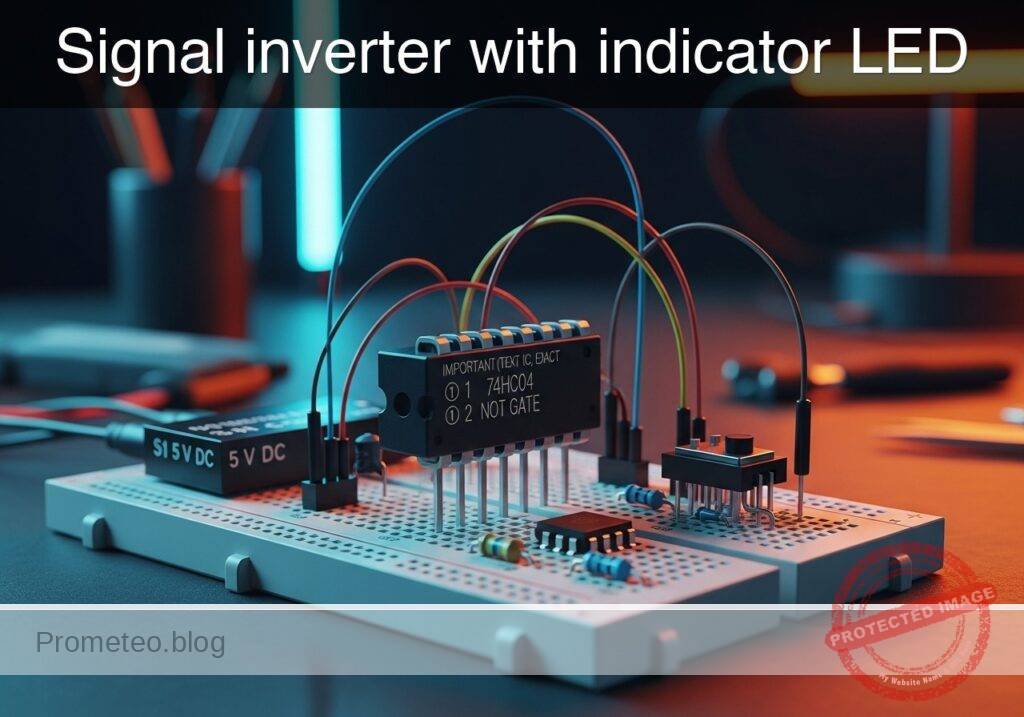
Practical case: Signal inverter with indicator LED

Signal inverter with indicator LED prototype (Maker Style)

Level: Basic – Understand the logic of a NOT gate (inverter) by observing opposite input and output states via light indicators.

Objective and use case

In this practical case, you will build a digital logic circuit using a 74HC04 Hex Inverter IC. The circuit will demonstrate the fundamental inversion function where a HIGH input signal results in a LOW output signal, visually confirmed by two LEDs operating in alternate states.

Why it is useful:
* Safety Interlocks: Used in machinery to ensure a system stops (logic LOW) when a sensor is activated (logic HIGH).
* Status Indicators: Allows creating «Standby» lights that turn ON only when the main power switch is OFF.
* Logic Level Adaptation: Essential for interfacing active-high sensors with active-low microcontroller inputs.
* Signal Conditioning: Cleans up noisy digital signals and ensures distinct logic levels.

Expected outcome:
* Input LED (Green): Turns ON when the switch is pressed (Logic 1).
* Output LED (Red): Turns OFF when the switch is pressed (Logic 0).
* Inverse Relationship: When the switch is released (Logic 0), the Red LED turns ON.
* Voltage Levels: Input at 0V $\rightarrow$ Output $\approx$ 5V; Input at 5V $\rightarrow$ Output $\approx$ 0V.

Target audience: Students and hobbyists (Level: Basic).

Materials

  • V1: 5 V DC supply (battery or regulated power supply)
  • S1: SPST toggle or tactile switch, function: Input signal generator
  • U1: 74HC04 (Hex Inverter IC), function: Logic inversion
  • R1: 10 kΩ resistor, function: Pull-down resistor for input VA
  • R2: 330 Ω resistor, function: Current limiting for input LED (D1)
  • R3: 330 Ω resistor, function: Current limiting for output LED (D2)
  • D1: Green LED, function: Input state indicator (Active High)
  • D2: Red LED, function: Output state indicator (Active High)

Pin-out of the IC used

Chip Selected: 74HC04 (Hex Inverter)

Pin Name Logic function Connection in this case
1 1A Input Connected to Switch S1 and Pull-down R1
2 1Y Output Connected to Output LED (D2) via R3
7 GND Ground Connected to Power Supply Negative (0V)
14 VCC Power Connected to Power Supply Positive (5V)

Note: Pins 3, 4, 5, 6, 8, 9, 10, 11, 12, and 13 are unused in this single-gate demonstration. In a permanent circuit, unused inputs on CMOS chips should be tied to GND.

Wiring guide

  • VCC: Connect positive terminal of V1, Pin 14 of U1, and one side of S1.
  • 0 (GND): Connect negative terminal of V1, Pin 7 of U1, one side of R1, cathode of D1, and cathode of D2.
  • VA (Input Node): Connect the other side of S1, the other side of R1, Pin 1 of U1, and one side of R2.
  • Input Indicator: Connect the other side of R2 to the anode of D1.
  • VOUT (Output Node): Connect Pin 2 of U1 to one side of R3.
  • Output Indicator: Connect the other side of R3 to the anode of D2.

Conceptual block diagram

Conceptual block diagram — 74HC04 NOT gate

Schematic

[ INPUT GENERATION ]               [ LOGIC & MONITORING ]               [ OUTPUT STAGE ]

    [ VCC ] -> [ Switch S1 ] --+
                               |
                               V
                           (Node VA) --(Pin 1)--> [ U1: 74HC04 ] --(Pin 2)--> [ R3: 330 ] -> [ D2: Red ] -> GND
                               |                  (Hex Inverter)
                               |
    [ GND ] <- [ R1: 10k ] <---+
                               |
                               +----(Monitor)---> [ R2: 330 ] --> [ D1: Green ] -> GND
Schematic (ASCII)

Truth table

The 74HC04 contains six independent NOT gates. We are using one.

Input (VA) Switch State Output (VOUT) Green LED (D1) Red LED (D2)
0 (Low) Open 1 (High) OFF ON
1 (High) Closed 0 (Low) ON OFF

Measurements and tests

To validate the circuit, perform the following steps using a multimeter and visual observation:

  1. Default State Check:

    • Ensure S1 is open (not pressed).
    • Measure voltage at VA relative to GND. It should be 0V.
    • Measure voltage at VOUT relative to GND. It should be close to 5V.
    • Visual: Red LED (D2) is ON; Green LED (D1) is OFF.
  2. Active State Check:

    • Close (press) S1.
    • Measure voltage at VA. It should be close to 5V.
    • Measure voltage at VOUT. It should be close to 0V.
    • Visual: Red LED (D2) turns OFF; Green LED (D1) turns ON.
  3. Transition Threshold (Optional):

    • If using a variable voltage source instead of S1, slowly increase voltage at VA. The output state will flip when the input crosses approximately half of VCC (approx. 2.5V for 74HC series).

SPICE netlist and simulation

Reference SPICE Netlist (ngspice) — excerptFull SPICE netlist (ngspice)

* Practical case: Signal inverter with indicator LED

* --- Power Supply ---
V1 VCC 0 DC 5

* --- Input Signal Generator (Switch S1) ---
* S1 connects VCC to VA (Input Node) when pressed.
* R1 pulls VA to Ground when S1 is open.
* V_S1_ACT simulates the user pressing the button (Active High).
* Pulse timing: Wait 10u, Press for 100u, Repeat every 200u.
V_S1_ACT S_ACT 0 PULSE(0 5 10u 1u 1u 100u 200u)
S1 VCC VA S_ACT 0 SW_IDEAL

* --- Input Circuit Components ---
R1 VA 0 10k
R2 VA N_D1_A 330
D1 N_D1_A 0 LED_GREEN

* --- Logic Inverter (U1: 74HC04) ---
* Wiring: Pin1=VA, Pin2=VOUT, Pin7=GND, Pin14=VCC
* Implemented as a behavioral subcircuit to match pinout
XU1 VA VOUT 0 VCC 74HC04_1G

* --- Output Circuit Components ---
R3 VOUT N_D2_A 330
D2 N_D2_A 0 LED_RED

* --- Models ---
* Voltage Controlled Switch Model
.model SW_IDEAL SW(Vt=2.5 Ron=1 Roff=10Meg)
* ... (truncated in public view) ...

Copy this content into a .cir file and run with ngspice.

🔒 Part of this section is premium. With the 7-day pass or the monthly membership you can access the full content (materials, wiring, detailed build, validation, troubleshooting, variants and checklist) and download the complete print-ready PDF pack.

* Practical case: Signal inverter with indicator LED

* --- Power Supply ---
V1 VCC 0 DC 5

* --- Input Signal Generator (Switch S1) ---
* S1 connects VCC to VA (Input Node) when pressed.
* R1 pulls VA to Ground when S1 is open.
* V_S1_ACT simulates the user pressing the button (Active High).
* Pulse timing: Wait 10u, Press for 100u, Repeat every 200u.
V_S1_ACT S_ACT 0 PULSE(0 5 10u 1u 1u 100u 200u)
S1 VCC VA S_ACT 0 SW_IDEAL

* --- Input Circuit Components ---
R1 VA 0 10k
R2 VA N_D1_A 330
D1 N_D1_A 0 LED_GREEN

* --- Logic Inverter (U1: 74HC04) ---
* Wiring: Pin1=VA, Pin2=VOUT, Pin7=GND, Pin14=VCC
* Implemented as a behavioral subcircuit to match pinout
XU1 VA VOUT 0 VCC 74HC04_1G

* --- Output Circuit Components ---
R3 VOUT N_D2_A 330
D2 N_D2_A 0 LED_RED

* --- Models ---
* Voltage Controlled Switch Model
.model SW_IDEAL SW(Vt=2.5 Ron=1 Roff=10Meg)

* LED Models (Generic)
.model LED_GREEN D(IS=1e-22 RS=5 N=1.5 CJO=50p)
.model LED_RED D(IS=1e-22 RS=5 N=1.5 CJO=50p)

* --- Subcircuits ---
* 74HC04 Hex Inverter (Single Gate Representation)
* Pins: 1=Input, 2=Output, 7=GND, 14=VCC
.subckt 74HC04_1G 1 2 7 14
* Behavioral source implementing Inverter Logic: Vout = NOT(Vin)
* Uses sigmoid function for convergence: 1 / (1 + exp(k*(Vin - Vth)))
* Multiplied by V(14) to track supply voltage
B1 2 7 V = V(14) * (1 / (1 + exp(50 * (V(1) - 2.5))))
.ends

* --- Analysis Directives ---
* Transient analysis for 500us to capture pulse cycles
.tran 1u 500u

* Output data for plotting/logging
.print tran V(VA) V(VOUT) V(N_D1_A) V(N_D2_A)

.op
.end

Simulation Results (Transient Analysis)

Simulation Results (Transient Analysis)
Show raw data table (1334 rows)
Index   time            v(va)           v(vout)         v(n_d1_a)
0	0.000000e+00	4.995005e-03	5.000000e+00	4.995005e-03
1	1.000000e-08	4.995005e-03	5.000000e+00	4.995005e-03
2	2.000000e-08	4.995005e-03	5.000000e+00	4.995005e-03
3	4.000000e-08	4.995005e-03	5.000000e+00	4.995005e-03
4	8.000000e-08	4.995005e-03	5.000000e+00	4.995005e-03
5	1.600000e-07	4.995005e-03	5.000000e+00	4.995005e-03
6	3.200000e-07	4.995005e-03	5.000000e+00	4.995005e-03
7	6.400000e-07	4.995005e-03	5.000000e+00	4.995005e-03
8	1.280000e-06	4.995005e-03	5.000000e+00	4.995005e-03
9	2.280000e-06	4.995005e-03	5.000000e+00	4.995005e-03
10	3.280000e-06	4.995005e-03	5.000000e+00	4.995005e-03
11	4.280000e-06	4.995005e-03	5.000000e+00	4.995005e-03
12	5.280000e-06	4.995005e-03	5.000000e+00	4.995005e-03
13	6.280000e-06	4.995005e-03	5.000000e+00	4.995005e-03
14	7.280000e-06	4.995005e-03	5.000000e+00	4.995005e-03
15	8.280000e-06	4.995005e-03	5.000000e+00	4.995005e-03
16	9.280000e-06	4.995005e-03	5.000000e+00	4.995005e-03
17	1.000000e-05	4.995005e-03	5.000000e+00	4.995005e-03
18	1.010000e-05	4.995005e-03	5.000000e+00	4.995005e-03
19	1.026000e-05	4.995005e-03	5.000000e+00	4.995005e-03
20	1.030750e-05	4.995005e-03	5.000000e+00	4.995005e-03
21	1.039062e-05	4.995005e-03	5.000000e+00	4.995005e-03
22	1.041363e-05	4.995005e-03	5.000000e+00	4.995005e-03
23	1.045390e-05	4.995005e-03	5.000000e+00	4.995005e-03
... (1310 more rows) ...

Common mistakes and how to avoid them

  1. Floating Inputs:
    • Error: Omitting the pull-down resistor (R1). The input floats when the switch is open, causing the output LED to flicker or oscillate due to electromagnetic noise.
    • Solution: Always ensure the input has a defined path to GND (via R1) when the switch is open.
  2. Missing Current Limiting Resistors:
    • Error: Connecting LEDs directly to the IC output or VCC without R2 or R3.
    • Solution: Always use series resistors (330 Ω to 1 kΩ) to prevent burning out the LED or damaging the 74HC04 output stage.
  3. Confusing Pin Numbering:
    • Error: Wiring the IC upside down or counting pins from the wrong side.
    • Solution: Identify the notch/dot on the package. Pin 1 is to the left of the notch when the notch faces up.

Troubleshooting

  • Both LEDs remain OFF:
    • Cause: Power supply disconnected or IC inserted backwards.
    • Fix: Check VCC (Pin 14) and GND (Pin 7) connections. Ensure 5V is present.
  • Output LED (Red) never turns OFF:
    • Cause: The input VA is not reaching Logic High (5V) effectively, or the IC is damaged.
    • Fix: Check the continuity of Switch S1. Measure voltage at Pin 1 while pressing the switch.
  • Output LED (Red) is dim:
    • Cause: Resistor R3 is too high in value, or the supply voltage is too low.
    • Fix: Verify R3 is 330 Ω. Check if V1 is actually 5V.

Possible improvements and extensions

  1. Buffer Circuit: Connect the output of the first inverter (Pin 2) into the input of a second inverter (Pin 3). The output of the second inverter (Pin 4) will now match the original input state, acting as a non-inverting buffer.
  2. Square Wave Oscillator: Use three NOT gates in a ring loop (Logic Ring Oscillator) to create a circuit that blinks the LEDs automatically without a switch.

More Practical Cases on Prometeo.blog

Find this product and/or books on this topic on Amazon

Go to Amazon

As an Amazon Associate, I earn from qualifying purchases. If you buy through this link, you help keep this project running.

Quick Quiz

Question 1: What is the primary function of the 74HC04 IC used in this circuit?


Question 2: Which logic gate behavior is demonstrated in this practical case?


Question 3: If the input signal to the inverter is HIGH, what is the resulting output signal?


Question 4: What is the function of the 10 kΩ resistor (R1) in the circuit?


Question 5: When the switch is pressed (Logic 1), what is the state of the Input LED (Green)?


Question 6: When the switch is released (Logic 0), what happens to the Output LED (Red)?


Question 7: What is a practical use case for this circuit mentioned in the text?


Question 8: Assuming a 5V supply, what is the approximate output voltage when the input is at 0V?


Question 9: Why are the 330 Ω resistors (R2 and R3) used in the circuit?


Question 10: Which component acts as the input signal generator in this setup?


Carlos Núñez Zorrilla
Electronics & Computer Engineer

Telecommunications Electronics Engineer and Computer Engineer (official degrees in Spain).
Follow me:


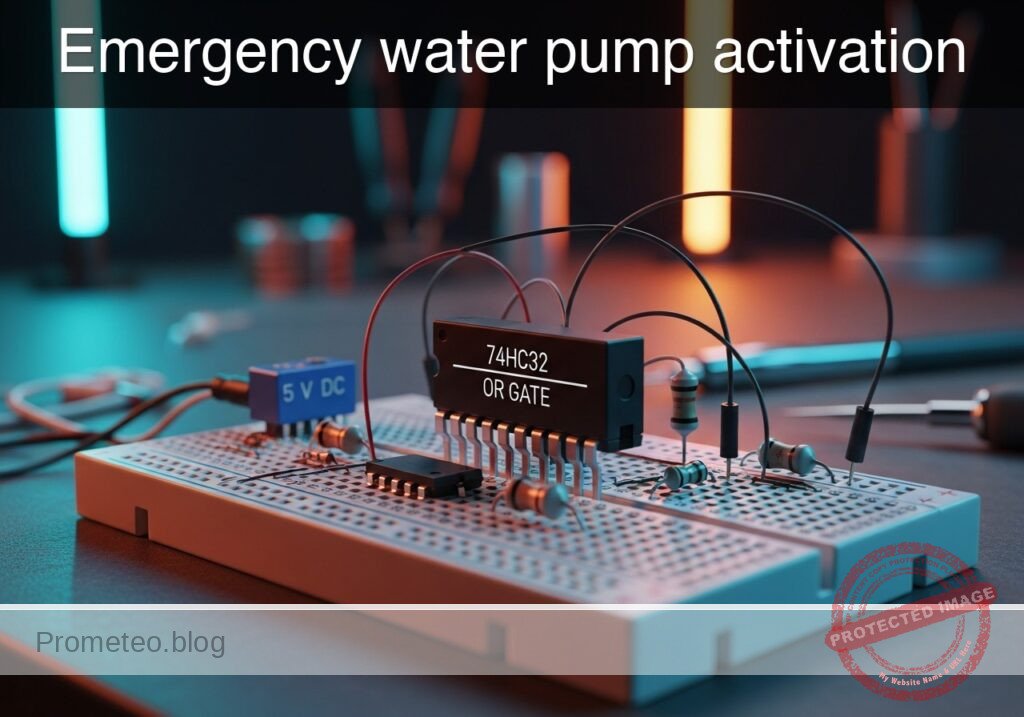
Practical case: Emergency water pump activation

Emergency water pump activation prototype (Maker Style)

Level: Basic. Design a control system that activates a drainage pump if either of two water level sensors is triggered.

Objective and use case

You will build a logic control circuit using a 74HC32 (OR Gate) to drive a DC motor via a transistor driver whenever water is detected by at least one sensor.

Why it is useful:
* Flood Prevention: Automatically activates a sump pump in a basement when water rises to a critical level.
* Industrial Safety: Prevents tank overflows by draining liquid if primary or secondary high-level sensors are triggered.
* Marine Applications: Activates a boat’s bilge pump if water enters the hull from either the port or starboard side.
* Redundancy: Ensures the pump starts even if one sensor fails (provided the other detects the water).

Expected outcome:
* The motor turns ON if Sensor A is HIGH.
* The motor turns ON if Sensor B is HIGH.
* The motor turns ON if both sensors are HIGH.
* The logic output at the gate pin reads ~5 V (Logic 1) when active.
* Target audience: Basic electronics students and hobbyists.

Materials

  • V1: 5 V DC supply, function: Main circuit power.
  • S1: SPST Switch, function: Simulates Water Level Sensor A.
  • S2: SPST Switch, function: Simulates Water Level Sensor B.
  • R1: 10 kΩ resistor, function: Pull-down for Sensor A.
  • R2: 10 kΩ resistor, function: Pull-down for Sensor B.
  • U1: 74HC32 Quad 2-Input OR Gate.
  • R3: 1 kΩ resistor, function: Transistor base current limiting.
  • Q1: 2N2222 NPN Transistor, function: Motor driver switch.
  • D1: 1N4007 Diode, function: Flyback protection (snubber).
  • M1: 5 V DC Motor, function: Drainage pump simulation.

Pin-out of the IC used

Chip: 74HC32 (Quad 2-Input OR Gate)

Pin Name Logic function Connection in this case
1 1A Input A Connected to Node SENS_A
2 1B Input B Connected to Node SENS_B
3 1Y Output Connected to Node GATE_OUT
7 GND Ground Connected to Node 0 (GND)
14 VCC Power (+5V) Connected to Node VCC

Wiring guide

Construct the circuit following these node connections:

  • VCC: Connect positive terminal of V1, one side of S1, one side of S2, Pin 14 of U1, and the positive terminal of M1.
  • 0 (GND): Connect negative terminal of V1, Pin 7 of U1, Emitter of Q1, bottom of R1, and bottom of R2.
  • SENS_A: Connect other side of S1, top of R1, and Pin 1 of U1.
  • SENS_B: Connect other side of S2, top of R2, and Pin 2 of U1.
  • GATE_OUT: Connect Pin 3 of U1 to one side of R3.
  • BASE_NODE: Connect the other side of R3 to the Base of Q1.
  • MOTOR_DRIVE: Connect the Collector of Q1, the negative terminal of M1, and the Anode of D1.
  • PROTECTION: Connect the Cathode of D1 to VCC (Across the motor).

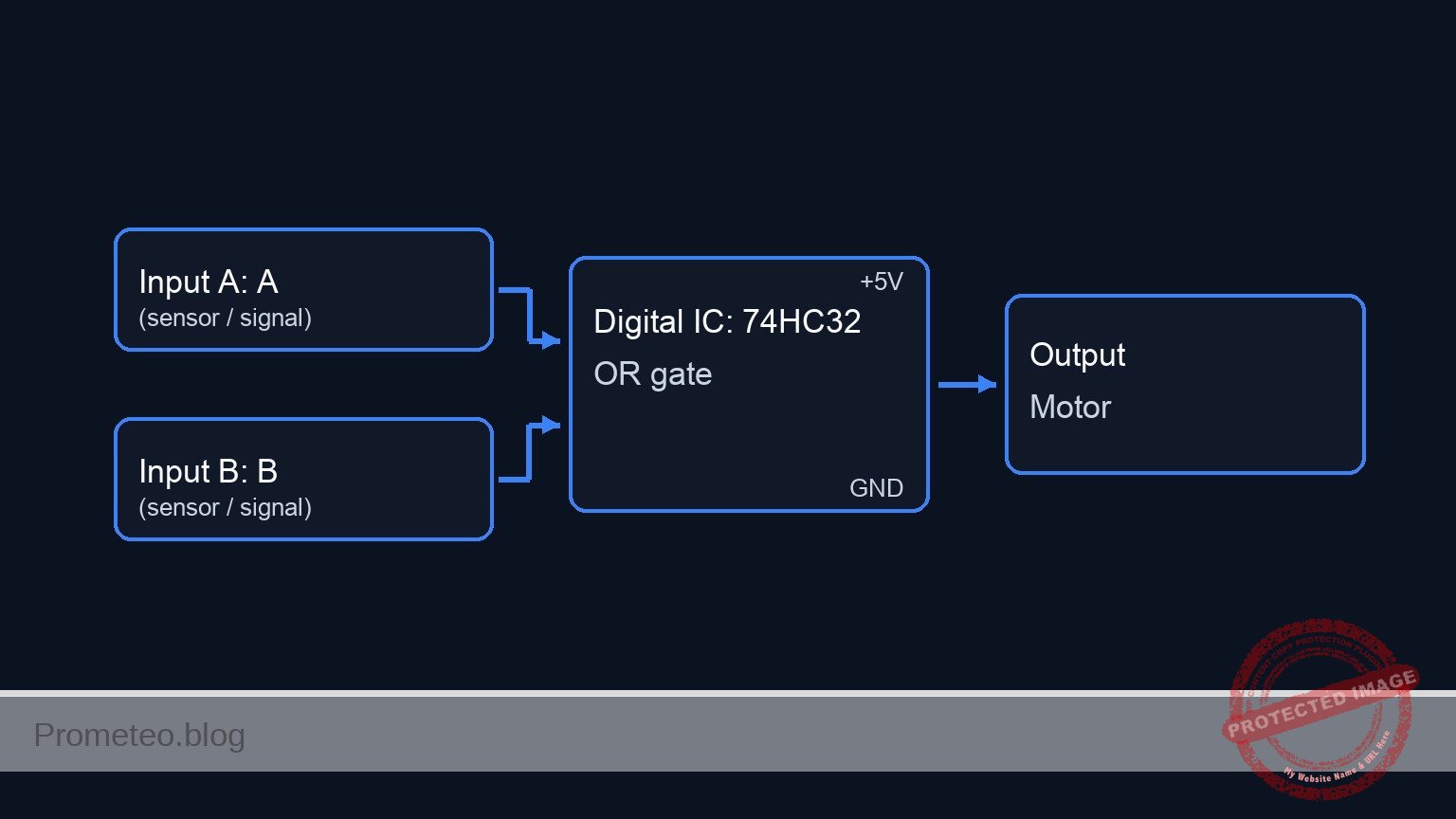
Conceptual block diagram

Conceptual block diagram — 74HC32 OR gate

Schematic

[ INPUTS / SENSORS ]                 [ LOGIC CONTROL ]                   [ ACTUATOR / OUTPUT ]

                                          +----------------+
    [ Switch S1 ]                         |                |
    [ + R1 (PD) ] --(SENS_A / Pin 1)----->|   U1: 74HC32   |
                                          |   (OR Gate)    |
                                          |                |--(GATE_OUT / Pin 3)--> [ Resistor R3 ]
                                          |   Logic:       |                            |
    [ Switch S2 ]                         |   If A OR B    |                            |
    [ + R2 (PD) ] --(SENS_B / Pin 2)----->|   Then HIGH    |                            |
                                          |                |                      (BASE_NODE)
                                          +----------------+                            |
                                                                                        v
                                                                               [ Q1 NPN Transistor ]
                                                                               (Electronic Switch)
                                                                                        |
                                                                                        | (Switches GND)
                                                                                        |
                                                                                  (MOTOR_DRIVE)
                                                                                        |
                                                                                        v
                                                                             [ Motor M1 + Diode D1 ]
                                                                             (Connected to VCC)
Schematic (ASCII)

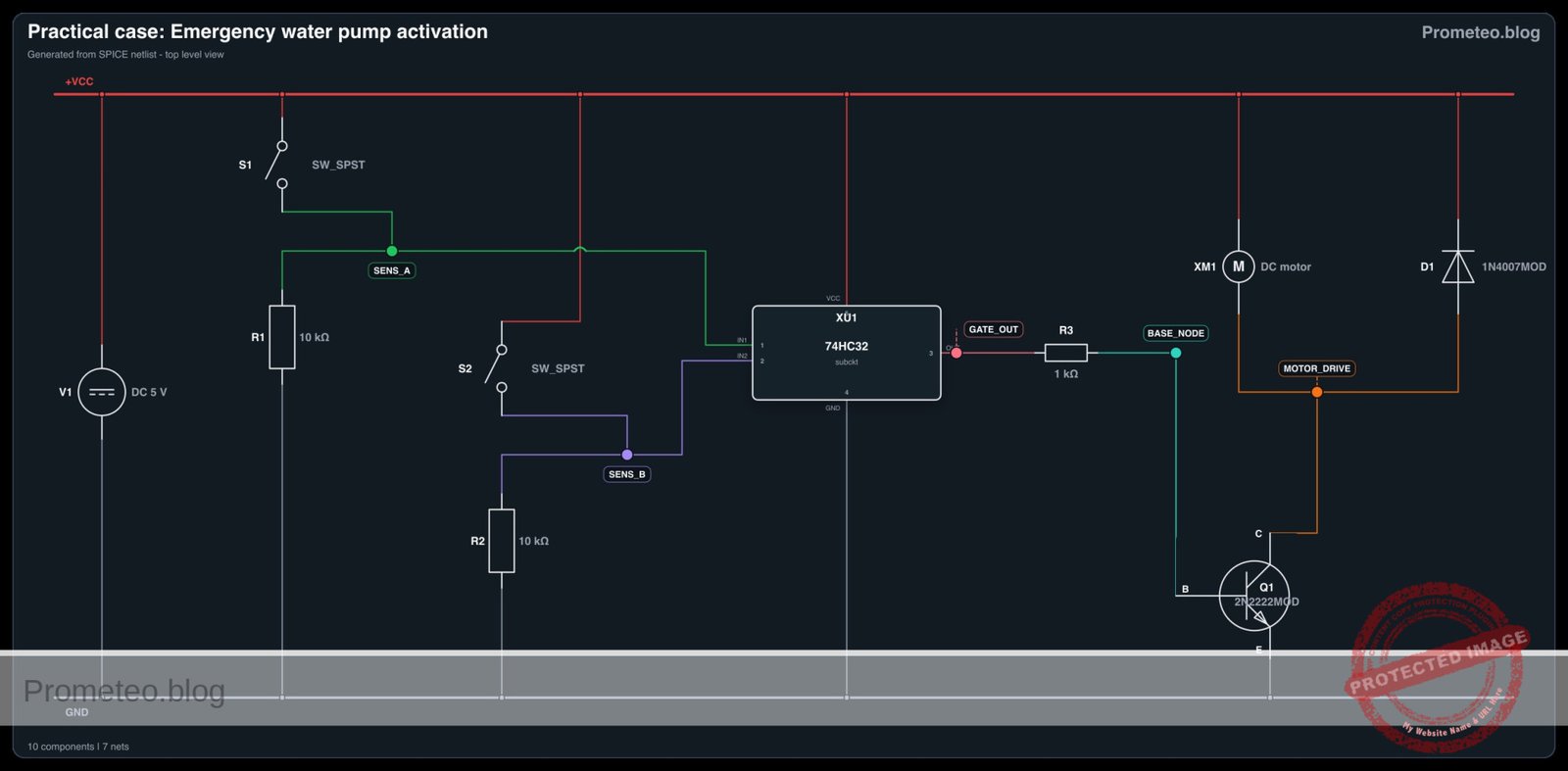
Electrical diagram

Electrical diagram for case: Practical case: Emergency water pump activation
Generated from the validated SPICE netlist for this case.

🔒 This electrical diagram is premium. With the 7-day pass or the monthly membership you can unlock the complete didactic material and the print-ready PDF pack.🔓 See premium access plans

Truth table

This table describes the logic state of the 74HC32 and the resulting physical action of the pump.

Sensor A (Input 1A) Sensor B (Input 1B) Logic Output (Pin 1Y) Transistor State Pump Status
Low (0) Low (0) Low (0) OFF (Open) OFF
Low (0) High (1) High (1) ON (Saturation) ON
High (1) Low (0) High (1) ON (Saturation) ON
High (1) High (1) High (1) ON (Saturation) ON

Measurements and tests

  1. Power Check: Before connecting the motor, measure the voltage between VCC and GND. It should be stable at 5 V.
  2. Idle State: Ensure both switches are open. Measure voltage at Pin 3 (GATE_OUT). It should be ~0 V. The motor should be stopped.
  3. Sensor A Activation: Close S1. Measure voltage at Pin 1 (Input A). It should be 5 V. Pin 3 should go High, and the motor should spin.
  4. Sensor B Activation: Open S1 and close S2. Verify the motor spins.
  5. Simultaneous Activation: Close both S1 and S2. The motor should remain spinning.
  6. Current Draw: Place an ammeter in series with the motor. Note the current consumption (typically 50mA to 200mA for small hobby motors).

SPICE netlist and simulation

Reference SPICE Netlist (ngspice) — excerptFull SPICE netlist (ngspice)

* Emergency water pump activation fixed

* --- Power Supply ---
V1 VCC 0 DC 5

* --- Switches & Sensors ---
* S1: Simulates Water Level Sensor A
V_ACT_A ACT_A 0 PULSE(0 5 0 1u 1u 1m 2m)
S1 VCC SENS_A ACT_A 0 SW_MOD

* R1: Pull-down for Sensor A
R1 SENS_A 0 10k

* S2: Simulates Water Level Sensor B
V_ACT_B ACT_B 0 PULSE(0 5 0 1u 1u 0.5m 1m)
S2 VCC SENS_B ACT_B 0 SW_MOD

* R2: Pull-down for Sensor B
R2 SENS_B 0 10k

* --- Logic Gate U1: 74HC32 (Quad OR) ---
* Pin 1: SENS_A, Pin 2: SENS_B, Pin 3: GATE_OUT, Pin 7: GND, Pin 14: VCC
XU1 SENS_A SENS_B GATE_OUT 0 VCC 74HC32_GATE

* --- Driver Stage ---
* R3: Base resistor
R3 GATE_OUT BASE_NODE 1k

* Q1: NPN Transistor Switch
* Collector: MOTOR_DRIVE, Base: BASE_NODE, Emitter: 0 (GND)
* ... (truncated in public view) ...

Copy this content into a .cir file and run with ngspice.

🔒 Part of this section is premium. With the 7-day pass or the monthly membership you can access the full content (materials, wiring, detailed build, validation, troubleshooting, variants and checklist) and download the complete print-ready PDF pack.

* Emergency water pump activation fixed

* --- Power Supply ---
V1 VCC 0 DC 5

* --- Switches & Sensors ---
* S1: Simulates Water Level Sensor A
V_ACT_A ACT_A 0 PULSE(0 5 0 1u 1u 1m 2m)
S1 VCC SENS_A ACT_A 0 SW_MOD

* R1: Pull-down for Sensor A
R1 SENS_A 0 10k

* S2: Simulates Water Level Sensor B
V_ACT_B ACT_B 0 PULSE(0 5 0 1u 1u 0.5m 1m)
S2 VCC SENS_B ACT_B 0 SW_MOD

* R2: Pull-down for Sensor B
R2 SENS_B 0 10k

* --- Logic Gate U1: 74HC32 (Quad OR) ---
* Pin 1: SENS_A, Pin 2: SENS_B, Pin 3: GATE_OUT, Pin 7: GND, Pin 14: VCC
XU1 SENS_A SENS_B GATE_OUT 0 VCC 74HC32_GATE

* --- Driver Stage ---
* R3: Base resistor
R3 GATE_OUT BASE_NODE 1k

* Q1: NPN Transistor Switch
* Collector: MOTOR_DRIVE, Base: BASE_NODE, Emitter: 0 (GND)
Q1 MOTOR_DRIVE BASE_NODE 0 2N2222MOD

* --- Output Load (Motor) ---
* M1: 5V DC Motor simulation (Inductive Load)
* Fixed: Subcircuit name changed from DC_MOTOR_MODEL to DC_MOTOR to match definition
XM1 VCC MOTOR_DRIVE DC_MOTOR

* --- Protection ---
* D1: Flyback Diode
D1 MOTOR_DRIVE VCC 1N4007MOD

* --- Models and Subcircuits ---

* Switch Model
.model SW_MOD SW(Vt=2.5 Vh=0.1 Ron=0.1 Roff=10Meg)

* Transistor Model (Generic 2N2222)
.model 2N2222MOD NPN(Is=14.34f Xti=3 Eg=1.11 Vaf=74.03 Bf=255.9 Ne=1.307 Ise=14.34f Ikf=.2847 Xtb=1.5 Br=6.092 Nc=2 Isc=0 Ikr=0 Rc=1 Cjc=7.306p Mjc=.3416 Vjc=.75 Fc=.5 Cje=22.01p Mje=.377 Vje=.75 Tr=46.91n Tf=411.1p Itf=.6 Vtf=1.7 Xtf=3 Rb=10)

* Diode Model (Generic 1N4007)
.model 1N4007MOD D(IS=7.027n RS=0.03415 N=1.267 EG=1.11 XTI=3 BV=1000 IBV=10m CJO=10p VJ=0.7 M=0.5 FC=0.5 TT=100n)

* Motor Model (Simple RL series)
.subckt DC_MOTOR POS NEG
Rcoil POS INT 50
Lcoil INT NEG 5m
.ends

* 74HC32 Logic Gate Model (Behavioral)
* Implements OR logic: OUT = 1 if (IN1=1 OR IN2=1)
.subckt 74HC32_GATE IN1 IN2 OUT GND VCC
B_OR OUT GND V=V(VCC) * ( (1/(1+exp(-20*(V(IN1)-2.5)))) + (1/(1+exp(-20*(V(IN2)-2.5)))) - ( (1/(1+exp(-20*(V(IN1)-2.5)))) * (1/(1+exp(-20*(V(IN2)-2.5)))) ) )
.ends

* --- Simulation Directives ---
.tran 10u 2.5m

* Print required nodes for validation
.print tran V(SENS_A) V(SENS_B) V(GATE_OUT) V(BASE_NODE) V(MOTOR_DRIVE)

.end

Simulation Results (Transient Analysis)

Simulation Results (Transient Analysis)
Show raw data table (2750 rows)
Index   time            v(sens_a)       v(sens_b)       v(gate_out)
0	0.000000e+00	4.995005e-03	4.995005e-03	2.131385e-21
1	1.000000e-08	4.995005e-03	4.995005e-03	2.131385e-21
2	2.000000e-08	4.995005e-03	4.995005e-03	2.131385e-21
3	4.000000e-08	4.995005e-03	4.995005e-03	2.131385e-21
4	8.000000e-08	4.995005e-03	4.995005e-03	2.131385e-21
5	1.600000e-07	4.995005e-03	4.995005e-03	2.131385e-21
6	3.200000e-07	4.995005e-03	4.995005e-03	2.131385e-21
7	3.600000e-07	4.995005e-03	4.995005e-03	2.131385e-21
8	4.300000e-07	4.995005e-03	4.995005e-03	2.131385e-21
9	4.493750e-07	4.995005e-03	4.995005e-03	2.131385e-21
10	4.832812e-07	4.995005e-03	4.995005e-03	2.131385e-21
11	5.162979e-07	4.999950e+00	4.999950e+00	5.000000e+00
12	5.395702e-07	4.999950e+00	4.999950e+00	5.000000e+00
13	5.611432e-07	4.999950e+00	4.999950e+00	5.000000e+00
14	5.884211e-07	4.999950e+00	4.999950e+00	5.000000e+00
15	6.429769e-07	4.999950e+00	4.999950e+00	5.000000e+00
16	7.520886e-07	4.999950e+00	4.999950e+00	5.000000e+00
17	9.703119e-07	4.999950e+00	4.999950e+00	5.000000e+00
18	1.000000e-06	4.999950e+00	4.999950e+00	5.000000e+00
19	1.030157e-06	4.999950e+00	4.999950e+00	5.000000e+00
20	1.090472e-06	4.999950e+00	4.999950e+00	5.000000e+00
21	1.211102e-06	4.999950e+00	4.999950e+00	5.000000e+00
22	1.452361e-06	4.999950e+00	4.999950e+00	5.000000e+00
23	1.934879e-06	4.999950e+00	4.999950e+00	5.000000e+00
... (2726 more rows) ...

Common mistakes and how to avoid them

  1. Floating Inputs: Forgetting the pull-down resistors (R1, R2).
    • Solution: Always connect inputs to ground via a resistor (10kΩ) so they default to 0 V when switches are open.
  2. Missing Flyback Diode: Omitting D1 across the motor.
    • Solution: Inductive loads generate voltage spikes when turned off. Always place a diode in reverse bias across the motor to protect the transistor.
  3. Overloading the Gate: Connecting the motor directly to the 74HC32 output pin.
    • Solution: Logic gates can only supply small currents (~20mA). Use a transistor (Q1) to handle the higher current required by the motor.

Troubleshooting

  • Symptom: Motor runs continuously even when switches are open.
    • Cause: Inputs are floating or the transistor is shorted.
    • Fix: Check R1/R2 connections or replace Q1.
  • Symptom: IC gets very hot immediately.
    • Cause: VCC and GND pins are reversed or shorted.
    • Fix: Disconnect power immediately and verify Pin 14 and Pin 7 wiring.
  • Symptom: Logic output is High (5V), but motor does not spin.
    • Cause: Base resistor (R3) too high or transistor gain too low.
    • Fix: Verify R3 is 1kΩ. Ensure the motor power supply is adequate.

Possible improvements and extensions

  1. Visual Indicators: Add an LED with a current-limiting resistor in parallel with the motor to provide a visual warning when the pump is active.
  2. Hysteresis/Latching: Replace the OR gate with an SR Latch logic. This would keep the pump running even if the water level drops momentarily, ensuring a full drain cycle until a bottom sensor resets it.

More Practical Cases on Prometeo.blog

Find this product and/or books on this topic on Amazon

Go to Amazon

As an Amazon Associate, I earn from qualifying purchases. If you buy through this link, you help keep this project running.

Quick Quiz

Question 1: What is the primary objective of the control system described?


Question 2: Which logic gate IC is used to process the sensor inputs in this project?


Question 3: What component is typically used to simulate the digital input of water level sensors in this basic circuit?


Question 4: What is the function of the 1N4007 Diode (D1) placed across the motor?


Question 5: Under which condition will the motor turn ON?


Question 6: What is the purpose of the 10 kΩ resistors (R1 and R2) connected to the switches?


Question 7: Which component acts as the driver switch to handle the current for the DC motor?


Question 8: What is the expected logic output voltage at the gate pin when the system is active?


Question 9: Why is this system useful for marine applications like a bilge pump?


Question 10: What is the specific function of the resistor R3 (1 kΩ) connected to the transistor?


Carlos Núñez Zorrilla
Electronics & Computer Engineer

Telecommunications Electronics Engineer and Computer Engineer (official degrees in Spain).
Follow me:


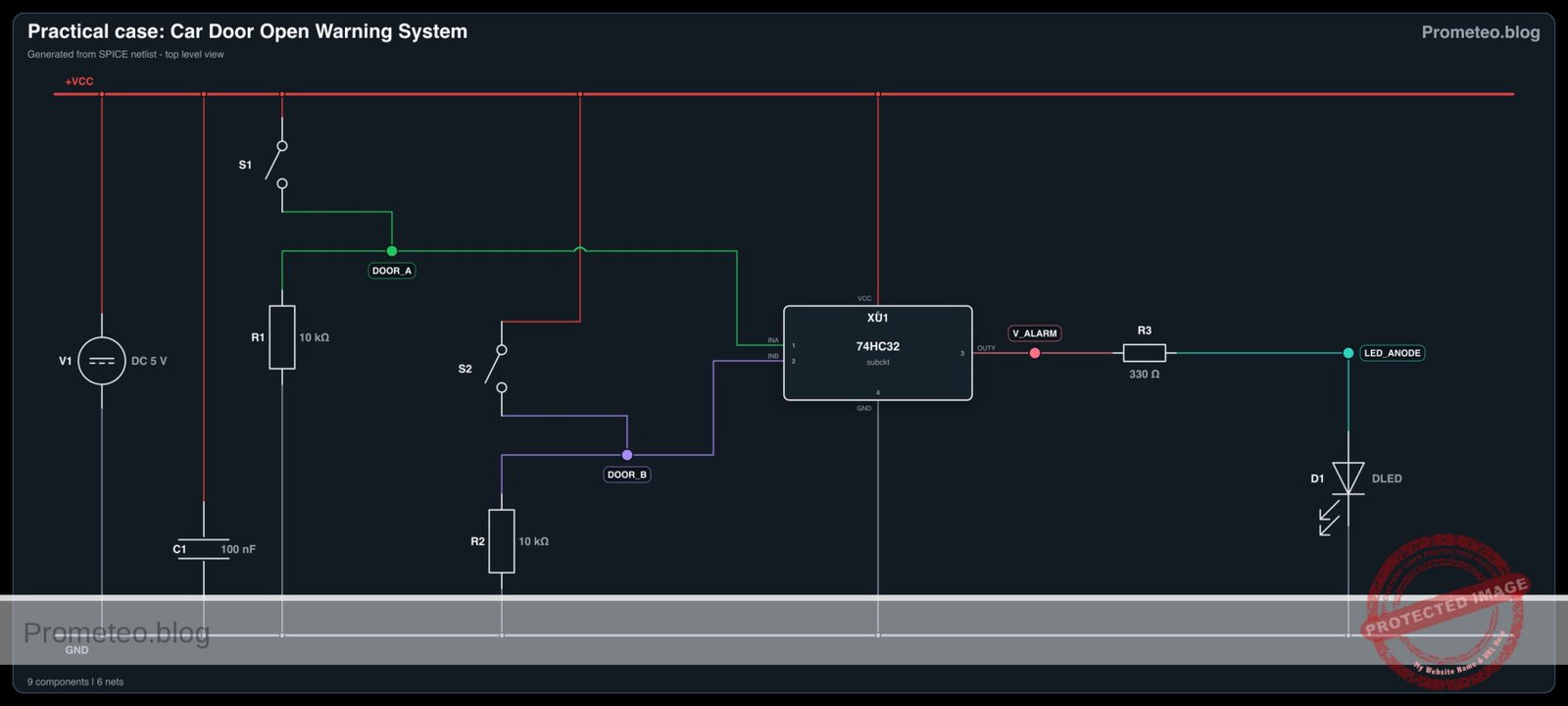
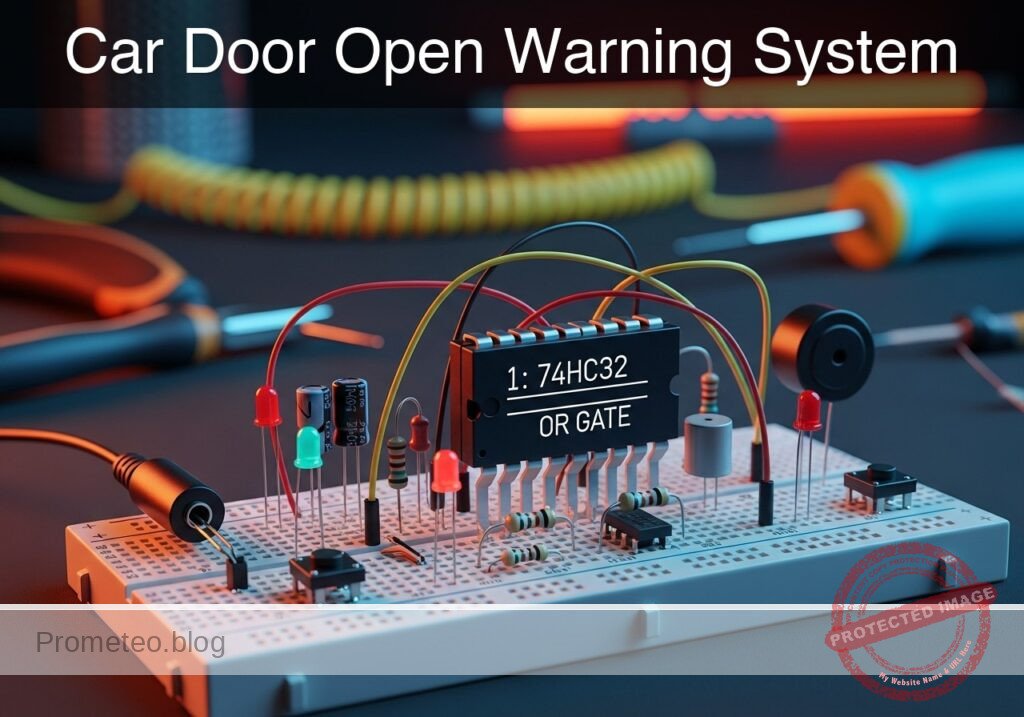
Practical case: Car Door Open Warning System

Car Door Open Warning System prototype (Maker Style)

Level: Basic – Implement a logic circuit that triggers an indicator when any door is left ajar.

Objective and use case

In this session, you will build a digital monitoring circuit using a 74HC32 OR gate to detect if any vehicle door is not fully closed. The circuit uses «Normally Closed» (NC) switches to simulate the door mechanics, ensuring that the alarm activates (LED turns ON) when a door opens.

  • Why it is useful:

    • Automotive Safety: Alerts drivers if a door is not latched before driving, preventing accidents.
    • Security Systems: Monitors multiple entry points (windows/doors) and triggers a central alarm if any single one is breached.
    • Industrial Enclosures: Ensures safety guards on dangerous machinery are closed before operation is allowed.
    • Access Control: Simple logic aggregation for multiple sensors.
  • Expected outcome:

    • Both Doors Closed: Inputs are Logic 0 (0 V); LED is OFF.
    • Door A Open: Input A becomes Logic 1 (5 V); LED turns ON.
    • Door B Open: Input B becomes Logic 1 (5 V); LED turns ON.
    • Both Open: Both inputs Logic 1; LED remains ON.
  • Target audience: Basic electronics students and automotive hobbyists.

Materials

  • V1: 5 V DC power supply, function: main circuit power.
  • S1: NC (Normally Closed) Pushbutton, function: Door A sensor (Released = Door Open).
  • S2: NC (Normally Closed) Pushbutton, function: Door B sensor (Released = Door Open).
  • R1: 10 kΩ resistor, function: pull-down for Input A.
  • R2: 10 kΩ resistor, function: pull-down for Input B.
  • U1: 74HC32, function: Quad 2-input OR gate IC.
  • R3: 330 Ω resistor, function: LED current limiting.
  • D1: Red LED, function: Open door warning indicator.
  • C1: 100 nF capacitor, function: decoupling for U1 power supply.

Pin-out of the IC used

Selected Chip: 74HC32 (Quad 2-Input OR Gate)

Pin Name Logic function Connection in this case
1 1A Input A Connected to Node DOOR_A
2 1B Input B Connected to Node DOOR_B
3 1Y Output Connected to Node V_ALARM
7 GND Ground Connected to Node 0
14 VCC Power Connected to Node VCC

Wiring guide

Follow these connections to create the SPICE-compatible netlist logic:

  • Power Supply

    • V1 connects between node VCC and node 0 (GND).
    • C1 connects between node VCC and node 0 (near the IC).
  • Input Stage (Door Sensors)

    • S1 connects between node VCC and node DOOR_A.
    • R1 connects between node DOOR_A and node 0. (Ensures Logic 0 when door is closed/switch pressed).
    • S2 connects between node VCC and node DOOR_B.
    • R2 connects between node DOOR_B and node 0.
  • Logic Processing (74HC32)

    • U1 Pin 14 connects to VCC.
    • U1 Pin 7 connects to 0.
    • U1 Pin 1 (Input 1A) connects to node DOOR_A.
    • U1 Pin 2 (Input 1B) connects to node DOOR_B.
    • U1 Pin 3 (Output 1Y) connects to node V_ALARM.
  • Output Stage (Indicator)

    • R3 connects between node V_ALARM and node LED_ANODE.
    • D1 anode connects to LED_ANODE.
    • D1 cathode connects to node 0.

Conceptual block diagram

Conceptual block diagram — 74HC32 OR gate

Schematic

[ INPUT STAGE ]                      [ LOGIC STAGE ]                  [ OUTPUT STAGE ]

(VCC 5V)
   |
[ S1: Door A Switch (NC) ]
   |
   +---> [ Node: DOOR_A ] --(Pin 1)---->+------------------+
   |                                    |                  |
[ R1: 10k Pull-Down ] -> GND            |    U1: 74HC32    |
                                        |    (OR Gate)     |
                                        |                  |--(Pin 3)---> [ R3: 330 Ohm ]
                                        |    Logic:        |                   |
(VCC 5V)                                |    A + B = Y     |                   v
   |                                    |                  |             [ D1: Red LED ]
[ S2: Door B Switch (NC) ]              |                  |                   |
   |                                    |                  |                  GND
   +---> [ Node: DOOR_B ] --(Pin 2)---->+------------------+
   |                                            ^
[ R2: 10k Pull-Down ] -> GND                    |
                                          [ C1: 100nF ]
                                          (Decoupling)
Schematic (ASCII)

Electrical diagram

Electrical diagram for case: Practical case: Car Door Open Warning System
Generated from the validated SPICE netlist for this case.

🔒 This electrical diagram is premium. With the 7-day pass or the monthly membership you can unlock the complete didactic material and the print-ready PDF pack.🔓 See premium access plans

Truth table

The 74HC32 behaves according to the standard OR logic. In this scenario:
* Logic 0 = 0 V (Door Closed / Switch Pressed).
* Logic 1 = 5 V (Door Open / Switch Released).

Door A (Input 1) Door B (Input 2) Output (LED) State Description
0 (Closed) 0 (Closed) 0 (OFF) Secure
0 (Closed) 1 (Open) 1 (ON) Warning
1 (Open) 0 (Closed) 1 (ON) Warning
1 (Open) 1 (Open) 1 (ON) Warning

Measurements and tests

  1. Supply Verification: Measure the voltage between VCC and 0. It should be stable at 5 V.
  2. Default State (Safe): Press and hold both S1 and S2 (simulating closed doors). Measure voltage at DOOR_A and DOOR_B. Both should be ~0 V. The LED should be OFF.
  3. Door A Test: Release S1 while holding S2. The voltage at DOOR_A should jump to ~5 V. The voltage at V_ALARM should go High (~5 V), and the LED should light up.
  4. Door B Test: Release S2 while holding S1. The voltage at DOOR_B should jump to ~5 V. The LED should light up.
  5. Logic Threshold Verification: If using a variable supply, verify that the 74HC32 registers a «High» signal once the input voltage crosses approximately 3.5 V (for 5 V VCC).

SPICE netlist and simulation

Reference SPICE Netlist (ngspice) — excerptFull SPICE netlist (ngspice)

* Car Door Open Warning System
* Practical case implementation for ngspice

* --- Component Models ---
* Generic Red LED Model
.model DLED D(IS=10n N=2 RS=10 CJO=20p)
* Voltage Controlled Switch Model
* Vt=2.5V: Threshold voltage
* Ron=0.1: Resistance when ON (Closed)
* Roff=100Meg: Resistance when OFF (Open)
.model MYSW SW(Vt=2.5 Ron=0.1 Roff=100Meg)

* --- Power Supply ---
V1 VCC 0 DC 5

* --- Decoupling ---
C1 VCC 0 100n

* --- Input Stage: Door Sensors ---
* Logic: 
* S1/S2 are NC (Normally Closed) Pushbuttons.
* Function: Released = Door Open. Pressed = Door Closed.
* Wiring: S1 connects VCC to DOOR_A. R1 pulls DOOR_A to GND.
* Simulation Logic:
* We use Voltage Controlled Switches (S1, S2) to simulate the physical contacts.
* Control Pulses (V_ACT_A, V_ACT_B) simulate the "Door Open" state.
* High Pulse = Door Open = Switch Released (Closed contacts) -> VCC connected.
* Low Pulse = Door Closed = Switch Pressed (Open contacts) -> Pulled to 0V.

* Door A
* ... (truncated in public view) ...

Copy this content into a .cir file and run with ngspice.

🔒 Part of this section is premium. With the 7-day pass or the monthly membership you can access the full content (materials, wiring, detailed build, validation, troubleshooting, variants and checklist) and download the complete print-ready PDF pack.

* Car Door Open Warning System
* Practical case implementation for ngspice

* --- Component Models ---
* Generic Red LED Model
.model DLED D(IS=10n N=2 RS=10 CJO=20p)
* Voltage Controlled Switch Model
* Vt=2.5V: Threshold voltage
* Ron=0.1: Resistance when ON (Closed)
* Roff=100Meg: Resistance when OFF (Open)
.model MYSW SW(Vt=2.5 Ron=0.1 Roff=100Meg)

* --- Power Supply ---
V1 VCC 0 DC 5

* --- Decoupling ---
C1 VCC 0 100n

* --- Input Stage: Door Sensors ---
* Logic: 
* S1/S2 are NC (Normally Closed) Pushbuttons.
* Function: Released = Door Open. Pressed = Door Closed.
* Wiring: S1 connects VCC to DOOR_A. R1 pulls DOOR_A to GND.
* Simulation Logic:
* We use Voltage Controlled Switches (S1, S2) to simulate the physical contacts.
* Control Pulses (V_ACT_A, V_ACT_B) simulate the "Door Open" state.
* High Pulse = Door Open = Switch Released (Closed contacts) -> VCC connected.
* Low Pulse = Door Closed = Switch Pressed (Open contacts) -> Pulled to 0V.

* Door A
S1 VCC DOOR_A CTRL_A 0 MYSW
R1 DOOR_A 0 10k

* Door B
S2 VCC DOOR_B CTRL_B 0 MYSW
R2 DOOR_B 0 10k

* --- Control Signals (User Stimuli) ---
* Timing Sequence:
* 0us - 100us: Both Doors Closed (Low)
* 100us - 200us: Door A Open (High)
* 200us - 300us: Both Doors Open (High)
* 300us - 400us: Door B Open (High)
* 400us - 600us: Both Doors Closed (Low)
V_ACT_A CTRL_A 0 PULSE(0 5 100u 1u 1u 200u 1000u)
V_ACT_B CTRL_B 0 PULSE(0 5 200u 1u 1u 200u 1000u)

* --- Logic Processing: U1 (74HC32) ---
* Quad 2-input OR gate
* Connections per wiring guide:
* Pin 1 (A) -> DOOR_A
* Pin 2 (B) -> DOOR_B
* Pin 3 (Y) -> V_ALARM
* Pin 7 (GND) -> 0
* Pin 14 (VCC) -> VCC
XU1 DOOR_A DOOR_B V_ALARM 0 VCC 74HC32

* --- Output Stage: Indicator ---
R3 V_ALARM LED_ANODE 330
D1 LED_ANODE 0 DLED

* --- Subcircuits ---
.subckt 74HC32 InA InB OutY GND VCC
* Behavioral OR Gate implementation
* Uses tanh for continuous, robust switching
* Logic: Out = VCC if (A > 2.5) OR (B > 2.5)
* Formula: Vout = VCC * ( 1 - (NOT A * NOT B) )
* NOT A is approximated by 0.5 * (1 - tanh(10*(V(InA)-2.5)))
B1 OutY GND V = V(VCC) * (1 - ( (0.5*(1-tanh(10*(V(InA)-2.5)))) * (0.5*(1-tanh(10*(V(InB)-2.5)))) ))
.ends

* --- Analysis Directives ---
.tran 1u 600u
.print tran V(DOOR_A) V(DOOR_B) V(V_ALARM) V(LED_ANODE)
.op

.end

Simulation Results (Transient Analysis)

Simulation Results (Transient Analysis)
Show raw data table (1382 rows)
Index   time            v(door_a)       v(door_b)       v(v_alarm)
0	0.000000e+00	4.999500e-04	4.999500e-04	1.110223e-15
1	1.000000e-08	4.999500e-04	4.999500e-04	1.110223e-15
2	2.000000e-08	4.999500e-04	4.999500e-04	1.110223e-15
3	4.000000e-08	4.999500e-04	4.999500e-04	1.110223e-15
4	8.000000e-08	4.999500e-04	4.999500e-04	1.110223e-15
5	1.600000e-07	4.999500e-04	4.999500e-04	1.110223e-15
6	3.200000e-07	4.999500e-04	4.999500e-04	1.110223e-15
7	6.400000e-07	4.999500e-04	4.999500e-04	1.110223e-15
8	1.280000e-06	4.999500e-04	4.999500e-04	1.110223e-15
9	2.280000e-06	4.999500e-04	4.999500e-04	1.110223e-15
10	3.280000e-06	4.999500e-04	4.999500e-04	1.110223e-15
11	4.280000e-06	4.999500e-04	4.999500e-04	1.110223e-15
12	5.280000e-06	4.999500e-04	4.999500e-04	1.110223e-15
13	6.280000e-06	4.999500e-04	4.999500e-04	1.110223e-15
14	7.280000e-06	4.999500e-04	4.999500e-04	1.110223e-15
15	8.280000e-06	4.999500e-04	4.999500e-04	1.110223e-15
16	9.280000e-06	4.999500e-04	4.999500e-04	1.110223e-15
17	1.028000e-05	4.999500e-04	4.999500e-04	1.110223e-15
18	1.128000e-05	4.999500e-04	4.999500e-04	1.110223e-15
19	1.228000e-05	4.999500e-04	4.999500e-04	1.110223e-15
20	1.328000e-05	4.999500e-04	4.999500e-04	1.110223e-15
21	1.428000e-05	4.999500e-04	4.999500e-04	1.110223e-15
22	1.528000e-05	4.999500e-04	4.999500e-04	1.110223e-15
23	1.628000e-05	4.999500e-04	4.999500e-04	1.110223e-15
... (1358 more rows) ...

Common mistakes and how to avoid them

  1. Leaving Inputs Floating: Failing to install R1 or R2 will cause the inputs to «float» when the switch is open (pressed). This leads to erratic LED behavior. Always use pull-down resistors with this switch configuration.
  2. Confusing NC vs NO Switches: If you use NO (Normally Open) switches with this specific wiring, the logic reverses (LED ON when doors are closed). Ensure you understand the mechanical state of the switch when the door is physically closed.
  3. Missing LED Resistor: Connecting the LED directly to the IC output (Pin 3) without R3 will damage the LED or the 74HC32 chip due to excessive current.

Troubleshooting

  • LED is always ON:
    • Check if S1 or S2 are wired incorrectly (e.g., shorting VCC to Input constantly).
    • Verify R1 and R2 are connected to Ground, not VCC.
    • Ensure the IC is a 74HC32 (OR) and not a 74HC00 (NAND) or similar.
  • LED never turns ON:
    • Check power supply connections to Pin 14 and Pin 7.
    • Ensure the LED polarity is correct (Anode to resistor, Cathode to GND).
    • Verify the switches are actually passing 5 V when released.
  • LED is dim:
    • The value of R3 might be too high (e.g., 10 kΩ instead of 330 Ω).
    • The power supply voltage might be below 3 V.

Possible improvements and extensions

  1. Audible Alarm: Connect a 5 V active buzzer in parallel with the LED (driven by a transistor if current exceeds 20 mA) to provide sound feedback.
  2. Interior Light Control: Add a delay circuit (using a capacitor and resistor or a 555 timer) so the light stays on for 10 seconds after the doors are closed, simulating a modern car courtesy light.

More Practical Cases on Prometeo.blog

Find this product and/or books on this topic on Amazon

Go to Amazon

As an Amazon Associate, I earn from qualifying purchases. If you buy through this link, you help keep this project running.

Quick Quiz

Question 1: What is the primary objective of the circuit described in the text?


Question 2: Which specific logic gate IC is used in this project?


Question 3: What type of switches are used to simulate the door mechanics?


Question 4: What is the state of the LED when both doors are fully closed?


Question 5: What happens to the input signal when Door A is opened?


Question 6: What is the logic level of the inputs when both doors are closed?


Question 7: Why is this circuit useful for automotive safety?


Question 8: Besides automotive safety, what is another listed use case for this circuit?


Question 9: If both Door A and Door B are open, what is the status of the LED?


Question 10: What is the target audience level mentioned for this project?


Carlos Núñez Zorrilla
Electronics & Computer Engineer

Telecommunications Electronics Engineer and Computer Engineer (official degrees in Spain).
Follow me:


Practical case: Simple security code validation

Simple security code validation prototype (Maker Style)

Level: Medium – Implement a dual-switch authentication system to trigger an electronic lock mechanism.

Objective and use case

In this project, you will build a hardware-based security circuit that controls an electronic lock (solenoid) using a 74HC08 AND gate. The system validates that two distinct authorization signals are present simultaneously before granting access.

Why it is useful:
* Safety Interlocks: Mimics industrial machinery controls requiring two-hand operation to prevent injury.
* Security Access: Simulates a simplified «Two-Factor Authentication» (2FA) where a key and a code must be active at the same time.
* Logic Control: Demonstrates how to interface low-power logic gates with high-power electromechanical actuators.

Expected outcome:
* The Solenoid activates (unlocks) ONLY when both Switch A AND Switch B are set to HIGH (logic 1).
* The Indicator LED lights up simultaneously with the solenoid activation.
* Logic Output: Measures ~5V at the gate output during activation and ~0V otherwise.
* Target audience: Intermediate electronics students familiar with basic digital logic.

Materials

  • V1: 5 V DC Power Supply, function: Main circuit power.
  • U1: 74HC08, function: Quad 2-Input AND Gate IC.
  • S1: DIP Switch (SPST), function: Input A (Security Key 1).
  • S2: DIP Switch (SPST), function: Input B (Security Key 2).
  • R1: 10 kΩ resistor, function: Pull-down for Input A.
  • R2: 10 kΩ resistor, function: Pull-down for Input B.
  • R3: 1 kΩ resistor, function: Transistor base current limiting.
  • R4: 330 Ω resistor, function: LED current limiting.
  • Q1: 2N2222 (NPN BJT), function: Driver switch for the solenoid.
  • D1: 1N4007 Diode, function: Flyback/Snubber protection for the transistor.
  • D2: Green LED, function: Visual status indicator.
  • L1: 5 V / 100 mA Solenoid (represented as Inductor+Resistor), function: Electronic lock mechanism.

Pin-out of the 74HC08

Selected Chip: 74HC08 (Quad 2-Input AND Gate)

Pin Name Logic Function Connection in this case
1 1A Input A Connected to Node VA (Switch S1)
2 1B Input B Connected to Node VB (Switch S2)
3 1Y Output Connected to Node V_GATE
7 GND Ground Connected to Node 0
14 VCC Power Supply Connected to Node VCC (+5V)

Wiring guide

Construct the circuit following these explicit node connections:

  • Power Rail:
  • Connect V1 positive terminal to node VCC.
  • Connect V1 negative terminal to node 0 (GND).
  • Connect U1 pin 14 to VCC and pin 7 to 0.

  • Input Stage (Sensors):

  • Connect S1 between VCC and node VA.
  • Connect R1 between VA and 0.
  • Connect U1 pin 1 (Input 1A) to node VA.
  • Connect S2 between VCC and node VB.
  • Connect R2 between VB and 0.
  • Connect U1 pin 2 (Input 1B) to node VB.

  • Logic Stage:

  • U1 pin 3 (Output 1Y) defines node V_GATE.

  • Output Stage (Actuator Driver):

  • Connect R3 between V_GATE and the Base of Q1.
  • Connect the Emitter of Q1 directly to 0.
  • Connect the Collector of Q1 to node V_LOCK.
  • Connect L1 (Solenoid) between VCC and V_LOCK.
  • Connect D1 (Cathode to VCC, Anode to V_LOCK) across the solenoid to protect Q1.

  • Indicator Stage:

  • Connect R4 between V_LOCK and the Anode of D2.
  • Connect the Cathode of D2 to node 0? Correction: Since Q1 switches the low side, connect R4 + D2 in parallel with the solenoid to see when it is energized, or simply connect R4 from V_GATE to D2 Anode, and D2 Cathode to 0 to visualize the logic signal. Let’s use the latter for clearer logic visualization: Connect R4 between V_GATE and D2 Anode; D2 Cathode to 0.

Conceptual block diagram

Conceptual block diagram — 74HC08 AND gate

Schematic

[ INPUT SENSORS ]              [ LOGIC PROCESSING ]               [ OUTPUT ACTUATORS ]

                                                                     (Visual Status)
    [ Switch S1 ]                  +----------------+          +---> [ Resistor R4 ] --> [ LED D2 ] --> GND
    (w/ R1 Pull-down) --(Node VA)->|  Pin 1         |          |
                                   |                |          |
                                   |   U1: 74HC08   |--(V_GATE)+
                                   |   (AND Gate)   |  (Pin 3) |
                                   |                |          |
    [ Switch S2 ]                  |  Pin 2         |          |     (Solenoid Driver)
    (w/ R2 Pull-down) --(Node VB)->|                |          +---> [ Resistor R3 ] --> [ Transistor Q1 ]
                                   +----------------+                                         |
                                                                                         (Collector)
                                                                                              |
                                                                                              V
                                                                                     [ Solenoid L1 + Diode D1 ]
                                                                                     (Connected to VCC)
Schematic (ASCII)

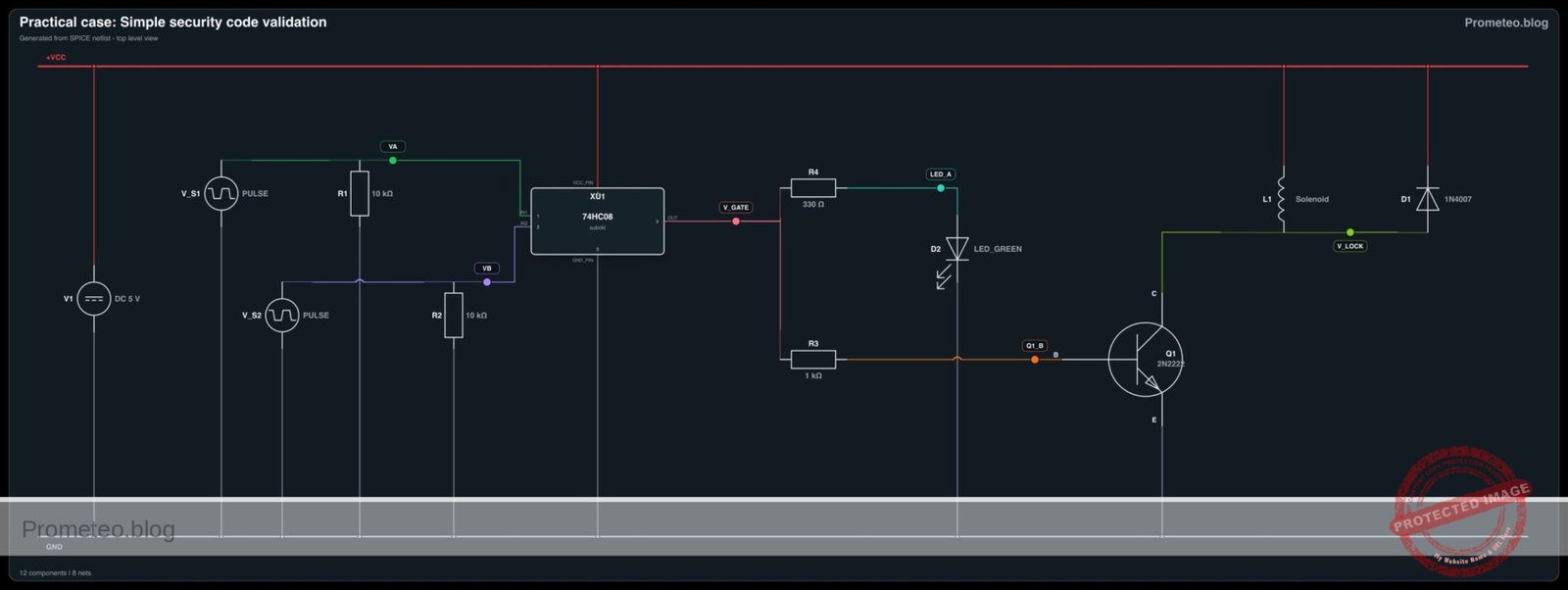
Electrical diagram

Electrical diagram for simple security code validation
Generated from the validated SPICE netlist for this case.

🔒 This electrical diagram is premium. With the 7-day pass or the monthly membership you can unlock the complete didactic material and the print-ready PDF pack.🔓 See premium access plans

Truth table

This table describes the logic state of the 74HC08 output and the physical state of the solenoid.

Input A (S1) Input B (S2) Output Y (V_GATE) Solenoid State
0 (Low) 0 (Low) 0 (Low) Locked (OFF)
0 (Low) 1 (High) 0 (Low) Locked (OFF)
1 (High) 0 (Low) 0 (Low) Locked (OFF)
1 (High) 1 (High) 1 (High) Unlocked (ON)

Measurements and tests

  1. Idle Check: With both switches OFF, measure voltage at V_GATE. It should be near 0 V. The solenoid should be relaxed.
  2. Partial Activation: Turn ON S1 only. Measure voltage at VA (should be 5 V) and VB (should be 0 V). Ensure V_GATE remains 0 V.
  3. Full Activation: Turn ON both S1 and S2.
    • Measure V_GATE: It must read ~5 V (Logic High).
    • Observe L1: The solenoid should retract/click.
    • Measure voltage at V_LOCK: It should drop close to 0 V (saturation voltage of Q1), allowing current to flow from VCC through the solenoid.
  4. Current Draw: Measure the current flowing out of V1. It should increase significantly (e.g., +100mA depending on the solenoid) only when both inputs are High.

SPICE netlist and simulation

Reference SPICE Netlist (ngspice) — excerptFull SPICE netlist (ngspice)

* Simple security code validation

* ==============================================================================
* POWER SUPPLY
* ==============================================================================
V1 VCC 0 DC 5

* ==============================================================================
* INPUT STAGE (Switches & Pull-downs)
* ==============================================================================
* Note: S1 and S2 are simulated using Pulse Voltage Sources to generate 
* dynamic logic patterns for validation.
* R1 and R2 are included as physical pull-down resistors per BOM.

* Input A (S1)
* Generates a pulse: Low for 0.5ms, High for 1ms, Period 2ms
V_S1 VA 0 PULSE(0 5 0.5m 1u 1u 1m 2m)
R1 VA 0 10k

* Input B (S2)
* Generates a pulse: High for 2ms, Low for 2ms, Period 4ms
V_S2 VB 0 PULSE(0 5 0 1u 1u 2m 4m)
R2 VB 0 10k

* ==============================================================================
* LOGIC STAGE (U1: 74HC08 Quad AND Gate)
* ==============================================================================
* Subcircuit to model one gate of the 74HC08, exposing power pins.
* Uses continuous behavioral modeling (sigmoid) for convergence.
.subckt 74HC08_GATE IN1 IN2 OUT VCC_PIN GND_PIN
* ... (truncated in public view) ...

Copy this content into a .cir file and run with ngspice.

🔒 Part of this section is premium. With the 7-day pass or the monthly membership you can access the full content (materials, wiring, detailed build, validation, troubleshooting, variants and checklist) and download the complete print-ready PDF pack.

* Simple security code validation

* ==============================================================================
* POWER SUPPLY
* ==============================================================================
V1 VCC 0 DC 5

* ==============================================================================
* INPUT STAGE (Switches & Pull-downs)
* ==============================================================================
* Note: S1 and S2 are simulated using Pulse Voltage Sources to generate 
* dynamic logic patterns for validation.
* R1 and R2 are included as physical pull-down resistors per BOM.

* Input A (S1)
* Generates a pulse: Low for 0.5ms, High for 1ms, Period 2ms
V_S1 VA 0 PULSE(0 5 0.5m 1u 1u 1m 2m)
R1 VA 0 10k

* Input B (S2)
* Generates a pulse: High for 2ms, Low for 2ms, Period 4ms
V_S2 VB 0 PULSE(0 5 0 1u 1u 2m 4m)
R2 VB 0 10k

* ==============================================================================
* LOGIC STAGE (U1: 74HC08 Quad AND Gate)
* ==============================================================================
* Subcircuit to model one gate of the 74HC08, exposing power pins.
* Uses continuous behavioral modeling (sigmoid) for convergence.
.subckt 74HC08_GATE IN1 IN2 OUT VCC_PIN GND_PIN
B_AND OUT GND_PIN V = V(VCC_PIN) * (1 / (1 + exp(-20*(V(IN1)-2.5)))) * (1 / (1 + exp(-20*(V(IN2)-2.5))))
.ends

* Instantiate U1 (only one gate used: Inputs 1A, 1B -> Output 1Y)
* Pin 1=VA, Pin 2=VB, Pin 3=V_GATE, Pin 14=VCC, Pin 7=0 (GND)
XU1 VA VB V_GATE VCC 0 74HC08_GATE

* ==============================================================================
* INDICATOR STAGE
* ==============================================================================
* R4 limits current to LED D2
R4 V_GATE LED_A 330
D2 LED_A 0 LED_GREEN

* ==============================================================================
* OUTPUT STAGE (Actuator Driver)
* ==============================================================================
* Base resistor
R3 V_GATE Q1_B 1k

* Transistor Q1 (2N2222)
* Collector -> V_LOCK, Base -> Q1_B, Emitter -> 0
Q1 V_LOCK Q1_B 0 2N2222

* Solenoid L1 (Modeled as Inductor + Series Resistor)
* 5V / 100mA = 50 Ohm DC resistance. Inductance approx 10mH.
* Connected between VCC and V_LOCK.
R_L1 VCC INT_SOL 50
L1 INT_SOL V_LOCK 10mH

* Flyback Diode D1
* Cathode to VCC, Anode to V_LOCK
D1 V_LOCK VCC 1N4007

* ==============================================================================
* MODELS
* ==============================================================================
.model 2N2222 NPN (IS=1E-14 BF=200 VAF=100 CJC=8p CJE=25p TR=400n TF=1n)
.model 1N4007 D (IS=1N RS=0.1 BV=1000 IBV=10u N=1.7)
.model LED_GREEN D (IS=1e-22 RS=5 N=1.5 BV=5 IBV=10u CJO=10p)

* ==============================================================================
* SIMULATION COMMANDS
* ==============================================================================
.op
.tran 10u 5m

* Print logic states and output voltage
.print tran V(VA) V(VB) V(V_GATE) V(V_LOCK)

.end

Simulation Results (Transient Analysis)

Simulation Results (Transient Analysis)
Show raw data table (4960 rows)
Index   time            v(va)           v(vb)           v(v_gate)
0	0.000000e+00	0.000000e+00	0.000000e+00	1.860038e-43
1	1.000000e-08	0.000000e+00	5.000000e-02	3.720076e-43
2	2.000000e-08	0.000000e+00	1.000000e-01	1.011221e-42
3	4.000000e-08	0.000000e+00	2.000000e-01	4.123178e-42
4	8.000000e-08	0.000000e+00	4.000000e-01	5.077732e-41
5	1.600000e-07	0.000000e+00	8.000000e-01	4.990226e-39
6	3.200000e-07	0.000000e+00	1.600000e+00	2.809846e-35
7	6.400000e-07	0.000000e+00	3.200000e+00	4.846845e-28
8	1.000000e-06	0.000000e+00	5.000000e+00	9.644030e-22
9	1.064000e-06	0.000000e+00	5.000000e+00	9.643749e-22
10	1.192000e-06	0.000000e+00	5.000000e+00	9.643749e-22
11	1.448000e-06	0.000000e+00	5.000000e+00	9.643749e-22
12	1.960000e-06	0.000000e+00	5.000000e+00	9.643749e-22
13	2.984000e-06	0.000000e+00	5.000000e+00	9.643749e-22
14	5.032000e-06	0.000000e+00	5.000000e+00	9.643749e-22
15	9.128000e-06	0.000000e+00	5.000000e+00	9.643749e-22
16	1.732000e-05	0.000000e+00	5.000000e+00	9.643749e-22
17	2.732000e-05	0.000000e+00	5.000000e+00	9.643749e-22
18	3.732000e-05	0.000000e+00	5.000000e+00	9.643749e-22
19	4.732000e-05	0.000000e+00	5.000000e+00	9.643749e-22
20	5.732000e-05	0.000000e+00	5.000000e+00	9.643749e-22
21	6.732000e-05	0.000000e+00	5.000000e+00	9.643749e-22
22	7.732000e-05	0.000000e+00	5.000000e+00	9.643749e-22
23	8.732000e-05	0.000000e+00	5.000000e+00	9.643749e-22
... (4936 more rows) ...

Common mistakes and how to avoid them

  1. Floating Inputs: Forgetting resistors R1 or R2 causes the inputs to «float,» leading to erratic triggering of the lock caused by static electricity. Always use pull-down resistors with CMOS logic like the 74HC series.
  2. Driving Solenoid Directly: Connecting the solenoid directly to the 74HC08 output pin (pin 3). The chip can only supply ~20mA, while a solenoid needs >100mA. This will destroy the chip. Always use a transistor driver (Q1).
  3. Omitting the Flyback Diode: Forgetting D1 across the solenoid. When the solenoid turns off, it generates a high-voltage spike (back EMF) that destroys the transistor instantly.

Troubleshooting

  • Solenoid does not activate but LED works: The logic is correct, but the drive capability is insufficient. Check Q1 connections and ensure the solenoid power requirement matches the supply.
  • Logic Gate gets hot: You might have shorted the output pin to ground or are trying to drive the solenoid directly. Disconnect immediately and check the wiring of pin 3.
  • Circuit works inversely (Unlocks when switches are OFF): You may have wired the pull-down resistors as pull-ups or connected the transistor to the wrong rail. Verify R1 and R2 go to Ground.
  • Input A triggers the lock without Input B: Check for a short circuit between pin 1 and pin 2, or check if pin 2 is accidentally connected to VCC.

Possible improvements and extensions

  1. Add a Timer: Feed the output of the 74HC08 into a 555 Timer (Monostable mode) so the lock stays open for 5 seconds even if the user releases the switches immediately.
  2. Expand Security: Cascade a second 74HC08 to add a third switch (Switch A AND Switch B AND Switch C) for higher security.

More Practical Cases on Prometeo.blog

Find this product and/or books on this topic on Amazon

Go to Amazon

As an Amazon Associate, I earn from qualifying purchases. If you buy through this link, you help keep this project running.

Quick Quiz

Question 1: What is the primary function of the 74HC08 integrated circuit in this project?


Question 2: Which component is typically used to drive the high-power solenoid in this type of circuit?


Question 3: Under what condition will the solenoid activate?


Question 4: What is the purpose of the 1N4007 Diode (D1) in this circuit?


Question 5: What real-world safety application does this circuit mimic?


Question 6: What is the function of resistors R1 and R2 (10 kΩ) connected to the switches?


Question 7: What voltage level is expected at the logic gate output during activation?


Question 8: Which component limits the current flowing into the base of the transistor?


Question 9: What happens to the Indicator LED when the solenoid activates?


Question 10: Who is the target audience for this project?


Carlos Núñez Zorrilla
Electronics & Computer Engineer

Telecommunications Electronics Engineer and Computer Engineer (official degrees in Spain).

Follow me:


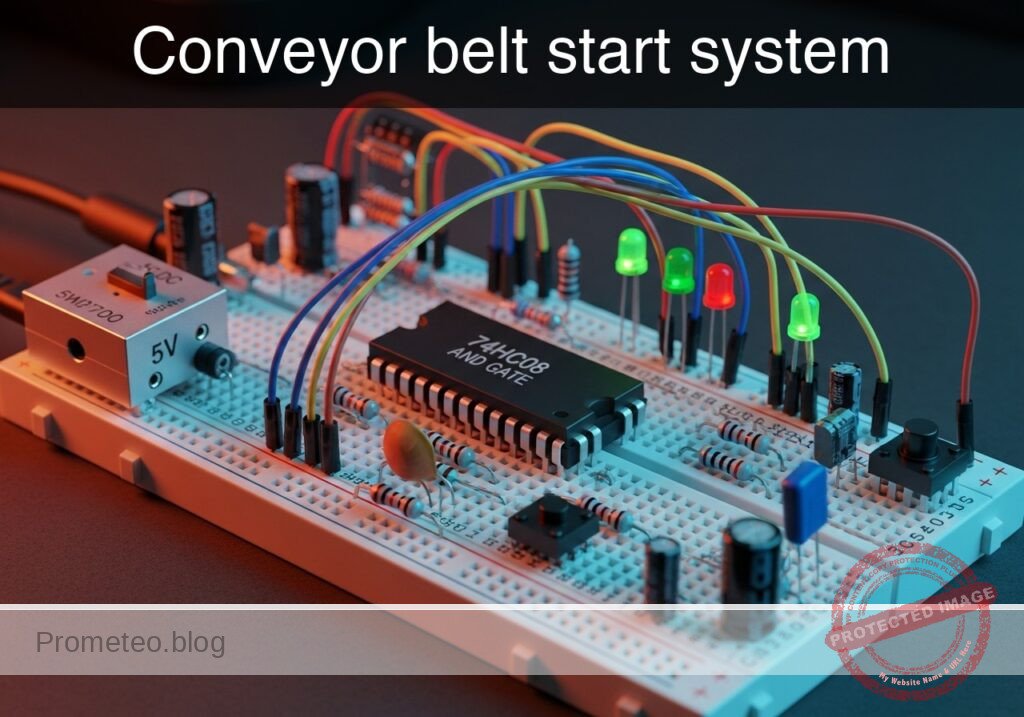
Practical case: Conveyor belt start system

Conveyor belt start system prototype (Maker Style)

Level: Medium. Design a safety interlock circuit that activates a conveyor belt only when the operator is present and a load is detected.

Objective and use case

In this practical case, you will build a safety logic circuit using a 74HC08 AND gate to control the activation of a DC motor via a relay. The system ensures the conveyor belt only runs when two distinct safety conditions are met simultaneously.

  • Real-world application: Industrial safety interlocks preventing machinery from starting without an operator at the controls.
  • Efficiency: Automated energy saving by ensuring the belt only runs when a product (load) is actually present on the line.
  • Machine protection: Preventing «dry runs» that might wear out mechanical components unnecessarily.

Expected outcome:
* Logic Output: The 74HC08 output pin goes HIGH (approx. 5V) only when both inputs are HIGH.
* Motor State: The DC motor turns ON only when the Operator Button is held AND the Optical Sensor detects an object.
* Current Drive: A transistor amplifies the weak logic signal to switch the 5V relay coil.
* Target Audience: Engineering students and maintenance technicians (Medium level).

Materials

  • V1: 5V DC Power Supply, function: Main circuit power.
  • U1: 74HC08 Quad 2-Input AND Gate, function: Safety logic processing.
  • S1: Push button (Normally Open), function: Simulates «Operator Presence».
  • S2: Switch (SPST) or Phototransistor module, function: Simulates «Optical Load Sensor» (Active High).
  • R1: 10 kΩ resistor, function: Pull-down for Operator input (S1).
  • R2: 10 kΩ resistor, function: Pull-down for Sensor input (S2).
  • R3: 1 kΩ resistor, function: Base current limiting for Q1.
  • Q1: 2N2222 NPN Transistor, function: Relay driver switch.
  • D1: 1N4007 Diode, function: Flyback protection for the relay coil.
  • K1: 5V Relay (SPDT), function: High-current switch for the motor.
  • M1: 5V DC Motor, function: Conveyor belt drive.
  • C1: 100 nF capacitor, function: Decoupling for U1 power supply.

Pin-out of the IC used

Chip: 74HC08 (Quad 2-Input AND Gate)

Pin Name Logic function Connection in this case
1 1A Input A Connected to Operator Button (S1)
2 1B Input B Connected to Optical Sensor (S2)
3 1Y Output Connected to Transistor Base Resistor (R3)
7 GND Ground Connected to 0V (GND)
14 VCC Power Connected to +5V (VCC)

Note: Pins 4-6 and 8-13 are unused in this single-gate application and should technically be tied to GND in a permanent noise-sensitive environment, but are left open for this basic prototype.

Wiring guide

Use the following nodes for your connections: VCC, 0 (Ground), OP_SIGNAL, LOAD_SIGNAL, LOGIC_OUT.

  • Power: Connect VCC to the positive rail of V1 and 0 to the negative rail.
  • Input S1 (Operator): Connect one side of S1 to VCC. Connect the other side to node OP_SIGNAL.
  • Pull-down R1: Connect R1 between OP_SIGNAL and 0.
  • Input S2 (Sensor): Connect one side of S2 to VCC. Connect the other side to node LOAD_SIGNAL.
  • Pull-down R2: Connect R2 between LOAD_SIGNAL and 0.
  • Logic U1:
    • Connect U1 Pin 14 to VCC and Pin 7 to 0.
    • Connect C1 between VCC and 0 near U1.
    • Connect OP_SIGNAL to U1 Pin 1 (Input 1A).
    • Connect LOAD_SIGNAL to U1 Pin 2 (Input 1B).
    • Connect U1 Pin 3 (Output 1Y) to node LOGIC_OUT.
  • Driver Stage:
    • Connect R3 between LOGIC_OUT and the Base of Q1.
    • Connect the Emitter of Q1 to 0.
    • Connect the Collector of Q1 to the Relay coil (K1 pin 1).
  • Relay & Motor:
    • Connect the other side of the Relay coil (K1 pin 2) to VCC.
    • Connect D1 across the Relay coil (Cathode to VCC, Anode to Q1 Collector).
    • Connect Relay Common (COM) to VCC.
    • Connect Relay Normally Open (NO) to the positive terminal of M1.
    • Connect the negative terminal of M1 to 0.

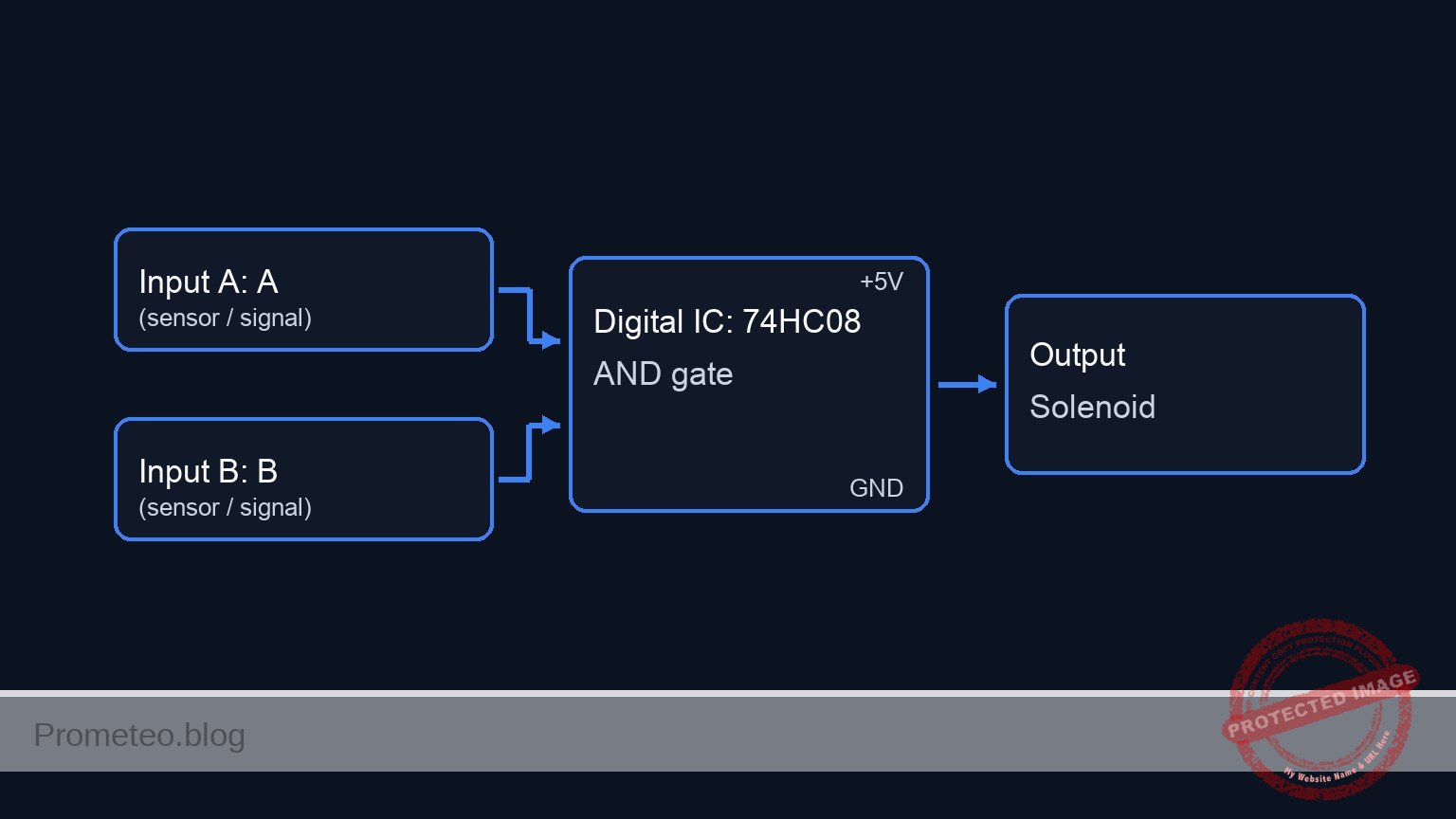
Conceptual block diagram

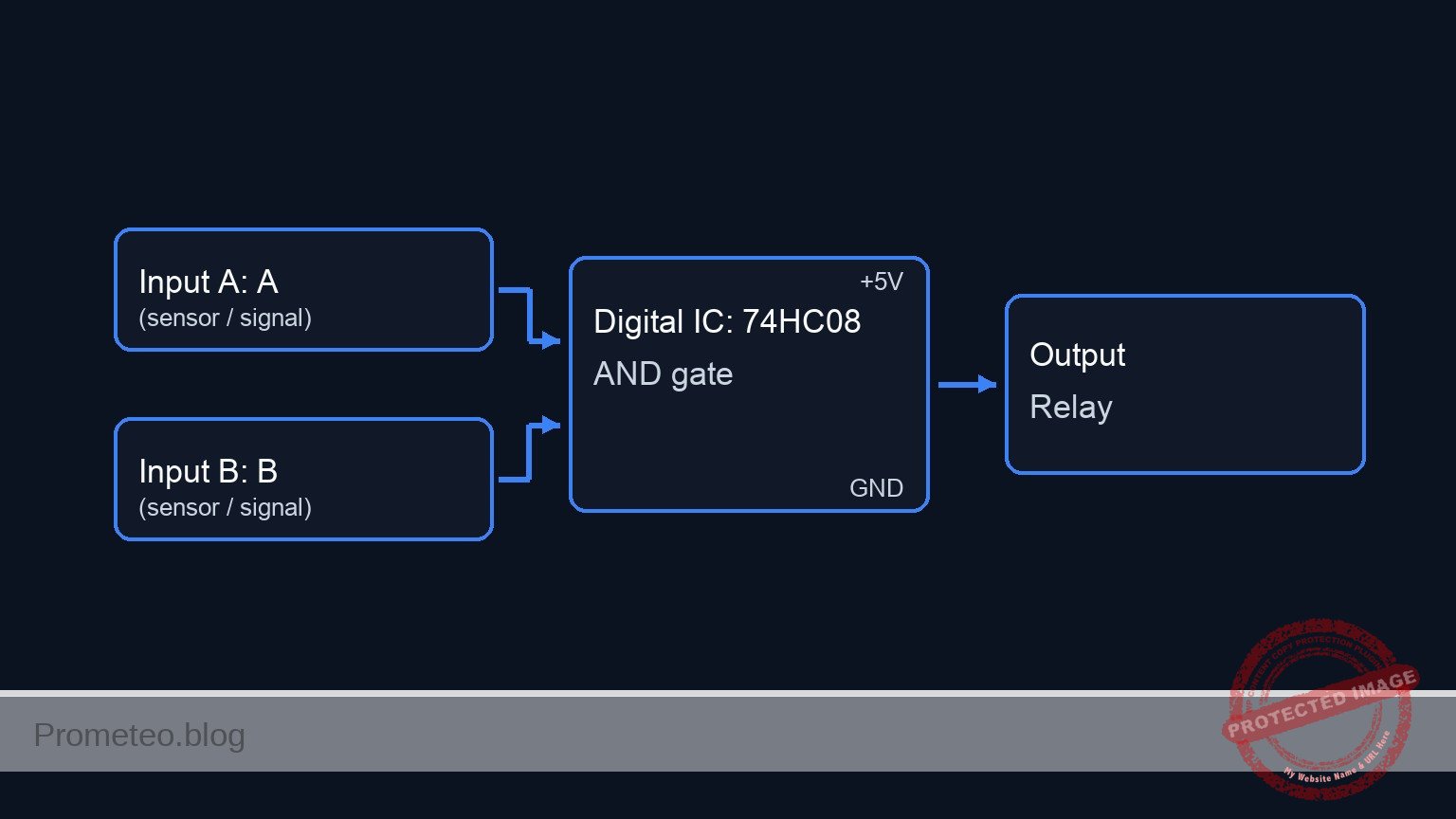
Conceptual block diagram — 74HC08 AND gate

Schematic

[ INPUTS ]                       [ LOGIC ]                        [ OUTPUT STAGE ]

    (VCC)                                                                    (VCC)
      |                                                                        |
    [ S1: Operator ]--(OP_SIGNAL)-->+-------------+                       +----+----+
      |                             |  Pin 1 (A)  |                       | K1 Coil | (Parallel D1)
    [ R1: 10k ]                     |             |                       +----+----+
      |                             |   74HC08    |                            ^
    (GND)                           |     U1      |                            |
                                    |             |--(Pin 3)-->[ R3: 1k ]-->[ Q1: NPN ]
    (VCC)                           |             |          (LOGIC_OUT)       |
      |                             |             |                            v
    [ S2: Sensor ]--(LOAD_SIGNAL)-->|  Pin 2 (B)  |                          (GND)
      |                             |             |
    [ R2: 10k ]                     +-------------+                          (VCC)
      |                                    |                                   |
    (GND)                               [ C1 ]                           [ K1 Switch ]
                                           |                                   |
                                         (GND)                                 v
                                                                         [ M1: Motor ]
                                                                               |
                                                                             (GND)
Schematic (ASCII)

Electrical diagram

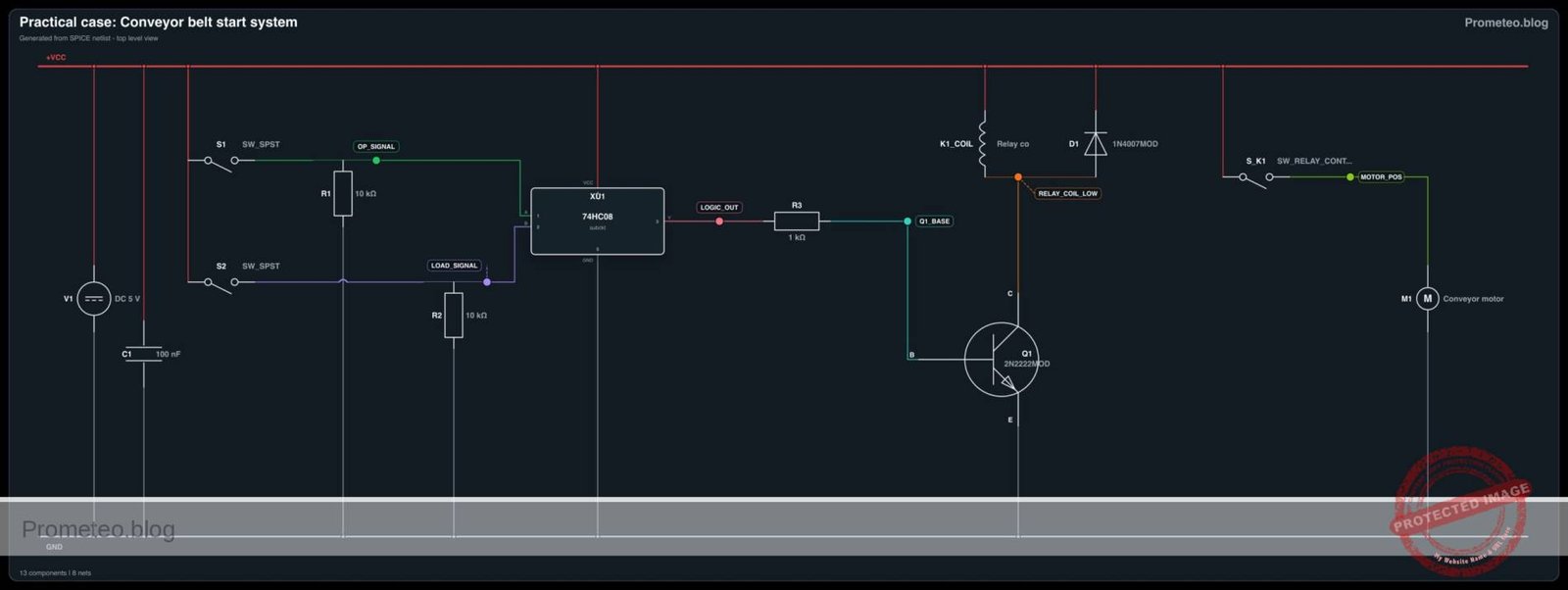
Electrical diagram for conveyor belt start system
Generated from the validated SPICE netlist for this case.

🔒 This electrical diagram is premium. With the 7-day pass or the monthly membership you can unlock the complete didactic material and the print-ready PDF pack.🔓 See premium access plans

Truth table

This table represents the logic states required to start the motor.

Operator (S1) Load Detected (S2) U1 Output (Pin 3) Transistor Q1 Motor State
Low (0) Low (0) Low (0) OFF (Cut-off) STOP
Low (0) High (1) Low (0) OFF (Cut-off) STOP
High (1) Low (0) Low (0) OFF (Cut-off) STOP
High (1) High (1) High (1) ON (Sat) RUN

Measurements and tests

Validate the circuit operation using a multimeter:

  1. Input Verification: Measure voltage at OP_SIGNAL relative to GND. It should be 0V when S1 is open and 5V when pressed. Repeat for LOAD_SIGNAL (S2).
  2. Logic Output: With S1 and S2 active, measure voltage at LOGIC_OUT. It should be approximately equal to VCC (Logic High). If either is released, it should drop to ~0V.
  3. Base Current (I_b): Set your multimeter to Ammeter mode. Place it in series with R3. When logic is High, you should measure approximately 4.3mA (calculated as $(5V – 0.7V) / 1000\Omega$). This confirms the transistor is being driven hard enough to saturate.
  4. Relay Actuation: Listen for the «click» of the relay when both inputs are active. Measure voltage across the Motor terminals; it should read 5V.

SPICE netlist and simulation

Reference SPICE Netlist (ngspice) — excerptFull SPICE netlist (ngspice)

* Title: Practical case: Conveyor belt start system

* --- Power Supply ---
* V1: 5V DC Power Supply
V1 VCC 0 DC 5

* --- Input S1: Operator Presence ---
* Component: Push button (NO) modeled as Voltage-Controlled Switch
* Wiring: VCC -> S1 -> OP_SIGNAL -> R1 -> 0
S1 VCC OP_SIGNAL CTRL_OP 0 SW_BTN
R1 OP_SIGNAL 0 10k
* Stimulus: Simulate button press (High) from t=1ms to t=4ms
V_ACT_S1 CTRL_OP 0 PULSE(0 5 1m 10u 10u 3m 10m)

* --- Input S2: Optical Load Sensor ---
* Component: Switch/Sensor modeled as Voltage-Controlled Switch
* Wiring: VCC -> S2 -> LOAD_SIGNAL -> R2 -> 0
S2 VCC LOAD_SIGNAL CTRL_LOAD 0 SW_BTN
R2 LOAD_SIGNAL 0 10k
* Stimulus: Simulate sensor active (High) from t=2ms to t=5ms
V_ACT_S2 CTRL_LOAD 0 PULSE(0 5 2m 10u 10u 3m 10m)

* --- Logic U1: 74HC08 Quad AND Gate ---
* Wiring: Pin 14=VCC, Pin 7=0, Pin 1=OP_SIGNAL, Pin 2=LOAD_SIGNAL, Pin 3=LOGIC_OUT
* Decoupling Capacitor C1
C1 VCC 0 100n
* Instantiation of Logic Gate Subcircuit
XU1 OP_SIGNAL LOAD_SIGNAL LOGIC_OUT VCC 0 74HC08_GATE

* --- Driver Stage ---
* ... (truncated in public view) ...

Copy this content into a .cir file and run with ngspice.

🔒 Part of this section is premium. With the 7-day pass or the monthly membership you can access the full content (materials, wiring, detailed build, validation, troubleshooting, variants and checklist) and download the complete print-ready PDF pack.

* Title: Practical case: Conveyor belt start system

* --- Power Supply ---
* V1: 5V DC Power Supply
V1 VCC 0 DC 5

* --- Input S1: Operator Presence ---
* Component: Push button (NO) modeled as Voltage-Controlled Switch
* Wiring: VCC -> S1 -> OP_SIGNAL -> R1 -> 0
S1 VCC OP_SIGNAL CTRL_OP 0 SW_BTN
R1 OP_SIGNAL 0 10k
* Stimulus: Simulate button press (High) from t=1ms to t=4ms
V_ACT_S1 CTRL_OP 0 PULSE(0 5 1m 10u 10u 3m 10m)

* --- Input S2: Optical Load Sensor ---
* Component: Switch/Sensor modeled as Voltage-Controlled Switch
* Wiring: VCC -> S2 -> LOAD_SIGNAL -> R2 -> 0
S2 VCC LOAD_SIGNAL CTRL_LOAD 0 SW_BTN
R2 LOAD_SIGNAL 0 10k
* Stimulus: Simulate sensor active (High) from t=2ms to t=5ms
V_ACT_S2 CTRL_LOAD 0 PULSE(0 5 2m 10u 10u 3m 10m)

* --- Logic U1: 74HC08 Quad AND Gate ---
* Wiring: Pin 14=VCC, Pin 7=0, Pin 1=OP_SIGNAL, Pin 2=LOAD_SIGNAL, Pin 3=LOGIC_OUT
* Decoupling Capacitor C1
C1 VCC 0 100n
* Instantiation of Logic Gate Subcircuit
XU1 OP_SIGNAL LOAD_SIGNAL LOGIC_OUT VCC 0 74HC08_GATE

* --- Driver Stage ---
* Wiring: LOGIC_OUT -> R3 -> Q1 Base
R3 LOGIC_OUT Q1_BASE 1k
* Wiring: Q1 Collector -> Relay Coil, Emitter -> 0
Q1 RELAY_COIL_LOW Q1_BASE 0 2N2222MOD

* --- Relay K1 ---
* Wiring: VCC -> Coil -> Q1 Collector (RELAY_COIL_LOW)
* Coil modeled as Inductance + Resistance
L_K1 VCC K1_INT 10m
R_K1 K1_INT RELAY_COIL_LOW 100

* Flyback Diode D1
* Wiring: Cathode to VCC, Anode to Q1 Collector
D1 RELAY_COIL_LOW VCC 1N4007MOD

* Relay Contact (Switch)
* Wiring: COM (VCC) -> NO (MOTOR_POS)
* Controlled by voltage across the coil: V(VCC) - V(RELAY_COIL_LOW)
* FIXED: Connected negative control node to Ground (0) to fix Singular Matrix error
E_K1_SENSE K1_CTRL_P 0 VOL = 'V(VCC) - V(RELAY_COIL_LOW)'
S_K1 VCC MOTOR_POS K1_CTRL_P 0 SW_RELAY

* --- Motor M1 ---
* Wiring: MOTOR_POS -> Motor -> 0
* Modeled as an inductive load
R_M1 MOTOR_POS M1_INT 10
L_M1 M1_INT 0 1m

* --- Models & Subcircuits ---

* Button/Sensor Switch Model
.model SW_BTN SW(Vt=2.5 Vh=0.1 Ron=0.1 Roff=10Meg)

* Relay Contact Switch Model (Activates when coil voltage > 3.5V)
.model SW_RELAY SW(Vt=3.5 Vh=0.5 Ron=0.05 Roff=100Meg)

* Transistor Model
.model 2N2222MOD NPN(IS=1E-14 BF=200 VAF=100 IKF=0.3 XTB=1.5 BR=3 CJC=8p CJE=25p)

* Diode Model
.model 1N4007MOD D(IS=7n RS=0.03 N=1.2 BV=1000 IBV=5u CJO=10p TT=100n)

* 74HC08 AND Gate Behavioral Model
* Pins: A B Y VCC GND
.subckt 74HC08_GATE A B Y VCC GND
* Continuous Sigmoid function for convergence: 5V * sigmoid(A) * sigmoid(B)
B_AND Y GND V = V(VCC) * (1 / (1 + exp(-50*(V(A)-2.5)))) * (1 / (1 + exp(-50*(V(B)-2.5))))
.ends

* --- Simulation Directives ---
.op
* Transient analysis: 10us step, 8ms total time
.tran 10u 8m
* Print required voltages
.print tran V(OP_SIGNAL) V(LOAD_SIGNAL) V(LOGIC_OUT) V(RELAY_COIL_LOW) V(MOTOR_POS)

.end

Simulation Results (Transient Analysis)

Simulation Results (Transient Analysis)
Show raw data table (7686 rows)
Index   time            v(op_signal)    v(load_signal)  v(logic_out)
0	0.000000e+00	4.995005e-03	4.995005e-03	2.199277e-108
1	1.000000e-07	4.995005e-03	4.995005e-03	2.199277e-108
2	2.000000e-07	4.995005e-03	4.995005e-03	2.199277e-108
3	4.000000e-07	4.995005e-03	4.995005e-03	2.199277e-108
4	8.000000e-07	4.995005e-03	4.995005e-03	2.199277e-108
5	1.600000e-06	4.995005e-03	4.995005e-03	2.199277e-108
6	3.200000e-06	4.995005e-03	4.995005e-03	2.199277e-108
7	6.400000e-06	4.995005e-03	4.995005e-03	2.199277e-108
8	1.280000e-05	4.995005e-03	4.995005e-03	2.199277e-108
9	2.280000e-05	4.995005e-03	4.995005e-03	2.199277e-108
10	3.280000e-05	4.995005e-03	4.995005e-03	2.199277e-108
11	4.280000e-05	4.995005e-03	4.995005e-03	2.199277e-108
12	5.280000e-05	4.995005e-03	4.995005e-03	2.199277e-108
13	6.280000e-05	4.995005e-03	4.995005e-03	2.199277e-108
14	7.280000e-05	4.995005e-03	4.995005e-03	2.199277e-108
15	8.280000e-05	4.995005e-03	4.995005e-03	2.199277e-108
16	9.280000e-05	4.995005e-03	4.995005e-03	2.199277e-108
17	1.028000e-04	4.995005e-03	4.995005e-03	2.199277e-108
18	1.128000e-04	4.995005e-03	4.995005e-03	2.199277e-108
19	1.228000e-04	4.995005e-03	4.995005e-03	2.199277e-108
20	1.328000e-04	4.995005e-03	4.995005e-03	2.199277e-108
21	1.428000e-04	4.995005e-03	4.995005e-03	2.199277e-108
22	1.528000e-04	4.995005e-03	4.995005e-03	2.199277e-108
23	1.628000e-04	4.995005e-03	4.995005e-03	2.199277e-108
... (7662 more rows) ...

Common mistakes and how to avoid them

  • Directly driving the motor: Students often connect the motor directly to the 74HC08 output. The chip can only source ~20mA, while a motor needs hundreds of mA. Solution: Always use a transistor (Q1) and relay interface.
  • Floating Inputs: Forgetting resistors R1 and R2 causes the inputs to «float,» leading to erratic motor behavior triggered by static electricity. Solution: Ensure pull-down resistors are firmly connected to Ground.
  • Missing Flyback Diode: Omitting D1 allows high-voltage spikes from the relay coil to destroy the transistor Q1 when it turns off. Solution: Install D1 in parallel with the coil, cathode pointing to VCC.

Troubleshooting

  • Motor does not run: Check if the relay clicks. If no click, check voltage at U1 Pin 3 (Logic Out). If Logic Out is 5V but relay doesn’t click, check Q1 orientation.
  • Logic Output always High: Check if R1 or R2 are disconnected (floating inputs often read as High in some logic families, though 74HC usually floats random). Verify S1/S2 wiring.
  • Chip gets hot: Check if U1 is wired backwards (Pin 14 must be VCC, Pin 7 GND). Ensure outputs are not shorted to ground.

Possible improvements and extensions

  1. Self-Latching Circuit: Replace the logic with a latch or add a feedback loop so the operator can press a «Start» button once, and the belt keeps running until «Stop» is pressed or the load is removed.
  2. Emergency Stop: Add a 74HC04 NOT gate or use a NAND configuration to include a «Normally Closed» Emergency Stop button that immediately cuts power to the relay regardless of other inputs.

More Practical Cases on Prometeo.blog

Find this product and/or books on this topic on Amazon

Go to Amazon

As an Amazon Associate, I earn from qualifying purchases. If you buy through this link, you help keep this project running.

Quick Quiz

Question 1: What is the primary function of the 74HC08 integrated circuit in this project?


Question 2: Which two conditions must be met simultaneously for the conveyor belt to activate?


Question 3: What component is typically used to simulate the 'Operator Presence' in this type of circuit?


Question 4: What is the specific purpose of the transistor (e.g., 2N2222) in this circuit?


Question 5: What logic level does the 74HC08 output pin produce when both inputs are HIGH?


Question 6: Why are pull-down resistors typically used on the logic gate inputs in this circuit?


Question 7: What is the function of the base resistor connected to the transistor?


Question 8: Which real-world application is explicitly mentioned for this safety interlock circuit?


Question 9: How does this circuit contribute to machine protection?


Question 10: What component would likely simulate the 'Optical Load Sensor' in a basic prototype of this circuit?


Carlos Núñez Zorrilla
Electronics & Computer Engineer

Telecommunications Electronics Engineer and Computer Engineer (official degrees in Spain).
Follow me:


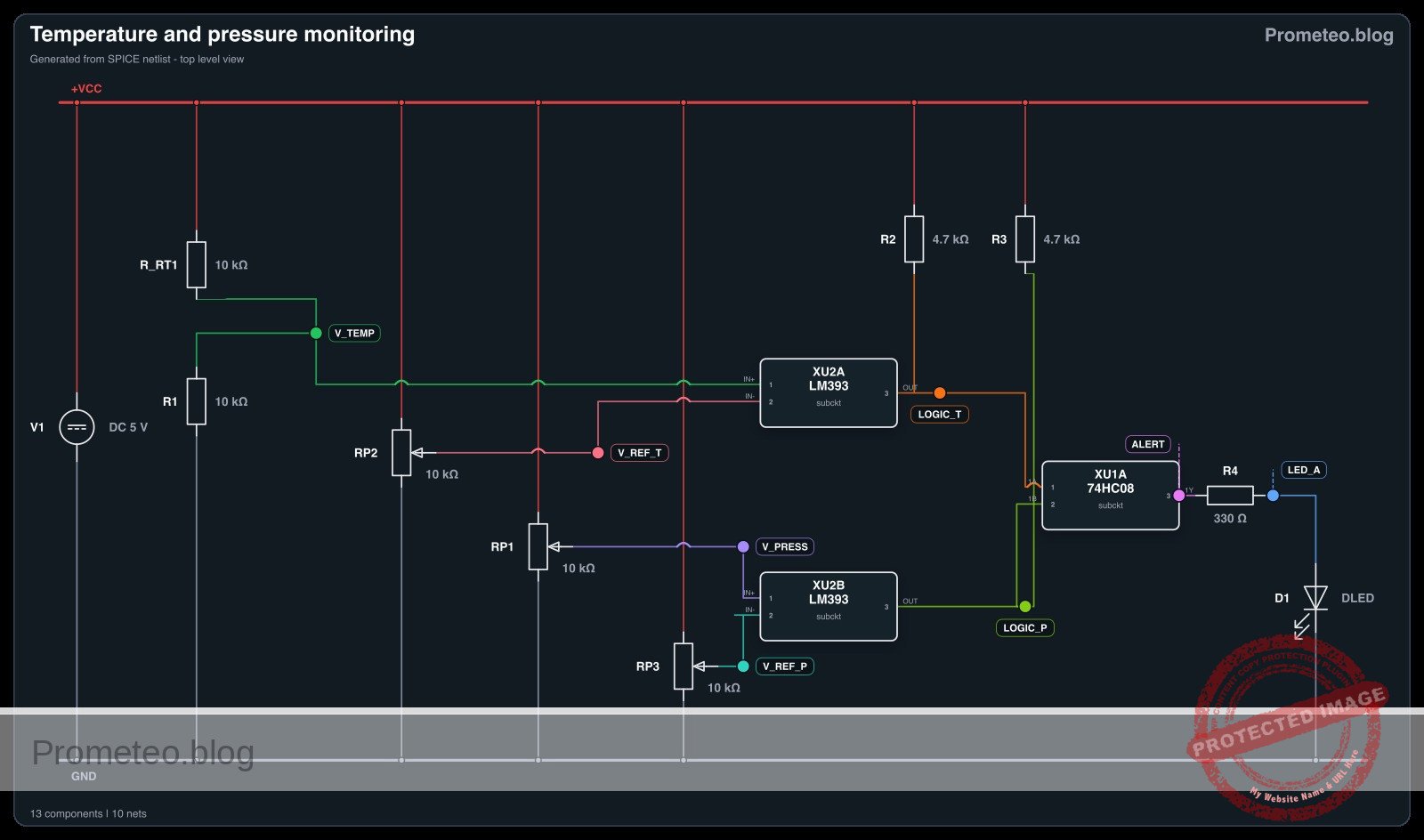
Practical case: Temperature and Pressure Monitoring

Temperature and Pressure Monitoring prototype (Maker Style)

Level: Medium. Implement an industrial safety circuit that activates an alarm only when both temperature and pressure sensors exceed critical safety limits.

Objective and use case

In this session, you will build a conditional logic circuit using an LM393 comparator to digitize analog sensor signals and a 74HC08 AND gate to process the safety logic.

  • Industrial Boiler Safety: Prevents catastrophic failure by detecting when a boiler is both overheating and over-pressurized.
  • Hydraulic Systems: Monitors fluid states to prevent pump damage or pipe bursts during high-stress operations.
  • Chemical Reactor Monitoring: Ensures reaction conditions remain within safe zones, triggering emergency cooling only when multiple critical variables spike.

Expected outcome:
* Safe State: LED remains OFF if only one or neither variable exceeds the limit.
* Critical State: Red LED turns ON (Logic High) only when Temp > Limit AND Pressure > Limit.
* Logic Level: The 74HC08 output shifts from ~0V to ~5V.
* Target Audience: Engineering students and hobbyists familiar with operational amplifiers/comparators and basic digital logic.

Materials

  • V1: 5 V DC supply
  • U1: 74HC08, function: Quad 2-Input AND Gate
  • U2: LM393, function: Dual Differential Comparator
  • RT1: 10 kΩ NTC thermistor, function: Temperature sensor
  • R1: 10 kΩ resistor, function: Voltage divider bottom for NTC
  • RP1: 10 kΩ linear potentiometer, function: Pressure sensor simulator
  • RP2: 10 kΩ potentiometer, function: Temperature reference threshold (V_REF_T)
  • RP3: 10 kΩ potentiometer, function: Pressure reference threshold (V_REF_P)
  • R2: 4.7 kΩ resistor, function: Pull-up for Comparator A output (required for LM393)
  • R3: 4.7 kΩ resistor, function: Pull-up for Comparator B output (required for LM393)
  • R4: 330 Ω resistor, function: LED current limiting
  • D1: Red LED, function: Critical Alert indicator

Pin-out of the IC used

Selected Chip: 74HC08 (Quad 2-Input AND Gate)

Pin Name Logic function Connection in this case
1 1A Input A Connected to Temperature Comparator Output
2 1B Input B Connected to Pressure Comparator Output
3 1Y Output Connected to LED (via R4)
7 GND Ground Connected to 0V supply rail
14 VCC Power Supply Connected to +5V supply rail

Note: The LM393 Comparator is also used but the logic decision happens in the 74HC08.

Wiring guide

Construct the circuit using the following node connections:

  • Power Rail: Connect V1 positive terminal to node VCC and negative terminal to node 0 (GND). Connect pin 14 of U1 and pin 8 of U2 to VCC. Connect pin 7 of U1 and pin 4 of U2 to 0.
  • Temperature Sensor Input (V_TEMP): Connect RT1 between VCC and V_TEMP. Connect R1 between V_TEMP and 0. (As Temp rises, resistance drops, V_TEMP rises).
  • Pressure Sensor Input (V_PRESS): Connect the wiper of RP1 to node V_PRESS. Connect the outer legs of RP1 to VCC and 0.
  • Reference Thresholds: Connect the wiper of RP2 to node V_REF_T (Temp Limit). Connect the wiper of RP3 to node V_REF_P (Pressure Limit).
  • Comparator Stage (Digitization):
    • Connect V_TEMP to U2 pin 3 (Non-inverting input A).
    • Connect V_REF_T to U2 pin 2 (Inverting input A).
    • Connect V_PRESS to U2 pin 5 (Non-inverting input B).
    • Connect V_REF_P to U2 pin 6 (Inverting input B).
  • Comparator Outputs (LOGIC_T and LOGIC_P):
    • Connect U2 pin 1 (Output A) to node LOGIC_T. Connect pull-up resistor R2 between LOGIC_T and VCC.
    • Connect U2 pin 7 (Output B) to node LOGIC_P. Connect pull-up resistor R3 between LOGIC_P and VCC.
  • Logic Gate:
    • Connect LOGIC_T to U1 pin 1 (Input 1A).
    • Connect LOGIC_P to U1 pin 2 (Input 1B).
    • Connect U1 pin 3 (Output 1Y) to node ALERT.
  • Indicator: Connect R4 between ALERT and the anode of D1. Connect the cathode of D1 to 0.

Conceptual block diagram

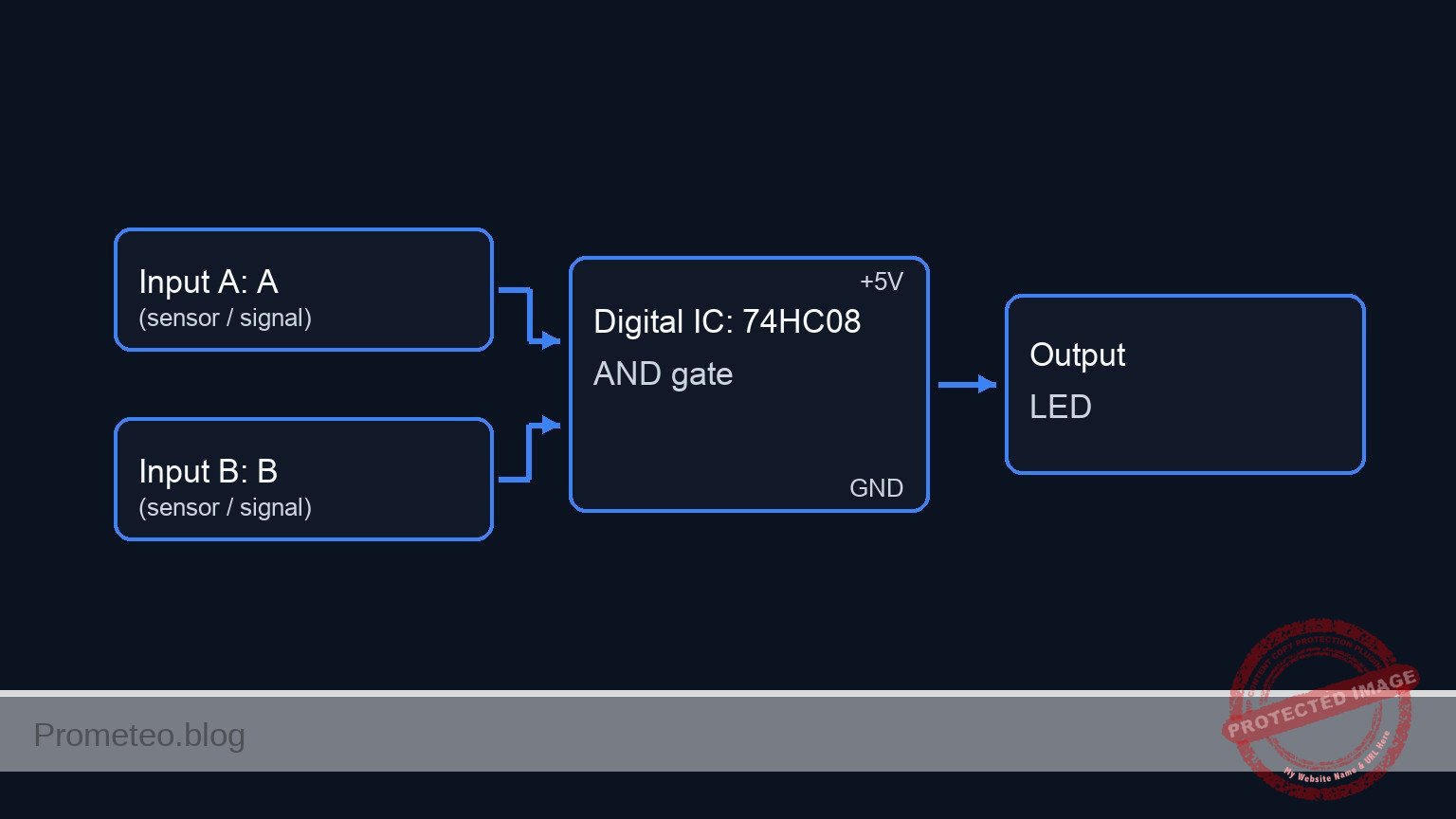
Conceptual block diagram — 74HC08 AND gate

Schematic

[ ANALOG INPUTS ]                  [ COMPARATORS ]                  [ LOGIC GATE ]               [ OUTPUT ]

[ Temp Sensor (RT1/R1) ] --(V_TEMP)---->+------------------+
                                        | U2: Comparator A |
                                        | (LM393)          |--(LOGIC_T)-->+
[ Temp Ref Pot (RP2)   ] --(V_REF_T)--->| w/ Pull-up R2    |              |
                                        +------------------+              |
                                                                          v
                                                                   +----------------+
                                                                   | U1: AND Gate   |
                                                                   | (74HC08)       |--(ALERT)--> [ Resistor R4 ] --> [ LED D1 ] --> GND
                                                                   +----------------+
                                                                          ^
                                        +------------------+              |
[ Press Sensor (RP1)   ] --(V_PRESS)--->| U2: Comparator B |              |
                                        | (LM393)          |--(LOGIC_P)-->+
[ Press Ref Pot (RP3)  ] --(V_REF_P)--->| w/ Pull-up R3    |
                                        +------------------+
Schematic (ASCII)

Electrical diagram

Electrical diagram for temperature and pressure monitoring
Generated from the validated SPICE netlist for this case.

🔒 This electrical diagram is premium. With the 7-day pass or the monthly membership you can unlock the complete didactic material and the print-ready PDF pack.🔓 See premium access plans

Truth table

This table represents the logic states at the inputs of the 74HC08 (after the comparator stage) and the final output.

Sensor: Temperature Sensor: Pressure Input 1A (Temp Alert) Input 1B (Press Alert) Output 1Y (System Alarm) LED State
Low (< Ref) Low (< Ref) 0 0 0 OFF
Low (< Ref) High (> Ref) 0 1 0 OFF
High (> Ref) Low (< Ref) 1 0 0 OFF
High (> Ref) High (> Ref) 1 1 1 ON

Measurements and tests

  1. Calibrate Thresholds: Use a voltmeter to set V_REF_T (at RP2 wiper) to 3.0V and V_REF_P (at RP3 wiper) to 3.0V.
  2. Test Temperature Logic: Heat RT1 (or simulate by shorting R1 slightly) until V_TEMP > 3.0V. Measure LOGIC_T; it should be High (~5V). Verify LED is OFF (since Pressure is Low).
  3. Test Pressure Logic: Turn RP1 until V_PRESS > 3.0V. Measure LOGIC_P; it should be High (~5V).
  4. System Alert Test: Create a condition where V_TEMP > 3.0V AND V_PRESS > 3.0V simultaneously.
    • Measure Voltage at ALERT (U1 Pin 3): Expected ~5V.
    • Visual: The Red LED D1 must turn ON.

SPICE netlist and simulation

Reference SPICE Netlist (ngspice) — excerptFull SPICE netlist (ngspice)

* Practical case: Temperature and Pressure Monitoring

* --- Power Supply ---
* V1: 5 V DC supply
V1 VCC 0 DC 5

* --- Sensors and Inputs ---
* Temperature Sensor (RT1 NTC + R1 Divider)
* RT1: 10 kΩ NTC thermistor (Modeled as R_RT1)
* Connected between VCC and V_TEMP
R_RT1 VCC V_TEMP 10k
* R1: 10 kΩ resistor (Voltage divider bottom)
* Connected between V_TEMP and 0 (GND)
R1 V_TEMP 0 10k

* Pressure Sensor (RP1 Potentiometer)
* RP1: 10 kΩ linear potentiometer
* Modeled as two resistors (Top/Bot) representing the wiper position.
* Outer legs to VCC and 0, wiper to V_PRESS.
R_RP1_TOP VCC V_PRESS 5k
R_RP1_BOT V_PRESS 0 5k

* --- Dynamic Stimuli (Simulation) ---
* These voltage sources drive the sensor nodes to simulate physical changes
* over time, verifying the logic thresholds (sweeping 1V to 4V).
* They effectively override the static resistor dividers for transient analysis.
V_TEMP_STIM V_TEMP 0 PULSE(1 4 0.5m 100u 100u 1m 3m)
V_PRESS_STIM V_PRESS 0 PULSE(1 4 1m 100u 100u 1.5m 4m)

* --- Reference Thresholds ---
* ... (truncated in public view) ...

Copy this content into a .cir file and run with ngspice.

🔒 Part of this section is premium. With the 7-day pass or the monthly membership you can access the full content (materials, wiring, detailed build, validation, troubleshooting, variants and checklist) and download the complete print-ready PDF pack.

* Practical case: Temperature and Pressure Monitoring

* --- Power Supply ---
* V1: 5 V DC supply
V1 VCC 0 DC 5

* --- Sensors and Inputs ---
* Temperature Sensor (RT1 NTC + R1 Divider)
* RT1: 10 kΩ NTC thermistor (Modeled as R_RT1)
* Connected between VCC and V_TEMP
R_RT1 VCC V_TEMP 10k
* R1: 10 kΩ resistor (Voltage divider bottom)
* Connected between V_TEMP and 0 (GND)
R1 V_TEMP 0 10k

* Pressure Sensor (RP1 Potentiometer)
* RP1: 10 kΩ linear potentiometer
* Modeled as two resistors (Top/Bot) representing the wiper position.
* Outer legs to VCC and 0, wiper to V_PRESS.
R_RP1_TOP VCC V_PRESS 5k
R_RP1_BOT V_PRESS 0 5k

* --- Dynamic Stimuli (Simulation) ---
* These voltage sources drive the sensor nodes to simulate physical changes
* over time, verifying the logic thresholds (sweeping 1V to 4V).
* They effectively override the static resistor dividers for transient analysis.
V_TEMP_STIM V_TEMP 0 PULSE(1 4 0.5m 100u 100u 1m 3m)
V_PRESS_STIM V_PRESS 0 PULSE(1 4 1m 100u 100u 1.5m 4m)

* --- Reference Thresholds ---
* RP2: 10 kΩ potentiometer (Temperature Reference)
* Configured as divider, wiper to V_REF_T. Set to ~2.5V.
R_RP2_TOP VCC V_REF_T 5k
R_RP2_BOT V_REF_T 0 5k

* RP3: 10 kΩ potentiometer (Pressure Reference)
* Configured as divider, wiper to V_REF_P. Set to ~2.5V.
R_RP3_TOP VCC V_REF_P 5k
R_RP3_BOT V_REF_P 0 5k

* --- Comparator Stage (U2: LM393) ---
* U2: Dual Differential Comparator
* Connections based on Wiring Guide:
*   Comp A (Temp): In+ (3)=V_TEMP, In- (2)=V_REF_T, Out (1)=LOGIC_T
*   Comp B (Press): In+ (5)=V_PRESS, In- (6)=V_REF_P, Out (7)=LOGIC_P
*   Power: VCC (8), GND (4)
XU2 LOGIC_T V_REF_T V_TEMP 0 V_PRESS V_REF_P LOGIC_P VCC LM393

* Pull-up resistors (Required for Open Collector Outputs)
* R2: 4.7 kΩ pull-up for Comparator A
R2 VCC LOGIC_T 4.7k
* R3: 4.7 kΩ pull-up for Comparator B
R3 VCC LOGIC_P 4.7k

* --- Logic Stage (U1: 74HC08) ---
* U1: Quad 2-Input AND Gate
* Connections:
*   Gate 1: Input 1A (1)=LOGIC_T, Input 1B (2)=LOGIC_P, Output 1Y (3)=ALERT
*   Power: VCC (14), GND (7)
*   Unused inputs (4,5,9,10,12,13) connected to 0 (GND) to prevent floating.
XU1 LOGIC_T LOGIC_P ALERT 0 0 0 0 0 0 0 0 0 0 VCC 74HC08

* --- Indicator ---
* R4: 330 Ω resistor (LED current limiting)
R4 ALERT LED_A 330
* D1: Red LED (Cathode to GND)
D1 LED_A 0 DLED

* --- Models and Subcircuits ---

* LED Model
.model DLED D(IS=1e-14 N=1.7 RS=10)

* LM393 Subcircuit (Behavioral Open Collector)
.subckt LM393 1 2 3 4 5 6 7 8
* Pinout: 1=OutA, 2=InA-, 3=InA+, 4=GND, 5=InB+, 6=InB-, 7=OutB, 8=VCC
* Logic: If In+ > In-, Output is High-Z (Pull-up High).
*        If In+ < In-, Output is Low (GND).
* Implementation uses Voltage Controlled Switch to GND.
* Control V = In(-) - In(+). If V > 0 (In- > In+), Switch Closed (Low).
B_A_CTRL 10 0 V = V(2) - V(3)
S_A 1 4 10 0 SW_OC
B_B_CTRL 20 0 V = V(6) - V(5)
S_B 7 4 20 0 SW_OC
.model SW_OC SW(Vt=0 Vh=1m Ron=10 Roff=100Meg)
.ends LM393

* 74HC08 Subcircuit (Behavioral AND Gate)
.subckt 74HC08 1 2 3 4 5 6 7 8 9 10 11 12 13 14
* Pinout: 1=1A, 2=1B, 3=1Y, 7=GND, 14=VCC ...
* Gate 1 Logic: Output High (VCC) if V(1)>2.5 and V(2)>2.5
B_Y1 3 7 V = V(14) * (1 / (1 + exp(-50*(V(1)-2.5)))) * (1 / (1 + exp(-50*(V(2)-2.5))))
.ends 74HC08

* --- Simulation Directives ---
.tran 10u 5ms
.print tran V(V_TEMP) V(V_PRESS) V(LOGIC_T) V(LOGIC_P) V(ALERT)

.end

Simulation Results (Transient Analysis)

Simulation Results (Transient Analysis)
Show raw data table (1124 rows)
Index   time            v(v_temp)       v(v_press)      v(logic_t)
0	0.000000e+00	1.000000e+00	1.000000e+00	1.061571e-02
1	1.000000e-07	1.000000e+00	1.000000e+00	1.061571e-02
2	2.000000e-07	1.000000e+00	1.000000e+00	1.061571e-02
3	4.000000e-07	1.000000e+00	1.000000e+00	1.061571e-02
4	8.000000e-07	1.000000e+00	1.000000e+00	1.061571e-02
5	1.600000e-06	1.000000e+00	1.000000e+00	1.061571e-02
6	3.200000e-06	1.000000e+00	1.000000e+00	1.061571e-02
7	6.400000e-06	1.000000e+00	1.000000e+00	1.061571e-02
8	1.280000e-05	1.000000e+00	1.000000e+00	1.061571e-02
9	2.280000e-05	1.000000e+00	1.000000e+00	1.061571e-02
10	3.280000e-05	1.000000e+00	1.000000e+00	1.061571e-02
11	4.280000e-05	1.000000e+00	1.000000e+00	1.061571e-02
12	5.280000e-05	1.000000e+00	1.000000e+00	1.061571e-02
13	6.280000e-05	1.000000e+00	1.000000e+00	1.061571e-02
14	7.280000e-05	1.000000e+00	1.000000e+00	1.061571e-02
15	8.280000e-05	1.000000e+00	1.000000e+00	1.061571e-02
16	9.280000e-05	1.000000e+00	1.000000e+00	1.061571e-02
17	1.028000e-04	1.000000e+00	1.000000e+00	1.061571e-02
18	1.128000e-04	1.000000e+00	1.000000e+00	1.061571e-02
19	1.228000e-04	1.000000e+00	1.000000e+00	1.061571e-02
20	1.328000e-04	1.000000e+00	1.000000e+00	1.061571e-02
21	1.428000e-04	1.000000e+00	1.000000e+00	1.061571e-02
22	1.528000e-04	1.000000e+00	1.000000e+00	1.061571e-02
23	1.628000e-04	1.000000e+00	1.000000e+00	1.061571e-02
... (1100 more rows) ...

Common mistakes and how to avoid them

  1. Missing Pull-up Resistors on Comparators: The LM393 has open-collector outputs. If you omit R2 and R3, the inputs to the 74HC08 will float or remain low, preventing the circuit from working. Solution: Always install pull-ups (4.7kΩ to 10kΩ) from the output pin to VCC.
  2. Incorrect NTC Wiring: Connecting the NTC to ground and the fixed resistor to VCC creates a voltage that drops as temperature rises. Solution: Connect the NTC to VCC and the fixed resistor to Ground to ensure voltage increases with temperature, matching the non-inverting comparator logic.
  3. Floating Inputs on 74HC08: Leaving unused inputs on the logic chip connected to nothing can cause noise and higher power consumption. Solution: Connect unused inputs (e.g., pins 4, 5, 9, 10, 12, 13) to GND.

Troubleshooting

  • LED never turns ON: Check if R2 or R3 are missing. Without them, the AND gate inputs see Logic 0. Verify the orientation of the LED.
  • LED is always ON: Check RP2 and RP3. If the reference voltage is set to 0V, the sensors will always appear «High» relative to the reference.
  • Erratic/Flickering LED: The voltage at the comparator inputs might be hovering exactly at the threshold. This creates noise. Adding a hysteresis feedback resistor can solve this, but ensuring clean power connections usually suffices for basic tests.

Possible improvements and extensions

  1. Add Hysteresis: Connect a high-value resistor (e.g., 100kΩ) between the comparator output and the non-inverting input. This prevents the «chattering» effect when sensor values hover near the threshold.
  2. Audible Alarm: Connect a buzzer with a transistor driver (like a 2N2222) to the output of the 74HC08 alongside the LED for an audible warning in a noisy industrial environment.

More Practical Cases on Prometeo.blog

Find this product and/or books on this topic on Amazon

Go to Amazon

As an Amazon Associate, I earn from qualifying purchases. If you buy through this link, you help keep this project running.

Quick Quiz

Question 1: What is the primary function of the LM393 component in this circuit?


Question 2: Which logic gate is used to process the safety logic ensuring both conditions must be met?


Question 3: Under what condition will the Red LED turn ON (Critical State)?


Question 4: What is the expected voltage level of the 74HC08 output in the 'Critical State'?


Question 5: Which of the following is listed as a specific use case for this circuit?


Question 6: What state is the LED in if only the temperature exceeds the critical limit but pressure does not?


Question 7: What is the primary purpose of this industrial safety circuit?


Question 8: In the context of Hydraulic Systems, what does this circuit help prevent?


Question 9: Who is the target audience for this circuit project?


Question 10: What logic level represents the 'Critical State' at the 74HC08 output?


Carlos Núñez Zorrilla
Electronics & Computer Engineer

Telecommunications Electronics Engineer and Computer Engineer (official degrees in Spain).
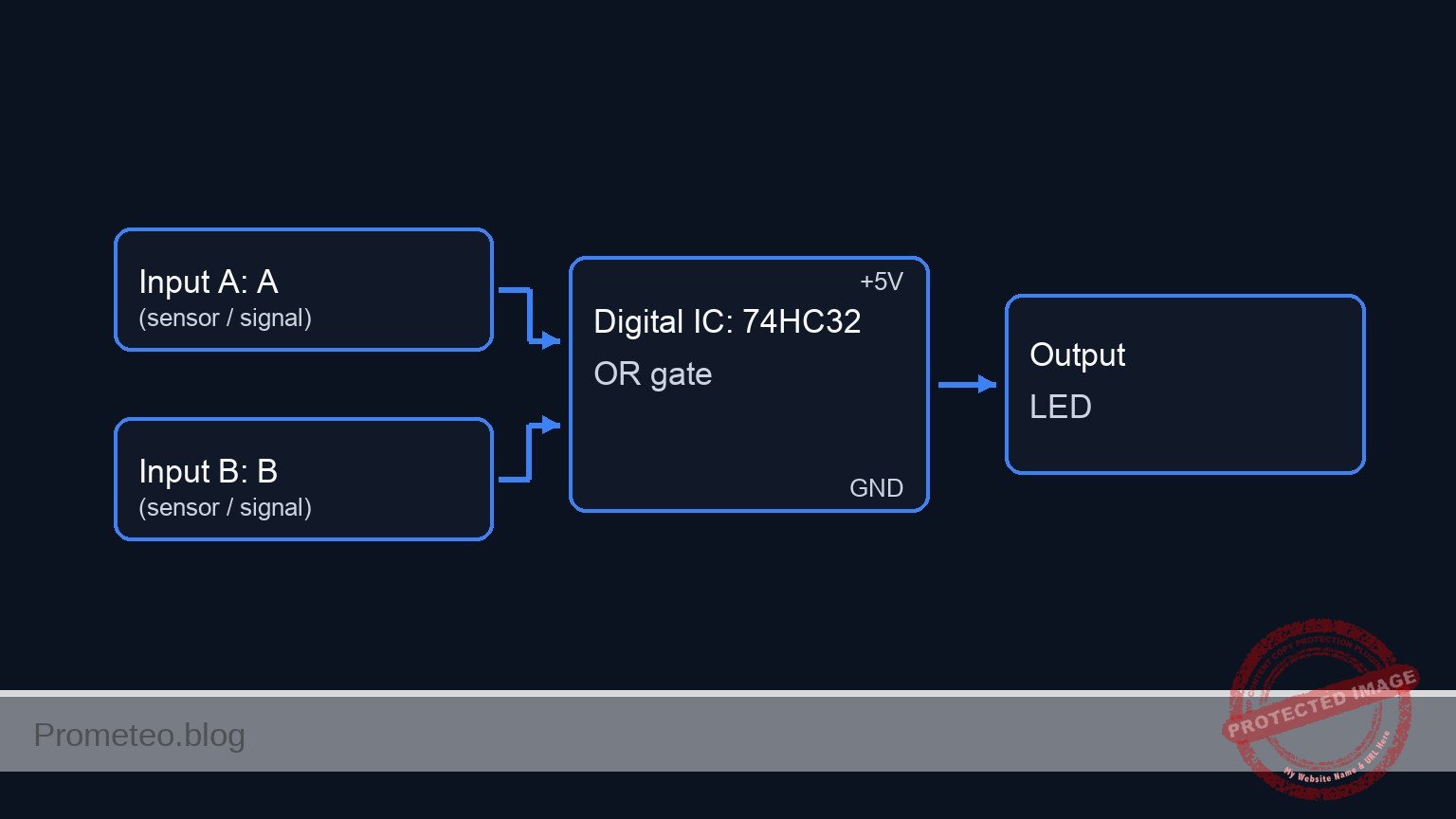
Follow me: