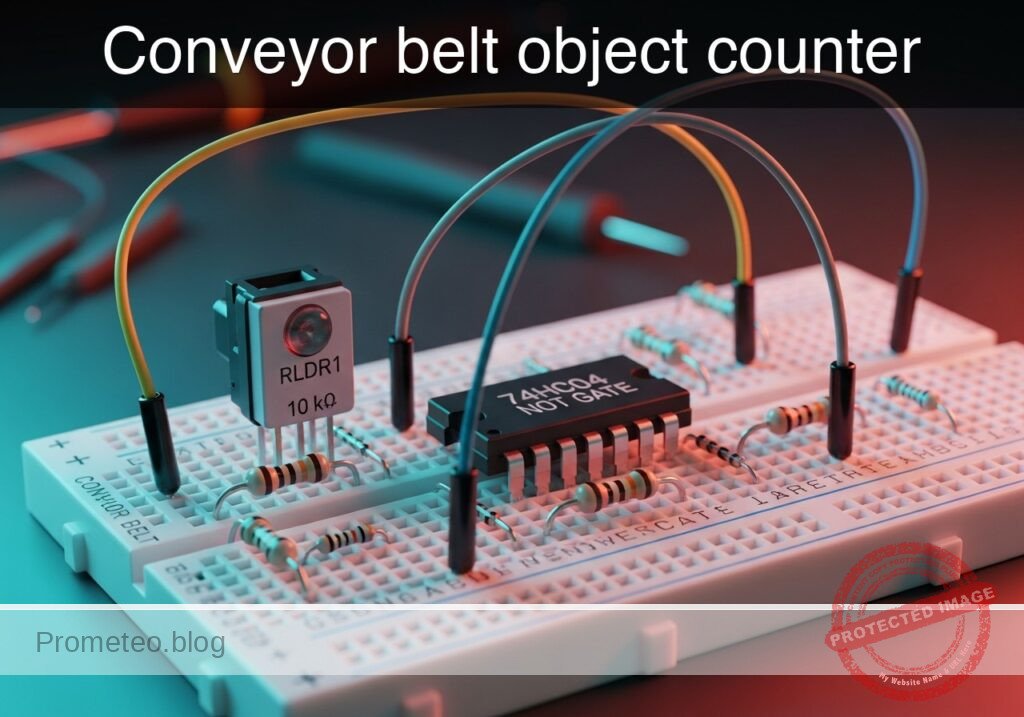
Practical case: Conveyor belt object counter

Conveyor belt object counter prototype (Maker Style)

Level: Medium – Build an optical object counter with decimal outputs and an automatic batch reset.

Objective and use case

In this practical case, you will build a sequential optical counting circuit using a Light Dependent Resistor (LDR), a 74HC04 inverter for signal conditioning, and a CD4017BE decade counter. The circuit detects objects breaking a light beam, counts them sequentially using LED indicators, and automatically resets after a batch of 5 items.

This circuit is highly relevant in real-world scenarios:
Packaging lines: Automatically grouping products into predetermined batch sizes (e.g., 5 items per box).
Industrial automation: Tracking the movement of discrete parts along a conveyor belt.
Safety interlocks: Monitoring limit switches or optical barriers to ensure an operation cycle is fully completed.

Expected outcome:
– The LDR voltage divider will swing from HIGH (illuminated) to LOW (beam blocked).
– The 74HC04 inverter will generate a clean, rising clock edge (VB) upon each detection.
– The CD4017BE counter will advance its active logic HIGH signal across outputs Q0 to Q4, lighting up LEDs in sequence.
– When the 6th object is detected (count of 5), output Q5 will trigger the reset pin, instantaneously clearing the count back to 0.

Target audience: Electronics students learning sequential logic, decimal counters, and basic sensor integration.

Materials

  • V1: 5 V DC supply
  • RLDR1: Light Dependent Resistor (LDR), function: optical sensing
  • R1: 10 kΩ resistor, function: voltage divider pull-down for LDR
  • U1: 74HC04, function: logic inverter and clock edge sharpener
  • U2: CD4017BE, function: decade counter with decoded outputs
  • D1: red LED, function: count 0 indicator
  • D2: red LED, function: count 1 indicator
  • D3: red LED, function: count 2 indicator
  • D4: red LED, function: count 3 indicator
  • D5: red LED, function: count 4 indicator
  • R2: 330 Ω resistor, function: LED D1 current limiting
  • R3: 330 Ω resistor, function: LED D2 current limiting
  • R4: 330 Ω resistor, function: LED D3 current limiting
  • R5: 330 Ω resistor, function: LED D4 current limiting
  • R6: 330 Ω resistor, function: LED D5 current limiting
  • C1: 100 nF capacitor, function: U1 decoupling
  • C2: 100 nF capacitor, function: U2 decoupling

Pin-out of the IC used

74HC04 (Hex Inverter)

Pin Name Logic function Connection in this case
1 1A Input Connects to the LDR divider (VA)
2 1Y Output Connects to the U2 clock input (VB)
7 GND Ground Connects to 0
14 VCC Power Connects to VCC

CD4017BE (Decade Counter / Divider)

Pin Name Logic function Connection in this case
14 CLK Clock input Connects to the inverted sensor signal (VB)
13 CKE Clock enable Connects to 0 (active low)
15 RST Reset Connects to Q5 (VC) for automatic reset
3 Q0 Output 0 Connects to the D1 branch (V_Q0)
2 Q1 Output 1 Connects to the D2 branch (V_Q1)
4 Q2 Output 2 Connects to the D3 branch (V_Q2)
7 Q3 Output 3 Connects to the D4 branch (V_Q3)
10 Q4 Output 4 Connects to the D5 branch (V_Q4)
1 Q5 Output 5 Connects to reset (VC)
8 VSS Ground Connects to 0
16 VDD Power Connects to VCC

Note: Pins 5, 6, 9, 11 and 12 are unused decoded outputs and carry-out pins; leave them floating in this case.

Wiring guide

  • V1 connects between VCC and 0.
  • RLDR1 connects between VCC and VA.
  • R1 connects between VA and 0.
  • U1 pin 14 connects to VCC.
  • U1 pin 7 connects to 0.
  • U1 pin 1 connects to VA.
  • U1 pin 2 connects to VB.
  • U2 pin 16 connects to VCC.
  • U2 pin 8 connects to 0.
  • U2 pin 13 connects to 0.
  • U2 pin 14 connects to VB.
  • U2 pin 1 connects to VC.
  • U2 pin 15 connects to VC.
  • U2 pin 3 connects to V_Q0.
  • U2 pin 2 connects to V_Q1.
  • U2 pin 4 connects to V_Q2.
  • U2 pin 7 connects to V_Q3.
  • U2 pin 10 connects to V_Q4.
  • R2 connects between V_Q0 and V_D1.
  • D1 connects between V_D1 and 0.
  • R3 connects between V_Q1 and V_D2.
  • D2 connects between V_D2 and 0.
  • R4 connects between V_Q2 and V_D3.
  • D3 connects between V_D3 and 0.
  • R5 connects between V_Q3 and V_D4.
  • D4 connects between V_D4 and 0.
  • R6 connects between V_Q4 and V_D5.
  • D5 connects between V_D5 and 0.
  • C1 connects between VCC and 0.
  • C2 connects between VCC and 0.

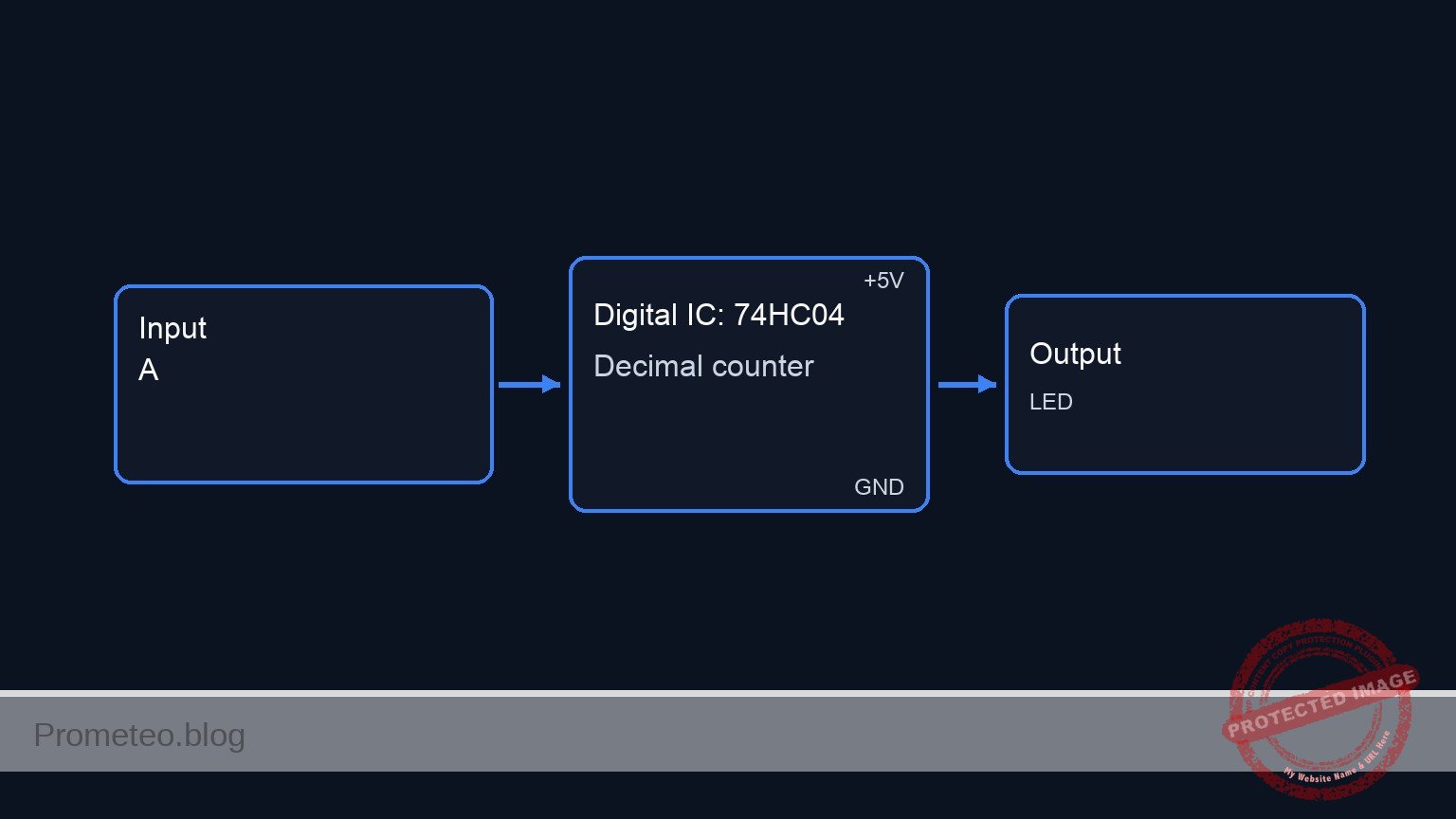
Conceptual block diagram

Conceptual block diagram — 74HC04 Decimal counter
Quick read: inputs → main block → output (actuator or measurement). This summarizes the ASCII schematic below.

Schematic

[ U2: CD4017BE Decade Counter ]
                                                             |                             |
VCC --> [ RLDR1: LDR ] --(VA)--> [ U1: 74HC04 Inverter ] --(VB)--> CLK (Pin 14)            |
                           |                                 |                  Q0 (Pin 3)-|--(V_Q0)--> [ R2: 330 ] --> [ D1: Red LED ] --> GND
                           +---> [ R1: 10k ] --> GND         |                  Q1 (Pin 2)-|--(V_Q1)--> [ R3: 330 ] --> [ D2: Red LED ] --> GND
                                                             |                  Q2 (Pin 4)-|--(V_Q2)--> [ R4: 330 ] --> [ D3: Red LED ] --> GND
                                                 +--(VC)---------> RST (Pin 15) Q3 (Pin 7)-|--(V_Q3)--> [ R5: 330 ] --> [ D4: Red LED ] --> GND
                                                 |           |                  Q4 (Pin 10)|--(V_Q4)--> [ R6: 330 ] --> [ D5: Red LED ] --> GND
                                                 +---------------< Q5 (Pin 1)              |
                                                             |                             |
                                                 GND ------------> EN (Pin 13)             |
                                                             [-----------------------------]

* Power & Decoupling Notes:
  VCC --> [ C1: 100nF ] --> GND  (U1 Decoupling)
  VCC --> [ C2: 100nF ] --> GND  (U2 Decoupling)
  U1 Power: Pin 14 (VCC), Pin 7 (GND)
  U2 Power: Pin 16 (VCC), Pin 8 (GND)
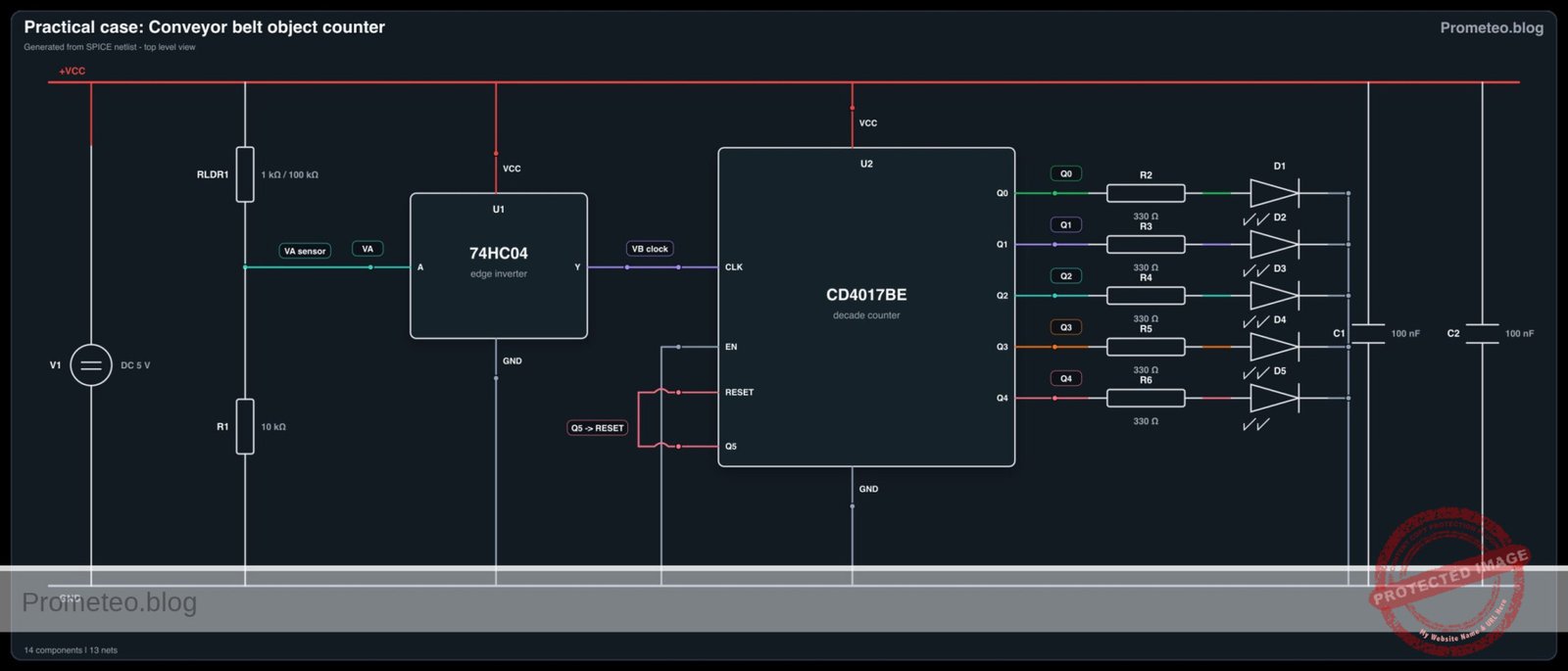
Electrical Schematic

Electrical diagram

Electrical diagram for case: Conveyor belt object counter
Generated from the validated SPICE netlist for this case.

🔒 This electrical diagram is premium. With the 7-day pass or the monthly membership you can unlock the complete didactic material and the print-ready PDF pack.🔓 See premium access plans

Measurements and tests

  1. Sensor Calibration: Measure node VA with a multimeter. Ensure it rests at >4.0 V when the light source shines on the LDR, and drops to <1.0 V when an object blocks the beam. Adjust R1 if your LDR has different resistance characteristics.
  2. Clock Edge Verification: Connect an oscilloscope to node VB. Pass an object through the beam and confirm a sharp, clean transition from 0 V to 5 V.
  3. Sequential Counting Check: Monitor nodes V_Q0 through V_Q4. Verify that each output successively jumps to ~5 V upon each clock pulse, lighting up D1 through D5 one by one.
  4. Auto-Reset Validation: Using an oscilloscope, monitor VC (Reset). When the 6th object passes, capture the brief microsecond high pulse on VC that clears the counter back to D1.

SPICE netlist and simulation

Reference SPICE Netlist (ngspice) — excerptFull SPICE netlist (ngspice)

* Conveyor belt object counter
.width out=256

* --- Digital Subcircuits ---

* Analog Behavioral D-Flip-Flop with Asynchronous Reset
.subckt DFF D CLK RST Q
B_M M_int 0 V = V(RST)>2.5 ? 0 : (V(CLK)>2.5 ? (V(M_state)>2.5 ? 5 : 0) : (V(D)>2.5 ? 5 : 0))
R_M M_int M_state 100
C_M M_state 0 1n

B_S S_int 0 V = V(RST)>2.5 ? 0 : (V(CLK)>2.5 ? (V(M_state)>2.5 ? 5 : 0) : (V(S_state)>2.5 ? 5 : 0))
R_S S_int S_state 100
C_S S_state 0 1n

B_Q Q_int 0 V = V(S_state)>2.5 ? 5 : 0
R_Q Q_int Q 100
C_Q Q 0 1n
.ends

* ... (truncated in public view) ...

Copy this content into a .cir file and run with ngspice.

🔒 Part of this section is premium. With the 7-day pass or the monthly membership you can access the full content (materials, wiring, detailed build, validation, troubleshooting, variants and checklist) and download the complete print-ready PDF pack.

* Conveyor belt object counter
.width out=256

* --- Digital Subcircuits ---

* Analog Behavioral D-Flip-Flop with Asynchronous Reset
.subckt DFF D CLK RST Q
B_M M_int 0 V = V(RST)>2.5 ? 0 : (V(CLK)>2.5 ? (V(M_state)>2.5 ? 5 : 0) : (V(D)>2.5 ? 5 : 0))
R_M M_int M_state 100
C_M M_state 0 1n

B_S S_int 0 V = V(RST)>2.5 ? 0 : (V(CLK)>2.5 ? (V(M_state)>2.5 ? 5 : 0) : (V(S_state)>2.5 ? 5 : 0))
R_S S_int S_state 100
C_S S_state 0 1n

B_Q Q_int 0 V = V(S_state)>2.5 ? 5 : 0
R_Q Q_int Q 100
C_Q Q 0 1n
.ends

* CD4017BE Decade Counter (5-stage Johnson Counter with decoded outputs)
* Pins: 1:Q5(VC), 2:Q1, 3:Q0, 4:Q2, 7:Q3, 8:GND, 10:Q4, 13:EN, 14:CLK, 15:RST, 16:VCC
.subckt CD4017 1 2 3 4 7 8 10 13 14 15 16
B_CLK_INT CLK_INT 0 V = (V(14)>2.5) * (V(13)<2.5) * 5
R_CLK CLK_INT CLK_F 100
C_CLK CLK_F 0 1n

XF1 D1 CLK_F 15 F1 DFF
XF2 F1 CLK_F 15 F2 DFF
XF3 F2 CLK_F 15 F3 DFF
XF4 F3 CLK_F 15 F4 DFF
XF5 F4 CLK_F 15 F5 DFF

B_D1_int D1_int 0 V = V(F5)>2.5 ? 0 : 5
R_D1 D1_int D1 100
C_D1 D1 0 1n

B_Q0_int Q0_int 0 V = (V(F1)<2.5) * (V(F5)<2.5) * 5
R_Q0 Q0_int 3 100
C_Q0 3 0 1n

B_Q1_int Q1_int 0 V = (V(F1)>2.5) * (V(F2)<2.5) * 5
R_Q1 Q1_int 2 100
C_Q1 2 0 1n

B_Q2_int Q2_int 0 V = (V(F2)>2.5) * (V(F3)<2.5) * 5
R_Q2 Q2_int 4 100
C_Q2 4 0 1n

B_Q3_int Q3_int 0 V = (V(F3)>2.5) * (V(F4)<2.5) * 5
R_Q3 Q3_int 7 100
C_Q3 7 0 1n

B_Q4_int Q4_int 0 V = (V(F4)>2.5) * (V(F5)<2.5) * 5
R_Q4 Q4_int 10 100
C_Q4 10 0 1n

* Q5 output is used for the modulo-5 reset via VC, so it uses a slightly larger delay 
* to guarantee the reset pulse is wide enough to clear all DFFs.
B_Q5_int Q5_int 0 V = (V(F5)>2.5) * (V(F1)>2.5) * 5
R_Q5 Q5_int 1 100
C_Q5 1 0 10n

* Dummy loads to prevent warnings on power pins
R_GND 8 0 1
R_VCC 16 0 1Meg
.ends

* 74HC04 Hex Inverter (single gate modeled for pins 1, 2)
* Pins: 1:A, 2:Y, 7:GND, 14:VCC
.subckt 74HC04 1 2 7 14
B_Y_int Y_int 0 V = V(1)>2.5 ? 0 : 5
R_Y Y_int 2 100
C_Y 2 0 1n
R_GND 7 0 1
R_VCC 14 0 1Meg
.ends

* --- Main Circuit ---

* Power Supply
V1 VCC 0 DC 5

* Optical Sensing (LDR and pull-down divider)
* Conveyor beam is normally ON (light=1), LDR is 1k. 
* When object passes, light is blocked (light=0), LDR becomes 100k.
V_LIGHT N_LIGHT 0 PULSE(1 0 0.1 0.05 0.05 0.2 0.5)
R_LIGHT N_LIGHT 0 1Meg 
RLDR1 VCC VA R='V(N_LIGHT) > 0.5 ? 1k : 100k'
R1 VA 0 10k

* Edge sharpener and logic inverter
XU1 VA VB 0 VCC 74HC04

* Decade Counter
XU2 VC V_Q1 V_Q0 V_Q2 V_Q3 0 V_Q4 0 VB VC VCC CD4017

* LED Output Indicators
.model RED_LED D(IS=1e-18 N=1.8 RS=10)

R2 V_Q0 V_D1 330
D1 V_D1 0 RED_LED

R3 V_Q1 V_D2 330
D2 V_D2 0 RED_LED

R4 V_Q2 V_D3 330
D3 V_D3 0 RED_LED

R5 V_Q3 V_D4 330
D4 V_D4 0 RED_LED

R6 V_Q4 V_D5 330
D5 V_D5 0 RED_LED

* Decoupling Capacitors
C1 VCC 0 100n
C2 VCC 0 100n

* Dummy IN/OUT assignments for strict output requirements
R_IN VA IN 1
R_IN_GND IN 0 100Meg
R_OUT V_Q4 OUT 1
R_OUT_GND OUT 0 100Meg

* --- Simulation Commands ---
.op
.tran 1m 3.0
.print tran V(IN) V(OUT) V(VA) V(V_Q0) V(V_Q1) V(V_Q2) V(V_Q3) V(V_Q4)

Simulation Results (Transient Analysis)

Simulation Results (Transient Analysis)
Analysis: The simulation shows the input signal (VA) toggling between ~4.5V and ~0.45V, representing the LDR state changes. The outputs V_Q0 to V_Q4 sequentially pulse high to ~4.25V, confirming the decade counter is advancing correctly with each input pulse.
Show raw data table (3128 rows)
Index   time            v(in)           v(out)          v(va)           v(v_q0)         v(v_q1)         v(v_q2)         v(v_q3)         v(v_q4)
0	0.000000e+00	4.545413e+00	7.813983e-36	4.545413e+00	7.814080e-36	4.250409e+00	7.814080e-36	7.814080e-36	7.813983e-36
1	1.000000e-05	4.545413e+00	7.736609e-38	4.545413e+00	7.736713e-38	4.250409e+00	7.736713e-38	7.736713e-38	7.736609e-38
2	2.000000e-05	4.545413e+00	7.660001e-40	4.545413e+00	7.660112e-40	4.250409e+00	7.660112e-40	7.660112e-40	7.660001e-40
3	4.000000e-05	4.545413e+00	-7.50832e-40	4.545413e+00	-7.50843e-40	4.250409e+00	-7.50843e-40	-7.50843e-40	-7.50832e-40
4	8.000000e-05	4.545413e+00	7.433609e-40	4.545413e+00	7.433716e-40	4.250409e+00	7.433716e-40	7.433716e-40	7.433609e-40
5	1.600000e-04	4.545413e+00	-7.39653e-40	4.545413e+00	-7.39664e-40	4.250409e+00	-7.39664e-40	-7.39664e-40	-7.39653e-40
6	3.200000e-04	4.545413e+00	7.378065e-40	4.545413e+00	7.378171e-40	4.250409e+00	7.378171e-40	7.378171e-40	7.378065e-40
7	6.400000e-04	4.545413e+00	-7.36885e-40	4.545413e+00	-7.36895e-40	4.250409e+00	-7.36895e-40	-7.36895e-40	-7.36885e-40
8	1.280000e-03	4.545413e+00	7.364244e-40	4.545413e+00	7.364350e-40	4.250409e+00	7.364350e-40	7.364350e-40	7.364244e-40
9	2.280000e-03	4.545413e+00	-7.36130e-40	4.545413e+00	-7.36141e-40	4.250409e+00	-7.36141e-40	-7.36141e-40	-7.36130e-40
10	3.280000e-03	4.545413e+00	7.358355e-40	4.545413e+00	7.358461e-40	4.250409e+00	7.358461e-40	7.358461e-40	7.358355e-40
11	4.280000e-03	4.545413e+00	-7.35541e-40	4.545413e+00	-7.35552e-40	4.250409e+00	-7.35552e-40	-7.35552e-40	-7.35541e-40
12	5.280000e-03	4.545413e+00	7.352471e-40	4.545413e+00	7.352577e-40	4.250409e+00	7.352577e-40	7.352577e-40	7.352471e-40
13	6.280000e-03	4.545413e+00	-7.34953e-40	4.545413e+00	-7.34964e-40	4.250409e+00	-7.34964e-40	-7.34964e-40	-7.34953e-40
14	7.280000e-03	4.545413e+00	7.346591e-40	4.545413e+00	7.346697e-40	4.250409e+00	7.346697e-40	7.346697e-40	7.346591e-40
15	8.280000e-03	4.545413e+00	-7.34365e-40	4.545413e+00	-7.34376e-40	4.250409e+00	-7.34376e-40	-7.34376e-40	-7.34365e-40
16	9.280000e-03	4.545413e+00	7.340716e-40	4.545413e+00	7.340822e-40	4.250409e+00	7.340822e-40	7.340822e-40	7.340716e-40
17	1.028000e-02	4.545413e+00	-7.33778e-40	4.545413e+00	-7.33789e-40	4.250409e+00	-7.33789e-40	-7.33789e-40	-7.33778e-40
18	1.128000e-02	4.545413e+00	7.334846e-40	4.545413e+00	7.334952e-40	4.250409e+00	7.334952e-40	7.334952e-40	7.334846e-40
19	1.228000e-02	4.545413e+00	-7.33191e-40	4.545413e+00	-7.33202e-40	4.250409e+00	-7.33202e-40	-7.33202e-40	-7.33191e-40
20	1.328000e-02	4.545413e+00	7.328981e-40	4.545413e+00	7.329086e-40	4.250409e+00	7.329086e-40	7.329086e-40	7.328981e-40
21	1.428000e-02	4.545413e+00	-7.32605e-40	4.545413e+00	-7.32616e-40	4.250409e+00	-7.32616e-40	-7.32616e-40	-7.32605e-40
22	1.528000e-02	4.545413e+00	7.323120e-40	4.545413e+00	7.323225e-40	4.250409e+00	7.323225e-40	7.323225e-40	7.323120e-40
23	1.628000e-02	4.545413e+00	-7.32019e-40	4.545413e+00	-7.32030e-40	4.250409e+00	-7.32030e-40	-7.32030e-40	-7.32019e-40
... (3104 more rows) ...

Common mistakes and how to avoid them

  1. Leaving Clock Enable floating: Pin 13 (CKE) on the CD4017BE is active low. If left unconnected, ambient electrical noise will disable the clock input irregularly. Always tie it directly to Ground (0).
  2. Missing LED current limiters: Connecting LEDs directly to the CD4017BE outputs will draw too much current, potentially burning out the decoded output stages of the IC. Always use individual resistors (e.g., 330 Ω) for each LED.
  3. Slow sensor transitions: The 74HC04 inverter buffers the signal, but slowly moving objects on a conveyor belt might still cause the logic threshold to linger, causing multiple rapid clock pulses (contact bounce equivalent). If objects move very slowly, replace the 74HC04 with a Schmitt trigger inverter (like the 74HC14) for severe hysteresis.

Troubleshooting

  • Symptom: The counter skips numbers or counts randomly.
  • Cause: Electrical noise on the LDR line or mechanical vibrations affecting the light source.
  • Fix: Add a small 10 nF capacitor between VA and 0 to filter out high-frequency optical or electrical jitter.
  • Symptom: Circuit stays permanently on LED D1 (Count 0) and never advances.
  • Cause: The Reset pin (15) is stuck HIGH, or Clock Enable (13) is stuck HIGH.
  • Fix: Verify the connection between Q5 and Reset. Ensure Pin 13 is firmly grounded.
  • Symptom: LEDs are extremely dim.
  • Cause: The current limiting resistors are too large, or the power supply cannot deliver enough current.
  • Fix: Check that R2-R6 are exactly 330 Ω, not 330 kΩ. Confirm the VCC supply is maintaining a steady 5 V.

Possible improvements and extensions

  1. Numerical Display: Replace the 10-LED output logic by substituting the CD4017BE with a CD4026BE, allowing you to directly drive a 7-segment numerical display for a true digit read-out.
  2. Monostable Debouncing: Insert a 555 timer configured as a monostable multivibrator between the sensor inverter (VB) and the counter’s clock input. This guarantees a single, fixed-duration clock pulse per object, entirely eliminating false double-counts regardless of object shape or speed.

More Practical Cases on Prometeo.blog

Find this product and/or books on this topic on Amazon

Go to Amazon

As an Amazon Associate, I earn from qualifying purchases. If you buy through this link, you help keep this project running.

Quick Quiz

Question 1: What is the primary function of the LDR in this circuit?


Question 2: Which component is used for signal conditioning and generating a clean clock edge?


Question 3: What happens to the LDR voltage divider when the light beam is blocked?


Question 4: What is the role of the CD4017BE in this project?


Question 5: After how many items does the circuit automatically reset the batch?


Question 6: What happens when the 6th object is detected by the circuit?


Question 7: What type of clock edge does the 74HC04 inverter generate upon each detection?


Question 8: What type of signal does the CD4017BE advance across its outputs (Q0 to Q4) during counting?


Question 9: Which of the following is listed as a real-world use case for this circuit?


Question 10: What does the circuit use to indicate the sequential count?


Carlos Núñez Zorrilla
Electronics & Computer Engineer

Telecommunications Electronics Engineer and Computer Engineer (official degrees in Spain).
Follow me:


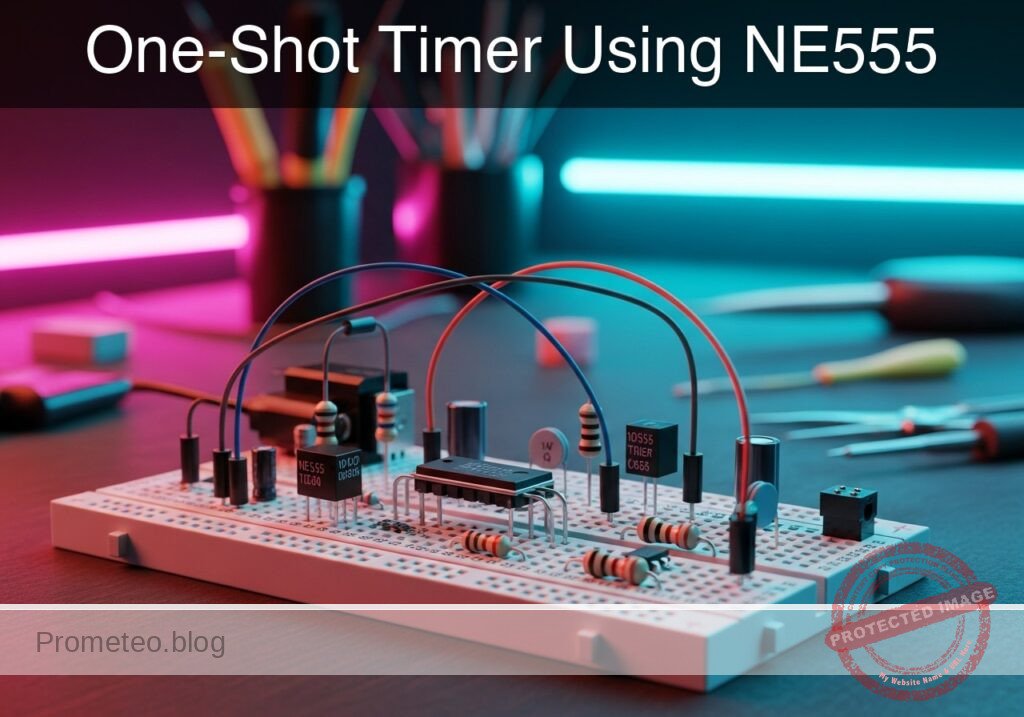
Practical case: One-Shot Timer Using NE555

One-Shot Timer Using NE555 prototype (Maker Style)

Level: Basic – Build a monostable timer circuit using the NE555 IC to control an LED output for a set duration.

Objective and use case

In this practical case, you will build a monostable multivibrator (one-shot timer) using the classic NE555 IC. A mechanical push-button will trigger the circuit to illuminate an LED for a specific, predetermined amount of time based on a resistor-capacitor (RC) network.

This circuit is highly useful in real-world applications:
* Debouncing mechanical switches and push-buttons for digital microcontrollers.
* Creating timed light switches for hallways, staircases, or closets.
* Generating precise delays for industrial and automated dispensing systems.
* Providing a fixed-width pulse for alarm triggers or motor control logic.

Expected outcome:
* The LED remains completely OFF when the circuit is in its idle state.
* Pressing the trigger button causes the output to immediately go HIGH (approx. 5 V), turning on the LED.
* The LED stays illuminated for approximately 1.1 seconds before turning OFF automatically.
* The voltage across the timing capacitor will exponentially charge to 3.33 V (2/3 of VCC) before the output resets to LOW.

Target audience and level: Beginners in electronics learning about timing concepts, RC networks, and the 555 timer.

Materials

  • V1: 5 V DC supply
  • U1: NE555 timer IC, function: monostable controller
  • R1: 10 kΩ resistor, function: pull-up for the trigger pin
  • R2: 10 kΩ resistor, function: timing resistor (RT)
  • R3: 330 Ω resistor, function: LED current limiting
  • C1: 100 µF electrolytic capacitor, function: timing capacitor (CT)
  • C2: 10 nF ceramic capacitor, function: control voltage stabilization
  • S1: Normally Open (NO) push-button, function: trigger input
  • D1: Red LED, function: output indicator

Wiring guide

  • V1 connects between VCC and 0 (GND).
  • U1 Pin 1 (GND) connects to 0.
  • U1 Pin 8 (VCC) connects to VCC.
  • R1 connects between VCC and TRIG.
  • S1 connects between TRIG and 0.
  • U1 Pin 2 (Trigger) connects to TRIG.
  • R2 connects between VCC and DISCH_THRES.
  • C1 connects between DISCH_THRES (positive lead) and 0 (negative lead).
  • U1 Pin 6 (Threshold) connects to DISCH_THRES.
  • U1 Pin 7 (Discharge) connects to DISCH_THRES.
  • U1 Pin 4 (Reset) connects to VCC.
  • C2 connects between CTRL and 0.
  • U1 Pin 5 (Control Voltage) connects to CTRL.
  • R3 connects between OUT and NODE_LED.
  • D1 connects between NODE_LED (anode) and 0 (cathode).
  • U1 Pin 3 (Output) connects to OUT.

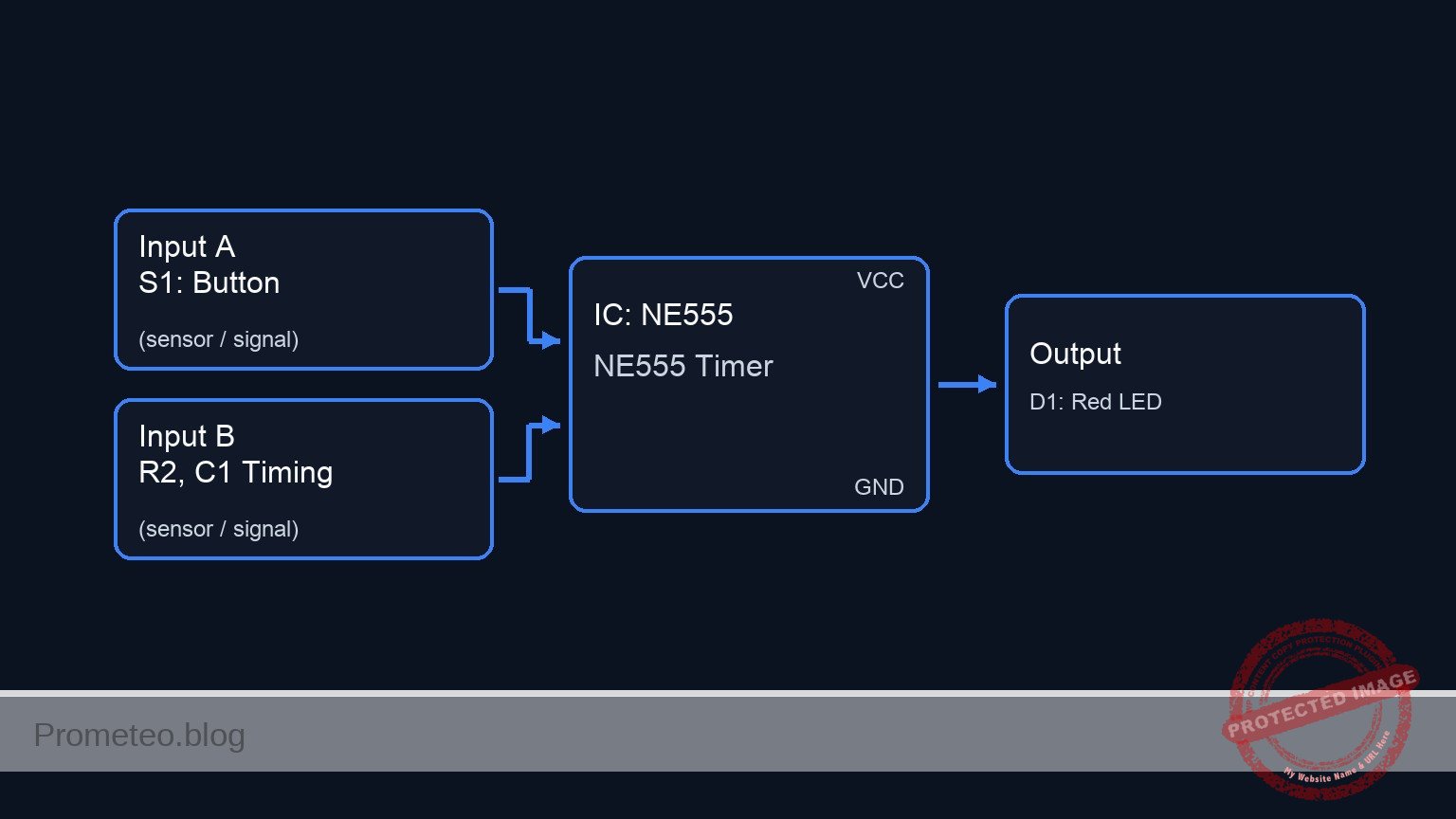
Conceptual block diagram

Conceptual block diagram — NE555 NE555 Timer
Quick read: inputs → main block → output (actuator or measurement). This summarizes the ASCII schematic below.

Schematic

[ U1: NE555 Timer ]
VCC -----------------------------------------> [ Pin 8: VCC      ]
                                               [                 ]
VCC --> [ R1: 10 kΩ ] --(TRIG)----------------> [ Pin 2: Trigger  ]
                          |                    [                 ]
                     [ S1: Button ]            [                 ]
                          |                    [                 ]
                         GND                   [                 ]
                                               [                 ]
VCC --> [ R2: 10 kΩ ] --(DISCH_THRES)---------> [ Pin 6: Thres    ] --(Pin 3: OUT)--> [ R3: 330 Ω ] --> [ D1: Red LED ] --> GND
                          |                    [ Pin 7: Disch    ]
                     [ C1: 100µF ]             [                 ]
                          |                    [                 ]
                         GND                   [                 ]
                                               [                 ]
VCC -----------------------------------------> [ Pin 4: Reset    ]
                                               [                 ]
                                               [ Pin 5: Control  ] --(CTRL)--> [ C2: 10nF ] --> GND
                                               [                 ]
GND -----------------------------------------> [ Pin 1: GND      ]
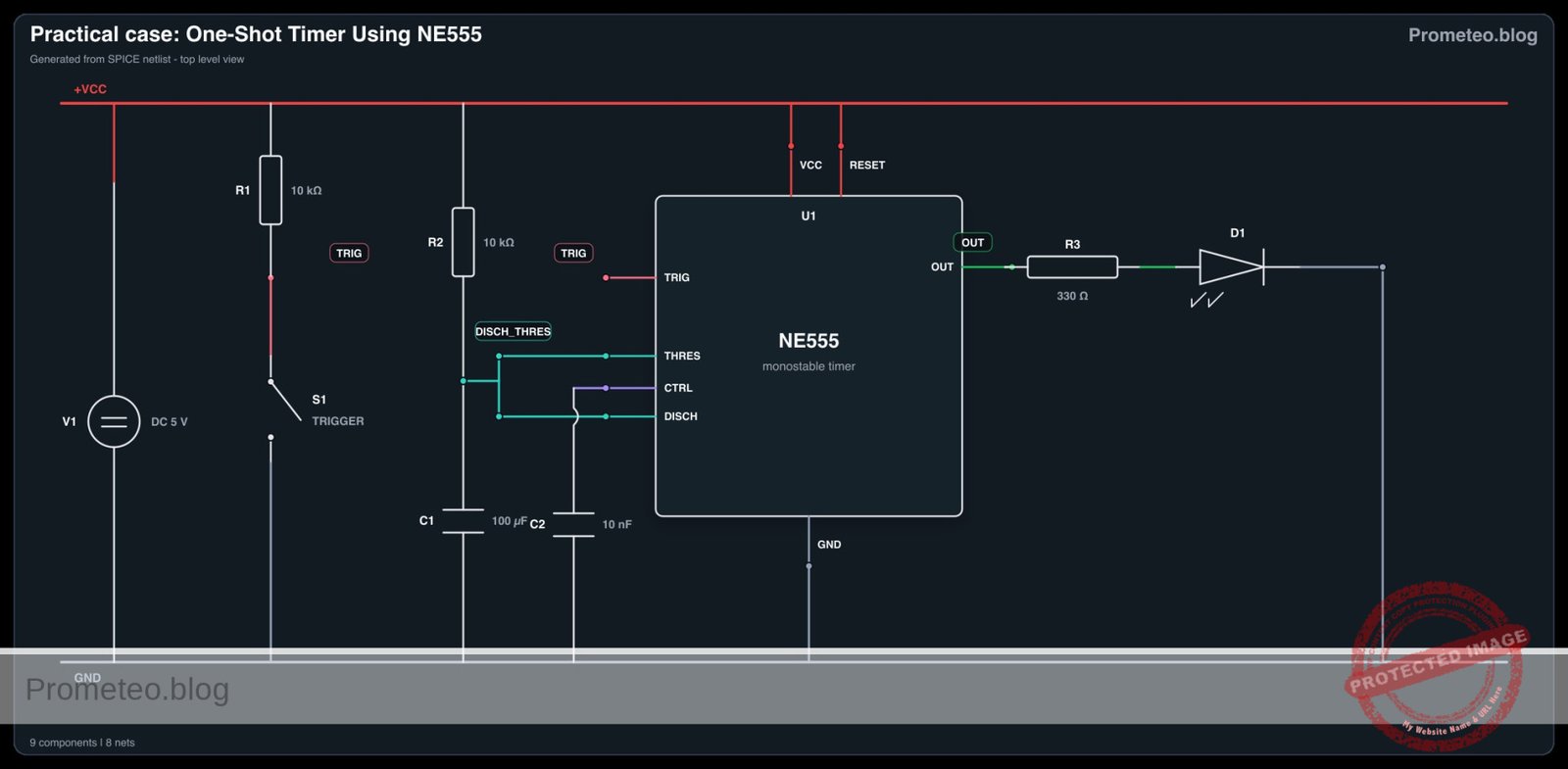
Electrical Schematic

Electrical diagram

Electrical diagram for case: Practical case: One-Shot Timer Using NE555
Generated from the validated SPICE netlist for this case.

🔒 This electrical diagram is premium. With the 7-day pass or the monthly membership you can unlock the complete didactic material and the print-ready PDF pack.🔓 See premium access plans

Measurements and tests

  1. Standby Validation: Before pressing the button, use a multimeter to measure the voltage at node TRIG. It should read 5 V due to the pull-up resistor. The voltage at node OUT should be 0 V.
  2. Trigger Observation: Press S1 and measure TRIG momentarily dropping to 0 V.
  3. Output Behavior: Connect your multimeter or oscilloscope to node OUT. Press the button and verify the voltage jumps to ~5 V, stays high, and returns to 0 V automatically.
  4. Capacitor Charging Curve: Connect a probe to node DISCH_THRES. Observe the voltage charging from 0 V up to ~3.33 V (which is 2/3 of VCC) immediately after the trigger is pressed. Once it hits this threshold, the voltage should sharply drop back to 0 V.
  5. Timing Verification: Use a stopwatch or oscilloscope to measure the ON duration. Verify that it matches the theoretical formula: T = 1.1 × R2 × C1 (1.1 × 10,000 Ω × 0.0001 F ≈ 1.1 seconds).

SPICE netlist and simulation

Reference SPICE Netlist (ngspice) — excerptFull SPICE netlist (ngspice)

* One-Shot Timer Using NE555
.width out=256

* Power Supply
V1 VCC 0 DC 5

* Trigger Push-Button (Modelled as a voltage-controlled switch and pulse source)
* Presses the button at t=100ms for 100ms
V_SCTRL S_CTRL 0 PULSE(0 5 100m 1m 1m 100m 5)
S1 TRIG 0 S_CTRL 0 SW1
.model SW1 SW(Vt=2.5 Ron=1 Roff=100Meg)

* Pull-up for Trigger
R1 VCC TRIG 10k

* Timing Components (10k and 100uF -> ~1.1s pulse)
R2 VCC DISCH_THRES 10k
C1 DISCH_THRES 0 100u

* Control Voltage Stabilization
* ... (truncated in public view) ...

Copy this content into a .cir file and run with ngspice.

🔒 Part of this section is premium. With the 7-day pass or the monthly membership you can access the full content (materials, wiring, detailed build, validation, troubleshooting, variants and checklist) and download the complete print-ready PDF pack.

* One-Shot Timer Using NE555
.width out=256

* Power Supply
V1 VCC 0 DC 5

* Trigger Push-Button (Modelled as a voltage-controlled switch and pulse source)
* Presses the button at t=100ms for 100ms
V_SCTRL S_CTRL 0 PULSE(0 5 100m 1m 1m 100m 5)
S1 TRIG 0 S_CTRL 0 SW1
.model SW1 SW(Vt=2.5 Ron=1 Roff=100Meg)

* Pull-up for Trigger
R1 VCC TRIG 10k

* Timing Components (10k and 100uF -> ~1.1s pulse)
R2 VCC DISCH_THRES 10k
C1 DISCH_THRES 0 100u

* Control Voltage Stabilization
C2 CTRL 0 10n

* Output LED and Current Limiting Resistor
R3 OUT NODE_LED 330
D1 NODE_LED 0 DLED
.model DLED D(IS=1e-15 N=2.0 RS=10)

* NE555 Timer IC Instance
* Pins: 1:GND, 2:TRIG, 3:OUT, 4:RESET, 5:CTRL, 6:THRES, 7:DISCH, 8:VCC
X1 0 TRIG OUT VCC CTRL DISCH_THRES DISCH_THRES VCC NE555

* Dummy IN node to satisfy print requirements
V_IN IN TRIG 0
R_IN IN 0 1G

* Functional NE555 subcircuit (Behavioral)
.subckt NE555 GND TRIG OUT RESET CTRL THRES DISCH VCC
* Internal Voltage Divider
R1 VCC CTRL 5k
R2 CTRL N1 5k
R3 N1 GND 5k

* SR Latch Logic (Reset > Trigger > Threshold)
B1 LATCH_IN GND V= V(RESET, GND)<1.0 ? 0 : ( V(TRIG, GND)V(CTRL, GND) ? 0 : V(Q_delay, GND) ) )

* Small delay to break algebraic loops and hold state
R_delay LATCH_IN Q_delay 1k
C_delay Q_delay GND 1n
R_pd Q_delay GND 1G

* Output Stage
B2 OUT_INT GND V= V(Q_delay, GND)>0.5 ? V(VCC, GND) : 0.1
R_OUT OUT_INT OUT 10

* Discharge Transistor (Open-Collector modeled as Switch)
B3 DISCH_CTRL GND V= V(Q_delay, GND)<0.5 ? 1 : 0
R_DC DISCH_CTRL GND 1G
S1 DISCH GND DISCH_CTRL GND S_DISCH
.model S_DISCH SW(Vt=0.5 Ron=10 Roff=100Meg)
.ends

.op
.tran 1m 2s
.print tran V(IN) V(OUT) V(TRIG) V(DISCH_THRES) V(CTRL) V(NODE_LED) V(S_CTRL) V(VCC)
.end

Simulation Results (Transient Analysis)

Simulation Results (Transient Analysis)
Analysis: The simulation shows the trigger signal dropping low at t=100ms, which causes the output to go high (~4.9V) and the LED node voltage to rise (~1.65V). The discharge threshold voltage then charges up to ~2.74V (which is slightly below 2/3 VCC, but the output drops back low at ~895ms). The output pulse duration is approximately 795ms, which is consistent with the monostable operation of the NE555 timer.
Show raw data table (2054 rows)
Index   time            v(in)           v(out)          v(trig)         v(disch_thres)  v(ctrl)         v(node_led)     v(s_ctrl)       v(vcc)
0	0.000000e+00	4.999450e+00	1.000000e-01	4.999450e+00	4.995005e-03	3.333333e+00	1.000000e-01	0.000000e+00	5.000000e+00
1	1.000000e-05	4.999450e+00	1.000000e-01	4.999450e+00	4.995005e-03	3.333333e+00	1.000000e-01	0.000000e+00	5.000000e+00
2	2.000000e-05	4.999450e+00	1.000000e-01	4.999450e+00	4.995005e-03	3.333333e+00	1.000000e-01	0.000000e+00	5.000000e+00
3	4.000000e-05	4.999450e+00	1.000000e-01	4.999450e+00	4.995005e-03	3.333333e+00	1.000000e-01	0.000000e+00	5.000000e+00
4	8.000000e-05	4.999450e+00	1.000000e-01	4.999450e+00	4.995005e-03	3.333333e+00	1.000000e-01	0.000000e+00	5.000000e+00
5	1.600000e-04	4.999450e+00	1.000000e-01	4.999450e+00	4.995005e-03	3.333333e+00	1.000000e-01	0.000000e+00	5.000000e+00
6	3.200000e-04	4.999450e+00	1.000000e-01	4.999450e+00	4.995005e-03	3.333333e+00	1.000000e-01	0.000000e+00	5.000000e+00
7	6.400000e-04	4.999450e+00	1.000000e-01	4.999450e+00	4.995005e-03	3.333333e+00	1.000000e-01	0.000000e+00	5.000000e+00
8	1.280000e-03	4.999450e+00	1.000000e-01	4.999450e+00	4.995005e-03	3.333333e+00	1.000000e-01	0.000000e+00	5.000000e+00
9	2.280000e-03	4.999450e+00	1.000000e-01	4.999450e+00	4.995005e-03	3.333333e+00	1.000000e-01	0.000000e+00	5.000000e+00
10	3.280000e-03	4.999450e+00	1.000000e-01	4.999450e+00	4.995005e-03	3.333333e+00	1.000000e-01	0.000000e+00	5.000000e+00
11	4.280000e-03	4.999450e+00	1.000000e-01	4.999450e+00	4.995005e-03	3.333333e+00	1.000000e-01	0.000000e+00	5.000000e+00
12	5.280000e-03	4.999450e+00	1.000000e-01	4.999450e+00	4.995005e-03	3.333333e+00	1.000000e-01	0.000000e+00	5.000000e+00
13	6.280000e-03	4.999450e+00	1.000000e-01	4.999450e+00	4.995005e-03	3.333333e+00	1.000000e-01	0.000000e+00	5.000000e+00
14	7.280000e-03	4.999450e+00	1.000000e-01	4.999450e+00	4.995005e-03	3.333333e+00	1.000000e-01	0.000000e+00	5.000000e+00
15	8.280000e-03	4.999450e+00	1.000000e-01	4.999450e+00	4.995005e-03	3.333333e+00	1.000000e-01	0.000000e+00	5.000000e+00
16	9.280000e-03	4.999450e+00	1.000000e-01	4.999450e+00	4.995005e-03	3.333333e+00	1.000000e-01	0.000000e+00	5.000000e+00
17	1.028000e-02	4.999450e+00	1.000000e-01	4.999450e+00	4.995005e-03	3.333333e+00	1.000000e-01	0.000000e+00	5.000000e+00
18	1.128000e-02	4.999450e+00	1.000000e-01	4.999450e+00	4.995005e-03	3.333333e+00	1.000000e-01	0.000000e+00	5.000000e+00
19	1.228000e-02	4.999450e+00	1.000000e-01	4.999450e+00	4.995005e-03	3.333333e+00	1.000000e-01	0.000000e+00	5.000000e+00
20	1.328000e-02	4.999450e+00	1.000000e-01	4.999450e+00	4.995005e-03	3.333333e+00	1.000000e-01	0.000000e+00	5.000000e+00
21	1.428000e-02	4.999450e+00	1.000000e-01	4.999450e+00	4.995005e-03	3.333333e+00	1.000000e-01	0.000000e+00	5.000000e+00
22	1.528000e-02	4.999450e+00	1.000000e-01	4.999450e+00	4.995005e-03	3.333333e+00	1.000000e-01	0.000000e+00	5.000000e+00
23	1.628000e-02	4.999450e+00	1.000000e-01	4.999450e+00	4.995005e-03	3.333333e+00	1.000000e-01	0.000000e+00	5.000000e+00
... (2030 more rows) ...

Common mistakes and how to avoid them

  • Leaving the Reset pin (Pin 4) floating: A floating reset pin can act as an antenna, picking up noise and causing erratic resetting of the timer. Always tie Pin 4 to VCC when not actively using the reset functionality.
  • Reversing the electrolytic capacitor polarity: Placing C1 backward will prevent it from charging correctly, alter the timing, and potentially damage the capacitor. Always ensure the negative stripe is connected to 0 (GND).
  • Omitting the pull-up resistor on the trigger: If R1 is left out, Pin 2 will float, causing the 555 timer to trigger randomly from ambient electrical noise. Ensure R1 is in place to hold the pin solidly at HIGH when idle.

Troubleshooting

  • Symptom: The LED stays ON indefinitely.
    • Cause: The trigger pin (TRIG) is held LOW continuously, either because the push-button is stuck or wired incorrectly, or the trigger pulse is longer than the set RC timing.
    • Fix: Disconnect the button temporarily to check if the LED turns off. Ensure S1 is wired properly and only briefly pulls TRIG to ground.
  • Symptom: The LED never turns on when the button is pressed.
    • Cause: Pin 4 (Reset) is incorrectly connected to ground, the LED is inserted backward, or the NE555 IC lacks power.
    • Fix: Verify that VCC is 5 V, Pin 4 is tied to VCC, and check the orientation of D1 (anode toward R3, cathode to ground).
  • Symptom: Timer duration is much shorter or longer than 1.1 seconds.
    • Cause: Using a faulty, leaky electrolytic capacitor, or substituting incorrect values for R2 or C1.
    • Fix: Check component codes. Remember that electrolytic capacitors often have a wide tolerance (±20%). Measure R2 with a multimeter to confirm it is 10 kΩ.
  • Symptom: The circuit re-triggers continuously by itself.
    • Cause: Missing decoupling capacitor on the control voltage pin, allowing internal noise to cross the comparative thresholds.
    • Fix: Ensure the 10 nF capacitor (C2) is securely connected between Pin 5 and ground to stabilize the internal voltage divider.

Possible improvements and extensions

  • Adjustable Timer: Replace R2 with a 1 kΩ fixed resistor in series with a 100 kΩ potentiometer. This modification allows you to manually sweep the timing duration from roughly 0.1 seconds to 11 seconds.
  • High-Power Load Control: Replace the LED and current-limiting resistor with an NPN transistor or an N-channel MOSFET at node OUT to drive heavier loads, such as a 5 V relay, a DC motor, or a high-brightness lamp.

More Practical Cases on Prometeo.blog

Find this product and/or books on this topic on Amazon

Go to Amazon

As an Amazon Associate, I earn from qualifying purchases. If you buy through this link, you help keep this project running.

Quick Quiz

Question 1: What is the primary function of the NE555 IC in this circuit?


Question 2: What happens to the LED when the circuit is in its idle state?


Question 3: How long does the LED stay illuminated after the trigger button is pressed?


Question 4: What is the voltage across the timing capacitor just before the output resets to LOW?


Question 5: What determines the specific amount of time the LED remains illuminated?


Question 6: What happens to the output immediately after pressing the trigger button?


Question 7: Which of the following is listed as a real-world application for this circuit?


Question 8: Which of the following is another mentioned use case for this circuit?


Question 9: What fraction of VCC does the timing capacitor charge to before the output resets?


Question 10: What type of pulse does this circuit provide for alarm triggers or motor control logic?


Carlos Núñez Zorrilla
Electronics & Computer Engineer

Telecommunications Electronics Engineer and Computer Engineer (official degrees in Spain).
Follow me:


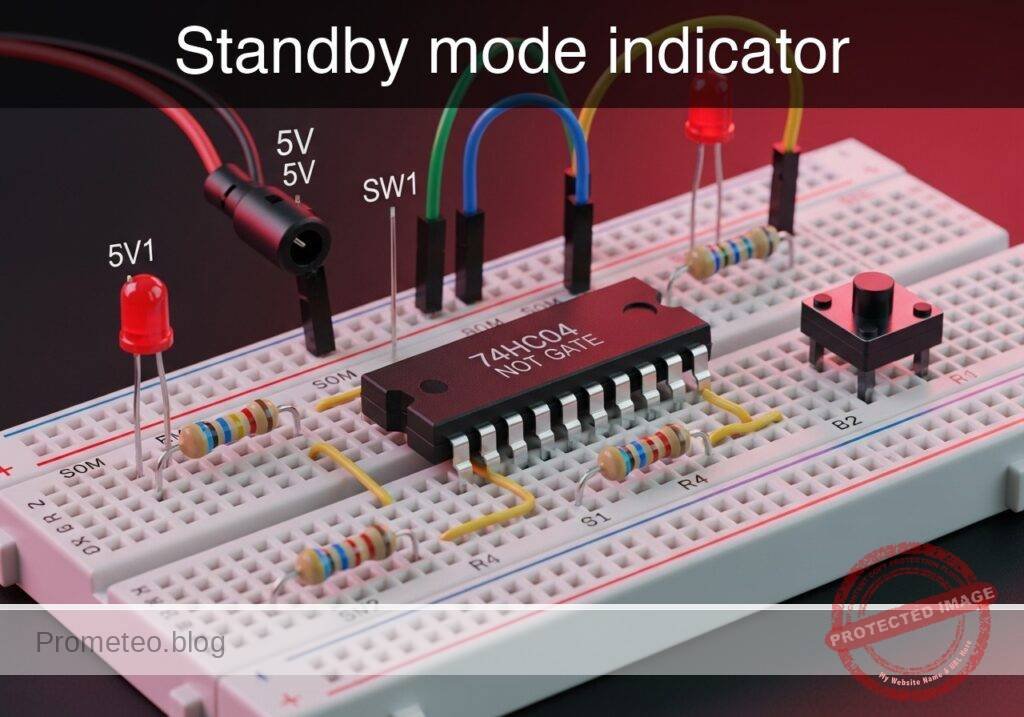
Practical case: Standby mode indicator

Standby mode indicator prototype (Maker Style)

Level: Basic – Understand logical inversion using a NOT gate to activate a standby LED when the main system turns off.

Objective and use case

You will build a digital logic circuit using a 74HC04 NOT gate that monitors a main power switch. When the switch is turned off, the NOT gate logically inverts the signal to activate a «standby» indicator LED.

Why this is useful:
* It perfectly replicates how household appliances (like televisions or microwaves) indicate they are plugged in but currently turned off.
* It provides clear visual feedback in industrial panels when a machine is safe to approach.
* It serves as a foundational example of how to invert control signals for active-low indicators and logic translation.

Expected outcome:
* When the main switch is closed (HIGH logic state, near 5 V), the standby LED remains strictly OFF.
* When the main switch is open (LOW logic state, near 0 V), the standby LED turns ON.
* The circuit accurately demonstrates the inversion of logic states (V_in vs. V_out) through practical voltage measurements.

Target audience and level: Beginners in digital electronics learning basic logic gates.

Materials

  • V1: 5 V DC supply, function: main power source
  • SW1: SPST switch, function: main system power switch simulator
  • R1: 10 kΩ resistor, function: pull-down for VA node
  • U1: 74HC04 hex inverter IC, function: logical NOT gate
  • R2: 330 Ω resistor, function: LED current limiting
  • D1: red LED, function: standby mode indicator

Pin-out of the 74HC04 IC

The 74HC04 is a Hex Inverter IC, meaning it contains six independent NOT gates. We will use the first gate.

Pin Name Logic function Connection in this case
1 1 A Data Input Connects to switch output (VA)
2 1Y Data Output Connects to LED resistor (VOUT)
7 GND Ground Connects to system ground (0)
14 VCC Positive Supply Connects to positive voltage (VCC)

(Note: The other input pins [3, 5, 9, 11, 13] should ideally be tied to ground in a permanent circuit to prevent floating inputs and reduce power consumption, but are omitted here for simplicity).

Wiring guide

  • V1: connects between VCC and 0.
  • SW1: connects between VCC and VA.
  • R1: connects between VA and 0.
  • U1: Pin 14 connects to VCC, Pin 7 connects to 0, Pin 1 (1 A) connects to VA, Pin 2 (1Y) connects to VOUT.
  • R2: connects between VOUT and VLED.
  • D1: anode connects to VLED, cathode connects to 0.

Conceptual block diagram

Conceptual block diagram — 74HC04 NOT gate
Quick read: inputs → main block → output (actuator or measurement). This summarizes the ASCII schematic below.

Schematic

VCC --> [ SW1: SPST Switch ] --(Node VA)--> [ U1: 74HC04 Inverter ] --(VOUT)--> [ R2: 330 Ω Resistor ] --(VLED)--> [ D1: Red LED ] --> GND
                                    |
                                    V
                         [ R1: 10 kΩ Pull-down ]
                                    |
                                    V
                                   GND
Electrical Schematic

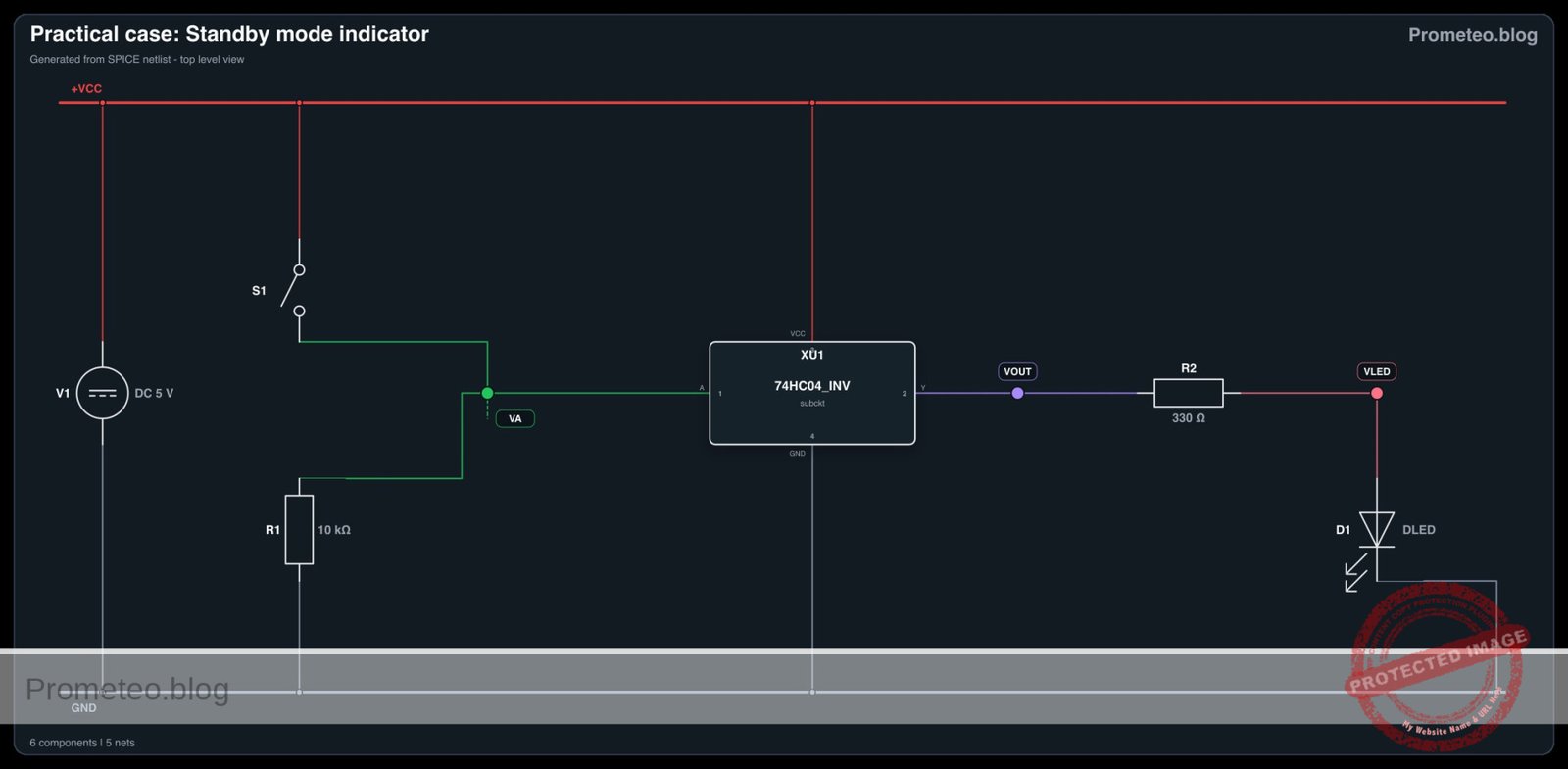
Electrical diagram

Electrical diagram for case: Standby mode indicator
Generated from the validated SPICE netlist for this case.

🔒 This electrical diagram is premium. With the 7-day pass or the monthly membership you can unlock the complete didactic material and the print-ready PDF pack.🔓 See premium access plans

Truth table

Input (VA) Output (VOUT) Standby LED State
0 (LOW) 1 (HIGH) ON
1 (HIGH) 0 (LOW) OFF

Measurements and tests

  1. Test the Input Signal (V_in): Connect your multimeter between node VA and ground (0). Open SW1 and verify the voltage is near 0 V. Close SW1 and verify the voltage is near 5 V.
  2. Test the Inverted Output (V_out): Connect your multimeter between node VOUT and ground (0). Observe the voltage invert: it should be near 5 V when SW1 is open, and near 0 V when SW1 is closed.
  3. Verify the Logic State: Physically observe D1. Ensure it lights up only when the simulated main system (SW1) is powered down.

SPICE netlist and simulation

Reference SPICE Netlist (ngspice) — excerptFull SPICE netlist (ngspice)

* Practical case: Standby mode indicator
.width out=256

* Power Supply
V1 VCC 0 DC 5

* Switch SW1 (Main system power switch simulator)
* Starts closed (system ON, standby OFF), opens at 50us (system OFF, standby ON)
S1 VCC VA SW_CTRL 0 SWMOD
VSW_CTRL SW_CTRL 0 PULSE(5 0 50u 1u 1u 100u 250u)
.model SWMOD SW(VT=2.5 RON=0.1 ROFF=100MEG)

* Pull-down resistor for switch node VA
R1 VA 0 10k

* U1: 74HC04 Hex Inverter IC
* Pin 1 (1A) = VA, Pin 2 (1Y) = VOUT, Pin 14 = VCC, Pin 7 = 0
XU1 VA VOUT VCC 0 74HC04_INV

* Current limiting resistor for LED
* ... (truncated in public view) ...

Copy this content into a .cir file and run with ngspice.

🔒 Part of this section is premium. With the 7-day pass or the monthly membership you can access the full content (materials, wiring, detailed build, validation, troubleshooting, variants and checklist) and download the complete print-ready PDF pack.

* Practical case: Standby mode indicator
.width out=256

* Power Supply
V1 VCC 0 DC 5

* Switch SW1 (Main system power switch simulator)
* Starts closed (system ON, standby OFF), opens at 50us (system OFF, standby ON)
S1 VCC VA SW_CTRL 0 SWMOD
VSW_CTRL SW_CTRL 0 PULSE(5 0 50u 1u 1u 100u 250u)
.model SWMOD SW(VT=2.5 RON=0.1 ROFF=100MEG)

* Pull-down resistor for switch node VA
R1 VA 0 10k

* U1: 74HC04 Hex Inverter IC
* Pin 1 (1A) = VA, Pin 2 (1Y) = VOUT, Pin 14 = VCC, Pin 7 = 0
XU1 VA VOUT VCC 0 74HC04_INV

* Current limiting resistor for LED
R2 VOUT VLED 330

* D1: Red LED (Standby mode indicator)
D1 VLED 0 DLED
.model DLED D(IS=1e-15 N=1.8 RS=10)

* Subcircuit for 74HC04 Inverter Gate
.subckt 74HC04_INV A Y VCC GND
B1 Y_int GND V=V(VCC,GND)*0.5*(1-tanh(10*(V(A,GND)-2.5)))
Rin A GND 100Meg
Rout Y_int Y 50
.ends

* Simulation Directives
.tran 1u 300u
.op

* Output Directives (Input and Output nodes listed first)
.print tran V(VA) V(VOUT) V(VLED) V(VCC)

.end

Simulation Results (Transient Analysis)

Simulation Results (Transient Analysis)
Analysis: The simulation shows that when the switch is closed (VA ≈ 5V), the inverter output VOUT is 0V and the LED is off. When the switch opens at 50us (VA ≈ 0V due to pull-down R1), VOUT goes HIGH (≈ 4.5V) and the LED turns on (VLED ≈ 1.48V). This perfectly matches the intended truth table.
Show raw data table (340 rows)
Index   time            v(va)           v(vout)         v(vled)         v(vcc)
0	0.000000e+00	4.999950e+00	1.082004e-19	8.223227e-19	5.000000e+00
1	1.000000e-08	4.999950e+00	9.063787e-31	6.888478e-30	5.000000e+00
2	2.000000e-08	4.999950e+00	-9.06379e-31	-6.88848e-30	5.000000e+00
3	4.000000e-08	4.999950e+00	-3.79630e-41	-2.88519e-40	5.000000e+00
4	8.000000e-08	4.999950e+00	1.518521e-41	1.154076e-40	5.000000e+00
5	1.600000e-07	4.999950e+00	1.017634e-51	7.734020e-51	5.000000e+00
6	3.200000e-07	4.999950e+00	-2.54409e-52	-1.93351e-51	5.000000e+00
7	6.400000e-07	4.999950e+00	-2.34426e-62	-1.78164e-61	5.000000e+00
8	1.280000e-06	4.999950e+00	4.262287e-63	3.239338e-62	5.000000e+00
9	2.280000e-06	4.999950e+00	3.983291e-73	3.027301e-72	5.000000e+00
10	3.280000e-06	4.999950e+00	-3.57046e-74	-2.71355e-73	5.000000e+00
11	4.280000e-06	4.999950e+00	-3.93493e-84	-2.99055e-83	5.000000e+00
12	5.280000e-06	4.999950e+00	2.990920e-85	2.273099e-84	5.000000e+00
13	6.280000e-06	4.999950e+00	3.797323e-95	2.885965e-94	5.000000e+00
14	7.280000e-06	4.999950e+00	-2.50545e-96	-1.90414e-95	5.000000e+00
15	8.280000e-06	4.999950e+00	-3.60072e-106	-2.73655e-105	5.000000e+00
16	9.280000e-06	4.999950e+00	2.098779e-107	1.595072e-106	5.000000e+00
17	1.028000e-05	4.999950e+00	3.367893e-117	2.559599e-116	5.000000e+00
18	1.128000e-05	4.999950e+00	-1.75812e-118	-1.33617e-117	5.000000e+00
19	1.228000e-05	4.999950e+00	-3.11579e-128	-2.36800e-127	5.000000e+00
20	1.328000e-05	4.999950e+00	1.472749e-129	1.119289e-128	5.000000e+00
21	1.428000e-05	4.999950e+00	2.856788e-139	2.171159e-138	5.000000e+00
22	1.528000e-05	4.999950e+00	-1.23370e-140	-9.37613e-140	5.000000e+00
23	1.628000e-05	4.999950e+00	-2.59978e-150	-1.97583e-149	5.000000e+00
... (316 more rows) ...

Common mistakes and how to avoid them

  • Omitting the pull-down resistor (R1): Without R1, opening SW1 leaves the input pin (VA) floating, which can cause the NOT gate to oscillate unpredictably or pick up stray noise. Always secure the LOW state with a pull-down resistor.
  • Forgetting IC power pins: It is common to wire the input and output of a logic gate but forget to connect VCC (Pin 14) and GND (Pin 7) on the U1 chip itself. The gate will not function without power.
  • Reversing the LED polarity: If D1 is installed backwards (cathode to VLED, anode to 0), it will block current and never light up, even when VOUT correctly outputs 5 V.

Troubleshooting

  • Symptom: The standby LED is always OFF.
  • Cause: The LED might be backwards, R2 might be too high in value, or the IC is missing power.
  • Fix: Check LED orientation (long leg to VLED). Verify U1 pins 14 and 7 are securely connected to VCC and 0.
  • Symptom: The standby LED is always ON, regardless of the switch.
  • Cause: The switch is not properly connected to VCC, or the switch contacts are faulty, leaving the input permanently pulled LOW by R1.
  • Fix: Measure node VA. If it stays at 0 V when the switch is closed, check the wiring from VCC to SW1.
  • Symptom: The standby LED flickers when the switch is open.
  • Cause: Node VA is floating. R1 is likely disconnected or incorrectly placed.
  • Fix: Ensure R1 firmly connects node VA directly to ground (0).

Possible improvements and extensions

  • Add a «Main System ON» indicator: Connect a green LED and a 330 Ω resistor directly to node VA to show when the main system is actively running, creating a dual-state visual indicator.
  • Drive multiple standby indicators: Use another of the unused NOT gates in the 74HC04 (e.g., input on pin 3 connected to VA, output on pin 4) to drive a secondary standby indicator or a low-power piezo buzzer.

More Practical Cases on Prometeo.blog

Find this product and/or books on this topic on Amazon

Go to Amazon

As an Amazon Associate, I earn from qualifying purchases. If you buy through this link, you help keep this project running.

Quick Quiz

Question 1: What is the primary objective of the circuit described in the article?


Question 2: Which specific logic gate component is used in this circuit?


Question 3: What happens to the standby LED when the main switch is closed (HIGH logic state)?


Question 4: What happens to the standby LED when the main switch is open (LOW logic state)?


Question 5: What voltage represents a HIGH logic state in this circuit?


Question 6: What voltage represents a LOW logic state in this circuit?


Question 7: What real-world application does this circuit perfectly replicate?


Question 8: Who is the target audience for this circuit tutorial?


Question 9: What is the primary function of the NOT gate in this circuit?


Question 10: What type of power supply is specified for this circuit?


Carlos Núñez Zorrilla
Electronics & Computer Engineer

Telecommunications Electronics Engineer and Computer Engineer (official degrees in Spain).
Follow me:


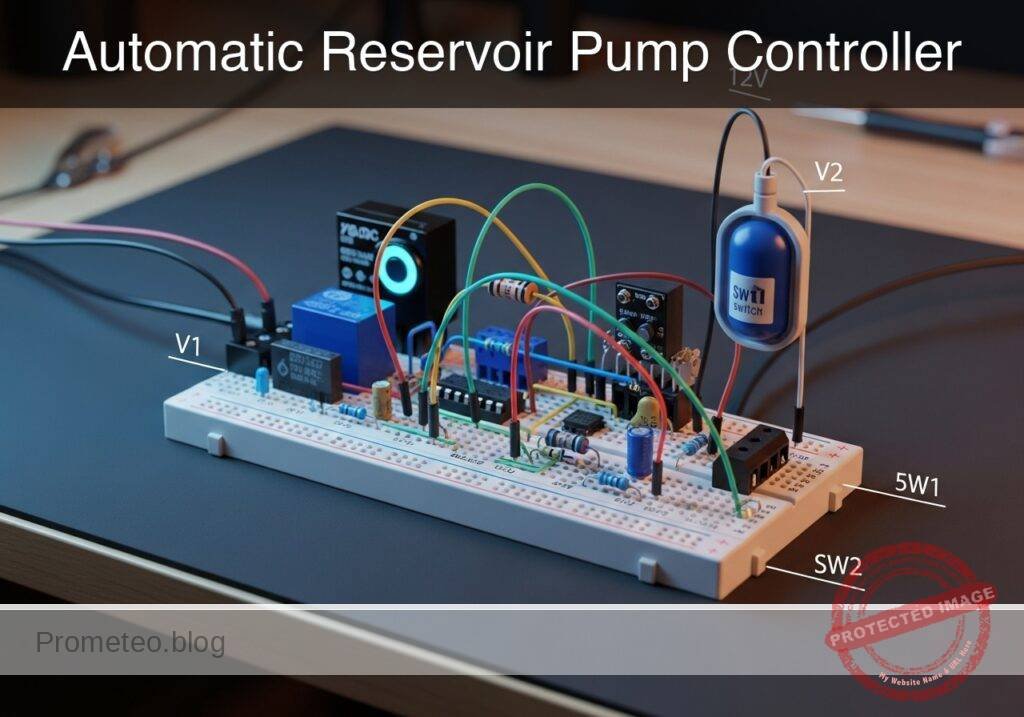
Practical case: Automatic Reservoir Pump Controller

Automatic Reservoir Pump Controller prototype (Maker Style)

Level: Medium | Construct a transistor-driven relay circuit to automatically control a water pump using a float switch.

Objective and use case

In this practical case, you will build an automatic reservoir pump controller. The circuit uses a mechanical float switch to trigger an NPN transistor, which energizes an electromechanical relay to drive a high-current DC pump (simulated here as a resistive load) and a status LED.

Why this is useful:
* Automates water level management in tanks, reservoirs, and sump basins.
* Safely isolates low-voltage control circuits from high-power loads.
* Demonstrates the practical interfacing of simple mechanical sensors with power electronics.
* Prevents overflow or dry-running conditions in industrial and agricultural settings.

Expected outcome:
* Closing the float switch applies a voltage to the transistor base, turning it on (saturation).
* The transistor sinks current for the relay coil, energizing it and closing its normally open (NO) contact.
* The simulated DC pump (load resistor) receives the full supply voltage.
* The status indicator LED illuminates when the pump is active.
* Releasing the switch de-energizes the relay, and the flyback diode safely dissipates the inductive voltage spike from the coil.

Target audience: Intermediate electronics students learning about transistor switching, electromechanical relays, and inductive load protection.

Materials

  • V1: 12 V DC supply, function: main power for relay coil and pump
  • V2: 5 V DC supply, function: control logic power for the float switch
  • SW1: SPST switch, function: simulated float switch or high-level sensor
  • R1: 1 kΩ resistor, function: transistor base current limiting
  • R2: 10 kΩ resistor, function: pull-down for transistor base to ensure turn-off
  • R3: 1 kΩ resistor, function: LED current limiting
  • RLOAD: 50 Ω high-power resistor, function: simulated DC pump load
  • Q1: 2N2222 NPN transistor, function: relay coil driver
  • D1: 1N4007 diode, function: flyback protection for relay coil
  • D2: Green LED, function: pump status indicator
  • K1: 12 V SPDT Relay, function: electromechanical switch for the pump

Wiring guide

  • V1 connects between node VCC12 and node 0.
  • V2 connects between node VCC5 and node 0.
  • SW1 connects between node VCC5 and node SENSE.
  • R1 connects between node SENSE and node VB.
  • R2 connects between node VB and node 0.
  • Q1 base connects to node VB, emitter connects to node 0, and collector connects to node COIL_NEG.
  • K1 coil connects between node VCC12 and node COIL_NEG.
  • K1 COM (Common) contact connects to node VCC12.
  • K1 NO (Normally Open) contact connects to node LOAD_SW.
  • D1 cathode connects to node VCC12 and anode connects to node COIL_NEG (placed anti-parallel to the relay coil).
  • RLOAD connects between node LOAD_SW and node 0.
  • R3 connects between node LOAD_SW and the anode of D2.
  • D2 cathode connects to node 0.

Conceptual block diagram

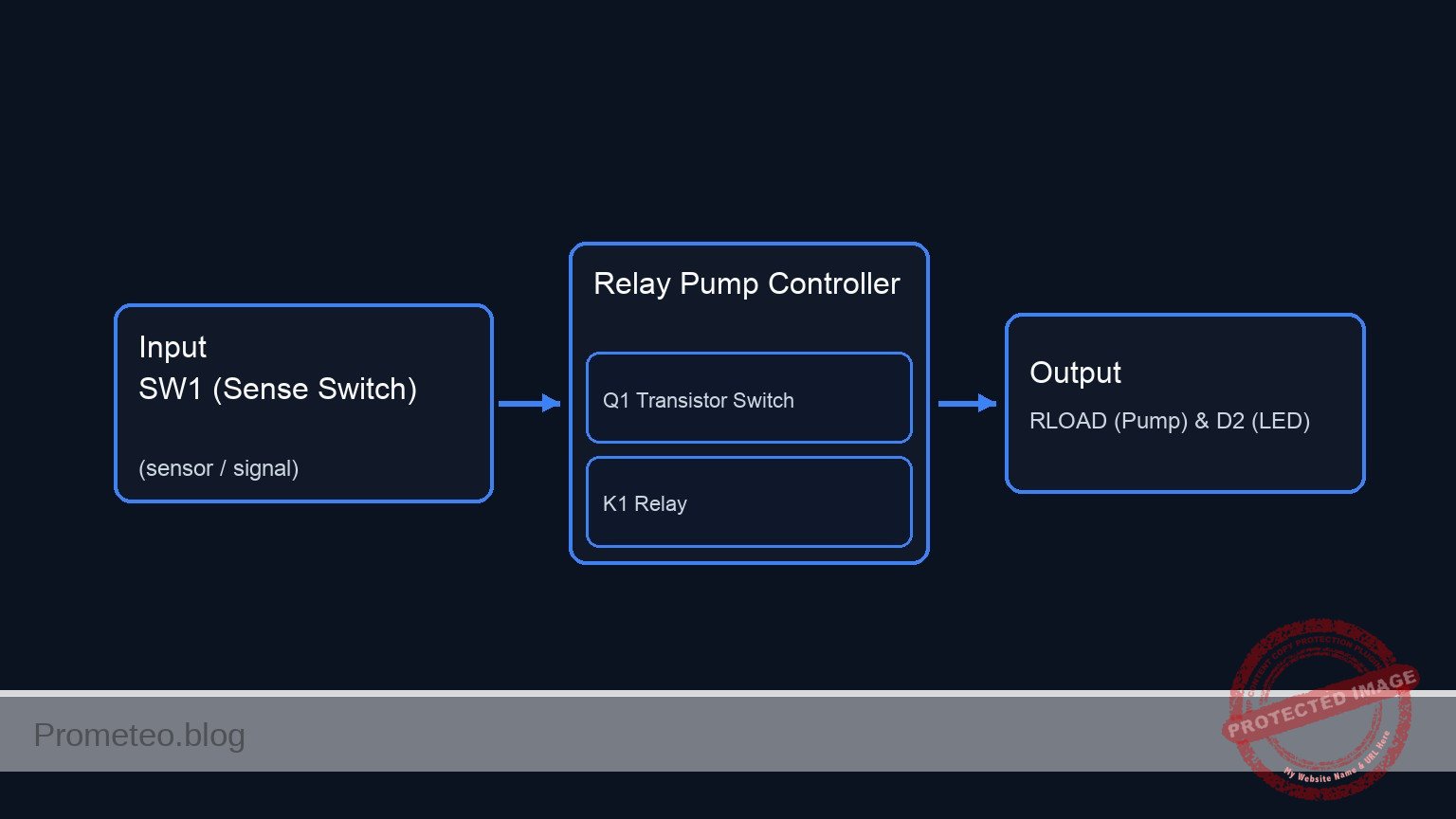
Conceptual block diagram — Relay Pump Controller
Quick read: inputs → main block → output (actuator or measurement). This summarizes the ASCII schematic below.

Schematic

VCC5 --> [ SW1 ] --(SENSE)--> [ R1 ] --(VB)--> [ Q1:B ]
                                              |          |
                                            [ R2 ]       |
                                              |          |
                                             GND         |
                                                         |
      VCC12 --> [ K1 Coil || D1(Rev) ] --(COIL_NEG)--> [ Q1:C ] --( )-- [ Q1:E ] --> GND
                       |
                (Magnetic Link)
                       v
      VCC12 --> [ K1 Switch (COM->NO) ] --(LOAD_SW)--> [ RLOAD (Pump) ] --> GND
                                              |
                                              +------> [ R3 ] --> [ D2 (LED) ] --> GND
Electrical Schematic

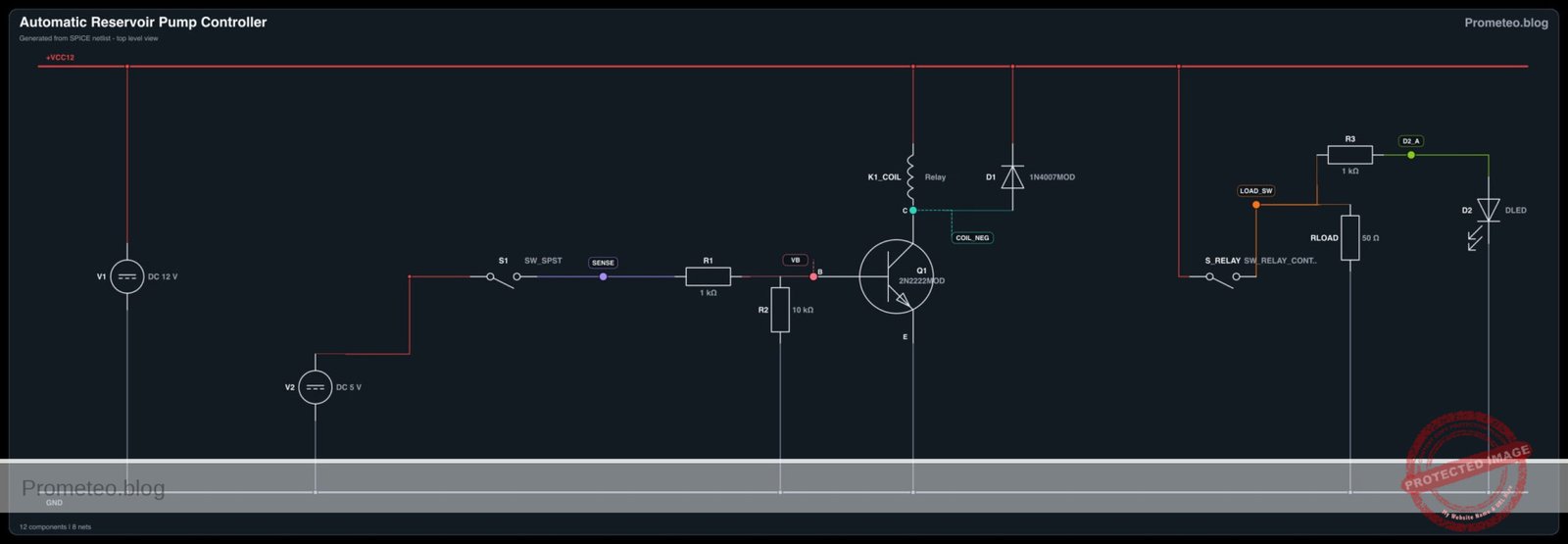
Electrical diagram

Electrical diagram for case: Automatic reservoir pump controller
Generated from the validated SPICE netlist for this case.

🔒 This electrical diagram is premium. With the 7-day pass or the monthly membership you can unlock the complete didactic material and the print-ready PDF pack.🔓 See premium access plans

Measurements and tests

  1. Control Logic Test: With SW1 open, measure the voltage at node SENSE. It should be 0 V. Close SW1 and verify the voltage rises to 5 V.
  2. Base Drive Verification: Measure the voltage at node VB with SW1 closed. It should read approximately 0.7 V, confirming the base-emitter junction of Q1 is forward-biased.
  3. Coil Switching Verification: Probe node COIL_NEG. When SW1 is open, it should measure 12 V. When SW1 is closed, it should drop to near 0 V (Vce_sat of the transistor), confirming the coil is energized.
  4. Load Delivery Test: Measure the voltage at node LOAD_SW. Verify that it reads 0 V when the relay is off, and jumps to 12 V when the relay clicks on. Check that the RLOAD draws current and D2 illuminates.

SPICE netlist and simulation

Reference SPICE Netlist (ngspice) — excerptFull SPICE netlist (ngspice)

* Automatic Reservoir Pump Controller
.width out=256

* Power Supplies
V1 VCC12 0 DC 12
V2 VCC5 0 DC 5

* Simulated Float Switch (SW1)
* Using a voltage-controlled switch and a pulse source to simulate a user/sensor triggering the switch
V_SW_CTRL SW_CTRL 0 PULSE(0 5 50u 1u 1u 200u 500u)
S1 VCC5 SENSE SW_CTRL 0 myswitch

* Base driving circuit
R1 SENSE VB 1k
R2 VB 0 10k

* Relay Driver Transistor
Q1 COIL_NEG VB 0 2N2222MOD

* Relay Coil (K1)
* ... (truncated in public view) ...

Copy this content into a .cir file and run with ngspice.

🔒 Part of this section is premium. With the 7-day pass or the monthly membership you can access the full content (materials, wiring, detailed build, validation, troubleshooting, variants and checklist) and download the complete print-ready PDF pack.

* Automatic Reservoir Pump Controller
.width out=256

* Power Supplies
V1 VCC12 0 DC 12
V2 VCC5 0 DC 5

* Simulated Float Switch (SW1)
* Using a voltage-controlled switch and a pulse source to simulate a user/sensor triggering the switch
V_SW_CTRL SW_CTRL 0 PULSE(0 5 50u 1u 1u 200u 500u)
S1 VCC5 SENSE SW_CTRL 0 myswitch

* Base driving circuit
R1 SENSE VB 1k
R2 VB 0 10k

* Relay Driver Transistor
Q1 COIL_NEG VB 0 2N2222MOD

* Relay Coil (K1)
* Modeled as a series resistor and inductor
R_K1 VCC12 K1_COIL_INT 400
L_K1 K1_COIL_INT COIL_NEG 10mH

* Flyback Diode
D1 COIL_NEG VCC12 1N4007MOD

* Relay Contacts (K1 NO)
* The switch closes when the voltage across the coil (VCC12 - COIL_NEG) exceeds 8V
S_RELAY VCC12 LOAD_SW VCC12 COIL_NEG relay_sw

* Simulated Pump Load
RLOAD LOAD_SW 0 50

* Status LED
R3 LOAD_SW D2_A 1k
D2 D2_A 0 DLED

* Models
.model myswitch SW(vt=2.5 vh=0.5 ron=0.1 roff=10MEG)
.model relay_sw SW(vt=8 vh=1 ron=0.05 roff=100MEG)
.model 2N2222MOD NPN(IS=1E-14 VAF=100 BF=200 IKF=0.3 XTB=1.5 BR=3 CJC=8E-12 CJE=25E-12 TR=100E-9 TF=400E-12 ITF=1 VTF=2 XTF=3 RB=10)
.model 1N4007MOD D(IS=7.02767n RS=0.0341512 N=1.80803 EG=1.11 XTI=3.0 BV=1000 IBV=5e-08 CJO=1e-11 VJ=0.7 M=0.5 FC=0.5 TT=1e-07)
.model DLED D(IS=1e-20 N=2.2 RS=2.5 BV=5 IBV=10u CJO=50p)

* Analysis Commands
.op
.tran 1u 500u
.print tran V(SENSE) V(LOAD_SW) V(COIL_NEG) V(VB) I(L_K1)

.end

Simulation Results (Transient Analysis)

Simulation Results (Transient Analysis)
Analysis: The transient analysis spans 0 s to 500 us and captures the switching interval. The switching node and inductor current remain bounded, consistent with the flyback path protecting the switch. Main ranges: l_k1#branch -7.86 uA -> 29.9 mA; v(coil_neg) 9.89 mV -> 12.7 V; v(load_sw) 6 uV -> 12 V.
Show raw data table (961 rows)
Index   time            v(sense)        v(load_sw)      v(coil_neg)     v(vb)           l_k1#branch
0	0.000000e+00	5.494076e-03	5.999997e-06	1.200000e+01	4.994626e-03	2.403801e-11
1	1.000000e-08	5.494076e-03	5.999997e-06	1.200000e+01	4.994626e-03	2.403803e-11
2	2.000000e-08	5.494076e-03	5.999997e-06	1.200000e+01	4.994626e-03	2.403801e-11
3	4.000000e-08	5.494076e-03	5.999997e-06	1.200000e+01	4.994626e-03	2.403795e-11
4	8.000000e-08	5.494076e-03	5.999997e-06	1.200000e+01	4.994626e-03	2.403772e-11
5	1.600000e-07	5.494076e-03	5.999997e-06	1.200000e+01	4.994626e-03	2.403654e-11
6	3.200000e-07	5.494076e-03	5.999997e-06	1.200000e+01	4.994626e-03	2.403033e-11
7	6.400000e-07	5.494076e-03	5.999997e-06	1.200000e+01	4.994626e-03	2.400598e-11
8	1.280000e-06	5.494076e-03	5.999997e-06	1.200000e+01	4.994626e-03	2.398528e-11
9	2.280000e-06	5.494076e-03	5.999997e-06	1.200000e+01	4.994626e-03	2.403534e-11
10	3.280000e-06	5.494077e-03	5.999997e-06	1.200000e+01	4.994626e-03	2.401174e-11
11	4.280000e-06	5.494076e-03	5.999997e-06	1.200000e+01	4.994626e-03	2.394780e-11
12	5.280000e-06	5.494076e-03	5.999997e-06	1.200000e+01	4.994626e-03	2.402136e-11
13	6.280000e-06	5.494077e-03	5.999997e-06	1.200000e+01	4.994626e-03	2.408634e-11
14	7.280000e-06	5.494076e-03	5.999997e-06	1.200000e+01	4.994626e-03	2.401469e-11
15	8.280000e-06	5.494076e-03	5.999997e-06	1.200000e+01	4.994626e-03	2.399217e-11
16	9.280000e-06	5.494077e-03	5.999997e-06	1.200000e+01	4.994626e-03	2.399919e-11
17	1.028000e-05	5.494076e-03	5.999997e-06	1.200000e+01	4.994626e-03	2.393646e-11
18	1.128000e-05	5.494076e-03	5.999997e-06	1.200000e+01	4.994626e-03	2.397704e-11
19	1.228000e-05	5.494077e-03	5.999997e-06	1.200000e+01	4.994626e-03	2.408121e-11
20	1.328000e-05	5.494077e-03	5.999997e-06	1.200000e+01	4.994626e-03	2.402567e-11
21	1.428000e-05	5.494076e-03	5.999997e-06	1.200000e+01	4.994626e-03	2.395460e-11
22	1.528000e-05	5.494076e-03	5.999997e-06	1.200000e+01	4.994626e-03	2.400449e-11
23	1.628000e-05	5.494077e-03	5.999997e-06	1.200000e+01	4.994626e-03	2.399821e-11
... (937 more rows) ...

Common mistakes and how to avoid them

  • Missing flyback diode (D1): When the relay turns off, the collapsing magnetic field in the coil generates a massive voltage spike. Without D1 to provide a safe discharge path, this spike will instantly destroy Q1. Always place D1 reverse-biased across the coil.
  • Insufficient base drive current: If R1 is too large, Q1 will operate in its linear region instead of fully saturating. This will cause the transistor to overheat and the relay may fail to actuate reliably. Always ensure R1 provides enough base current (Ib) for the required collector current (Ic).
  • Undersized relay contacts: Motors and pumps draw a massive «inrush» current when starting up. Using a relay rated exactly for the running current will cause the contacts to weld shut or burn. Always select a relay rated for at least 2-3 times the load’s continuous current.

Troubleshooting

  • Symptom: The relay chatters or buzzes rapidly instead of latching cleanly.
  • Cause: The 12 V power supply is too weak and drops voltage under the heavy load of the pump, causing the relay coil to lose holding power, disconnect the load, recover, and repeat.
  • Fix: Use a bench power supply with a higher current capacity or test with a battery.
  • Symptom: Transistor Q1 becomes extremely hot and fails.
  • Cause: Missing flyback diode, or the relay coil’s current demand exceeds the maximum collector current of the 2N2222.
  • Fix: Verify D1 is correctly installed. Check the relay coil resistance; ensure it draws less than 600 mA.
  • Symptom: Circuit turns on randomly without float switch action.
  • Cause: The base of Q1 is floating, picking up environmental electromagnetic interference.
  • Fix: Ensure the pull-down resistor R2 is securely connected between node VB and ground.
  • Symptom: The LED turns on, but the simulated pump (RLOAD) does not work.
  • Cause: Broken connection at the relay NO contact or a blown load resistor.
  • Fix: Check the wiring between the relay’s NO pin and LOAD_SW. Verify the resistance of RLOAD with a multimeter.

Possible improvements and extensions

  • Low-Water Cutoff (Latching Logic): Add a second float switch and configure the relay as a latching circuit. This ensures the pump runs continuously until the tank is completely full, rather than short-cycling.
  • Debounce Delay Network: Water ripples in a tank can cause the float switch to rapidly bounce on and off. Add an RC delay network (a capacitor and resistor) at the transistor base, or use a 555 timer, to introduce a turn-on/turn-off delay and protect the pump.

More Practical Cases on Prometeo.blog

Find this product and/or books on this topic on Amazon

Go to Amazon

As an Amazon Associate, I earn from qualifying purchases. If you buy through this link, you help keep this project running.

Quick Quiz

Question 1: What is the primary purpose of the circuit described in the text?


Question 2: What type of transistor is used to energize the electromechanical relay?


Question 3: Why is the use of an electromechanical relay important in this circuit?


Question 4: What happens to the transistor when the float switch is closed?


Question 5: Which relay contact closes when the relay coil is energized?


Question 6: What happens when the float switch is released?


Question 7: What component is used to trigger the NPN transistor?


Question 8: What happens to the status indicator LED when the pump is active?


Question 9: What is one of the benefits of this circuit in industrial and agricultural settings?


Question 10: How is the high-current DC pump simulated in this practical case?


Carlos Núñez Zorrilla
Electronics & Computer Engineer

Telecommunications Electronics Engineer and Computer Engineer (official degrees in Spain).

Follow me:


Practical case: Overvoltage protection

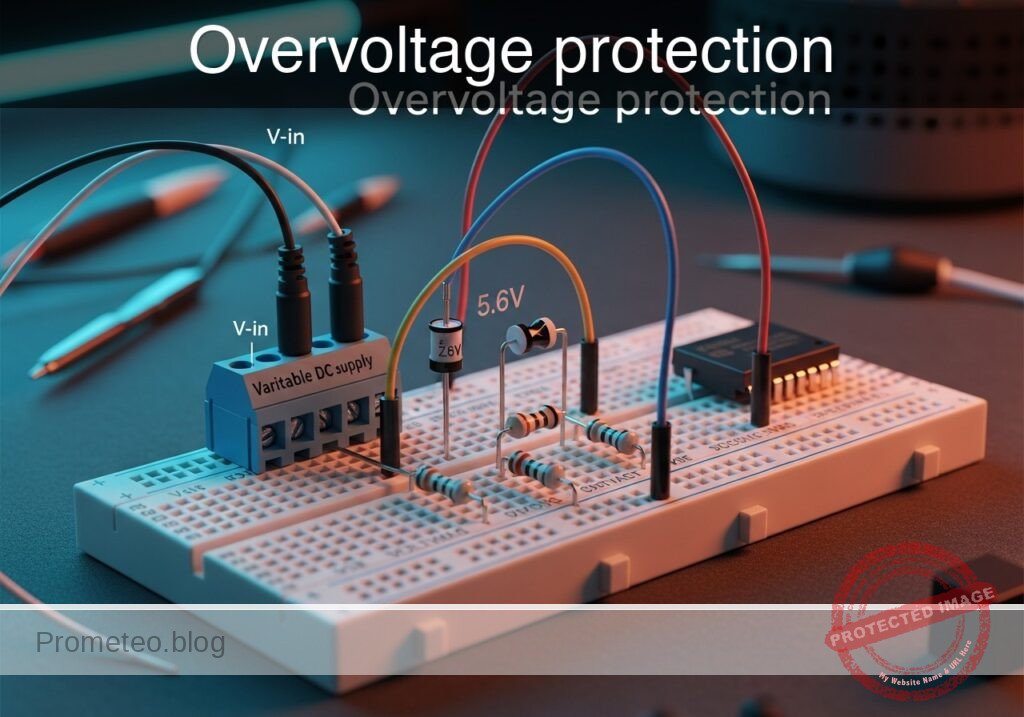
Overvoltage protection prototype (Maker Style)

Level: Medium – Disconnect a critical load using a normally closed relay contact when a voltage threshold is exceeded.

Objective and use case

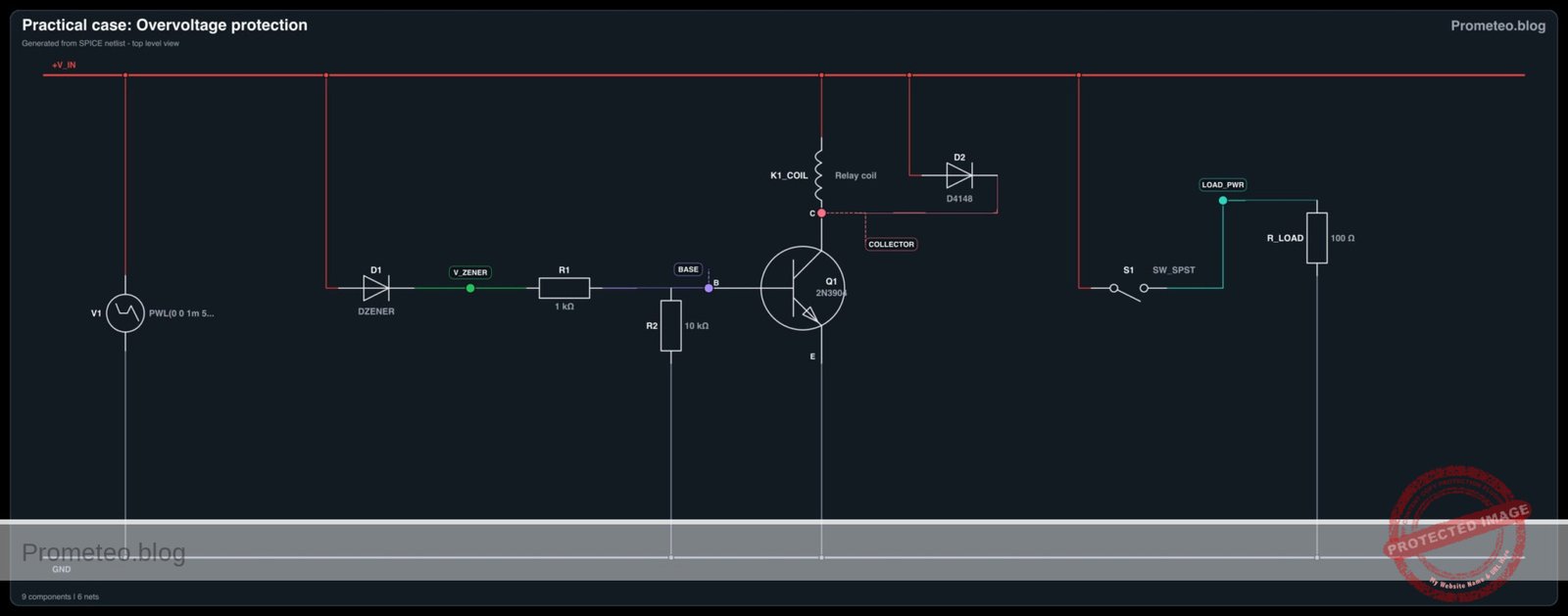
In this practical case, you will build a hardware-based overvoltage protection circuit. It uses a Zener diode to set a voltage threshold and a bipolar junction transistor (BJT) to actuate an electromechanical relay, mechanically disconnecting power when the voltage spikes to dangerous levels.

This topology is highly useful in real-world scenarios:
– Safeguarding sensitive 5 V microcontrollers from accidental power supply surges.
– Protecting expensive sensors or instruments in automotive environments where alternator spikes occur.
– Ensuring battery-powered or USB-powered devices mechanically cut out during a charger regulator failure.

Expected outcome:
– When the input voltage (v-in) is in the safe range (e.g., 5.0 V), the BJT remains off, the relay is unpowered, and the normally closed (NC) contact feeds power to the load.
– When v-in exceeds the Zener threshold plus the BJT base-emitter drop (around 6.3 V), the Zener conducts.
– Base current flows, the BJT switch turns on, and the relay coil energizes.
– The relay’s NC contact opens, triggering a v-load-disconnect event that drops the load voltage to 0 V.
– Target audience and level: Intermediate electronics students exploring analog voltage thresholds and electromechanical switching.

Materials

  • V1: Variable DC supply (0-9 V), function: provides system input voltage (v-in)
  • D1: 5.6 V Zener diode (e.g., 1N4734 A), function: sets the overvoltage threshold reference
  • R1: 1 kΩ resistor, function: base current limiting for the BJT
  • R2: 10 kΩ resistor, function: base pull-down to ensure the BJT turns off cleanly
  • Q1: 2N3904 NPN transistor, function: relay driver switch
  • D2: 1N4148 or 1N4007 diode, function: flyback protection for the relay coil
  • K1: 5 V SPDT Relay, function: disconnects the load using its normally closed (NC) contact
  • R_LOAD: 100 Ω resistor, function: simulated critical load

Wiring guide

  • V1: positive terminal connects to node V_IN, negative terminal connects to node 0 (GND).
  • D1: cathode connects to node V_IN, anode connects to node V_ZENER.
  • R1: connects between node V_ZENER and node BASE.
  • R2: connects between node BASE and node 0.
  • Q1: collector connects to node COLLECTOR, base connects to node BASE, emitter connects to node 0.
  • K1_COIL: the relay coil connects between node V_IN and node COLLECTOR.
  • D2: cathode connects to node V_IN, anode connects to node COLLECTOR (wired anti-parallel to the relay coil).
  • K1_COM: the relay’s common contact connects to node V_IN.
  • K1_NC: the relay’s normally closed contact connects to node LOAD_PWR.
  • R_LOAD: connects between node LOAD_PWR and node 0.

Conceptual block diagram

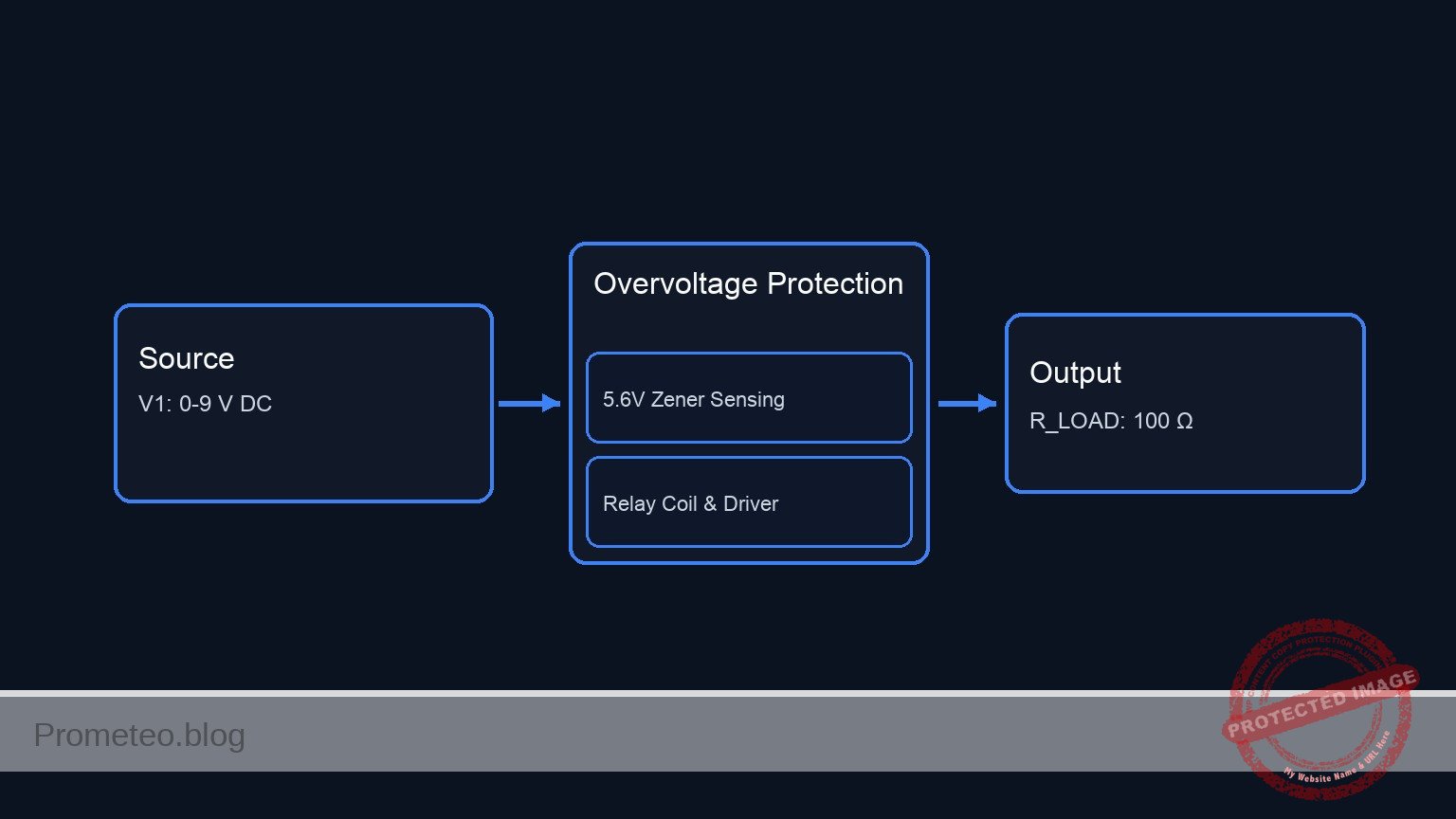
Conceptual block diagram — Overvoltage Protection
Quick read: inputs → main block → output (actuator or measurement). This summarizes the ASCII schematic below.

Schematic

POWER SOURCE:
[ V1: 0-9 V DC ] --(V_IN)--> System Power
[ V1: Negative ] ---------> GND

1. OVERVOLTAGE SENSING & CONTROL PATH:
V_IN --> [ D1: 5.6 V Zener ] --(V_ZENER)--> [ R1: 1 kΩ ] --(BASE)--> [ Q1:Base ]
                                                             |
                                                        [ R2: 10 kΩ ]
                                                             |
                                                            GND

2. RELAY COIL & DRIVER PATH:
V_IN --> [ K1_COIL || D2: Flyback(Rev) ] --(COLLECTOR)--> [ Q1:Collector ]
                       |                                        |
                (Magnetic Link)                            [ Q1:Emitter ]
                       |                                        |
                       v                                       GND

3. PROTECTED LOAD PATH:
V_IN --> [ K1_COM ] --(Normally Closed)--> [ K1_NC ] --(LOAD_PWR)--> [ R_LOAD: 100 Ω ] --> GND
Electrical Schematic

Electrical diagram

Electrical diagram for case: Overvoltage protection
Generated from the validated SPICE netlist for this case.

🔒 This electrical diagram is premium. With the 7-day pass or the monthly membership you can unlock the complete didactic material and the print-ready PDF pack.🔓 See premium access plans

Measurements and tests

  1. Set the variable power supply V1 to exactly 5.0 V.
  2. Measure v-in relative to ground. Verify it is 5.0 V.
  3. Measure the voltage across the load (LOAD_PWR to 0). It should read 5.0 V, indicating the relay is deactivated and the NC contact is closed.
  4. Slowly increase the voltage of V1. Monitor v-zener (the voltage at the anode of D1). It will remain near 0 V until v-in crosses the ~5.6 V breakdown threshold of the Zener diode.
  5. Push V1 up to 6.5 V. Observe that v-zener rises, pushing current into the base of Q1.
  6. Verify the v-load-disconnect event: listen for the relay click. Measure the voltage at LOAD_PWR; it should instantly drop to 0 V as the NC contact opens, successfully protecting the load.

SPICE netlist and simulation

Reference SPICE Netlist (ngspice) — excerptFull SPICE netlist (ngspice)

* Practical case: Overvoltage protection
.width out=256

* Input Voltage Source (Sweeps from 0V to normal 5V, then overvoltage 9V, then back)
V1 V_IN 0 PWL(0 0 1m 5 4m 5 5m 9 6m 9 7m 5 9m 5 10m 0)

* Zener Diode for threshold detection
D1 V_IN V_ZENER DZENER

* Base resistors for Q1
R1 V_ZENER BASE 1k
R2 BASE 0 10k

* Relay Driver Transistor
Q1 COLLECTOR BASE 0 2N3904

* Relay Coil (Modeled as series inductor and resistor)
L_K1_COIL V_IN K1_COIL_INT 10m
R_K1_COIL K1_COIL_INT COLLECTOR 100

* ... (truncated in public view) ...

Copy this content into a .cir file and run with ngspice.

🔒 Part of this section is premium. With the 7-day pass or the monthly membership you can access the full content (materials, wiring, detailed build, validation, troubleshooting, variants and checklist) and download the complete print-ready PDF pack.

* Practical case: Overvoltage protection
.width out=256

* Input Voltage Source (Sweeps from 0V to normal 5V, then overvoltage 9V, then back)
V1 V_IN 0 PWL(0 0 1m 5 4m 5 5m 9 6m 9 7m 5 9m 5 10m 0)

* Zener Diode for threshold detection
D1 V_IN V_ZENER DZENER

* Base resistors for Q1
R1 V_ZENER BASE 1k
R2 BASE 0 10k

* Relay Driver Transistor
Q1 COLLECTOR BASE 0 2N3904

* Relay Coil (Modeled as series inductor and resistor)
L_K1_COIL V_IN K1_COIL_INT 10m
R_K1_COIL K1_COIL_INT COLLECTOR 100

* Flyback Diode
D2 V_IN COLLECTOR D4148

* Relay Normally Closed (NC) Contact
* Modeled as a voltage-controlled switch controlled by the coil voltage (V_IN - COLLECTOR)
* When Q1 is OFF, coil voltage is 0V -> Switch is CLOSED (roff = 0.1)
* When Q1 is ON, coil voltage is > 6V -> Switch is OPEN (ron = 100meg)
S1 V_IN LOAD_PWR V_IN COLLECTOR RelayNC

* Critical Load
R_LOAD LOAD_PWR 0 100

* Models
.model DZENER D(IS=1e-15 RS=10 N=1 BV=5.6 IBV=5m)
.model D4148 D(IS=1e-14 RS=0.1 N=1)
.model 2N3904 NPN(IS=1E-14 VAF=100 BF=300 IKF=0.4 XTB=1.5 BR=4 CJC=4E-12 CJE=8E-12 RB=20 RC=0.1 RE=0.1 TR=250E-9 TF=350E-12 ITF=1 VTF=2 XTF=3)
.model RelayNC SW(vt=3 vh=0.5 ron=100meg roff=0.1)

* Simulation Directives
.print tran V(V_IN) V(LOAD_PWR) V(BASE) V(COLLECTOR) V(V_ZENER) I(L_K1_COIL)
.tran 10u 10m
.op
.end

Simulation Results (Transient Analysis)

Simulation Results (Transient Analysis)
Analysis: The simulation sweeps the input voltage from 0V to 5V, then up to 9V (overvoltage), and back down. The ngspice results show that when V_IN reaches 9V, the Zener diode conducts, raising V(BASE) to ~1.07V, which turns on Q1. This energizes the relay coil (current reaches ~9mA), opening the NC contact and disconnecting the load (V(LOAD_PWR) drops or follows the switch logic).
Show raw data table (1788 rows)
Index   time            v(v_in)         v(load_pwr)     v(base)         v(collector)    v(v_zener)      l_k1_coil#branc
0	0.000000e+00	0.000000e+00	0.000000e+00	4.369907e-29	1.104363e-28	4.276684e-29	-1.10436e-30
1	1.000000e-07	5.000000e-04	4.995005e-04	2.124049e-05	1.169502e-04	2.124049e-05	3.826672e-09
2	1.128896e-07	5.644481e-04	5.638843e-04	2.436647e-05	1.341994e-04	2.436647e-05	4.380682e-09
3	1.386689e-07	6.933444e-04	6.926518e-04	3.144704e-05	1.734710e-04	3.144704e-05	5.604067e-09
4	1.902274e-07	9.511370e-04	9.501868e-04	5.084817e-05	2.848367e-04	5.084817e-05	8.658258e-09
5	2.933444e-07	1.466722e-03	1.465257e-03	1.084331e-04	6.633002e-04	1.084332e-04	1.622310e-08
6	4.910392e-07	2.455196e-03	2.452743e-03	2.404937e-04	1.923047e-03	2.404937e-04	2.937980e-08
7	6.875077e-07	3.437539e-03	3.434104e-03	3.216141e-04	3.548938e-03	3.216141e-04	3.345128e-08
8	9.631281e-07	4.815640e-03	4.810829e-03	2.723800e-04	5.450903e-03	2.723800e-04	2.308361e-08
9	1.154824e-06	5.774121e-03	5.768352e-03	1.710095e-04	6.210657e-03	1.710095e-04	1.277625e-08
10	1.305686e-06	6.528429e-03	6.521907e-03	1.116498e-04	6.566319e-03	1.116498e-04	9.181046e-09
11	1.495573e-06	7.477865e-03	7.470395e-03	1.085076e-04	7.080935e-03	1.085076e-04	1.256925e-08
12	1.736950e-06	8.684750e-03	8.676074e-03	1.904626e-04	8.232826e-03	1.904626e-04	2.277129e-08
13	2.001986e-06	1.000993e-02	9.999931e-03	2.728041e-04	1.002166e-02	2.728041e-04	2.853663e-08
14	2.256607e-06	1.128304e-02	1.127176e-02	2.568832e-04	1.166727e-02	2.568832e-04	2.342944e-08
15	2.500031e-06	1.250016e-02	1.248767e-02	1.808629e-04	1.277687e-02	1.808630e-04	1.533781e-08
16	2.702903e-06	1.351451e-02	1.350101e-02	1.375223e-04	1.345800e-02	1.375223e-04	1.307538e-08
17	2.944974e-06	1.472487e-02	1.471016e-02	1.562745e-04	1.440894e-02	1.562745e-04	1.754621e-08
18	3.189115e-06	1.594558e-02	1.592965e-02	2.174467e-04	1.574153e-02	2.174467e-04	2.384313e-08
19	3.483820e-06	1.741910e-02	1.740170e-02	2.492948e-04	1.756940e-02	2.492949e-04	2.456373e-08
20	3.789826e-06	1.894913e-02	1.893020e-02	2.050542e-04	1.918736e-02	2.050543e-04	1.855307e-08
21	4.028198e-06	2.014099e-02	2.012087e-02	1.627875e-04	2.016491e-02	1.627876e-04	1.538812e-08
22	4.364653e-06	2.182326e-02	2.180146e-02	1.717346e-04	2.161154e-02	1.717346e-04	1.849039e-08
23	4.749559e-06	2.374779e-02	2.372407e-02	2.249970e-04	2.370014e-02	2.249971e-04	2.340138e-08
... (1764 more rows) ...

Common mistakes and how to avoid them

  • Omitting the flyback diode (D2): Failing to place a diode across the relay coil will result in a massive inductive voltage spike when the transistor turns off, permanently destroying the BJT. Always include the anti-parallel diode.
  • Installing the Zener diode backward: If the Zener is installed forward-biased (anode to V_IN), it will act like a standard diode with a 0.7 V drop. The relay will trigger almost immediately. Ensure the cathode faces the positive input.
  • Wiring the load to the NO contact: If you accidentally connect R_LOAD to the Normally Open (NO) terminal instead of the NC terminal, the load will only receive power during an overvoltage event, which defeats the purpose of the protection circuit.

Troubleshooting

  • Symptom: The relay chatters rapidly or buzzes when the input voltage is right at the threshold (e.g., 6.2 V).
  • Cause: The circuit lacks hysteresis. A slow-moving analog voltage at the exact threshold causes the BJT to partially turn on, putting the relay in an undefined mechanical state.
  • Fix: In a practical setup, overvoltage events are usually fast spikes. For slow-rising voltages, a Schmitt trigger or a latching circuit is required to ensure a clean transition.
  • Symptom: The load never powers on, even at 5.0 V.
  • Cause: The relay might be stuck energized, the BJT is shorted, or the load was mistakenly wired to the NO contact.
  • Fix: Check LOAD_PWR continuity to V_IN while the circuit is unpowered. Replace Q1 if it reads a dead short from collector to emitter.
  • Symptom: The transistor gets exceptionally hot during an overvoltage event.
  • Cause: The input voltage was raised far beyond the threshold (e.g., 12 V into a 5 V relay), causing excessive coil current through the BJT.
  • Fix: Do not exceed the absolute maximum ratings of the relay coil and the 2N3904 transistor. If higher voltages are expected, use a beefier transistor (like a TIP120) or a pre-regulator.

Possible improvements and extensions

  • Add a fault indicator: Connect a red LED with an appropriate current-limiting resistor to the Normally Open (NO) contact. When the overvoltage triggers, the load loses power, and the red LED instantly illuminates to warn the user.
  • Implement a mechanical latch: Wire a secondary contact of the relay (if using a DPDT relay) or an SCR in the base circuit so that once an overvoltage event triggers the relay, it stays locked in the «disconnect» state until the user manually presses a reset button, preventing repeated power cycling.

More Practical Cases on Prometeo.blog

Find this product and/or books on this topic on Amazon

Go to Amazon

As an Amazon Associate, I earn from qualifying purchases. If you buy through this link, you help keep this project running.

Quick Quiz

Question 1: What is the primary objective of the circuit described in the article?


Question 2: Which component is primarily used to set the overvoltage threshold reference?


Question 3: What happens to the relay when the input voltage is in the safe range (e.g., 5.0 V)?


Question 4: At approximately what input voltage does the circuit trigger the overvoltage protection?


Question 5: What happens when the input voltage exceeds the Zener threshold plus the BJT base-emitter drop?


Question 6: How does the load lose power during an overvoltage event?


Question 7: Which of the following is a mentioned use case for this topology?


Question 8: What type of transistor is used to actuate the electromechanical relay?


Question 9: What is the state of the BJT when the input voltage is in the safe range?


Question 10: What is the difficulty level of this practical case as stated in the text?


Carlos Núñez Zorrilla
Electronics & Computer Engineer

Telecommunications Electronics Engineer and Computer Engineer (official degrees in Spain).
Follow me:


Practical case: AND and OR logic using relays

AND and OR logic using relays prototype (Maker Style)

Level: Medium – Build basic logic gates by wiring the contacts of multiple relays in series and parallel.

Objective and use case

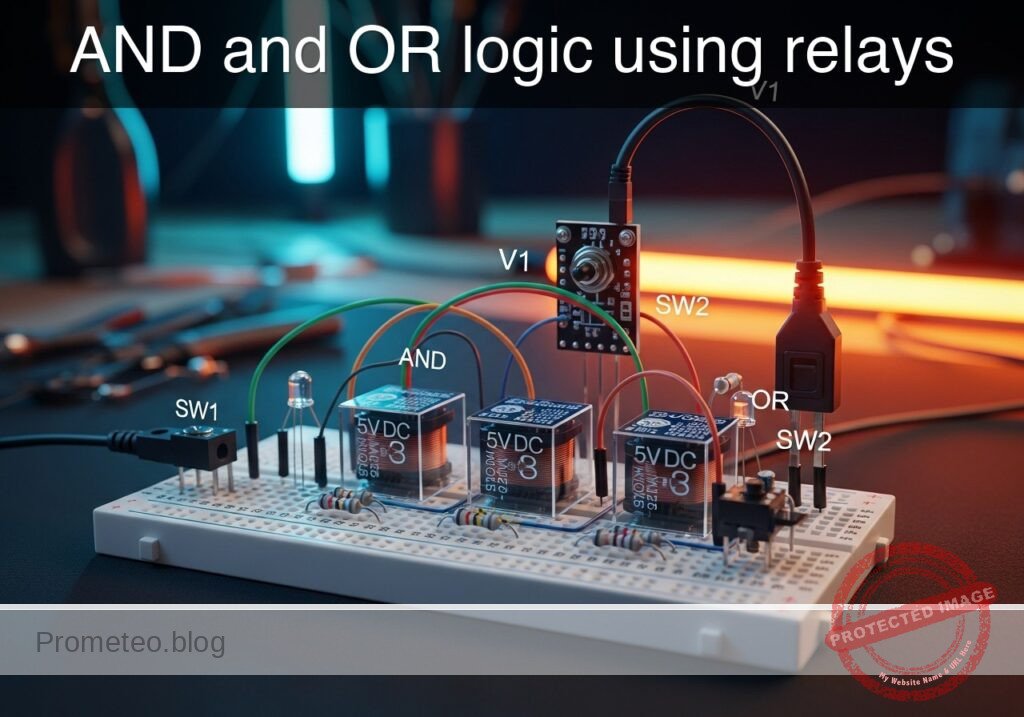
  • What you will build: A circuit that utilizes two DPDT (Double Pole Double Throw) electro-mechanical relays to simultaneously demonstrate basic Boolean logic operations (AND and OR gates).
  • Why it is useful:
    • Forms the historical foundation of industrial automation and ladder logic programming.
    • Demonstrates how to handle logic for high-voltage or high-current systems where standard silicon ICs are unsuitable.
    • Provides complete electrical isolation between the control inputs (coils) and the logic outputs (contacts).
    • Illustrates the fundamental fail-safe interlock principles used in heavy machinery and safety circuits.
  • Expected outcome:
    • The AND output (Green LED) will only illuminate when both relay coils are energized (series contacts).
    • The OR output (Red LED) will illuminate when either relay coil is energized (parallel contacts).
    • Successful measurement of control voltages confirming the activation of specific logic paths.
  • Target audience and level: Intermediate electronics students exploring automated control systems and electromechanical switching.

Materials

  • V1: 5 V DC supply, function: power for coils and logic
  • SW1: SPST switch, function: Input A control
  • SW2: SPST switch, function: Input B control
  • K1: 5 V DPDT relay, function: Logic gate element A
  • K2: 5 V DPDT relay, function: Logic gate element B
  • D1: Green LED, function: AND logic output indicator
  • D2: Red LED, function: OR logic output indicator
  • D3: 1N4148 diode, function: K1 flyback protection
  • D4: 1N4148 diode, function: K2 flyback protection
  • R1: 330 Ω resistor, function: D1 current limiting
  • R2: 330 Ω resistor, function: D2 current limiting

Wiring guide

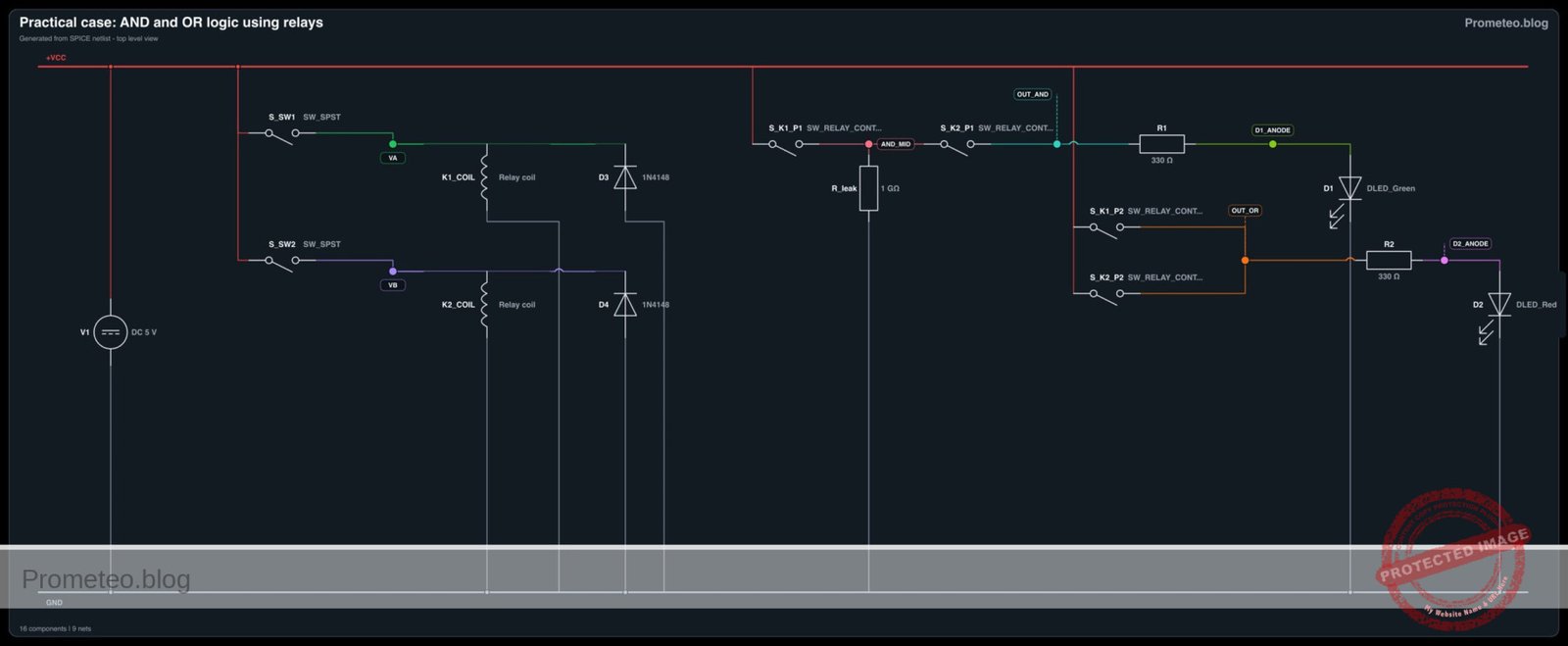
  • V1 connects between VCC and 0.
  • SW1 connects between VCC and node VA.
  • SW2 connects between VCC and node VB.
  • K1 coil connects between node VA and 0.
  • K2 coil connects between node VB and 0.
  • D3 cathode connects to node VA, anode connects to 0 (anti-parallel to K1 coil).
  • D4 cathode connects to node VB, anode connects to 0 (anti-parallel to K2 coil).
  • AND Logic (Series Wiring – Pole 1):
    • K1 Pole 1 Common contact connects to VCC.
    • K1 Pole 1 Normally Open (NO) contact connects to node AND_MID.
    • K2 Pole 1 Common contact connects to node AND_MID.
    • K2 Pole 1 Normally Open (NO) contact connects to node OUT_AND.
  • OR Logic (Parallel Wiring – Pole 2):
    • K1 Pole 2 Common contact connects to VCC.
    • K1 Pole 2 Normally Open (NO) contact connects to node OUT_OR.
    • K2 Pole 2 Common contact connects to VCC.
    • K2 Pole 2 Normally Open (NO) contact connects to node OUT_OR.
  • Outputs:
    • R1 connects between OUT_AND and node D1_ANODE.
    • D1 connects between D1_ANODE and 0 (cathode to ground).
    • R2 connects between OUT_OR and node D2_ANODE.
    • D2 connects between D2_ANODE and 0 (cathode to ground).

Conceptual block diagram

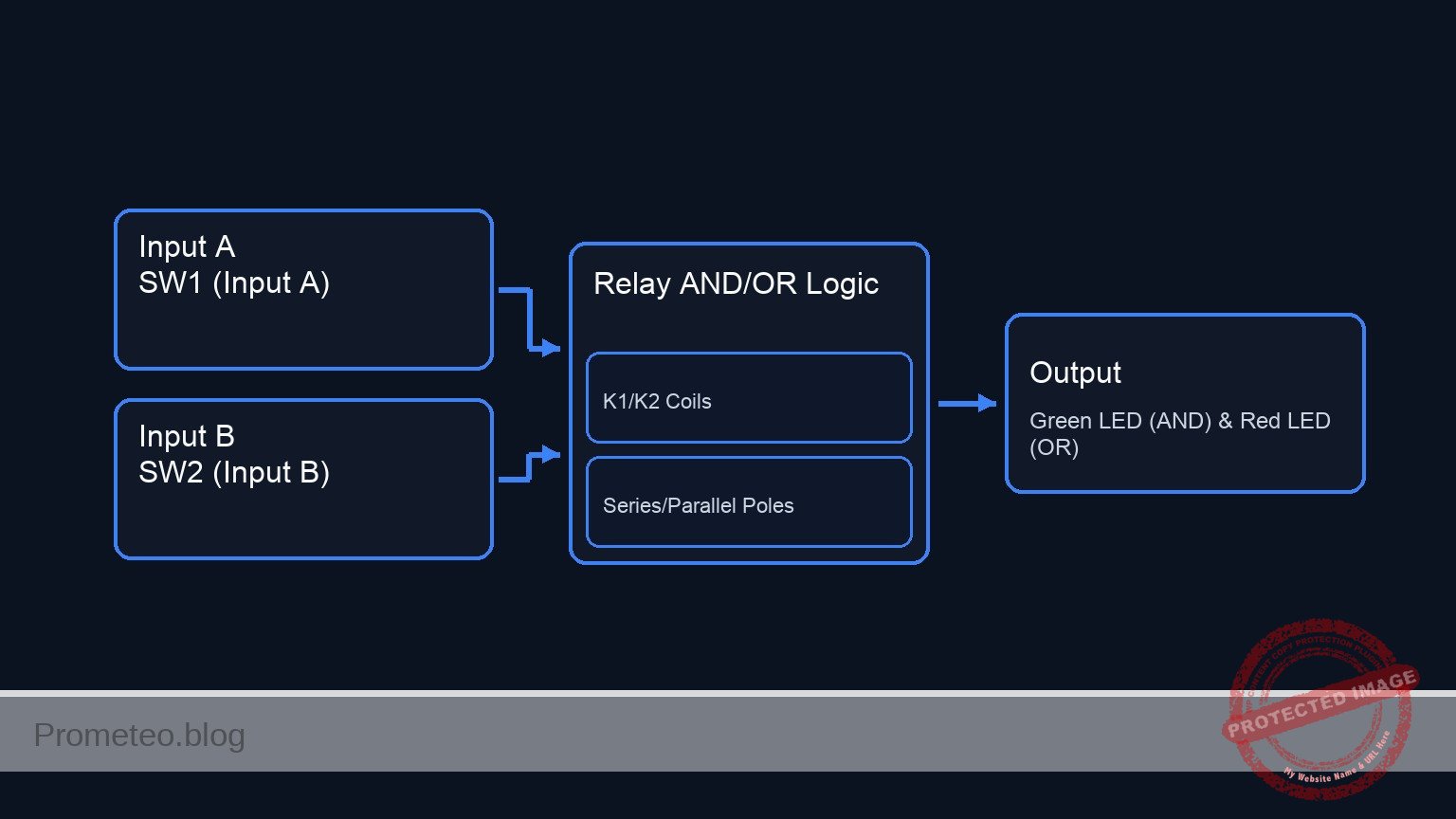
Conceptual block diagram — Relay AND/OR Logic
Quick read: inputs → main block → output (actuator or measurement). This summarizes the ASCII schematic below.

Schematic

[ CONTROL SECTION: RELAY COILS ]

VCC --> [ SW1 (Input A) ] --(VA)--> [ K1 Coil || D3(Rev) ] --> GND
                                          |
                                   (Magnetic Link)
                                          v
                                    (To K1 Poles)

VCC --> [ SW2 (Input B) ] --(VB)--> [ K2 Coil || D4(Rev) ] --> GND
                                          |
                                   (Magnetic Link)
                                          v
                                    (To K2 Poles)


[ AND LOGIC SECTION: SERIES WIRING (POLE 1) ]

VCC --> [ K1 Pole 1 (NO) ] --(AND_MID)--> [ K2 Pole 1 (NO) ] --(OUT_AND)--> [ R1 ] --(D1_ANODE)--> [ D1 (Green LED) ] --> GND


[ OR LOGIC SECTION: PARALLEL WIRING (POLE 2) ]

VCC --> [ K1 Pole 2 (NO) ] --(OUT_OR)--+
                                       |--> [ R2 ] --(D2_ANODE)--> [ D2 (Red LED) ] --> GND
VCC --> [ K2 Pole 2 (NO) ] --(OUT_OR)--+
Electrical Schematic

Electrical diagram

Electrical diagram for case: AND and OR logic using relays
Generated from the validated SPICE netlist for this case.

🔒 This electrical diagram is premium. With the 7-day pass or the monthly membership you can unlock the complete didactic material and the print-ready PDF pack.🔓 See premium access plans

Truth table

Switch A (VA) Switch B (VB) K1 State K2 State AND Output (Green LED) OR Output (Red LED)
OFF (0 V) OFF (0 V) Resting Resting OFF (0 V) OFF (0 V)
OFF (0 V) ON (5 V) Resting Energized OFF (0 V) ON (~5 V)
ON (5 V) OFF (0 V) Energized Resting OFF (0 V) ON (~5 V)
ON (5 V) ON (5 V) Energized Energized ON (~5 V) ON (~5 V)

Measurements and tests

  1. Input Verification: Power on V1. Using a multimeter, measure the voltage at nodes VA and VB with respect to 0 (GND). Ensure it reads 0 V when the corresponding switch is open, and 5 V when closed.
  2. Mechanical Operation: Toggle SW1 and SW2 individually. You should hear a distinct mechanical «click» from K1 and K2, confirming coil activation.
  3. OR Gate Testing: Close SW1 only. Measure the voltage at OUT_OR (should be ~5 V) and ensure the Red LED lights up. Repeat this step for SW2 only.
  4. AND Gate Testing: Ensure both SW1 and SW2 are closed. Measure the voltage at OUT_AND (should be ~5 V) and confirm the Green LED lights up. If either switch is opened, the Green LED must turn off.

SPICE netlist and simulation

Reference SPICE Netlist (ngspice) — excerptFull SPICE netlist (ngspice)

* Practical case: AND and OR logic using relays
.width out=256

* Power Supply
V1 VCC 0 DC 5

* Input A Control (SW1)
* Modeled as a voltage-controlled switch toggled by a fast pulse source to simulate user input
S_SW1 VCC VA ctrl_A 0 switch_mod
V_ctrl_A ctrl_A 0 PULSE(0 5 0 1u 1u 100u 200u)

* Input B Control (SW2)
* Modeled as a voltage-controlled switch toggled by a fast pulse source
S_SW2 VCC VB ctrl_B 0 switch_mod
V_ctrl_B ctrl_B 0 PULSE(0 5 0 1u 1u 200u 400u)

* Relay K1 Coil and Flyback Diode
* Coil modeled as an RL series circuit
L_K1 VA K1_mid 1m
R_K1 K1_mid 0 100
* ... (truncated in public view) ...

Copy this content into a .cir file and run with ngspice.

🔒 Part of this section is premium. With the 7-day pass or the monthly membership you can access the full content (materials, wiring, detailed build, validation, troubleshooting, variants and checklist) and download the complete print-ready PDF pack.

* Practical case: AND and OR logic using relays
.width out=256

* Power Supply
V1 VCC 0 DC 5

* Input A Control (SW1)
* Modeled as a voltage-controlled switch toggled by a fast pulse source to simulate user input
S_SW1 VCC VA ctrl_A 0 switch_mod
V_ctrl_A ctrl_A 0 PULSE(0 5 0 1u 1u 100u 200u)

* Input B Control (SW2)
* Modeled as a voltage-controlled switch toggled by a fast pulse source
S_SW2 VCC VB ctrl_B 0 switch_mod
V_ctrl_B ctrl_B 0 PULSE(0 5 0 1u 1u 200u 400u)

* Relay K1 Coil and Flyback Diode
* Coil modeled as an RL series circuit
L_K1 VA K1_mid 1m
R_K1 K1_mid 0 100
D3 0 VA 1N4148

* Relay K2 Coil and Flyback Diode
L_K2 VB K2_mid 1m
R_K2 K2_mid 0 100
D4 0 VB 1N4148

* AND Logic (Series Wiring - Pole 1)
S_K1_P1 VCC AND_MID VA 0 relay_switch
S_K2_P1 AND_MID OUT_AND VB 0 relay_switch
* Anti-floating leak resistor for the midpoint of the series connection
R_leak AND_MID 0 1G 

* OR Logic (Parallel Wiring - Pole 2)
S_K1_P2 VCC OUT_OR VA 0 relay_switch
S_K2_P2 VCC OUT_OR VB 0 relay_switch

* Outputs
R1 OUT_AND D1_ANODE 330
D1 D1_ANODE 0 DLED_Green

R2 OUT_OR D2_ANODE 330
D2 D2_ANODE 0 DLED_Red

* Models
.model switch_mod SW(vt=2.5 vh=0.5 ron=0.1 roff=100MEG)
.model relay_switch SW(vt=2.5 vh=0.5 ron=0.1 roff=100MEG)
.model 1N4148 D(IS=2.682n N=1.836 RS=0.5623 BV=100 IBV=100p CJO=4p M=0.333 VJ=0.5 TT=11.54n)
.model DLED_Green D(IS=1e-20 N=2.2 RS=5)
.model DLED_Red D(IS=1e-15 N=2.0 RS=5)

* Analysis
.tran 1u 500u
.print tran V(VA) V(VB) V(OUT_AND) V(OUT_OR) V(AND_MID) I(L_K1)
.op
.end

Simulation Results (Transient Analysis)

Simulation Results (Transient Analysis)
Analysis: The simulation results match the expected truth table for AND and OR logic. When both inputs are 5V, both outputs are near 5V. When only one input is 5V, only the OR output goes to 5V. The OFF state voltages are non-zero (around 1.6V and 0.9V) due to the finite off-resistance of the switch models, but these are below the LED forward voltages.
Show raw data table (5166 rows)
Index   time            v(va)           v(vb)           v(out_and)      v(out_or)       v(and_mid)      l_k1#branch
0	0.000000e+00	4.999967e-06	4.999967e-06	1.597015e+00	9.421253e-01	3.141436e+00	4.999967e-08
1	1.000000e-08	4.999967e-06	4.999967e-06	1.597015e+00	9.421253e-01	3.141436e+00	4.999967e-08
2	2.000000e-08	4.999967e-06	4.999967e-06	1.597015e+00	9.421253e-01	3.141436e+00	4.999967e-08
3	4.000000e-08	4.999967e-06	4.999967e-06	1.597015e+00	9.421253e-01	3.141436e+00	4.999967e-08
4	8.000000e-08	4.999967e-06	4.999967e-06	1.597015e+00	9.421253e-01	3.141436e+00	4.999967e-08
5	1.600000e-07	4.999967e-06	4.999967e-06	1.597015e+00	9.421253e-01	3.141436e+00	4.999967e-08
6	3.200000e-07	4.999967e-06	4.999967e-06	1.597015e+00	9.421253e-01	3.141436e+00	4.999967e-08
7	3.750000e-07	4.999967e-06	4.999967e-06	1.597015e+00	9.421253e-01	3.141436e+00	4.999967e-08
8	4.712500e-07	4.999967e-06	4.999967e-06	1.597015e+00	9.421253e-01	3.141436e+00	4.999967e-08
9	4.978906e-07	4.999967e-06	4.999967e-06	1.597015e+00	9.421253e-01	3.141436e+00	4.999967e-08
10	5.445117e-07	4.999967e-06	4.999967e-06	1.597015e+00	9.421253e-01	3.141436e+00	4.999967e-08
11	5.574158e-07	4.999967e-06	4.999967e-06	1.597015e+00	9.421253e-01	3.141436e+00	4.999967e-08
12	5.799979e-07	4.999967e-06	4.999967e-06	1.597015e+00	9.421253e-01	3.141436e+00	4.999967e-08
13	6.019875e-07	4.999887e+00	4.999887e+00	4.998416e+00	4.999485e+00	4.999208e+00	5.496234e-05
14	6.174611e-07	5.000094e+00	5.000094e+00	4.998416e+00	4.999485e+00	4.999208e+00	1.321856e-04
15	6.317917e-07	4.999872e+00	4.999872e+00	4.998416e+00	4.999485e+00	4.999208e+00	2.035976e-04
16	6.498539e-07	5.000078e+00	5.000078e+00	4.998416e+00	4.999485e+00	4.999208e+00	2.934595e-04
17	6.859784e-07	4.999845e+00	4.999845e+00	4.998416e+00	4.999485e+00	4.999208e+00	4.726966e-04
18	7.582273e-07	5.000025e+00	5.000025e+00	4.998416e+00	4.999485e+00	4.999208e+00	8.292335e-04
19	9.027252e-07	4.999739e+00	4.999739e+00	4.998416e+00	4.999485e+00	4.999208e+00	1.534627e-03
20	1.000000e-06	4.999907e+00	4.999907e+00	4.998416e+00	4.999485e+00	4.999208e+00	2.003774e-03
21	1.028900e-06	4.999786e+00	4.999786e+00	4.998416e+00	4.999485e+00	4.999208e+00	2.142075e-03
22	1.086699e-06	4.999758e+00	4.999758e+00	4.998416e+00	4.999485e+00	4.999208e+00	2.417880e-03
23	1.202297e-06	4.999704e+00	4.999704e+00	4.998416e+00	4.999485e+00	4.999208e+00	2.964729e-03
... (5142 more rows) ...

Common mistakes and how to avoid them

  • Omitting flyback diodes: Failing to include D3 and D4 can cause high voltage spikes when the switches are opened, which can damage the switches or surrounding sensitive electronics. Always wire them in reverse-bias across the coils.
  • Confusing NO and NC contacts: Accidentally wiring to the Normally Closed (NC) pin instead of the Normally Open (NO) pin will invert the logic, effectively creating NAND/NOR conditions instead of AND/OR. Double-check your relay’s datasheet or pinout.
  • Insufficient power supply current: Relays consume significantly more current than digital ICs (often 50–100 mA per coil). Ensure your 5 V supply can comfortably deliver at least 300 mA to prevent voltage dips when both relays are energized.

Troubleshooting

  • Symptom: Neither LED lights up under any switch combination, and no «clicks» are heard.
    • Cause: Power supply V1 is disconnected, dead, or current-limited.
    • Fix: Verify VCC and 0 connections to the main supply and check the supply limits.
  • Symptom: Relays click when switches are pressed, but LEDs never turn on.
    • Cause: The control side (coils) is working, but the logic side (contacts) is unpowered.
    • Fix: Verify that VCC is properly routed to the Common pins of both poles on K1 and K2.
  • Symptom: Power supply resets or dips severely when a switch is pressed.
    • Cause: A flyback diode (D3 or D4) is installed backward, creating a direct short circuit to ground when the switch closes.
    • Fix: Check diode orientation; the cathode (striped side) must face the positive incoming voltage (VA or VB).
  • Symptom: The AND logic acts like an OR logic.
    • Cause: The contacts for the AND gate were wired in parallel instead of series.
    • Fix: Inspect the node AND_MID. VCC should strictly flow through K1 into K2, not directly to both.

Possible improvements and extensions

  • Implement a NOT Gate (Inverter): Add a third relay or utilize an unused pole. Route VCC through its Normally Closed (NC) contact so that the output turns OFF when the relay is energized.
  • Build an XOR (Exclusive OR) Circuit: Using both poles of two SPDT/DPDT relays, wire the NO contact of K1 to the NC contact of K2, and the NC contact of K1 to the NO contact of K2. This implements a 2-way lighting circuit logic using relays.

More Practical Cases on Prometeo.blog

Find this product and/or books on this topic on Amazon

Go to Amazon

As an Amazon Associate, I earn from qualifying purchases. If you buy through this link, you help keep this project running.

Quick Quiz

Question 1: What is the primary objective of the circuit described in the article?


Question 2: How are the relay contacts wired to create an AND logic gate?


Question 3: Which component is used to indicate the output of the OR logic gate?


Question 4: What type of relays are used as logic gate elements in this circuit?


Question 5: Why is using relays for logic useful in certain industrial applications?


Question 6: What does the circuit provide between the control inputs and the logic outputs?


Question 7: Under what condition will the Green LED (AND output) illuminate?


Question 8: What forms the historical foundation of industrial automation according to the text?


Question 9: How are the relay contacts wired to form an OR gate?


Question 10: What fundamental principle used in heavy machinery and safety circuits does this project illustrate?


Carlos Núñez Zorrilla
Electronics & Computer Engineer

Telecommunications Electronics Engineer and Computer Engineer (official degrees in Spain).
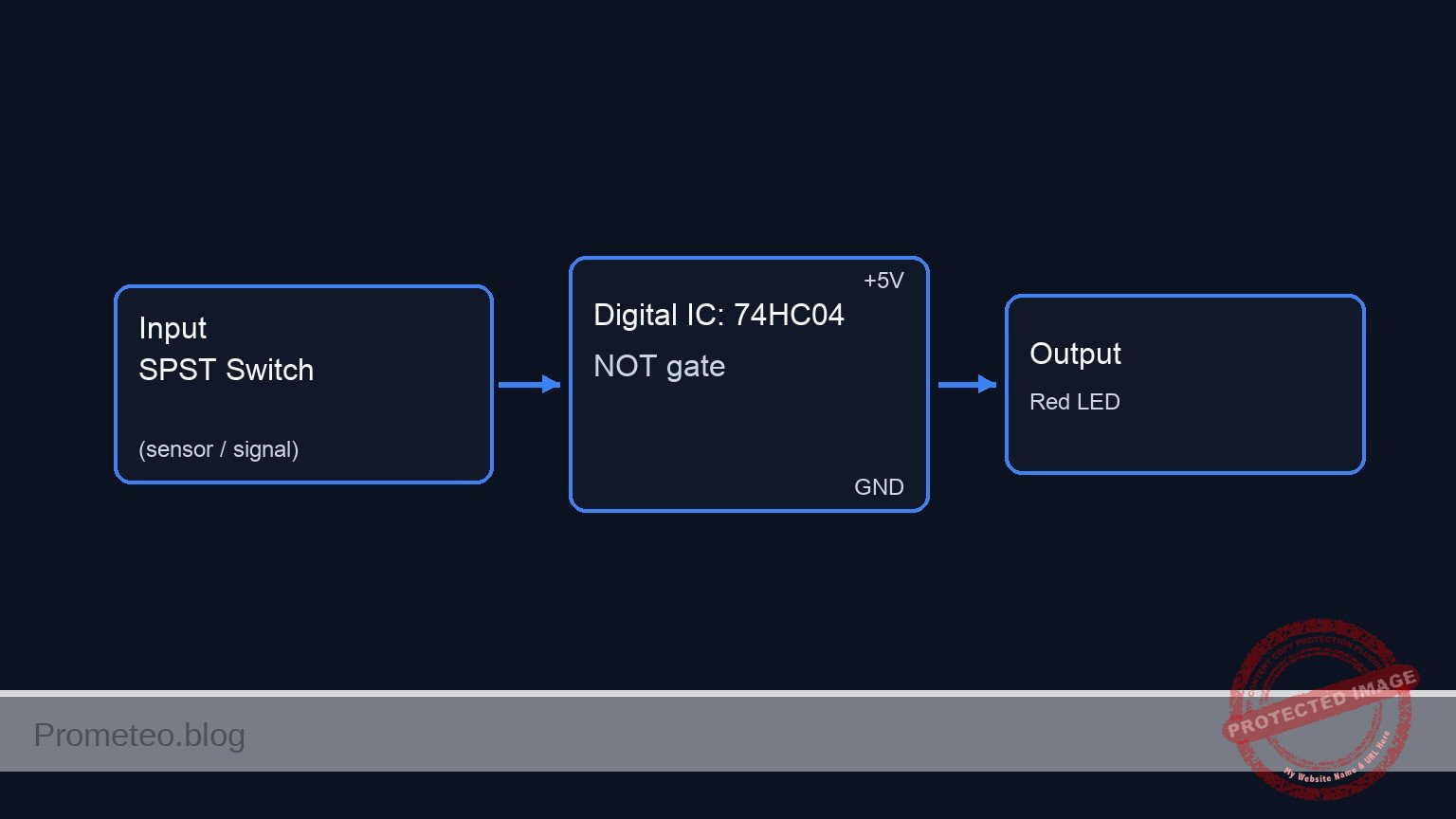
Follow me: