Practical case: Basic rectifier filtering

Basic rectifier filtering prototype (Maker Style)

Level: Basic. Demonstrate how a capacitor smoothes ripple in a half-wave rectified signal.

Objective and use case

In this practical case, you will build a half-wave rectifier circuit and observe the effect of adding a filter capacitor in parallel with the load.
* Why it is useful:
* Essential for converting Alternating Current (AC) from the mains into Direct Current (DC) for powering electronics.
* Used in simple battery chargers.
* Fundamental concept for audio signal demodulation (envelope detectors).
* Demonstrates energy storage properties of capacitors in power supplies.
* Expected outcome:
* Input: A pure AC sine wave (swinging positive and negative).
* Step 1 Output: A pulsing positive-only signal (half-wave rectification).
* Step 2 Output: A steady DC voltage with slight variation (ripple) after connecting the capacitor.
* Target audience and level: Students and hobbyists understanding basic AC/DC conversion.

Materials

  • V1: 10 V (peak), 50 Hz sine wave source, function: AC power input.
  • D1: 1N4007 diode, function: rectifies AC to pulsating DC.
  • R1: 1 kΩ resistor, function: acts as the electrical load.
  • C1: 100 µF electrolytic capacitor, function: filters voltage ripple (stores energy).
  • GND: Ground reference (0 V).

Wiring guide

Construct the circuit following these node connections:

  • V1 (Source): Connect the positive terminal to node VAC and the negative terminal to node 0 (GND).
  • D1 (Rectifier): Connect the Anode to node VAC and the Cathode to node VOUT.
  • R1 (Load): Connect between node VOUT and node 0 (GND).
  • C1 (Filter): Connect the positive terminal to node VOUT and the negative terminal to node 0 (GND). Note: Initially leave C1 disconnected to observe the unfiltered signal, then connect it.

Conceptual block diagram

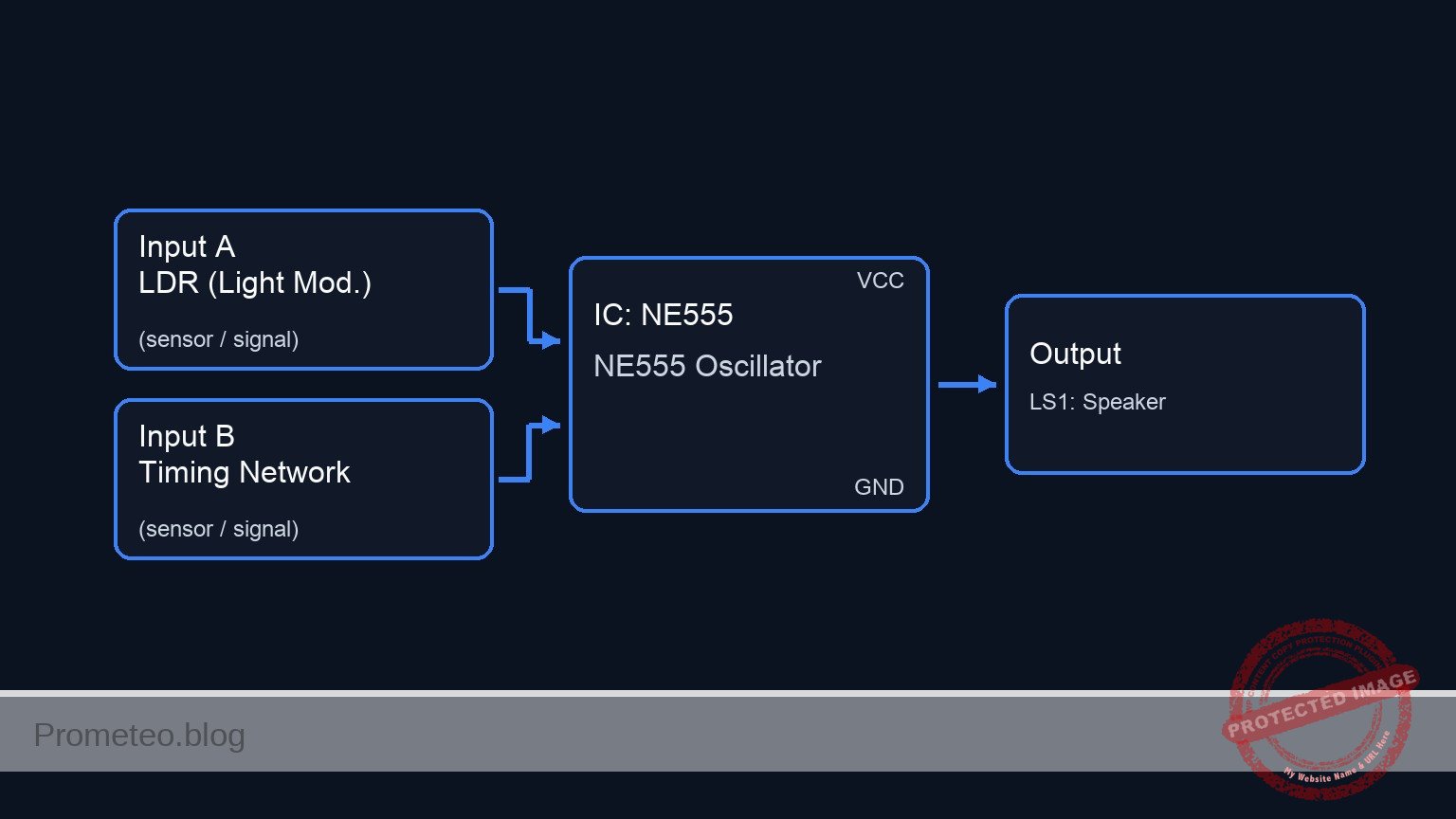
Conceptual block diagram — LM7805 Half-Wave Rectifier w/ Filter
Quick read: inputs → main block → output (actuator or measurement). This summarizes the ASCII schematic below.

Schematic

[ AC SOURCE ]            [ RECTIFICATION ]             [ OUTPUT STAGE ]

                                                          +--> [ C1 Filter ] --> GND
                                                          |    (100 uF)
    [ V1 Source ] --(VAC)--> [ D1 Diode ] --(VOUT Node)-->+
    (10 V, 50Hz)              (1N4007)                     |
                                                          +--> [ R1 Load ]   --> GND
                                                               (1 kOhm)
Schematic (ASCII)

Measurements and tests

Perform the following steps using an oscilloscope or a multimeter:

  1. Input Verification:
    • Connect the probe to VAC.
    • Verify a sine wave oscillating between +10 V and -10 V.
  2. Unfiltered Rectification (C1 Disconnected):
    • Remove C1 temporarily.
    • Measure VOUT. You should see only the positive half-cycles of the sine wave (approx. 0 V to 9.3 V due to diode drop). The voltage drops to zero between peaks.
  3. Filtered Rectification (C1 Connected):
    • Connect C1 across R1.
    • Measure VOUT. The signal should now be a DC voltage near the peak value (approx. 9 V) that does not drop to zero.
    • Vripple Measurement: Set the oscilloscope to AC coupling to zoom in on the small voltage fluctuation («sawtooth» shape) on top of the DC line.

SPICE netlist and simulation

Reference SPICE Netlist (ngspice) — excerptFull SPICE netlist (ngspice)

* Basic rectifier filtering

* --- Components ---

* V1: 10 V (peak), 50 Hz sine wave source
* Connected: Positive -> VAC, Negative -> 0 (GND)
V1 VAC 0 SIN(0 10 50)

* D1: 1N4007 diode (Rectifier)
* Connected: Anode -> VAC, Cathode -> VOUT
D1 VAC VOUT 1N4007

* R1: 1 kΩ resistor (Load)
* Connected: Between VOUT and 0 (GND)
R1 VOUT 0 1k

* C1: 100 µF electrolytic capacitor (Filter)
* Connected: Positive -> VOUT, Negative -> 0 (GND)
* Note: Included to demonstrate the filtering effect described in the case.
C1 VOUT 0 100u
* ... (truncated in public view) ...

Copy this content into a .cir file and run with ngspice.

🔒 Part of this section is premium. With the 7-day pass or the monthly membership you can access the full content (materials, wiring, detailed build, validation, troubleshooting, variants and checklist) and download the complete print-ready PDF pack.

* Basic rectifier filtering

* --- Components ---

* V1: 10 V (peak), 50 Hz sine wave source
* Connected: Positive -> VAC, Negative -> 0 (GND)
V1 VAC 0 SIN(0 10 50)

* D1: 1N4007 diode (Rectifier)
* Connected: Anode -> VAC, Cathode -> VOUT
D1 VAC VOUT 1N4007

* R1: 1 kΩ resistor (Load)
* Connected: Between VOUT and 0 (GND)
R1 VOUT 0 1k

* C1: 100 µF electrolytic capacitor (Filter)
* Connected: Positive -> VOUT, Negative -> 0 (GND)
* Note: Included to demonstrate the filtering effect described in the case.
C1 VOUT 0 100u

* --- Models ---

* Standard silicon rectifier diode model approximation for 1N4007
.model 1N4007 D(IS=7.03n RS=0.04 N=1.85 CJO=10p VJ=1 M=0.5 BV=1000 IBV=10u TT=5u)

* --- Analysis Directives ---

* Transient analysis: 100ms duration (5 cycles of 50Hz) with 0.1ms step
.tran 0.1ms 100ms

* Operating point analysis
.op

* Print directives for simulation logging
.print tran V(VAC) V(VOUT)

.end

Simulation Results (Transient Analysis)

Simulation Results (Transient Analysis)
Show raw data table (1017 rows)
Index   time            v(vac)          v(vout)
0	0.000000e+00	0.000000e+00	-2.77024e-22
1	1.000000e-06	3.141593e-03	3.430255e-10
2	2.000000e-06	6.283185e-03	6.932562e-10
3	4.000000e-06	1.256637e-02	1.411758e-09
4	8.000000e-06	2.513271e-02	2.956960e-09
5	1.600000e-05	5.026527e-02	6.646271e-09
6	3.200000e-05	1.005293e-01	1.882015e-08
7	5.304087e-05	1.666251e-01	6.310202e-08
8	7.565486e-05	2.376544e-01	2.484107e-07
9	1.009625e-04	3.171298e-01	1.270798e-06
10	1.280850e-04	4.022822e-01	7.576310e-06
11	1.570209e-04	4.930958e-01	5.140208e-05
12	1.876236e-04	5.890955e-01	3.869871e-04
13	2.197798e-04	6.899101e-01	3.065854e-03
14	2.535671e-04	7.957622e-01	2.015809e-02
15	2.900907e-04	9.100857e-01	7.787813e-02
16	3.269176e-04	1.025237e+00	1.740794e-01
17	3.659101e-04	1.147010e+00	2.922342e-01
18	4.156771e-04	1.302180e+00	4.470469e-01
19	4.731074e-04	1.480844e+00	6.257990e-01
20	5.731074e-04	1.790758e+00	9.360689e-01
21	6.731074e-04	2.098905e+00	1.244455e+00
22	7.731074e-04	2.404980e+00	1.550935e+00
23	8.731074e-04	2.708681e+00	1.855020e+00
... (993 more rows) ...

Common mistakes and how to avoid them

  1. Reversing Capacitor Polarity:
    • Error: Connecting the negative leg of an electrolytic capacitor to the positive voltage node.
    • Solution: Always ensure the stripe (negative side) of the capacitor connects to Ground (0). Reverse polarity can cause the capacitor to explode.
  2. Load Resistance Too Low:
    • Error: Using a very small resistor (e.g., 10 Ω) with a small capacitor.
    • Solution: If the load draws too much current, the capacitor discharges too quickly, causing massive ripple. Increase C1 or R1.
  3. Ignoring Diode Voltage Drop:
    • Error: Expecting exactly 10 V DC from a 10 V AC peak source.
    • Solution: Account for the ~0.7 V drop across the silicon diode. Expect around 9.3 V peak.

Troubleshooting

  • Symptom: Output is identical to Input (AC sine wave).
    • Cause: Diode is shorted internally.
    • Fix: Replace D1.
  • Symptom: Output is 0 V.
    • Cause: Diode is open or connected backward (blocking positive cycle).
    • Fix: Check diode orientation (anode to source).
  • Symptom: Ripple is very high (voltage drops deeply between peaks).
    • Cause: Capacitor value is too low for the frequency or load.
    • Fix: Increase C1 to 470 µF or 1000 µF.

Possible improvements and extensions

  1. Full-Wave Rectification: Replace the single diode with a bridge rectifier (4 diodes) to utilize the negative half-cycle, doubling the ripple frequency and improving efficiency.
  2. Voltage Regulator: Add a Zener diode or a linear regulator (like an LM7805) after the capacitor to create a fixed, stable DC output regardless of ripple.

More Practical Cases on Prometeo.blog

Find this product and/or books on this topic on Amazon

Go to Amazon

As an Amazon Associate, I earn from qualifying purchases. If you buy through this link, you help keep this project running.

Quick Quiz

Question 1: What is the primary function of the 1N4007 diode (D1) in this circuit?


Question 2: What is the role of the capacitor C1 in the circuit?


Question 3: Before adding the capacitor, what does the output signal look like after passing through the diode?


Question 4: Which component acts as the electrical load in this specific circuit?


Question 5: What is the expected output after connecting the capacitor to the circuit?


Question 6: To which node should the Anode of the diode D1 be connected in a standard half-wave rectifier configuration?


Question 7: What is the frequency of the AC sine wave source (V1) specified for this experiment?


Question 8: Why is this circuit useful for powering electronics?


Question 9: Where should the negative terminal of the capacitor C1 be connected?


Question 10: Besides power supplies, what is another application mentioned for this fundamental concept?


Carlos Núñez Zorrilla
Electronics & Computer Engineer

Telecommunications Electronics Engineer and Computer Engineer (official degrees in Spain).
Follow me:


Practical case: Visual Charge and Discharge with LED

Visual Charge and Discharge with LED prototype (Maker Style)

Level: Basic – Observe energy storage in an electrolytic capacitor via LED fading.

Objective and use case

You will build a simple circuit where a capacitor acts as a temporary energy reservoir, keeping an LED illuminated briefly after the power source is disconnected.

  • Why it is useful:

    • Demonstrates how capacitors store and release electrical energy.
    • Simulates the «smoothing» effect used in power supply adapters to maintain steady voltage.
    • Visualizes the RC time constant (the relationship between resistance, capacitance, and time).
    • Introduces the concept of «hold-up time» in power failures.
  • Expected outcome:

    • Switch ON: The LED lights up immediately.
    • Switch OFF: The LED does not turn off instantly; instead, it slowly fades out over several seconds.
    • Visual: A smooth transition from bright light to darkness.
    • Audience: Students and hobbyists interested in basic component behavior.

Materials

  • V1: 9 V DC battery or power supply, function: main energy source.
  • S1: SPST toggle switch or push-button, function: controls the connection to the power source.
  • C1: 2200 µF electrolytic capacitor (16 V or higher), function: energy storage reservoir.
  • R1: 470 Ω resistor, function: LED current limiting and discharge timing control.
  • D1: Red LED, function: visual indicator of current flow and stored charge.

Wiring guide

Use the following explicit node connections to build the circuit. The standard ground reference is node 0.

  • Power and Switch:

    • Connect the Positive terminal of V1 to node VCC.
    • Connect the Negative terminal of V1 to node 0 (GND).
    • Connect one side of switch S1 to node VCC.
    • Connect the other side of switch S1 to node V_CAP.
  • Capacitor (The Tank):

    • Connect the Positive (long leg) of C1 to node V_CAP.
    • Connect the Negative (short leg/stripe) of C1 to node 0.
  • LED and Resistor (The Load):

    • Connect resistor R1 between node V_CAP and node V_LED.
    • Connect the Anode (long leg) of D1 to node V_LED.
    • Connect the Cathode (short leg/flat spot) of D1 to node 0.

Conceptual block diagram

Conceptual block diagram — RC Charge/Discharge Circuit
Quick read: inputs → main block → output (actuator or measurement). This summarizes the ASCII schematic below.

Schematic

Title: Practical case: Visual Charge and Discharge with LED

      [ INPUT / CONTROL ]               [ STORAGE / BUFFER ]               [ OUTPUT / LOAD ]

                                            (Node V_CAP)
    [ 9 V Battery ] --(+)--> [ Switch S1 ] -------+-------> [ Resistor R1 ] --> [ LED D1 ] --> GND
                                                 |
                                                 |
                                                 v
                                          [ Capacitor C1 ]
                                          (   2200 uF    )
                                                 |
                                                GND
Schematic (ASCII)

Measurements and tests

  1. Initial State: Ensure S1 is Open (Off). The LED should be dark.
  2. Charge Phase: Close S1. Observe that the LED lights up instantly. The capacitor C1 charges to approximately 9 V almost immediately.
  3. Discharge Phase: Open S1.
    • Observe that the LED remains lit but begins to dim.
    • Use a stopwatch to measure the time from opening the switch until the LED is completely dark.
  4. Repeat: Swap C1 for a smaller value (e.g., 100 µF) and observe how the fade time becomes much shorter (almost instant).

SPICE netlist and simulation

Reference SPICE Netlist (ngspice) — excerptFull SPICE netlist (ngspice)

* Practical case: Visual Charge and Discharge with LED

* --- Power Supply (V1) ---
* 9V DC Battery connected to VCC and GND (0)
V1 VCC 0 DC 9

* --- Switch (S1) ---
* Modeled as a Voltage-Controlled Switch to simulate a physical push-button.
* Connections: VCC to V_CAP
* The switch is controlled by the voltage at node 'CTRL'.
S1 VCC V_CAP CTRL 0 SW_PUSH

* Switch Control Source (Simulates User Interaction)
* Simulates pressing the button at T=0.1s, holding for 1s, then releasing.
* PULSE(V1 V2 TD TR TF PW PER)
V_USER_S1 CTRL 0 PULSE(0 5 0.1 1m 1m 1 5)

* Switch Model Definition
* Ron=1 ohm represents wiring/contact resistance.
.model SW_PUSH SW(Vt=2.5 Ron=1 Roff=100Meg)
* ... (truncated in public view) ...

Copy this content into a .cir file and run with ngspice.

🔒 Part of this section is premium. With the 7-day pass or the monthly membership you can access the full content (materials, wiring, detailed build, validation, troubleshooting, variants and checklist) and download the complete print-ready PDF pack.

* Practical case: Visual Charge and Discharge with LED

* --- Power Supply (V1) ---
* 9V DC Battery connected to VCC and GND (0)
V1 VCC 0 DC 9

* --- Switch (S1) ---
* Modeled as a Voltage-Controlled Switch to simulate a physical push-button.
* Connections: VCC to V_CAP
* The switch is controlled by the voltage at node 'CTRL'.
S1 VCC V_CAP CTRL 0 SW_PUSH

* Switch Control Source (Simulates User Interaction)
* Simulates pressing the button at T=0.1s, holding for 1s, then releasing.
* PULSE(V1 V2 TD TR TF PW PER)
V_USER_S1 CTRL 0 PULSE(0 5 0.1 1m 1m 1 5)

* Switch Model Definition
* Ron=1 ohm represents wiring/contact resistance.
.model SW_PUSH SW(Vt=2.5 Ron=1 Roff=100Meg)

* --- Capacitor (C1) ---
* 2200uF Energy Storage
* Connections: V_CAP to GND (0)
C1 V_CAP 0 2200u

* --- Resistor (R1) ---
* 470 Ohm Current Limiting Resistor
* Connections: V_CAP to V_LED
R1 V_CAP V_LED 470

* --- LED (D1) ---
* Red LED Indicator
* Connections: Anode (V_LED) to Cathode (0)
D1 V_LED 0 D_LED_RED

* LED Model Definition
* Generic Red LED parameters
.model D_LED_RED D(IS=1e-14 N=2 RS=10 BV=5 IBV=10u)

* --- Analysis Commands ---
* The discharge time constant (Tau) = R * C = 470 * 2200e-6 approx 1.03 seconds.
* Simulation runs for 3 seconds to visualize the charge and discharge cycle.
.tran 10m 3s

* --- Output Directives ---
* Prints the capacitor voltage, LED anode voltage, and switch control signal.
.print tran V(V_CAP) V(V_LED) V(CTRL)

.op
.end

Simulation Results (Transient Analysis)

Simulation Results (Transient Analysis)
Show raw data table (352 rows)
Index   time            v(v_cap)        v(v_led)        v(ctrl)
0	0.000000e+00	8.234122e-01	8.233738e-01	0.000000e+00
1	1.000000e-04	8.234122e-01	8.233738e-01	0.000000e+00
2	2.000000e-04	8.234122e-01	8.233738e-01	0.000000e+00
3	4.000000e-04	8.234122e-01	8.233738e-01	0.000000e+00
4	8.000000e-04	8.234122e-01	8.233738e-01	0.000000e+00
5	1.600000e-03	8.234122e-01	8.233738e-01	0.000000e+00
6	3.200000e-03	8.234122e-01	8.233738e-01	0.000000e+00
7	6.400000e-03	8.234122e-01	8.233738e-01	0.000000e+00
8	1.280000e-02	8.234122e-01	8.233738e-01	0.000000e+00
9	2.280000e-02	8.234122e-01	8.233738e-01	0.000000e+00
10	3.280000e-02	8.234122e-01	8.233738e-01	0.000000e+00
11	4.280000e-02	8.234122e-01	8.233738e-01	0.000000e+00
12	5.280000e-02	8.234122e-01	8.233738e-01	0.000000e+00
13	6.280000e-02	8.234122e-01	8.233738e-01	0.000000e+00
14	7.280000e-02	8.234122e-01	8.233738e-01	0.000000e+00
15	8.280000e-02	8.234122e-01	8.233738e-01	0.000000e+00
16	9.280000e-02	8.234122e-01	8.233738e-01	0.000000e+00
17	1.000000e-01	8.234122e-01	8.233738e-01	0.000000e+00
18	1.001000e-01	8.234122e-01	8.233738e-01	5.000000e-01
19	1.002600e-01	8.234122e-01	8.233738e-01	1.300000e+00
20	1.003075e-01	8.234122e-01	8.233738e-01	1.537500e+00
21	1.003906e-01	8.234122e-01	8.233738e-01	1.953125e+00
22	1.004136e-01	8.234122e-01	8.233738e-01	2.068164e+00
23	1.004539e-01	8.234122e-01	8.233738e-01	2.269482e+00
... (328 more rows) ...

Common mistakes and how to avoid them

  1. Reversed Capacitor Polarity: Electrolytic capacitors are polarized. Connecting the negative leg to positive voltage can cause the component to overheat or pop. Solution: Always check the stripe on the side of the capacitor; it marks the negative pin.
  2. Omitting the Resistor: Connecting the LED directly to the 9 V source (or charged capacitor) without R1 will burn out the LED instantly. Solution: Ensure R1 is in series with D1.
  3. Using a very small Capacitor: If C1 is too small (e.g., 100 nF), the discharge will happen so fast the human eye cannot see the fade. Solution: Use values ≥ 1000 µF for visual tests.

Troubleshooting

  • LED never lights up:
    • Check if D1 is inserted backward (Anode/Cathode swapped).
    • Verify S1 is actually closing the circuit.
    • Check battery voltage.
  • LED turns off instantly (no fade):
    • C1 might be disconnected or open-circuit.
    • C1 value is too low.
    • R1 value is too high, making the LED too dim to see the tail end of the fade.
  • Capacitor gets hot:
    • Immediately disconnect power! The polarity of C1 is likely reversed.

Possible improvements and extensions

  1. Variable Timing: Replace R1 with a 1 kΩ potentiometer in series with a 100 Ω fixed resistor. Adjusting the pot will change the discharge time and LED brightness.
  2. Dual Switch Logic: Use a SPDT (Single Pole Double Throw) switch. Connect Node VCC to Position 1, Node 0 to Position 2, and the Common pin to the Capacitor/Resistor network. This allows you to actively «dump» the energy to ground or let it fade naturally.

More Practical Cases on Prometeo.blog

Find this product and/or books on this topic on Amazon

Go to Amazon

As an Amazon Associate, I earn from qualifying purchases. If you buy through this link, you help keep this project running.

Quick Quiz

Question 1: What is the primary function of the capacitor in this circuit?


Question 2: What visual effect is expected when the switch is turned OFF?


Question 3: Which component is responsible for limiting the current to the LED?


Question 4: What is the recommended value for the capacitor C1 in this experiment?


Question 5: Why is this circuit useful for understanding power supplies?


Question 6: What happens to the LED immediately after the switch is turned ON?


Question 7: What concept describes the relationship between resistance, capacitance, and time?


Question 8: What is the function of the component labeled V1?


Question 9: What real-world concept related to power failures does this circuit introduce?


Question 10: Who is the intended audience for this specific circuit experiment?


Carlos Núñez Zorrilla
Electronics & Computer Engineer

Telecommunications Electronics Engineer and Computer Engineer (official degrees in Spain).
Follow me:


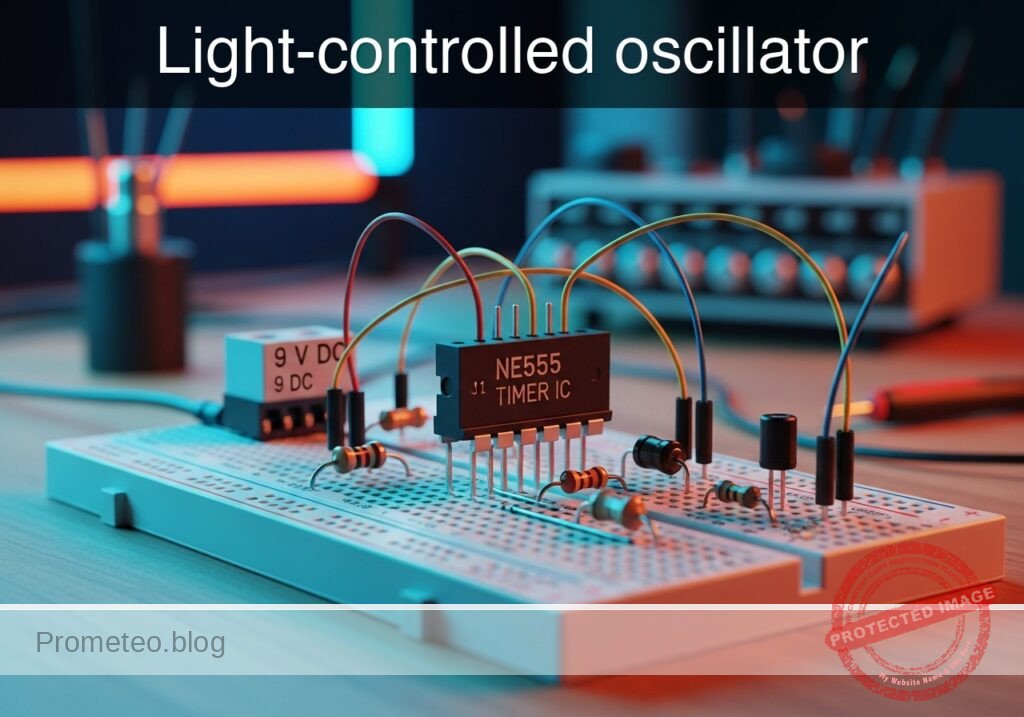
Practical case: Modulated light audio receiver

Modulated light audio receiver prototype (Maker Style)

Level: Medium – Build a receiver capable of demodulating an audio signal transmitted via an LED light beam using a photodiode.

Objective and use case

In this practical case, you will build an analog optical receiver using a high-speed photodiode configured in photoconductive mode, followed by a Transimpedance Amplifier (TIA) and an audio power amplifier. This circuit detects changes in light intensity modulated by an audio source and converts them back into electrical signals to drive a speaker.

Why it is useful:
* Optical Wireless Communication (OWC): Demonstrates the fundamental physics behind Li-Fi and infrared remote controls.
* Galvanic Isolation: Allows audio transmission between devices without a physical ground connection, preventing ground loops.
* Security: Unlike radio frequency (RF), optical signals are confined to the room and cannot pass through opaque walls.
* Interference Immunity: Immune to electromagnetic interference (EMI) that typically affects copper wire transmission.

Expected outcome:
* Signal Output: A measurable voltage waveform at the TIA output (V_PRE) that mirrors the transmitted audio waveform.
* Audio Output: Clear sound reproduction through the loudspeaker (LS1) when the photodiode receives modulated light.
* Voltage Levels: The TIA output should ride on a DC bias (approx. VCC/2) with an AC signal swing depending on light intensity.
* Volume Control: Adjustment of the audio level via the potentiometer (R_VOL).

Target audience: Electronics students and hobbyists interested in analog signal conditioning.

Materials

  • V1: 9 V DC voltage source, function: Main circuit power supply.
  • D1: BPW34 Photodiode, function: Optical sensor (light to current converter).
  • U1: TL071 Operational Amplifier, function: Transimpedance Amplifier (TIA).
  • U2: LM386N-1 Audio Amplifier IC, function: Power amplification for speaker.
  • R_F: 100 kΩ resistor, function: TIA feedback resistor (sets gain).
  • R_B1: 10 kΩ resistor, function: Voltage divider top for VCC/2 bias.
  • R_B2: 10 kΩ resistor, function: Voltage divider bottom for VCC/2 bias.
  • R_VOL: 10 kΩ potentiometer, function: Audio volume control.
  • C_DEC: 100 nF ceramic capacitor, function: Power supply decoupling.
  • C_BIAS: 10 µF electrolytic capacitor, function: Stabilize VCC/2 bias point.
  • C_COUP: 4.7 µF electrolytic capacitor, function: DC blocking between TIA and Audio Amp.
  • C_OUT: 220 µF electrolytic capacitor, function: Output coupling for speaker.
  • C_GAIN: 10 µF electrolytic capacitor, function: LM386 gain setting (Pins 1-8).
  • LS1: 8 Ω / 0.5W Speaker, function: Audio transducer.

Wiring guide

This guide defines the connections using specific SPICE node names: VCC, 0 (GND), V_BIAS, N_INV (Inverting input), V_PRE (Pre-amp out), V_WIPER (Potentiometer out), and V_SPK (Amp out).

Power and Bias:
* V1: Positive terminal to VCC, Negative terminal to 0.
* R_B1: Connects between VCC and V_BIAS.
* R_B2: Connects between V_BIAS and 0.
* C_BIAS: Positive lead to V_BIAS, Negative lead to 0.
* C_DEC: Connects between VCC and 0 (near U1).

Transimpedance Amplifier (Stage 1):
* U1 (Op-Amp): V+ pin to VCC, V- pin to 0. Non-inverting input (+) to V_BIAS. Inverting input (-) to N_INV. Output pin to V_PRE.
* D1 (Photodiode): Cathode to VCC, Anode to N_INV (Reverse biased).
* R_F: Connects between N_INV and V_PRE.

Signal Coupling:
* C_COUP: Positive lead to V_PRE, Negative lead to NODE_POT_TOP.
* R_VOL: Top terminal to NODE_POT_TOP, Bottom terminal to 0, Wiper to V_WIPER.

Power Amplifier (Stage 2):
* U2 (LM386): Vs (Pin 6) to VCC, GND (Pin 4) to 0. Non-inverting Input (Pin 3) to V_WIPER. Inverting Input (Pin 2) to 0.
* C_GAIN: Connects between Pin 1 and Pin 8 of U2 (Positive to Pin 1).
* C_OUT: Positive lead to U2 Output (Pin 5), Negative lead to V_SPK.
* LS1: Connects between V_SPK and 0.

Conceptual block diagram

Conceptual block diagram — TL071 Optical Audio Receiver
Quick read: inputs → main block → output (actuator or measurement). This summarizes the ASCII schematic below.

Schematic

Title: Practical case: Modulated light audio receiver

      [ INPUT / SENSOR ]               [ STAGE 1: TIA PRE-AMP ]                  [ INTERSTAGE ]                [ STAGE 2: POWER AMP ]              [ OUTPUT ]

                                     +-----------[ R_F: 100k ]-----------+
                                     |           (Feedback)              |
                                     v                                   |
(Light) ~~~> [ D1: BPW34 ] --(I)--> [ (-) N_INV      U1: TL071      OUT ] --(V_PRE)--> [ C_COUP ] --> [ R_VOL: 10k ] --(V_WIPER)-->+
             (Photodiode)           |                                    |             (4.7uF)        (Volume Pot)                 |
                                    | (+) V_BIAS                         |                                                         |
                                    +----------------^-------------------+                                                         |
                                                     |                                                                             |
      [ POWER & BIAS ]                               |                                                                             v
                                                     |                                                                     [ IN+  U2: LM386  OUT ] --(V_SPK)--> [ C_OUT ] --> [ LS1: Speaker ]
    [ V1: 9 V DC Source ] --(VCC)--> (Powers U1, U2)  |                                                                     |                 |                (220uF)        (8 Ohm)
             |                                       |                                                                     |  Gain Pins 1-8  |                                  |
             +---> [ Bias Divider ] --(VCC/2 Ref)----+                                                                     +--------+--------+                                 GND
                   (R_B1, R_B2,                                                                                                     |
                    C_BIAS)                                                                                                    [ C_GAIN ]
                                                                                                                                (10uF)
Schematic (ASCII)

Measurements and tests

  1. Bias Point Check: Use a multimeter to measure the voltage at node V_BIAS. It should be approximately 4.5 V (half of VCC). If not, check R_B1 and R_B2.
  2. Ambient Light Level: Measure the DC voltage at V_PRE without any modulated signal (just ambient light). It should be slightly lower than V_BIAS depending on the ambient brightness hitting D1.
  3. Signal Acquisition:
    • Point a modulated light source (e.g., an LED connected to an audio output or a signal generator) at D1.
    • Use an oscilloscope at V_PRE. You should see an AC waveform superimposed on the DC level.
    • Measure the Vpp (Peak-to-Peak Voltage). It should be in the range of 100 mV to 1 V depending on the distance and light intensity.
  4. Audio Test: Turn R_VOL up slowly. You should hear the transmitted audio clearly from LS1.

SPICE netlist and simulation

Reference SPICE Netlist (ngspice) — excerptFull SPICE netlist (ngspice)

* Practical case: Modulated light audio receiver

* --- Component Models ---
* Generic Photodiode Model
.model D_BPW34 D(Is=1n Rs=5 Cjo=10p)

* --- Subcircuits ---

* TL071 Operational Amplifier Macro Model
* Pinout: 1=NonInv 2=Inv 3=V+ 4=V- 5=Out
.SUBCKT TL071 P_NI P_INV P_VCC P_VEE P_OUT
  * Input Impedance
  Rin P_NI P_INV 1T
  * Output Stage (Behavioral with Rail Limiting)
  * Models high open-loop gain and saturation at Rails +/- 1.5V
  B1 P_OUT 0 V=V(P_VEE) + 1.5 + (V(P_VCC)-V(P_VEE)-3) * (1 / (1 + exp(-100000 * (V(P_NI)-V(P_INV)))))
.ENDS TL071

* LM386 Audio Amplifier Macro Model
* Pinout: 1=Gain 2=Inv 3=NonInv 4=GND 5=Out 6=Vs 8=Gain
* ... (truncated in public view) ...

Copy this content into a .cir file and run with ngspice.

🔒 Part of this section is premium. With the 7-day pass or the monthly membership you can access the full content (materials, wiring, detailed build, validation, troubleshooting, variants and checklist) and download the complete print-ready PDF pack.

* Practical case: Modulated light audio receiver

* --- Component Models ---
* Generic Photodiode Model
.model D_BPW34 D(Is=1n Rs=5 Cjo=10p)

* --- Subcircuits ---

* TL071 Operational Amplifier Macro Model
* Pinout: 1=NonInv 2=Inv 3=V+ 4=V- 5=Out
.SUBCKT TL071 P_NI P_INV P_VCC P_VEE P_OUT
  * Input Impedance
  Rin P_NI P_INV 1T
  * Output Stage (Behavioral with Rail Limiting)
  * Models high open-loop gain and saturation at Rails +/- 1.5V
  B1 P_OUT 0 V=V(P_VEE) + 1.5 + (V(P_VCC)-V(P_VEE)-3) * (1 / (1 + exp(-100000 * (V(P_NI)-V(P_INV)))))
.ENDS TL071

* LM386 Audio Amplifier Macro Model
* Pinout: 1=Gain 2=Inv 3=NonInv 4=GND 5=Out 6=Vs 8=Gain
.SUBCKT LM386 P_G1 P_INV P_NI P_GND P_OUT P_VS P_G8
  * Internal Gain Resistor (1.35k) connecting Pins 1 and 8
  R_GAIN_INT P_G1 P_G8 1.35k
  * High resistance to GND to prevent floating node errors for the Gain capacitor
  R_C1 P_G1 0 100Meg
  R_C8 P_G8 0 100Meg
  
  * Audio Amplifier Behavioral Source
  * Self-biasing output to Vs/2
  * Fixed Gain approx 200 (Assuming C_GAIN is present externally)
  B_OUT P_OUT P_GND V=V(P_VS)/2 + 200*(V(P_NI)-V(P_INV))
.ENDS LM386

* --- Main Circuit ---

* Power Supply (9V)
V1 VCC 0 DC 9

* Power Supply Decoupling
C_DEC VCC 0 100n

* Bias Voltage Generator (VCC/2)
R_B1 VCC V_BIAS 10k
R_B2 V_BIAS 0 10k
C_BIAS V_BIAS 0 10u

* --- Stage 1: Transimpedance Amplifier (TIA) ---
* U1 TL071 Op-Amp
* Connections: NI=V_BIAS, INV=N_INV, V+=VCC, V-=0, OUT=V_PRE
XU1 V_BIAS N_INV VCC 0 V_PRE TL071

* Photodiode Sensor (Reverse Biased)
* Cathode to VCC, Anode to N_INV
D1 N_INV VCC D_BPW34

* Optical Signal Simulation
* Current source representing modulated light (1kHz square wave)
* Connected parallel to photodiode (Anode to Cathode current flow)
I_LIGHT N_INV VCC PULSE(0 2u 0 1u 1u 500u 1000u)

* Feedback Resistor
R_F N_INV V_PRE 100k

* --- Signal Coupling ---
* DC Blocking Capacitor
C_COUP V_PRE NODE_POT_TOP 4.7u

* Volume Potentiometer (10k)
* Modeled as voltage divider. Wiper set to 20% to manage gain.
* Top Resistor (8k)
R_VOL_TOP NODE_POT_TOP V_WIPER 8k
* Bottom Resistor (2k)
R_VOL_BOT V_WIPER 0 2k

* --- Stage 2: Power Amplifier ---
* U2 LM386 Audio Amp
* Connections: 1=GAIN_P, 2=0, 3=V_WIPER, 4=0, 5=V_AMP_OUT, 6=VCC, 8=GAIN_N
XU2 GAIN_P 0 V_WIPER 0 V_AMP_OUT VCC GAIN_N LM386

* Gain Setting Capacitor (Pins 1-8)
C_GAIN GAIN_P GAIN_N 10u

* Output Coupling Capacitor
C_OUT V_AMP_OUT V_SPK 220u

* Speaker Load (8 Ohm)
LS1 V_SPK 0 8

* --- Simulation Directives ---
* Transient analysis for 5ms to see 5 cycles of 1kHz audio
.tran 10u 5ms

* Output data for plotting
.print tran V(V_PRE) V(V_WIPER) V(V_SPK)

.end

Simulation Results (Transient Analysis)

Simulation Results (Transient Analysis)
Show raw data table (623 rows)
Index   time            v(v_pre)        v(v_wiper)      v(v_spk)
0	0.000000e+00	4.499900e+00	0.000000e+00	0.000000e+00
1	1.000000e-08	4.501899e+00	3.998838e-04	7.997676e-02
2	1.083984e-08	4.502067e+00	4.334770e-04	8.669540e-02
3	1.251953e-08	4.502403e+00	5.006638e-04	1.001328e-01
4	1.587889e-08	4.503075e+00	6.350376e-04	1.270075e-01
5	2.259763e-08	4.504418e+00	9.037850e-04	1.807570e-01
6	3.603509e-08	4.507106e+00	1.441280e-03	2.882560e-01
7	6.291003e-08	4.512481e+00	2.516269e-03	5.032538e-01
8	1.166599e-07	4.523231e+00	4.666245e-03	9.332491e-01
9	2.241596e-07	4.544731e+00	8.966191e-03	1.793238e+00
10	4.391591e-07	4.587730e+00	1.756605e-02	3.513210e+00
11	8.691581e-07	4.673729e+00	3.476566e-02	6.953131e+00
12	1.000000e-06	4.699898e+00	3.999919e-02	7.999838e+00
13	1.086000e-06	4.699898e+00	3.999923e-02	7.999847e+00
14	1.257999e-06	4.699898e+00	3.999909e-02	7.999818e+00
15	1.601999e-06	4.699898e+00	3.999879e-02	7.999759e+00
16	2.289997e-06	4.699898e+00	3.999821e-02	7.999642e+00
17	3.665994e-06	4.699898e+00	3.999704e-02	7.999408e+00
18	6.417987e-06	4.699898e+00	3.999470e-02	7.998939e+00
19	1.192197e-05	4.699898e+00	3.999001e-02	7.998002e+00
20	2.192197e-05	4.699898e+00	3.998151e-02	7.996300e+00
21	3.192197e-05	4.699898e+00	3.997300e-02	7.994598e+00
22	4.192197e-05	4.699898e+00	3.996450e-02	7.992895e+00
23	5.192197e-05	4.699898e+00	3.995599e-02	7.991193e+00
... (599 more rows) ...

Common mistakes and how to avoid them

  1. Reversed Photodiode Polarity: Connecting the anode to VCC will forward bias the diode, causing it to conduct fully and saturate the amplifier. Solution: Ensure the Cathode (usually marked with a flat side or shorter lead) goes to VCC.
  2. Omitting DC Blocking Capacitors: Connecting the output of the TIA directly to the LM386 volume pot can upset the biasing of the audio amp. Solution: Always use C_COUP to pass only the audio signal and block the DC offset.
  3. Optical Saturation: Testing under direct sunlight or very strong artificial light saturates the photodiode, flattening the signal. Solution: Use an optical shield (a black tube) around D1 to limit the field of view to the transmitter only.

Troubleshooting

  • Symptom: Constant loud hum or buzzing.
    • Cause: 50Hz/60Hz noise pickup from ambient room lighting (fluorescent/mains).
    • Fix: Turn off room lights or use an optical filter (red/IR plastic) over D1.
  • Symptom: No audio, but V_PRE shows signal.
    • Cause: R_VOL is at minimum or LM386 wiring is incorrect.
    • Fix: Check the wiper connection of the potentiometer and ensure U2 power pins are correct.
  • Symptom: Signal is clipped (squared off) at the TIA.
    • Cause: Gain resistor R_F is too high for the light intensity received.
    • Fix: Reduce R_F to 47 kΩ or move the transmitter further away.

Possible improvements and extensions

  1. Bandpass Filter: Replace R_F with a T-network or add a capacitor in parallel to create a low-pass filter, and add a high-pass filter stage to remove 50/60Hz mains hum.
  2. Schmitt Trigger Output: Feed the output of V_PRE into a comparator or Schmitt trigger (like a 74HC14) to convert the analog audio receiver into a digital data receiver for UART transmission.

More Practical Cases on Prometeo.blog

Find this product and/or books on this topic on Amazon

Go to Amazon

As an Amazon Associate, I earn from qualifying purchases. If you buy through this link, you help keep this project running.

Quick Quiz

Question 1: What is the primary function of the photodiode in this circuit?


Question 2: In which mode is the high-speed photodiode configured for this receiver?


Question 3: What component immediately follows the photodiode in the signal chain?


Question 4: Which of the following is listed as a security benefit of optical communication compared to RF?


Question 5: What is the purpose of Galvanic Isolation mentioned in the text?


Question 6: What is the expected outcome for the TIA output (V_PRE)?


Question 7: Why is this system considered immune to electromagnetic interference (EMI)?


Question 8: What technology is mentioned as sharing fundamental physics with this project?


Question 9: What is the ultimate output device that reproduces the sound in this receiver?


Question 10: What is the difficulty level assigned to this project?


Carlos Núñez Zorrilla
Electronics & Computer Engineer

Telecommunications Electronics Engineer and Computer Engineer (official degrees in Spain).
Follow me:


Practical case: Optical tachometer for DC motor

Optical tachometer for DC motor prototype (Maker Style)

Level: Medium – Design an RPM measurement system using a photodiode in photoconductive mode to detect light interruptions.

Objective and use case

In this practical case, you will build a non-contact optical sensor circuit that converts light interruptions caused by a rotating propeller into a clean digital pulse stream. The system uses a photodiode in reverse bias (photoconductive mode) to detect light intensity changes, a comparator to digitize the analog signal, and a logic inverter to buffer the output.

Why it is useful:
* Speed Control Systems: Provides feedback for PID controllers to maintain constant motor speed under varying loads.
* Conveyor Belt Monitoring: Detects jams or stoppages by monitoring the rotation of drive rollers.
* Fan Failure Detection: Used in servers and industrial equipment to trigger alarms if cooling fans stop spinning.
* Non-contact Measurement: Allows measurement of high-speed mechanical parts without adding friction or physical wear.

Expected outcome:
* Signal generation: A square wave output (VOUT) where the frequency is proportional to the motor speed.
* Visual indication: An indicator LED flashes in sync with the propeller blade passing (visible at low speeds).
* Voltage levels: The analog sensor voltage swings between ≈ 0 V (dark) and $>2 V$ (light), converted to valid 5 V TTL logic levels at the output.
* Target audience: Electronics students and hobbyists familiar with basic Op-Amps and discrete semiconductors.

Materials

Bill of Materials:
* V1: 5 V DC supply, function: Main circuit power.
* V2: 5 V DC supply, function: Power for the external light source (or shared with V1).
* D1: BPW34 (or generic) Photodiode, function: Light sensor (Reverse biased).
* R1: 100 kΩ resistor, function: Current-to-voltage conversion (Gain resistor).
* RV1: 10 kΩ potentiometer, function: Adjustable reference voltage (VREF) for the comparator.
* U1: LM358 Op-Amp, function: Voltage comparator.
* U2: 74HC04 Hex Inverter, function: Signal buffering and inversion.
* R2: 330 Ω resistor, function: Output LED current limiting.
* D2: Red LED, function: Pulse indicator.
* L1: White LED or Flashlight, function: External light source pointing at D1.
* M1: DC Motor with a propeller/fan, function: Object to measure (cuts the light beam).

Pin-out of the IC used

Selected Chip: 74HC04 (Hex Inverter)

Pin Name Logic Function Connection in this case
1 1 A Input Connected to Comparator Output (VCOMP)
2 1Y Output Connected to Output Node (VOUT)
7 GND Ground Connected to Circuit Ground (0)
14 VCC Power Supply Connected to VCC (5 V)

Note: The LM358 Op-Amp pinout is standard (Pin 8: VCC, Pin 4: GND, Pin 3: Non-inverting input, Pin 2: Inverting input, Pin 1: Output).

Wiring guide

Construct the circuit following these node connections. Ensure the photodiode is shielded from ambient light for best results.

  • Power Nodes:

    • VCC: Connect positive terminal of V1, Pin 8 of U1 (LM358), Pin 14 of U2 (74HC04), and one side of RV1.
    • 0 (GND): Connect negative terminal of V1, Pin 4 of U1, Pin 7 of U2, the other side of RV1, Anode of D1, and Cathode of D2.
  • Sensor Stage (Photoconductive Mode):

    • VSENS: Connect Cathode of D1 (Photodiode), one end of R1, and Pin 3 (Non-inverting input) of U1.
    • Connect the other end of R1 to VCC.
    • Note: This configuration creates a voltage divider. When light hits D1, reverse current flows, dropping voltage at VSENS. Dark = High Voltage (near VCC); Light = Low Voltage.
  • Comparator Stage:

    • VREF: Connect the wiper (middle pin) of RV1 to Pin 2 (Inverting input) of U1.
    • VCOMP: Connect Pin 1 (Output) of U1 to Pin 1 (Input 1 A) of U2.
  • Output Stage:

    • VOUT: Connect Pin 2 (Output 1Y) of U2 to one end of R2. This is your measurement point for the oscilloscope.
    • Connect the other end of R2 to the Anode of D2 (LED).

Conceptual block diagram

Conceptual block diagram — LM358 Photodiode
Quick read: inputs → main block → output (actuator or measurement). This summarizes the ASCII schematic below.

Schematic

Title: Practical case: Optical tachometer for DC motor

      [ INPUTS / SENSORS ]                     [ LOGIC / PROCESSING ]                  [ OUTPUTS ]

[ Light Source L1 ]
        |
   (Light Beam)
        |
        v
[ Motor M1 (Propeller) ]
        |
 (Interrupted Beam)
        |
        v
[ Photodiode D1 ] --(VSENS: Pin 3)-->+----------------+
(Rev-Biased w/ R1)                   |                |
                                     |   U1: LM358    |
                                     |   Comparator   | --(VCOMP: Pin 1)-->+
                                     |                |                    |
[ Potentiometer RV1 ] --(VREF: Pin 2)-->+----------------+                    |
(Adjust Sensitivity)                                                       |
                                                                           v
                                                                   +----------------+
                                                                   |                |
                                                                   |   U2: 74HC04   |
                                                                   |  Hex Inverter  |
                                                                   |                |
                                                                   +-------+--------+
                                                                           |
                                                                     (VOUT: Pin 2)
                                                                           |
                                                                           +--------(Scope Probe)-->
                                                                           |
                                                                           v
                                                                    [ Resistor R2 ]
                                                                           |
                                                                           v
                                                                      [ LED D2 ]
                                                                           |
                                                                           v
                                                                         (GND)
Schematic (ASCII)

Truth table (Logic Stage)

This table describes the logic flow from the physical state to the final electrical output.

State of Propeller Light at Photodiode (D1) Voltage at VSENS Comparator Out (VCOMP) Inverter Out (VOUT) LED (D2)
Blocking Light Low / Dark High (> VREF) High (Logic 1) Low (Logic 0) OFF
Pass Through High / Bright Low (< VREF) Low (Logic 0) High (Logic 1) ON

Note: Since the sensor configuration pulls VSENS low when illuminated, the Comparator output goes Low when lit. The 74HC04 inverts this, so the LED turns ON when light passes through.

Measurements and tests

  1. Calibration (Static Test):

    • Power on the system (V1 = 5 V).
    • Ensure the light source L1 is shining directly on D1.
    • Measure VSENS with a multimeter. It should be low (e.g., 1 V – 2 V) due to photocurrent.
    • Block the light with your hand. VSENS should rise close to VCC (e.g., 4.5 V).
    • Adjust potentiometer RV1 so that VREF is exactly in the middle of these two values (e.g., if Dark=4.5 V and Light=1.5 V, set VREF to 3.0 V).
  2. Dynamic Test:

    • Place the motor M1 so its propeller cuts the beam between L1 and D1.
    • Connect Channel 1 of your oscilloscope to VOUT.
    • Run the motor. You should see a square wave train.
  3. Calculation:

    • Measure the frequency ($f$) of the signal at VOUT in Hertz.
    • Count the number of blades ($N$) on your propeller.
    • Calculate RPM: RPM = ≤ft( (f / N) \right) × 60.

SPICE netlist and simulation

Reference SPICE Netlist (ngspice) — excerptFull SPICE netlist (ngspice)

* Practical case: Optical tachometer for DC motor

* ==========================================
* Models and Definitions
* ==========================================

* Photodiode Model (Generic BPW34)
.model D_BPW34 D(IS=10n N=1.1 RS=5 CJO=20p)

* Output LED Model (Red)
.model LED_Red D(IS=1u N=1.8 RS=5 BV=5 IBV=10u)

* External Light Source LED Model (White)
.model LED_White D(IS=1n N=2.5 RS=10 BV=5 IBV=10u)

* Subcircuit: LM358 Op-Amp (Comparator Mode)
* Pins: OUT INM INP GND VCC
.subckt LM358 OUT INM INP GND VCC
* Dummy resistors to ensure DC path for all pins (avoids floating node warnings)
R_supply VCC GND 100Meg
* ... (truncated in public view) ...

Copy this content into a .cir file and run with ngspice.

🔒 Part of this section is premium. With the 7-day pass or the monthly membership you can access the full content (materials, wiring, detailed build, validation, troubleshooting, variants and checklist) and download the complete print-ready PDF pack.

* Practical case: Optical tachometer for DC motor

* ==========================================
* Models and Definitions
* ==========================================

* Photodiode Model (Generic BPW34)
.model D_BPW34 D(IS=10n N=1.1 RS=5 CJO=20p)

* Output LED Model (Red)
.model LED_Red D(IS=1u N=1.8 RS=5 BV=5 IBV=10u)

* External Light Source LED Model (White)
.model LED_White D(IS=1n N=2.5 RS=10 BV=5 IBV=10u)

* Subcircuit: LM358 Op-Amp (Comparator Mode)
* Pins: OUT INM INP GND VCC
.subckt LM358 OUT INM INP GND VCC
* Dummy resistors to ensure DC path for all pins (avoids floating node warnings)
R_supply VCC GND 100Meg
R_inM    INM GND 100Meg
R_inP    INP GND 100Meg
* Behavioral Output: High (VCC) if INP > INM, Low (GND) otherwise
B_Out OUT GND V = (V(VCC)-V(GND)) * (1 / (1 + exp(-100 * (V(INP)-V(INM)))))
.ends LM358

* Subcircuit: 74HC04 Hex Inverter (Single Gate)
* Pins: IN OUT GND VCC
.subckt 74HC04_Gate IN OUT GND VCC
* Dummy resistors
R_supply VCC GND 100Meg
R_in     IN  GND 100Meg
* Inverter Logic: High if IN < 2.5V
B_Out OUT GND V = (V(VCC)-V(GND)) * (1 / (1 + exp(100 * (V(IN) - 2.5))))
.ends 74HC04_Gate

* ==========================================
* Circuit Instantiation
* ==========================================

* --- Power Supply Section ---
* V1: 5V DC Supply for the main circuit (VCC)
V1 VCC 0 DC 5

* V2: 5V DC Supply for external components (Motor/Light)
V2 VCC_EXT 0 DC 5

* --- Environment (Physical BOM Components) ---
* L1: White LED (External Light Source)
* Modeled as electrical load on V2. Light emission is implicit.
R_L1 VCC_EXT N_L1 220
D_L1 N_L1 0 LED_White

* M1: DC Motor (Propeller)
* Modeled as electrical load on V2. Rotation is simulated by the chopper signal.
R_M1 VCC_EXT N_M1 20
L_M1 N_M1 0 10m

* Optical Interaction Simulation:
* V_Chopper simulates the propeller cutting the light beam from L1 to D1.
* 1V = Light Passing (Gap), 0V = Light Blocked (Blade).
* Frequency approx 500Hz (2ms period).
V_Chopper V_OPT_LINK 0 PULSE(0 1 0 100u 100u 800u 2000u)

* --- Sensor Stage ---
* R1: 100k Resistor (Pull-up) connecting VCC to VSENS
R1 VCC VSENS 100k

* D1: BPW34 Photodiode
* Wiring: Cathode to VSENS, Anode to GND (Reverse Biased)
D1 0 VSENS D_BPW34

* Photocurrent Injection (Behavioral):
* Represents light hitting D1 when V_OPT_LINK is High.
* Current flows Cathode to Anode (VSENS to GND). I_photo = 50uA.
B_Photo VSENS 0 I = V(V_OPT_LINK) * 50u

* --- Comparator Stage ---
* RV1: 10k Potentiometer (Reference Voltage)
* Configured as 50% divider (5k + 5k) setting VREF to ~2.5V.
R_RV1_Top VCC VREF 5k
R_RV1_Bot VREF 0 5k

* U1: LM358 Op-Amp configured as Comparator
* Pin 8=VCC, Pin 4=GND, Pin 3=VSENS (Non-Inv), Pin 2=VREF (Inv), Pin 1=VCOMP
XU1 VCOMP VREF VSENS 0 VCC LM358

* --- Buffer/Inverter Stage ---
* U2: 74HC04 Hex Inverter (Gate 1)
* Pin 14=VCC, Pin 7=GND, Pin 1=VCOMP (Input), Pin 2=VOUT (Output)
XU2 VCOMP VOUT 0 VCC 74HC04_Gate

* --- Output Stage ---
* R2: 330 Ohm Current Limiting Resistor
R2 VOUT LED_A 330

* D2: Red LED (Signal Indicator)
* Wiring: Anode to R2, Cathode to GND
D2 LED_A 0 LED_Red

* ==========================================
* Analysis Commands
* ==========================================

* Transient analysis: 10ms to capture 5 pulses
.tran 100u 10ms

* Monitor signals
.print tran V(VSENS) V(VREF) V(VCOMP) V(VOUT) V(LED_A) V(V_OPT_LINK)

.end

Simulation Results (Transient Analysis)

Simulation Results (Transient Analysis)
Show raw data table (526 rows)
Index   time            v(vsens)        v(vref)         v(vcomp)
0	0.000000e+00	4.994005e+00	2.499938e+00	5.000000e+00
1	1.000000e-06	4.966501e+00	2.499938e+00	5.000000e+00
2	2.000000e-06	4.926705e+00	2.499938e+00	5.000000e+00
3	4.000000e-06	4.836178e+00	2.499938e+00	5.000000e+00
4	8.000000e-06	4.635945e+00	2.499938e+00	5.000000e+00
5	1.600000e-05	4.238426e+00	2.499938e+00	5.000000e+00
6	3.200000e-05	3.442420e+00	2.499938e+00	5.000000e+00
7	6.400000e-05	1.854804e+00	2.499938e+00	4.799431e-28
8	1.000000e-04	8.527235e-02	2.499938e+00	5.000000e-99
9	1.009874e-04	5.613111e-02	2.499938e+00	5.038370e-99
10	1.029622e-04	1.810390e-02	2.499938e+00	5.069277e-99
11	1.055177e-04	3.702381e-03	2.499938e+00	5.376972e-99
12	1.063053e-04	2.444841e-03	2.499938e+00	6.193694e-99
13	1.072769e-04	1.458053e-03	2.499938e+00	5.050362e-99
14	1.083003e-04	8.469348e-04	2.499938e+00	4.694441e-99
15	1.095417e-04	4.347045e-04	2.499938e+00	5.049162e-99
16	1.109578e-04	2.013374e-04	2.499938e+00	4.883316e-99
17	1.123791e-04	9.296145e-05	2.499938e+00	4.945812e-99
18	1.143288e-04	3.056502e-05	2.499938e+00	4.968802e-99
19	1.167173e-04	7.196143e-06	2.499938e+00	4.988316e-99
20	1.202744e-04	2.927790e-07	2.499938e+00	4.996548e-99
21	1.252257e-04	-3.66547e-08	2.499938e+00	4.999835e-99
22	1.343972e-04	1.488928e-08	2.499938e+00	5.000026e-99
23	1.527400e-04	-9.71180e-09	2.499938e+00	4.999988e-99
... (502 more rows) ...

Common mistakes and how to avoid them

  1. Photodiode polarity reversed: In photoconductive mode, the photodiode MUST be reverse-biased (Cathode to positive potential relative to Anode). If connected forward, it acts like a regular diode and won’t sense light effectively.
    • Fix: Check the flat side or shorter lead of the photodiode and ensure it connects to the VSENS node (which is pulled up to VCC via R1).
  2. Improper Reference Voltage (VREF): If VREF is set too high (above the dark voltage) or too low (below the light voltage), the comparator will never toggle.
    • Fix: Always measure VSENS in both dark and light states before setting RV1.
  3. Ambient Light Interference: Room lighting (especially fluorescent lights flickering at 50/60Hz) can trigger the sensor falsely.
    • Fix: Use an opaque tube (heat shrink or a pen casing) around the photodiode to narrow its field of view strictly to the light source.

Troubleshooting

  • Symptom: LED is always ON or always OFF.
    • Cause: VREF is not set correctly or the light source is too weak.
    • Fix: Retune RV1. Ensure L1 is bright and aligned.
  • Symptom: Output signal is jittery or has multiple glitches per pulse.
    • Cause: Noisy transitions when the voltage crosses the threshold slowly.
    • Fix: Add a small hysteresis resistor (e.g., 1 MΩ) between VCOMP and Pin 3 of U1, or ensure the optical transition is sharp (focused beam).
  • Symptom: VSENS does not change significantly with light.
    • Cause: R1 value is too low for the sensitivity of D1.
    • Fix: Increase R1 to 220 kΩ or 470 kΩ to increase voltage gain (V = Iphoto × R1).

Possible improvements and extensions

  1. Hysteresis (Schmitt Trigger): Modify the Op-Amp circuit to include positive feedback. This creates two distinct threshold voltages, making the system immune to noise around the switching point.
  2. Reflective Sensor Mode: Instead of placing the light source opposite the sensor (transmissive), place them side-by-side. Paint the propeller blades black (non-reflective) and white (reflective). This allows measuring RPM on motors where you cannot access both sides of the blades.

More Practical Cases on Prometeo.blog

Find this product and/or books on this topic on Amazon

Go to Amazon

As an Amazon Associate, I earn from qualifying purchases. If you buy through this link, you help keep this project running.

Quick Quiz

Question 1: What is the primary mode of operation for the photodiode in this RPM measurement system?


Question 2: Which component is responsible for digitizing the analog signal from the photodiode?


Question 3: What is a key advantage of using this non-contact optical sensor method?


Question 4: In the context of fan failure detection, what is the purpose of this circuit?


Question 5: What is the function of the logic inverter in the circuit design?


Question 6: What relationship does the frequency of the square wave output (VOUT) have with the motor?


Question 7: For what purpose would a PID controller use the output from this system?


Question 8: What is the expected outcome for the signal generation in this system?


Question 9: Which application involves detecting jams or stoppages by monitoring drive rollers?


Question 10: What physical event does the photodiode detect to measure RPM?


Carlos Núñez Zorrilla
Electronics & Computer Engineer

Telecommunications Electronics Engineer and Computer Engineer (official degrees in Spain).

Follow me:


Practical case: Basic Infrared Light Barrier

Basic Infrared Light Barrier prototype (Maker Style)

Level: Basic. Build a simple alarm system that detects the interruption of a light beam.

Objective and use case

In this project, you will build an optical detector system consisting of a transmitter (IR LED) and a receiver (Photodiode) that controls a transistor switch. When the invisible infrared beam is interrupted by an object, an alarm LED will light up.

  • Security systems: Used in door or window frames to detect unauthorized entry.
  • Automation: detecting objects on a conveyor belt for counting or sorting.
  • Safety: Emergency stop mechanisms when a hand crosses a dangerous boundary.
  • Touchless switching: Activating devices without physical contact.

Expected outcome:
* Beam Intact (Clear path): The Red Alarm LED is OFF.
* Beam Interrupted (Object present): The Red Alarm LED turns ON.
* Signal: The voltage at the sensing node will transition from Logic Low (approx. 0.1 V – 0.5 V) to Logic High (> 0.7 V) when the beam is broken.
* Target audience: Beginners familiar with breadboarding and basic discrete components.

Materials

  • V1: 5 V DC supply
  • D1: IR LED (Infrared Emitter), function: Beam transmitter (Tx)
  • R1: 220 Ω resistor, function: Current limiting for D1
  • D2: Photodiode, function: Beam receiver (Rx)
  • R2: 100 kΩ resistor, function: Pull-up resistor for the sensing node
  • Q1: 2N2222 (or 2N3904) NPN Transistor, function: Electronic switch
  • R3: 1 kΩ resistor, function: Base current limiter for Q1
  • D3: Red LED, function: Alarm indicator
  • R4: 330 Ω resistor, function: Current limiting for D3

Wiring guide

This circuit is divided into two parts: the Transmitter (Tx) and the Receiver (Rx). Construct them facing each other.

Transmitter (Tx):
* VCC connects to R1.
* R1 connects to the Anode of D1 (Node: TX_ANODE).
* D1 (Cathode) connects to 0 (GND).

Receiver (Rx) – Dark Detector Configuration:
* VCC connects to R2.
* R2 connects to the Cathode of D2 (Node: V_SENSE). Note: Photodiodes are used in reverse bias.
* D2 (Anode) connects to 0 (GND).
* VCC connects to R4.
* R4 connects to the Anode of D3.
* D3 (Cathode) connects to the Collector of Q1 (Node: V_ALARM).
* Q1 (Emitter) connects to 0 (GND).
* Node V_SENSE connects to R3.
* R3 connects to the Base of Q1.

Conceptual block diagram

Conceptual block diagram — Light Barrier Detection
Quick read: inputs → main block → output (actuator or measurement). This summarizes the ASCII schematic below.

Schematic

+------------------------------------------------------------------------------+
|                   PRACTICAL CASE: BASIC INFRARED LIGHT BARRIER               |
+------------------------------------------------------------------------------+

      [ INPUTS / SENSORS ]              [ LOGIC / CONTROL ]               [ OUTPUT / LOAD ]

      (Transmitter)
      [ VCC ]
         |
         v
      [ R1: 220 ]
         |
         v
      [ D1: IR LED ] ~~~~~(IR Beam)~~~~~> [ D2: Photodiode ]
         |                                (Rx Sensor)
         v                                      |
      [ GND ]                                   |
                                                |
      (Receiver Bias)                           |
      [ VCC ]                                   |
         |                                      |
         v                                      |
      [ R2: 100k ]                              |
         |                                      |
         +-----------(Node: V_SENSE)------------+
         |
         |
         v
      [ R3: 1k ]
         |
         v
      [ Q1: NPN Base ] ----------------> [ Q1: Collector ] <--(Switched Path)-- [ D3: Red LED ]
      (Transistor Switch)                (Sinks Current)                              ^
                                                |                                     |
                                                v                                [ R4: 330 ]
                                         [ Q1: Emitter ]                              ^
                                                |                                     |
                                                v                                  [ VCC ]
                                             [ GND ]

+------------------------------------------------------------------------------+
| SIGNAL FLOW ANALYSIS:                                                        |
| 1. Tx generates IR Beam.                                                     |
| 2. If Beam hits D2 (Clear) -> D2 conducts -> V_SENSE is LOW -> Q1 OFF.       |
| 3. If Beam blocked (Dark)  -> D2 blocks   -> V_SENSE is HIGH -> Q1 ON.       |
| 4. Q1 ON connects D3 to GND -> ALARM ACTIVATED.                              |
+------------------------------------------------------------------------------+
Schematic (ASCII)

System Logic Table

Physical State IR Beam Status Photodiode (D2) Mode V_SENSE Voltage Transistor (Q1) Alarm LED (D3)
Normal Reaching Rx Conducting (Low Resistance) Low (< 0.6 V) OFF (Cut-off) OFF
Intrusion Blocked/Broken Blocking (High Impedance) High (~VCC) ON (Saturation) ON

Measurements and tests

  1. Tx Verification: Connect power. Use a smartphone camera to look at the IR LED (D1). You should see a faint purple/pink glow on the screen (human eyes cannot see IR).
  2. Rx Voltage Test (Beam Intact): Align D1 and D2 perfectly. Measure voltage at V_SENSE relative to GND. It should be low (typically < 0.6 V) because the light causes the photodiode to conduct current to the ground.
  3. Rx Voltage Test (Beam Broken): Place a card or your hand between D1 and D2. Measure voltage at V_SENSE. It should rise significantly (close to 4 V–5 V) as the photodiode stops conducting and R2 pulls the node high.
  4. Functional Test: Ensure the Red LED (D3) turns ON immediately when the beam is blocked and turns OFF when the path is clear.

SPICE netlist and simulation

Reference SPICE Netlist (ngspice) — excerptFull SPICE netlist (ngspice)

* Practical case: Basic Infrared Light Barrier

* --- Component Models ---
* Standard NPN Transistor
.model 2N2222 NPN (IS=1E-14 BF=200 VAF=100)
* Infrared LED (Tx) - Approx Vf=1.2V
.model IR_LED D (IS=1p N=1.5 RS=5)
* Red LED (Alarm) - Approx Vf=1.8-2.0V
.model RED_LED D (IS=1u N=2 RS=10)
* Photodiode (Rx) - Modeled as diode with low capacitance
.model PD_DIODE D (IS=10p N=1 RS=10 CJO=10p)

* --- Power Supply ---
V1 VCC 0 DC 5

* --- Transmitter (Tx) Circuit ---
* Connectivity: VCC -> R1 -> D1(Anode). D1(Cathode) -> GND.
R1 VCC TX_ANODE 220
D1 TX_ANODE 0 IR_LED

* ... (truncated in public view) ...

Copy this content into a .cir file and run with ngspice.

🔒 Part of this section is premium. With the 7-day pass or the monthly membership you can access the full content (materials, wiring, detailed build, validation, troubleshooting, variants and checklist) and download the complete print-ready PDF pack.

* Practical case: Basic Infrared Light Barrier

* --- Component Models ---
* Standard NPN Transistor
.model 2N2222 NPN (IS=1E-14 BF=200 VAF=100)
* Infrared LED (Tx) - Approx Vf=1.2V
.model IR_LED D (IS=1p N=1.5 RS=5)
* Red LED (Alarm) - Approx Vf=1.8-2.0V
.model RED_LED D (IS=1u N=2 RS=10)
* Photodiode (Rx) - Modeled as diode with low capacitance
.model PD_DIODE D (IS=10p N=1 RS=10 CJO=10p)

* --- Power Supply ---
V1 VCC 0 DC 5

* --- Transmitter (Tx) Circuit ---
* Connectivity: VCC -> R1 -> D1(Anode). D1(Cathode) -> GND.
R1 VCC TX_ANODE 220
D1 TX_ANODE 0 IR_LED

* --- Receiver (Rx) Circuit ---
* Sensor Stage: VCC -> R2 -> D2(Cathode). D2(Anode) -> GND.
* Node V_SENSE is the junction of R2 and D2.
R2 VCC V_SENSE 100k
D2 0 V_SENSE PD_DIODE

* PHYSICAL STIMULUS: IR Beam Simulation
* In a real circuit, D1 emits light which D2 receives.
* We model this optical coupling with a Current Source (Photocurrent) in parallel with D2.
* Direction: Photocurrent flows Cathode to Anode (V_SENSE to GND).
* Logic:
*   - 50uA = Light Detected (Beam Intact) -> V_SENSE pulled Low -> Alarm OFF.
*   - 0A   = Dark (Beam Broken) -> V_SENSE pulled High by R2 -> Alarm ON.
* Timing: Start with Light (50uA), break beam at 1ms (0A), restore at 3ms.
I_Beam V_SENSE 0 PULSE(50u 0 1m 10u 10u 2m 5m)

* Switch Stage: V_SENSE -> R3 -> Q1(Base)
R3 V_SENSE Q1_BASE 1k
* Q1: Collector=V_ALARM, Base=Q1_BASE, Emitter=GND
Q1 V_ALARM Q1_BASE 0 2N2222

* Alarm Indicator Stage: VCC -> R4 -> D3(Anode). D3(Cathode) -> Q1(Collector).
R4 VCC LED_ANODE 330
D3 LED_ANODE V_ALARM RED_LED

* --- Analysis Directives ---
* Transient analysis for 5ms to capture the beam break event
.tran 10u 5m

* Print required voltages for verification
.print tran V(V_SENSE) V(Q1_BASE) V(V_ALARM) V(TX_ANODE)

.op
.end

Simulation Results (Transient Analysis)

Simulation Results (Transient Analysis)
Show raw data table (1072 rows)
Index   time            v(v_sense)      v(q1_base)      v(v_alarm)
0	0.000000e+00	5.009804e-07	5.059904e-07	4.999999e+00
1	1.000000e-07	5.009804e-07	5.059904e-07	4.999999e+00
2	2.000000e-07	5.009804e-07	5.059904e-07	4.999999e+00
3	4.000000e-07	5.009804e-07	5.059904e-07	4.999999e+00
4	8.000000e-07	5.009804e-07	5.059904e-07	4.999999e+00
5	1.600000e-06	5.009804e-07	5.059904e-07	4.999999e+00
6	3.200000e-06	5.009804e-07	5.059904e-07	4.999999e+00
7	6.400000e-06	5.009804e-07	5.059904e-07	4.999999e+00
8	1.280000e-05	5.009804e-07	5.059904e-07	4.999999e+00
9	2.280000e-05	5.009804e-07	5.059904e-07	4.999999e+00
10	3.280000e-05	5.009804e-07	5.059904e-07	4.999999e+00
11	4.280000e-05	5.009804e-07	5.059904e-07	4.999999e+00
12	5.280000e-05	5.009804e-07	5.059904e-07	4.999999e+00
13	6.280000e-05	5.009804e-07	5.059904e-07	4.999999e+00
14	7.280000e-05	5.009804e-07	5.059904e-07	4.999999e+00
15	8.280000e-05	5.009804e-07	5.059904e-07	4.999999e+00
16	9.280000e-05	5.009804e-07	5.059904e-07	4.999999e+00
17	1.028000e-04	5.009804e-07	5.059904e-07	4.999999e+00
18	1.128000e-04	5.009804e-07	5.059904e-07	4.999999e+00
19	1.228000e-04	5.009804e-07	5.059904e-07	4.999999e+00
20	1.328000e-04	5.009804e-07	5.059904e-07	4.999999e+00
21	1.428000e-04	5.009804e-07	5.059904e-07	4.999999e+00
22	1.528000e-04	5.009804e-07	5.059904e-07	4.999999e+00
23	1.628000e-04	5.009804e-07	5.059904e-07	4.999999e+00
... (1048 more rows) ...

Common mistakes and how to avoid them

  1. Reversed Photodiode: Unlike regular LEDs, photodiodes must be connected in reverse bias (Cathode to positive side, Anode to negative side) to detect light. If connected forward, it acts like a normal diode and clamps the voltage, disabling the sensor.
  2. Misalignment: IR light is highly directional. If the Tx LED and Rx Photodiode are not pointing directly at each other, the alarm will stay ON permanently.
  3. Ambient Light Interference: Strong sunlight or overhead lamps can flood the photodiode, keeping the voltage low even when you block the IR beam. Use a small tube or black tape around the photodiode to shield it from side light.

Troubleshooting

  • Alarm never turns ON:
    • Cause: Transistor base not receiving enough voltage.
    • Fix: Check if the object is truly blocking the light. Increase R2 (e.g., to 220 kΩ) to make the pull-up stronger against leakage.
  • Alarm never turns OFF:
    • Cause: Photodiode not receiving enough IR light to pull the base voltage down.
    • Fix: Re-align the LEDs. Decrease R1 to make the IR LED brighter (do not go below 100 Ω). Ensure the photodiode is inserted with the correct polarity.
  • System flickers:
    • Cause: Edge detection or unstable light source.
    • Fix: Ensure the power supply is stable. Add a small capacitor (e.g., 100 nF) between V_SENSE and GND to filter noise (note: this slows response slightly).

Possible improvements and extensions

  1. Schmitt Trigger: Replace the simple transistor driver with a Schmitt Trigger (or 555 timer) to prevent the LED from fading in/out effectively creating a «snap» action switch.
  2. Modulation: Use a 38 kHz receiver module (like a TSOP sensor) and pulse the IR LED at 38 kHz. This makes the system completely immune to sunlight and room lighting.

More Practical Cases on Prometeo.blog

Find this product and/or books on this topic on Amazon

Go to Amazon

As an Amazon Associate, I earn from qualifying purchases. If you buy through this link, you help keep this project running.

Quick Quiz

Question 1: What is the primary function of the IR LED (D1) in this project?


Question 2: Which component acts as the 'Beam receiver' in this circuit?


Question 3: What happens to the Red Alarm LED when the infrared beam is interrupted by an object?


Question 4: What is the expected voltage state at the sensing node when the beam is broken?


Question 5: Based on the context, what is the role of resistor R2 (100 kΩ)?


Question 6: What is the function of the NPN Transistor (Q1) in this circuit?


Question 7: Which of the following is a listed use case for this alarm system?


Question 8: What is the state of the Red Alarm LED when the beam path is clear (intact)?


Question 9: What is the purpose of resistor R1 (220 Ω) connected to D1?


Question 10: What is the target audience for this project?


Carlos Núñez Zorrilla
Electronics & Computer Engineer

Telecommunications Electronics Engineer and Computer Engineer (official degrees in Spain).
Follow me:


Practical case: Photodiode vs photoresistor comparison

Photodiode vs photoresistor comparison prototype (Maker Style)

Level: Basic – Analyze speed and linearity differences between an LDR and a photodiode.

Objective and use case

You will build a dual comparison circuit featuring a Light Dependent Resistor (LDR) and a Photodiode side-by-side, both stimulated by a pulsed LED light source. This setup demonstrates why specific sensors are chosen for different applications based on response time and linearity.

  • High-speed data transmission: Photodiodes are essential for fiber optics and remote controls where signals switch rapidly.
  • Ambient light sensing: LDRs are cost-effective for streetlights (dusk-to-dawn) where reaction speed does not matter.
  • Precision metering: Photodiodes provide a linear current output proportional to light intensity, ideal for lux meters.

Expected outcome:
* LDR Output: A slow, curved voltage response («shark fin» shape) when exposed to a fast-blinking light.
* Photodiode Output: A sharp, square voltage response tracking the light source accurately.
* Voltage Levels: Distinct voltage changes at nodes V_LDR and V_PD corresponding to light intensity.
* Target Audience: Students and hobbyists interested in analog sensors and optoelectronics.

Materials

  • V1: 5 V DC supply, function: Main circuit power.
  • V2: 0 V to 5 V Pulse Generator (100 Hz), function: Driver for the test LED (Stimulus).
  • R1: 330 Ω resistor, function: Current limiting for the stimulus LED.
  • D_STIM: Green LED, function: Light source to trigger sensors (Chosen for distinct forward voltage).
  • R_LDR: Light Dependent Resistor (LDR), function: Slow photo-resistive sensor.
  • R2: 10 kΩ resistor, function: Voltage divider bottom leg for LDR.
  • D_PD: Silicon Photodiode (e.g., BPW34), function: Fast photo-current sensor.
  • R3: 220 kΩ resistor, function: Load resistor to convert photo-current to voltage.

Wiring guide

The circuit consists of three distinct sections: the Stimulus (pulsing light), the LDR divider, and the Photodiode divider.

Stimulus Section:
* V2 (Pulse Source) connects between V_PULSE and 0 (GND).
* R1 connects between V_PULSE and NODE_LED.
* D_STIM (Anode) connects to NODE_LED.
* D_STIM (Cathode) connects to 0 (GND).
* Note: Place D_STIM physically close to both R_LDR and D_PD to ensure they receive the light.

LDR Sensor Section:
* V1 (DC Source) connects between VCC and 0 (GND).
* R_LDR connects between VCC and V_LDR.
* R2 connects between V_LDR and 0 (GND).

Photodiode Sensor Section:
* D_PD (Cathode) connects to VCC. (Note: Photodiodes operate in reverse bias for photoconductive mode).
* D_PD (Anode) connects to V_PD.
* R3 connects between V_PD and 0 (GND).

Conceptual block diagram

Conceptual block diagram — Light Sensor Comparison
Quick read: inputs → main block → output (actuator or measurement). This summarizes the ASCII schematic below.

Schematic

Title: Practical case: Photodiode vs photoresistor comparison

      [ INPUT SOURCES ]               [ SENSOR / OPTICAL BLOCK ]             [ OUTPUTS ]

                                   +--> [ R_LDR: Photoresistor ] --+------> < V_LDR >
                                   |    (Light Dependent Res.)     |
                                   |             ^                 v
                                   |             ~            [ R2: 10k ]
                                   |             ~ Light           |
    ( V1: 5 V DC Supply ) ----------+             ~                GND
                                   |             ~
                                   |             ~
                                   +--> [ D_PD: Photodiode ] ------+------> < V_PD >
                                        (Reverse Biased)           |
                                                 ^                 v
                                                 ~            [ R3: 220k ]
                                                 ~ Light           |
                                                 ~                GND
                                                 ~
                                                 ~
    ( V2: Pulse Gen ) --> [ R1: 330 ] --> [ D_STIM: Green LED ] ----------> GND
Schematic (ASCII)

Measurements and tests

To validate the differences between the sensors, follow these steps:

  1. Static Testing (DC):

    • Turn off V2 (Pulse). Keep V1 (5 V) on.
    • Cover both sensors (Dark condition). Measure voltage at V_LDR and V_PD. Both should be close to 0 V.
    • Shine a constant light (using the Green LED or a flashlight). Measure voltage at V_LDR and V_PD. Both voltages should rise significantly.
  2. Dynamic Testing (AC/Response Time):

    • Enable V2 (Pulse Generator) at 100 Hz (50% duty cycle).
    • Connect Oscilloscope Channel 1 to V_PULSE (Reference).
    • Connect Oscilloscope Channel 2 to V_LDR.
    • Connect Oscilloscope Channel 3 to V_PD.
    • Observation: Compare the waveforms. Channel 3 (Photodiode) should look like a square wave, matching Channel 1. Channel 2 (LDR) will look distorted, with slow rising and falling edges («shark fin»), failing to reach full amplitude if the frequency is too high.

SPICE netlist and simulation

Reference SPICE Netlist (ngspice) — excerptFull SPICE netlist (ngspice)

* Practical case: Photodiode vs photoresistor comparison

* --- Component Models ---
* Generic Green LED Model
.model DLED D(IS=1e-22 RS=5 N=1.5 CJO=10p)
* Silicon Photodiode Model (BPW34 - Dark Characteristics)
.model D_BPW34 D(IS=1e-9 RS=5 N=1 CJO=20p)

* --- Power Supplies ---
* V1: Main Circuit Power (5V DC)
V1 VCC 0 DC 5

* V2: Pulse Generator (Stimulus)
* 0V to 5V, 100Hz (10ms period), 50% Duty Cycle
* Rise/Fall time 100us to ensure convergence
V2 V_PULSE 0 PULSE(0 5 0 100u 100u 5m 10m)

* --- Stimulus Section ---
* R1: Current limiting resistor for LED
R1 V_PULSE NODE_LED 330
* ... (truncated in public view) ...

Copy this content into a .cir file and run with ngspice.

🔒 Part of this section is premium. With the 7-day pass or the monthly membership you can access the full content (materials, wiring, detailed build, validation, troubleshooting, variants and checklist) and download the complete print-ready PDF pack.

* Practical case: Photodiode vs photoresistor comparison

* --- Component Models ---
* Generic Green LED Model
.model DLED D(IS=1e-22 RS=5 N=1.5 CJO=10p)
* Silicon Photodiode Model (BPW34 - Dark Characteristics)
.model D_BPW34 D(IS=1e-9 RS=5 N=1 CJO=20p)

* --- Power Supplies ---
* V1: Main Circuit Power (5V DC)
V1 VCC 0 DC 5

* V2: Pulse Generator (Stimulus)
* 0V to 5V, 100Hz (10ms period), 50% Duty Cycle
* Rise/Fall time 100us to ensure convergence
V2 V_PULSE 0 PULSE(0 5 0 100u 100u 5m 10m)

* --- Stimulus Section ---
* R1: Current limiting resistor for LED
R1 V_PULSE NODE_LED 330

* D_STIM: Green LED (Light Source)
* Anode to NODE_LED, Cathode to GND
D_STIM NODE_LED 0 DLED

* --- Light Coupling & Physics Simulation (Behavioral) ---
* These elements simulate the physical behavior of light transfer
* from the LED to the sensors.

* 1. LDR Latency Simulation (RC Filter)
* Simulates the slow response time of the photo-resistive material.
* R_PHYS and C_PHYS create a delay on the control signal.
R_PHYS NODE_LED V_LIGHT_LDR 10k
C_PHYS V_LIGHT_LDR 0 1u

* --- LDR Sensor Section ---
* R_LDR: Light Dependent Resistor
* Modeled as a behavioral resistor (ngspice syntax).
* Resistance varies from ~1Meg (Dark) to ~2k (Light).
* Controlled by the delayed light signal (V_LIGHT_LDR) with a sigmoid transition.
R_LDR VCC V_LDR R = '2k + (1Meg - 2k) / (1 + exp(10 * (V(V_LIGHT_LDR) - 1.0)))'

* R2: Voltage divider bottom leg (10k)
R2 V_LDR 0 10k

* --- Photodiode Sensor Section ---
* D_PD: Silicon Photodiode (BPW34)
* Connected in reverse bias: Cathode to VCC, Anode to V_PD.
D_PD V_PD VCC D_BPW34

* Photocurrent Source (Behavioral)
* Represents the current generated by light (Cathode to Anode).
* Controlled directly by NODE_LED (Fast response).
* Generates ~20uA when LED is ON.
B_PD_PHOTO VCC V_PD I = '20u * (1 / (1 + exp(-10 * (V(NODE_LED) - 1.0))))'

* R3: Load resistor for Photodiode (220k)
* Converts photocurrent to voltage.
R3 V_PD 0 220k

* --- Simulation Directives ---
.op
* Transient analysis: 100us step size, 30ms duration (3 full cycles)
.tran 100u 30m

* Print directives for logging results
.print tran V(V_PULSE) V(NODE_LED) V(V_LDR) V(V_PD)

.end

Simulation Results (Transient Analysis)

Simulation Results (Transient Analysis)
Show raw data table (764 rows)
Index   time            v(v_pulse)      v(node_led)     v(v_ldr)
0	0.000000e+00	0.000000e+00	2.716431e-145	4.950717e-02
1	1.000000e-06	5.000000e-02	4.824684e-02	4.950717e-02
2	1.083830e-06	5.419150e-02	5.230192e-02	4.950717e-02
3	1.251490e-06	6.257451e-02	6.041598e-02	4.950717e-02
4	1.586811e-06	7.934053e-02	7.664554e-02	4.950717e-02
5	2.257451e-06	1.128726e-01	1.091032e-01	4.950717e-02
6	3.598733e-06	1.799366e-01	1.740197e-01	4.950717e-02
7	6.281296e-06	3.140648e-01	3.038499e-01	4.950717e-02
8	1.164642e-05	5.823211e-01	5.635005e-01	4.950718e-02
9	2.048297e-05	1.024149e+00	9.911337e-01	4.950719e-02
10	3.049268e-05	1.524634e+00	1.474550e+00	4.950722e-02
11	3.675621e-05	1.837811e+00	1.660693e+00	4.950724e-02
12	4.338068e-05	2.169034e+00	1.711124e+00	4.950727e-02
13	4.777134e-05	2.388567e+00	1.729852e+00	4.950729e-02
14	5.403581e-05	2.701791e+00	1.750179e+00	4.950731e-02
15	6.656476e-05	3.328238e+00	1.778506e+00	4.950737e-02
16	9.162266e-05	4.581133e+00	1.819947e+00	4.950748e-02
17	1.000000e-04	5.000000e+00	1.831535e+00	4.950751e-02
18	1.050116e-04	5.000000e+00	1.831601e+00	4.950754e-02
19	1.150347e-04	5.000000e+00	1.831470e+00	4.950759e-02
20	1.350811e-04	5.000000e+00	1.831473e+00	4.950768e-02
21	1.751737e-04	5.000000e+00	1.831478e+00	4.950788e-02
22	2.553590e-04	5.000000e+00	1.831491e+00	4.950831e-02
23	3.553590e-04	5.000000e+00	1.831507e+00	4.950895e-02
... (740 more rows) ...

Common mistakes and how to avoid them

  1. Reversing the Photodiode: A photodiode in a divider setup usually requires reverse bias (Cathode to VCC). If connected forward (Anode to VCC), it acts like a normal diode, clamping the voltage and ruining the sensing range.
  2. Using too small a resistor for the Photodiode: Photodiodes generate very small currents (microamps). Using a 1 kΩ resistor for R3 will result in tiny signals. We use 220 kΩ here to ensure the output voltage swing is large enough to see clearly on an oscilloscope.
  3. Expecting the LDR to react instantly: Students often think the circuit is broken because the LDR signal looks «rounded» or «wavy» at high frequencies. This is the inherent physical limitation of the chemical material (Cadmium Sulfide), not a wiring error.

Troubleshooting

  • Symptom: No voltage change on V_PD when light shines.
    • Cause: Photodiode might be reversed or R3 is too small for the ambient light level.
    • Fix: Ensure Cathode is at VCC and Anode is at the measurement node. Check that the Stimulus LED is actually blinking and bright enough.
  • Symptom: V_LDR is always stuck at High (near 5 V).
    • Cause: R_LDR resistance is too low compared to R2, or ambient light is too bright.
    • Fix: Ensure the «dark» test is actually dark. Decrease R2 if the LDR resistance is naturally low.
  • Symptom: V_PD signal is extremely noisy.
    • Cause: High impedance node (V_PD with 220 kΩ resistor) picks up mains hum (50/60Hz).
    • Fix: Use shorter wires or add a small capacitor (e.g., 100pF) in parallel with R3, though this slightly reduces speed.

Possible improvements and extensions

  1. Transimpedance Amplifier (TIA): Replace the passive resistor R3 with an Op-Amp configured as a transimpedance amplifier. This provides a much faster response and a low-impedance output suitable for driving other circuits.
  2. Frequency Sweep: Use a variable frequency generator for V2. Slowly increase the frequency from 10 Hz to 10 kHz to find the «cutoff frequency» where the LDR stops responding completely, while the photodiode continues to work.

More Practical Cases on Prometeo.blog

Quick Quiz

Question 1: What is the primary objective of the dual comparison circuit described?


Question 2: Which sensor is identified as essential for high-speed data transmission like fiber optics?


Question 3: What is a typical use case mentioned for LDRs where reaction speed is not critical?


Question 4: How is the LDR's voltage response described when exposed to a fast-blinking light?


Question 5: Which component acts as the light stimulus for the sensors in this experiment?


Question 6: Why are photodiodes preferred for precision metering applications?


Question 7: What is the expected shape of the Photodiode output voltage?


Question 8: Which characteristic makes LDRs suitable for streetlights but not fiber optics?


Question 9: What distinct outcome is expected at the voltage nodes V_LDR and V_PD?


Question 10: Who is the primary target audience for this circuit experiment?


Carlos Núñez Zorrilla
Electronics & Computer Engineer

Telecommunications Electronics Engineer and Computer Engineer (official degrees in Spain).
Follow me: