Practical case: Frequency divider by 2, 4 and 8

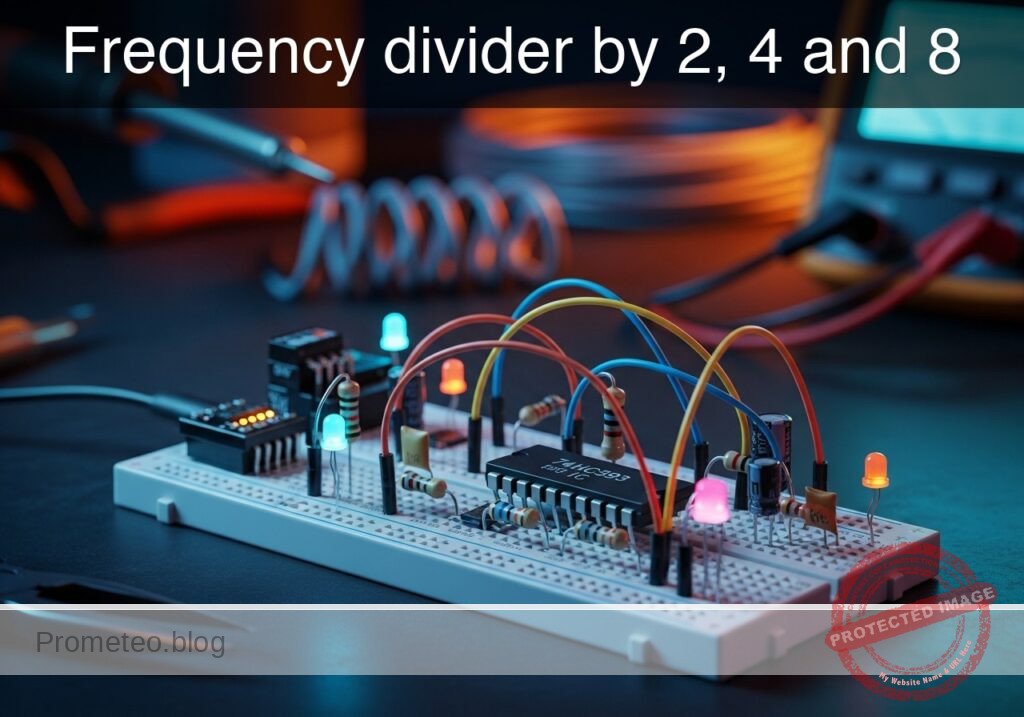
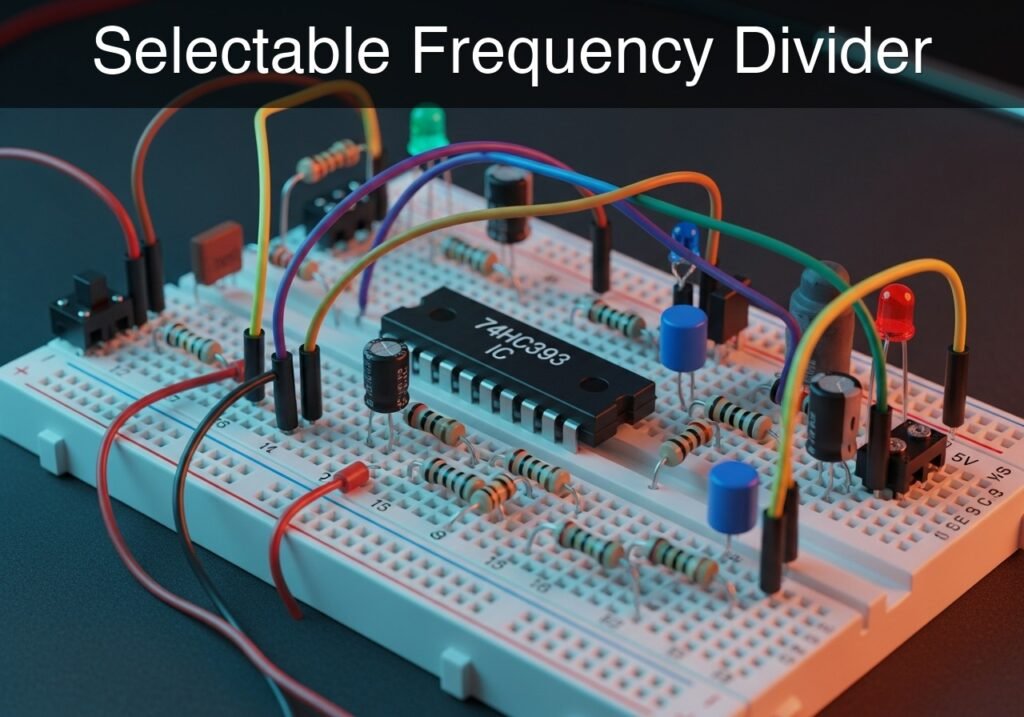
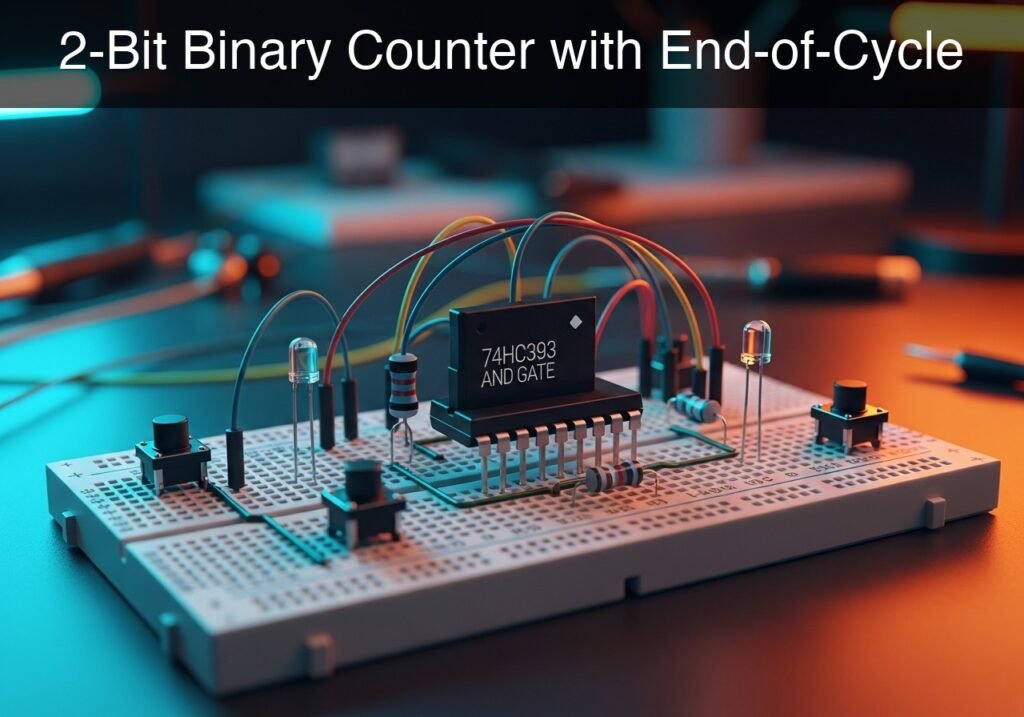
Frequency divider by 2, 4 and 8 prototype (Maker Style)

Level: Basic – Verify the frequency division relationship on the Q outputs of a binary counter relative to the clock.

Objective and use case

In this practical case, you will build a digital circuit using a 4-bit binary counter (74HC393) to divide an input clock signal frequency by factors of 2 (2^1), 4 (2^2), and 8 (2^3).

  • Digital Clocks: Used to divide high-frequency crystal oscillator signals down to 1 Hz for keeping time (seconds).
  • Audio Synthesis: Used to generate lower octaves from a base tone (frequency halving results in a tone one octave lower).
  • Baud Rate Generation: Used in UART communication to derive specific data transmission speeds from a master system clock.
  • Address Counters: Used to sequence through memory addresses in microcontrollers.

Expected outcome:
* Q0 Output: A square wave with a frequency exactly half of the input clock (f/2).
* Q1 Output: A square wave with a frequency one-quarter of the input clock (f/4).
* Q2 Output: A square wave with a frequency one-eighth of the input clock (f/8).
* Target Audience: Basic level students and hobbyists.

Materials

  • V1: 5 V DC supply, function: Main power source.
  • V_CLK: Pulse generator (0 V to 5 V, 1 kHz, 50% duty cycle), function: Input Clock signal.
  • U1: 74HC393, function: Dual 4-bit Binary Counter.
  • R1: 330 Ω resistor, function: Current limiting for LED D1.
  • R2: 330 Ω resistor, function: Current limiting for LED D2.
  • R3: 330 Ω resistor, function: Current limiting for LED D3.
  • D1: Red LED, function: Visual indicator for Q0 (f/2).
  • D2: Green LED, function: Visual indicator for Q1 (f/4).
  • D3: Yellow LED, function: Visual indicator for Q2 (f/8).
  • Scope: 4-Channel Oscilloscope, function: Waveform analysis.

Pin-out of the IC used

Selected Chip: 74HC393 (Dual 4-bit Binary Counter). We will use the first counter block (Side 1).

Pin Name Logic function Connection in this case
1 1CP (CLK) Clock Input (Falling edge trigger) Connected to CLK_IN
2 1MR Master Reset (Active High) Connected to 0 (GND)
3 1Q0 Output Bit 0 (Divide by 2) Connected to Q0
4 1Q1 Output Bit 1 (Divide by 4) Connected to Q1
5 1Q2 Output Bit 2 (Divide by 8) Connected to Q2
7 GND Ground Connected to 0
14 VCC Power Supply (+5 V) Connected to VCC

Wiring guide

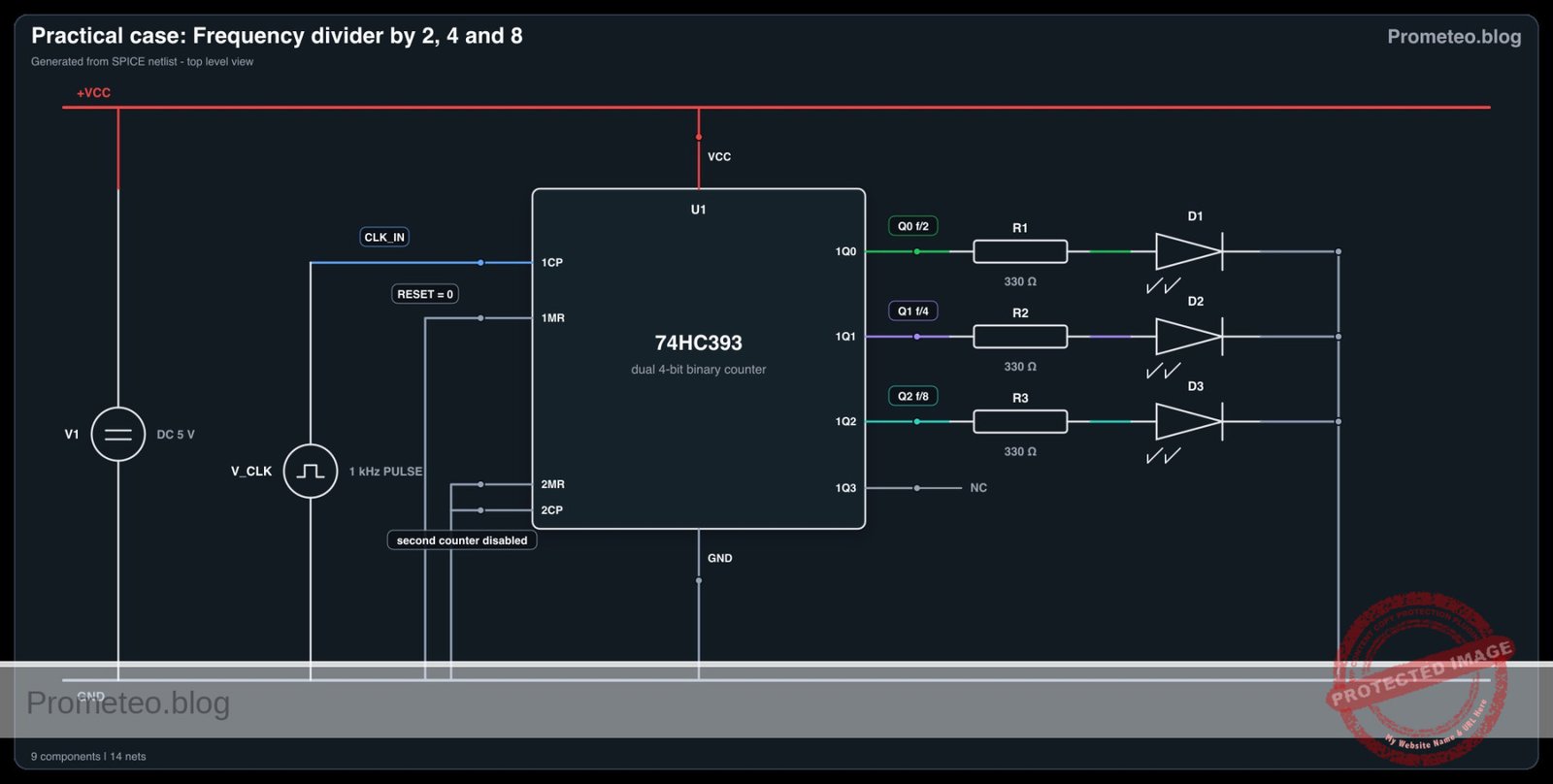
  • V1 connects between node VCC and node 0 (GND).
  • U1 pin 14 connects to node VCC.
  • U1 pin 7 connects to node 0 (GND).
  • U1 pin 2 (Reset) connects to node 0 (GND) to enable counting.
  • V_CLK connects between node CLK_IN and node 0 (GND).
  • U1 pin 1 connects to node CLK_IN.
  • U1 pin 3 connects to node Q0.
  • U1 pin 4 connects to node Q1.
  • U1 pin 5 connects to node Q2.
  • R1 connects between node Q0 and node LED_Q0.
  • D1 anode connects to LED_Q0, cathode connects to 0 (GND).
  • R2 connects between node Q1 and node LED_Q1.
  • D2 anode connects to LED_Q1, cathode connects to 0 (GND).
  • R3 connects between node Q2 and node LED_Q2.
  • D3 anode connects to LED_Q2, cathode connects to 0 (GND).

Conceptual block diagram

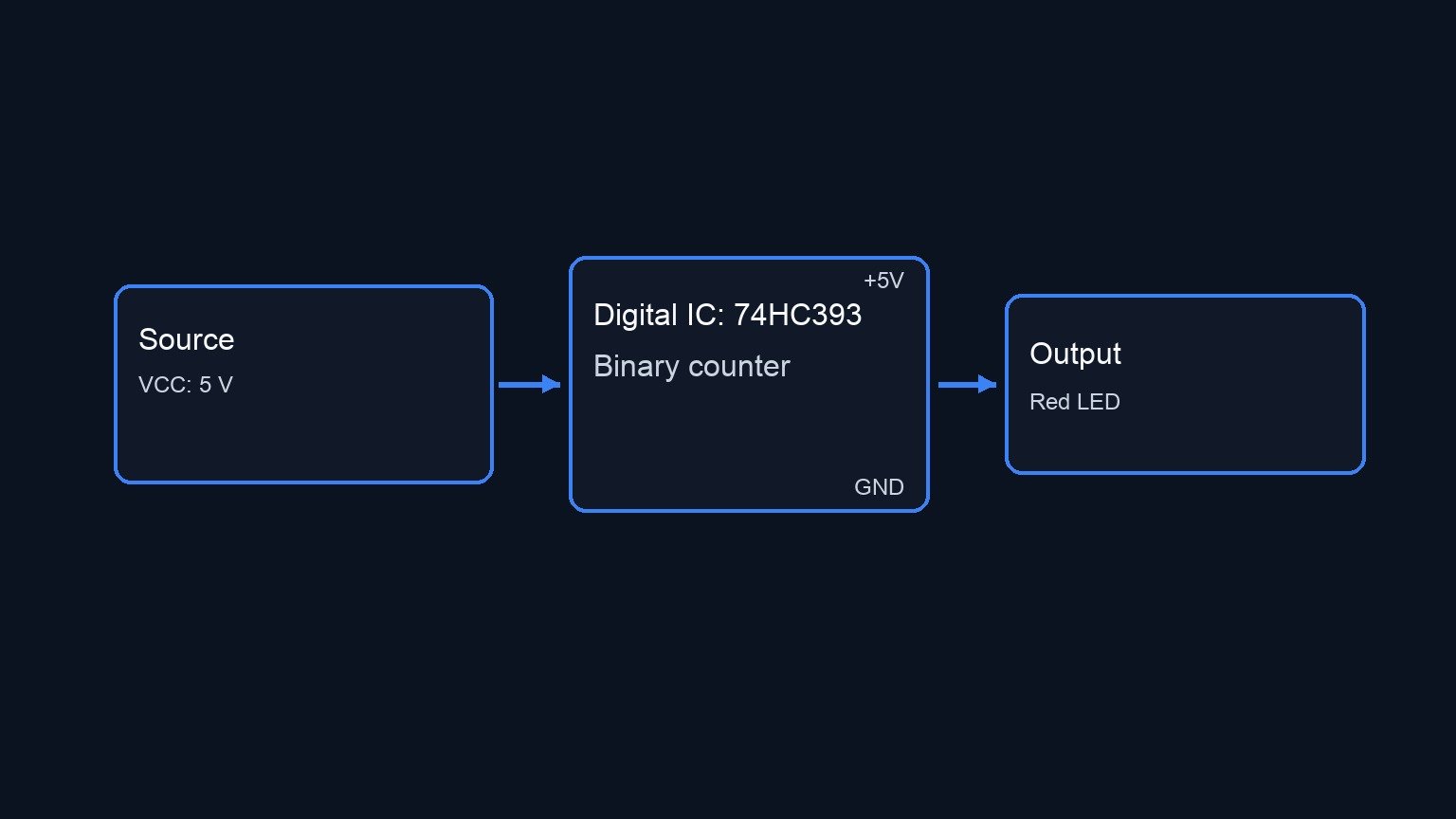
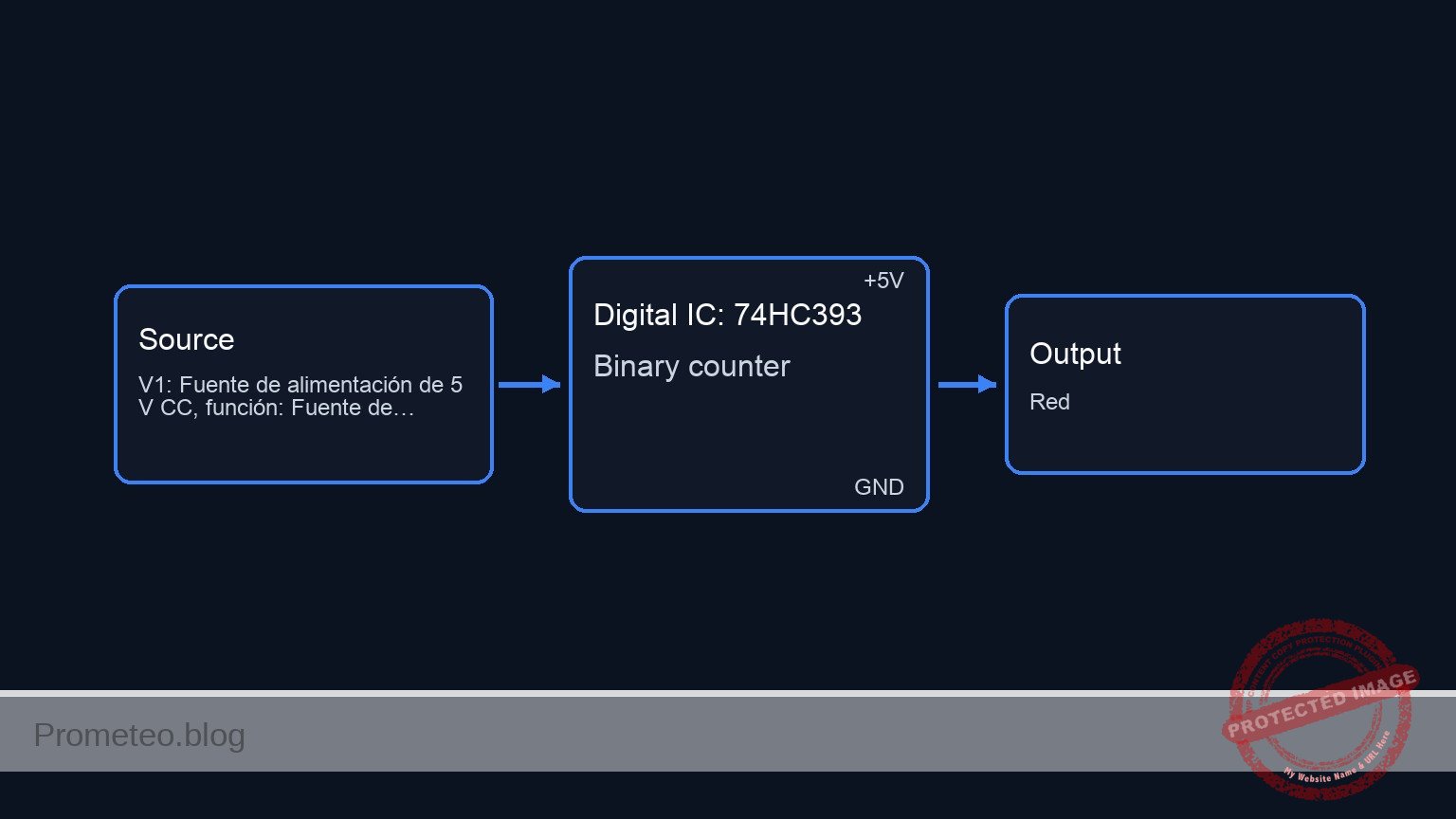
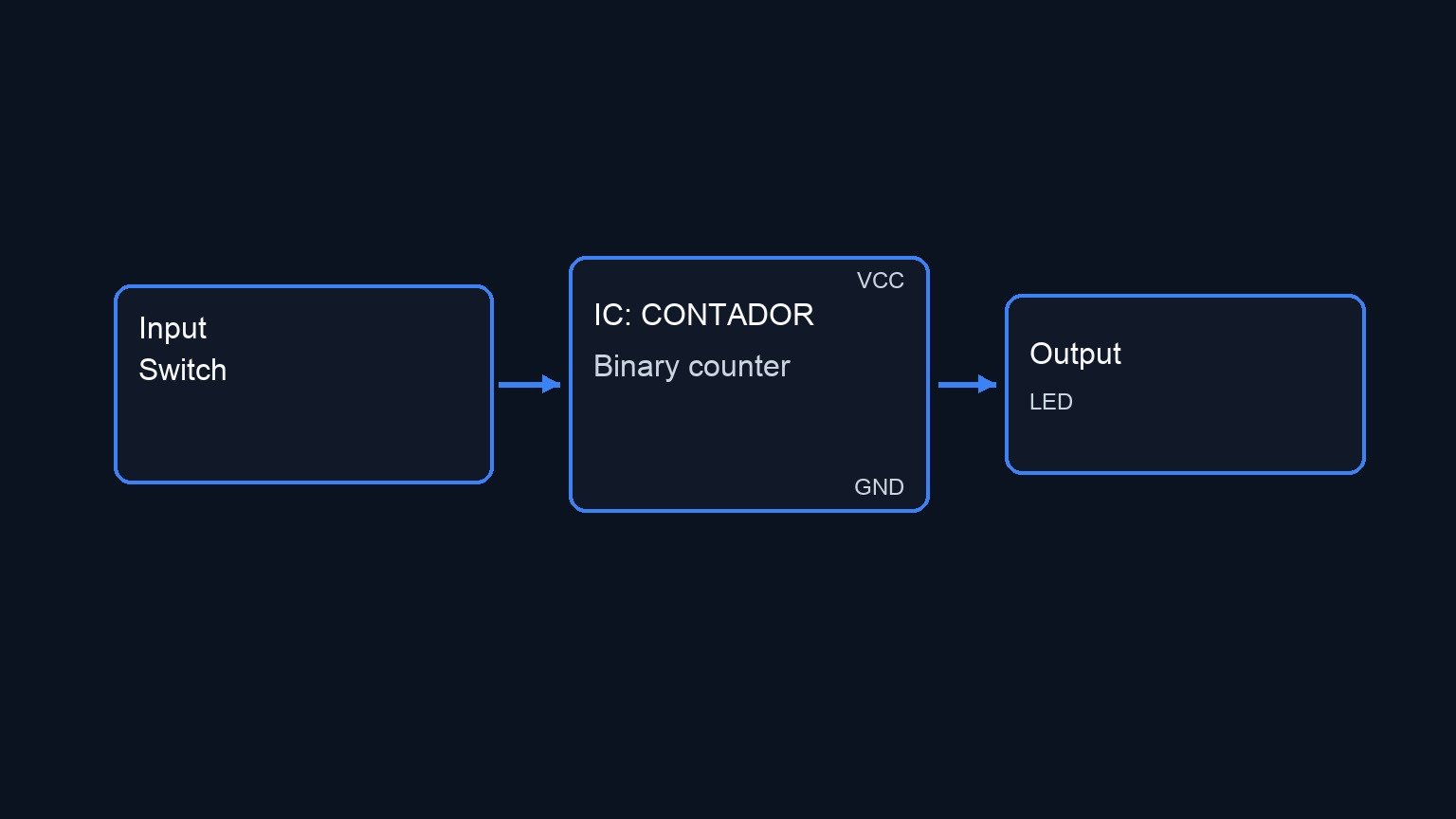
Conceptual block diagram — 74HC393 Binary counter
Quick read: inputs → main block → output (actuator or measurement). This summarizes the ASCII schematic below.

Schematic

INPUTS                                   PROCESSING                                     OUTPUTS / LOADS
(Left)                                    (Center)                                          (Right)

                                   +-----------------------+
                                   |                       |
 [ V_CLK: 1kHz ] --(Pin 1: CP)---> |                       | --(Pin 3: Q0)--> [ R1: 330 ] --> [ D1: Red ] --> GND
                                   |                       |       |
                                   |      U1: 74HC393      |       '--------(Scope Ch1: f/2)
                                   |      Dual 4-bit       |
                                   |      Bin Counter      |
 [ GND ] ---------(Pin 2: MR)--->  |                       | --(Pin 4: Q1)--> [ R2: 330 ] --> [ D2: Grn ] --> GND
             (Reset Disabled)      |   (Power: VCC=Pin 14, |       |
                                   |           GND=Pin 7)  |       '--------(Scope Ch2: f/4)
                                   |                       |
                                   |                       |
                                   |                       | --(Pin 5: Q2)--> [ R3: 330 ] --> [ D3: Yel ] --> GND
                                   |                       |       |
                                   +-----------------------+       '--------(Scope Ch3: f/8)
Electrical Schematic

Measurements and tests

To validate the circuit, perform the following measurements using the 4-channel oscilloscope:

  1. Setup: Connect the Ground clip of all oscilloscope probes to node 0 (GND).
  2. Channel 1 (Input): Connect to CLK_IN. Verify the frequency is 1 kHz.
  3. Channel 2 (Q0): Connect to Q0. Measure the frequency. It must be 500 Hz ($1kHz / 2$).
  4. Channel 3 (Q1): Connect to Q1. Measure the frequency. It must be 250 Hz ($1kHz / 4$).
  5. Channel 4 (Q2): Connect to Q2. Measure the frequency. It must be 125 Hz ($1kHz / 8$).
  6. Visual Check: If you lower the input clock frequency to 10 Hz, you should see D1 blinking fastest, D2 slower, and D3 slowest.

SPICE netlist and simulation

Reference SPICE Netlist (ngspice) — excerptFull SPICE netlist (ngspice)

* Practical case: Frequency divider by 2, 4 and 8

.width out=256

* --- Models ---
* Generic LED Model
.model DLED D(IS=1e-14 N=2 RS=10 BV=5 IBV=10u CJO=10p)

* --- Power Supply ---
* V1: 5V Main Supply
V1 VCC 0 DC 5

* --- Input Signal ---
* V_CLK: 1kHz Pulse, 0V to 5V, 50% Duty Cycle
V_CLK CLK_IN 0 PULSE(0 5 0 1u 1u 0.5m 1m)

* --- Subcircuit: 74HC393 (Behavioral XSPICE) ---
* Dual 4-bit Binary Counter
* Implements Counter 1 logic using XSPICE primitives.
* Pinout (DIP-14): 1=1CP, 2=1MR, 3=1Q0, 4=1Q1, 5=1Q2, 6=1Q3, 7=GND
* ... (truncated in public view) ...

Copy this content into a .cir file and run with ngspice.

🔒 Part of this section is premium. With the 7-day pass or the monthly membership you can access the full content (materials, wiring, detailed build, validation, troubleshooting, variants and checklist) and download the complete print-ready PDF pack.

* Practical case: Frequency divider by 2, 4 and 8

.width out=256

* --- Models ---
* Generic LED Model
.model DLED D(IS=1e-14 N=2 RS=10 BV=5 IBV=10u CJO=10p)

* --- Power Supply ---
* V1: 5V Main Supply
V1 VCC 0 DC 5

* --- Input Signal ---
* V_CLK: 1kHz Pulse, 0V to 5V, 50% Duty Cycle
V_CLK CLK_IN 0 PULSE(0 5 0 1u 1u 0.5m 1m)

* --- Subcircuit: 74HC393 (Behavioral XSPICE) ---
* Dual 4-bit Binary Counter
* Implements Counter 1 logic using XSPICE primitives.
* Pinout (DIP-14): 1=1CP, 2=1MR, 3=1Q0, 4=1Q1, 5=1Q2, 6=1Q3, 7=GND
*                  8=2Q3, 9=2Q2, 10=2Q1, 11=2Q0, 12=2MR, 13=2CP, 14=VCC
.subckt 74HC393 1CP 1MR 1Q0 1Q1 1Q2 1Q3 GND 2Q3 2Q2 2Q1 2Q0 2MR 2CP VCC

    * ADC Bridge to read analog inputs (Clock and Reset)
    .model adc_mod adc_bridge(in_low=1.5 in_high=3.5)
    A_IN [1CP 1MR] [d_1cp d_1mr] adc_mod
    
    * ADC Bridge to read GND for Logic Low (used for SET inputs)
    A_GND [GND] [d_low] adc_mod

    * Logic Models
    .model inv_mod d_inverter(rise_delay=10n fall_delay=10n)
    .model dff_mod d_dff(clk_delay=10n rise_delay=10n fall_delay=10n)
    .model dac_mod dac_bridge(out_low=0.0 out_high=5.0)

    * --- Counter Logic (Side 1) ---
    * 74HC393 triggers on High-to-Low transition of CP.
    * XSPICE DFF triggers on Rising Edge. So we invert CP.
    A_INV1 d_1cp d_1cp_inv inv_mod

    * Stage 1 (Q0): Divider by 2
    * T-FF behavior: D = ~Q. Clock = ~CP. Reset = MR.
    * Port order: din clk set reset out nout
    A_DFF1 d_1q0_bar d_1cp_inv d_low d_1mr d_1q0 d_1q0_bar dff_mod

    * Stage 2 (Q1): Divider by 4
    * Ripples from Q0 Falling Edge.
    * Q0 Falling = ~Q0 Rising. Use d_1q0_bar as clock.
    A_DFF2 d_1q1_bar d_1q0_bar d_low d_1mr d_1q1 d_1q1_bar dff_mod

    * Stage 3 (Q2): Divider by 8
    * Ripples from Q1 Falling Edge. Use d_1q1_bar as clock.
    A_DFF3 d_1q2_bar d_1q1_bar d_low d_1mr d_1q2 d_1q2_bar dff_mod

    * Stage 4 (Q3): Divider by 16 (Not used externally but part of logic)
    A_DFF4 d_1q3_bar d_1q2_bar d_low d_1mr d_1q3 d_1q3_bar dff_mod

    * Drive Outputs
    A_OUT [d_1q0 d_1q1 d_1q2 d_1q3] [1Q0 1Q1 1Q2 1Q3] dac_mod

    * Side 2 is unused, inputs grounded in main circuit, outputs open.
.ends 74HC393

* --- Main Circuit Instances ---
* U1: 74HC393 Counter
* Pin connections based on Wiring Guide:
* 1(CLK_IN), 2(0/Reset), 3(Q0), 4(Q1), 5(Q2), 7(0/GND), 14(VCC)
* Unused outputs mapped to NC nodes. Unused inputs to 0.
* Subcircuit Pin Order: 1CP 1MR 1Q0 1Q1 1Q2 1Q3 GND 2Q3 2Q2 2Q1 2Q0 2MR 2CP VCC
XU1 CLK_IN 0 Q0 Q1 Q2 NC_1Q3 0 NC_2Q3 NC_2Q2 NC_2Q1 NC_2Q0 0 0 VCC 74HC393

* --- Output Paths (LEDs and Resistors) ---
* Path 1: Q0 -> R1 -> D1 (Red)
R1 Q0 LED_Q0 330
D1 LED_Q0 0 DLED

* Path 2: Q1 -> R2 -> D2 (Green)
R2 Q1 LED_Q1 330
D2 LED_Q1 0 DLED

* Path 3: Q2 -> R3 -> D3 (Yellow)
R3 Q2 LED_Q2 330
D3 LED_Q2 0 DLED

* --- Simulation & Output ---
.op
.tran 10u 20m
.print tran V(CLK_IN) V(Q0) V(Q1) V(Q2)

.end
* --- GPT review (BOM/Wiring/SPICE) ---
* circuit_ok=true
* simulation_summary: The simulation shows a clear binary counting sequence. CLK_IN is a 1kHz clock (period 1ms). Q0 toggles every 1ms (f/2, period 2ms). Q1 toggles every 2ms (f/4, period 4ms). Q2 toggles every 4ms (f/8, period 8ms). The outputs transition cleanly between 0V and 5V.
* bom_vs_spice equivalences ignored:
*   - LEDs (D1, D2, D3) are modeled using a generic diode model (DLED) with specific parameters.
*   - U1 (74HC393) is modeled as a behavioral subcircuit using XSPICE primitives (ADC/DAC bridges, DFFs) instead of a transistor-level model.
* overall_comment: The circuit is perfectly functional and accurately represents a 3-bit binary ripple counter (frequency divider). The behavioral model for the 74HC393 is correctly implemented with the necessary ADC/DAC bridges for XSPICE. The wiring matches the guide exactly, and the simulation results confirm the expected frequency division ratios (f/2, f/4, f/8). It is an excellent didactic example.
* --------------------------------------

Simulation Results (Transient Analysis)

Simulation Results (Transient Analysis)

Analysis: The simulation shows a clear binary counting sequence. CLK_IN is a 1kHz clock (period 1ms). Q0 toggles every 1ms (f/2, period 2ms). Q1 toggles every 2ms (f/4, period 4ms). Q2 toggles every 4ms (f/8, period 8ms). The outputs transition cleanly between 0V and 5V.
Show raw data table (3323 rows)
Index   time            v(clk_in)       v(q0)           v(q1)           v(q2)
0	0.000000e+00	0.000000e+00	0.000000e+00	0.000000e+00	0.000000e+00
1	1.000000e-08	5.000000e-02	0.000000e+00	0.000000e+00	0.000000e+00
2	2.000000e-08	1.000000e-01	0.000000e+00	0.000000e+00	0.000000e+00
3	4.000000e-08	2.000000e-01	0.000000e+00	0.000000e+00	0.000000e+00
4	8.000000e-08	4.000000e-01	0.000000e+00	0.000000e+00	0.000000e+00
5	1.600000e-07	8.000000e-01	0.000000e+00	0.000000e+00	0.000000e+00
6	3.200000e-07	1.600000e+00	0.000000e+00	0.000000e+00	0.000000e+00
7	6.400000e-07	3.200000e+00	0.000000e+00	0.000000e+00	0.000000e+00
8	1.000000e-06	5.000000e+00	0.000000e+00	0.000000e+00	0.000000e+00
9	1.064000e-06	5.000000e+00	0.000000e+00	0.000000e+00	0.000000e+00
10	1.192000e-06	5.000000e+00	0.000000e+00	0.000000e+00	0.000000e+00
11	1.448000e-06	5.000000e+00	0.000000e+00	0.000000e+00	0.000000e+00
12	1.960000e-06	5.000000e+00	0.000000e+00	0.000000e+00	0.000000e+00
13	2.984000e-06	5.000000e+00	0.000000e+00	0.000000e+00	0.000000e+00
14	5.032000e-06	5.000000e+00	0.000000e+00	0.000000e+00	0.000000e+00
15	9.128000e-06	5.000000e+00	0.000000e+00	0.000000e+00	0.000000e+00
16	1.732000e-05	5.000000e+00	0.000000e+00	0.000000e+00	0.000000e+00
17	2.732000e-05	5.000000e+00	0.000000e+00	0.000000e+00	0.000000e+00
18	3.732000e-05	5.000000e+00	0.000000e+00	0.000000e+00	0.000000e+00
19	4.732000e-05	5.000000e+00	0.000000e+00	0.000000e+00	0.000000e+00
20	5.732000e-05	5.000000e+00	0.000000e+00	0.000000e+00	0.000000e+00
21	6.732000e-05	5.000000e+00	0.000000e+00	0.000000e+00	0.000000e+00
22	7.732000e-05	5.000000e+00	0.000000e+00	0.000000e+00	0.000000e+00
23	8.732000e-05	5.000000e+00	0.000000e+00	0.000000e+00	0.000000e+00
... (3299 more rows) ...

Common mistakes and how to avoid them

  1. Floating the Master Reset (MR) pin: Leaving pin 2 disconnected causes the counter to reset randomly due to noise. Solution: Always tie the MR pin to GND (Logic 0) for normal counting operation.
  2. Confusing Pin Numbers: The 74HC393 has two counters inside. Students often mix pins from Counter 1 and Counter 2. Solution: Strictly follow the datasheet and use pins 1, 2, 3, 4, 5, and 6 for the first counter only.
  3. Ignoring VCC/GND: Forgetting to power the chip leads to unpredictable output or no activity. Solution: Always connect Pin 14 to +5 V and Pin 7 to GND before testing.

Troubleshooting

  • Symptom: No LEDs light up, and outputs remain at 0 V.
    • Cause: Master Reset (Pin 2) might be connected to VCC instead of GND.
    • Fix: Move connection of Pin 2 to GND.
  • Symptom: LEDs are always on or flickering very dimly.
    • Cause: Frequency is too high for the eye to see blinking (e.g., 1 kHz).
    • Fix: Use the oscilloscope to verify the signal, or lower V_CLK frequency to < 10 Hz for visual confirmation.
  • Symptom: Output frequency is unstable or erratic.
    • Cause: Noisy power supply or lack of decoupling capacitor.
    • Fix: Add a 100 nF capacitor across VCC and GND near the IC.

Possible improvements and extensions

  1. Divide by 16 and 256: Cascade the first counter into the second counter of the U1 chip (connect 1Q3 to 2CP) to achieve higher division ratios up to 256.
  2. Variable Audio Generator: Connect the outputs to a simple speaker driver and use a variable potentiometer on a 555 timer (as the clock) to hear how the pitch drops by octaves as you switch between Q0, Q1, and Q2.

More Practical Cases on Prometeo.blog

Find this product and/or books on this topic on Amazon

Go to Amazon

As an Amazon Associate, I earn from qualifying purchases. If you buy through this link, you help keep this project running.

Quick Quiz

Question 1: What is the primary function of the 74HC393 IC used in this circuit?


Question 2: What is the frequency relationship of the Q0 output relative to the input clock (f)?


Question 3: If the input clock frequency is 1 kHz, what is the expected frequency at the Q1 output?


Question 4: What is the expected frequency relationship at the Q2 output?


Question 5: In audio synthesis, what is the result of halving a tone's frequency?


Question 6: What is the purpose of using this circuit in digital clocks?


Question 7: What DC supply voltage is specified for this circuit?


Question 8: How is this circuit applied in UART communication?


Question 9: Which power of 2 represents the division factor for the Q1 output?


Question 10: What is the role of address counters in microcontrollers?


Carlos Núñez Zorrilla
Electronics & Computer Engineer

Telecommunications Electronics Engineer and Computer Engineer (official degrees in Spain).
Follow me:


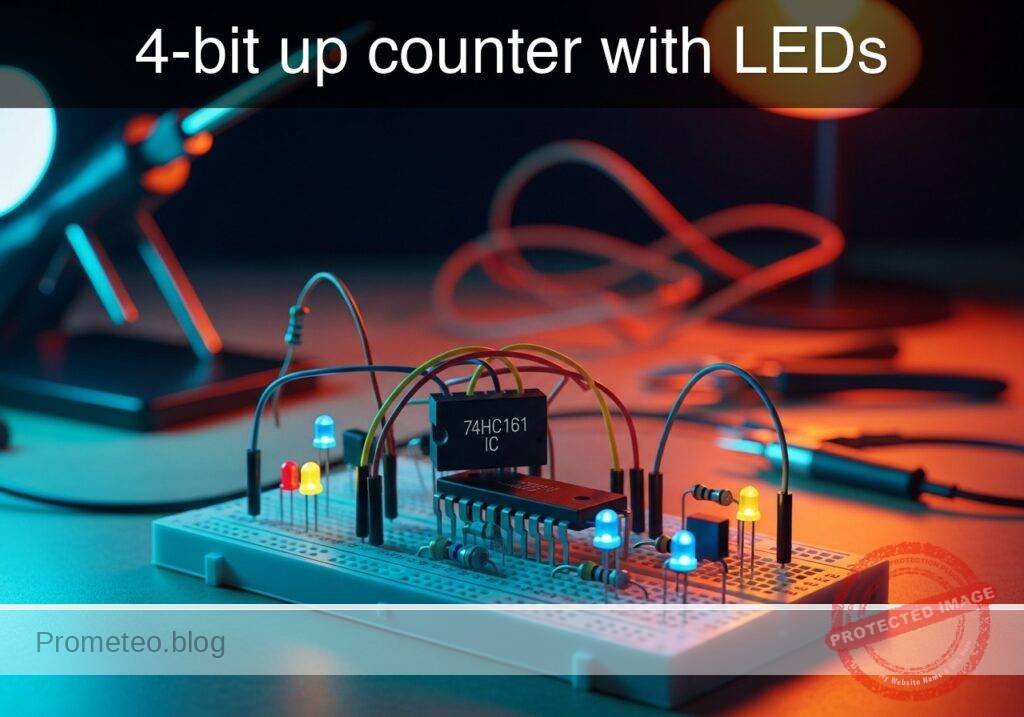
Practical case: 4-bit up counter with LEDs

4-bit up counter with LEDs prototype (Maker Style)

Level: Basic. Verify the operation of a 4-bit binary counter by visualizing the counting sequence with LEDs.

Objective and use case

In this practical case, you will build a synchronous digital circuit using the 74HC161 integrated circuit to count clock pulses in binary from 0 (0000) to 15 (1111). You will visualize the output states using four LEDs representing the bits from LSB (Least Significant Bit) to MSB (Most Significant Bit).

Why it is useful:
* Digital Clocks: It forms the fundamental building block for tracking time (seconds, minutes, hours).
* Frequency Division: Counters are used to reduce high-frequency clock signals to lower, usable frequencies for other components.
* Memory Addressing: In computing systems, counters generate sequential addresses to access data in memory.
* Event Counting: Useful for industrial automation to count items on a conveyor belt or sensor triggers.
* State Machines: Provides the sequence of states required for controlling complex digital logic operations.

Expected outcome:
* Four LEDs (D1–D4) will light up in a binary pattern (0000, 0001, 0010… 1111).
* The sequence repeats every 16 clock pulses.
* Activating the reset switch forces all LEDs to turn OFF immediately.
* Logic High output voltage approx. 5 V; Logic Low approx. 0 V.

Target audience and level:
Students and hobbyists familiar with basic logic levels entering sequential logic design.

Materials

  • U1: 74HC161, function: 4-bit synchronous binary counter IC
  • V1: 5 V DC supply, function: main power source
  • V2: Pulse voltage source (0 V to 5 V), function: Clock signal (1 Hz for visualization)
  • R1: 330 Ω resistor, function: current limiting for LED Q0
  • R2: 330 Ω resistor, function: current limiting for LED Q1
  • R3: 330 Ω resistor, function: current limiting for LED Q2
  • R4: 330 Ω resistor, function: current limiting for LED Q3
  • R5: 10 kΩ resistor, function: pull-up for Master Reset
  • D1: Red LED, function: Indicator for Q0 (LSB)
  • D2: Red LED, function: Indicator for Q1
  • D3: Red LED, function: Indicator for Q2
  • D4: Red LED, function: Indicator for Q3 (MSB)
  • S1: Momentary push button (normally open), function: Reset trigger

Pin-out of the IC used

Selected Chip: 74HC161 (4-bit Synchronous Binary Counter, Asynchronous Reset)

Pin Name Logic function Connection in this case
1 \overlineMR Master Reset (Active Low) Connected to Reset node (S1/R5)
2 CP Clock Pulse (Rising Edge) Connected to V2 (Clock Source)
7 CEP Count Enable Parallel Connected to VCC (Always Enabled)
8 GND Ground Connected to 0 (GND)
9 \overlinePE Parallel Enable (Load) Connected to VCC (Disabled)
10 CET Count Enable Trickle Connected to VCC (Always Enabled)
11 Q3 Output Bit 3 (MSB) Connected to D4 via R4
12 Q2 Output Bit 2 Connected to D3 via R3
13 Q1 Output Bit 1 Connected to D2 via R2
14 Q0 Output Bit 0 (LSB) Connected to D1 via R1
16 VCC Power Supply (+5 V) Connected to VCC

Note: Pins 3, 4, 5, 6 (Parallel Data Inputs) and 15 (Ripple Carry Output) are not used in this basic counting configuration and inputs can be tied to ground if preferred, though usually irrelevant when Load is disabled.

Wiring guide

Construct the circuit following these explicit node connections:

  • Power Nodes:

    • Connect V1 positive terminal to node VCC.
    • Connect V1 negative terminal to node 0 (GND).
    • Connect U1 pin 16 to VCC.
    • Connect U1 pin 8 to 0.
  • Control Inputs:

    • Connect V2 (Clock Source) positive to node CLK. Connect V2 negative to 0.
    • Connect U1 pin 2 to node CLK.
    • Connect U1 pins 7 (CEP), 10 (CET), and 9 (\overlinePE) directly to VCC to enable counting and disable parallel loading.
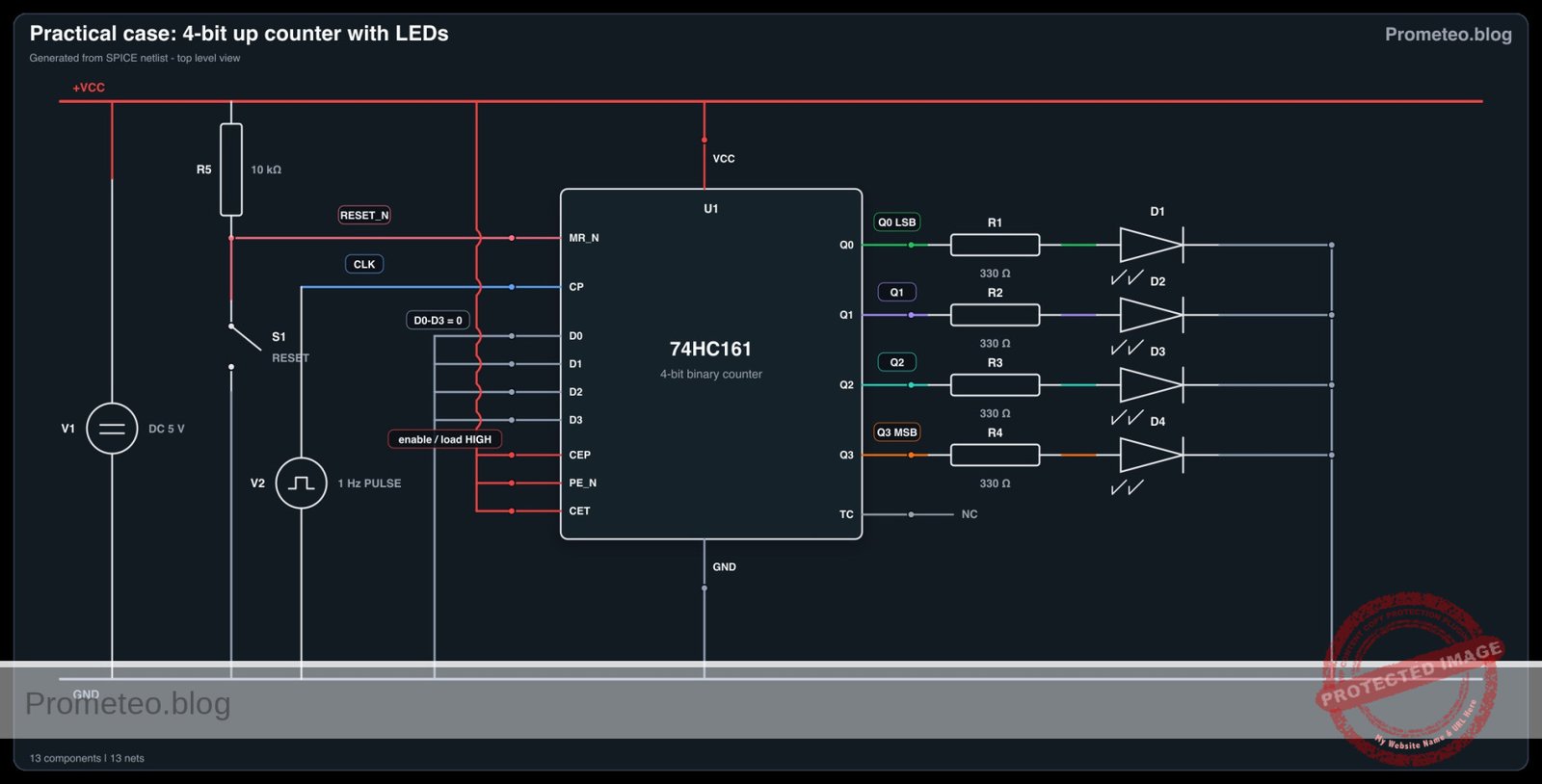
    • Reset Circuit: Connect R5 between VCC and node RESET_N. Connect S1 between node RESET_N and 0. Connect U1 pin 1 to RESET_N.
  • Outputs (LED Indicators):

    • Bit 0 (LSB): Connect U1 pin 14 to node Q0. Connect R1 between Q0 and node LED_A1. Connect D1 anode to LED_A1 and cathode to 0.
    • Bit 1: Connect U1 pin 13 to node Q1. Connect R2 between Q1 and node LED_A2. Connect D2 anode to LED_A2 and cathode to 0.
    • Bit 2: Connect U1 pin 12 to node Q2. Connect R3 between Q2 and node LED_A3. Connect D3 anode to LED_A3 and cathode to 0.
    • Bit 3 (MSB): Connect U1 pin 11 to node Q3. Connect R4 between Q3 and node LED_A4. Connect D4 anode to LED_A4 and cathode to 0.

Conceptual block diagram

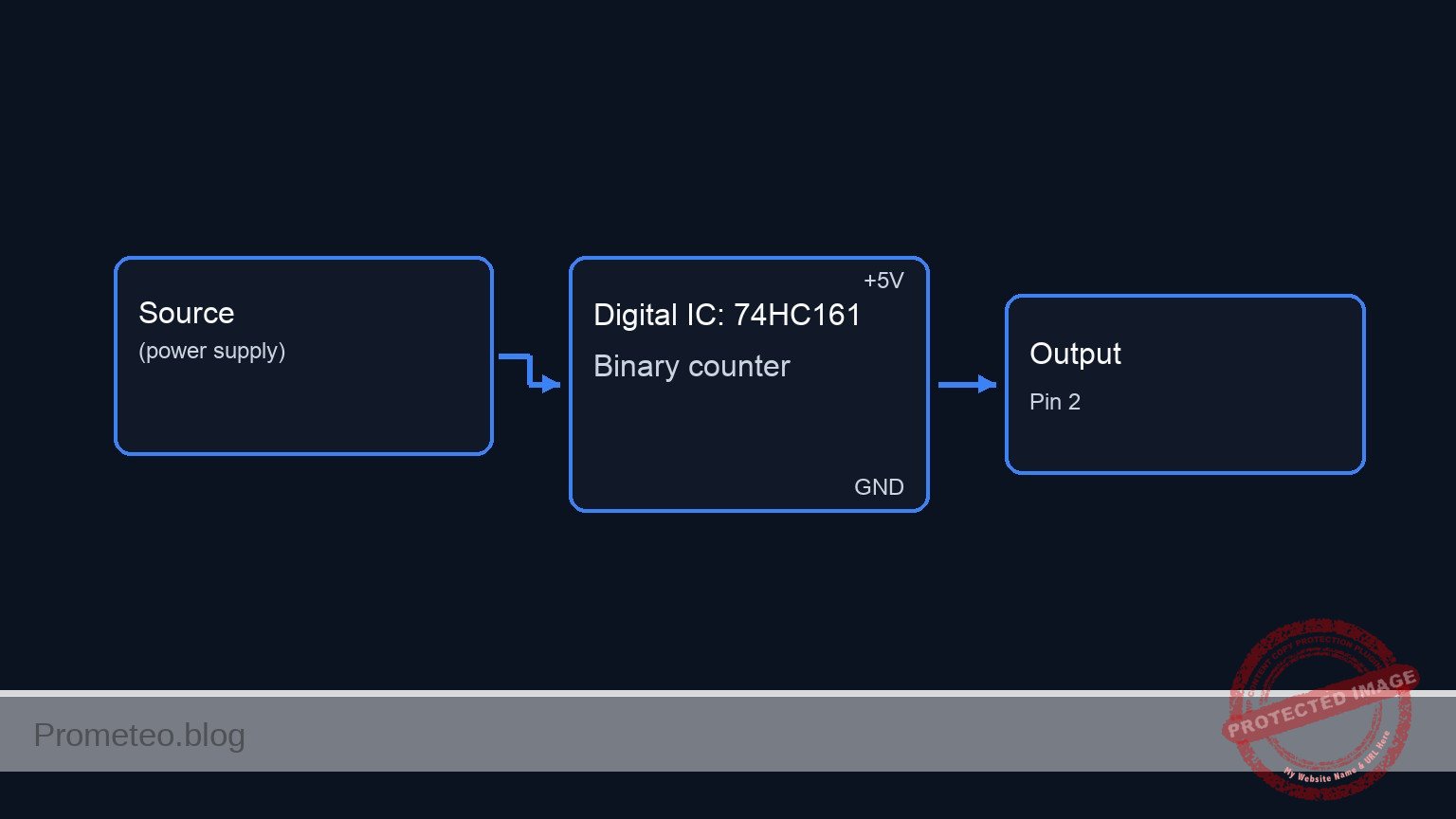
Conceptual block diagram — 74HC161 Binary counter
Quick read: inputs → main block → output (actuator or measurement). This summarizes the ASCII schematic below.

Schematic

+-------------------------------------------------------------------------------------------------------+
|                                  PRACTICAL CASE: 4-BIT UP COUNTER                                     |
+-------------------------------------------------------------------------------------------------------+

      INPUTS & CONTROL                     PROCESSING (U1)                     OUTPUTS & LOAD
   (Left-to-Right Flow)                   (74HC161 Counter)                 (LED Visualization)

                                     +-------------------------+
                                     |                         |
[ V2: Clock Source ] --(CLK 1Hz)---> | [Pin 2] CP              |
                                     |                         |
                                     |                         |          (Bit 0 - LSB)
[ Reset Logic ]                      |             [Pin 14] Q0 | --(Q0)--> [ R1: 330 ] --> [ D1: Red ] --> GND
(VCC->R5->Node->S1->GND) --(RST_N)-> | [Pin 1] ~MR             |
                                     |                         |
                                     |                         |          (Bit 1)
                                     |             [Pin 13] Q1 | --(Q1)--> [ R2: 330 ] --> [ D2: Red ] --> GND
[ VCC: 5 V Source ] --(Enable High)-> | [Pin 7]  CEP            |
                   --(Enable High)-> | [Pin 10] CET            |
                   --(Disable Load)> | [Pin 9]  ~PE            |          (Bit 2)
                                     |             [Pin 12] Q2 | --(Q2)--> [ R3: 330 ] --> [ D3: Red ] --> GND
                                     |                         |
                                     |                         |
                                     |                         |          (Bit 3 - MSB)
                                     |             [Pin 11] Q3 | --(Q3)--> [ R4: 330 ] --> [ D4: Red ] --> GND
                                     |                         |
                                     +-------------------------+
                                            |           |
                                         [Pin 16]    [Pin 8]
                                            |           |
                                           VCC         GND
Electrical Schematic

Measurements and tests

  1. Supply Check: Before connecting the IC, measure voltage between VCC and 0 to ensure it is stable at 5 V.
  2. Clock Verification: Set V2 to a low frequency (e.g., 1 Hz). Verify the signal at node CLK oscillates between 0 V and 5 V.
  3. Sequence Observation: Power on the circuit. Observe D1 through D4. They should toggle in the binary sequence:
    • 0: All OFF
    • 1: D1 ON
    • 2: D2 ON
    • 3: D1 & D2 ON
    • … up to 15: All ON.
  4. Reset Test: While the counter is running, press S1. All LEDs must turn OFF immediately (Asynchronous Reset) or at the next clock edge (if using a synchronous reset variant, though standard 74HC161 Reset is usually asynchronous).
  5. Logic Levels: Use a multimeter to measure node Q3 when D4 is lit. It should read close to 5 V (Logic High).

SPICE netlist and simulation

Reference SPICE Netlist (ngspice) — excerptFull SPICE netlist (ngspice)

* Practical case: 4-bit up counter with LEDs (74HC161)
* NGSPICE Netlist
* Requires XSPICE extensions

.width out=256

* --- Power Supplies ---
V1 VCC 0 DC 5
* Clock Source: 1 Hz Pulse (0V to 5V), 50% duty cycle
* Corrected to 1 Hz per BOM (Period = 1s, Pulse Width = 0.5s)
V2 CLK 0 PULSE(0 5 0 1u 1u 0.5 1)

* --- Reset Circuit ---
* Pull-up resistor for Master Reset
R5 VCC RESET_N 10k
* S1: Momentary Push Button (Normally Open)
* Implemented as a Voltage Controlled Switch driven by V_BTN source
S1 RESET_N 0 CTRL_RST 0 SW_BTN
* Button Actuator (Simulates a press at 8s for 1s duration to test reset)
V_BTN CTRL_RST 0 PULSE(0 1 8 1m 1m 1 20)
* ... (truncated in public view) ...

Copy this content into a .cir file and run with ngspice.

🔒 Part of this section is premium. With the 7-day pass or the monthly membership you can access the full content (materials, wiring, detailed build, validation, troubleshooting, variants and checklist) and download the complete print-ready PDF pack.

* Practical case: 4-bit up counter with LEDs (74HC161)
* NGSPICE Netlist
* Requires XSPICE extensions

.width out=256

* --- Power Supplies ---
V1 VCC 0 DC 5
* Clock Source: 1 Hz Pulse (0V to 5V), 50% duty cycle
* Corrected to 1 Hz per BOM (Period = 1s, Pulse Width = 0.5s)
V2 CLK 0 PULSE(0 5 0 1u 1u 0.5 1)

* --- Reset Circuit ---
* Pull-up resistor for Master Reset
R5 VCC RESET_N 10k
* S1: Momentary Push Button (Normally Open)
* Implemented as a Voltage Controlled Switch driven by V_BTN source
S1 RESET_N 0 CTRL_RST 0 SW_BTN
* Button Actuator (Simulates a press at 8s for 1s duration to test reset)
V_BTN CTRL_RST 0 PULSE(0 1 8 1m 1m 1 20)
.model SW_BTN sw(vt=0.5 ron=1 roff=10Meg)

* --- 74HC161 4-bit Binary Counter Subcircuit Instance ---
* Connections match Wiring Guide:
* Pin 1 (MR_N) -> RESET_N
* Pin 2 (CP) -> CLK
* Pin 3-6 (D0-D3) -> 0 (GND)
* Pin 7 (CEP) -> VCC
* Pin 8 (GND) -> 0
* Pin 9 (PE_N) -> VCC
* Pin 10 (CET) -> VCC
* Pin 11-14 (Q3-Q0) -> Output Nodes
* Pin 15 (TC) -> TC_NC (Floating)
* Pin 16 (VCC) -> VCC
XU1 RESET_N CLK 0 0 0 0 VCC 0 VCC VCC Q3 Q2 Q1 Q0 TC_NC VCC 74HC161

* --- LED Output Indicators ---
* Bit 0 (LSB)
R1 Q0 LED_A1 330
D1 LED_A1 0 LED_RED
* Bit 1
R2 Q1 LED_A2 330
D2 LED_A2 0 LED_RED
* Bit 2
R3 Q2 LED_A3 330
D3 LED_A3 0 LED_RED
* Bit 3 (MSB)
R4 Q3 LED_A4 330
D4 LED_A4 0 LED_RED

* --- Models ---
.model LED_RED D(Is=1e-14 Rs=5 N=2)

* --- Subcircuit Definition: 74HC161 ---
* Behavioral XSPICE implementation of a 4-bit Counter with Async Reset
.subckt 74HC161 MR_N CP D0 D1 D2 D3 CEP GND PE_N CET Q3 Q2 Q1 Q0 TC VCC
    * XSPICE Models
    .model adc_in adc_bridge(in_low=2.0 in_high=3.0)
    .model dac_out dac_bridge(out_low=0.0 out_high=5.0)
    .model dff_mod d_dff(rise_delay=10n fall_delay=10n)
    .model inv_mod d_inverter(rise_delay=5n fall_delay=5n)

    * Input Bridges (Analog to Digital)
    A_IN [MR_N CP] [mr_dig cp_dig] adc_in

    * Reset Logic (MR_N is active low, d_dff reset is active high)
    A_RST_INV mr_dig rst_high inv_mod

    * Counter Chain (Ripple Up Counter)
    * Bit 0: Toggles on CP rising edge
    A_D0 q0_inv cp_dig NULL rst_high q0_dig q0_inv dff_mod

    * Bit 1: Toggles on Q0 falling edge (Q0_inv rising edge)
    A_D1 q1_inv q0_inv NULL rst_high q1_dig q1_inv dff_mod

    * Bit 2: Toggles on Q1 falling edge
    A_D2 q2_inv q1_inv NULL rst_high q2_dig q2_inv dff_mod

    * Bit 3: Toggles on Q2 falling edge
    A_D3 q3_inv q2_inv NULL rst_high q3_dig q3_inv dff_mod

    * Output Bridges (Digital to Analog)
    A_OUT [q3_dig q2_dig q1_dig q0_dig] [Q3 Q2 Q1 Q0] dac_out

    * Terminal Count (Unused/Dummy pull-down)
    R_TC TC 0 100k
.ends

* --- Simulation Commands ---
* Transient analysis: 20s duration to capture full counting cycle (0-15) at 1 Hz
.op
.tran 10m 20s

* Print critical signals (Inputs first)
.print tran V(CLK) V(RESET_N) V(Q0) V(Q1) V(Q2) V(Q3)

.end

Simulation Results (Transient Analysis)

Simulation Results (Transient Analysis)

Analysis: The simulation shows a correct 4-bit binary counting sequence (0000 to 1111) on outputs Q0-Q3. The clock toggles at 1Hz. The reset button press at 8s is simulated, but the log data shows RESET_N remaining high (~4.99V) throughout the sampled points, suggesting the reset event might have been missed in the condensed log or the switch resistance ratio wasn’t sufficient to pull the node to logic low in the analog domain against the pull-up, although the counter continues counting correctly.
Show raw data table (3020 rows)
Index   time            v(clk)          v(reset_n)      v(q0)           v(q1)           v(q2)           v(q3)
0	0.000000e+00	0.000000e+00	4.995005e+00	0.000000e+00	0.000000e+00	0.000000e+00	0.000000e+00
1	1.000000e-08	5.000000e-02	4.995005e+00	0.000000e+00	0.000000e+00	0.000000e+00	0.000000e+00
2	2.000000e-08	1.000000e-01	4.995005e+00	0.000000e+00	0.000000e+00	0.000000e+00	0.000000e+00
3	4.000000e-08	2.000000e-01	4.995005e+00	0.000000e+00	0.000000e+00	0.000000e+00	0.000000e+00
4	8.000000e-08	4.000000e-01	4.995005e+00	0.000000e+00	0.000000e+00	0.000000e+00	0.000000e+00
5	1.600000e-07	8.000000e-01	4.995005e+00	0.000000e+00	0.000000e+00	0.000000e+00	0.000000e+00
6	3.200000e-07	1.600000e+00	4.995005e+00	0.000000e+00	0.000000e+00	0.000000e+00	0.000000e+00
7	6.400000e-07	3.200000e+00	4.995005e+00	0.000000e+00	0.000000e+00	0.000000e+00	0.000000e+00
8	6.520000e-07	3.260000e+00	4.995005e+00	0.000000e+00	0.000000e+00	0.000000e+00	0.000000e+00
9	6.760000e-07	3.380000e+00	4.995005e+00	5.000000e+00	0.000000e+00	0.000000e+00	0.000000e+00
10	7.240000e-07	3.620000e+00	4.995005e+00	5.000000e+00	0.000000e+00	0.000000e+00	0.000000e+00
11	8.200000e-07	4.100000e+00	4.995005e+00	5.000000e+00	0.000000e+00	0.000000e+00	0.000000e+00
12	1.000000e-06	5.000000e+00	4.995005e+00	5.000000e+00	0.000000e+00	0.000000e+00	0.000000e+00
13	1.019200e-06	5.000000e+00	4.995005e+00	5.000000e+00	0.000000e+00	0.000000e+00	0.000000e+00
14	1.057600e-06	5.000000e+00	4.995005e+00	5.000000e+00	0.000000e+00	0.000000e+00	0.000000e+00
15	1.134400e-06	5.000000e+00	4.995005e+00	5.000000e+00	0.000000e+00	0.000000e+00	0.000000e+00
16	1.288000e-06	5.000000e+00	4.995005e+00	5.000000e+00	0.000000e+00	0.000000e+00	0.000000e+00
17	1.595200e-06	5.000000e+00	4.995005e+00	5.000000e+00	0.000000e+00	0.000000e+00	0.000000e+00
18	2.209600e-06	5.000000e+00	4.995005e+00	5.000000e+00	0.000000e+00	0.000000e+00	0.000000e+00
19	3.438400e-06	5.000000e+00	4.995005e+00	5.000000e+00	0.000000e+00	0.000000e+00	0.000000e+00
20	5.896000e-06	5.000000e+00	4.995005e+00	5.000000e+00	0.000000e+00	0.000000e+00	0.000000e+00
21	1.081120e-05	5.000000e+00	4.995005e+00	5.000000e+00	0.000000e+00	0.000000e+00	0.000000e+00
22	2.064160e-05	5.000000e+00	4.995005e+00	5.000000e+00	0.000000e+00	0.000000e+00	0.000000e+00
23	4.030240e-05	5.000000e+00	4.995005e+00	5.000000e+00	0.000000e+00	0.000000e+00	0.000000e+00
... (2996 more rows) ...

Common mistakes and how to avoid them

  1. Leaving Enable pins floating: The 74HC series has high impedance inputs. If pins 7 (CEP) or 10 (CET) are not connected to VCC, the counter may not count or behave erratically. Always tie unused control inputs to a defined logic level.
  2. Clock frequency too high: If V2 is set to 1 kHz or higher, all LEDs will appear to be dimly lit continuously due to persistence of vision. Keep the clock below 5 Hz for visual debugging.
  3. Floating Parallel Load pin: If pin 9 (\overlinePE) is left floating or low, the chip might constantly try to load data from inputs P0-P3 instead of counting. Ensure pin 9 is tied to VCC.

Troubleshooting

  • LEDs never turn on: Check power supply connections to pins 16 and 8. Ensure LEDs are inserted with the correct polarity (anode to resistor/IC, cathode to ground).
  • Counter stays at zero: Verify that the Reset pin (1) is High (5 V). If S1 is stuck or the pull-up R5 is missing, the chip remains in Reset state. Also, check that Enable pins (7, 10) are High.
  • Counter skips numbers: This is often due to «switch bounce» if you are using a mechanical switch as a manual clock. Use a clean square wave generator or a debounce circuit (capacitor + resistor) for the clock input.
  • Random sequence: Check if the Parallel Enable (\overlinePE) pin is accidentally Low or floating. It must be High.

Possible improvements and extensions

  1. 8-bit Counter: Cascade a second 74HC161 by connecting the Carry Output (pin 15) of the first counter to the Enable Trickle (pin 10) of the second counter. This allows counting up to 255.
  2. Manual Clock: Replace the frequency generator V2 with a 555 timer circuit in astable mode or a debounced push-button to advance the count manually.

More Practical Cases on Prometeo.blog

Find this product and/or books on this topic on Amazon

Go to Amazon

As an Amazon Associate, I earn from qualifying purchases. If you buy through this link, you help keep this project running.

Quick Quiz

Question 1: Which integrated circuit is used as the 4-bit synchronous binary counter in this experiment?


Question 2: What is the counting range of the circuit described in the text?


Question 3: What happens to the LED sequence after 16 clock pulses?


Question 4: What does the acronym LSB stand for in the context of this circuit?


Question 5: According to the text, how are counters used in Digital Clocks?


Question 6: What is the purpose of using counters for Frequency Division?


Question 7: In computing systems, what are counters typically used for according to the text?


Question 8: Which application is mentioned for industrial automation?


Question 9: How is the 74HC161 circuit described in the objective section?


Question 10: What is the primary method used to visualize the output states in this experiment?


Carlos Núñez Zorrilla
Electronics & Computer Engineer

Telecommunications Electronics Engineer and Computer Engineer (official degrees in Spain).
Follow me: