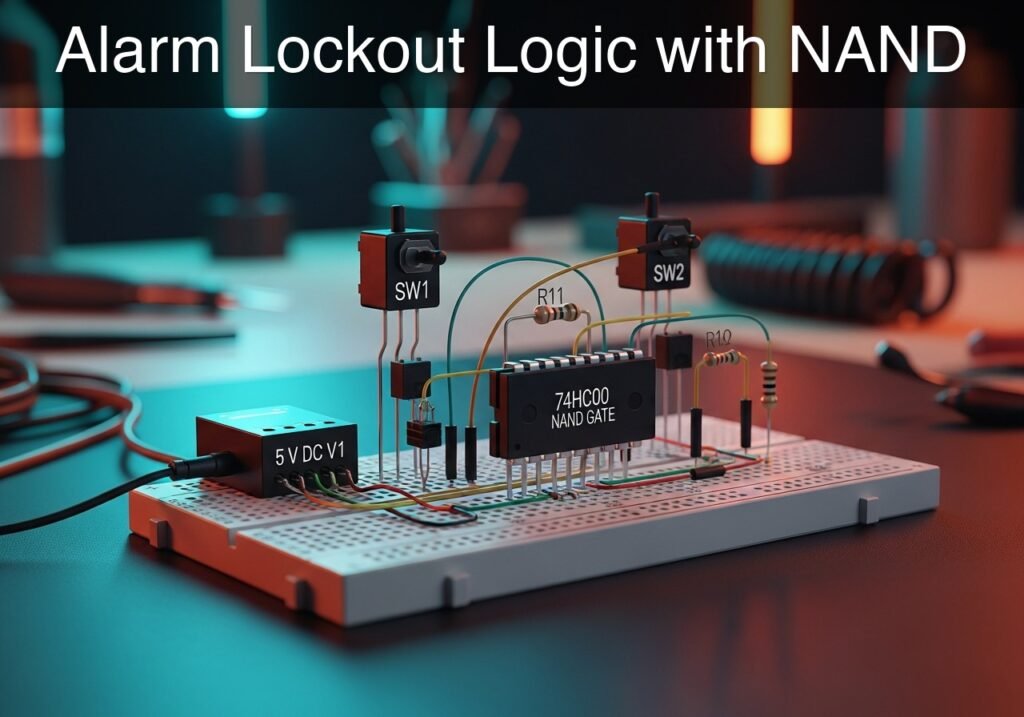
Practical case: Alarm Lockout Logic with NAND

Alarm Lockout Logic with NAND prototype (Maker Style)

Level: Basic – Build an active-high alarm indicator using 74HC00 NAND gates to understand universal logic and signal inversion.

Objective and use case

You will build a digital logic circuit where an alarm sensor and an enable switch must both be triggered to turn on a warning LED, implemented entirely with a single 74HC00 NAND gate chip.

This circuit is highly useful for demonstrating fundamental digital concepts:
* It demonstrates the concept of «universal gates,» showing how a NAND gate can be wired as a NOT gate (inverter) to achieve an AND logic function.
* It illustrates how an «enable» signal works, which is an industry standard method to authorize or safely block system operations.
* It provides hands-on practice with handling CMOS logic levels and configuring pull-down networks for reliable switch operation.

Expected outcome:
* The intermediate signal (the output of the first NAND gate) will output a logic LOW (0 V) only when both inputs are HIGH (5 V).
* The final output will be logic HIGH (5 V) and will light the LED strictly when both the Alarm and Enable inputs are HIGH.
* You will practically verify the combined truth table of a NAND and a NOT gate.

Target audience: Beginners in digital electronics learning how to manipulate logic gates.

Materials

  • V1: 5 V DC supply
  • SW1: SPST switch, function: Alarm trigger
  • SW2: SPST switch, function: Enable signal
  • R1: 10 kΩ resistor, function: pull-down for ALARM node
  • R2: 10 kΩ resistor, function: pull-down for ENABLE node
  • R3: 330 Ω resistor, function: LED current limiting
  • U1: 74HC00 Quad 2-Input NAND Gate, function: logic evaluation and inversion
  • D1: Red LED, function: Alarm indicator

Pin-out of the IC used

74HC00 (Quad 2-Input NAND Gate)

Pin Name Logic function Connection in this case
1 1 A Input 1 of NAND A Node ALARM (from SW1)
2 1B Input 2 of NAND A Node ENABLE (from SW2)
3 1Y Output of NAND A Node INTERMEDIATE
4 2 A Input 1 of NAND B Node INTERMEDIATE
5 2B Input 2 of NAND B Node INTERMEDIATE
6 2Y Output of NAND B Node VOUT
7 GND Ground Node 0
14 VCC Supply Voltage Node VCC

(Note: The 74HC00 contains four independent NAND gates. In this circuit, we use gates A and B. Unused inputs on gates C and D should be tied to ground).

Wiring guide

  • V1: connects between VCC and 0.
  • SW1: connects between VCC and ALARM.
  • R1: connects between ALARM and 0.
  • SW2: connects between VCC and ENABLE.
  • R2: connects between ENABLE and 0.
  • U1 Pin 14 (VCC): connects to VCC.
  • U1 Pin 7 (GND): connects to 0.
  • U1 Pin 1 (1 A): connects to ALARM.
  • U1 Pin 2 (1B): connects to ENABLE.
  • U1 Pin 3 (1Y): connects to INTERMEDIATE.
  • U1 Pin 4 (2 A): connects to INTERMEDIATE.
  • U1 Pin 5 (2B): connects to INTERMEDIATE.
  • U1 Pin 6 (2Y): connects to VOUT.
  • D1: Anode connects to VOUT, Cathode connects to NODE_LED.
  • R3: connects between NODE_LED and 0.
  • Safety connection: Connect pins 9, 10, 12, and 13 of U1 to 0 (GND) to prevent unused gates from floating.

Conceptual block diagram
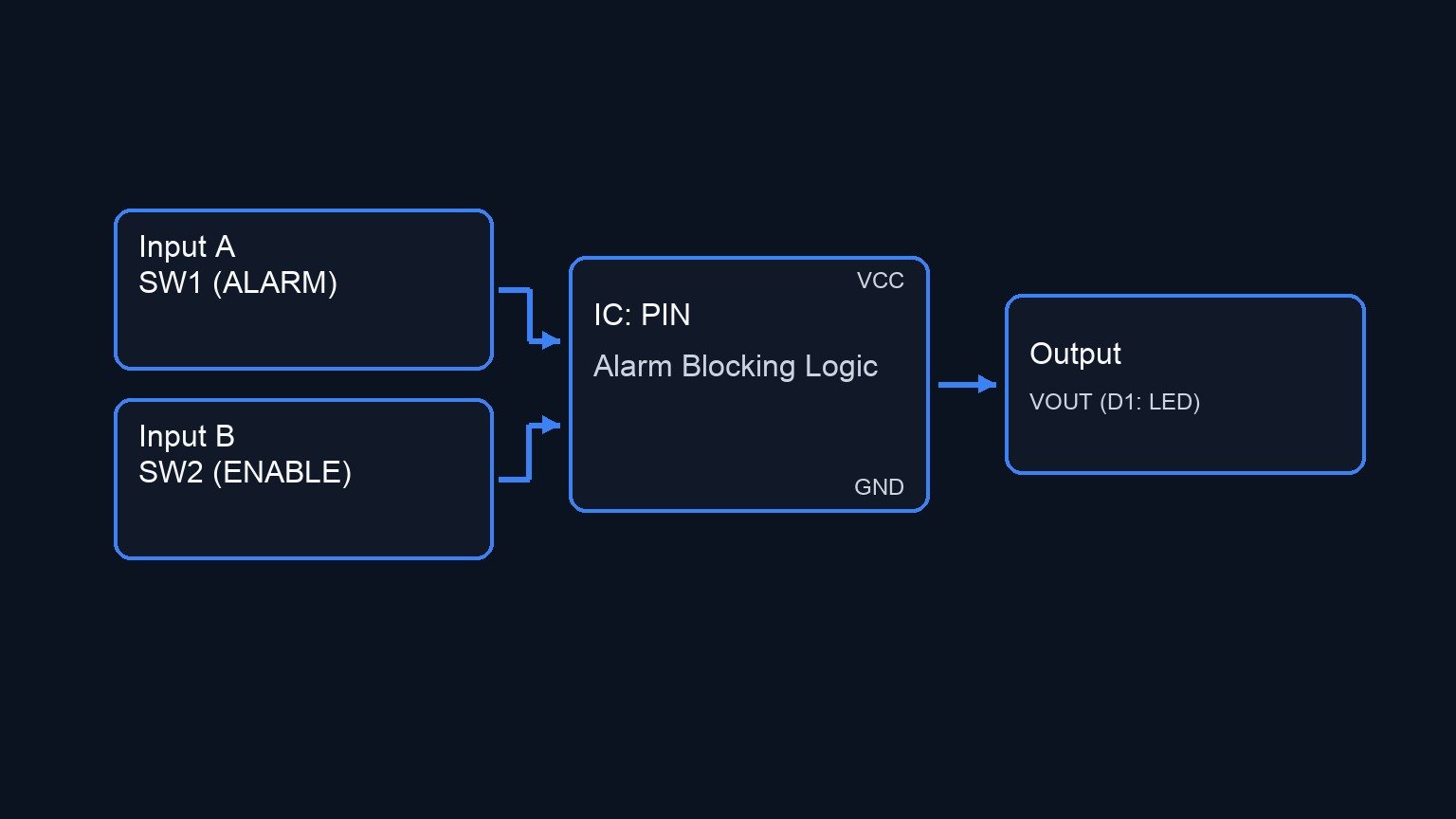
Conceptual block diagram — PIN Alarm Blocking Logic
Quick read: inputs → main block → output (actuator or measurement). This summarizes the ASCII schematic below.

Schematic

VCC --> [ SW1 ] --(ALARM)--> [ U1: Pin 1 (1 A) ]
           |                      |
         [ R1 ]                   |
           |                 [ U1: Gate 1 (NAND) ] --(INTERMEDIATE)--> [ U1: Pins 4,5 (2 A,2B) ]
          GND                     |                                         |
                                  |                                    [ U1: Gate 2 (NAND) ] --(VOUT)--> [ D1: LED ] --(NODE_LED)--> [ R3 ] --> GND
VCC --> [ SW2 ] --(ENABLE)-> [ U1: Pin 2 (1B) ]
           |
         [ R2 ]
           |
          GND

* Power & Safety Connections:
VCC --> [ U1: Pin 14 (VCC) ]
GND <-- [ U1: Pin 7 (GND) ]
GND <-- [ U1: Pins 9, 10, 12, 13 (Unused) ]
Electrical Schematic

Truth table

Alarm (SW1) Enable (SW2) Intermediate Node (1Y) Output Node (2Y) LED State
0 0 1 0 OFF
0 1 1 0 OFF
1 0 1 0 OFF
1 1 0 1 ON

Measurements and tests

  1. Use a multimeter to verify the power supply is exactly 5 V across the VCC and 0 nodes.
  2. Probe the ALARM and ENABLE nodes relative to 0. Verify they read exactly 0 V when their respective switches are open, and 5 V when closed.
  3. Probe the INTERMEDIATE node. It should read ~5 V when either or both switches are open, and drop to ~0 V strictly when both switches are closed.
  4. Probe the VOUT node. It should always display the exact opposite logic level of the INTERMEDIATE node.
  5. Visually confirm that the LED turns on if and only if both switches are toggled to the closed (active) position.

SPICE netlist and simulation

Reference SPICE Netlist (ngspice) — excerptFull SPICE netlist (ngspice)

* Alarm Lockout Logic with NAND

* Main DC Supply
V1 VCC 0 DC 5

* Control signals to simulate user pressing the switches (Testing Truth Table)
V_ctrl1 ctrl1 0 PULSE(0 5 0 1u 1u 50u 100u)
V_ctrl2 ctrl2 0 PULSE(0 5 0 1u 1u 100u 200u)

* SW1: SPST switch (Alarm trigger)
S1 VCC ALARM ctrl1 0 SW_MODEL

* SW2: SPST switch (Enable signal)
S2 VCC ENABLE ctrl2 0 SW_MODEL
.model SW_MODEL SW(VT=2.5 VH=0.5 RON=0.1 ROFF=100MEG)

* Pull-down resistors for logic inputs
R1 ALARM 0 10k
R2 ENABLE 0 10k

* ... (truncated in public view) ...

Copy this content into a .cir file and run with ngspice.

* Alarm Lockout Logic with NAND

* Main DC Supply
V1 VCC 0 DC 5

* Control signals to simulate user pressing the switches (Testing Truth Table)
V_ctrl1 ctrl1 0 PULSE(0 5 0 1u 1u 50u 100u)
V_ctrl2 ctrl2 0 PULSE(0 5 0 1u 1u 100u 200u)

* SW1: SPST switch (Alarm trigger)
S1 VCC ALARM ctrl1 0 SW_MODEL

* SW2: SPST switch (Enable signal)
S2 VCC ENABLE ctrl2 0 SW_MODEL
.model SW_MODEL SW(VT=2.5 VH=0.5 RON=0.1 ROFF=100MEG)

* Pull-down resistors for logic inputs
R1 ALARM 0 10k
R2 ENABLE 0 10k

* U1: 74HC00 Quad 2-Input NAND Gate
* Pinout: 1:1A, 2:1B, 3:1Y, 4:2A, 5:2B, 6:2Y, 7:GND, 8:3Y, 9:3A, 10:3B, 11:4Y, 12:4A, 13:4B, 14:VCC
XU1 ALARM ENABLE INTERMEDIATE INTERMEDIATE INTERMEDIATE VOUT 0 NC8 0 0 NC11 0 0 VCC HC00_DIP14

* D1: Red LED (Alarm indicator)
D1 VOUT NODE_LED DLED
.model DLED D(IS=1e-20 N=2.2 RS=15)

* R3: LED current limiting resistor
R3 NODE_LED 0 330

* Subcircuit for 74HC00 (Quad 2-Input NAND Gate)
.subckt HC00_DIP14 1 2 3 4 5 6 7 8 9 10 11 12 13 14
* Gate 1
B1 3_int 7 V=V(14)*(1-(1/(1+exp(-50*(V(1)-2.5))))*(1/(1+exp(-50*(V(2)-2.5)))))
R1 3_int 3 50
* Gate 2
B2 6_int 7 V=V(14)*(1-(1/(1+exp(-50*(V(4)-2.5))))*(1/(1+exp(-50*(V(5)-2.5)))))
R2 6_int 6 50
* Gate 3
B3 8_int 7 V=V(14)*(1-(1/(1+exp(-50*(V(9)-2.5))))*(1/(1+exp(-50*(V(10)-2.5)))))
R3 8_int 8 50
* Gate 4
B4 11_int 7 V=V(14)*(1-(1/(1+exp(-50*(V(12)-2.5))))*(1/(1+exp(-50*(V(13)-2.5)))))
R4 11_int 11 50
.ends

* Analysis directives
.tran 1u 500u
.print tran V(ALARM) V(ENABLE) V(VOUT) V(NODE_LED)
.op
.end

Simulation Results (Transient Analysis)

Simulation Results (Transient Analysis)
Analysis: The transient simulation shows the output node (VOUT) and LED node (NODE_LED) going high (approx 4.66V and 2.22V respectively) only when both ALARM and ENABLE inputs are high (approx 5V). When either or both inputs are low, the output is near 0V. This matches the intended AND logic behavior created by using two NAND gates in series.
Show raw data table (691 rows)
Index   time            v(alarm)        v(enable)       v(vout)         v(node_led)
0	0.000000e+00	4.999500e-04	4.999500e-04	1.047185e-47	-6.91142e-47
1	1.000000e-08	4.999500e-04	4.999500e-04	7.268458e-64	-4.79767e-63
2	2.000000e-08	4.999500e-04	4.999500e-04	-7.26994e-64	4.797672e-63
3	4.000000e-08	4.999500e-04	4.999500e-04	-7.41841e-68	-2.28156e-77
4	8.000000e-08	4.999500e-04	4.999500e-04	-7.41841e-68	-2.51468e-77
5	1.600000e-07	4.999500e-04	4.999500e-04	-7.41841e-68	-2.44808e-77
6	3.200000e-07	4.999500e-04	4.999500e-04	-7.41841e-68	-2.44808e-77
7	3.750000e-07	4.999500e-04	4.999500e-04	-7.41841e-68	-2.44808e-77
8	4.712500e-07	4.999500e-04	4.999500e-04	-7.41841e-68	-2.44808e-77
9	4.978906e-07	4.999500e-04	4.999500e-04	-7.41841e-68	-2.44808e-77
10	5.445117e-07	4.999500e-04	4.999500e-04	-7.41841e-68	-2.44808e-77
11	5.574158e-07	4.999500e-04	4.999500e-04	-7.41841e-68	-2.44808e-77
12	5.799979e-07	4.999500e-04	4.999500e-04	-7.41841e-68	-2.44808e-77
13	6.049995e-07	4.999950e+00	4.999950e+00	4.662865e+00	2.225088e+00
14	6.550027e-07	4.999950e+00	4.999950e+00	4.662939e+00	2.224602e+00
15	7.550091e-07	4.999950e+00	4.999950e+00	4.662792e+00	2.225571e+00
16	9.550219e-07	4.999950e+00	4.999950e+00	4.662792e+00	2.225574e+00
17	1.000000e-06	4.999950e+00	4.999950e+00	4.662786e+00	2.225611e+00
18	1.040003e-06	4.999950e+00	4.999950e+00	4.662786e+00	2.225611e+00
19	1.120008e-06	4.999950e+00	4.999950e+00	4.662786e+00	2.225611e+00
20	1.280018e-06	4.999950e+00	4.999950e+00	4.662786e+00	2.225611e+00
21	1.600038e-06	4.999950e+00	4.999950e+00	4.662786e+00	2.225611e+00
22	2.240079e-06	4.999950e+00	4.999950e+00	4.662786e+00	2.225611e+00
23	3.240079e-06	4.999950e+00	4.999950e+00	4.662786e+00	2.225611e+00
... (667 more rows) ...


Reference SPICE netlist (ngspice)

* Alarm Lockout Logic with NAND

* Main DC Supply
V1 VCC 0 DC 5

* Control signals to simulate user pressing the switches (Testing Truth Table)
V_ctrl1 ctrl1 0 PULSE(0 5 0 1u 1u 50u 100u)
V_ctrl2 ctrl2 0 PULSE(0 5 0 1u 1u 100u 200u)

* SW1: SPST switch (Alarm trigger)
S1 VCC ALARM ctrl1 0 SW_MODEL

* SW2: SPST switch (Enable signal)
S2 VCC ENABLE ctrl2 0 SW_MODEL
.model SW_MODEL SW(VT=2.5 VH=0.5 RON=0.1 ROFF=100MEG)

* Pull-down resistors for logic inputs
R1 ALARM 0 10k
R2 ENABLE 0 10k

* U1: 74HC00 Quad 2-Input NAND Gate
* Pinout: 1:1A, 2:1B, 3:1Y, 4:2A, 5:2B, 6:2Y, 7:GND, 8:3Y, 9:3A, 10:3B, 11:4Y, 12:4A, 13:4B, 14:VCC
XU1 ALARM ENABLE INTERMEDIATE INTERMEDIATE INTERMEDIATE VOUT 0 NC8 0 0 NC11 0 0 VCC HC00_DIP14

* D1: Red LED (Alarm indicator)
D1 VOUT NODE_LED DLED
.model DLED D(IS=1e-20 N=2.2 RS=15)

* R3: LED current limiting resistor
R3 NODE_LED 0 330

* Subcircuit for 74HC00 (Quad 2-Input NAND Gate)
.subckt HC00_DIP14 1 2 3 4 5 6 7 8 9 10 11 12 13 14
* Gate 1
B1 3_int 7 V=V(14)*(1-(1/(1+exp(-50*(V(1)-2.5))))*(1/(1+exp(-50*(V(2)-2.5)))))
R1 3_int 3 50
* Gate 2
B2 6_int 7 V=V(14)*(1-(1/(1+exp(-50*(V(4)-2.5))))*(1/(1+exp(-50*(V(5)-2.5)))))
R2 6_int 6 50
* Gate 3
B3 8_int 7 V=V(14)*(1-(1/(1+exp(-50*(V(9)-2.5))))*(1/(1+exp(-50*(V(10)-2.5)))))
R3 8_int 8 50
* Gate 4
B4 11_int 7 V=V(14)*(1-(1/(1+exp(-50*(V(12)-2.5))))*(1/(1+exp(-50*(V(13)-2.5)))))
R4 11_int 11 50
.ends

* Analysis directives
.tran 1u 500u
.print tran V(ALARM) V(ENABLE) V(VOUT) V(NODE_LED)
.op
.end

Simulation Results (Transient Analysis)

Simulation Results (Transient Analysis)
Analysis: The transient simulation shows the output node (VOUT) and LED node (NODE_LED) going high (approx 4.66V and 2.22V respectively) only when both ALARM and ENABLE inputs are high (approx 5V). When either or both inputs are low, the output is near 0V. This matches the intended AND logic behavior created by using two NAND gates in series.

Common mistakes and how to avoid them

  1. Leaving unused inputs floating: CMOS chips like the 74HC00 are highly sensitive to static and ambient noise. Unused gate inputs (pins 9, 10, 12, 13) must be explicitly tied to ground (0) or VCC.
  2. Omitting the pull-down resistors: Without R1 and R2, the input pins will float when the switches are open, leading to unpredictable, flickering behavior in the LED. Always ensure the 10 kΩ pull-downs are securely connected to ground.
  3. Connecting the LED without a series resistor: Connecting D1 directly between VOUT and 0 will draw excessive current, potentially destroying the LED and burning out the output stage of the 74HC00 chip. R3 is mandatory.


Troubleshooting

  • Symptom: The LED never turns off, regardless of switch positions.
  • Cause: One of the input pull-down resistors is loose, causing the chip to read a false HIGH, or the intermediate node isn’t wired correctly to both inputs of the second gate.
  • Fix: Verify connections for R1 and R2 to ground. Ensure U1 Pin 3 routes precisely to both Pin 4 and Pin 5.
  • Symptom: The LED brightness flickers when a hand is moved near the circuit.
  • Cause: A floating input is acting as an antenna and picking up environmental noise.
  • Fix: Check that all unused inputs on the IC are tied to ground, and ensure R1 and R2 are seated firmly in the breadboard.
  • Symptom: The IC becomes hot to the touch.
  • Cause: The power supply is connected backwards, or the output node is shorted directly to ground or VCC.
  • Fix: Disconnect power immediately. Verify that U1 Pin 14 goes strictly to +5 V and Pin 7 goes strictly to Ground.

Possible improvements and extensions

  1. Master Override switch: Introduce a third switch and utilize one of the spare NAND gates (e.g., Gate C) to create a «Master Override» that forces the LED off regardless of the Alarm and Enable signals.
  2. Add a delay circuit: Incorporate an RC network (a resistor and a capacitor) between one of the switches and its input pin. This requires the switch to be held closed for a specific duration before the logic gate registers a HIGH signal, preventing false alarms.

More Practical Cases on Prometeo.blog

Find this product and/or books on this topic on Amazon

Go to Amazon

As an Amazon Associate, I earn from qualifying purchases. If you buy through this link, you help keep this project running.

Quick Quiz

Question 1: What is the main objective of the circuit described in the article?


Question 2: Which logic gate chip is used exclusively in this project?


Question 3: How is the AND logic function achieved in this circuit using only NAND gates?


Question 4: What is the purpose of the 'enable' signal in this system?


Question 5: What is the expected voltage of the intermediate signal (output of the first NAND gate) when both inputs are HIGH?


Question 6: Under what condition will the final output light the warning LED?


Question 7: Why are pull-down networks used in this circuit?


Question 8: What logic family's levels does this project provide hands-on practice with?


Question 9: What combined truth table will you practically verify in this project?


Question 10: What is the difficulty level of this project?


Carlos Núñez Zorrilla
Electronics & Computer Engineer

Telecommunications Electronics Engineer and Computer Engineer (official degrees in Spain).
Follow me:


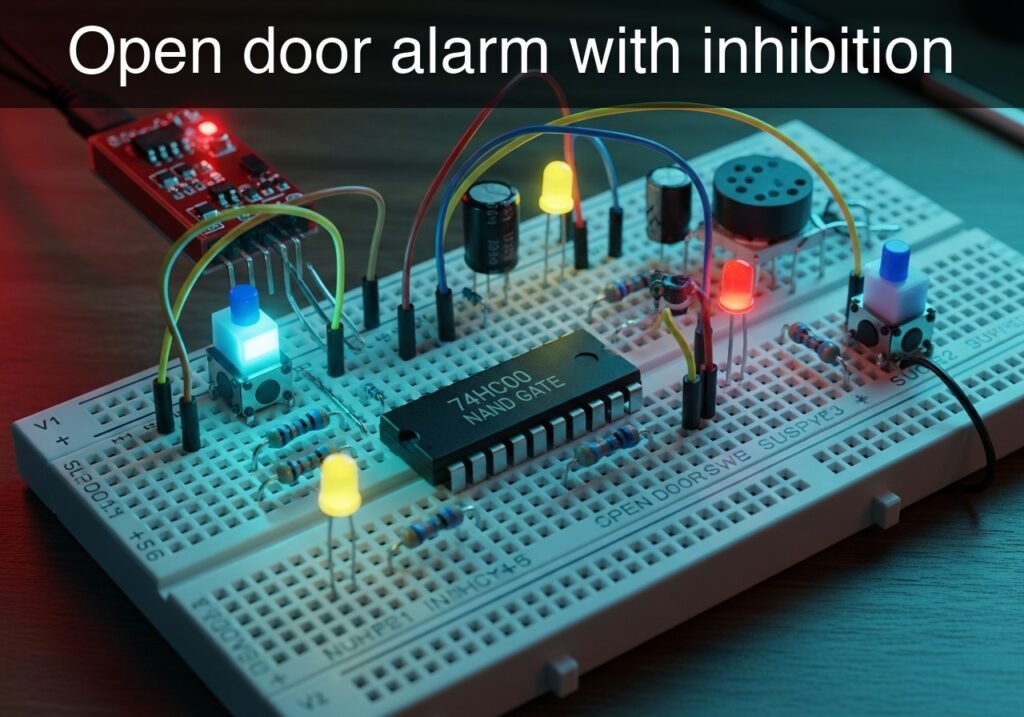
Practical case: Open door alarm with inhibition

Open door alarm with inhibition prototype (Maker Style)

Level: Basic – Design a logic circuit using a 74HC00 NAND gate to trigger an LED alarm only when the door is open and the system is enabled.

Objective and use case

What you will build is a basic security system logic controller using the universal 74HC00 NAND chip. The circuit processes two discrete inputs (a door sensor and an enable switch) to activate a visual alarm strictly when the system is armed and a breach occurs.

Why it is useful:
* It demonstrates how multiple NAND gates can be combined to form an AND logic gate.
* It illustrates the concept of a hardware «enable/inhibit» signal commonly used in industrial and digital electronics.
* It provides practical experience in interfacing mechanical switches with digital CMOS inputs without floating states.

Expected outcome:
* When the door switch is open (Logic 1) AND the enable switch is closed (Logic 1), the LED turns ON.
* If the enable switch is open (Logic 0), the alarm remains inhibited (LED OFF) regardless of the door state.
* Logic High (VCC) and Logic Low (0 V) voltages can be clearly measured at the switch output nodes.
* The intermediate logic signal between the two NAND gates will correctly show the inverted state of the final output.

Target audience and level: Electronics beginners learning digital logic and combinational circuits.

Materials

  • V1: 5 V DC supply, function: main circuit power
  • SW1: SPST switch, function: door sensor (closed = logic 0, open = logic 1)
  • SW2: SPST switch, function: system enable (inhibited = logic 0, armed = logic 1)
  • R1: 10 kΩ resistor, function: pull-down for SW1 at node DOOR
  • R2: 10 kΩ resistor, function: pull-down for SW2 at node EN
  • R3: 330 Ω resistor, function: LED current limiting
  • U1: 74HC00 quad 2-input NAND gate, function: logic processing
  • D1: red LED, function: visual alarm indicator

Pin-out of the IC used

IC used: 74HC00 (Quad 2-Input NAND Gate)

Pin Name Logic function Connection in this case
1 1 A Input A of Gate 1 Node DOOR (from SW1)
2 1B Input B of Gate 1 Node EN (from SW2)
3 1Y Output of Gate 1 Node NAND_OUT
4 2 A Input A of Gate 2 Node NAND_OUT (tied to 2B)
5 2B Input B of Gate 2 Node NAND_OUT (tied to 2 A)
6 2Y Output of Gate 2 Node ALARM
7 GND Ground reference Node 0
14 VCC Positive supply Node VCC

(Note: Unused input pins 9, 10, 12, and 13 should be tied to ground in physical builds to prevent CMOS oscillation.)

Wiring guide

  • V1: connects between VCC (positive) and 0 (GND).
  • SW1: connects between VCC and DOOR.
  • R1: connects between DOOR and 0.
  • SW2: connects between VCC and EN.
  • R2: connects between EN and 0.
  • U1:
  • Pin 1 connects to DOOR.
  • Pin 2 connects to EN.
  • Pin 3 connects to NAND_OUT.
  • Pin 4 connects to NAND_OUT.
  • Pin 5 connects to NAND_OUT.
  • Pin 6 connects to ALARM.
  • Pin 7 connects to 0.
  • Pin 14 connects to VCC.
  • R3: connects between ALARM and LED_IN.
  • D1: anode connects to LED_IN, cathode connects to 0.

Conceptual block diagram

Conceptual block diagram — NAND1 NAND gate
Quick read: inputs → main block → output (actuator or measurement). This summarizes the ASCII schematic below.

Schematic

VCC --> [ SW1: Door Sensor ] --+--(DOOR)----->+
                               |              |
                         [ R1: 10 kΩ ]         v
                               |        [ U1: NAND1 ] --(NAND_OUT)--> [ U1: NAND2 ] --(ALARM)--> [ R3: 330 Ω ] --(LED_IN)--> [ D1: Red LED ] --> GND
                              GND       [ Pins 1,2->3 ]               [ Pins 4,5->6 ]
                                              ^
                                              |
VCC --> [ SW2: Sys Enable ] ---+--(EN)------->+
                               |
                         [ R2: 10 kΩ ]
                               |
                              GND
Electrical Schematic

Truth table

DOOR (SW1) EN (SW2) NAND_OUT (Pin 3) ALARM (Pin 6) LED Status
0 (Low) 0 (Low) 1 (High) 0 (Low) OFF
0 (Low) 1 (High) 1 (High) 0 (Low) OFF
1 (High) 0 (Low) 1 (High) 0 (Low) OFF
1 (High) 1 (High) 0 (Low) 1 (High) ON (Alarm Active)

Measurements and tests

  1. Supply Validation: Measure the voltage between VCC and 0. Ensure it is a stable 5 V.
  2. Input States: Use a multimeter to measure nodes DOOR and EN with respect to ground (0). Verify they read 0 V when the switch is open and 5 V when the switch is closed.
  3. Intermediate Logic: Close both SW1 and SW2. Measure node NAND_OUT. It should drop to 0 V (Logic Low) only when both switches are closed.
  4. Final Output: Measure node ALARM. It should read 5 V (Logic High) only when both switches are closed, confirming that U1B correctly inverted the signal from U1 A.
  5. Load Check: Verify the voltage drop across D1 is roughly 1.8 V to 2.2 V when illuminated.

SPICE netlist and simulation

Reference SPICE Netlist (ngspice) — excerptFull SPICE netlist (ngspice)

* Practical case: Open door alarm with inhibition
.width out=256

* Main Power Supply
V1 VCC 0 DC 5

* Door Sensor (SW1) - Modeled as a voltage-controlled switch with a pulse source
V_ctrl1 ctrl1 0 PULSE(0 5 0 1u 1u 50u 100u)
S1 VCC DOOR ctrl1 0 mySW
R1 DOOR 0 10k

* System Enable (SW2) - Modeled as a voltage-controlled switch with a slower pulse source
V_ctrl2 ctrl2 0 PULSE(0 5 0 1u 1u 100u 200u)
S2 VCC EN ctrl2 0 mySW
R2 EN 0 10k

* 74HC00 Quad 2-input NAND gate
* Wiring: 1->DOOR, 2->EN, 3->NAND_OUT, 4->NAND_OUT, 5->NAND_OUT, 6->ALARM, 7->0, 14->VCC
XU1 DOOR EN NAND_OUT NAND_OUT NAND_OUT ALARM 0 VCC 74HC00

* ... (truncated in public view) ...

Copy this content into a .cir file and run with ngspice.

* Practical case: Open door alarm with inhibition
.width out=256

* Main Power Supply
V1 VCC 0 DC 5

* Door Sensor (SW1) - Modeled as a voltage-controlled switch with a pulse source
V_ctrl1 ctrl1 0 PULSE(0 5 0 1u 1u 50u 100u)
S1 VCC DOOR ctrl1 0 mySW
R1 DOOR 0 10k

* System Enable (SW2) - Modeled as a voltage-controlled switch with a slower pulse source
V_ctrl2 ctrl2 0 PULSE(0 5 0 1u 1u 100u 200u)
S2 VCC EN ctrl2 0 mySW
R2 EN 0 10k

* 74HC00 Quad 2-input NAND gate
* Wiring: 1->DOOR, 2->EN, 3->NAND_OUT, 4->NAND_OUT, 5->NAND_OUT, 6->ALARM, 7->0, 14->VCC
XU1 DOOR EN NAND_OUT NAND_OUT NAND_OUT ALARM 0 VCC 74HC00

* Alarm LED indicator
R3 ALARM LED_IN 330
D1 LED_IN 0 DLED

* Models and Subcircuits
.model mySW SW(Ron=1 Roff=100Meg Vt=2.5)
.model DLED D(IS=1e-15 N=2 RS=10)

* 74HC00 Subcircuit implementation (using robust continuous B-sources for logic)
.subckt 74HC00 1 2 3 4 5 6 7 14
* Gate 1 (Pins 1, 2 -> 3)
B1 3 7 V = 5 * (1 - (1 / (1 + exp(-50*(V(1,7)-2.5)))) * (1 / (1 + exp(-50*(V(2,7)-2.5)))))
* Gate 2 (Pins 4, 5 -> 6)
B2 6 7 V = 5 * (1 - (1 / (1 + exp(-50*(V(4,7)-2.5)))) * (1 / (1 + exp(-50*(V(5,7)-2.5)))))
* Dummy loads to prevent floating pins
R1 1 7 100Meg
R2 2 7 100Meg
R3 4 7 100Meg
R4 5 7 100Meg
R5 14 7 100Meg
.ends

* Analysis Directives
.op
.tran 1u 300u
.print tran V(DOOR) V(EN) V(ALARM) V(LED_IN)
.end

Simulation Results (Transient Analysis)

Simulation Results (Transient Analysis)
Analysis: The simulation results show that when both DOOR and EN are high (approx 5V), ALARM goes high (5V) and LED_IN reaches about 1.65V, indicating the LED is ON. When either DOOR or EN is low (approx 0V), ALARM is low (0V) and LED_IN is 0V, indicating the LED is OFF. This perfectly matches the intended truth table for the alarm with inhibition.
Show raw data table (412 rows)
Index   time            v(door)         v(en)           v(alarm)        v(led_in)
0	0.000000e+00	4.999000e-04	4.999000e-04	-7.41841e-68	4.091162e-30
1	1.000000e-08	4.999000e-04	4.999000e-04	-7.41841e-68	2.688961e-41
2	2.000000e-08	4.999000e-04	4.999000e-04	-7.41841e-68	-2.68896e-41
3	4.000000e-08	4.999000e-04	4.999000e-04	-7.41841e-68	-8.83675e-52
4	8.000000e-08	4.999000e-04	4.999000e-04	-7.41841e-68	3.534698e-52
5	1.600000e-07	4.999000e-04	4.999000e-04	-7.41841e-68	1.858568e-62
6	3.200000e-07	4.999000e-04	4.999000e-04	-7.41841e-68	-4.64651e-63
7	3.562500e-07	4.999000e-04	4.999000e-04	-7.41841e-68	-7.41842e-68
8	4.196875e-07	4.999000e-04	4.999000e-04	-7.41841e-68	-7.41841e-68
9	4.372461e-07	4.999000e-04	4.999000e-04	-7.41841e-68	-7.41841e-68
10	4.679736e-07	4.999000e-04	4.999000e-04	-7.41841e-68	-7.41841e-68
11	5.019934e-07	4.999500e+00	4.999500e+00	5.000000e+00	1.651140e+00
12	5.700330e-07	4.999500e+00	4.999500e+00	5.000000e+00	1.651062e+00
13	7.061121e-07	4.999500e+00	4.999500e+00	5.000000e+00	1.650721e+00
14	9.782703e-07	4.999500e+00	4.999500e+00	5.000000e+00	1.650725e+00
15	1.000000e-06	4.999500e+00	4.999500e+00	5.000000e+00	1.650721e+00
16	1.043459e-06	4.999500e+00	4.999500e+00	5.000000e+00	1.650721e+00
17	1.130378e-06	4.999500e+00	4.999500e+00	5.000000e+00	1.650721e+00
18	1.304216e-06	4.999500e+00	4.999500e+00	5.000000e+00	1.650721e+00
19	1.651892e-06	4.999500e+00	4.999500e+00	5.000000e+00	1.650721e+00
20	2.347244e-06	4.999500e+00	4.999500e+00	5.000000e+00	1.650721e+00
21	3.347244e-06	4.999500e+00	4.999500e+00	5.000000e+00	1.650721e+00
22	4.347244e-06	4.999500e+00	4.999500e+00	5.000000e+00	1.650721e+00
23	5.347244e-06	4.999500e+00	4.999500e+00	5.000000e+00	1.650721e+00
... (388 more rows) ...


Reference SPICE netlist (ngspice)

* Practical case: Open door alarm with inhibition
.width out=256

* Main Power Supply
V1 VCC 0 DC 5

* Door Sensor (SW1) - Modeled as a voltage-controlled switch with a pulse source
V_ctrl1 ctrl1 0 PULSE(0 5 0 1u 1u 50u 100u)
S1 VCC DOOR ctrl1 0 mySW
R1 DOOR 0 10k

* System Enable (SW2) - Modeled as a voltage-controlled switch with a slower pulse source
V_ctrl2 ctrl2 0 PULSE(0 5 0 1u 1u 100u 200u)
S2 VCC EN ctrl2 0 mySW
R2 EN 0 10k

* 74HC00 Quad 2-input NAND gate
* Wiring: 1->DOOR, 2->EN, 3->NAND_OUT, 4->NAND_OUT, 5->NAND_OUT, 6->ALARM, 7->0, 14->VCC
XU1 DOOR EN NAND_OUT NAND_OUT NAND_OUT ALARM 0 VCC 74HC00

* Alarm LED indicator
R3 ALARM LED_IN 330
D1 LED_IN 0 DLED

* Models and Subcircuits
.model mySW SW(Ron=1 Roff=100Meg Vt=2.5)
.model DLED D(IS=1e-15 N=2 RS=10)

* 74HC00 Subcircuit implementation (using robust continuous B-sources for logic)
.subckt 74HC00 1 2 3 4 5 6 7 14
* Gate 1 (Pins 1, 2 -> 3)
B1 3 7 V = 5 * (1 - (1 / (1 + exp(-50*(V(1,7)-2.5)))) * (1 / (1 + exp(-50*(V(2,7)-2.5)))))
* Gate 2 (Pins 4, 5 -> 6)
B2 6 7 V = 5 * (1 - (1 / (1 + exp(-50*(V(4,7)-2.5)))) * (1 / (1 + exp(-50*(V(5,7)-2.5)))))
* Dummy loads to prevent floating pins
R1 1 7 100Meg
R2 2 7 100Meg
R3 4 7 100Meg
R4 5 7 100Meg
R5 14 7 100Meg
.ends

* Analysis Directives
.op
.tran 1u 300u
.print tran V(DOOR) V(EN) V(ALARM) V(LED_IN)
.end

Simulation Results (Transient Analysis)

Simulation Results (Transient Analysis)
Analysis: The simulation results show that when both DOOR and EN are high (approx 5V), ALARM goes high (5V) and LED_IN reaches about 1.65V, indicating the LED is ON. When either DOOR or EN is low (approx 0V), ALARM is low (0V) and LED_IN is 0V, indicating the LED is OFF. This perfectly matches the intended truth table for the alarm with inhibition.

Common mistakes and how to avoid them

  • Floating CMOS inputs: Forgetting the pull-down resistors (R1, R2) will leave the inputs floating when the switches are open, causing unpredictable LED blinking and excessive IC current draw. Always ensure mechanical switches are paired with pull-up or pull-down resistors.
  • Leaving unused gates floating: The 74HC00 contains four gates. Leaving the inputs of gates 3 and 4 disconnected can cause high-frequency oscillations. Tie pins 8, 9, 12, and 13 to ground (0).
  • Misunderstanding NAND logic for NOT: To use a NAND gate as an inverter (NOT gate), you must tie both inputs together (as done on pins 4 and 5). Supplying the signal to only one pin while leaving the other floating will result in faulty logic.


Troubleshooting

  • Symptom: The LED never turns on.
  • Cause: D1 might be inserted backward (reverse polarity), or R3 is too large.
  • Fix: Check that the long leg (anode) of D1 faces ALARM and the flat side (cathode) goes to 0. Verify R3 is 330 Ω, not 330 kΩ.
  • Symptom: The LED turns on as soon as one switch is closed, ignoring the other.
  • Cause: A wiring error on the 74HC00 inputs, or an input pin is shorted to VCC.
  • Fix: Check continuity on pins 1 and 2. Ensure they are isolated from each other and correctly routed to DOOR and EN.
  • Symptom: The circuit is highly sensitive to hand movements nearby.
  • Cause: Floating inputs. The pull-down resistors are either disconnected or not making good contact on the breadboard.
  • Fix: Verify R1 and R2 are securely connected between the switch signal nodes and ground.

Possible improvements and extensions

  • Active Buzzer Integration: Add a 5 V active buzzer in parallel with the LED (and its resistor) so the alarm provides both visual and auditory feedback.
  • Flashing Alarm: Use the two remaining NAND gates in the 74HC00 along with a resistor and capacitor to build an astable multivibrator, making the LED blink repeatedly when the alarm is triggered instead of staying solid.

More Practical Cases on Prometeo.blog

Find this product and/or books on this topic on Amazon

Go to Amazon

As an Amazon Associate, I earn from qualifying purchases. If you buy through this link, you help keep this project running.

Quick Quiz

Question 1: What is the main objective of the circuit described in the text?


Question 2: Which specific logic chip is used as the core of this circuit?


Question 3: Under what exact condition does the LED alarm turn ON?


Question 4: What logic function is created by combining multiple NAND gates in this project?


Question 5: How does the circuit handle mechanical switches connected to digital CMOS inputs?


Question 6: What happens if the enable switch is open (Logic 0)?


Question 7: What concept commonly used in industrial electronics does this project illustrate?


Question 8: What logic level represents an open door in this circuit?


Question 9: What will the intermediate logic signal between the two NAND gates show?


Question 10: What voltages can be clearly measured at the switch output nodes?


Carlos Núñez Zorrilla
Electronics & Computer Engineer

Telecommunications Electronics Engineer and Computer Engineer (official degrees in Spain).
Follow me:


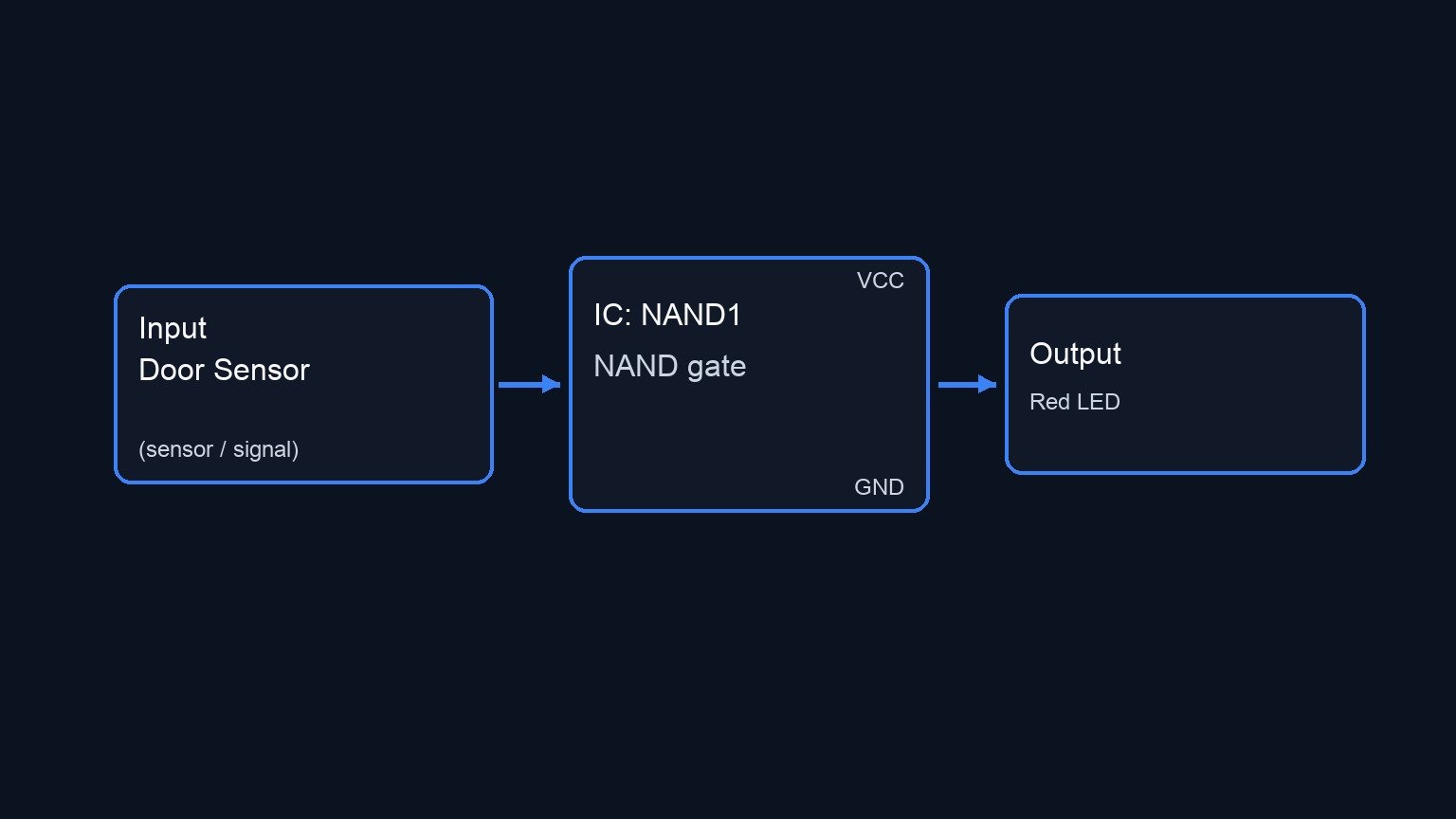
Practical case: Emergency stop system

Emergency stop system prototype (Maker Style)

Level: Basic – Use the low-level output of a NAND gate to stop a process if two sensors detect danger simultaneously.

Objective and use case

In this practical case, you will build a digital safety interlock circuit using a 74HC00 NAND gate. The system evaluates two independent danger sensors and triggers an active-low relay to halt a process only when both sensors detect a critical condition.

Why it is useful:
* Industrial safety: Halting heavy machinery if two separate safety guards are simultaneously bypassed or opened.
* Process control: Triggering an emergency shutdown in a chemical plant if both pressure and temperature exceed critical thresholds.
* Redundant validation: Preventing false alarms from shutting down a system by requiring two independent sensors to agree before taking action.

Expected outcome:
* When both sensors read a HIGH logic level (indicating danger), the NAND gate output will drop to a LOW logic level (~0 V).
* The 0 V signal will trigger an active-low relay module, engaging the emergency stop.
* If either or both sensors read a LOW logic level (safe condition), the NAND output remains HIGH (~5 V), keeping the relay inactive and the process running.

Target audience and level: Beginners in digital electronics and industrial logic control.

Materials

  • V1: 5 V DC power supply
  • SW1: SPST switch, function: danger sensor 1
  • SW2: SPST switch, function: danger sensor 2
  • R1: 10 kΩ resistor, function: pull-down for SW1
  • R2: 10 kΩ resistor, function: pull-down for SW2
  • U1: 74HC00 Quad 2-Input NAND gate IC
  • RLY1: 5 V Active-low relay module, function: process emergency stop

Pin-out of the IC used

We will use the 74HC00 (Quad 2-Input NAND gate).

Pin Name Logic function Connection in this case
1 1 A Input 1 of Gate 1 Node VA (from SW1)
2 1B Input 2 of Gate 1 Node VB (from SW2)
3 1Y Output of Gate 1 Node VOUT (to RLY1 IN)
7 GND Ground Node 0
14 VCC Power Supply Node VCC

Wiring guide

  • V1: connects between node VCC and node 0 (GND).
  • SW1: connects between node VCC and node VA.
  • R1: connects between node VA and node 0.
  • SW2: connects between node VCC and node VB.
  • R2: connects between node VB and node 0.
  • U1: Pin 14 connects to node VCC; Pin 7 connects to node 0.
  • U1: Pin 1 connects to node VA.
  • U1: Pin 2 connects to node VB.
  • U1: Pin 3 connects to node VOUT.
  • RLY1: VCC pin connects to node VCC, GND pin connects to node 0, and the signal/IN pin connects to node VOUT.

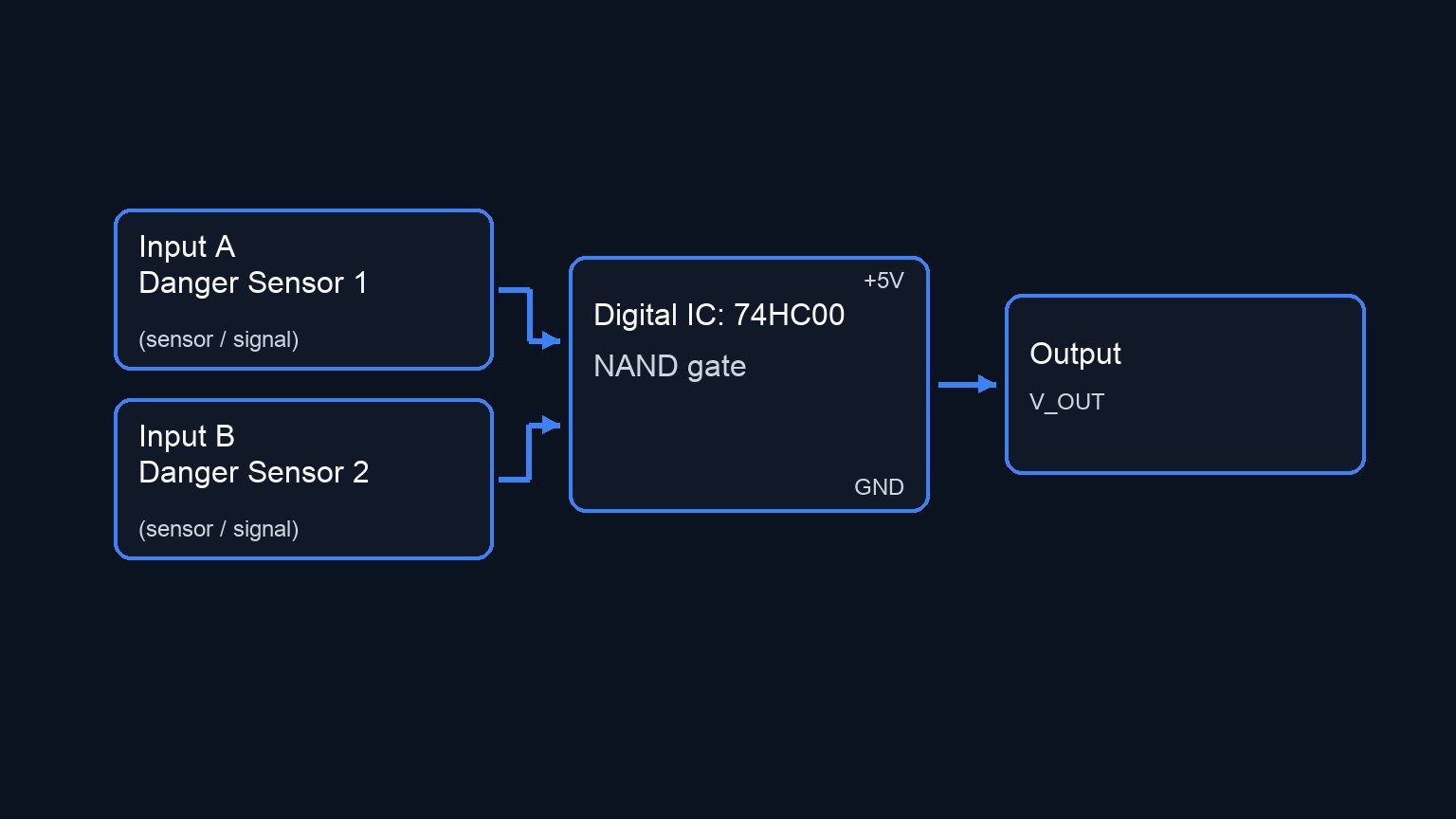
Conceptual block diagram

Conceptual block diagram — 74HC00 NAND gate
Quick read: inputs → main block → output (actuator or measurement). This summarizes the ASCII schematic below.

Schematic

POWER SUPPLY:
[ V1: 5 V DC Power Supply ] --(VCC)
                           --(GND)

SENSOR 1 INPUT PATH:
VCC --> [ SW1: Danger Sensor 1 ] --(Node VA)--> [ U1: 74HC00 NAND (Pin 1) ]
[ Node VA ] --> [ R1: 10 kΩ Pull-down ] --> GND

SENSOR 2 INPUT PATH:
VCC --> [ SW2: Danger Sensor 2 ] --(Node VB)--> [ U1: 74HC00 NAND (Pin 2) ]
[ Node VB ] --> [ R2: 10 kΩ Pull-down ] --> GND

LOGIC TO EMERGENCY STOP PATH:
[ U1: 74HC00 NAND (Pin 3) ] --(Node VOUT)--> [ RLY1: Relay Module (IN) ]

IC & MODULE POWER CONNECTIONS:
VCC --> [ U1: 74HC00 NAND (Pin 14) ]
GND <-- [ U1: 74HC00 NAND (Pin 7) ]

VCC --> [ RLY1: Relay Module (VCC) ]
GND <-- [ RLY1: Relay Module (GND) ]
Electrical Schematic

Truth table

Note: The relay module in this case is active-low, meaning it triggers the emergency stop when it receives a 0.

SW1 (Node VA) SW2 (Node VB) VOUT (NAND Output) Relay State (Active-Low) Process Status
0 (Safe) 0 (Safe) 1 (HIGH) OFF Running
0 (Safe) 1 (Danger) 1 (HIGH) OFF Running
1 (Danger) 0 (Safe) 1 (HIGH) OFF Running
1 (Danger) 1 (Danger) 0 (LOW) ON (Triggered) STOPPED

Measurements and tests

  1. Input Logic States: Using a digital multimeter, measure the DC voltage at nodes VA and VB with respect to node 0. Verify they read ~0 V when the switches are open, and ~5 V when closed.
  2. Output Voltage Level: Measure node VOUT. Confirm it sits near 5 V during normal operation (when one or zero switches are closed).
  3. System Activation: Close both SW1 and SW2 simultaneously. Measure node VOUT to ensure it drops to ~0 V.
  4. Relay Actuation: Listen for the audible «click» of the relay (or observe its onboard indicator LED) precisely when VOUT drops to 0 V, confirming the emergency stop command has been physically executed.

SPICE netlist and simulation

Reference SPICE Netlist (ngspice) — excerptFull SPICE netlist (ngspice)

* Practical case: Emergency stop system
.width out=256

* Main 5V DC power supply
V1 VCC 0 DC 5

* SW1 (Danger sensor 1) and its pull-down resistor
S1 VCC VA ctrl1 0 sw_mod
Vctrl1 ctrl1 0 PULSE(0 5 0 1u 1u 50u 100u)
R1 VA 0 10k

* SW2 (Danger sensor 2) and its pull-down resistor
S2 VCC VB ctrl2 0 sw_mod
Vctrl2 ctrl2 0 PULSE(0 5 0 1u 1u 100u 200u)
R2 VB 0 10k

* U1: 74HC00 Quad 2-Input NAND gate IC (Using pins 1, 2, 3, 7, 14)
XU1 VA VB VOUT VCC 0 NAND_74HC00

* RLY1: 5V Active-low relay module
* ... (truncated in public view) ...

Copy this content into a .cir file and run with ngspice.

* Practical case: Emergency stop system
.width out=256

* Main 5V DC power supply
V1 VCC 0 DC 5

* SW1 (Danger sensor 1) and its pull-down resistor
S1 VCC VA ctrl1 0 sw_mod
Vctrl1 ctrl1 0 PULSE(0 5 0 1u 1u 50u 100u)
R1 VA 0 10k

* SW2 (Danger sensor 2) and its pull-down resistor
S2 VCC VB ctrl2 0 sw_mod
Vctrl2 ctrl2 0 PULSE(0 5 0 1u 1u 100u 200u)
R2 VB 0 10k

* U1: 74HC00 Quad 2-Input NAND gate IC (Using pins 1, 2, 3, 7, 14)
XU1 VA VB VOUT VCC 0 NAND_74HC00

* RLY1: 5V Active-low relay module
XRLY1 VOUT VCC 0 RELAY_MOD

* --- Subcircuits ---

.subckt NAND_74HC00 INA INB OUT VCC GND
* Behavioral NAND gate using continuous sigmoid functions for robust convergence
B1 OUT_int 0 V = 5 * (1 - (1/(1+exp(-20*(V(INA)-2.5)))) * (1/(1+exp(-20*(V(INB)-2.5)))))
R1 OUT_int OUT 100
C1 OUT 0 10p
.ends

.subckt RELAY_MOD IN VCC GND
* Simple resistive model for the relay module to satisfy load requirements
R_in IN GND 10k
R_vcc VCC GND 1k
.ends

* --- Models ---
.model sw_mod SW(Vt=2.5 Ron=0.1 Roff=100Meg)

* --- Analysis Directives ---
.tran 1u 300u
.print tran V(VA) V(VB)
.op
.end

Simulation Results (Transient Analysis)

Simulation Results (Transient Analysis)
Analysis: The ngspice transient analysis shows nodes VA and VB toggling between approximately 0V and 5V, consistent with the PULSE sources driving the switches. This correctly simulates the different combinations of the danger sensors (SW1 and SW2) being triggered or safe.
Show raw data table (501 rows)
Index   time            v(va)           v(vb)
0	0.000000e+00	4.999500e-04	4.999500e-04
1	1.000000e-08	4.999500e-04	4.999500e-04
2	2.000000e-08	4.999500e-04	4.999500e-04
3	4.000000e-08	4.999500e-04	4.999500e-04
4	8.000000e-08	4.999500e-04	4.999500e-04
5	1.600000e-07	4.999500e-04	4.999500e-04
6	3.200000e-07	4.999500e-04	4.999500e-04
7	3.562500e-07	4.999500e-04	4.999500e-04
8	4.196875e-07	4.999500e-04	4.999500e-04
9	4.372461e-07	4.999500e-04	4.999500e-04
10	4.679736e-07	4.999500e-04	4.999500e-04
11	4.795524e-07	4.999500e-04	4.999500e-04
12	4.902290e-07	4.999500e-04	4.999500e-04
13	5.023412e-07	4.999950e+00	4.999950e+00
14	5.111724e-07	4.999950e+00	4.999950e+00
15	5.196372e-07	4.999950e+00	4.999950e+00
16	5.247062e-07	4.999950e+00	4.999950e+00
17	5.271308e-07	4.999950e+00	4.999950e+00
18	5.277087e-07	4.999950e+00	4.999950e+00
19	5.280739e-07	4.999950e+00	4.999950e+00
20	5.285244e-07	4.999950e+00	4.999950e+00
21	5.292184e-07	4.999950e+00	4.999950e+00
22	5.299733e-07	4.999950e+00	4.999950e+00
23	5.306602e-07	4.999950e+00	4.999950e+00
... (477 more rows) ...


Reference SPICE netlist (ngspice)

* Practical case: Emergency stop system
.width out=256

* Main 5V DC power supply
V1 VCC 0 DC 5

* SW1 (Danger sensor 1) and its pull-down resistor
S1 VCC VA ctrl1 0 sw_mod
Vctrl1 ctrl1 0 PULSE(0 5 0 1u 1u 50u 100u)
R1 VA 0 10k

* SW2 (Danger sensor 2) and its pull-down resistor
S2 VCC VB ctrl2 0 sw_mod
Vctrl2 ctrl2 0 PULSE(0 5 0 1u 1u 100u 200u)
R2 VB 0 10k

* U1: 74HC00 Quad 2-Input NAND gate IC (Using pins 1, 2, 3, 7, 14)
XU1 VA VB VOUT VCC 0 NAND_74HC00

* RLY1: 5V Active-low relay module
XRLY1 VOUT VCC 0 RELAY_MOD

* --- Subcircuits ---

.subckt NAND_74HC00 INA INB OUT VCC GND
* Behavioral NAND gate using continuous sigmoid functions for robust convergence
B1 OUT_int 0 V = 5 * (1 - (1/(1+exp(-20*(V(INA)-2.5)))) * (1/(1+exp(-20*(V(INB)-2.5)))))
R1 OUT_int OUT 100
C1 OUT 0 10p
.ends

.subckt RELAY_MOD IN VCC GND
* Simple resistive model for the relay module to satisfy load requirements
R_in IN GND 10k
R_vcc VCC GND 1k
.ends

* --- Models ---
.model sw_mod SW(Vt=2.5 Ron=0.1 Roff=100Meg)

* --- Analysis Directives ---
.tran 1u 300u
.print tran V(VA) V(VB)
.op
.end

Simulation Results (Transient Analysis)

Simulation Results (Transient Analysis)
Analysis: The ngspice transient analysis shows nodes VA and VB toggling between approximately 0V and 5V, consistent with the PULSE sources driving the switches. This correctly simulates the different combinations of the danger sensors (SW1 and SW2) being triggered or safe.

Common mistakes and how to avoid them

  • Floating inputs: Forgetting the pull-down resistors (R1 and R2). Without them, the logic gate inputs will float and pick up ambient noise, causing the relay to trigger randomly.
  • Misunderstanding active-low logic: Expecting the relay to trigger when the output is 5 V. In this case, the NAND output drops to 0 V upon detecting mutual danger, which perfectly matches an active-low relay module. Ensure your relay module is truly active-low.
  • Omitting IC power connections: Forgetting to wire pins 14 (VCC) and 7 (GND) of the 74HC00. The IC will not process logic without power, and may behave erratically if powered parasitically through its input pins.


Troubleshooting

  • Symptom: The relay never clicks, even when both switches are closed.
    • Cause: The 74HC00 output pin cannot sink enough current, or the relay module is active-high instead of active-low.
    • Fix: Ensure you are using a relay module (with a built-in driver transistor) rather than a bare mechanical relay. Verify the module’s trigger logic (some have a jumper to select active-high vs. active-low).
  • Symptom: The relay chatters rapidly or triggers randomly without human interaction.
    • Cause: Floating inputs at node VA or VB.
    • Fix: Double-check that R1 and R2 are properly seated in the breadboard and connected directly to GND (node 0).
  • Symptom: The relay is always ON, and the process is permanently stopped.
    • Cause: The NAND output is permanently stuck at 0 V. This can happen if both inputs are shorted to VCC, or if the logic gate is damaged.
    • Fix: Measure VA and VB. If they are reading 0 V but VOUT is still 0 V, replace the 74HC00 IC.

Possible improvements and extensions

  • Hardware debouncing: Add a 1 µF capacitor across each switch to prevent contact bounce from generating rapid, unintended logic transitions during the millisecond the switch is toggled.
  • Visual status indicators: Connect an LED and a 330 Ω current-limiting resistor to node VOUT to provide a clear visual indicator on a control panel when the system is in a safe state (LED ON) versus an emergency state (LED OFF).

More Practical Cases on Prometeo.blog

Find this product and/or books on this topic on Amazon

Go to Amazon

As an Amazon Associate, I earn from qualifying purchases. If you buy through this link, you help keep this project running.

Quick Quiz

Question 1: What is the main objective of the circuit described in the article?


Question 2: Which specific IC is used in this project?


Question 3: When will the active-low relay be triggered to halt the process?


Question 4: What logic level from the sensors indicates a 'danger' condition?


Question 5: What is the output of the NAND gate when both sensors read a HIGH logic level?


Question 6: What happens to the process if either or both sensors read a LOW logic level (safe condition)?


Question 7: Why is redundant validation useful in this circuit?


Question 8: What is an example of industrial safety mentioned in the text?


Question 9: What type of relay module is used for the process emergency stop?


Question 10: What is the difficulty level of this practical case?


Carlos Núñez Zorrilla
Electronics & Computer Engineer

Telecommunications Electronics Engineer and Computer Engineer (official degrees in Spain).

Follow me:


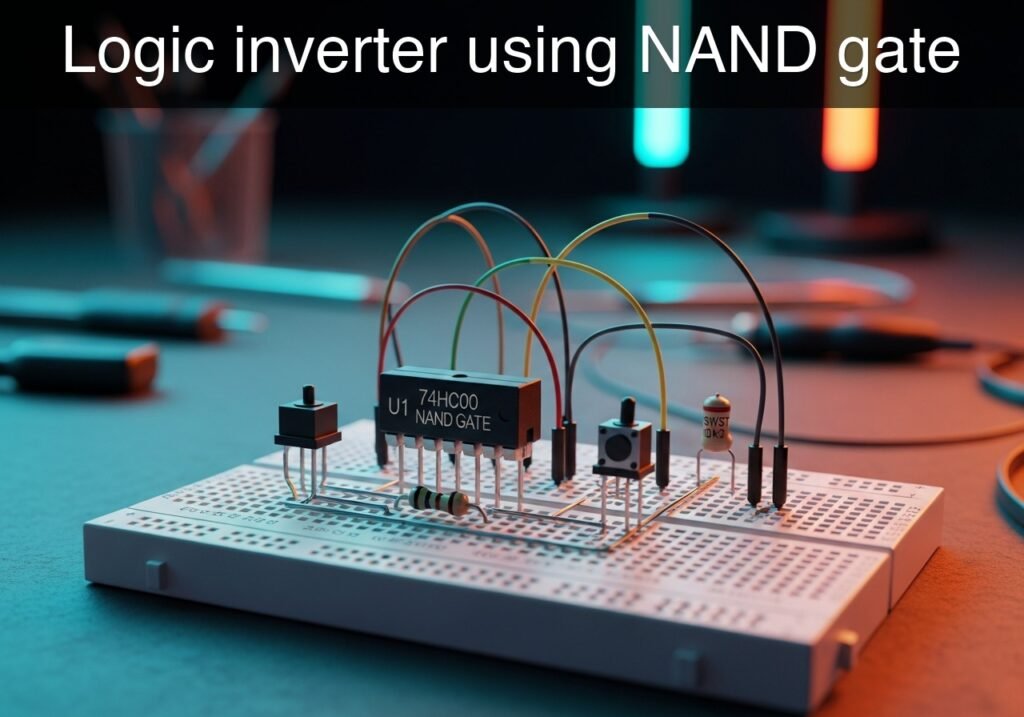
Practical case: Logic inverter using NAND gate

Logic inverter using NAND gate prototype (Maker Style)

Level: Basic – Demonstrate the universality of the NAND gate by configuring it as a basic NOT gate.

Objective and use case

In this practical case, you will build a digital inverter (NOT gate) using a standard 74HC00 NAND gate by shorting its inputs together.

Understanding this configuration is highly useful for several reasons:
* BOM Optimization: It reduces the number of unique integrated circuits needed in a design; if you have spare NAND gates on a board, you do not need to add a dedicated NOT gate chip.
* Logic Universality: It practically proves that NAND gates are «universal,» meaning any logic function can be constructed using only NAND gates.
* Circuit Simplification: It helps streamline routing on printed circuit boards by repurposing nearby unused gates instead of running traces to a different IC.

Expected outcome:
* When the input switch provides a logic LOW (0 V) to the shorted inputs, the output will go HIGH (approx. 5 V), turning on the indicator LED.
* When the input switch provides a logic HIGH (5 V) to the shorted inputs, the output will go LOW (0 V), turning off the indicator LED.
* The circuit will perfectly replicate the behavior of a standard 74HC04 NOT gate.

Target audience: Electronics beginners learning fundamental Boolean algebra and digital hardware implementation.

Materials

  • V1: 5 V DC supply
  • U1: 74HC00 Quad 2-Input NAND Gate
  • SW1: SPST toggle switch or push button, function: input state selector
  • R1: 10 kΩ resistor, function: pull-down for node VA
  • R2: 330 Ω resistor, function: current limiting for the output LED
  • D1: Red LED, function: VOUT state indicator

Pin-out of the IC used

IC: 74HC00 (Quad 2-Input NAND gate)

Pin Name Logic function Connection in this case
1 1 A Input A of Gate 1 Node VA (shorted to 1B)
2 1B Input B of Gate 1 Node VA (shorted to 1 A)
3 1Y Output of Gate 1 Node VOUT
7 GND Ground Node 0
14 VCC Positive Power Supply Node VCC

(Note: Pins 4, 5, 9, 10, 12, 13 are unused inputs in this specific exercise and should ideally be tied to Ground in a final physical circuit to prevent CMOS floating input issues).

Wiring guide

  • V1: Connects between node VCC (+5 V) and node 0 (GND).
  • U1 VCC/GND: Connect pin 14 to node VCC and pin 7 to node 0.
  • SW1: Connects between node VCC and node VA.
  • R1: Connects between node VA and node 0 (ensures a definitive LOW when the switch is open).
  • U1 Inputs: Connect pin 1 (1 A) to node VA and connect pin 2 (1B) to node VA. This ties both inputs of the first NAND gate together.
  • U1 Output: Pin 3 (1Y) provides the inverted signal and connects to node VOUT.
  • R2: Connects between node VOUT and the anode of D1.
  • D1: Connects the cathode to node 0.

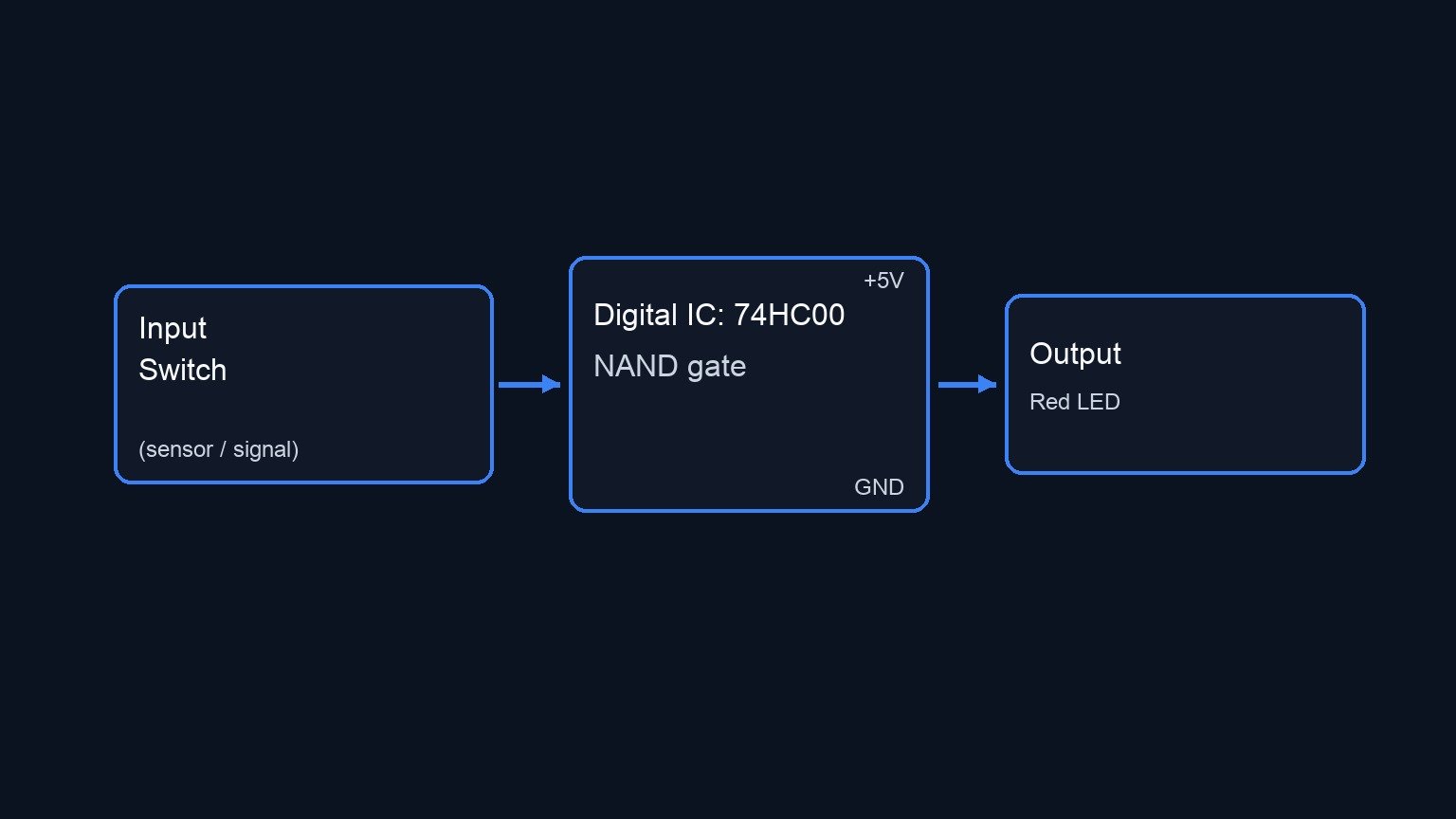
Conceptual block diagram

Conceptual block diagram — 74HC00 NAND gate
Quick read: inputs → main block → output (actuator or measurement). This summarizes the ASCII schematic below.

Schematic

VCC --> [ SW1: Switch ] --(Node VA)--> [ U1: 74HC00 NAND (Pins 1 & 2) ] --(VOUT)--> [ R2: 330 Ω ] --> [ D1: Red LED ] --> GND
                               |
                          [ R1: 10 kΩ ]
                               |
                              GND
Electrical Schematic

Truth table

Input (VA) Output (VOUT) LED State (D1)
0 (LOW) 1 (HIGH) ON
1 (HIGH) 0 (LOW) OFF

Measurements and tests

  1. Input Voltage Measurement: Use a multimeter to measure the voltage at node VA with respect to node 0. Verify that it reads ~0 V when SW1 is open, and ~5 V when SW1 is closed.
  2. Output Voltage Measurement: Move the multimeter probe to node VOUT. Confirm that it reads ~5 V when VA is 0 V, and reads ~0 V when VA is 5 V.
  3. Functional Verification: Toggle the switch multiple times. Ensure D1 behaves inversely to the physical action of the switch (e.g., if pressing the button sends a HIGH signal, the LED should turn off when pressed).

SPICE netlist and simulation

Reference SPICE Netlist (ngspice) — excerptFull SPICE netlist (ngspice)

* Practical case: Logic inverter using NAND gate

* Power Supply
V1 VCC 0 DC 5V

* Switch SW1 (VCC to VA)
* Modeled as a voltage-controlled switch to simulate user interaction
S_SW1 VCC VA SW_CTRL 0 sw_mod
.model sw_mod SW(vt=2.5 vh=0.2 ron=0.1 roff=100Meg)
V_SW_CTRL SW_CTRL 0 PULSE(0 5 10u 1u 1u 100u 200u)

* Pull-down resistor R1
R1 VA 0 10k

* U1: 74HC00 Quad 2-Input NAND Gate (using 1 gate)
* Pin 14: VCC, Pin 7: 0
* Pin 1: VA, Pin 2: VA, Pin 3: VOUT
XU1 VA VA VOUT VCC 0 NAND2_74HC00

* R2: Current limiting resistor
* ... (truncated in public view) ...

Copy this content into a .cir file and run with ngspice.

* Practical case: Logic inverter using NAND gate

* Power Supply
V1 VCC 0 DC 5V

* Switch SW1 (VCC to VA)
* Modeled as a voltage-controlled switch to simulate user interaction
S_SW1 VCC VA SW_CTRL 0 sw_mod
.model sw_mod SW(vt=2.5 vh=0.2 ron=0.1 roff=100Meg)
V_SW_CTRL SW_CTRL 0 PULSE(0 5 10u 1u 1u 100u 200u)

* Pull-down resistor R1
R1 VA 0 10k

* U1: 74HC00 Quad 2-Input NAND Gate (using 1 gate)
* Pin 14: VCC, Pin 7: 0
* Pin 1: VA, Pin 2: VA, Pin 3: VOUT
XU1 VA VA VOUT VCC 0 NAND2_74HC00

* R2: Current limiting resistor
R2 VOUT N1 330

* D1: Red LED
D1 N1 0 DLED

* Models
.model DLED D(IS=1e-15 N=1.8 RS=10)

* Subcircuit for NAND Gate
.subckt NAND2_74HC00 1A 1B 1Y VCC GND
RinA 1A GND 1G
RinB 1B GND 1G
Rvcc VCC GND 100Meg
B1 Y_int GND V = 5 * (1 - (1/(1+exp(-50*(V(1A)-2.5)))) * (1/(1+exp(-50*(V(1B)-2.5)))))
Rout Y_int 1Y 50
.ends

* Analysis
.tran 1u 600u
.print tran V(VA) V(VOUT) V(N1) I(V1)
.op

Simulation Results (Transient Analysis)

Simulation Results (Transient Analysis)
Analysis: The transient simulation shows that when the input VA is LOW (~0V), the output VOUT is HIGH (~4.54V) and the LED node N1 is at ~1.48V (LED ON). When VA goes HIGH (~5V), VOUT goes LOW (~0V) and N1 goes to ~0V (LED OFF). This perfectly matches the expected logic inverter behavior.
Show raw data table (704 rows)
Index   time            v(va)           v(vout)         v(n1)           v1#branch
0	0.000000e+00	4.999400e-04	4.537182e+00	1.482582e+00	-9.99950e-08
1	1.000000e-08	4.999400e-04	4.537182e+00	1.482580e+00	-9.99950e-08
2	2.000000e-08	4.999400e-04	4.537182e+00	1.482580e+00	-9.99950e-08
3	4.000000e-08	4.999400e-04	4.537182e+00	1.482580e+00	-9.99950e-08
4	8.000000e-08	4.999400e-04	4.537182e+00	1.482580e+00	-9.99950e-08
5	1.600000e-07	4.999400e-04	4.537182e+00	1.482580e+00	-9.99950e-08
6	3.200000e-07	4.999400e-04	4.537182e+00	1.482580e+00	-9.99950e-08
7	6.400000e-07	4.999400e-04	4.537182e+00	1.482580e+00	-9.99950e-08
8	1.280000e-06	4.999400e-04	4.537182e+00	1.482580e+00	-9.99950e-08
9	2.280000e-06	4.999400e-04	4.537182e+00	1.482580e+00	-9.99950e-08
10	3.280000e-06	4.999400e-04	4.537182e+00	1.482580e+00	-9.99950e-08
11	4.280000e-06	4.999400e-04	4.537182e+00	1.482580e+00	-9.99950e-08
12	5.280000e-06	4.999400e-04	4.537182e+00	1.482580e+00	-9.99950e-08
13	6.280000e-06	4.999400e-04	4.537182e+00	1.482580e+00	-9.99950e-08
14	7.280000e-06	4.999400e-04	4.537182e+00	1.482580e+00	-9.99950e-08
15	8.280000e-06	4.999400e-04	4.537182e+00	1.482580e+00	-9.99950e-08
16	9.280000e-06	4.999400e-04	4.537182e+00	1.482580e+00	-9.99950e-08
17	1.000000e-05	4.999400e-04	4.537182e+00	1.482580e+00	-9.99950e-08
18	1.010000e-05	4.999400e-04	4.537182e+00	1.482580e+00	-9.99950e-08
19	1.030000e-05	4.999400e-04	4.537182e+00	1.482580e+00	-9.99950e-08
20	1.034750e-05	4.999400e-04	4.537182e+00	1.482580e+00	-9.99950e-08
21	1.043062e-05	4.999400e-04	4.537182e+00	1.482580e+00	-9.99950e-08
22	1.045363e-05	4.999400e-04	4.537182e+00	1.482580e+00	-9.99950e-08
23	1.049390e-05	4.999400e-04	4.537182e+00	1.482580e+00	-9.99950e-08
... (680 more rows) ...


Reference SPICE netlist (ngspice)

* Practical case: Logic inverter using NAND gate

* Power Supply
V1 VCC 0 DC 5V

* Switch SW1 (VCC to VA)
* Modeled as a voltage-controlled switch to simulate user interaction
S_SW1 VCC VA SW_CTRL 0 sw_mod
.model sw_mod SW(vt=2.5 vh=0.2 ron=0.1 roff=100Meg)
V_SW_CTRL SW_CTRL 0 PULSE(0 5 10u 1u 1u 100u 200u)

* Pull-down resistor R1
R1 VA 0 10k

* U1: 74HC00 Quad 2-Input NAND Gate (using 1 gate)
* Pin 14: VCC, Pin 7: 0
* Pin 1: VA, Pin 2: VA, Pin 3: VOUT
XU1 VA VA VOUT VCC 0 NAND2_74HC00

* R2: Current limiting resistor
R2 VOUT N1 330

* D1: Red LED
D1 N1 0 DLED

* Models
.model DLED D(IS=1e-15 N=1.8 RS=10)

* Subcircuit for NAND Gate
.subckt NAND2_74HC00 1A 1B 1Y VCC GND
RinA 1A GND 1G
RinB 1B GND 1G
Rvcc VCC GND 100Meg
B1 Y_int GND V = 5 * (1 - (1/(1+exp(-50*(V(1A)-2.5)))) * (1/(1+exp(-50*(V(1B)-2.5)))))
Rout Y_int 1Y 50
.ends

* Analysis
.tran 1u 600u
.print tran V(VA) V(VOUT) V(N1) I(V1)
.op

Simulation Results (Transient Analysis)

Simulation Results (Transient Analysis)
Analysis: The transient simulation shows that when the input VA is LOW (~0V), the output VOUT is HIGH (~4.54V) and the LED node N1 is at ~1.48V (LED ON). When VA goes HIGH (~5V), VOUT goes LOW (~0V) and N1 goes to ~0V (LED OFF). This perfectly matches the expected logic inverter behavior.

Common mistakes and how to avoid them

  • Leaving CMOS inputs floating: The 74HC00 is a CMOS IC. If you fail to use the pull-down resistor R1, opening SW1 will leave inputs 1 A and 1B floating, leading to erratic output switching and high power consumption. Always use a pull-up or pull-down resistor.
  • Forgetting the LED current limiting resistor: Connecting D1 directly between VOUT and 0 without R2 will draw excessive current, potentially destroying both the LED and the output stage of the 74HC00 IC.
  • Incorrectly shorting inputs: Mistakenly shorting an input to an output (e.g., bridging pins 2 and 3 instead of 1 and 2) will create a feedback loop or logic contention, preventing the circuit from functioning.


Troubleshooting

  • Symptom: The LED never turns on.
    • Cause: The LED (D1) might be inserted backwards, or the IC is unpowered.
    • Fix: Check the polarity of the LED (anode to R2, cathode to 0). Measure the voltage between pins 14 and 7 to confirm the IC is receiving 5 V.
  • Symptom: The LED is always on, regardless of the switch position.
    • Cause: The switch is miswired, or the pull-up/pull-down configuration is incorrect (e.g., node VA is stuck LOW).
    • Fix: Verify that SW1 applies 5 V to node VA when activated. Check R1 for a solid connection to Ground.
  • Symptom: The IC becomes extremely hot.
    • Cause: Power supply is reversed or there is a dead short at the output.
    • Fix: Immediately disconnect power. Verify that pin 14 goes to VCC and pin 7 goes to 0. Ensure R2 is present in the output path.

Possible improvements and extensions

  • Add an Input Indicator: Connect a second LED and resistor directly to node VA. This allows you to visually compare the input state and output state side-by-side (when one LED is ON, the other will be OFF).
  • Build an AND Gate: Cascade this newly built inverter into a second NAND gate. Connect the output of a standard NAND gate to the shorted inputs of your NAND-based NOT gate to create a functional AND gate, further demonstrating universal logic.

More Practical Cases on Prometeo.blog

Find this product and/or books on this topic on Amazon

Go to Amazon

As an Amazon Associate, I earn from qualifying purchases. If you buy through this link, you help keep this project running.

Quick Quiz

Question 1: What is the main objective of the practical case described in the article?


Question 2: Which specific integrated circuit is mentioned for building the digital inverter?


Question 3: How is the NAND gate configured to act as a NOT gate?


Question 4: What does the term 'Logic Universality' mean in the context of NAND gates?


Question 5: How does using a NAND gate as a NOT gate help with BOM (Bill of Materials) optimization?


Question 6: What is the expected output when the input switch provides a logic LOW (0 V) to the shorted inputs?


Question 7: What happens to the indicator LED when a logic HIGH (5 V) is provided to the inputs?


Question 8: How does repurposing unused NAND gates benefit printed circuit board (PCB) design?


Question 9: What logic level corresponds to approximately 5 V in this practical case?


Question 10: What behavior does the configured 74HC00 circuit perfectly replicate?


Carlos Núñez Zorrilla
Electronics & Computer Engineer

Telecommunications Electronics Engineer and Computer Engineer (official degrees in Spain).
Follow me:


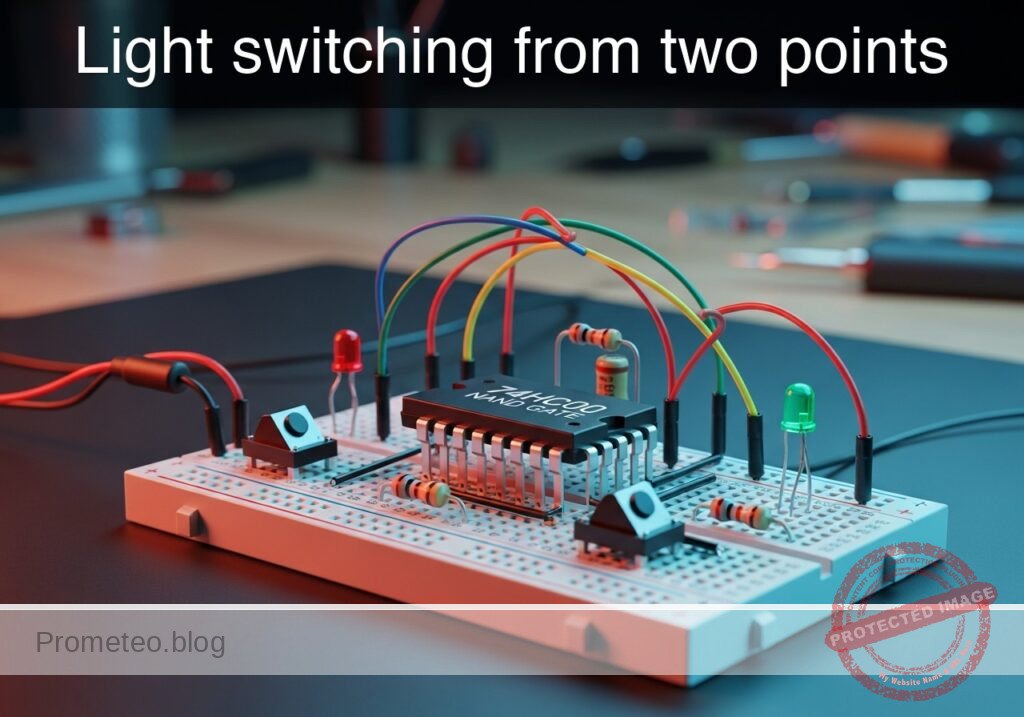
Practical case: Light switching from two points

Light switching from two points prototype (Maker Style)

Level: Medium. Implement an XOR logic function using universal NAND gates to control a light source from two independent locations.

Objective and use case

In this case, you will build a digital logic circuit that replicates a residential 2-way switching system (hallway light) using a single 74HC00 Quad NAND Gate IC. By combining four NAND gates, you will synthesize the Exclusive-OR (XOR) function, proving that NAND gates are «universal» building blocks.

Why it is useful:
* Residential wiring simulation: Demonstrates how two switches can independently toggle a single load (hallway/staircase logic).
* Digital Logic Synthesis: Teaches how to build complex logic (XOR) from basic universal gates (NAND).
* Arithmetic Circuits: This specific XOR topology is the fundamental component of a digital «Half-Adder» used in CPU ALUs.
* Error Detection: XOR logic is used to calculate parity bits for data transmission.

Expected outcome:
* State 00: When both switches are OFF, the LED is OFF.
* State 01/10: When only one switch is ON, the LED is ON (High logic level > 3.5 V).
* State 11: When both switches are ON, the LED is OFF.
* Universality: Successful demonstration that 4 NAND gates = 1 XOR gate.

Target audience: Electronics students and hobbyists familiar with basic logic gates.

Materials

  • V1: 5 V DC power supply, function: Main circuit power.
  • U1: 74HC00, function: Quad 2-input NAND gate IC.
  • S1: SPST Switch, function: Input A (Switch 1).
  • S2: SPST Switch, function: Input B (Switch 2).
  • R1: 10 kΩ resistor, function: Pull-down for Input A.
  • R2: 10 kΩ resistor, function: Pull-down for Input B.
  • R3: 330 Ω resistor, function: LED current limiting.
  • D1: Red LED, function: Output indicator (Light).

Pin-out of the IC used

Selected Chip: 74HC00 (Quad 2-Input NAND Gate)

Pin Name Logic Function Connection in this case
1 1 A Input Gate 1 Connect to Node INPUT_A
2 1B Input Gate 1 Connect to Node INPUT_B
3 1Y Output Gate 1 Internal Node NAND_1_OUT
4 2 A Input Gate 2 Connect to Node INPUT_A
5 2B Input Gate 2 Connect to Node NAND_1_OUT
6 2Y Output Gate 2 Internal Node NAND_2_OUT
7 GND Ground Connect to Node 0 (GND)
8 3Y Output Gate 3 Internal Node NAND_3_OUT
9 3 A Input Gate 3 Connect to Node NAND_1_OUT
10 3B Input Gate 3 Connect to Node INPUT_B
11 4Y Output Gate 4 Connect to Node FINAL_OUT
12 4 A Input Gate 4 Connect to Node NAND_2_OUT
13 4B Input Gate 4 Connect to Node NAND_3_OUT
14 VCC Power Supply Connect to Node VCC (+5 V)

Wiring guide

  • V1: Connect positive terminal to node VCC and negative terminal to node 0.
  • U1 (Power): Connect Pin 14 to VCC and Pin 7 to 0.
  • S1: Connect one side to VCC and the other to node INPUT_A.
  • R1: Connect between node INPUT_A and node 0.
  • S2: Connect one side to VCC and the other to node INPUT_B.
  • R2: Connect between node INPUT_B and node 0.
  • U1 (Gate 1): Connect Pin 1 to INPUT_A, Pin 2 to INPUT_B. Pin 3 is node NAND_1_OUT.
  • U1 (Gate 2): Connect Pin 4 to INPUT_A, Pin 5 to NAND_1_OUT. Pin 6 is node NAND_2_OUT.
  • U1 (Gate 3): Connect Pin 10 to INPUT_B, Pin 9 to NAND_1_OUT. Pin 8 is node NAND_3_OUT.
  • U1 (Gate 4): Connect Pin 12 to NAND_2_OUT, Pin 13 to NAND_3_OUT. Pin 11 is node FINAL_OUT.
  • R3: Connect between node FINAL_OUT and the Anode of D1.
  • D1: Connect the Cathode to node 0.

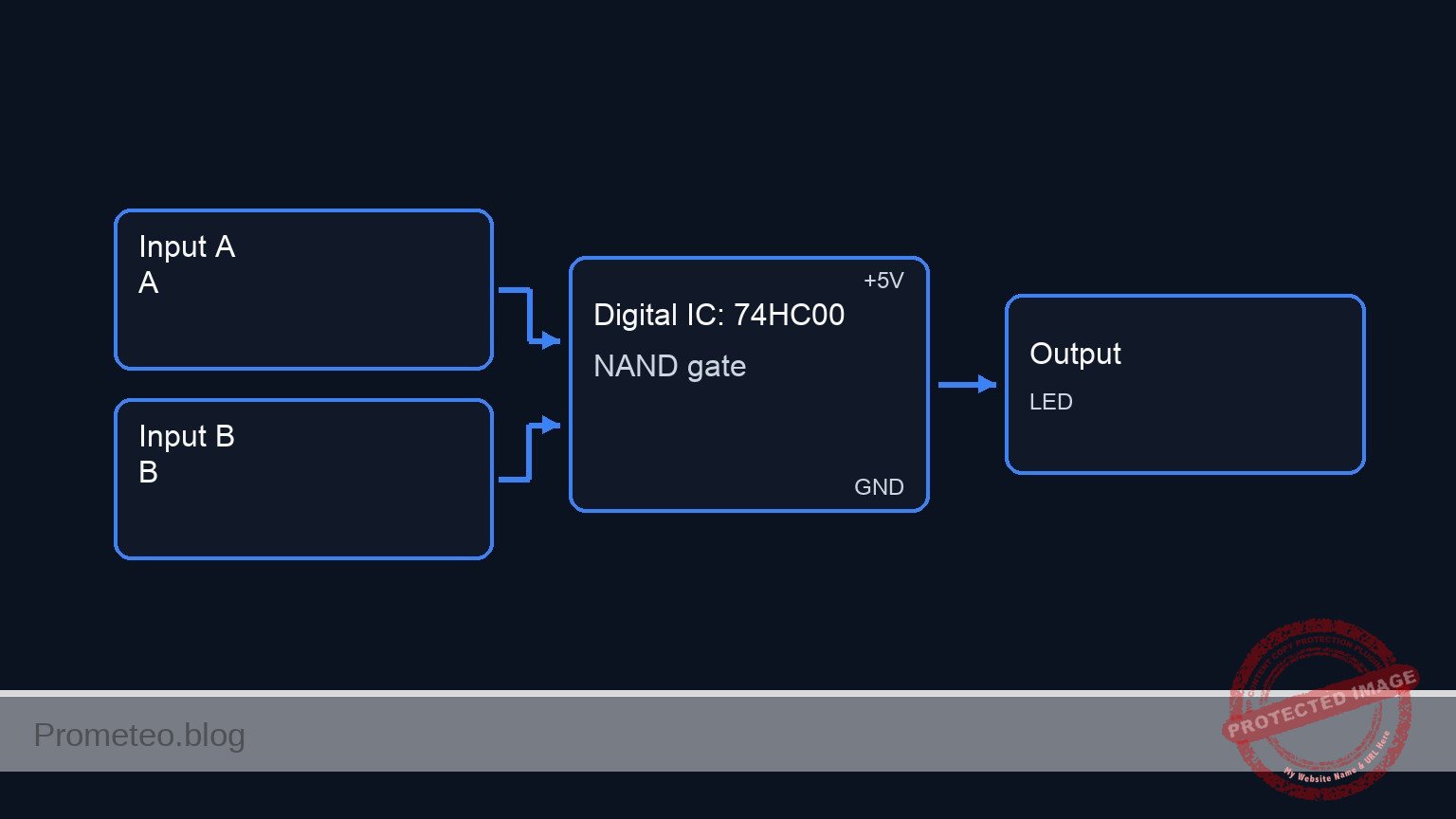
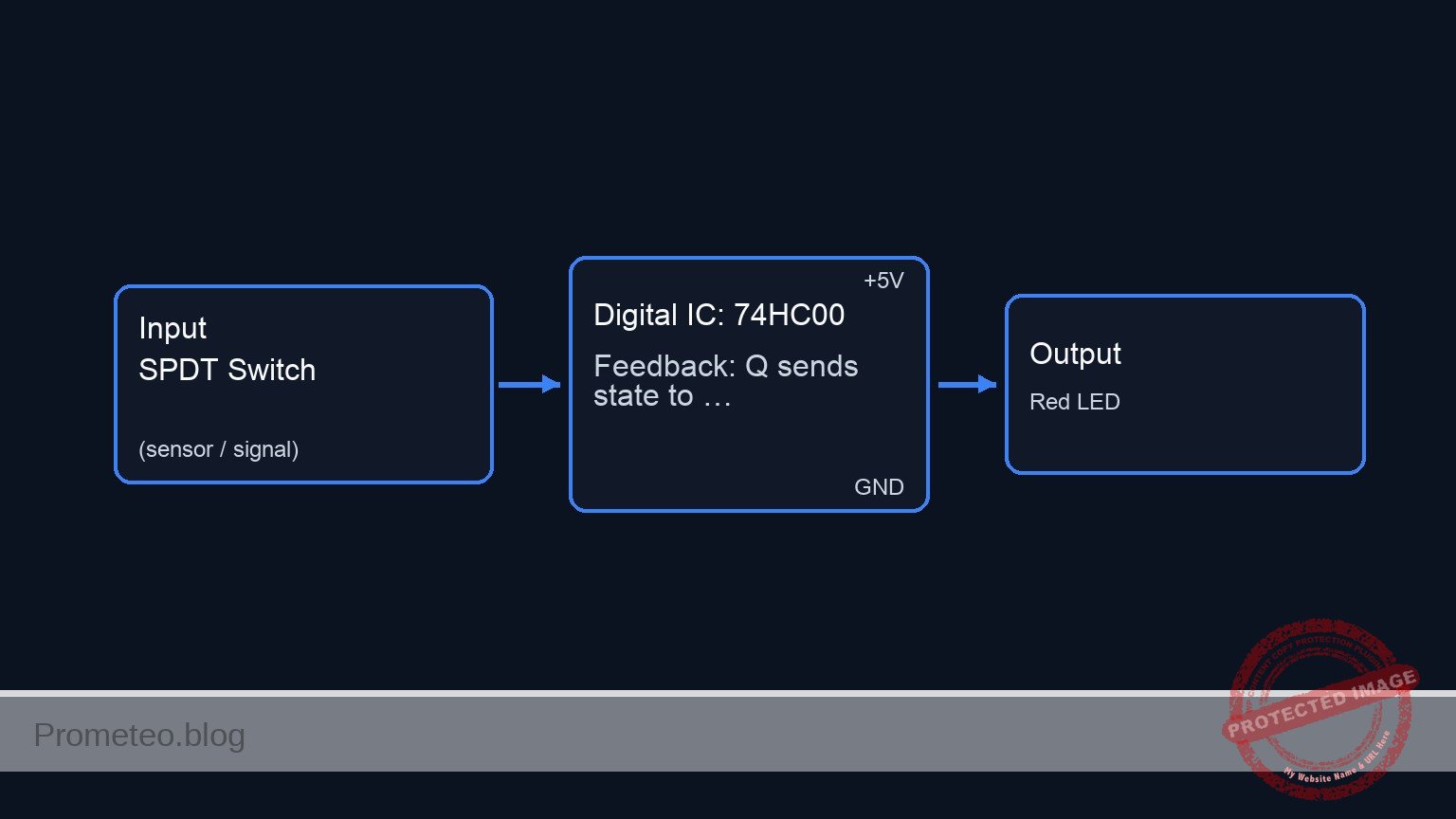
Conceptual block diagram

Conceptual block diagram — 74HC00 NAND gate
Quick read: inputs → main block → output (actuator or measurement). This summarizes the ASCII schematic below.

Schematic

Title: Practical case: Light switching from two points (XOR Logic)

INPUT STAGE                  LOGIC PROCESSING (74HC00)                  OUTPUT STAGE
(User Controls)              (NAND-based XOR Circuit)                   (Indicator)

                                     (Pin 4)
VCC --> [ S1 ] --(Node A)----------> [ U1:Gate 2 ] --(NAND_2)--\
          |                          (Pin 5,6)                  \
       [ R1 ]                            ^                       \
          v                              |                        \
         GND                        (NAND_1_OUT)                   \
                                         |                          \
                                         |                           \
(Node A) & (Node B) -----------> [ U1:Gate 1 ]                        --> [ U1:Gate 4 ] --(FINAL)--> [ R3 ] --> [ D1: LED ] --> GND
                                 (Pin 1,2->3)                        /    (Pin 12,13->11)
                                         |                          /
                                         |                         /
                                    (NAND_1_OUT)                  /
          ^                              |                       /
       [ R2 ]                            v                      /
          |                          (Pin 9)                   /
VCC --> [ S2 ] --(Node B)----------> [ U1:Gate 3 ] --(NAND_3)-/
                                     (Pin 10,8)
Electrical Schematic

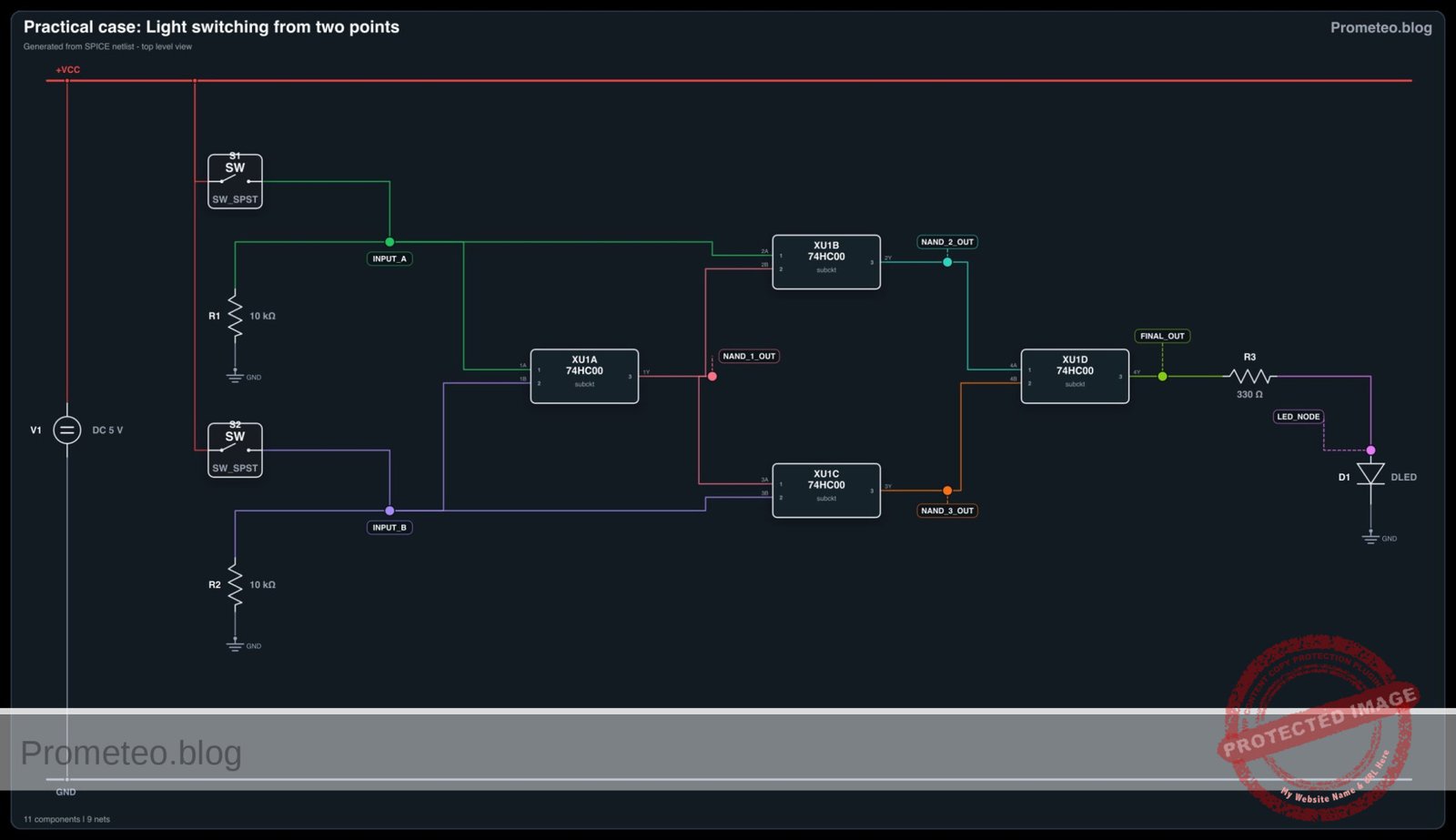
Electrical diagram

Electrical diagram for case: Light switching from two points
Generated from the validated SPICE netlist for this case.

🔒 This electrical diagram is premium. With the monthly membership (7-day free trial) you can unlock the complete didactic material and the print-ready PDF pack.🔓 See premium access plans

Truth table (Synthesized XOR)

Switch A (S1) Switch B (S2) LED State (D1) Logic Function
0 (OFF) 0 (OFF) OFF (0) No active input
0 (OFF) 1 (ON) ON (1) Inputs differ
1 (ON) 0 (OFF) ON (1) Inputs differ
1 (ON) 1 (ON) OFF (0) Inputs match

Measurements and tests

  1. Initial State Check: Ensure both S1 and S2 are open. Measure voltage at Pin 11 (FINAL_OUT). It should be < 0.5 V (Logic 0). D1 should be dark.
  2. First Switch Toggle: Close S1 only. Measure voltage at Pin 11. It should be close to 5 V (Logic 1). D1 should light up.
  3. Second Switch Toggle: Open S1 and close S2. Observe D1. It should light up again (Logic 1).
  4. Collision Check: Close both S1 and S2 simultaneously. Measure voltage at Pin 3 (NAND_1_OUT). Since both inputs are High, Pin 3 must be Low. Consequently, Pin 11 (FINAL_OUT) should go Low, turning D1 OFF.

SPICE netlist and simulation

Reference SPICE Netlist (ngspice) — excerptFull SPICE netlist (ngspice)

* Practical case: Light switching from two points
* Title: Light switching from two points

* ==============================================================================
* COMPONENT MODELS
* ==============================================================================

* Simple LED Model
.model DLED D(IS=1e-22 RS=10 N=1.5 CJO=10p BV=5 IBV=10u)

* Voltage Controlled Switch Model for Buttons
* Vt=2.5V threshold, Ron=1 ohm, Roff=10Meg ohm
.model SW_PUSH SW(Vt=2.5 Ron=1 Roff=10Meg)

* ==============================================================================
* MAIN CIRCUIT
* ==============================================================================

* --- Power Supply ---
* V1: 5 V DC power supply
* ... (truncated in public view) ...

Copy this content into a .cir file and run with ngspice.

🔒 Part of this section is premium. With the monthly membership (7-day free trial) you can access the full content (materials, wiring, detailed build, validation, troubleshooting, variants and checklist) and download the complete print-ready PDF pack.

* Practical case: Light switching from two points
* Title: Light switching from two points

* ==============================================================================
* COMPONENT MODELS
* ==============================================================================

* Simple LED Model
.model DLED D(IS=1e-22 RS=10 N=1.5 CJO=10p BV=5 IBV=10u)

* Voltage Controlled Switch Model for Buttons
* Vt=2.5V threshold, Ron=1 ohm, Roff=10Meg ohm
.model SW_PUSH SW(Vt=2.5 Ron=1 Roff=10Meg)

* ==============================================================================
* MAIN CIRCUIT
* ==============================================================================

* --- Power Supply ---
* V1: 5 V DC power supply
V1 VCC 0 DC 5

* --- Input A (Switch 1) ---
* Simulating physical switch S1 connecting VCC to INPUT_A
* Controlled by V_ACT_S1 (User pressing the button)
* Timing: Period 100us, Width 50us (Toggles faster)
V_ACT_S1 S1_CTRL 0 PULSE(0 5 0 1u 1u 50u 100u)
S1 VCC INPUT_A S1_CTRL 0 SW_PUSH

* R1: 10 kΩ pull-down for Input A
R1 INPUT_A 0 10k

* --- Input B (Switch 2) ---
* Simulating physical switch S2 connecting VCC to INPUT_B
* Controlled by V_ACT_S2 (User pressing the button)
* Timing: Period 200us, Width 100us (Toggles slower)
V_ACT_S2 S2_CTRL 0 PULSE(0 5 0 1u 1u 100u 200u)
S2 VCC INPUT_B S2_CTRL 0 SW_PUSH

* R2: 10 kΩ pull-down for Input B
R2 INPUT_B 0 10k

* --- Logic IC U1: 74HC00 ---
* Quad 2-input NAND gate IC
* Pin connections per Wiring Guide:
* P1=INPUT_A, P2=INPUT_B, P3=NAND_1_OUT
* P4=INPUT_A, P5=NAND_1_OUT, P6=NAND_2_OUT
* P7=0 (GND)
* P8=NAND_3_OUT, P9=NAND_1_OUT, P10=INPUT_B
* P11=FINAL_OUT, P12=NAND_2_OUT, P13=NAND_3_OUT
* P14=VCC
XU1 INPUT_A INPUT_B NAND_1_OUT INPUT_A NAND_1_OUT NAND_2_OUT 0 NAND_3_OUT NAND_1_OUT INPUT_B FINAL_OUT NAND_2_OUT NAND_3_OUT VCC 74HC00

* --- Output Stage ---
* R3: 330 Ω resistor
R3 FINAL_OUT LED_NODE 330

* D1: Red LED
D1 LED_NODE 0 DLED

* ==============================================================================
* SUBCIRCUITS
* ==============================================================================

* Subcircuit for 74HC00 Quad 2-Input NAND Gate
* Uses continuous behavioral sources for robust convergence
* Pinout: 1=1A, 2=1B, 3=1Y, 4=2A, 5=2B, 6=2Y, 7=GND, 8=3Y, 9=3A, 10=3B, 11=4Y, 12=4A, 13=4B, 14=VCC
.subckt 74HC00 1 2 3 4 5 6 7 8 9 10 11 12 13 14
    * Gate 1 (1,2 -> 3)
    * Logic: Vout = VCC * (1 - (High(A) * High(B)))
    Bg1 3 7 V={V(14,7)*(1-(1/(1+exp(-50*(V(1,7)-2.5))))*(1/(1+exp(-50*(V(2,7)-2.5)))))}

    * Gate 2 (4,5 -> 6)
    Bg2 6 7 V={V(14,7)*(1-(1/(1+exp(-50*(V(4,7)-2.5))))*(1/(1+exp(-50*(V(5,7)-2.5)))))}

    * Gate 3 (9,10 -> 8)
    Bg3 8 7 V={V(14,7)*(1-(1/(1+exp(-50*(V(9,7)-2.5))))*(1/(1+exp(-50*(V(10,7)-2.5)))))}

    * Gate 4 (12,13 -> 11)
    Bg4 11 7 V={V(14,7)*(1-(1/(1+exp(-50*(V(12,7)-2.5))))*(1/(1+exp(-50*(V(13,7)-2.5)))))}
.ends

* ==============================================================================
* ANALYSIS COMMANDS
* ==============================================================================

.op
.tran 1u 500u

* Print critical nodes including Inputs and the Output driving the LED
.print tran V(INPUT_A) V(INPUT_B) V(FINAL_OUT) V(LED_NODE)

.end
* --- GPT review (BOM/Wiring/SPICE) ---
* circuit_ok=true
* simulation_summary: The simulation confirms the XOR logic behavior required for 2-way switching. When inputs differ (e.g., t=51us: A=0, B=1 -> Out=5V; t=101us: A=1, B=1 -> Out=0V; t=180us: A=1, B=0 -> Out=5V), the LED is ON (approx 1.88V drop). When inputs match (0,0 or 1,1), the output is near 0V.
* bom_vs_spice equivalences ignored:
*   - Physical switches S1 and S2 are modeled as voltage-controlled switches (SW_PUSH) driven by PULSE sources (V_ACT_S1, V_ACT_S2) to simulate user interaction.
*   - The 74HC00 Quad NAND IC is modeled as a behavioral subcircuit using mathematical expressions for logic gates.
*   - The LED D1 is modeled as a generic diode DLED with specific parameters.
* overall_comment: The circuit is a classic XOR implementation using four NAND gates, correctly wired to simulate a 2-way light switch (staircase switch). The SPICE netlist accurately represents the BOM and wiring guide. The simulation results perfectly match the provided truth table: the LED lights up only when the switch states are different.
* --------------------------------------

Simulation Results (Transient Analysis)

Simulation Results (Transient Analysis)

Analysis: The simulation confirms the XOR logic behavior required for 2-way switching. When inputs differ (e.g., t=51us: A=0, B=1 -> Out=5V; t=101us: A=1, B=1 -> Out=0V; t=180us: A=1, B=0 -> Out=5V), the LED is ON (approx 1.88V drop). When inputs match (0,0 or 1,1), the output is near 0V.
Show raw data table (773 rows)
Index   time            v(input_a)      v(input_b)      v(final_out)    v(led_node)
0	0.000000e+00	4.995005e-03	4.995005e-03	-3.70921e-68	-1.32951e-36
1	1.000000e-08	4.995005e-03	4.995005e-03	-3.70921e-68	-3.37339e-37
2	2.000000e-08	4.995005e-03	4.995005e-03	-3.70921e-68	1.661518e-37
3	4.000000e-08	4.995005e-03	4.995005e-03	-3.70921e-68	2.976605e-37
4	8.000000e-08	4.995005e-03	4.995005e-03	-3.70921e-68	8.146600e-38
5	1.600000e-07	4.995005e-03	4.995005e-03	-3.70921e-68	-2.74917e-38
6	3.200000e-07	4.995005e-03	4.995005e-03	-3.70921e-68	-1.00046e-38
7	3.562500e-07	4.995005e-03	4.995005e-03	-3.70921e-68	-9.54478e-40
8	4.196875e-07	4.995005e-03	4.995005e-03	-3.70921e-68	1.440911e-39
9	4.372461e-07	4.995005e-03	4.995005e-03	-3.70921e-68	5.873353e-40
10	4.679736e-07	4.995005e-03	4.995005e-03	-3.70921e-68	-1.64244e-40
11	5.019934e-07	4.999500e+00	4.999500e+00	-3.70921e-68	5.471353e-16
12	5.700330e-07	4.999500e+00	4.999500e+00	-3.70921e-68	1.883035e-16
13	7.061121e-07	4.999500e+00	4.999500e+00	-3.70921e-68	-1.89304e-16
14	9.782703e-07	4.999500e+00	4.999500e+00	-3.70921e-68	1.713539e-16
15	1.000000e-06	4.999500e+00	4.999500e+00	-3.70921e-68	-8.76370e-17
16	1.043459e-06	4.999500e+00	4.999500e+00	-3.70921e-68	2.969253e-18
17	1.130378e-06	4.999500e+00	4.999500e+00	-3.70921e-68	1.336375e-17
18	1.304216e-06	4.999500e+00	4.999500e+00	-3.70921e-68	1.285658e-18
19	1.651892e-06	4.999500e+00	4.999500e+00	-3.70921e-68	-4.38731e-19
20	2.347244e-06	4.999500e+00	4.999500e+00	-3.70921e-68	-3.76487e-20
21	3.347244e-06	4.999500e+00	4.999500e+00	-3.70921e-68	3.641502e-21
22	4.347244e-06	4.999500e+00	4.999500e+00	-3.70921e-68	3.034717e-22
23	5.347244e-06	4.999500e+00	4.999500e+00	-3.70921e-68	-2.04956e-23
... (749 more rows) ...

Common mistakes and how to avoid them

  1. Floating Inputs: Forgetting R1 or R2 causes the inputs to «float,» often reading as High due to electromagnetic noise. Solution: Always ensure inputs are pulled to Ground when the switch is open.
  2. Incorrect Gate Feedback: Wiring Pin 3 output to the wrong inputs on Gates 2 or 3 destroys the logic. Solution: Double-check that the output of the first NAND (Pin 3) connects to BOTH the second (Pin 5) and third (Pin 9) gates.
  3. Forgetting Power: Logic chips do not work passively. Solution: Verify 5 V on Pin 14 and continuity to Ground on Pin 7 before inserting signals.

Troubleshooting

  • Symptom: LED is always ON, regardless of switch position.
    • Cause: Wiring error at the final NAND gate (Gate 4) or output shorted to VCC.
    • Fix: Check connections at Pins 11, 12, and 13. Ensure Pin 11 is not touching the positive rail.
  • Symptom: LED behaves like an OR gate (stays ON when both switches are ON).
    • Cause: The first NAND gate (Gate 1) is not effectively inhibiting the signal.
    • Fix: Check continuity on Pins 1, 2, and 3. If Gate 1 output stays High when inputs are High, the XOR logic fails.
  • Symptom: Circuit works erratically when touching the wires.
    • Cause: Missing pull-down resistors (floating inputs).
    • Fix: Verify R1 and R2 are securely connected between the input pins and Ground.

Possible improvements and extensions

  1. 3-Way Switching: Add a third switch and another XOR stage (using a second 74HC00 or a 74HC86) to control the light from three locations.
  2. Comparison with Dedicated IC: Build the same circuit using a 74HC86 (Quad XOR) alongside this one to compare propagation delay and wiring complexity.

More Practical Cases on Prometeo.blog

Find this product and/or books on this topic on Amazon

Go to Amazon

As an Amazon Associate, I earn from qualifying purchases. If you buy through this link, you help keep this project running.

Quick Quiz

Question 1: What specific real-world application does this digital logic circuit simulate?


Question 2: Which logic function is synthesized using the NAND gates in this experiment?


Question 3: Which specific Integrated Circuit (IC) is used to build this circuit?


Question 4: Why are NAND gates referred to as "universal" building blocks?


Question 5: According to the expected outcome, what is the state of the LED when only one switch is ON?


Question 6: What happens to the LED when both switches are turned ON (State 11)?


Question 7: How many NAND gates are combined to synthesize the XOR function in this topology?


Question 8: In the context of CPU ALUs, what arithmetic component is this XOR topology the fundamental part of?


Question 9: How is XOR logic utilized in data transmission applications?


Question 10: What voltage level is indicated as the threshold for a High logic level (LED ON) in this context?


Carlos Núñez Zorrilla
Electronics & Computer Engineer

Telecommunications Electronics Engineer and Computer Engineer (official degrees in Spain).
Follow me:


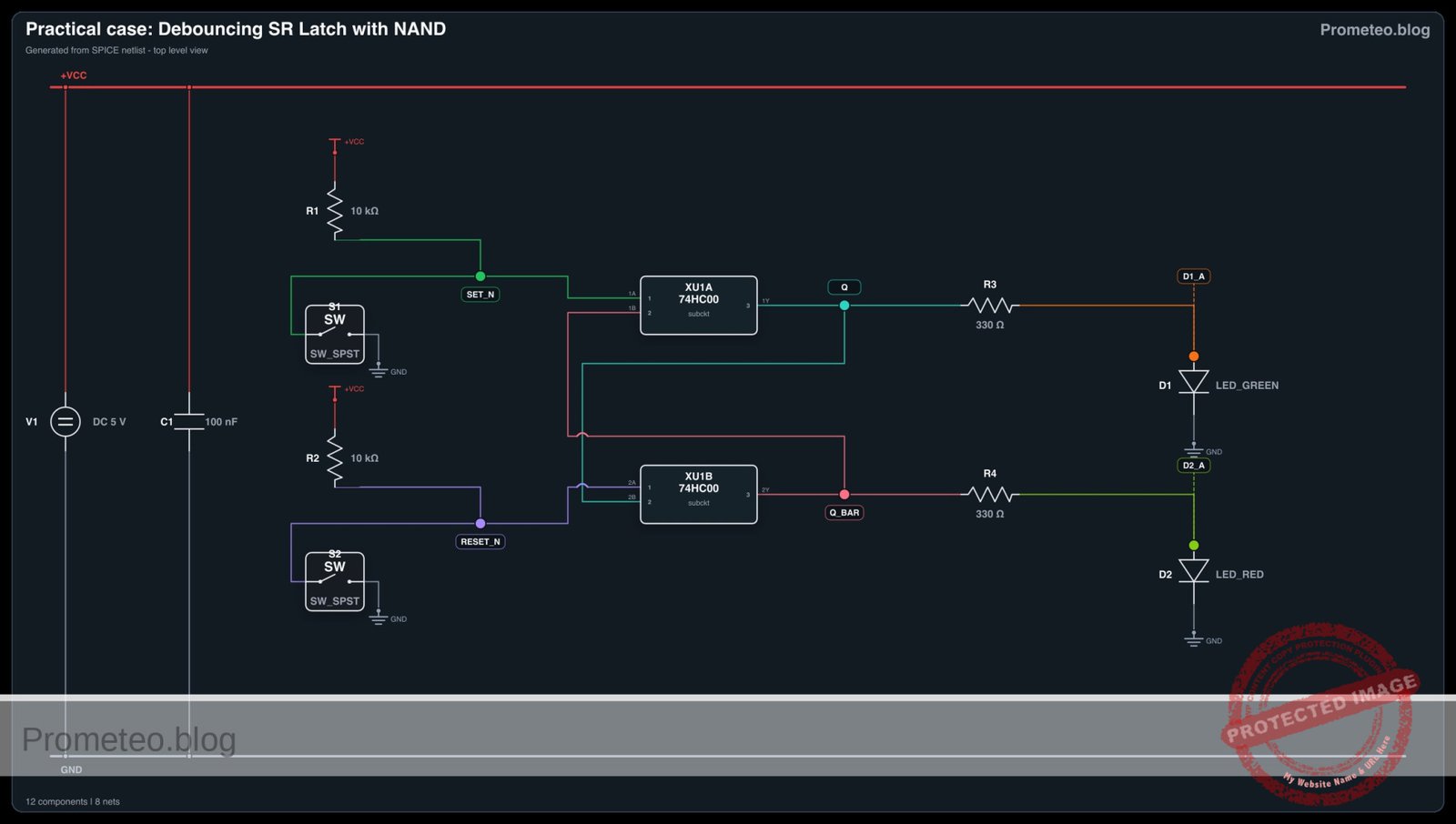
Practical case: Debouncing SR Latch with NAND

Debouncing SR Latch with NAND prototype (Maker Style)

Level: Medium – Build a stable memory circuit to eliminate mechanical switch noise using cross-coupled NAND gates.

Objective and use case

In this practical case, you will build a Set-Reset (SR) Latch using a 74HC00 IC. By arranging two NAND gates in a cross-coupled feedback topology, the circuit creates a bistable memory element that ignores the mechanical «bouncing» noise generated when a physical switch contacts are closed.

Why it is useful:
* Mechanical switch interfacing: Essential for reading buttons in digital systems without false triggering.
* Microcontroller interrupts: Provides a clean edge (rising/falling) to trigger hardware interrupts reliably.
* State retention: Maintains the last known state (Set or Reset) even after the input trigger is released (return to idle).
* Industrial control: Used in «Start/Stop» motor control circuits where stability is safety-critical.

Expected outcome:
* Q Output: Stays HIGH (5 V) when Set is triggered and remains HIGH until Reset is triggered.
* Q_bar Output: Always the inverse of Q (Logic LOW when Q is HIGH).
* Visual feedback: Two LEDs (Green and Red) indicating the stored state clearly.
* Noise immunity: The output transitions once cleanly, even if the switch contacts bounce multiple times in milliseconds.

Target audience and level: Electronics students and intermediate hobbyists.

Materials

  • V1: 5 V DC supply
  • U1: 74HC00 (Quad 2-Input NAND Gate)
  • SW1: SPDT (Single Pole Double Throw) switch, function: Set/Reset selector
  • R1: 10 kΩ resistor, function: pull-up for SET_N
  • R2: 10 kΩ resistor, function: pull-up for RESET_N
  • R3: 330 Ω resistor, function: LED current limiting for Q
  • R4: 330 Ω resistor, function: LED current limiting for Q_bar
  • D1: Green LED, function: Indicator for State Q (Active)
  • D2: Red LED, function: Indicator for State Q_bar (Inactive)
  • C1: 100 nF capacitor, function: decoupling for U1 power pins

Pin-out of the IC used

Chip: 74HC00 (Quad 2-Input NAND Gate)

Pin Name Logic function Connection in this case
1 1 A Input Connects to Node SET_N
2 1B Input Connects to Node Q_BAR (Feedback)
3 1Y Output Connects to Node Q
4 2 A Input Connects to Node RESET_N
5 2B Input Connects to Node Q (Feedback)
6 2Y Output Connects to Node Q_BAR
7 GND Ground Connects to Node 0
14 VCC Power Connects to Node VCC (5 V)

Wiring guide

  • Power Supply:
  • Connect V1 positive terminal to node VCC.
  • Connect V1 negative terminal to node 0 (GND).
  • Connect C1 between VCC and 0 (close to U1).
  • Connect U1 pin 14 to VCC.
  • Connect U1 pin 7 to 0.

  • Input Stage (Switch and Pull-ups):

  • Connect R1 between VCC and node SET_N.
  • Connect R2 between VCC and node RESET_N.
  • Connect SW1 Common terminal to node 0.
  • Connect SW1 Normally Open (NO) terminal to node SET_N.
  • Connect SW1 Normally Closed (NC) terminal to node RESET_N. (Note: Toggling SW1 pulls one line Low while the other stays High).

  • Logic Core (Cross-coupled NANDs):

  • Connect U1 pin 1 (1 A) to node SET_N.
  • Connect U1 pin 2 (1B) to node Q_BAR.
  • Connect U1 pin 3 (1Y) to node Q.
  • Connect U1 pin 4 (2 A) to node RESET_N.
  • Connect U1 pin 5 (2B) to node Q.
  • Connect U1 pin 6 (2Y) to node Q_BAR.

  • Output Stage (Indicators):

  • Connect R3 between node Q and D1 Anode.
  • Connect D1 Cathode to node 0.
  • Connect R4 between node Q_BAR and D2 Anode.
  • Connect D2 Cathode to node 0.

Conceptual block diagram

Conceptual block diagram — 74HC00 Feedback: Q sends state to …
Quick read: inputs → main block → output (actuator or measurement). This summarizes the ASCII schematic below.

Schematic

Title: Practical case: Debouncing SR Latch with NAND

      INPUT STAGE (Switch & Pull-ups)           LOGIC CORE (74HC00 Latch)               OUTPUT STAGE (Indicators)
      ================================          =========================               =========================

      [ VCC ]
         |
         V
      [ R1: 10k Pull-up ]
         |
         V
      (Node: SET_N) --------------------------> [ U1: NAND Gate A ] --(Signal: Q)-----> [ R3: 330 ] --> [ D1: Green LED ] --> GND
         ^                                      ^       |
         |                                      |       |
      [ SW1: SPDT Switch ]                      |       +--(Feedback: Q sends state to Gate B)
      (Connects GND to SET_N or RESET_N)        |
         |                                      +--(Feedback: Q_BAR maintains state of Gate A)
         v                                              |
      (Node: RESET_N) ------------------------> [ U1: NAND Gate B ] --(Signal: Q_BAR)-> [ R4: 330 ] --> [ D2: Red LED ] ----> GND
         ^
         |
      [ R2: 10k Pull-up ]
         |
         ^
         |
      [ VCC ]


      POWER & DECOUPLING:
      [ VCC ] --(Power)--> [ U1: Pin 14 ]
      [ GND ] --(Ground)--> [ U1: Pin 7 ]
      [ VCC ] --(Filter)--> [ C1: 100nF ] --> [ GND ]
Electrical Schematic

Electrical diagram

Electrical diagram for case: Debouncing SR Latch with NAND
Generated from the validated SPICE netlist for this case.

🔒 This electrical diagram is premium. With the monthly membership (7-day free trial) you can unlock the complete didactic material and the print-ready PDF pack.🔓 See premium access plans

Truth table

The NAND SR Latch inputs are Active Low.

SET_N (Input) RESET_N (Input) Q (Output) Q_bar (Output) State Description
1 (High) 1 (High) Previous Q Previous Q_bar Hold (Memory)
0 (Low) 1 (High) 1 0 Set
1 (High) 0 (Low) 0 1 Reset
0 (Low) 0 (Low) 1 1 Invalid (Avoid)

Measurements and tests

  1. Initial Power-Up: Turn on the 5 V supply. Ensure SW1 is in one specific position.
  2. Verify Reset: Toggle SW1 to pull RESET_N Low (and SET_N High).
    • Confirm Red LED (D2, Q_bar) turns ON.
    • Confirm Green LED (D1, Q) turns OFF.
    • Measure voltage at Q: should be approx 0 V.
  3. Verify Set: Toggle SW1 to pull SET_N Low.
    • Confirm Green LED (D1, Q) turns ON.
    • Confirm Red LED (D2, Q_bar) turns OFF.
    • Measure voltage at Q: should be approx 5 V.
  4. Debounce Test: While moving the switch, observe the LEDs. They should switch states instantly without flickering, even if the switch contact is imperfect.
  5. Disconnect Test (Hold State): If you unplug the switch wires so both inputs are pulled High by R1/R2, the LEDs must maintain their last valid state.

SPICE netlist and simulation

Reference SPICE Netlist (ngspice) — excerptFull SPICE netlist (ngspice)

* Title: Practical case: Debouncing SR Latch with NAND
* NGSPICE Netlist
.width out=256

* --- Power Supply ---
V1 VCC 0 DC 5
C1 VCC 0 100n

* --- Input Stage (Switch and Pull-ups) ---
* R1 Pull-up for SET_N
R1 VCC SET_N 10k
* R2 Pull-up for RESET_N
R2 VCC RESET_N 10k

* --- Switch Simulation (SW1 SPDT) ---
* Control Signal Source
V_SW_CTRL CTRL 0 PULSE(0 5 100u 1u 1u 200u 600u)

* Inverted control signal for the NC contact
B_SW_INV CTRL_N 0 V=5-V(CTRL)
* ... (truncated in public view) ...

Copy this content into a .cir file and run with ngspice.

🔒 Part of this section is premium. With the monthly membership (7-day free trial) you can access the full content (materials, wiring, detailed build, validation, troubleshooting, variants and checklist) and download the complete print-ready PDF pack.

* Title: Practical case: Debouncing SR Latch with NAND
* NGSPICE Netlist
.width out=256

* --- Power Supply ---
V1 VCC 0 DC 5
C1 VCC 0 100n

* --- Input Stage (Switch and Pull-ups) ---
* R1 Pull-up for SET_N
R1 VCC SET_N 10k
* R2 Pull-up for RESET_N
R2 VCC RESET_N 10k

* --- Switch Simulation (SW1 SPDT) ---
* Control Signal Source
V_SW_CTRL CTRL 0 PULSE(0 5 100u 1u 1u 200u 600u)

* Inverted control signal for the NC contact
B_SW_INV CTRL_N 0 V=5-V(CTRL)

* Switch Models (Threshold 2.5V)
.model SW_MECH SW(Vt=2.5 Vh=0.1 Ron=0.1 Roff=100Meg)

* S1 (NO Contact): Connects SET_N to 0 when CTRL is High
S1 SET_N 0 CTRL 0 SW_MECH

* S2 (NC Contact): Connects RESET_N to 0 when CTRL_N is High (CTRL is Low)
S2 RESET_N 0 CTRL_N 0 SW_MECH

* --- Logic Core (74HC00 Quad 2-Input NAND) ---
* Subcircuit for 74HC00 using robust behavioral NAND gates
* Pinout: 1=1A, 2=1B, 3=1Y, 4=2A, 5=2B, 6=2Y, 7=GND, 14=VCC
.subckt 74HC00 1 2 3 4 5 6 7 14
    * Gate 1 (Pins 1, 2 -> Output 3)
    * Logic: NAND. Implementation: Sigmoid-based continuous function for convergence.
    * Vout = VCC * (1 - (Sigmoid(A) * Sigmoid(B)))
    B_NAND1 3 7 V=V(14) * (1 - ( (1/(1+exp(-50*(V(1)-2.5)))) * (1/(1+exp(-50*(V(2)-2.5)))) ))

    * Gate 2 (Pins 4, 5 -> Output 6)
    B_NAND2 6 7 V=V(14) * (1 - ( (1/(1+exp(-50*(V(4)-2.5)))) * (1/(1+exp(-50*(V(5)-2.5)))) ))
.ends

* --- Instantiate U1 ---
* Wiring per guide: 1=SET_N, 2=Q_BAR, 3=Q, 4=RESET_N, 5=Q, 6=Q_BAR, 7=0, 14=VCC
XU1 SET_N Q_BAR Q RESET_N Q Q_BAR 0 VCC 74HC00

* --- Output Stage (Indicators) ---
* R3 between node Q and D1 Anode
R3 Q D1_A 330
* D1 Green LED (Q Active)
D1 D1_A 0 LED_GREEN

* R4 between node Q_BAR and D2 Anode
R4 Q_BAR D2_A 330
* D2 Red LED (Q_BAR Inactive)
D2 D2_A 0 LED_RED

* LED Models
.model LED_GREEN D(Is=1e-22 Rs=5 N=1.5 Eg=2.1)
.model LED_RED D(Is=1e-22 Rs=5 N=1.5 Eg=1.8)

* --- Simulation Commands ---
.op
.tran 1u 1ms

* --- Measurements ---
* Listing SET_N (Input) and Q (Output) first
.print tran V(SET_N) V(Q) V(RESET_N) V(Q_BAR) V(CTRL)

.end
* --- GPT review (BOM/Wiring/SPICE) ---
* circuit_ok=true
* simulation_summary: The simulation confirms correct SR Latch behavior. At t=0, SET_N is Low and RESET_N is High, resulting in Q=High (Set state). At t=100us, the switch toggles: SET_N goes High and RESET_N goes Low, causing Q to go Low and Q_BAR to go High (Reset state). The latch holds state correctly between transitions.
* bom_vs_spice equivalences ignored:
*   - SW1 (SPDT Switch) is modeled using a voltage-controlled switch pair (S1, S2) driven by a PULSE source (V_SW_CTRL) and its inverse.
*   - U1 (74HC00 Quad NAND) is modeled using a behavioral subcircuit with sigmoid-based voltage sources.
* overall_comment: The circuit is a textbook example of a NAND-based SR latch used for switch debouncing. The SPICE implementation faithfully follows the wiring guide, using a clever behavioral model for the 74HC00 and a dual-switch setup to simulate the SPDT action. The transient analysis clearly demonstrates the Set and Reset actions corresponding to the switch position, matching the provided truth table perfectly.
* --------------------------------------

Simulation Results (Transient Analysis)

Simulation Results (Transient Analysis)

Analysis: The simulation confirms correct SR Latch behavior. At t=0, SET_N is Low and RESET_N is High, resulting in Q=High (Set state). At t=100us, the switch toggles: SET_N goes High and RESET_N goes Low, causing Q to go Low and Q_BAR to go High (Reset state). The latch holds state correctly between transitions.
Show raw data table (1072 rows)
Index   time            v(set_n)        v(q)            v(reset_n)      v(q_bar)        v(ctrl)
0	0.000000e+00	4.999500e+00	3.709206e-68	4.999950e-05	5.000000e+00	0.000000e+00
1	1.000000e-08	4.999500e+00	3.709206e-68	4.999950e-05	5.000000e+00	0.000000e+00
2	2.000000e-08	4.999500e+00	3.709206e-68	4.999950e-05	5.000000e+00	0.000000e+00
3	4.000000e-08	4.999500e+00	3.709206e-68	4.999950e-05	5.000000e+00	0.000000e+00
4	8.000000e-08	4.999500e+00	3.709206e-68	4.999950e-05	5.000000e+00	0.000000e+00
5	1.600000e-07	4.999500e+00	3.709206e-68	4.999950e-05	5.000000e+00	0.000000e+00
6	3.200000e-07	4.999500e+00	3.709206e-68	4.999950e-05	5.000000e+00	0.000000e+00
7	6.400000e-07	4.999500e+00	3.709206e-68	4.999950e-05	5.000000e+00	0.000000e+00
8	1.280000e-06	4.999500e+00	3.709206e-68	4.999950e-05	5.000000e+00	0.000000e+00
9	2.280000e-06	4.999500e+00	3.709206e-68	4.999950e-05	5.000000e+00	0.000000e+00
10	3.280000e-06	4.999500e+00	3.709206e-68	4.999950e-05	5.000000e+00	0.000000e+00
11	4.280000e-06	4.999500e+00	3.709206e-68	4.999950e-05	5.000000e+00	0.000000e+00
12	5.280000e-06	4.999500e+00	3.709206e-68	4.999950e-05	5.000000e+00	0.000000e+00
13	6.280000e-06	4.999500e+00	3.709206e-68	4.999950e-05	5.000000e+00	0.000000e+00
14	7.280000e-06	4.999500e+00	3.709206e-68	4.999950e-05	5.000000e+00	0.000000e+00
15	8.280000e-06	4.999500e+00	3.709206e-68	4.999950e-05	5.000000e+00	0.000000e+00
16	9.280000e-06	4.999500e+00	3.709206e-68	4.999950e-05	5.000000e+00	0.000000e+00
17	1.028000e-05	4.999500e+00	3.709206e-68	4.999950e-05	5.000000e+00	0.000000e+00
18	1.128000e-05	4.999500e+00	3.709206e-68	4.999950e-05	5.000000e+00	0.000000e+00
19	1.228000e-05	4.999500e+00	3.709206e-68	4.999950e-05	5.000000e+00	0.000000e+00
20	1.328000e-05	4.999500e+00	3.709206e-68	4.999950e-05	5.000000e+00	0.000000e+00
21	1.428000e-05	4.999500e+00	3.709206e-68	4.999950e-05	5.000000e+00	0.000000e+00
22	1.528000e-05	4.999500e+00	3.709206e-68	4.999950e-05	5.000000e+00	0.000000e+00
23	1.628000e-05	4.999500e+00	3.709206e-68	4.999950e-05	5.000000e+00	0.000000e+00
... (1048 more rows) ...

Common mistakes and how to avoid them

  1. Leaving inputs floating: If you remove the switch and don’t have resistors R1/R2, the inputs float, causing unpredictable oscillation. Solution: Always use pull-up resistors (10 kΩ) on NAND latch inputs.
  2. Confusing Active Low vs. Active High: Users often expect «1» to set the latch. A NAND latch sets when the input goes to «0». Solution: Remember that NAND latches trigger on ground (Low) pulses.
  3. Forbidden State: pressing two buttons simultaneously (if using buttons instead of SPDT) creates Logic 0 on both inputs, forcing both outputs High. Solution: Mechanically prevent simultaneous presses or design logic to prioritize one input.

Troubleshooting

  • Both LEDs are ON:
    • Cause: Both SET_N and RESET_N are connected to Ground (Logic 0) simultaneously.
    • Fix: Check the switch wiring; ensure you are not shorting both inputs to ground.
  • Circuit does not latch (LEDs flicker or follow switch loosely):
    • Cause: Missing feedback connection.
    • Fix: Ensure the wire from Pin 3 (Q) goes to Pin 5, and Pin 6 (Q_BAR) goes to Pin 2.
  • Chip gets hot:
    • Cause: Output short circuit or reversed supply polarity.
    • Fix: Check that R3 and R4 are present (do not connect LEDs directly to outputs) and verify Pin 14 is 5 V and Pin 7 is GND.

Possible improvements and extensions

  1. Gated SR Latch: Add two extra NAND gates (using the remaining two in the 74HC00) to add an «Enable» signal, turning it into a synchronous memory cell.
  2. Digital Counter Driver: Use the Q output to drive the clock input of a CD4017 or 74HC4017 counter, proving that the manual button press generates exactly one clean clock pulse.

More Practical Cases on Prometeo.blog

Find this product and/or books on this topic on Amazon

Go to Amazon

As an Amazon Associate, I earn from qualifying purchases. If you buy through this link, you help keep this project running.

Quick Quiz

Question 1: Which IC is used to build the SR Latch in this practical case?


Question 2: What specific topology is used to connect the two NAND gates to create the latch?


Question 3: What is the primary problem this circuit solves when interfacing with mechanical switches?


Question 4: According to the expected outcome, what is the state of the Q Output when Set is triggered?


Question 5: What is the relationship between the Q output and the Q_bar output?


Question 6: What happens to the stored state when the input trigger is released and returns to idle?


Question 7: Why is this circuit described as a 'bistable' memory element?


Question 8: Which of the following is a specific use case mentioned for this circuit?


Question 9: In an industrial context, what type of control circuit relies on this stability?


Question 10: What visual feedback is used in this practical case to indicate the stored state?


Carlos Núñez Zorrilla
Electronics & Computer Engineer

Telecommunications Electronics Engineer and Computer Engineer (official degrees in Spain).

Follow me: