Practical case: Empty Tank Level Indicator

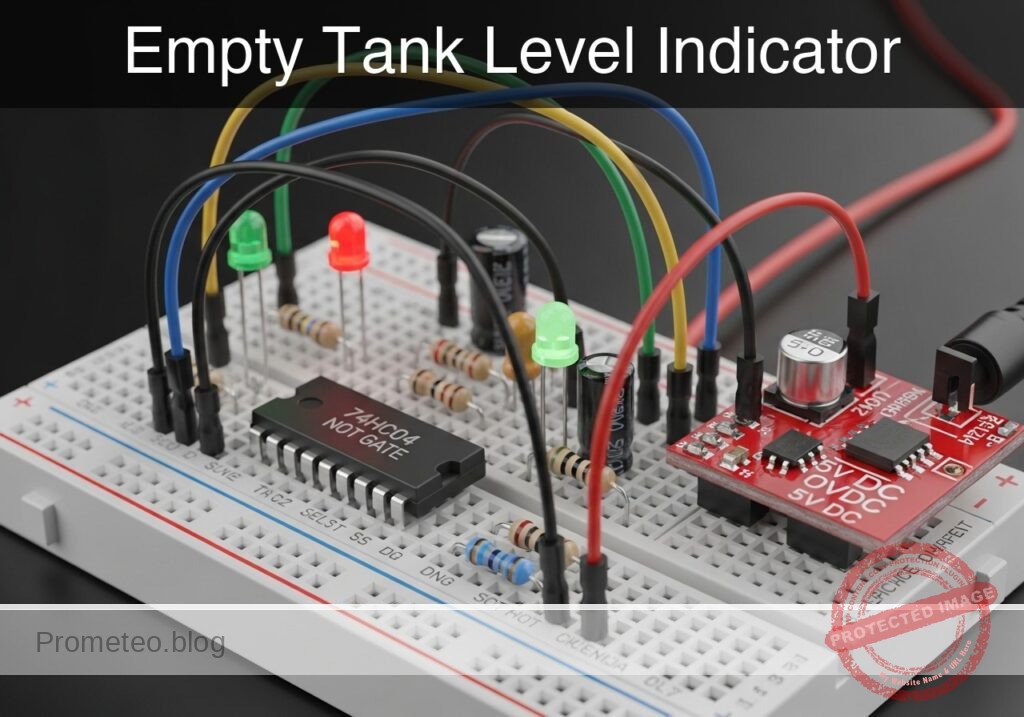
Empty Tank Level Indicator prototype (Maker Style)

Level: Medium. Design a logic circuit that alerts the user when a water sensor stops detecting liquid using a NOT gate.

Objective and use case

In this case, you will build a monitoring circuit using a 74HC04 inverter that illuminates a red LED when a tank’s liquid level drops below a critical point.

  • Prevents pump damage: Stops water pumps from running dry in hydroponic systems.
  • Household safety: Alerts when rooftop reserve tanks are empty.
  • Industrial maintenance: Visual flag for coolant refill requirements.

Expected outcome:
* Water Present: The sensor is open (Logic 1 input) $\rightarrow$ LED remains OFF.
* Tank Empty: The sensor closes (Logic 0 input) $\rightarrow$ LED turns ON.
* Logic Level: $V_{in} \approx 0\text{ V}$ activates the alert; $V_{in} \approx 5\text{ V}$ indicates normal status.

Target audience: Electronics students and hobbyists familiar with basic digital logic.

Materials

  • V1: 5 V DC power supply, function: main circuit power
  • U1: 74HC04 Hex Inverter IC, function: logic inversion
  • S1: Float switch (SPST, configured to Close when Empty), function: liquid level sensor
  • R1: 10 kΩ resistor, function: pull-up for sensor signal
  • R2: 330 Ω resistor, function: LED current limiting
  • D1: Red LED, function: visual empty alert
  • C1: 100 nF ceramic capacitor, function: power supply decoupling

Pin-out of the IC used

Selected Chip: 74HC04 (Hex Inverter)

Pin Name Logic function Connection in this case
1 1A Input Connected to Sensor Node (SENSE_IN)
2 1Y Output Connected to LED circuit (ALERT_OUT)
7 GND Ground Connected to GND (0 V)
14 VCC Power Connected to 5 V Supply

Wiring guide

  • V1 connects between node VCC and node GND.
  • C1 connects between node VCC and node GND (placed physically close to U1).
  • R1 connects between node VCC and node SENSE_IN.
  • S1 connects between node SENSE_IN and node GND.
  • U1 pin 1 connects to node SENSE_IN.
  • U1 pin 2 connects to node ALERT_OUT.
  • U1 pin 14 connects to VCC; pin 7 connects to GND.
  • R2 connects between node ALERT_OUT and node LED_ANODE.
  • D1 connects between node LED_ANODE (Anode) and node GND (Cathode).

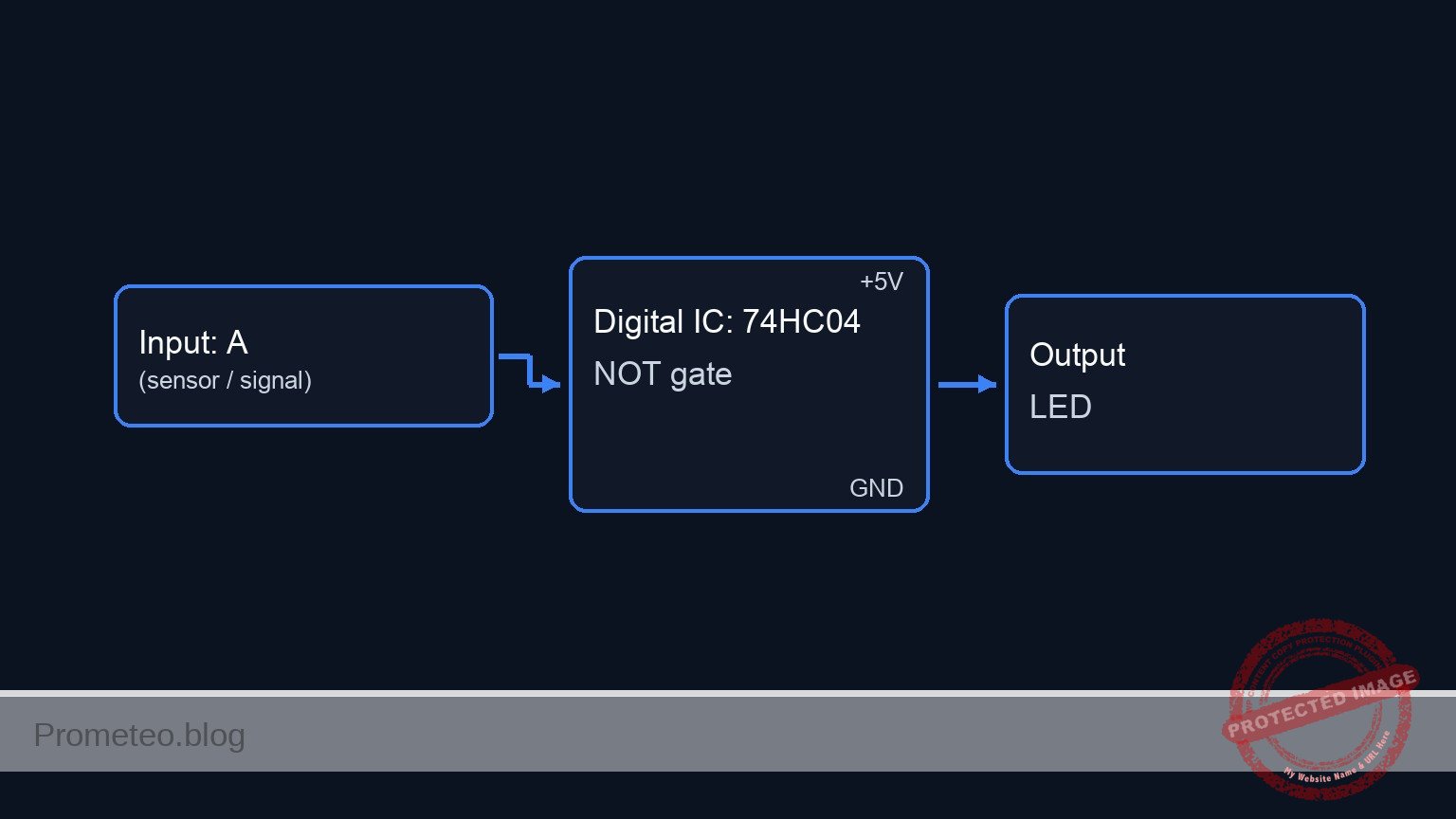
Conceptual block diagram

Conceptual block diagram — 74HC04 NOT gate

Schematic

[ INPUT / SENSOR ]                 [ LOGIC PROCESSING ]                 [ OUTPUT / ALERT ]

[ VCC 5V ] --> [ R1: 10k ] --+
               (Pull-Up)     |
                             |
                             V
                        (SENSE_IN) ---->+------------------+
                        (Pin 1)         |    U1: 74HC04    |
                             ^          |   Hex Inverter   |--(ALERT_OUT)--> [ R2: 330R ] --> [ D1: Red LED ] --> GND
                             |          |   (Pin 1 -> 2)   |  (Pin 2)        (Limiting)       (Anode/Cathode)
[ GND 0V ] --> [ S1: Float ]-+          +------------------+
               (Switch)                           ^
                                                  |
                                            [ C1: 100nF ]
                                            (Decoupling)
                                            (VCC / GND)
Schematic (ASCII)

Truth table

Water State Sensor Switch (S1) Input Voltage (Pin 1) Logic Input Output Voltage (Pin 2) LED State
Full OPEN 5 V (via Pull-up) 1 0 V OFF
Empty CLOSED 0 V (connected to GND) 0 5 V ON

Measurements and tests

  1. Supply Check: Measure voltage between VCC and GND. Ensure it is stable at 5 V.
  2. Full Tank Simulation: Manually lift the float (ensure S1 is OPEN). Measure voltage at SENSE_IN. It should be $\approx 5\text{ V}$. Verify LED is OFF.
  3. Empty Tank Simulation: Drop the float (ensure S1 is CLOSED). Measure voltage at SENSE_IN. It should be $\approx 0\text{ V}$.
  4. Logic Output: While S1 is closed (Empty), measure voltage at ALERT_OUT. It should be $\approx 5\text{ V}$.
  5. Current Draw: Measure the current through D1 ($I_{led}$) when ON. It should be approximately 10–12 mA depending on the specific LED voltage drop.

SPICE netlist and simulation

Reference SPICE Netlist (ngspice) — excerptFull SPICE netlist (ngspice)

* Practical case: Empty Tank Level Indicator

* ==============================================================================
* BILL OF MATERIALS & COMPONENTS
* ==============================================================================

* --- Power Supply ---
* V1: 5 V DC power supply
V1 VCC 0 DC 5

* --- Decoupling ---
* C1: 100 nF ceramic capacitor (Power supply decoupling)
C1 VCC 0 100n

* --- Sensor Input Section ---
* R1: 10 kΩ resistor (Pull-up for sensor signal)
R1 VCC SENSE_IN 10k

* S1: Float switch (SPST)
* Wiring: Connects between node SENSE_IN and node GND.
* ... (truncated in public view) ...

Copy this content into a .cir file and run with ngspice.

🔒 Part of this section is premium. With the 7-day pass or the monthly membership you can access the full content (materials, wiring, detailed build, validation, troubleshooting, variants and checklist) and download the complete print-ready PDF pack.

* Practical case: Empty Tank Level Indicator

* ==============================================================================
* BILL OF MATERIALS & COMPONENTS
* ==============================================================================

* --- Power Supply ---
* V1: 5 V DC power supply
V1 VCC 0 DC 5

* --- Decoupling ---
* C1: 100 nF ceramic capacitor (Power supply decoupling)
C1 VCC 0 100n

* --- Sensor Input Section ---
* R1: 10 kΩ resistor (Pull-up for sensor signal)
R1 VCC SENSE_IN 10k

* S1: Float switch (SPST)
* Wiring: Connects between node SENSE_IN and node GND.
* Simulation: Modeled as a Voltage Controlled Switch (SW).
* Logic: 
*   - Tank Full (Float Up) -> Switch Open -> SENSE_IN pulled to VCC.
*   - Tank Empty (Float Down) -> Switch Closed -> SENSE_IN pulled to GND.
* Control Source V_FLOAT_ACT simulates the float movement.
*   - 0V = Float Up (Full)
*   - 5V = Float Down (Empty)
S1 SENSE_IN 0 FLOAT_CTRL 0 SW_FLOAT
.model SW_FLOAT SW(Vt=2.5 Ron=0.1 Roff=10Meg)

* Stimulus: Float starts Up (Full), drops to Down (Empty) at 50us, returns at 200us.
V_FLOAT_ACT FLOAT_CTRL 0 PULSE(0 5 50u 1u 1u 150u 400u)

* --- Logic Processing ---
* U1: 74HC04 Hex Inverter
* Wiring Guide: Pin 1 (In) -> SENSE_IN, Pin 2 (Out) -> ALERT_OUT
* Power: Pin 14 -> VCC, Pin 7 -> GND
* Implemented as a subcircuit to strictly map pins.
XU1 SENSE_IN ALERT_OUT 0 VCC 74HC04_GATE

* Subcircuit definition for one gate of 74HC04
.subckt 74HC04_GATE IN OUT GND VCC
    * Behavioral voltage source for robust logic inversion
    * Uses sigmoid function for convergence: Vout = VCC if Vin < 2.5V
    B1 OUT GND V = V(VCC) * (1 / (1 + exp(50 * (V(IN) - 2.5))))
.ends

* --- Output Alert ---
* R2: 330 Ω resistor (LED current limiting)
R2 ALERT_OUT LED_ANODE 330

* D1: Red LED (Visual empty alert)
* Wiring: Anode -> LED_ANODE, Cathode -> GND
D1 LED_ANODE 0 LED_RED
.model LED_RED D(IS=1e-14 N=2 RS=5 BV=5 IBV=10u CJO=40p)

* ==============================================================================
* ANALYSIS COMMANDS
* ==============================================================================

* Operating Point Analysis
.op

* Transient Analysis
* Run for 500us to capture the float switch activation cycle
.tran 1u 500u

* Output Printing
* Monitor Sensor Input, Inverter Output, and LED Voltage
.print tran V(SENSE_IN) V(ALERT_OUT) V(LED_ANODE) V(FLOAT_CTRL)

.end

Simulation Results (Transient Analysis)

Simulation Results (Transient Analysis)
Show raw data table (1190 rows)
Index   time            v(sense_in)     v(alert_out)    v(led_anode)
0	0.000000e+00	4.995005e+00	3.316079e-54	-1.70080e-28
1	1.000000e-08	4.995005e+00	3.316079e-54	-9.73961e-29
2	2.000000e-08	4.995005e+00	3.316079e-54	-1.41516e-29
3	4.000000e-08	4.995005e+00	3.316079e-54	8.723601e-29
4	8.000000e-08	4.995005e+00	3.316079e-54	1.163518e-28
5	1.600000e-07	4.995005e+00	3.316079e-54	4.380930e-29
6	3.200000e-07	4.995005e+00	3.316079e-54	-1.45299e-29
7	6.400000e-07	4.995005e+00	3.316079e-54	-1.01395e-29
8	1.280000e-06	4.995005e+00	3.316079e-54	-5.46095e-32
9	2.280000e-06	4.995005e+00	3.316079e-54	4.098577e-31
10	3.280000e-06	4.995005e+00	3.316079e-54	2.282032e-32
11	4.280000e-06	4.995005e+00	3.316079e-54	-9.50625e-33
12	5.280000e-06	4.995005e+00	3.316079e-54	-1.09186e-33
13	6.280000e-06	4.995005e+00	3.316079e-54	1.911218e-34
14	7.280000e-06	4.995005e+00	3.316079e-54	3.847480e-35
15	8.280000e-06	4.995005e+00	3.316079e-54	-2.97995e-36
16	9.280000e-06	4.995005e+00	3.316079e-54	-1.15977e-36
17	1.028000e-05	4.995005e+00	3.316079e-54	1.723722e-38
18	1.128000e-05	4.995005e+00	3.316079e-54	3.117034e-38
19	1.228000e-05	4.995005e+00	3.316079e-54	1.177223e-39
20	1.328000e-05	4.995005e+00	3.316079e-54	-7.52109e-40
21	1.428000e-05	4.995005e+00	3.316079e-54	-6.99870e-41
22	1.528000e-05	4.995005e+00	3.316079e-54	1.597704e-41
23	1.628000e-05	4.995005e+00	3.316079e-54	2.660714e-42
... (1166 more rows) ...

Common mistakes and how to avoid them

  1. Leaving inputs floating: Even though we only use one gate (Pin 1/2), unused inputs on CMOS chips (pins 3, 5, 9, 11, 13) should be tied to GND or VCC to prevent oscillation and excess power consumption.
  2. Incorrect Pull-up wiring: Connecting the resistor in series with the input instead of as a pull-up to VCC. Ensure R1 goes strictly to 5V.
  3. Sensor Logic inversion: Using a sensor that is Open when Empty without changing the circuit logic. This would cause the light to be ON when the tank is full. Ensure the mechanical action matches the truth table.

Troubleshooting

  • LED is always ON: Check if S1 is stuck in the Closed position or if pin 1 is shorted to ground.
  • LED never turns ON: Check if the float switch is actually closing the circuit to ground. Measure resistance across S1 terminals while moving the float.
  • Chip gets hot: Check for short circuits at the output or if VCC/GND are reversed (Pins 14 and 7).
  • LED flickers: The liquid might be turbulent. Add a capacitor (e.g., 10 µF) in parallel with S1 to create a hardware debounce delay.

Possible improvements and extensions

  1. Audio Alert: Add a 5V active buzzer in parallel with the LED/Resistor combo to provide an audible alarm when the tank is empty.
  2. Hysteresis: Replace the 74HC04 with a 74HC14 (Schmitt Trigger Inverter). This prevents the LED from jittering if the water level is right at the switching threshold.

More Practical Cases on Prometeo.blog

Quick Quiz

Question 1: What is the primary function of the circuit described in the objective?


Question 2: Which specific logic gate IC is used to perform the inversion in this circuit?


Question 3: How does the LED behave when the water sensor detects liquid (Logic 1 input)?


Question 4: What is the state of the sensor input when the tank is empty according to the expected outcome?


Question 5: What is the primary role of the 10 kΩ resistor (R1) in this specific circuit design?


Question 6: Which component serves as the visual indicator for the alert?


Question 7: What voltage level (Vin) corresponds to a 'normal status' where the alert is inactive?


Question 8: What is a listed practical application for this circuit?


Question 9: The float switch (S1) is configured to do what when the tank is empty?


Question 10: What logic level activates the alert (turns the LED ON)?


Carlos Núñez Zorrilla
Electronics & Computer Engineer

Telecommunications Electronics Engineer and Computer Engineer (official degrees in Spain).

Follow me:


Practical case: Safety control with inverse logic

Safety control with inverse logic prototype (Maker Style)

Level: Medium. Design an emergency stop circuit where a high sensor signal halts a motor using a NOT gate.

Objective and use case

You will design and build a digital safety stop circuit using a 74HC04 inverter. In this configuration, the system defaults to an «ON» state (Motor running) and requires a logic HIGH signal from a sensor to force the system into an «OFF» state.

  • Industrial Automation: Used for emergency stop buttons (E-Stop) or limit switches where detecting an object must immediately cut power.
  • Fail-Safe Logic: Ensures that active intervention is required to stop the process, while the default idle state of the control logic keeps the machine running (assuming the physical actuator is wired to match).
  • Signal Inversion: Adapts sensors with active-high outputs to controllers or drivers requiring active-low disable signals.

Expected Outcome:
* Idle State: Input $0\text{ V}$ (Low) $\rightarrow$ Output $5\text{ V}$ (High) $\rightarrow$ Motor Simulator ON.
* Active State: Input $5\text{ V}$ (High) $\rightarrow$ Output $0\text{ V}$ (Low) $\rightarrow$ Motor Simulator OFF.
* Thresholds: Input voltages above $3.5\text{ V}$ are read as High; below $1.5\text{ V}$ are read as Low.

Target audience: Electronics students and hobbyists familiar with basic digital logic levels.

Materials

  • V1: 5 V DC supply, function: Main power source.
  • U1: 74HC04 Hex Inverter IC, function: Logic inversion.
  • S1: Push-button switch (NO), function: Simulates safety sensor activation.
  • R1: 10 kΩ resistor, function: Pull-down for sensor input.
  • R2: 330 Ω resistor, function: Current limiting for motor simulator.
  • D1: Green LED, function: DC-Motor-Sim (visual indicator of motor power).
  • C1: 100 nF capacitor, function: Decoupling for U1 power supply.

Pin-out of the IC used

Chip: 74HC04 (Hex Inverter)

Pin Name Logic function Connection in this case
1 1A Input Connected to Sensor Node (S1, R1)
2 1Y Output Connected to Motor Control Node (D1 via R2)
7 GND Ground Connected to 0 (GND)
14 VCC Power Connected to VCC (5 V)

Wiring guide

  • V1 connects between node VCC and node 0.
  • C1 connects between node VCC and node 0 (near U1).
  • S1 connects between node VCC and node SENSOR_IN.
  • R1 connects between node SENSOR_IN and node 0 (Pull-down).
  • U1 Pin 14 connects to VCC.
  • U1 Pin 7 connects to 0.
  • U1 Pin 1 connects to SENSOR_IN.
  • U1 Pin 2 connects to MOTOR_CTRL.
  • R2 connects between node MOTOR_CTRL and node LED_ANODE.
  • D1 connects between node LED_ANODE (Anode) and node 0 (Cathode).

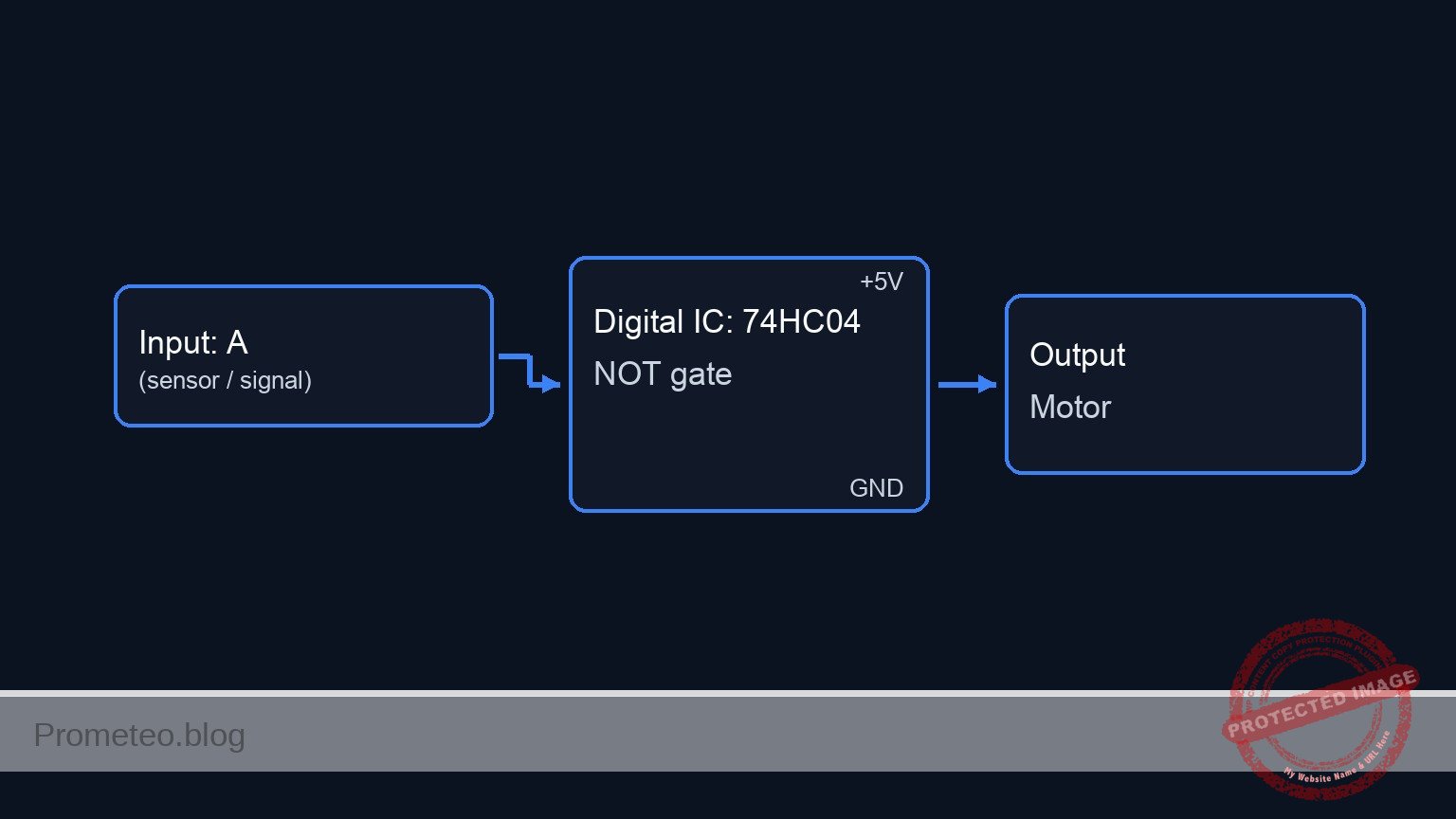
Conceptual block diagram

Conceptual block diagram — 74HC04 NOT gate

Schematic

[ INPUT STAGE ]                     [ LOGIC STAGE ]                     [ OUTPUT STAGE ]

 (VCC)
   |
 [ S1: Button (NO) ] --+
                       |
                       +--(SENSOR_IN)-->+-----------------------+
                       |                |       U1: 74HC04      |
 [ R1: 10k Resistor ] -+                |     (Hex Inverter)    |
   |                                    | Pin 1           Pin 2 | --(MOTOR_CTRL)--> [ R2: 330R ] --> [ D1: Green LED ] --> (GND)
 (GND)                                  |                       |
                                        | Power: [ V1: 5V ]     |
                                        | Filter: [ C1: 100nF ] |
                                        +-----------------------+
Schematic (ASCII)

Truth table

In this safety logic, $0$ represents $0\text{ V}$ (Ground) and $1$ represents $5\text{ V}$ (VCC).

Sensor Input (Pin 1) Motor Command Output (Pin 2) System State
0 (Low) 1 (High) RUNNING (Default)
1 (High) 0 (Low) STOPPED (Emergency)

Measurements and tests

  1. Idle State Validation:

    • Ensure S1 is not pressed.
    • Measure voltage at SENSOR_IN relative to 0. Expected: $\approx 0\text{ V}$.
    • Measure voltage at MOTOR_CTRL. Expected: $\approx 5\text{ V}$.
    • Verify D1 (Motor Sim) is lit.
  2. Active Stop Validation:

    • Press and hold S1.
    • Measure voltage at SENSOR_IN. Expected: $5\text{ V}$.
    • Measure voltage at MOTOR_CTRL. Expected: $\approx 0\text{ V}$.
    • Verify D1 (Motor Sim) turns OFF immediately.
  3. Propagation Delay (Optional):

    • If using an oscilloscope, connect Channel 1 to SENSOR_IN and Channel 2 to MOTOR_CTRL.
    • Trigger on the rising edge of Channel 1.
    • Measure the time difference between the input reaching 50% and the output falling to 50%. Typical values for 74HC04 are in the nanosecond range ($7\text{–}15\text{ ns}$).

SPICE netlist and simulation

Reference SPICE Netlist (ngspice) — excerptFull SPICE netlist (ngspice)

* Practical case: Safety control with inverse logic

* --- Power Supply ---
* V1 connects between node VCC and node 0
V1 VCC 0 DC 5

* --- Decoupling ---
* C1 connects between node VCC and node 0 (near U1)
C1 VCC 0 100n

* --- Input Stage: Sensor (Push Button) ---
* S1 connects between node VCC and node SENSOR_IN
* Implemented as a Voltage-Controlled Switch to simulate the physical connection
S1 VCC SENSOR_IN S1_CTRL 0 SW_PUSH
.model SW_PUSH SW(Vt=2.5 Ron=0.1 Roff=100Meg)

* Control source for S1 (Simulates user pressing the button)
* Pulse: Press at 200us, hold for 300us, release (Total simulation 1ms)
V_S1_ACT S1_CTRL 0 PULSE(0 5 200u 1u 1u 300u 1ms)

* R1 connects between node SENSOR_IN and node 0 (Pull-down)
R1 SENSOR_IN 0 10k

* --- Logic Stage: U1 (74HC04 Hex Inverter) ---
* U1 Pin 14 connects to VCC
* U1 Pin 7 connects to 0
* U1 Pin 1 connects to SENSOR_IN
* U1 Pin 2 connects to MOTOR_CTRL
* Implemented using a Behavioral Source (B-Source) for robust logic simulation
* Logic: Inverts SENSOR_IN. Uses sigmoid function for convergence.
* ... (truncated in public view) ...

Copy this content into a .cir file and run with ngspice.

🔒 Part of this section is premium. With the 7-day pass or the monthly membership you can access the full content (materials, wiring, detailed build, validation, troubleshooting, variants and checklist) and download the complete print-ready PDF pack.

* Practical case: Safety control with inverse logic

* --- Power Supply ---
* V1 connects between node VCC and node 0
V1 VCC 0 DC 5

* --- Decoupling ---
* C1 connects between node VCC and node 0 (near U1)
C1 VCC 0 100n

* --- Input Stage: Sensor (Push Button) ---
* S1 connects between node VCC and node SENSOR_IN
* Implemented as a Voltage-Controlled Switch to simulate the physical connection
S1 VCC SENSOR_IN S1_CTRL 0 SW_PUSH
.model SW_PUSH SW(Vt=2.5 Ron=0.1 Roff=100Meg)

* Control source for S1 (Simulates user pressing the button)
* Pulse: Press at 200us, hold for 300us, release (Total simulation 1ms)
V_S1_ACT S1_CTRL 0 PULSE(0 5 200u 1u 1u 300u 1ms)

* R1 connects between node SENSOR_IN and node 0 (Pull-down)
R1 SENSOR_IN 0 10k

* --- Logic Stage: U1 (74HC04 Hex Inverter) ---
* U1 Pin 14 connects to VCC
* U1 Pin 7 connects to 0
* U1 Pin 1 connects to SENSOR_IN
* U1 Pin 2 connects to MOTOR_CTRL
* Implemented using a Behavioral Source (B-Source) for robust logic simulation
* Logic: Inverts SENSOR_IN. Uses sigmoid function for convergence.
* Vout = VCC if Vin < 2.5V, else 0V.
B_U1 MOTOR_CTRL 0 V = V(VCC) * (1 / (1 + exp(50 * (V(SENSOR_IN) - 2.5))))

* --- Output Stage: Motor Simulator (LED) ---
* R2 connects between node MOTOR_CTRL and node LED_ANODE
R2 MOTOR_CTRL LED_ANODE 330

* D1 connects between node LED_ANODE (Anode) and node 0 (Cathode)
D1 LED_ANODE 0 LED_GREEN
.model LED_GREEN D(IS=1e-22 RS=5 N=1.5 BV=5 IBV=10u CJO=10p)

* --- Simulation Directives ---
* Perform a transient analysis to observe the button press event
.op
.tran 1u 1ms

* Print required nodes for verification
.print tran V(SENSOR_IN) V(MOTOR_CTRL) V(LED_ANODE)

.end

Simulation Results (Transient Analysis)

Simulation Results (Transient Analysis)
Show raw data table (1061 rows)
Index   time            v(sensor_in)    v(motor_ctrl)   v(led_anode)
0	0.000000e+00	4.999500e-04	5.000000e+00	1.833072e+00
1	1.000000e-08	4.999500e-04	5.000000e+00	1.833072e+00
2	2.000000e-08	4.999500e-04	5.000000e+00	1.833072e+00
3	4.000000e-08	4.999500e-04	5.000000e+00	1.833072e+00
4	8.000000e-08	4.999500e-04	5.000000e+00	1.833072e+00
5	1.600000e-07	4.999500e-04	5.000000e+00	1.833072e+00
6	3.200000e-07	4.999500e-04	5.000000e+00	1.833072e+00
7	6.400000e-07	4.999500e-04	5.000000e+00	1.833072e+00
8	1.280000e-06	4.999500e-04	5.000000e+00	1.833072e+00
9	2.280000e-06	4.999500e-04	5.000000e+00	1.833072e+00
10	3.280000e-06	4.999500e-04	5.000000e+00	1.833072e+00
11	4.280000e-06	4.999500e-04	5.000000e+00	1.833072e+00
12	5.280000e-06	4.999500e-04	5.000000e+00	1.833072e+00
13	6.280000e-06	4.999500e-04	5.000000e+00	1.833072e+00
14	7.280000e-06	4.999500e-04	5.000000e+00	1.833072e+00
15	8.280000e-06	4.999500e-04	5.000000e+00	1.833072e+00
16	9.280000e-06	4.999500e-04	5.000000e+00	1.833072e+00
17	1.028000e-05	4.999500e-04	5.000000e+00	1.833072e+00
18	1.128000e-05	4.999500e-04	5.000000e+00	1.833072e+00
19	1.228000e-05	4.999500e-04	5.000000e+00	1.833072e+00
20	1.328000e-05	4.999500e-04	5.000000e+00	1.833072e+00
21	1.428000e-05	4.999500e-04	5.000000e+00	1.833072e+00
22	1.528000e-05	4.999500e-04	5.000000e+00	1.833072e+00
23	1.628000e-05	4.999500e-04	5.000000e+00	1.833072e+00
... (1037 more rows) ...

Common mistakes and how to avoid them

  1. Floating Input: Omitting R1 (Pull-down) causes the input to float, making the motor toggle randomly or oscillate based on electromagnetic noise. Fix: Always ensure inputs have a defined path to ground or VCC when the switch is open.
  2. Overloading the Output: Connecting a real DC motor directly to the 74HC04 output. The chip can only source $\approx 20\text{ mA}$. Fix: Use the output to drive a transistor (BJT or MOSFET) which then switches the actual motor.
  3. Confusing Logic Families: Using a 74LS04 with high-value resistors or incorrect voltage levels. Fix: Stick to the 74HC series for 5 V CMOS compatibility and high impedance inputs.

Troubleshooting

  • Symptom: The Motor (LED) is always OFF.
    • Cause: Input pin stuck HIGH or damaged IC.
    • Fix: Check voltage at Pin 1. If 0 V, replace U1.
  • Symptom: The Motor (LED) is always ON, even when button is pressed.
    • Cause: Input shorted to GND or button S1 not making contact.
    • Fix: Use a multimeter to verify continuity across S1 when pressed.
  • Symptom: LED flickers when touching the wire.
    • Cause: Missing pull-down resistor R1.
    • Fix: Verify R1 is connected securely between Pin 1 and Ground.

Possible improvements and extensions

  1. Latching Safety Circuit: Add a feedback loop or an SR Latch so that once the emergency stop is triggered, the motor remains off even if the button is released (requires a manual reset).
  2. Status Indicators: Add a Red LED connected to the input side (buffered) to indicate «EMERGENCY STATE» visually alongside the motor shutdown.

More Practical Cases on Prometeo.blog

Find this product and/or books on this topic on Amazon

Go to Amazon

As an Amazon Associate, I earn from qualifying purchases. If you buy through this link, you help keep this project running.

Quick Quiz

Question 1: What is the primary function of the 74HC04 IC in the described emergency stop circuit?


Question 2: In the 'Idle State' of this circuit (Input 0 V), what is the status of the Motor Simulator?


Question 3: What input signal is required to force the system into an 'OFF' state?


Question 4: Which component is typically used to simulate the safety sensor activation in this type of lab setup?


Question 5: What is the purpose of a pull-down resistor (like R1) in this sensor input circuit?


Question 6: According to the expected outcome, what output voltage corresponds to an input of 0 V?


Question 7: What is the voltage threshold above which the input is definitely recognized as High?


Question 8: Which component acts as the visual indicator for the 'Motor Simulator' in this design?


Question 9: What is a typical industrial use case mentioned for this specific circuit logic?


Question 10: Why is this logic configuration described as 'Fail-Safe' regarding the machine's operation?


Carlos Núñez Zorrilla
Electronics & Computer Engineer

Telecommunications Electronics Engineer and Computer Engineer (official degrees in Spain).
Follow me: