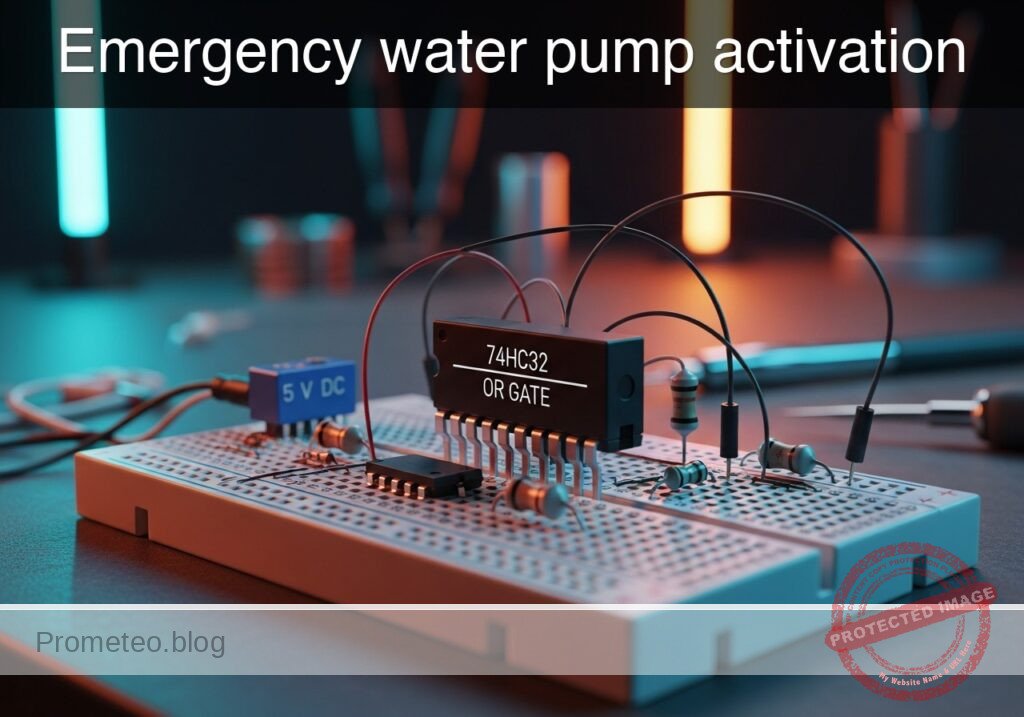
Practical case: Lighting control from two points

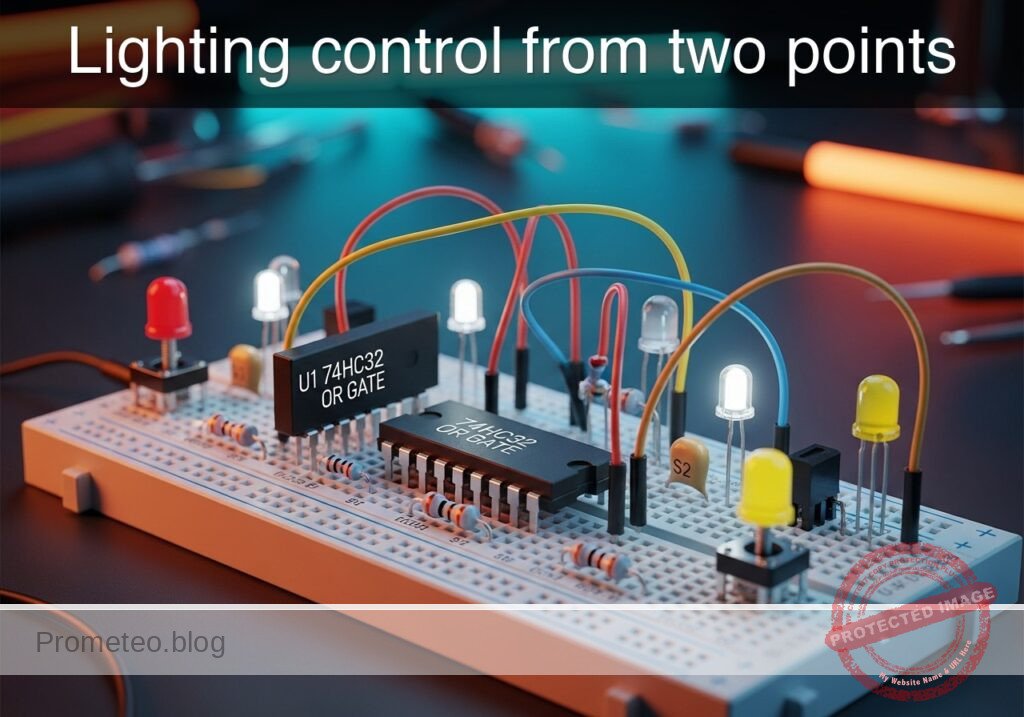
Lighting control from two points prototype (Maker Style)

Level: Basic. Build a circuit where a pilot light can be activated from two independent switches using digital logic.

Objective and use case

In this project, you will build a digital control circuit using a 74HC32 OR gate to power an LED indicator when either of two push buttons is actuated. This demonstrates the fundamental logic function where an output is true if at least one input is true.

Why it is useful:
* Home Automation: Simulates a hallway light system where multiple switches can turn on a light.
* Security Systems: Represents an alarm trigger zone where any single sensor (door or window) triggers the siren.
* Automotive: Functions like interior dome lights that turn on if the driver’s side OR passenger’s side door is opened.
* Industrial Safety: Acts as an emergency stop system where pressing any button on a production line halts the machine.

Expected outcome:
* LED State: The LED remains OFF (Logic 0) only when both buttons are released.
* Single Press: Pressing Button A turns the LED ON (Logic 1).
* Single Press: Pressing Button B turns the LED ON (Logic 1).
* Simultaneous Press: Pressing both buttons keeps the LED ON (Logic 1).
* Target Audience: Students and hobbyists learning basic digital logic gates.

Materials

  • V1: 5 V DC supply
  • U1: 74HC32 (Quad 2-Input OR Gate IC)
  • S1: Momentary Push Button (NO – Normally Open), function: Input A
  • S2: Momentary Push Button (NO – Normally Open), function: Input B
  • R1: 10 kΩ resistor, function: Pull-down for Input A
  • R2: 10 kΩ resistor, function: Pull-down for Input B
  • R3: 330 Ω resistor, function: LED current limiting
  • D1: Red LED, function: Logic output indicator

Pin-out of the IC used

Chip: 74HC32 (Quad 2-Input OR Gate)

Pin Name Logic Function Connection in this case
1 1A Input A Connected to S1 and R1
2 1B Input B Connected to S2 and R2
3 1Y Output Connected to R3 (LED driver)
7 GND Ground Connected to 0V
14 VCC Power Supply Connected to +5V

Wiring guide

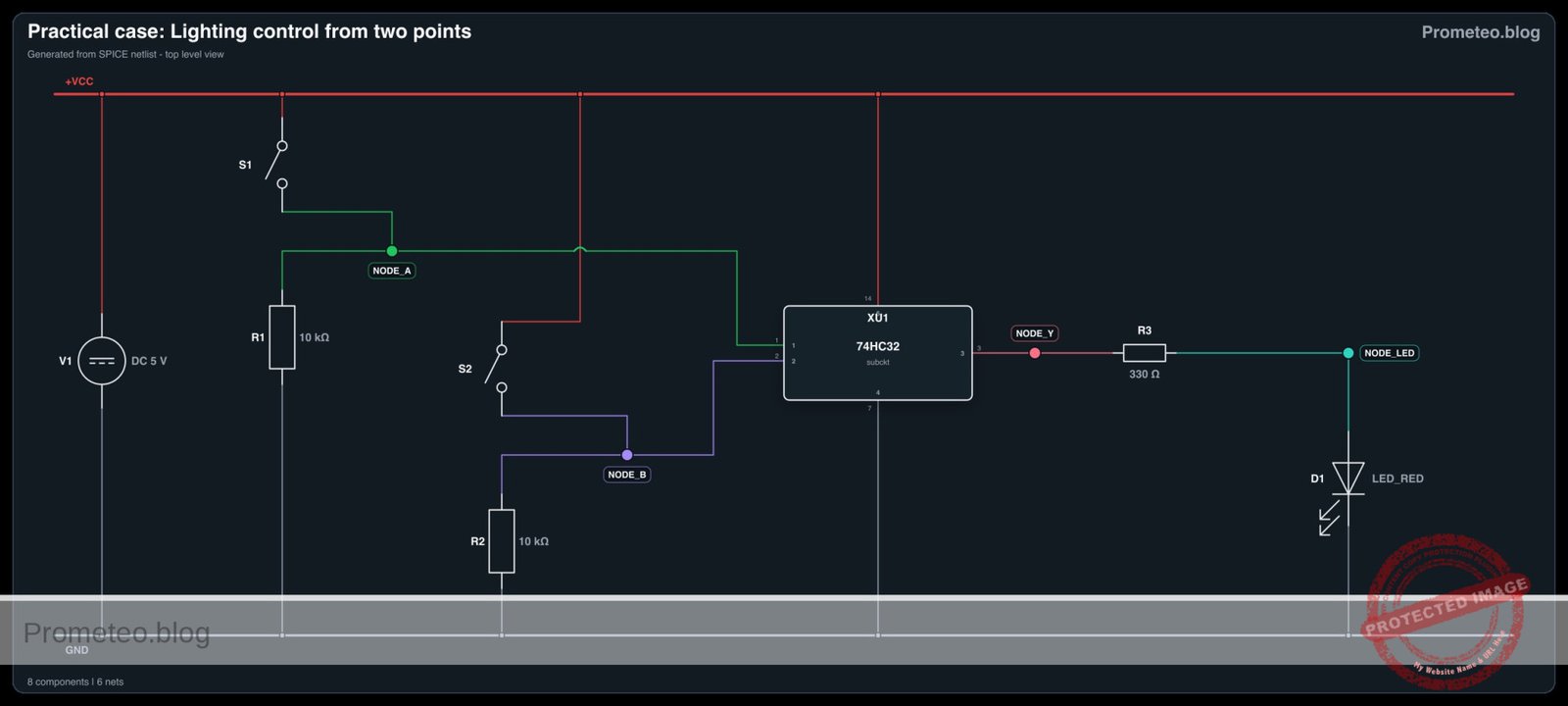
This guide defines the connections using specific node names to ensure a clean circuit assembly.

  • Power Nodes:

    • VCC: Connect positive terminal of V1 to U1 Pin 14.
    • 0 (GND): Connect negative terminal of V1 to U1 Pin 7.
  • Input A Logic (NODE_A):

    • Connect S1 between VCC and NODE_A.
    • Connect R1 between NODE_A and 0 (GND).
    • Connect U1 Pin 1 to NODE_A.
  • Input B Logic (NODE_B):

    • Connect S2 between VCC and NODE_B.
    • Connect R2 between NODE_B and 0 (GND).
    • Connect U1 Pin 2 to NODE_B.
  • Output Logic (NODE_Y):

    • Connect U1 Pin 3 to one end of R3.
    • Connect the other end of R3 to the anode (long leg) of D1.
    • Connect the cathode (short leg) of D1 to 0 (GND).

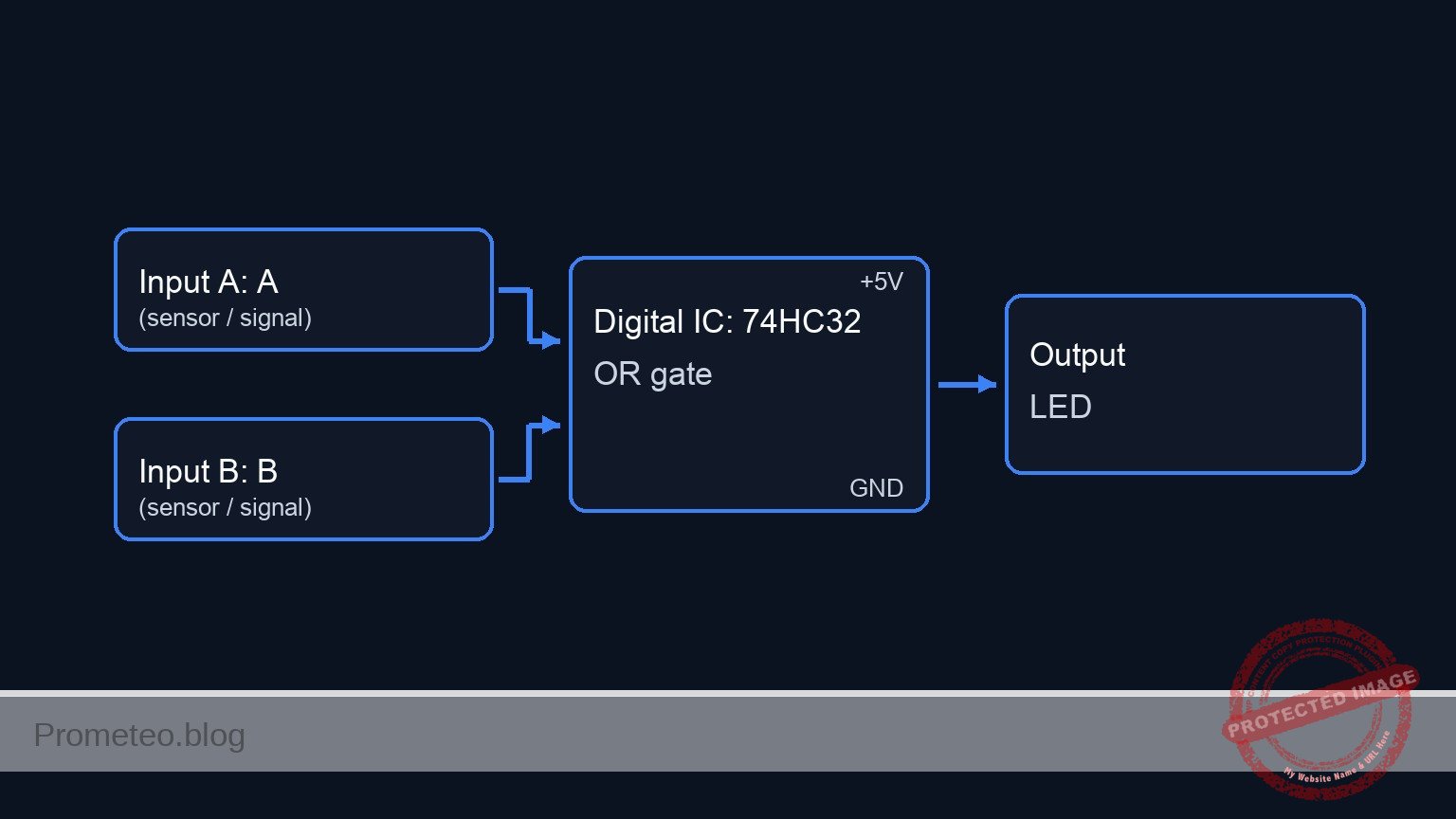
Conceptual block diagram

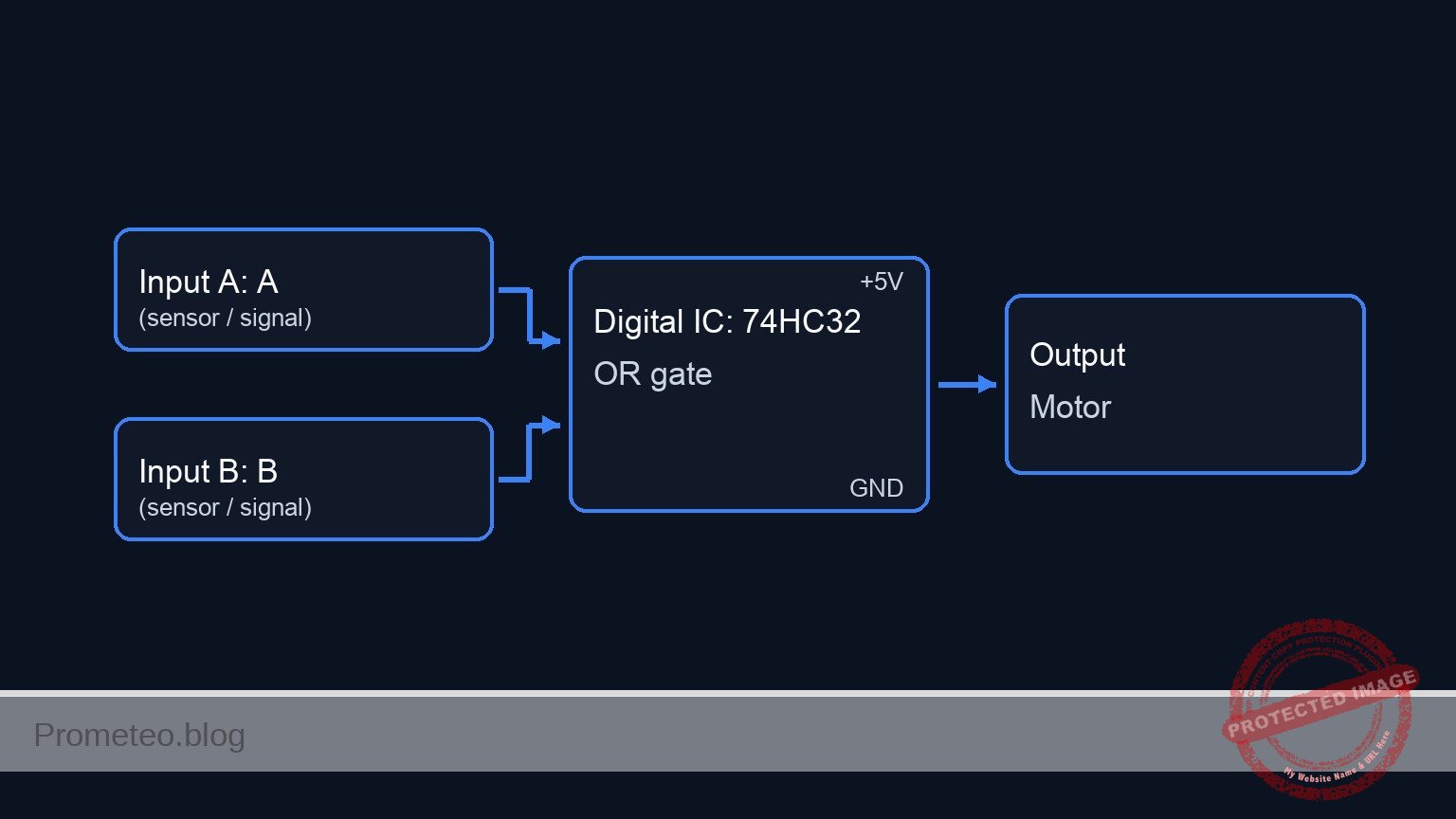
Conceptual block diagram — 74HC32 OR gate

Schematic

[ INPUTS ]                                  [ LOGIC ]                                [ OUTPUT ]

[ VCC ]--> [ S1 (NO) ] --+--(NODE_A)----------->+-------------+
                         |  (Pin 1)             |             |
                    [ R1 (10k) ]                |  U1: 74HC32 |
                         v                      |  (OR Gate)  |--(NODE_Y)--> [ R3 (330) ] --> [ D1 (LED) ] --> [ GND ]
                      [ GND ]                   |  (Pin 3)    |
                                                |             |
[ VCC ]--> [ S2 (NO) ] --+--(NODE_B)----------->+-------------+
                         |  (Pin 2)
                    [ R2 (10k) ]
                         v
                      [ GND ]
Schematic (ASCII)

Truth table

The 74HC32 follows the standard OR logic table:

Input A (S1) Input B (S2) Output Y (LED) State Description
0 (Released) 0 (Released) 0 (OFF) No active signal
0 (Released) 1 (Pressed) 1 (ON) Activated by B
1 (Pressed) 0 (Released) 1 (ON) Activated by A
1 (Pressed) 1 (Pressed) 1 (ON) Activated by both

Measurements and tests

  1. Idle Check: Before pressing anything, measure the voltage at NODE_A and NODE_B relative to GND. It should be close to 0V (Logic 0) due to the pull-down resistors. The LED should be off.
  2. Input A Test: Press S1. Measure voltage at NODE_A; it should rise to 5V. Verify D1 lights up.
  3. Input B Test: Press S2. Measure voltage at NODE_B; it should rise to 5V. Verify D1 lights up.
  4. Combined Test: Press both buttons simultaneously. The LED should remain lit without flickering.

SPICE netlist and simulation

Reference SPICE Netlist (ngspice) — excerptFull SPICE netlist (ngspice)

* Practical case: Lighting control from two points

* --- Power Supply ---
* V1: 5V DC Supply connected to VCC and GND (0)
V1 VCC 0 DC 5

* --- Input A ---
* S1: Momentary Push Button (NO)
* Modeled as a voltage-controlled switch (S1) driven by a pulse source (V_ACT_A)
* to simulate the physical user action of pressing the button.
V_ACT_A ACT_A 0 PULSE(0 5 50u 1u 1u 100u 200u)
S1 VCC NODE_A ACT_A 0 SW_BTN

* R1: 10k Pull-down resistor for Input A
R1 NODE_A 0 10k

* --- Input B ---
* S2: Momentary Push Button (NO)
* Modeled as a voltage-controlled switch (S2) driven by a pulse source (V_ACT_B)
V_ACT_B ACT_B 0 PULSE(0 5 50u 1u 1u 200u 400u)
S2 VCC NODE_B ACT_B 0 SW_BTN

* R2: 10k Pull-down resistor for Input B
R2 NODE_B 0 10k

* --- Logic IC U1: 74HC32 (Quad 2-Input OR Gate) ---
* Wiring Guide: Pin 1 to NODE_A, Pin 2 to NODE_B, Pin 3 to NODE_Y
* Pin 7 to GND (0), Pin 14 to VCC
XU1 NODE_A NODE_B NODE_Y 0 VCC 74HC32

* ... (truncated in public view) ...

Copy this content into a .cir file and run with ngspice.

🔒 Part of this section is premium. With the 7-day pass or the monthly membership you can access the full content (materials, wiring, detailed build, validation, troubleshooting, variants and checklist) and download the complete print-ready PDF pack.

* Practical case: Lighting control from two points

* --- Power Supply ---
* V1: 5V DC Supply connected to VCC and GND (0)
V1 VCC 0 DC 5

* --- Input A ---
* S1: Momentary Push Button (NO)
* Modeled as a voltage-controlled switch (S1) driven by a pulse source (V_ACT_A)
* to simulate the physical user action of pressing the button.
V_ACT_A ACT_A 0 PULSE(0 5 50u 1u 1u 100u 200u)
S1 VCC NODE_A ACT_A 0 SW_BTN

* R1: 10k Pull-down resistor for Input A
R1 NODE_A 0 10k

* --- Input B ---
* S2: Momentary Push Button (NO)
* Modeled as a voltage-controlled switch (S2) driven by a pulse source (V_ACT_B)
V_ACT_B ACT_B 0 PULSE(0 5 50u 1u 1u 200u 400u)
S2 VCC NODE_B ACT_B 0 SW_BTN

* R2: 10k Pull-down resistor for Input B
R2 NODE_B 0 10k

* --- Logic IC U1: 74HC32 (Quad 2-Input OR Gate) ---
* Wiring Guide: Pin 1 to NODE_A, Pin 2 to NODE_B, Pin 3 to NODE_Y
* Pin 7 to GND (0), Pin 14 to VCC
XU1 NODE_A NODE_B NODE_Y 0 VCC 74HC32

* --- Output Stage ---
* R3: 330 Ohm LED current limiting resistor
R3 NODE_Y NODE_LED 330

* D1: Red LED Logic output indicator
D1 NODE_LED 0 LED_RED

* --- Models and Subcircuits ---

* Switch Model (Normally Open)
* Vt=2.5V: Threshold voltage for switching
* Ron=0.1: Low resistance when closed
* Roff=10Meg: High resistance when open
.model SW_BTN SW(Vt=2.5 Ron=0.1 Roff=10Meg)

* LED Model (Generic Red LED)
.model LED_RED D(IS=1e-22 N=1.5 RS=5 BV=5 IBV=10u CJO=10p)

* 74HC32 Behavioral Subcircuit
* Implements robust continuous logic to avoid convergence issues
.subckt 74HC32 1 2 3 7 14
* Pin Definitions: 1=InputA, 2=InputB, 3=OutputY, 7=GND, 14=VCC
* Logic: Y = A OR B
* Implemented using Sigmoid function S(x) = 1 / (1 + exp(-k*(x-threshold)))
* OR(A,B) is equivalent to 1 - (NOT_A * NOT_B)
* V(14) scales the output to the supply rail
B_OR 3 7 V = V(14) * (1 - ( (1/(1+exp(-20*(V(1)-2.5)))) * (1/(1+exp(-20*(V(2)-2.5)))) ))
.ends

* --- Simulation Directives ---
* Transient analysis for 600us to capture all logic states of the pulses
.tran 1u 600u

* Print required voltages for analysis
.print tran V(NODE_A) V(NODE_B) V(NODE_Y) V(NODE_LED)

* Calculate DC operating point
.op

.end

Simulation Results (Transient Analysis)

Simulation Results (Transient Analysis)
Show raw data table (1562 rows)
Index   time            v(node_a)       v(node_b)       v(node_y)
0	0.000000e+00	4.995005e-03	4.995005e-03	5.000000e+00
1	1.000000e-08	4.995005e-03	4.995005e-03	5.000000e+00
2	2.000000e-08	4.995005e-03	4.995005e-03	5.000000e+00
3	4.000000e-08	4.995005e-03	4.995005e-03	5.000000e+00
4	8.000000e-08	4.995005e-03	4.995005e-03	5.000000e+00
5	1.600000e-07	4.995005e-03	4.995005e-03	5.000000e+00
6	3.200000e-07	4.995005e-03	4.995005e-03	5.000000e+00
7	6.400000e-07	4.995005e-03	4.995005e-03	5.000000e+00
8	1.280000e-06	4.995005e-03	4.995005e-03	5.000000e+00
9	2.280000e-06	4.995005e-03	4.995005e-03	5.000000e+00
10	3.280000e-06	4.995005e-03	4.995005e-03	5.000000e+00
11	4.280000e-06	4.995005e-03	4.995005e-03	5.000000e+00
12	5.280000e-06	4.995005e-03	4.995005e-03	5.000000e+00
13	6.280000e-06	4.995005e-03	4.995005e-03	5.000000e+00
14	7.280000e-06	4.995005e-03	4.995005e-03	5.000000e+00
15	8.280000e-06	4.995005e-03	4.995005e-03	5.000000e+00
16	9.280000e-06	4.995005e-03	4.995005e-03	5.000000e+00
17	1.028000e-05	4.995005e-03	4.995005e-03	5.000000e+00
18	1.128000e-05	4.995005e-03	4.995005e-03	5.000000e+00
19	1.228000e-05	4.995005e-03	4.995005e-03	5.000000e+00
20	1.328000e-05	4.995005e-03	4.995005e-03	5.000000e+00
21	1.428000e-05	4.995005e-03	4.995005e-03	5.000000e+00
22	1.528000e-05	4.995005e-03	4.995005e-03	5.000000e+00
23	1.628000e-05	4.995005e-03	4.995005e-03	5.000000e+00
... (1538 more rows) ...

Common mistakes and how to avoid them

  1. Leaving Inputs Floating: Failing to install pull-down resistors (R1, R2) causes the inputs to «float,» often leading to the LED flickering or staying on permanently due to static noise. Always tie unused inputs to GND or VCC.
  2. Missing Power to Chip: Forgetting to connect Pin 14 to +5V and Pin 7 to GND. The logic gates inside the chip cannot function without power.
  3. LED Orientation: Inserting the LED backwards (anode to ground). The LED will act as an open circuit and will never turn on.

Troubleshooting

  • LED is always ON:
    • Check if R1 or R2 is missing or disconnected.
    • Verify you are using a Normally Open (NO) button, not a Normally Closed (NC) one.
  • LED does not turn ON when buttons are pressed:
    • Check U1 power connections (Pins 7 and 14).
    • Ensure the LED is oriented correctly (Flat side/short leg to GND).
  • LED is very dim:
    • R3 value might be too high (e.g., using 10 kΩ instead of 330 Ω).
    • Supply voltage V1 might be too low.

Possible improvements and extensions

  1. Three-Point Control: Cascade a second OR gate (using the remaining gates on the 74HC32 chip) to add a third switch, allowing control from three locations.
  2. Latch Circuit: Add a feedback loop or use an SR latch so that pressing a button once turns the light on and keeps it on until a «Reset» button is pressed (simulating an alarm memory).

More Practical Cases on Prometeo.blog

Find this product and/or books on this topic on Amazon

Go to Amazon

As an Amazon Associate, I earn from qualifying purchases. If you buy through this link, you help keep this project running.

Quick Quiz

Question 1: What is the primary objective of the circuit described in the project?


Question 2: Which specific logic gate IC is used in this project?


Question 3: What is the state of the LED when both buttons are released?


Question 4: How does the circuit behave if both Button A and Button B are pressed simultaneously?


Question 5: Which automotive application is cited as an example of this logic function?


Question 6: In an industrial safety context, how is this logic applied?


Question 7: What fundamental logic function does this circuit demonstrate?


Question 8: How does this circuit relate to home automation?


Question 9: What happens to the LED if only Button A is pressed?


Question 10: Which security system application is mentioned for this circuit?


Carlos Núñez Zorrilla
Electronics & Computer Engineer

Telecommunications Electronics Engineer and Computer Engineer (official degrees in Spain).
Follow me:


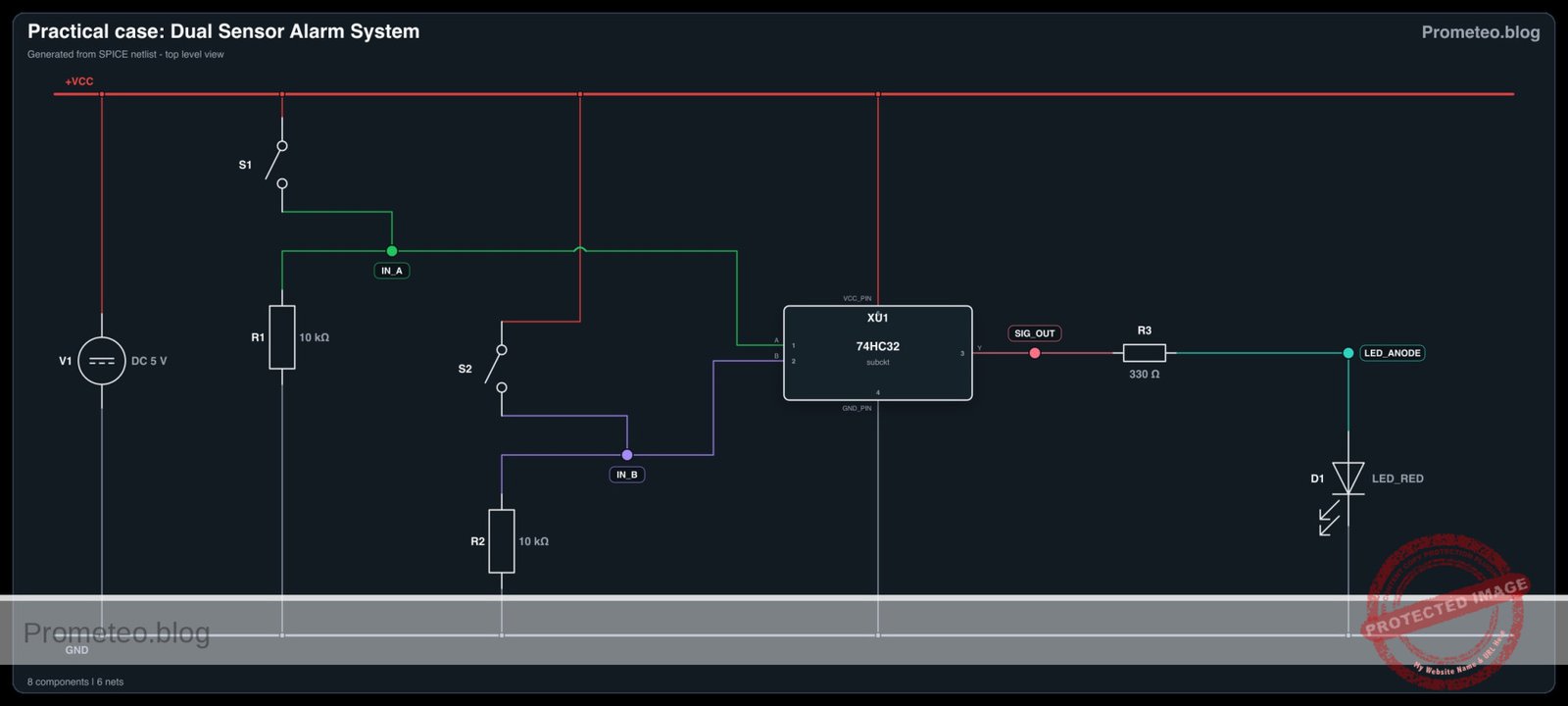
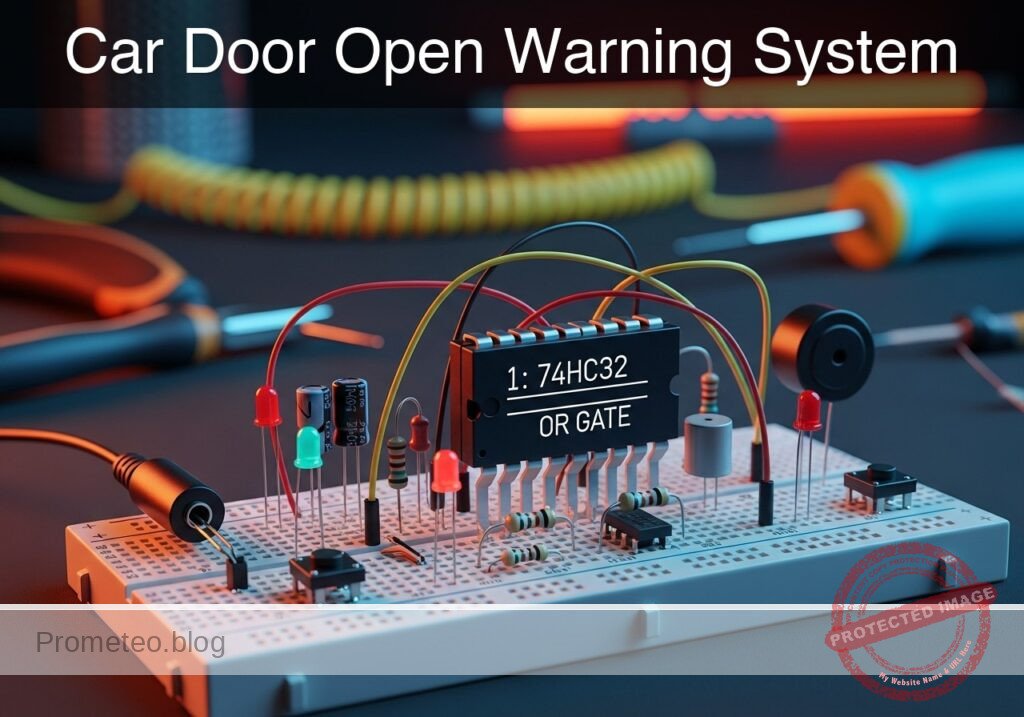
Practical case: Dual Sensor Alarm System

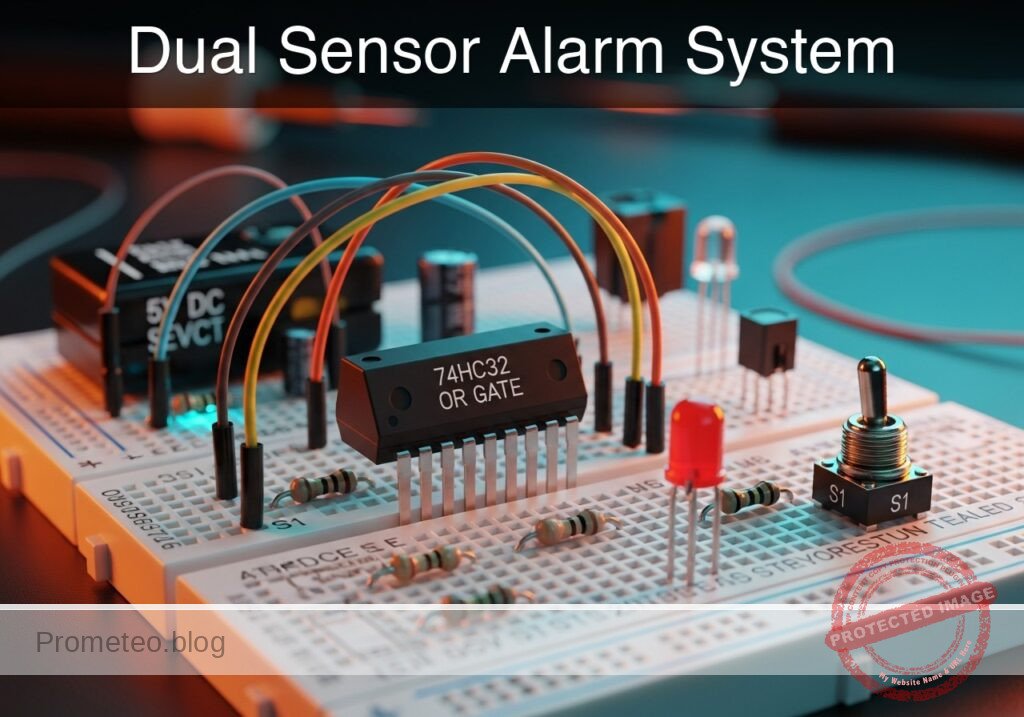
Dual Sensor Alarm System prototype (Maker Style)

Level: Basic — Implement a logic circuit that triggers an alarm if either of two sensors detects an intrusion.

Objective and use case

In this practical case, you will build a digital logic circuit using a 74HC32 (OR gate) integrated circuit. The circuit monitors two switches representing door sensors; if either switch is activated (logic HIGH), the output LED (alarm) turns on.

Why it is useful:
* Home Security: Simulates a system where opening either the front door or the back door triggers the siren.
* Automotive Safety: Functions like the dashboard «door open» light, which illuminates if any passenger door is not fully closed.
* Industrial Controls: Acts as a simplified fault monitor where multiple error signals can trigger a single warning light.

Expected outcome:
* Standby State: When both switches are open (0 V input), the LED remains OFF.
* Active State 1: When Switch A is closed (5 V input), the LED turns ON.
* Active State 2: When Switch B is closed (5 V input), the LED turns ON.
* Dual Active State: When both switches are closed, the LED remains ON.
* Target Audience: Electronics students and hobbyists learning basic digital logic gates.

Materials

  • V1: 5 V DC power supply or battery pack
  • U1: 74HC32 Quad 2-input OR gate IC
  • S1: SPST toggle switch or push-button, function: Front Door Sensor (Input A)
  • S2: SPST toggle switch or push-button, function: Back Door Sensor (Input B)
  • R1: 10 kΩ resistor, function: pull-down for Input A
  • R2: 10 kΩ resistor, function: pull-down for Input B
  • R3: 330 Ω resistor, function: LED current limiting
  • D1: Red LED, function: Alarm indicator
  • Breadboard and hook-up wires

Pin-out of the IC used

Selected Chip: 74HC32 (Quad 2-input OR gate)

Pin Name Logic function Connection in this case
1 1A Input A (Gate 1) Connected to S1 and R1
2 1B Input B (Gate 1) Connected to S2 and R2
3 1Y Output (Gate 1) Connected to R3 (LED driver)
7 GND Ground Connected to 0 (Negative rail)
14 VCC Positive Supply Connected to 5 V rail

Wiring guide

Construct the circuit on the breadboard following these connections. The node names (e.g., IN_A, VCC) indicate electrical junctions.

  • Power Supply:
    • V1: Positive terminal to node VCC.
    • V1: Negative terminal to node 0 (GND).
  • IC Power:
    • U1 (Pin 14): Connect to VCC.
    • U1 (Pin 7): Connect to 0.
  • Sensor A (Front Door):
    • S1: Connect between VCC and node IN_A.
    • R1: Connect between node IN_A and 0 (Functions as a pull-down resistor to ensure logic 0 when switch is open).
    • U1 (Pin 1): Connect to node IN_A.
  • Sensor B (Back Door):
    • S2: Connect between VCC and node IN_B.
    • R2: Connect between node IN_B and 0 (Functions as a pull-down resistor).
    • U1 (Pin 2): Connect to node IN_B.
  • Output Stage:
    • U1 (Pin 3): Connect to node SIG_OUT.
    • R3: Connect between node SIG_OUT and node LED_ANODE.
    • D1: Anode to node LED_ANODE, Cathode to 0.

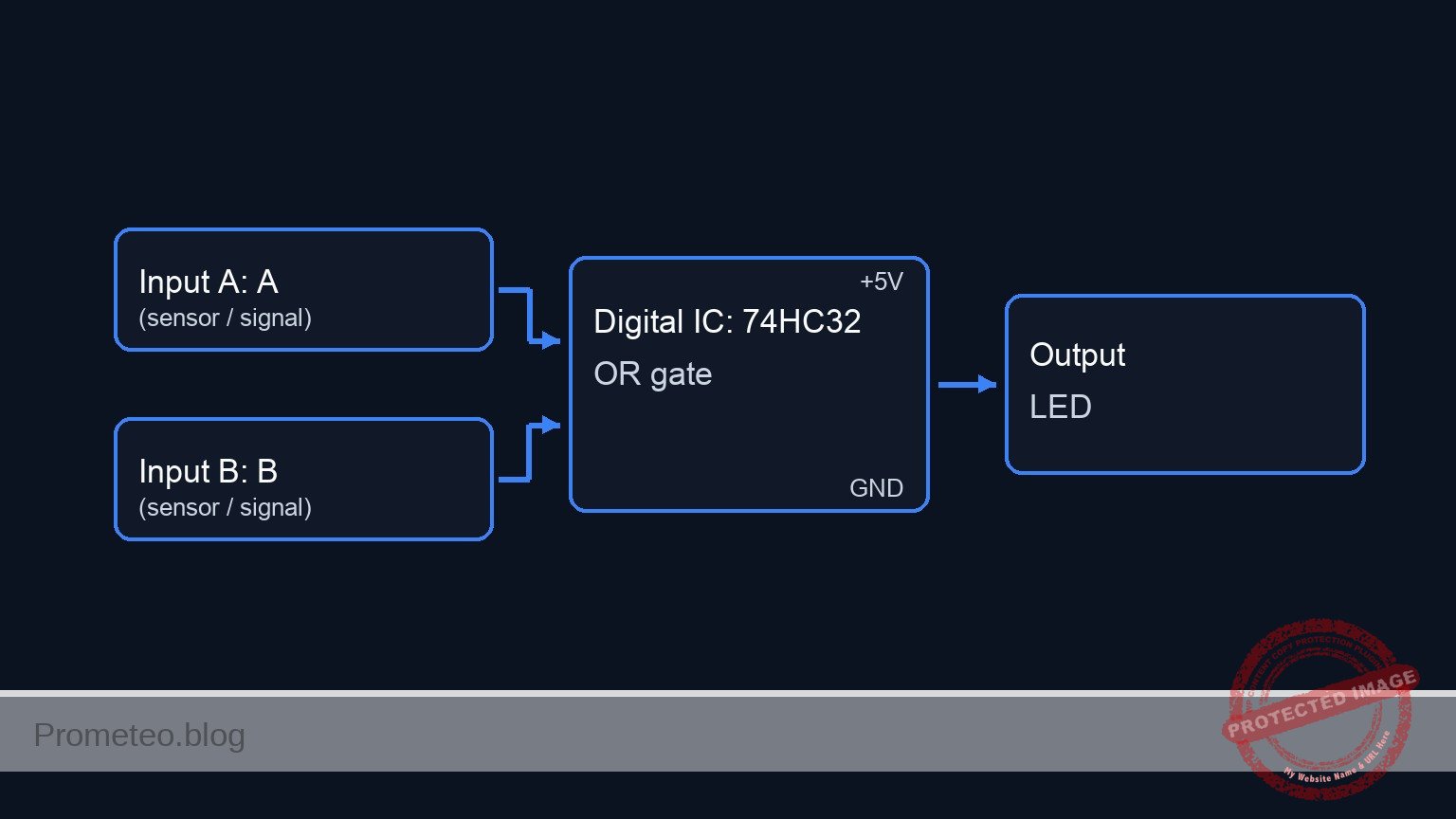
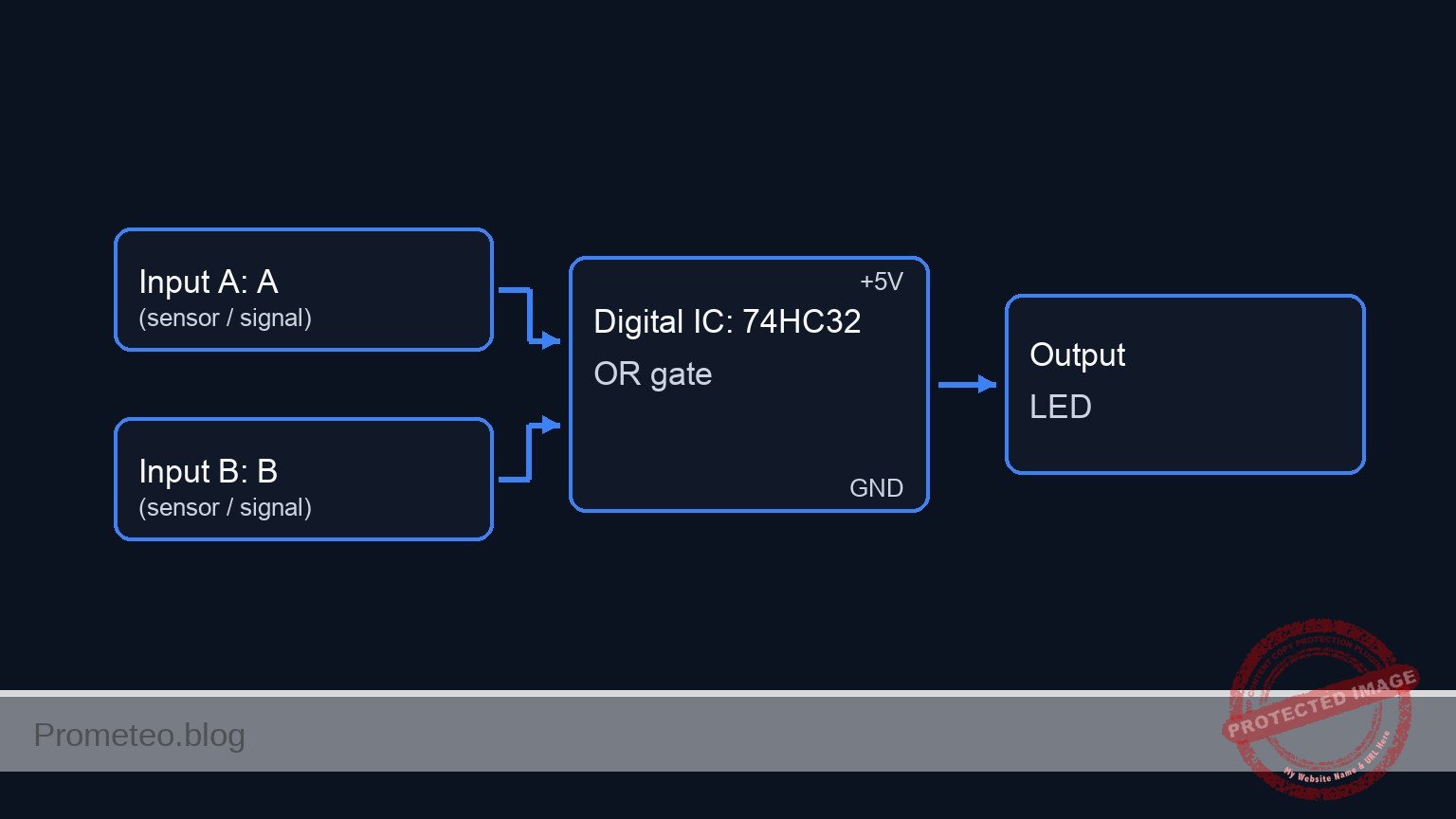
Conceptual block diagram

Conceptual block diagram — 74HC32 OR gate

Schematic

[ INPUT SENSORS ]                        [ LOGIC PROCESSING ]                  [ OUTPUT ALARM ]

[ VCC ] --> [ S1: Front Door ] --+--(IN_A)--> [ Pin 1 ] --+
                                 |                        |
                           [ R1: 10k ]                    |
                                 |                        v
                               [ GND ]             +-------------+
                                                   |  U1: 74HC32 |
                                                   |  (OR Gate)  | --(Pin 3)--> [ R3: 330 ] --> [ D1: LED ] --> GND
                                                   +-------------+
                               [ GND ]                    ^
                                 |                        |
                           [ R2: 10k ]                    |
                                 |                        |
[ VCC ] --> [ S2: Back Door  ] --+--(IN_B)--> [ Pin 2 ] --+
Schematic (ASCII)

Truth table

The 74HC32 behaves according to the standard OR logic:

Sensor A (S1) Sensor B (S2) Pin 1 (Volts) Pin 2 (Volts) Output Pin 3 (Volts) LED State
Open Open 0 V 0 V 0 V (LOW) OFF
Open Closed 0 V 5 V 5 V (HIGH) ON
Closed Open 5 V 0 V 5 V (HIGH) ON
Closed Closed 5 V 5 V 5 V (HIGH) ON

Measurements and tests

  1. Supply Check: Before inserting the IC, power up the rails and measure the voltage between VCC and 0. It should read approximately 5 V.
  2. Input Verification:
    • Keep U1 inserted. Measure voltage at Pin 1 relative to GND. It should be 0 V.
    • Press S1. The voltage at Pin 1 should jump to ~5 V.
    • Repeat for S2 and Pin 2.
  3. Logic Logic Test:
    • Ensure both switches are open. Measure Pin 3 (Output); it should be close to 0 V.
    • Close S1 only. Measure Pin 3; it should be close to 5 V. The LED should light up.
    • Close S2 only. Measure Pin 3; it should be close to 5 V. The LED should light up.

SPICE netlist and simulation

Reference SPICE Netlist (ngspice) — excerptFull SPICE netlist (ngspice)

* Practical case: Dual Sensor Alarm System
* Corrected SPICE Netlist based on BOM and Wiring Guide

* ==============================================================================
* POWER SUPPLY
* ==============================================================================
* V1: 5V DC Supply
* Wiring: Positive to VCC, Negative to 0 (GND)
V1 VCC 0 DC 5

* ==============================================================================
* INPUT SENSORS
* ==============================================================================
* Sensor A: Front Door (S1, R1)
* Wiring: S1 connects VCC to IN_A. R1 connects IN_A to 0 (Pull-down).
* Simulation: S1 is modeled as a voltage-controlled switch driven by a control pulse
* to simulate a button press sequence.
V_CTRL_A CTRL_A 0 PULSE(0 5 10u 1u 1u 100u 200u)
S1 VCC IN_A CTRL_A 0 SW_GEN
R1 IN_A 0 10k

* Sensor B: Back Door (S2, R2)
* Wiring: S2 connects VCC to IN_B. R2 connects IN_B to 0 (Pull-down).
* Simulation: S2 control pulse is offset to test all truth table combinations.
V_CTRL_B CTRL_B 0 PULSE(0 5 10u 1u 1u 200u 400u)
S2 VCC IN_B CTRL_B 0 SW_GEN
R2 IN_B 0 10k

* ==============================================================================
* LOGIC IC: U1 (74HC32)
* ... (truncated in public view) ...

Copy this content into a .cir file and run with ngspice.

🔒 Part of this section is premium. With the 7-day pass or the monthly membership you can access the full content (materials, wiring, detailed build, validation, troubleshooting, variants and checklist) and download the complete print-ready PDF pack.

* Practical case: Dual Sensor Alarm System
* Corrected SPICE Netlist based on BOM and Wiring Guide

* ==============================================================================
* POWER SUPPLY
* ==============================================================================
* V1: 5V DC Supply
* Wiring: Positive to VCC, Negative to 0 (GND)
V1 VCC 0 DC 5

* ==============================================================================
* INPUT SENSORS
* ==============================================================================
* Sensor A: Front Door (S1, R1)
* Wiring: S1 connects VCC to IN_A. R1 connects IN_A to 0 (Pull-down).
* Simulation: S1 is modeled as a voltage-controlled switch driven by a control pulse
* to simulate a button press sequence.
V_CTRL_A CTRL_A 0 PULSE(0 5 10u 1u 1u 100u 200u)
S1 VCC IN_A CTRL_A 0 SW_GEN
R1 IN_A 0 10k

* Sensor B: Back Door (S2, R2)
* Wiring: S2 connects VCC to IN_B. R2 connects IN_B to 0 (Pull-down).
* Simulation: S2 control pulse is offset to test all truth table combinations.
V_CTRL_B CTRL_B 0 PULSE(0 5 10u 1u 1u 200u 400u)
S2 VCC IN_B CTRL_B 0 SW_GEN
R2 IN_B 0 10k

* ==============================================================================
* LOGIC IC: U1 (74HC32)
* ==============================================================================
* Wiring: Pin 1=IN_A, Pin 2=IN_B, Pin 3=SIG_OUT, Pin 7=0, Pin 14=VCC
* Uses a subcircuit to model the OR gate logic
XU1 IN_A IN_B SIG_OUT 0 VCC 74HC32

* ==============================================================================
* OUTPUT STAGE
* ==============================================================================
* Wiring: SIG_OUT -> R3 -> LED_ANODE -> D1 -> 0
R3 SIG_OUT LED_ANODE 330
D1 LED_ANODE 0 LED_RED

* ==============================================================================
* MODELS & SUBCIRCUITS
* ==============================================================================

* Model for Switch (Idealized Push-Button)
.model SW_GEN SW(Vt=2.5 Ron=0.1 Roff=10Meg)

* Model for Red LED
.model LED_RED D(IS=1u N=3 RS=5)

* Subcircuit for 74HC32 (Quad 2-Input OR Gate)
* Implements OR logic: Y = A OR B
* Mathematical implementation using De Morgan's Law for continuous signals:
* Y = 1 - ( (1-A) * (1-B) )  (normalized 0-1 logic)
.subckt 74HC32 A B Y GND_PIN VCC_PIN
    * Sigmoid function to normalize inputs: 1/(1+exp(-20*(V(in)-2.5)))
    * Logic formula: V(Y) = V(VCC) * (1 - ( (1-Sig(A)) * (1-Sig(B)) ))
    B_OR Y GND_PIN V = V(VCC_PIN) * (1 - ( (1 - 1/(1+exp(-20*(V(A)-2.5)))) * (1 - 1/(1+exp(-20*(V(B)-2.5)))) ))
.ends

* ==============================================================================
* ANALYSIS
* ==============================================================================
* Transient analysis to verify truth table (00, 10, 01, 11)
.tran 1u 500u

* Monitor Input and Output Voltages
.print tran V(IN_A) V(IN_B) V(SIG_OUT) V(LED_ANODE)

* Compute DC Operating Point
.op

.end

Simulation Results (Transient Analysis)

Simulation Results (Transient Analysis)
Show raw data table (1202 rows)
Index   time            v(in_a)         v(in_b)         v(sig_out)
0	0.000000e+00	4.995005e-03	4.995005e-03	5.000000e+00
1	1.000000e-08	4.995005e-03	4.995005e-03	5.000000e+00
2	2.000000e-08	4.995005e-03	4.995005e-03	5.000000e+00
3	4.000000e-08	4.995005e-03	4.995005e-03	5.000000e+00
4	8.000000e-08	4.995005e-03	4.995005e-03	5.000000e+00
5	1.600000e-07	4.995005e-03	4.995005e-03	5.000000e+00
6	3.200000e-07	4.995005e-03	4.995005e-03	5.000000e+00
7	6.400000e-07	4.995005e-03	4.995005e-03	5.000000e+00
8	1.280000e-06	4.995005e-03	4.995005e-03	5.000000e+00
9	2.280000e-06	4.995005e-03	4.995005e-03	5.000000e+00
10	3.280000e-06	4.995005e-03	4.995005e-03	5.000000e+00
11	4.280000e-06	4.995005e-03	4.995005e-03	5.000000e+00
12	5.280000e-06	4.995005e-03	4.995005e-03	5.000000e+00
13	6.280000e-06	4.995005e-03	4.995005e-03	5.000000e+00
14	7.280000e-06	4.995005e-03	4.995005e-03	5.000000e+00
15	8.280000e-06	4.995005e-03	4.995005e-03	5.000000e+00
16	9.280000e-06	4.995005e-03	4.995005e-03	5.000000e+00
17	1.000000e-05	4.995005e-03	4.995005e-03	5.000000e+00
18	1.010000e-05	4.995005e-03	4.995005e-03	5.000000e+00
19	1.026000e-05	4.995005e-03	4.995005e-03	5.000000e+00
20	1.030750e-05	4.995005e-03	4.995005e-03	5.000000e+00
21	1.039062e-05	4.995005e-03	4.995005e-03	5.000000e+00
22	1.041363e-05	4.995005e-03	4.995005e-03	5.000000e+00
23	1.045390e-05	4.995005e-03	4.995005e-03	5.000000e+00
... (1178 more rows) ...

Common mistakes and how to avoid them

  1. Floating Inputs: Forgetting R1 or R2 (pull-down resistors).
    • Solution: Logic gates behave unpredictably if inputs are not connected to a definite voltage. Always use pull-down resistors (to ground) or pull-up resistors (to VCC) for mechanical switches.
  2. Missing LED Resistor: Connecting the LED directly to the IC output.
    • Solution: Always include R3 (330 Ω) to limit current. Without it, you may damage the LED or the 74HC32 output stage.
  3. Incorrect IC Orientation: Inserting the 74HC32 backwards.
    • Solution: Locate the notch or dot on the IC package. The notch indicates the end with Pin 1 and Pin 14.

Troubleshooting

  • LED is always ON:
    • Check if R1 or R2 is disconnected (floating inputs often drift HIGH).
    • Verify S1 or S2 are not wired as «normally closed» by mistake.
    • Check for short circuits between VCC and Pin 1/Pin 2.
  • LED never turns ON:
    • Check if the IC is powered (Pin 14 at 5V, Pin 7 at GND).
    • Verify LED polarity (Anode must face the resistor/IC, Cathode to GND).
  • LED is very dim:
    • The value of R3 might be too high (e.g., using 10 kΩ instead of 330 Ω).
    • Power supply voltage might be too low (< 3 V).

Possible improvements and extensions

  1. Latched Alarm: Add a flip-flop or create a latch circuit so the alarm stays ON even after the intruder closes the door (S1/S2 open again), requiring a manual reset.
  2. Audible Alert: Connect an active buzzer in parallel with the LED (driven by a transistor if the current requirement exceeds 20mA) to add sound to the visual alarm.

More Practical Cases on Prometeo.blog

Find this product and/or books on this topic on Amazon

Go to Amazon

As an Amazon Associate, I earn from qualifying purchases. If you buy through this link, you help keep this project running.

Quick Quiz

Question 1: Which integrated circuit is specified in the text to build the logic circuit?


Question 2: What specific logic function does the 74HC32 IC perform in this circuit?


Question 3: According to the expected outcome, what is the state of the LED when both switches are open (0 V input)?


Question 4: What is the function of the 10 kΩ resistors (R1 and R2) typically found in this type of circuit setup?


Question 5: If Switch A is closed (5 V input) and Switch B is open, what happens to the LED?


Question 6: Which of the following is listed as a real-world use case for this circuit?


Question 7: What is the primary purpose of the 330 Ω resistor (R3) connected to the output?


Question 8: What is the expected outcome if both Switch A and Switch B are closed simultaneously?


Question 9: Based on the input levels mentioned (5 V input), what is the appropriate power supply voltage for this circuit?


Question 10: Who is explicitly mentioned as the target audience for this practical case?


Carlos Núñez Zorrilla
Electronics & Computer Engineer

Telecommunications Electronics Engineer and Computer Engineer (official degrees in Spain).
Follow me: