
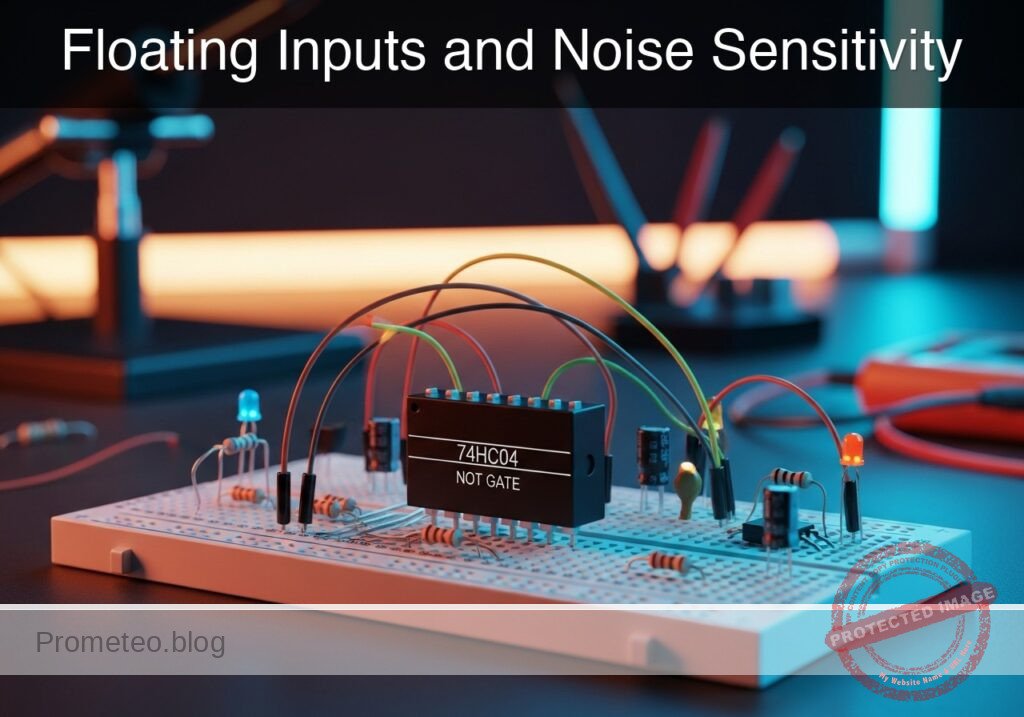
Level: Basic. Demonstrate the instability of high-impedance inputs using a weak pull-down resistor.
Objective and use case
In this practical case, you will build a NOT gate circuit where the input is pulled to ground by an extremely high resistance (10 MΩ) instead of a standard value. This configuration simulates a «floating» or high-impedance (High-Z) wire that is technically connected but susceptible to interference.
- Understanding Input Impedance: Demonstrates why CMOS inputs (like the 74HC series) must never be left unconnected.
- Noise Susceptibility: Shows how weak connections allow environmental electromagnetic noise (EMI) to trigger false logic states.
- Leakage Simulation: Models scenarios where dirt, humidity, or PCB flux creates unintended high-resistance paths.
- Target Audience: Basic electronics students and hobbyists learning digital logic best practices.
Expected Outcome:
* When the switch is pressed, the output behaves normally (LED OFF).
* When the switch is released, the voltage at the input returns to 0 V very slowly or becomes unstable due to the weak discharge path.
* In a real-world assembly, the LED may flicker or glow dimly due to ambient mains hum (50/60 Hz) coupling into the high-impedance node.
Materials
- U1: 74HC04 Hex Inverter IC, function: Logic inversion.
- V1: 5 V DC supply, function: Main power source.
- S1: Momentary pushbutton (Normally Open), function: Input signal trigger.
- R_WEAK: 10 MΩ resistor, function: Parasitic/Weak pull-down (simulates near-floating condition).
- R_LED: 330 Ω resistor, function: Current limiting for output.
- D1: Red LED, function: Logic High indicator.
- C_PARASITIC: 10 pF capacitor, function: Represents trace/breadboard capacitance (optional but recommended for accurate simulation physics).
Pin-out of the IC used
Chip Selected: 74HC04 Hex Inverter
| Pin | Name | Logic Function | Connection in this case |
|---|---|---|---|
| 1 | 1 A | Input | Connected to Switch and 10 MΩ Resistor |
| 2 | 1Y | Output | Connected to LED indicator |
| 7 | GND | Ground | Connected to 0 V (GND) |
| 14 | VCC | Power | Connected to 5 V |
Note: Pins 3, 4, 5, 6, 8, 9, 10, 11, 12, 13 are unused and should theoretically be tied to GND in a final product, but are left open here for simplicity.
Wiring guide
-
Power Supply:
V1connects between nodeVCCand node0(GND).U1pin 14 connects toVCC.U1pin 7 connects to0.
-
Input Stage (High Impedance):
S1connects betweenVCCand nodeIN_WEAK.R_WEAKconnects betweenIN_WEAKand0.C_PARASITICconnects betweenIN_WEAKand0(Simulates stray capacitance).U1pin 1 (Input 1 A) connects toIN_WEAK.
-
Output Stage:
U1pin 2 (Output 1Y) connects to nodeOUT.R_LEDconnects betweenOUTand nodeLED_ANODE.D1connects betweenLED_ANODE(Anode) and0(Cathode).
Conceptual block diagram

Schematic
Title: Practical case: Floating Inputs and Noise Sensitivity

      INPUT STAGE (High Impedance)                        PROCESSING UNIT                        OUTPUT STAGE
   (Converging signals at Input Node)                    (Logic Inversion)                      (Visual Load)

[ VCC ] --> [ S1: Pushbutton ] --(Strong High)------\
                                                     \
                                                      \
[ GND ] --> [ R_WEAK: 10M ] ---(Weak Pull-Down)-------+--> [ U1: 74HC04 ] --(Low/High)--> [ R_LED: 330 ] --> [ D1: LED ] --> GND
                                                      /      (Pin 1 -> 2)
                                                     /
[ GND ] --> [ C_PARASITIC ] ---(Noise/Delay)--------/
Truth table
| Input (1 A) | Voltage at IN_WEAK | Output (1Y) | LED State |
|---|---|---|---|
| High (Switch Closed) | 5 V | Low | OFF |
| Low (Switch Open) | ~0 V (Unstable/Slow) | High (Unstable) | ON (May flicker) |
Note: With a standard 10 kΩ pull-down, the «Low» state is solid 0 V. With 10 MΩ, the pin is easily influenced by external electric fields.
Measurements and tests
- Baseline Check: Connect the power supply. With the switch
S1open (released), measure voltage at nodeIN_WEAK.- Expectation: It should eventually settle near 0 V, but if you touch the wire insulation with your finger, the voltage might fluctuate.
- Active State: Press
S1.- Expectation:
IN_WEAKjumps to 5 V immediately. The LEDD1turns OFF.
- Expectation:
- Release and Decay: Release
S1and observeD1.- Expectation: Unlike a standard circuit, the transition might not be instant. In a simulation with parasitic capacitance, the voltage at
IN_WEAKwill decay slowly (t = R × C). With 10 MΩ, even small capacitance creates a noticeable delay or «soft» transition.
- Expectation: Unlike a standard circuit, the transition might not be instant. In a simulation with parasitic capacitance, the voltage at
SPICE netlist and simulation
Reference SPICE Netlist (ngspice) — excerptFull SPICE netlist (ngspice)
* Practical case: Floating Inputs and Noise Sensitivity
.width out=256

* --- Power Supply ---
* V1 connects between node VCC and node 0 (GND)
V1 VCC 0 DC 5

* --- Control Signal for Pushbutton ---
* Simulates the user pressing the button.
* Logic High closes the switch, Logic Low opens it.
* Pulse: Delay 50us, Width 100us, Period 1ms (Single press simulation)
V_SW_CTRL SW_CTRL 0 PULSE(0 5 50u 1u 1u 100u 1m)

* --- Input Stage (High Impedance) ---
* S1: Momentary pushbutton connecting VCC to IN_WEAK.
* Modeled as a voltage-controlled switch (ideal switch) driven by V_SW_CTRL.
S1 VCC IN_WEAK SW_CTRL 0 SW_IDEAL

* R_WEAK: 10 M resistor (Parasitic/Weak pull-down).
* Connects between IN_WEAK and 0.
* ... (truncated in public view) ...
Copy this content into a .cir file and run with ngspice.
* Practical case: Floating Inputs and Noise Sensitivity
.width out=256

* --- Power Supply ---
* V1 connects between node VCC and node 0 (GND)
V1 VCC 0 DC 5

* --- Control Signal for Pushbutton ---
* Simulates the user pressing the button.
* Logic High closes the switch, Logic Low opens it.
* Pulse: Delay 50us, Width 100us, Period 1ms (Single press simulation)
V_SW_CTRL SW_CTRL 0 PULSE(0 5 50u 1u 1u 100u 1m)

* --- Input Stage (High Impedance) ---
* S1: Momentary pushbutton connecting VCC to IN_WEAK.
* Modeled as a voltage-controlled switch (ideal switch) driven by V_SW_CTRL.
S1 VCC IN_WEAK SW_CTRL 0 SW_IDEAL

* R_WEAK: 10 M resistor (Parasitic/Weak pull-down).
* Connects between IN_WEAK and 0.
R_WEAK IN_WEAK 0 10Meg

* C_PARASITIC: 10 pF capacitor (Trace/Breadboard capacitance).
* Connects between IN_WEAK and 0.
C_PARASITIC IN_WEAK 0 10p

* --- Logic Stage (U1: 74HC04 Hex Inverter) ---
* U1 Pin 1 (Input 1A) connects to IN_WEAK
* U1 Pin 2 (Output 1Y) connects to OUT
* U1 Pin 7 connects to 0 (GND)
* U1 Pin 14 connects to VCC
* Implemented as a behavioral subcircuit to ensure robust convergence.
XU1 IN_WEAK OUT 0 VCC 74HC04_GATE

* --- Output Stage ---
* R_LED connects between OUT and LED_ANODE
R_LED OUT LED_ANODE 330

* D1: Red LED connects between LED_ANODE (Anode) and 0 (Cathode)
D1 LED_ANODE 0 D_RED

* --- Component Models ---

* Switch Model:
* Roff=1G ensures the switch is effectively open circuit compared to R_WEAK (10M).
* Ron=1 ensures good connection to VCC when closed.
.model SW_IDEAL SW(Vt=2.5 Ron=1 Roff=1G)

* LED Model (Generic Red LED):
.model D_RED D(IS=1e-14 N=2 RS=10 BV=5 IBV=10u CJO=10p)

* 74HC04 Inverter Subcircuit:
* Uses a continuous sigmoid function for logic inversion.
* Vout = VCC / (1 + exp(k * (Vin - Vthreshold)))
.subckt 74HC04_GATE A Y GND VCC
B1 Y GND V={V(VCC) / (1 + exp(40 * (V(A) - V(VCC)/2)))}
.ends

* --- Simulation Directives ---
.op
* Transient analysis: 1us step, 500us stop time to capture discharge curve
.tran 1u 500u

* --- Output Print Directives ---
* Required for batch execution data logging
* Order: Inputs, Outputs, then others
.print tran V(IN_WEAK) V(OUT) V(SW_CTRL) V(LED_ANODE)

.end
Simulation Results (Transient Analysis)

Show raw data table (554 rows)
Index   time            v(in_weak)      v(out)          v(sw_ctrl)      v(led_anode)
0	0.000000e+00	4.950495e-02	5.000000e+00	0.000000e+00	1.536792e+00
1	1.000000e-08	4.950495e-02	5.000000e+00	0.000000e+00	1.536791e+00
2	2.000000e-08	4.950495e-02	5.000000e+00	0.000000e+00	1.536791e+00
3	4.000000e-08	4.950495e-02	5.000000e+00	0.000000e+00	1.536791e+00
4	8.000000e-08	4.950495e-02	5.000000e+00	0.000000e+00	1.536791e+00
5	1.600000e-07	4.950495e-02	5.000000e+00	0.000000e+00	1.536791e+00
6	3.200000e-07	4.950495e-02	5.000000e+00	0.000000e+00	1.536791e+00
7	6.400000e-07	4.950495e-02	5.000000e+00	0.000000e+00	1.536791e+00
8	1.280000e-06	4.950495e-02	5.000000e+00	0.000000e+00	1.536791e+00
9	2.280000e-06	4.950495e-02	5.000000e+00	0.000000e+00	1.536791e+00
10	3.280000e-06	4.950495e-02	5.000000e+00	0.000000e+00	1.536791e+00
11	4.280000e-06	4.950495e-02	5.000000e+00	0.000000e+00	1.536791e+00
12	5.280000e-06	4.950495e-02	5.000000e+00	0.000000e+00	1.536791e+00
13	6.280000e-06	4.950495e-02	5.000000e+00	0.000000e+00	1.536791e+00
14	7.280000e-06	4.950495e-02	5.000000e+00	0.000000e+00	1.536791e+00
15	8.280000e-06	4.950495e-02	5.000000e+00	0.000000e+00	1.536791e+00
16	9.280000e-06	4.950495e-02	5.000000e+00	0.000000e+00	1.536791e+00
17	1.028000e-05	4.950495e-02	5.000000e+00	0.000000e+00	1.536791e+00
18	1.128000e-05	4.950495e-02	5.000000e+00	0.000000e+00	1.536791e+00
19	1.228000e-05	4.950495e-02	5.000000e+00	0.000000e+00	1.536791e+00
20	1.328000e-05	4.950495e-02	5.000000e+00	0.000000e+00	1.536791e+00
21	1.428000e-05	4.950495e-02	5.000000e+00	0.000000e+00	1.536791e+00
22	1.528000e-05	4.950495e-02	5.000000e+00	0.000000e+00	1.536791e+00
23	1.628000e-05	4.950495e-02	5.000000e+00	0.000000e+00	1.536791e+00
... (530 more rows) ...
Common mistakes and how to avoid them
- Using a standard resistor: Do not use 10 kΩ or 100 kΩ. You must use 10 MΩ (Megohms) to successfully simulate the «near-floating» fragility.
- Ignoring breadboard capacitance: On a real breadboard, the rows have stray capacitance. This combined with 10 MΩ creates a low-pass filter, making the button feel «sluggish.»
- Touching the metal pins: If you touch the input pin of the 74HC04 with your finger while using a 10 MΩ pull-down, your body acts as an antenna, injecting 50/60 Hz noise, causing the LED to flicker visibly.
Troubleshooting
- LED is permanently OFF: The 10 MΩ resistor might be open-circuit, or the input is picking up static charge keeping it Logic HIGH. Ensure the resistor is actually connected to Ground.
- LED flickers constantly: This is actually a successful demonstration! The high impedance input is picking up ambient noise.
- Simulation error «Node is floating»: Ensure
R_WEAKis strictly connected to node0. Even though it is high resistance, it provides the DC path to ground required by SPICE solvers.
Possible improvements and extensions
- Compare Pull-downs: Add a second switch with a standard 10 kΩ pull-down to compare the signal integrity and discharge speed against the 10 MΩ version.
- Touch Sensor: Replace
S1with a bare copper wire. Touch it to inject noise and turn the LED on/off, effectively creating a crude touch sensor using the high input impedance.
More Practical Cases on Prometeo.blog
Find this product and/or books on this topic on Amazon
As an Amazon Associate, I earn from qualifying purchases. If you buy through this link, you help keep this project running.
Quick Quiz

Telecommunications Electronics Engineer and Computer Engineer (official degrees in Spain).

