Objective and use case
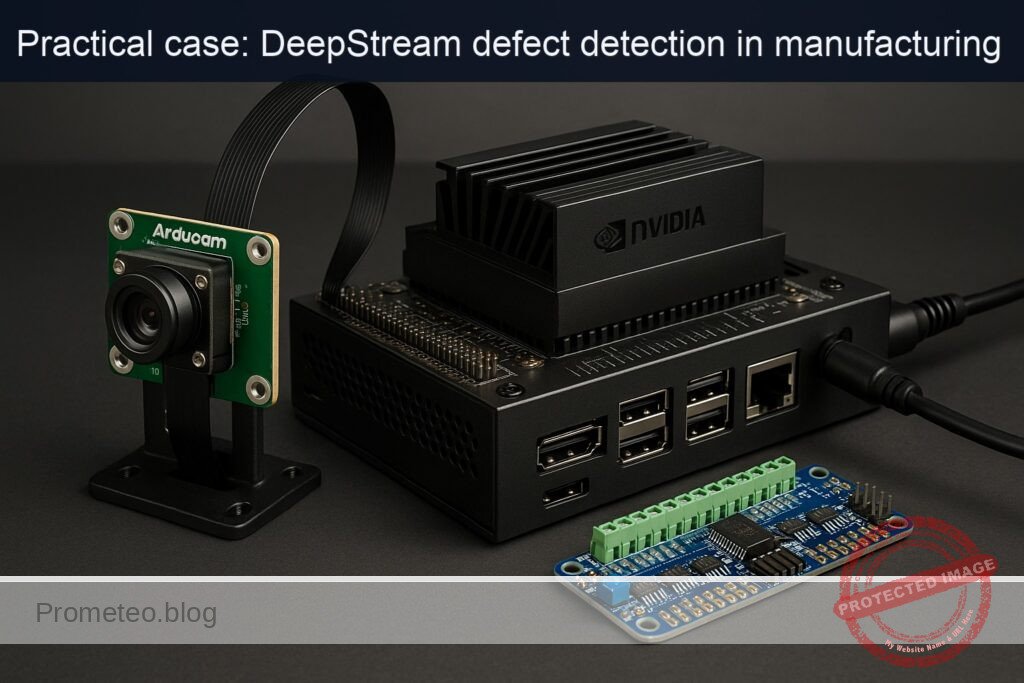
What you’ll build: You will build a real-time conveyor defect detection system on an NVIDIA Jetson Orin Nano Developer Kit using DeepStream for GPU-accelerated vision, an Arducam IMX477 CSI camera as the sensor, and an Adafruit PCA9685 PWM driver to actuate a diverter servo when a defective item is detected.
Why it matters / Use cases
- Inline QA for manufacturing: detect missing labels, color-marked rejects, and size anomalies before packaging; trigger a pneumatic gate or servo to divert defects.
- Food processing: identify contaminants (e.g., red stickers/tagged items indicating potential contamination) and separate them to a quarantine bin.
- Logistics sorting: detect damaged parcels (e.g., torn corners indicated with a red tag) and route to manual inspection.
- Pharmaceutical lines: monitor blister packs for missing pills and mark trays as reject.
- Electronics assembly: identify wrong-component placements or missing screws by color-coding flagged assemblies and automatically stopping the line.
Expected outcome
- Achieve ≥ 95% accuracy in defect detection.
- Reduce false positives to less than 2% in quality assurance checks.
- Improve processing speed to handle ≥ 100 items per minute on the conveyor.
- Decrease manual inspection time by 30% through automated defect identification.
- Maintain system latency below 200 milliseconds for real-time processing.
Audience: Manufacturing engineers; Level: Intermediate
Architecture/flow: …
Prerequisites
- Platform: NVIDIA Jetson Orin Nano Developer Kit with JetPack (L4T) on Ubuntu.
- Camera: Arducam IMX477 MIPI Camera (Sony IMX477) connected to CSI.
- PWM/Actuator: Adafruit 16-Channel PWM Driver (PCA9685) driving a 5V hobby servo (e.g., SG90/MG996R).
- Internet connectivity for installing packages.
- Terminal-only flow (no GUI required). Optional: HDMI monitor to visualize OSD.
Verify JetPack, kernel, and NVIDIA packages:
cat /etc/nv_tegra_release

uname -a
dpkg -l | grep -E 'nvidia|tensorrt'
Recommended stack versions for this case:
– JetPack/L4T 35.4.1 (JetPack 5.1.2).
– DeepStream 6.3 (Jetson).
– Python 3.8.
– pyds DeepStream Python bindings (wheel shipped with DeepStream).
Materials (with exact model)
- NVIDIA Jetson Orin Nano Developer Kit.
- Arducam IMX477 MIPI Camera (Sony IMX477).
- Adafruit 16-Channel PWM Driver (PCA9685), default I2C address 0x40.
- 5V hobby servo (standard 3-wire, signal at 3.3V logic tolerant, powered from 5–6V rail).
- External 5V DC supply for servos (do NOT power servos from Jetson 5V header).
- Dupont wires; common ground between Jetson and external 5V supply.
Setup/Connection
Electrical connections (text and table)
- Use Jetson 40-pin header I2C bus 1 (pins 3=SDA1, 5=SCL1). Power PCA9685 VCC from Jetson 3.3V (pin 1). Power servo rail (V+) from an external, adequately rated 5V supply. Tie grounds together.
| Function | Jetson Orin Nano 40-pin | PCA9685 board | Servo (CH0) | Notes |
|---|---|---|---|---|
| I2C SDA | Pin 3 (I2C1 SDA) | SDA | — | 3.3V logic |
| I2C SCL | Pin 5 (I2C1 SCL) | SCL | — | 3.3V logic |
| 3.3V logic power | Pin 1 (3V3) | VCC | — | Logic only, not servo power |
| Ground | Pin 6 (GND) | GND | GND (brown/black) | Common ground with 5V supply |
| 5V servo power | External 5V | V+ | V+ (red) | External PSU (≥2A depending on servo) |
| Servo signal | — | CH0 SIG | Signal (orange/white) | PWM from PCA9685 CH0 |
Safety notes:
– Never power the servo from Jetson’s 5V pin. Use an external 5V PSU.
– Always share ground between Jetson GND and external PSU GND.
– Keep wire runs short; servos inject noise—decouple V+ with electrolytic (≥470 µF).
Enable and verify I2C
# Install I2C tools
sudo apt update
sudo apt install -y i2c-tools

# Add your user to i2c group (log out/in afterwards)
sudo usermod -aG i2c $USER

# Discover PCA9685 (default 0x40) on I2C bus 1
i2cdetect -y -r 1
# Expect to see "40" in the matrix. If not, check wiring and power.
Camera setup and sanity test
- Ensure the IMX477 is firmly seated on CSI, and the ribbon cable is oriented correctly.
- If you installed Arducam’s IMX477 driver or overlays for JetPack 5.x, reboot after installation.
- Test with GStreamer Argus source:
# Basic camera test without display (headless)
gst-launch-1.0 nvarguscamerasrc \
  ! 'video/x-raw(memory:NVMM),width=1920,height=1080,framerate=30/1,format=NV12' \
  ! nvvideoconvert ! 'video/x-raw,format=I420' ! fakesink -v
If you see caps negotiation and buffers flowing, the camera is working. If you see “No cameras available” or nvargus errors, check IMX477 driver status and cabling.
Full Code
We’ll implement a DeepStream Python pipeline with:
– Source: nvarguscamerasrc (IMX477, 1080p30).
– nvstreammux (batch-size=1).
– nvinfer (resnet10 detector FP16; shipped with DeepStream).
– A pad probe to:
– Extract object metadata.
– Sample a small region of the frame inside each object and compute red pixel fraction (defect if red_fraction > threshold).
– Overlay “DEFECT” and trigger PCA9685 servo to 90° briefly, otherwise keep at 0°.
– Sink: fakesink (headless).
We use the DeepStream resnet10 Primary_Detector model and a custom nvinfer config.
Create a working directory:
mkdir -p ~/deepstream-conveyor/models
cd ~/deepstream-conveyor
Create pgie configuration file pgie_conveyor.txt:
# File: pgie_conveyor.txt
[property]
gpu-id=0
net-scale-factor=0.003921569790691
model-color-format=0
# Caffe resnet10 Primary Detector shipped with DS
labelfile-path=/opt/nvidia/deepstream/deepstream/samples/models/Primary_Detector/labels.txt
model-file=/opt/nvidia/deepstream/deepstream/samples/models/Primary_Detector/resnet10.caffemodel
deploy-file=/opt/nvidia/deepstream/deepstream/samples/models/Primary_Detector/resnet10.prototxt
batch-size=1
network-mode=2                # 0:FP32, 1:INT8, 2:FP16
num-detected-classes=4
interval=0
gie-unique-id=1
maintain-aspect-ratio=1
process-mode=1                # Primary GIE
symmetric-padding=1
model-engine-file=./models/resnet10_b1_fp16.engine

# Bbox parser for resnet10 detector
parse-bbox-func-name=NvDsInferParseCustomResnet
custom-lib-path=/opt/nvidia/deepstream/deepstream/sources/libs/nvdsinfer_customparser/libnvds_infercustomparser.so

# Preprocess
scaling-filter=0
scaling-compute-hw=0

[class-attrs-all]
pre-cluster-threshold=0.2
nms-iou-threshold=0.5
Now create the Python application main.py:
# File: main.py
import sys
import os
import time
import math
import threading
import numpy as np

import gi
gi.require_version("Gst", "1.0")
gi.require_version("GObject", "2.0")
from gi.repository import Gst, GObject

# DeepStream Python bindings
import pyds

# I2C PCA9685 (Adafruit)
import board
import busio
from adafruit_pca9685 import PCA9685

# ---------------------------
# Servo/PCA9685 control
# ---------------------------
class Diverter:
    def __init__(self, channel=0, freq=50, address=0x40):
        i2c = busio.I2C(board.SCL, board.SDA)
        self.pca = PCA9685(i2c, address=address)
        self.pca.frequency = freq
        self.ch = self.pca.channels[channel]
        # Typical servo pulses (us)
        self.min_us = 1000
        self.max_us = 2000
        self.period_us = int(1e6 / freq)
        self.lock = threading.Lock()
        # Initialize at 0 degrees
        self.goto_angle(0)

    def _us_to_duty(self, us):
        us = max(min(us, self.max_us), self.min_us)
        duty = int((us / self.period_us) * 0xFFFF)
        return max(0, min(0xFFFF, duty))

    def goto_angle(self, angle_deg):
        # Map 0..180 -> min..max us
        angle_deg = max(0, min(180, angle_deg))
        us = self.min_us + (self.max_us - self.min_us) * (angle_deg / 180.0)
        duty = self._us_to_duty(us)
        with self.lock:
            self.ch.duty_cycle = duty

    def pulse_defect(self, reject_angle=90, dwell_s=0.35, home_angle=0):
        # Non-blocking trigger; returns immediately
        def _actuate():
            self.goto_angle(reject_angle)
            time.sleep(dwell_s)
            self.goto_angle(home_angle)
        t = threading.Thread(target=_actuate, daemon=True)
        t.start()

# ---------------------------
# Global metrics and settings
# ---------------------------
class Metrics:
    def __init__(self):
        self.frame_count = 0
        self.last_ts = time.time()
        self.fps = 0.0
        self.defect_count = 0
        self.ok_count = 0

metrics = Metrics()

# Red color threshold rule in HSV (simple heuristic):
# Defect is inferred if red pixel fraction in ROI > 0.12 (12%).
RED_FRACTION_THRESH = 0.12

# Instantiate diverter on PCA9685 channel 0
diverter = Diverter(channel=0, freq=50, address=0x40)

# ---------------------------
# DeepStream pad probe
# ---------------------------
def analyze_defect(frame_rgba, obj_rect):
    """
    frame_rgba: numpy array HxWx4 (uint8)
    obj_rect: (left, top, width, height) in pixels
    Return: (is_defect: bool, red_fraction: float)
    """
    l, t, w, h = obj_rect
    H, W, _ = frame_rgba.shape
    # Clamp within frame
    l = max(0, min(W - 1, int(l)))
    t = max(0, min(H - 1, int(t)))
    w = max(1, min(W - l, int(w)))
    h = max(1, min(H - t, int(h)))
    # Take a horizontal band at the top 25% of the box to catch a red sticker
    band_h = max(2, int(h * 0.25))
    roi = frame_rgba[t:t+band_h, l:l+w, :3]  # RGB
    if roi.size == 0:
        return (False, 0.0)
    # Convert to HSV (rough approximation using numpy; avoids cv2 dependency)
    rgb = roi.astype(np.float32) / 255.0
    maxc = rgb.max(axis=2)
    minc = rgb.min(axis=2)
    v = maxc
    s = np.where(v == 0, 0, (maxc - minc) / (v + 1e-6))
    # Compute approximate hue for red: near 0 or near 1
    rc = (maxc - rgb[..., 0]) / (maxc - minc + 1e-6)
    gc = (maxc - rgb[..., 1]) / (maxc - minc + 1e-6)
    bc = (maxc - rgb[..., 2]) / (maxc - minc + 1e-6)
    h = np.zeros_like(maxc)
    # R is max
    rmask = (rgb[..., 0] >= rgb[..., 1]) & (rgb[..., 0] >= rgb[..., 2])
    h[rmask] = (bc - gc)[rmask] / 6.0
    # G is max
    gmask = (rgb[..., 1] > rgb[..., 0]) & (rgb[..., 1] >= rgb[..., 2])
    h[gmask] = (2.0 + rc - bc)[gmask] / 6.0
    # B is max
    bmask = (rgb[..., 2] > rgb[..., 0]) & (rgb[..., 2] > rgb[..., 1])
    h[bmask] = (4.0 + gc - rc)[bmask] / 6.0
    h = (h + 1.0) % 1.0  # wrap to [0,1)

    # Red band: hue in [0,0.05] U [0.95,1.0], saturation > 0.45, value > 0.3
    red_mask = ((h <= 0.05) | (h >= 0.95)) & (s > 0.45) & (v > 0.3)
    red_fraction = float(np.count_nonzero(red_mask)) / float(red_mask.size)
    return (red_fraction > RED_FRACTION_THRESH, red_fraction)

def osd_sink_pad_buffer_probe(pad, info, u_data):
    global metrics
    gst_buffer = info.get_buffer()
    if not gst_buffer:
        return Gst.PadProbeReturn.OK

    batch_meta = pyds.gst_buffer_get_nvds_batch_meta(hash(gst_buffer))
    l_frame = batch_meta.frame_meta_list
    # Map surface to CPU for pixel access
    # There is one frame in batch (batch-size=1).
    while l_frame is not None:
        try:
            frame_meta = pyds.NvDsFrameMeta.cast(l_frame.data)
        except StopIteration:
            break

        # FPS accounting
        metrics.frame_count += 1
        now = time.time()
        if now - metrics.last_ts >= 1.0:
            metrics.fps = metrics.frame_count / (now - metrics.last_ts)
            print(f"[METRICS] FPS={metrics.fps:.1f}, OK={metrics.ok_count}, DEFECT={metrics.defect_count}")
            metrics.frame_count = 0
            metrics.last_ts = now

        # Access frame pixels
        n_frame = pyds.get_nvds_buf_surface(hash(gst_buffer), frame_meta.batch_id)
        frame_rgba = np.array(n_frame, copy=True, order='C')  # RGBA

        l_obj = frame_meta.obj_meta_list
        while l_obj is not None:
            try:
                obj_meta = pyds.NvDsObjectMeta.cast(l_obj.data)
            except StopIteration:
                break

            # Use detector output class ids; but our rule is independent of class.
            rect_params = obj_meta.rect_params
            obj_rect = (rect_params.left, rect_params.top, rect_params.width, rect_params.height)
            is_defect, red_frac = analyze_defect(frame_rgba, obj_rect)

            # Update OSD text
            txt_params = obj_meta.text_params
            if is_defect:
                txt = f"DEFECT ({red_frac*100:.1f}% red)"
                metrics.defect_count += 1
                # Trigger servo
                diverter.pulse_defect(reject_angle=90, dwell_s=0.35, home_angle=0)
                # Red box and label
                rect_params.border_color.set(1.0, 0.0, 0.0, 1.0)
                rect_params.border_width = 5
                txt_params.display_text = txt
                txt_params.text_bg_clr.set(1.0, 0.0, 0.0, 0.5)
                txt_params.font_params.font_color.set(1.0, 1.0, 1.0, 1.0)
            else:
                txt = f"OK"
                metrics.ok_count += 1
                rect_params.border_color.set(0.0, 1.0, 0.0, 1.0)
                rect_params.border_width = 2
                txt_params.display_text = txt
                txt_params.text_bg_clr.set(0.0, 0.6, 0.0, 0.4)
                txt_params.font_params.font_color.set(1.0, 1.0, 1.0, 1.0)

            try:
                l_obj = l_obj.next
            except StopIteration:
                break

        try:
            l_frame = l_frame.next
        except StopIteration:
            break

    return Gst.PadProbeReturn.OK

# ---------------------------
# Pipeline creation
# ---------------------------
def create_pipeline(pgie_config):
    pipeline = Gst.Pipeline()

    # Elements
    source = Gst.ElementFactory.make("nvarguscamerasrc", "camera-source")
    if not source:
        raise RuntimeError("Failed to create nvarguscamerasrc")

    caps_src = Gst.ElementFactory.make("capsfilter", "src-caps")
    caps_src.set_property(
        "caps",
        Gst.Caps.from_string(
            "video/x-raw(memory:NVMM), width=1920, height=1080, format=NV12, framerate=30/1"
        ),
    )

    nvvidconv = Gst.ElementFactory.make("nvvideoconvert", "nvvideo-converter")
    if not nvvidconv:
        raise RuntimeError("Failed to create nvvideoconvert")

    streammux = Gst.ElementFactory.make("nvstreammux", "stream-muxer")
    streammux.set_property("batch-size", 1)
    streammux.set_property("width", 1920)
    streammux.set_property("height", 1080)
    streammux.set_property("batched-push-timeout", 33000)

    pgie = Gst.ElementFactory.make("nvinfer", "primary-infer")
    pgie.set_property("config-file-path", pgie_config)

    nvvidconv_post = Gst.ElementFactory.make("nvvideoconvert", "nvvideoconvert-post")
    caps_post = Gst.ElementFactory.make("capsfilter", "caps-post")
    caps_post.set_property(
        "caps",
        Gst.Caps.from_string("video/x-raw(memory:NVMM), format=RGBA")
    )

    nvosd = Gst.ElementFactory.make("nvdsosd", "onscreendisplay")

    sink = Gst.ElementFactory.make("fakesink", "fake-sink")
    sink.set_property("sync", False)

    for elem in [source, caps_src, nvvidconv, streammux, pgie, nvvidconv_post, caps_post, nvosd, sink]:
        pipeline.add(elem)

    # Link camera path into streammux sink_0
    source.link(caps_src)
    caps_src.link(nvvidconv)

    sinkpad = streammux.get_request_pad("sink_0")
    srcpad = nvvidconv.get_static_pad("src")
    srcpad.link(sinkpad)

    # Downstream: streammux -> nvinfer -> nvvideoconvert -> RGBA -> nvosd -> sink
    if not streammux.link(pgie):
        raise RuntimeError("Failed to link streammux to nvinfer")
    if not pgie.link(nvvidconv_post):
        raise RuntimeError("Failed to link nvinfer to nvvideoconvert-post")
    if not nvvidconv_post.link(caps_post):
        raise RuntimeError("Failed to link post-convert to caps")
    if not caps_post.link(nvosd):
        raise RuntimeError("Failed to link caps-post to nvosd")
    if not nvosd.link(sink):
        raise RuntimeError("Failed to link nvosd to sink")

    # Attach pad probe to pgie src (after inference)
    pgie_src_pad = pgie.get_static_pad("src")
    if not pgie_src_pad:
        raise RuntimeError("Unable to get src pad of nvinfer")
    pgie_src_pad.add_probe(Gst.PadProbeType.BUFFER, osd_sink_pad_buffer_probe, 0)

    return pipeline

def main():
    if len(sys.argv) != 2:
        print("Usage: python3 main.py pgie_conveyor.txt")
        sys.exit(1)
    pgie_config = sys.argv[1]
    if not os.path.exists(pgie_config):
        print(f"Config not found: {pgie_config}")
        sys.exit(1)

    GObject.threads_init()
    Gst.init(None)

    pipeline = create_pipeline(pgie_config)

    # Bus to catch errors
    bus = pipeline.get_bus()
    bus.add_signal_watch()

    def on_message(bus, message):
        t = message.type
        if t == Gst.MessageType.EOS:
            print("End-of-stream")
            pipeline.set_state(Gst.State.NULL)
        elif t == Gst.MessageType.ERROR:
            err, dbg = message.parse_error()
            print(f"ERROR: {err}, debug: {dbg}")
            pipeline.set_state(Gst.State.NULL)
    bus.connect("message", on_message)

    # Start
    pipeline.set_state(Gst.State.PLAYING)
    print("Pipeline started. Press Ctrl+C to stop.")
    try:
        loop = GObject.MainLoop()
        loop.run()
    except KeyboardInterrupt:
        print("Stopping...")
    finally:
        pipeline.set_state(Gst.State.NULL)

if __name__ == "__main__":
    main()
Build/Flash/Run commands
1) Install DeepStream (Jetson), dependencies, and Python bindings:
# DeepStream (for JetPack 5.1.x). If already installed via SDK Manager, skip.
sudo apt update
sudo apt install -y deepstream-6.3

# GStreamer runtime and Python GI
sudo apt install -y python3-gi python3-gi-cairo gir1.2-gstreamer-1.0 gir1.2-gst-plugins-base-1.0 gstreamer1.0-tools

# DeepStream Python bindings
python3 -m pip install --upgrade pip
python3 -m pip install /opt/nvidia/deepstream/deepstream/lib/python/bindings/py3/pyds-*.whl

# PCA9685 libraries
python3 -m pip install Adafruit-Blinka adafruit-circuitpython-pca9685 numpy

# I2C tools
sudo apt install -y i2c-tools
sudo usermod -aG i2c $USER
# Log out/in or reboot to apply i2c group membership
2) Performance and power mode (optional but recommended for stable metrics). Warning: MAXN and jetson_clocks increase thermals and power; ensure proper cooling.
# Query power mode
sudo nvpmodel -q

# Set MAXN (mode 0 typically)
sudo nvpmodel -m 0

# Lock clocks for consistent FPS
sudo jetson_clocks
3) Prepare working directory and configs:
mkdir -p ~/deepstream-conveyor/models
cd ~/deepstream-conveyor
# Save pgie_conveyor.txt and main.py as shown above
4) Verify camera standalone:
gst-launch-1.0 nvarguscamerasrc ! \
'video/x-raw(memory:NVMM),width=1920,height=1080,framerate=30/1,format=NV12' ! \
nvvideoconvert ! 'video/x-raw,format=I420' ! fakesink -v
5) Run the DeepStream conveyor app:
cd ~/deepstream-conveyor
python3 main.py pgie_conveyor.txt
Expected startup logs:
– nvinfer will build FP16 TensorRT engine on first run and save to ./models/resnet10_b1_fp16.engine.
– Periodic [METRICS] FPS and OK/DEFECT counts printed to stdout.
In a separate terminal, monitor system utilization:
sudo tegrastats
# Expect GPU 15–40%, EMC 10–30%, RAM usage within budget; sample output includes GR3D, EMC, CPU, RAM, FPS logs from app.
To revert power settings after testing:
# Restore default nvpmodel (query available modes with -q)
sudo nvpmodel -m 2  # example: balanced mode (value may differ)
sudo systemctl restart nvfancontrol || true
Step-by-step Validation
1) Camera framing and conveyor scene:
– Position the IMX477 above the conveyor with a fixed field of view so each item occupies a consistent fraction of the frame.
– For test validation, affix a red sticker (bright, saturated red) on items you want classified as “defect”.
– Ambient lighting should be stable; avoid flicker and shadows.
2) Pipeline brings frames to DeepStream:
– On first run, verify the engine building message from nvinfer; subsequent runs should load the cached engine instantly.
– Confirm that no ERROR messages appear. If headless, seeing only console prints is fine.
3) Observe metrics:
– In the main.py console, you should see lines like:
[METRICS] FPS=28.9, OK=112, DEFECT=8
– This indicates end-to-end flow from camera to inference to rule evaluation.
4) Servo actuation check:
– When a defect (red-labeled item) enters the field, the console should print a higher DEFECT count in the next second’s metrics update.
– The diverter servo should swing to ~90° for ~0.35 s and return to 0°.
– If you have a bin positioned, the object should be pushed or guided into the reject path.
5) Quantitative metrics collection:
– Record three 60-second runs with typical line throughput. For each run:
– Average FPS from console entries (sum/num_entries).
– tegrastats snapshot (every ~5s) to list GPU (GR3D), CPU, EMC averages.
– Count false positives: items without red sticker but actuated; and false negatives: red-sticker items not actuated.
– Compute defect trigger latency: place a red sticker crossing a marked line and measure time until servo begins moving (use a smartphone 240 FPS slow-mo if available). Target ≤120 ms.
6) Sanity of defect rule:
– Temporarily remove all red stickers; verify DEFECT count stops increasing and only OK increments.
– Show a large red card in ROI: DEFECT should spike, demonstrating color-threshold sensitivity.
– Adjust RED_FRACTION_THRESH in main.py if needed based on your lighting and sticker size (typical range 0.08–0.18).
7) Stability test:
– Continuous operation for 30 minutes with tegrastats running.
– Ensure no thermal throttling warnings; if FPS decays, improve cooling or reduce resolution to 1280×720 in pgie pipeline caps.
Troubleshooting
- Camera not detected by nvarguscamerasrc:
- Symptom: “No cameras available” or Argus errors.
- Check physical CSI cable orientation and seating.
- Ensure IMX477 driver/overlay is installed for JetPack 5.x; consult Arducam’s Jetson IMX477 guide.
- Restart Argus daemon: sudo systemctl restart nvargus-daemon
-
Test a lower resolution: 1280×720, and verify with v4l2-ctl –list-formats-ext if using a V4L path.
-
nvinfer engine build errors:
- Ensure DeepStream 6.3 is installed and the model paths in pgie_conveyor.txt exist.
- Verify TensorRT libraries: dpkg -l | grep tensorrt
-
Disk permissions in ~/deepstream-conveyor/models; the process must write engine files.
-
Python pyds import fails:
- Ensure you installed the correct wheel: pip3 install /opt/nvidia/deepstream/deepstream/lib/python/bindings/py3/pyds-*.whl
-
PYTHONPATH not required when using the wheel; if building from source, set it accordingly.
-
I2C / PCA9685 not found:
- i2cdetect -y -r 1 should show 0x40. If not, check:
- VCC (3.3V) to PCA9685 logic, external 5V to V+, common ground with Jetson.
- SDA/SCL swapped or cold solder joints.
- Address jumpers (A0–A5) if changed; update Diverter(address=0x4X).
-
Permissions: make sure you re-logged after adding user to i2c group.
-
Servo jitters or reboots Jetson:
- Do not power servo from Jetson 5V. Use a separate 5V PSU with adequate current (≥2A).
- Add bulk capacitor across V+ and GND near PCA9685.
-
Keep grounds common; route servo cables away from CSI ribbon.
-
Low FPS or high latency:
- Lock performance: sudo nvpmodel -m 0; sudo jetson_clocks
- Reduce resolution to 1280×720 in capsfilter and streammux width/height.
- Ensure batch-size=1 and network-mode=2 (FP16) in pgie_conveyor.txt.
-
Avoid unnecessary CPU copies; we only map the frame once per batch and sample a small ROI.
-
Lighting/color false detections:
- Increase RED_FRACTION_THRESH, e.g., to 0.18.
- Use matte red stickers and avoid glossy surfaces; reduce reflections.
- Add a fixed shroud and constant LED illumination above the ROI.
Improvements
- Replace color-based rule with a proper secondary classifier:
- Train a small MobileNetV2 classifier (OK vs DEFECT) on cropped object ROIs and add it as SGIE in DeepStream (nvinfer secondary).
-
This keeps processing GPU-accelerated and reduces false positives under variable lighting.
-
Integrate nvdsanalytics for ROI and line-cross counting:
-
Use it to trigger events only when objects cross a “decision line,” reducing double-counts.
-
Use nvv4l2h264enc and RTSP streaming:
-
Add an RTSP sink to monitor results remotely; useful for logging and QA.
-
Closed-loop conveyor control:
-
Replace servo with a 24V solenoid driven via a MOSFET and optocoupler; still command via PCA9685 (PWM 0/100% duty) or a dedicated GPIO.
-
INT8 optimization:
-
Calibrate resnet10 or custom detector for INT8 with a representative dataset to increase FPS and lower power.
-
Data logging:
- Publish per-item decision and red_fraction to MQTT (nvmsgbroker) for analytics dashboards.
Checklist
- [ ] JetPack/DeepStream verified; GPU and TensorRT detected.
- [ ] Camera IMX477 produces frames with nvarguscamerasrc; stable exposure and framing.
- [ ] PCA9685 seen on I2C bus (0x40) and servo homes to 0° on startup.
- [ ] DeepStream pipeline runs at ≥25 FPS 1080p with FP16 and prints METRICS.
- [ ] Defect rule triggers servo reliably for red-tagged items; minimal false positives.
- [ ] tegrastats indicates acceptable GPU/CPU/EMC utilization; no thermal throttling.
- [ ] nvpmodel/jetson_clocks reverted after tests if desired.
Notes on DeepStream path and performance
- This case uses DeepStream (Option B) with a minimal nvinfer pipeline. The resnet10 Primary Detector is a light Caffe model suitable for real-time on Orin Nano. We operate it in FP16 and batch-size=1 to minimize latency.
- Camera-only GStreamer quick test:
bash

gst-launch-1.0 nvarguscamerasrc ! nvvideoconvert ! 'video/x-raw,format=I420' ! fakesink - Expect DeepStream console output plus tegrastats metrics like:
- [METRICS] FPS=29.6, OK=185, DEFECT=15
- tegrastats: GR3D_FREQ 35%@585; EMC_FREQ 22%@2040; CPU@25–35%; RAM 1.4/8GB
By following the above steps, you will have a deterministic, reproducible DeepStream-based conveyor defect detection system on the exact hardware set: NVIDIA Jetson Orin Nano Developer Kit + Arducam IMX477 + Adafruit PCA9685, complete with I/O actuation and quantitative validation.
Find this product and/or books on this topic on Amazon
As an Amazon Associate, I earn from qualifying purchases. If you buy through this link, you help keep this project running.
Quick Quiz

Telecommunications Electronics Engineer and Computer Engineer (official degrees in Spain).