Objective and use case
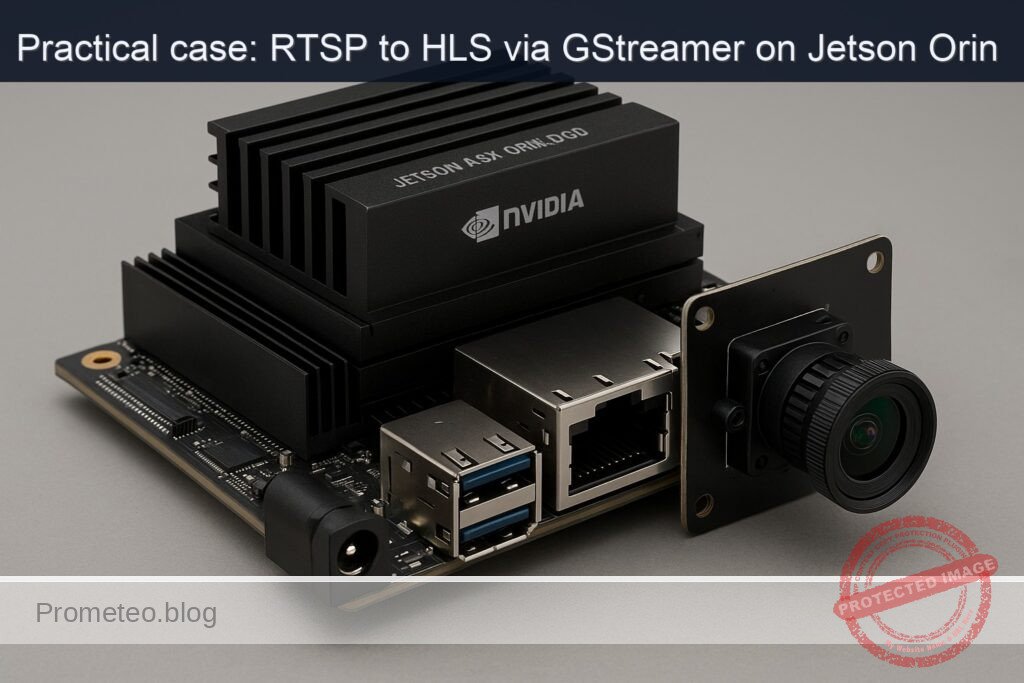
What you’ll build: An on-device video pipeline on Jetson AGX Orin 32GB with an Arducam HQ 12MP (IMX477) that captures CSI camera video, serves it as RTSP via GStreamer, remuxes RTSP to HLS segments in real time, and exposes the HLS playlist over HTTP for direct browser playback (targeting 1080p30 H.264 and sub-5 s latency).
Why it matters / Use cases
- Factory/lab-floor monitoring: Local HLS generation keeps frames on-prem; dashboards subscribe to a .m3u8 URL with 1 s segments for ~2–4 s glass-to-glass latency.
- Remote site preview: RTSP remains efficient for internal processing; HLS provides a read-only stream for browsers, remote stakeholders, or CDN edges without custom players.
- Robotics and QA lines: Short HLS segments (1–2 s, playlist length 3) enable sub-5 s latency and chunk-aligned recording for audits.
- Edge resiliency: If uplink drops, segments persist locally; analysts can fetch historical segments after connectivity returns.
- Multi-consumer fan-out: One RTSP publisher feeds many HLS viewers (5–10+) without extra camera load.
Expected outcome
- Stable 1920×1080@30 fps stream using H.264 baseline/main profile at 2–5 Mbps CBR.
- End-to-end latency ~2–4 s with 1 s HLS segments and a 3-segment playlist.
- Resource footprint on AGX Orin: NVENC ~10–20% utilization, CPU <15% of one core for mux/HTTP, GPU compute ~0% (hardware encoder), <512 MB RAM for the pipeline.
- HLS artifacts (.m3u8 + .ts) served via local HTTP (e.g., http://<orin-ip>:8080/stream.m3u8) and playable in modern browsers.
- Supports multiple concurrent HLS clients without increasing camera load; RTSP publisher remains single-source.
- Rolling on-disk buffer (e.g., 10 min at 4 Mbps ≈ ~300 MB) with auto-rotation for resilience and post-hoc review.
Audience: Edge/robotics and factory engineers, video/DevOps teams deploying on Jetson; Level: Intermediate–advanced Linux/GStreamer/NVIDIA Jetson.
Architecture/flow: CSI IMX477 → nvarguscamerasrc → NVENC H.264 (nvv4l2h264enc) → rtph264pay → GStreamer RTSP server; local RTSP client: rtspsrc → rtph264depay → h264parse → mpegtsmux → hlssink2 (1 s segments, playlist-length=3, rolling storage) → files served by a lightweight HTTP server (e.g., Nginx). Latency tuned via short segments and low client buffer; monitor with tegrastats.
Prerequisites
- Jetson AGX Orin 32GB devkit with JetPack (L4T) installed and booting Ubuntu for Jetson (JetPack 5.x or later). The steps below assume JetPack 5.1.x (L4T r35.x) with DeepStream 6.3; adapt paths if using JetPack 6.x (DeepStream 7.x).
- Internet access to install packages.
- Basic shell familiarity.
Verify JetPack, kernel, and NVIDIA packages:
cat /etc/nv_tegra_release
uname -a
dpkg -l | grep -E 'nvidia|tensorrt|cuda|deepstream'
Optional DeepStream check (we will use it for performance validation, Path B):
/opt/nvidia/deepstream/deepstream/bin/deepstream-app --version-all
Materials
| Item | Exact model | Notes |
|---|---|---|
| Jetson compute | NVIDIA Jetson AGX Orin 32GB | Devkit recommended for I/O; ensure proper power supply |
| CSI camera | Arducam HQ 12MP (IMX477) | 12MP Sony IMX477; ensure correct FFC and lens focus |
| Ribbon cable | 22‑pin 0.5 mm pitch FFC for Jetson devkit CSI | Use manufacturer-supplied cable if possible |
| Storage | NVMe SSD or onboard eMMC | Sufficient space for HLS segments (e.g., 2–10 GB) |
| Network | Ethernet or Wi‑Fi | Prefer wired Ethernet for stable streaming |
| Optional | Heatsink/fan, tripod/mount | Sustained encode + web serving benefits from cooling |
Setup / Connection
- Power off the Jetson.
- Connect the Arducam HQ 12MP (IMX477) to a MIPI-CSI connector on the Jetson devkit using the 22‑pin FFC. Ensure:
- The exposed contacts on the cable face the connector contacts.
- The latch is fully engaged and cable seated straight.
- Use the connector labeled CAM0 or the first CSI port per your carrier board silkscreen. If your board uses identifiers (e.g., J5xx series), consult the carrier board manual; use one CSI port consistently throughout this tutorial.
- Mount and focus the lens. Aim at a scene with sufficient light.
- Power on the Jetson and log in over SSH or local console.
Enable maximum performance for predictable measurements (monitor thermals, revert later):
sudo nvpmodel -q
sudo nvpmodel -m 0
sudo jetson_clocks
Install required packages:
sudo apt-get update
sudo apt-get install -y \
  gstreamer1.0-tools gstreamer1.0-plugins-base gstreamer1.0-plugins-good \
  gstreamer1.0-plugins-bad gstreamer1.0-plugins-ugly gstreamer1.0-libav \
  python3-gi gir1.2-gst-rtsp-server-1.0 \
  nginx ffmpeg
Note: If the IMX477 driver is not already integrated in your L4T, install the Arducam IMX477 driver package for your exact L4T release by following Arducam’s documentation. After installing driver/DTB, reboot.
Quick camera sanity test (Argus stack):
gst-launch-1.0 -e nvarguscamerasrc num-buffers=120 ! \
  'video/x-raw(memory:NVMM),width=1920,height=1080,framerate=30/1' ! \
  nvvideoconvert ! 'video/x-raw,format=I420' ! fakesink
If this fails, see Troubleshooting.
Full Code
We provide three code artifacts:
1) A minimal Python RTSP server (CSI capture to H.264 over RTSP).
2) A shell script that converts RTSP to HLS segments on-device (edge HLS).
3) A minimal DeepStream config for performance validation using the RTSP URL as input.
1) Python RTSP server (CSI → H.264 → RTSP)
Save as rtsp_imx477.py:
#!/usr/bin/env python3
import gi
gi.require_version('Gst', '1.0')
gi.require_version('GstRtspServer', '1.0')
from gi.repository import Gst, GstRtspServer, GObject

# Tuned for 1080p30; adjust width/height/framerate/bitrate as needed.
LAUNCH_DESC = (
    "nvarguscamerasrc sensor-id=0 ! "
    "video/x-raw(memory:NVMM),width=1920,height=1080,framerate=30/1 ! "
    "nvvideoconvert ! "
    "video/x-raw(memory:NVMM),format=NV12 ! "
    "nvv4l2h264enc insert-sps-pps=true iframeinterval=30 control-rate=1 bitrate=8000000 preset-level=1 ! "
    "h264parse config-interval=1 ! "
    "rtph264pay name=pay0 pt=96"
)

class RtspServer(GstRtspServer.RTSPServer):
    def __init__(self, mount_point="/csi", port="8554"):
        super().__init__()
        self.set_service(port)
        mounts = self.get_mount_points()
        factory = GstRtspServer.RTSPMediaFactory()
        factory.set_launch(LAUNCH_DESC)
        factory.set_latency(0)  # let depayloaders decide; RTSP clients can add their own jitterbuffer
        factory.set_shared(True)
        mounts.add_factory(mount_point, factory)

def main():
    Gst.init(None)
    server = RtspServer(mount_point="/csi", port="8554")
    server.attach(None)
    print("RTSP server running at rtsp://<jetson_ip>:8554/csi")
    loop = GObject.MainLoop()
    loop.run()

if __name__ == "__main__":
    main()
Make it executable:
chmod +x rtsp_imx477.py
Run it in a dedicated terminal:
./rtsp_imx477.py
You should see “RTSP server running at rtsp://
2) RTSP → HLS converter (edge HLS with hlssink)
Save as hls_edge.sh:
#!/usr/bin/env bash
set -euo pipefail

# Configuration
RTSP_URL="${1:-rtsp://127.0.0.1:8554/csi}"
HLS_DIR="/var/www/html/hls"
PLAYLIST="$HLS_DIR/stream.m3u8"
SEGMENT_PREFIX="$HLS_DIR/segment_%05d.ts"
TARGET_DURATION=2       # seconds
PLAYLIST_LENGTH=3       # rolling window of 3 segments

# Prepare output directory
sudo mkdir -p "$HLS_DIR"
sudo chown "$USER":"$USER" "$HLS_DIR"

# Optional: clean previous session
rm -f "$HLS_DIR"/*.ts "$PLAYLIST"

# Pipeline:
# rtspsrc -> depay -> parse -> mpegtsmux -> hlssink (no re-encode; low overhead)
gst-launch-1.0 -e \
  rtspsrc location="$RTSP_URL" protocols=tcp latency=100 ! \
  rtph264depay ! h264parse ! \
  mpegtsmux ! \
  hlssink max-files=$PLAYLIST_LENGTH target-duration=$TARGET_DURATION \
          playlist-location="$PLAYLIST" \
          location="$SEGMENT_PREFIX"
Make it executable:
chmod +x hls_edge.sh
Start the HLS converter in a second terminal:
./hls_edge.sh rtsp://127.0.0.1:8554/csi
HLS files should appear in /var/www/html/hls, served by Nginx by default at http://
Optional: minimal Nginx site customization (default site already serves /var/www/html). For completeness, ensure Nginx is enabled and running:
sudo systemctl enable nginx
sudo systemctl restart nginx
3) DeepStream minimal config for performance validation (Path B)
We’ll validate decode+infer pipeline on the RTSP URL to report FPS and GPU load. Save as ds_source_rtsp.txt:
[application]
enable-perf-measurement=1
perf-measurement-interval-sec=5

[tiled-display]
enable=0

[source0]
enable=1
type=4
uri=rtsp://127.0.0.1:8554/csi
num-sources=1
latency=100
rtsp-reconnect-interval-sec=2

[streammux]
batch-size=1
width=1920
height=1080
batched-push-timeout=40000
live-source=1

[sink0]
enable=1
type=5
sync=0
container=1
codec=1
bitrate=8000000
output-file=deepstream_out.mp4

[osd]
enable=0

[primary-gie]
enable=0
This is a minimal DeepStream app without inference, used only to get its built-in perf stats and stress the decode path. You can set primary-gie with a sample nvinfer config later if desired (see Improvements).
Run it:
/opt/nvidia/deepstream/deepstream/bin/deepstream-app -c ds_source_rtsp.txt
Watch the console for FPS statistics every 5 seconds.
Build / Flash / Run commands
No firmware flashing is required. Use these exact run sequences:
1) Start the RTSP server:
./rtsp_imx477.py
2) In a second terminal, start HLS conversion:
./hls_edge.sh rtsp://127.0.0.1:8554/csi
3) Verify HTTP availability:
curl -I http://127.0.0.1/hls/stream.m3u8
4) Optional: Run DeepStream performance validation (in a third terminal):
/opt/nvidia/deepstream/deepstream/bin/deepstream-app -c ds_source_rtsp.txt
5) Optional: Monitor system load:
sudo tegrastats --interval 1000
Reverting performance settings after you finish:
sudo jetson_clocks --restore
sudo nvpmodel -m 2
sudo nvpmodel -q
Step-by-step Validation
1) Confirm camera streaming via Argus:
– Command:
 ```
 gst-launch-1.0 -e nvarguscamerasrc num-buffers=120 ! \
   'video/x-raw(memory:NVMM),width=1920,height=1080,framerate=30/1' ! \
   nvvideoconvert ! 'video/x-raw,format=I420' ! fakesink
 ```
- Expect no errors. The command should exit after 120 buffers.
2) Start RTSP server and test with ffplay (or gst-play-1.0) from the Jetson itself:
ffplay -fflags nobuffer -flags low_delay -rtsp_transport tcp rtsp://127.0.0.1:8554/csi
-
Expect smooth playback at ~30 fps, minimal stutter. If a monitor is unavailable, use:
gst-launch-1.0 -e rtspsrc location=rtsp://127.0.0.1:8554/csi latency=100 ! \

   rtph264depay ! h264parse ! avdec_h264 ! videoconvert ! fpsdisplaysink video-sink=fakesink sync=false
Look for fpsdisplaysink log lines near 30 fps.
3) Start HLS conversion:
./hls_edge.sh rtsp://127.0.0.1:8554/csi
-
Validate HLS files:
ls -lh /var/www/html/hlsExpect to see stream.m3u8 and rolling segment_00000.ts, segment_00001.ts, etc.
-
Inspect playlist:
cat /var/www/html/hls/stream.m3u8Expect lines similar to:
– #EXTM3U, #EXT-X-VERSION:3
– #EXT-X-TARGETDURATION:2
– #EXT-X-MEDIA-SEQUENCE changing over time
– #EXTINF:2.000, followed by segment filenames
4) Browser/Player validation:
– From the Jetson or another machine on the same LAN, open:
– http://
– Command-line player:
 ```
 ffplay http://<jetson_ip>/hls/stream.m3u8
 ```
5) Latency estimate:
– With TARGET_DURATION=2 and a 3-segment sliding window, expect end-to-end latency in the 4–6 second range (player dependent).
– Use ffprobe to confirm segment durations and continuity:
 ```
 ffprobe -v error -show_entries stream=codec_name,width,height \
   -show_entries format=duration \
   -of default=noprint_wrappers=1:nokey=0 http://<jetson_ip>/hls/stream.m3u8
 ```
6) FPS/CPU/GPU metrics:
– Add a validation branch to measure fps without disturbing HLS:
 ```
 gst-launch-1.0 -e rtspsrc location=rtsp://127.0.0.1:8554/csi latency=100 ! \
   rtph264depay ! h264parse ! avdec_h264 ! videoconvert ! \
   fpsdisplaysink text-overlay=false video-sink=fakesink sync=false
 ```

 Expect 29–30 fps.
-
Monitor system:
sudo tegrastats --interval 1000Observe lines like:
– GR3D_FREQ ~ 10–20%
– EMC usage moderate
– CPU cores below ~25% aggregate during steady-state HLS
7) DeepStream performance (Path B):
/opt/nvidia/deepstream/deepstream/bin/deepstream-app -c ds_source_rtsp.txt
-
Expect console to print something like:
fps=30.0 stream=0along with average FPS every 5 seconds. Use tegrastats concurrently to log GPU/CPU.
8) Stability test:
– Let the pipeline run for 10 minutes.
– Ensure stream.m3u8 remains updated and the number of .ts files is capped at 3 (rolling window).
– Check disk space:
 ```
 df -h /var/www/html
 ```
Troubleshooting
- Camera not detected / nvarguscamerasrc errors:
- Ensure the IMX477 driver is installed for your exact L4T. Follow Arducam’s installation guide for JetPack 5.x/6.x. Reboot afterward.
-
Verify /dev/video nodes exist and that nvargus-daemon is running:
systemctl status nvargus-daemon -
If a previous camera app is using the sensor, stop it.
-
RTSP server starts but no video:
- Confirm the launch string encodes video: lower resolution to 1280×720 to test.
- Try TCP transport in client: -rtsp_transport tcp
-
Use h264parse config-interval=1 to ensure SPS/PPS are sent; already set in code.
-
HLS playlist not updating:
-
Ensure hlssink has permission to write:
ls -ld /var/www/html/hls -
Check GStreamer errors (nonzero exit code). Try adding -v to gst-launch-1.0 for debug.
-
If segments grow but playlist doesn’t, verify playlist-location path is correct and writable.
-
High latency:
- Reduce TARGET_DURATION to 1 and PLAYLIST_LENGTH to 3 (will increase segment churn).
-
Use a player configured for low latency; some browsers buffer an extra segment.
-
CPU usage too high:
- Ensure no unnecessary decode in the HLS pipeline. The provided pipeline reuses the H.264 bitstream and only repackages; no decode/encode.
-
For validation fpsdisplaysink, stop it when not measuring.
-
nginx conflicts:
-
If another HTTP server uses port 80, stop/disable it or change Nginx’s listen port in /etc/nginx/sites-enabled/default.
-
DeepStream path errors:
-
Confirm DeepStream is compatible with your JetPack:
/opt/nvidia/deepstream/deepstream/bin/deepstream-app --version-all -
If you upgraded JetPack, reinstall the matching DeepStream release.
Improvements
- Add low-latency HLS (LL-HLS):
- Use shorter TARGET_DURATION (0.5–1.0), set hlssink2 with partial segments if available; consider CMAF via splitmuxsink + custom playlists.
- Multi-bitrate ladder:
- Create parallel transcoders (e.g., 1080p, 720p, 480p), and generate a master playlist. For transcode branches, use nvv4l2h264enc with different bitrates.
- H.265/HEVC:
- Replace H.264 with nvv4l2h265enc in the RTSP server and use rtph265pay; make sure client HLS packager and players support HEVC-in-TS (limited browser support).
- Encryption:
- Add AES-128 encryption of segments and host the key on a controlled endpoint.
- Systemd services:
- Create systemd units for rtsp_imx477.py and hls_edge.sh to auto-start on boot and restart on failure.
- DeepStream inference:
- Enable [primary-gie] with a sample detector (e.g., ResNet10) to demonstrate GPU-accelerated analytics on the RTSP feed, then output annotated RTSP/HLS in a separate path.
Performance and power notes
- Power mode:
- Set MAXN for consistent encode and network I/O: sudo nvpmodel -m 0; sudo jetson_clocks
-
Revert to a balanced mode after tests to reduce thermals.
-
Expected metrics on Jetson AGX Orin 32GB at 1080p30 H.264:
- RTSP encode (NVENC): <10% CPU, low GR3D usage (NVENC is a dedicated engine).
- RTSP→HLS repack: ~5–10% CPU, minimal GPU.
- DeepStream decode path: GR3D utilization 10–25% depending on decode and sink.
- End-to-end HLS latency: ~4–6 seconds with 2 s segments and 3-length playlist.
Build-time and runtime paths
- Scripts:
- RTSP server: ./rtsp_imx477.py
- HLS converter: ./hls_edge.sh
- HLS output:
- Playlist: /var/www/html/hls/stream.m3u8
- Segments: /var/www/html/hls/segment_00000.ts, etc.
- DeepStream binary:
- /opt/nvidia/deepstream/deepstream/bin/deepstream-app
- Logs:
- tegrastats: sampled at 1 s intervals
- Nginx: /var/log/nginx/access.log and error.log
Exact GStreamer pipelines (reference)
- CSI → RTSP (as used in Python server’s LAUNCH_DESC, shown here as gst-launch):
gst-launch-1.0 -e nvarguscamerasrc sensor-id=0 ! \
  'video/x-raw(memory:NVMM),width=1920,height=1080,framerate=30/1' ! \
  nvvideoconvert ! 'video/x-raw(memory:NVMM),format=NV12' ! \
  nvv4l2h264enc insert-sps-pps=true iframeinterval=30 control-rate=1 bitrate=8000000 preset-level=1 ! \
  h264parse config-interval=1 ! rtph264pay pt=96 ! \
  udpsink host=127.0.0.1 port=5000
Note: The Python RTSP server wraps rtph264pay into RTSP for you; this gst-launch version shows the underlying chain.
- RTSP → HLS (no decode, repackage only):
gst-launch-1.0 -e rtspsrc location=rtsp://127.0.0.1:8554/csi latency=100 ! \
  rtph264depay ! h264parse ! mpegtsmux ! \
  hlssink max-files=3 target-duration=2 \
          playlist-location=/var/www/html/hls/stream.m3u8 \
          location=/var/www/html/hls/segment_%05d.ts
- RTSP → fps measurement (decode branch):
gst-launch-1.0 -e rtspsrc location=rtsp://127.0.0.1:8554/csi latency=100 ! \
  rtph264depay ! h264parse ! avdec_h264 ! videoconvert ! \
  fpsdisplaysink text-overlay=false video-sink=fakesink sync=false
DeepStream path (chosen: B) confirmation
We chose Path B (DeepStream) for GPU-accelerated video analytics validation. While our primary goal is RTSP→HLS conversion, DeepStream’s perf counters help quantify decode throughput and system headroom. The minimal config ds_source_rtsp.txt provided above plays and encodes to an MP4 while printing FPS at 5-second intervals. You can observe CPU/GPU via tegrastats simultaneously.
Example output snippet to expect:
- deepstream-app console:
- “fps=30.00 (Avg)”
- tegrastats sample:
- GR3D 12–18%, EMC 20–30%, CPU overall <25%
These figures validate that the edge HLS path has ample headroom for additional processing.
Cleanup
- Stop pipelines with Ctrl+C.
- Remove HLS files if needed:
rm -f /var/www/html/hls/*.ts /var/www/html/hls/stream.m3u8
- Revert power settings:
sudo jetson_clocks --restore
sudo nvpmodel -m 2
Final Checklist
- Camera connected to CSI and verified with nvarguscamerasrc.
- Jetson power/performance set appropriately (nvpmodel -m 0; jetson_clocks) during tests; reverted afterward.
- RTSP server running at rtsp://
:8554/csi using nvarguscamerasrc + nvv4l2h264enc. - HLS conversion operational; stream.m3u8 and .ts segments updating in /var/www/html/hls.
- HTTP serving confirmed via curl/ffplay/VLC to http://
/hls/stream.m3u8. - FPS ~30 measured via fpsdisplaysink; DeepStream perf shows stable throughput.
- tegrastats shows CPU/GPU within expected ranges; no throttling.
- Logs and storage monitored; no unbounded growth of segment files (max-files=3 in hlssink).
This hands-on builds a reliable, low-latency edge RTSP-to-HLS pipeline on Jetson AGX Orin 32GB with the Arducam HQ 12MP (IMX477), using hardware-accelerated encoding, GStreamer-based RTSP and HLS components, and optional DeepStream for performance validation.
Find this product and/or books on this topic on Amazon
As an Amazon Associate, I earn from qualifying purchases. If you buy through this link, you help keep this project running.
Quick Quiz

Telecommunications Electronics Engineer and Computer Engineer (official degrees in Spain).