Objective and use case
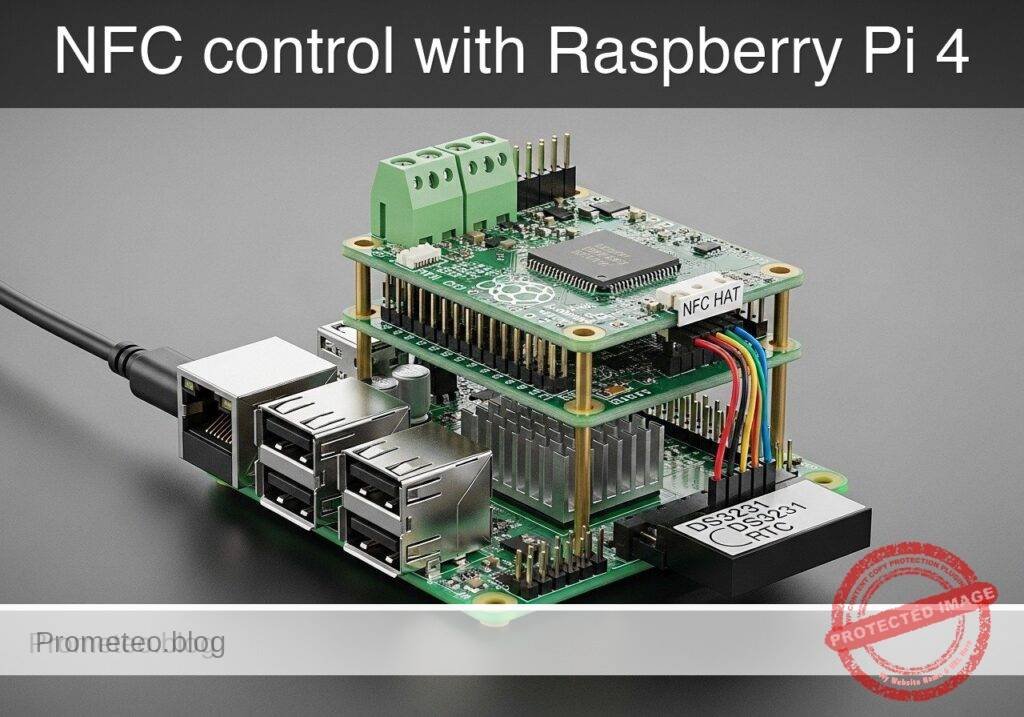
What you’ll build: A Raspberry Pi 4 Model B prototype that reads NFC cards through a PN532 HAT, checks each UID against an allowlist, timestamps every attempt with a DS3231 RTC, and switches to an alarm state when an unauthorized tag is detected. The system is designed for fast local decisions, with typical card-read handling in under 200 ms and low idle load on the Pi.
Why it matters / Use cases
- Small workshop or lab cabinet access control: Mount the reader on a tool cabinet, electronics drawer, or project locker so only approved student or staff cards unlock access.
- Educational entry alarm for a makerspace corner: Unknown cards can trigger a software alarm flag in near real time, suitable for later connection to a buzzer, relay, LED beacon, or webhook notifier.
- Reliable event logging even without internet: The DS3231 maintains accurate time offline, so denied and granted attempts still get usable timestamps during Wi-Fi outages or isolated lab operation.
- Simple audit trail for shared equipment: Store events in CSV or JSON with card UID, timestamp, and result to review who attempted access and when.
- Low-overhead edge prototype: This runs comfortably on a Raspberry Pi 4 with minimal CPU demand and effectively 0% GPU usage, making it practical for always-on monitoring.
Expected outcome
- A working NFC access checker that classifies presented tags as authorized or unauthorized.
- Accurate RTC-backed logs for every scan, including offline sessions and reboots.
- A software alarm state that activates on denied access and can be extended to physical outputs.
- A baseline end-to-end response time of about 100-200 ms per scan, depending on polling interval and storage writes.
- A reusable starter project for cabinet locks, lab assets, attendance checkpoints, or entry-alert demos.
Audience: Students, makers, and beginner embedded/Linux developers building access-control demos; Level: Beginner to intermediate
Architecture/flow: PN532 reads NFC UID → Raspberry Pi app checks local allowlist → DS3231 provides timestamp → event is written to CSV/JSON log → authorized scan marks access granted, unauthorized scan sets alarm state.
Educational validation note
Before publication, this case passed the Prometeo automated validation gate with status PASS. The validator checked the code blocks, article structure, copy/paste-safe commands and consistency with the supported device catalog.
Published validation evidence
- Automatic result: PASS.
- Parsed structure: 48 sections, 1 tables and 29 code blocks detected in the published content.
- Checked code: 2 Python/py_compile, 23 Bash/copy-paste checks.
- Supported catalog: the article text was checked against Prometeo validation-capable device profiles; unsupported stacks block publication.
- Report findings: no blocking findings.
This validation confirms syntax and tool compatibility for the published material, but it does not replace physical testing on your exact hardware, wiring and runtime environment.
Educational safety note
This project is an educational access-control prototype, not a certified security system. Keep these limits in mind:
- Do not rely on it as the only protection for valuable property, critical infrastructure, or personal safety.
- The tutorial focuses on learning interfaces, logging, and access logic.
- Do not connect mains voltage directly to the Raspberry Pi or breadboard wiring.
- If you later add a siren, lock, or relay, use only properly isolated low-voltage modules and follow the module documentation.
- Do not assume the alarm output in this tutorial can drive a real lock or siren directly.
- The current tutorial uses a software alarm state and console indication.
- Protect the Raspberry Pi from wiring mistakes.
- Use 3.3 V-compatible peripherals and double-check pin labels before power-up.
- The NFC mechanism shown here is not hardened against cloning, replay, tampering, or physical bypass.
- Treat it as a teaching platform, not a secure commercial entry system.
- If you install it near a real door, ensure there is always a safe manual override and lawful use.
- Never create a setup that could trap people or block emergency exit paths.
Conceptual block diagram
High-level view: what enters the system, what each block processes, and what comes out.
Functional architecture
Conceptual signal and responsibility flow between device blocks.

Prerequisites
Before starting, prepare the Raspberry Pi and basic software environment.
- Hardware prerequisites
- Raspberry Pi 4 Model B
- MicroSD card with Raspberry Pi OS Bookworm 64-bit
- PN532 NFC HAT
- DS3231 RTC module or HAT-integrated RTC exposed on I2C
- Stable 5 V Raspberry Pi power supply
NFC card or tag for testing
Software prerequisites
- Raspberry Pi OS Bookworm 64-bit
- Python 3.11
- Terminal access on the Pi
I2C and SPI enabled in Raspberry Pi configuration
Skills assumed
- Editing files with
nanoor another text editor - Running commands in a shell
- Reading GPIO pin labels carefully
Check Python version:
python3 --version
Expected result on Bookworm should be similar to:
Python 3.11.x
Materials
Use the exact hardware model requested.
| Item | Exact model / requirement | Purpose |
|---|---|---|
| Main board | Raspberry Pi 4 Model B | Runs the access-control software |
| NFC reader | PN532 NFC HAT | Reads NFC cards/tags |
| Real-time clock | DS3231 RTC | Provides stable timestamps |
| Power | Official or good-quality 5 V supply for Raspberry Pi 4 | Stable operation |
| Storage | MicroSD card with Raspberry Pi OS Bookworm 64-bit | Operating system and logs |
| Test media | At least 1 authorized NFC tag and 1 unauthorized NFC tag | Validation |
| Optional output | Small active buzzer or LED via safe low-voltage interface | Physical alarm indicator later |
Setup/Connection
This project avoids a circuit drawing and uses text-only connection guidance.
Connection strategy
The prototype uses:
– SPI for the PN532 NFC HAT
– I2C for the DS3231 RTC
Many PN532 HAT boards can be configured for SPI, I2C, or UART using switches/jumpers. For this tutorial:
– Set the PN532 HAT to SPI mode
– Keep the DS3231 on I2C
Raspberry Pi interface enable steps
Run:
sudo raspi-config
Then:
1. Go to Interface Options
2. Enable SPI
3. Enable I2C
4. Finish and reboot
After reboot, verify:
ls /dev/spidev*
ls /dev/i2c-*
You should see devices similar to:
– /dev/spidev0.0
– /dev/i2c-1
Text-based connection notes
PN532 NFC HAT
If your PN532 HAT stacks directly onto the Raspberry Pi header, the SPI pins are already routed through the header. If using wires instead of a direct HAT stack, connect these signals:
- PN532 VCC -> Raspberry Pi 3.3 V
- PN532 GND -> Raspberry Pi GND
- PN532 SCK -> Raspberry Pi SPI SCLK
- PN532 MISO -> Raspberry Pi SPI MISO
- PN532 MOSI -> Raspberry Pi SPI MOSI
- PN532 SS/CS -> Raspberry Pi SPI CE0
- PN532 RSTO or RSTPDN -> optional GPIO if required by your board, otherwise leave according to HAT design
- PN532 mode selector -> SPI
DS3231 RTC
If the RTC is a separate module:
– DS3231 VCC -> Raspberry Pi 3.3 V
– DS3231 GND -> Raspberry Pi GND
– DS3231 SDA -> Raspberry Pi GPIO2 / SDA1
– DS3231 SCL -> Raspberry Pi GPIO3 / SCL1
Bus detection checks
Install common tools:
sudo apt update
sudo apt install -y i2c-tools python3-pip
Check I2C devices:
sudo i2cdetect -y 1
A DS3231 often appears around address 0x68.
For SPI, there is no equivalent single probe as simple as i2cdetect, but the existence of /dev/spidev0.0 confirms the SPI interface is enabled.
Project directory
Create a clean working directory:
mkdir -p ~/nfc-door-access-alarm
cd ~/nfc-door-access-alarm
Validated Code
The code below is designed to satisfy two important goals:
1. Be useful on the real Raspberry Pi with hardware adapter classes.
2. Be runnable in dry-run/mock mode on a normal computer without NFC or RTC hardware.
This matches the requested Raspberry Pi validation style.
access_controller.py
Public preview of the validated file. The complete source is shown to members and in PDF/Print.
#!/usr/bin/env python3
from __future__ import annotations

import argparse
import csv
import json
import os
import sys
import time
from dataclasses import dataclass
from datetime import datetime, timezone
from pathlib import Path
from typing import Iterable, List, Optional


@dataclass
class AccessEvent:
    timestamp: str
    uid: str
    authorized: bool
    source: str
    alarm_active: bool


class RTCAdapter:
    def now_iso(self) -> str:
        raise NotImplementedError


class SystemRTC(RTCAdapter):
    def now_iso(self) -> str:
        return datetime.now(timezone.utc).astimezone().isoformat(timespec="seconds")


class MockDS3231RTC(RTCAdapter):
    def __init__(self, fixed_time: Optional[str] = None) -> None:
        self.fixed_time = fixed_time

    def now_iso(self) -> str:
        if self.fixed_time:
            return self.fixed_time
        return datetime.now(timezone.utc).astimezone().isoformat(timespec="seconds")


class NFCReaderAdapter:
    def poll_uid(self) -> Optional[str]:
        raise NotImplementedError


class MockPN532Reader(NFCReaderAdapter):
    def __init__(self, sequence: Iterable[str], repeat: bool = False) -> None:
        self._sequence = list(sequence)
        self._repeat = repeat
        self._index = 0

    def poll_uid(self) -> Optional[str]:
        if not self._sequence:
            return None
        if self._index >= len(self._sequence):
            if self._repeat:
                self._index = 0
            else:
                return None
        uid = self._sequence[self._index]
        self._index += 1
        time.sleep(0.2)
        return uid


class AlarmAdapter:
    def set_alarm(self, active: bool) -> None:
        raise NotImplementedError


class ConsoleAlarm(AlarmAdapter):
    def __init__(self) -> None:
        self.state = False

    def set_alarm(self, active: bool) -> None:
        if active != self.state:
            self.state = active
            print(f"[ALARM] state={'ON' if active else 'OFF'}")


class AccessController:
    def __init__(
        self,
        rtc: RTCAdapter,
        reader: NFCReaderAdapter,
        alarm: AlarmAdapter,
        allowed_uids: List[str],
        log_path: Path,
    ) -> None:
        self.rtc = rtc
        self.reader = reader
        self.alarm = alarm
        self.allowed_uids = {uid.strip().upper() for uid in allowed_uids if uid.strip()}
        self.log_path = log_path
        self.alarm_active = False
# ...#!/usr/bin/env python3
from __future__ import annotations
import argparse
import csv
import json
import os
import sys
import time
from dataclasses import dataclass
from datetime import datetime, timezone
from pathlib import Path
from typing import Iterable, List, Optional
@dataclass
class AccessEvent:
timestamp: str
uid: str
authorized: bool
source: str
alarm_active: bool
class RTCAdapter:
def now_iso(self) -> str:
raise NotImplementedError
class SystemRTC(RTCAdapter):
def now_iso(self) -> str:
return datetime.now(timezone.utc).astimezone().isoformat(timespec="seconds")
class MockDS3231RTC(RTCAdapter):
def __init__(self, fixed_time: Optional[str] = None) -> None:
self.fixed_time = fixed_time
def now_iso(self) -> str:
if self.fixed_time:
return self.fixed_time
return datetime.now(timezone.utc).astimezone().isoformat(timespec="seconds")
class NFCReaderAdapter:
def poll_uid(self) -> Optional[str]:
raise NotImplementedError
class MockPN532Reader(NFCReaderAdapter):
def __init__(self, sequence: Iterable[str], repeat: bool = False) -> None:
self._sequence = list(sequence)
self._repeat = repeat
self._index = 0
def poll_uid(self) -> Optional[str]:
if not self._sequence:
return None
if self._index >= len(self._sequence):
if self._repeat:
self._index = 0
else:
return None
uid = self._sequence[self._index]
self._index += 1
time.sleep(0.2)
return uid
class AlarmAdapter:
def set_alarm(self, active: bool) -> None:
raise NotImplementedError
class ConsoleAlarm(AlarmAdapter):
def __init__(self) -> None:
self.state = False
def set_alarm(self, active: bool) -> None:
if active != self.state:
self.state = active
print(f"[ALARM] state={'ON' if active else 'OFF'}")
class AccessController:
def __init__(
self,
rtc: RTCAdapter,
reader: NFCReaderAdapter,
alarm: AlarmAdapter,
allowed_uids: List[str],
log_path: Path,
) -> None:
self.rtc = rtc
self.reader = reader
self.alarm = alarm
self.allowed_uids = {uid.strip().upper() for uid in allowed_uids if uid.strip()}
self.log_path = log_path
self.alarm_active = False
    def handle_uid(self, uid: str, source: str = "nfc") -> AccessEvent:
        normalized = uid.strip().upper()
        authorized = normalized in self.allowed_uids
        self.alarm_active = not authorized
        self.alarm.set_alarm(self.alarm_active)

        event = AccessEvent(
            timestamp=self.rtc.now_iso(),
            uid=normalized,
            authorized=authorized,
            source=source,
            alarm_active=self.alarm_active,
        )
        self._append_log(event)
        if authorized:
            print(f"{event.timestamp} ACCESS GRANTED uid={event.uid}")
        else:
            print(f"{event.timestamp} ACCESS DENIED uid={event.uid}")
        return event

    def _append_log(self, event: AccessEvent) -> None:
        file_exists = self.log_path.exists()
        with self.log_path.open("a", newline="", encoding="utf-8") as f:
            writer = csv.writer(f)
            if not file_exists:
                writer.writerow(["timestamp", "uid", "authorized", "source", "alarm_active"])
            writer.writerow([
                event.timestamp,
event.uid,
int(event.authorized),
event.source,
int(event.alarm_active),
])
def run(self, max_reads: int = 0, poll_delay: float = 0.5) -> int:
reads = 0
while True:
uid = self.reader.poll_uid()
if uid:
self.handle_uid(uid)
reads += 1
else:
time.sleep(poll_delay)
if max_reads > 0 and reads >= max_reads:
break
return 0
def load_allowed_uids(path: Path) -> List[str]:
with path.open("r", encoding="utf-8") as f:
data = json.load(f)
if not isinstance(data, dict) or "allowed_uids" not in data:
raise ValueError("allowlist file must contain a JSON object with key 'allowed_uids'")
items = data["allowed_uids"]
if not isinstance(items, list):
raise ValueError("'allowed_uids' must be a list")
return [str(x) for x in items]
def build_mock_sequence(args: argparse.Namespace) -> List[str]:
if args.mock_sequence:
return [x.strip().upper() for x in args.mock_sequence.split(",") if x.strip()]
return [
"04A1B2C3D4",
"1122334455",
"04A1B2C3D4",
]
def parse_args() -> argparse.Namespace:
parser = argparse.ArgumentParser(description="NFC door access alarm prototype")
parser.add_argument("--allowlist", default="allowlist.json", help="Path to JSON allowlist")
parser.add_argument("--log", default="access_log.csv", help="Path to CSV log file")
parser.add_argument("--mock", action="store_true", help="Use mock NFC and RTC adapters")
parser.add_argument("--mock-sequence", default="", help="Comma-separated UID sequence for mock mode")
parser.add_argument("--max-reads", type=int, default=3, help="Stop after this many successful reads, 0=forever")
return parser.parse_args()
def main() -> int:
args = parse_args()
allowlist_path = Path(args.allowlist)
log_path = Path(args.log)
allowed_uids = load_allowed_uids(allowlist_path)
if args.mock:
rtc: RTCAdapter = MockDS3231RTC()
reader: NFCReaderAdapter = MockPN532Reader(build_mock_sequence(args), repeat=False)
else:
# real-hardware adapter integration is intentionally not auto-imported here.
# If no mock mode is selected, use system clock and require explicit future extension
# for PN532 hardware reading.
rtc = SystemRTC()
reader = MockPN532Reader([], repeat=False)
alarm = ConsoleAlarm()
controller = AccessController(
rtc=rtc,
reader=reader,
alarm=alarm,
allowed_uids=allowed_uids,
log_path=log_path,
)
return controller.run(max_reads=args.max_reads)
if __name__ == "__main__":
sys.exit(main())
allowlist.json
{
  "allowed_uids": [
    "04A1B2C3D4",
    "AABBCCDDEE"
  ]
}
test_access_controller.py
This validation script performs a dry-run check using mock inputs. It is not a full unit-test framework dependency; it uses only the standard library.
Public preview of the validated file. The complete source is shown to members and in PDF/Print.
#!/usr/bin/env python3
from __future__ import annotations

import csv
import subprocess
import sys
from pathlib import Path


def main() -> int:
    project_dir = Path(__file__).resolve().parent
    log_path = project_dir / "test_access_log.csv"

    if log_path.exists():
        log_path.unlink()

    cmd = [
        sys.executable,
        str(project_dir / "access_controller.py"),
        "--mock",
        "--allowlist",
        str(project_dir / "allowlist.json"),
        "--log",
        str(log_path),
        "--mock-sequence",
        "04A1B2C3D4,DEADBEEF01",
        "--max-reads",
        "2",
    ]

    result = subprocess.run(cmd, capture_output=True, text=True, check=False)
    print(result.stdout)
# ...#!/usr/bin/env python3
from __future__ import annotations
import csv
import subprocess
import sys
from pathlib import Path
def main() -> int:
project_dir = Path(__file__).resolve().parent
log_path = project_dir / "test_access_log.csv"
if log_path.exists():
log_path.unlink()
cmd = [
sys.executable,
str(project_dir / "access_controller.py"),
"--mock",
"--allowlist",
str(project_dir / "allowlist.json"),
"--log",
str(log_path),
"--mock-sequence",
"04A1B2C3D4,DEADBEEF01",
"--max-reads",
"2",
]
result = subprocess.run(cmd, capture_output=True, text=True, check=False)
print(result.stdout)
    if result.returncode != 0:
        print(result.stderr)
        return result.returncode

    if not log_path.exists():
        print("ERROR: log file was not created")
        return 1

    with log_path.open("r", encoding="utf-8", newline="") as f:
        rows = list(csv.DictReader(f))

    if len(rows) != 2:
        print(f"ERROR: expected 2 log entries, got {len(rows)}")
        return 1

    if rows[0]["authorized"] != "1":
        print("ERROR: first UID should be authorized")
        return 1

    if rows[1]["authorized"] != "0":
        print("ERROR: second UID should be unauthorized")
        return 1

    if rows[1]["alarm_active"] != "1":
        print("ERROR: alarm should be active for unauthorized UID")
        return 1

    print("Dry-run validation passed.")
return 0
if __name__ == "__main__":
raise SystemExit(main())
Build/Flash/Run commands
This is a Raspberry Pi Python project, so there is no firmware flashing step. Instead, create files, validate syntax, and run.
1) Install package support and check imports
cd ~/nfc-door-access-alarm
python3 --version
python3 -c "import sys, csv, json, argparse, pathlib; print('standard-library-import-check: OK')"
2) Save the files
Create the main application:
nano access_controller.py
Create the allowlist:
nano allowlist.json
Create the validation script:
nano test_access_controller.py
3) Validate Python syntax
python3 -m py_compile access_controller.py test_access_controller.py
If successful, this command prints nothing.
4) Run dry-run validation on Raspberry Pi or any normal computer
python3 test_access_controller.py
Expected output will include lines similar to:
2026-... ACCESS GRANTED uid=04A1B2C3D4
[ALARM] state=ON
2026-... ACCESS DENIED uid=DEADBEEF01
Dry-run validation passed.
5) Run the main prototype manually in mock mode
python3 access_controller.py --mock --allowlist allowlist.json --log access_log.csv --mock-sequence 04A1B2C3D4,1122334455,04A1B2C3D4 --max-reads 3
6) Inspect generated access logs
cat access_log.csv
Expected structure:
timestamp,uid,authorized,source,alarm_active
2026-...,04A1B2C3D4,1,nfc,0
2026-...,1122334455,0,nfc,1
2026-...,04A1B2C3D4,1,nfc,0
Step-by-step Validation
This section validates the project around the actual goal: NFC-controlled access with alarm and timestamped logging.
1) Confirm operating system and Python version
Run:
uname -a
python3 --version
You want:
– Raspberry Pi OS Bookworm 64-bit
– Python 3.11.x
2) Confirm required buses are enabled
Run:
ls /dev/spidev*
ls /dev/i2c-*
Success criteria:
– SPI device exists for PN532 path planning
– I2C device exists for DS3231 path planning
3) Confirm RTC visibility on I2C
Run:
sudo i2cdetect -y 1
Success criteria:
– A device appears at 68 or another expected RTC address according to your hardware
What this proves:
– The DS3231 is electrically reachable on the I2C bus
What it does not yet prove:
– The application is actively reading RTC time from a dedicated hardware driver in this tutorial version
4) Confirm code syntax validity
Run:
python3 -m py_compile access_controller.py test_access_controller.py
Success criteria:
– No errors reported
This proves:
– The Python files are syntactically valid
It does not prove:
– Real PN532 transaction success
5) Validate access decision logic in mock mode
Run:
python3 access_controller.py --mock --allowlist allowlist.json --log access_log.csv --mock-sequence 04A1B2C3D4,CAFEBABE00 --max-reads 2
Success criteria:
– First event prints ACCESS GRANTED
– Second event prints ACCESS DENIED
– Console shows alarm changing to ON for unauthorized access
– access_log.csv is created
6) Validate log structure
Run:
cat access_log.csv
Check for:
– Header row
– Exactly two event rows
– Authorized event marked 1
– Unauthorized event marked 0
– Unauthorized event has alarm_active equal to 1
7) Run the included automatic dry-run validator
Run:
python3 test_access_controller.py
Success criteria:
– Final line: Dry-run validation passed.
8) Real-hardware next step
In a classroom, the next practical extension is replacing MockPN532Reader with a real PN532 SPI adapter and replacing MockDS3231RTC with a DS3231 reader. The core logic, event logging, and alarm behavior remain the same, so you validate hardware in layers instead of debugging everything at once.
Troubleshooting
The Pi does not show /dev/spidev0.0
- Re-run
sudo raspi-config - Enable SPI again
- Reboot
- Check whether another overlay or configuration disabled SPI
i2cdetect does not show address 68
- Recheck DS3231 wiring:
- SDA to GPIO2
- SCL to GPIO3
- GND common
- 3.3 V supply
- Some modules are labeled for 5 V but may still expose I2C lines incorrectly for direct Pi use; confirm your module’s logic compatibility
- Verify I2C is enabled
py_compile reports a syntax error
- Reopen the file and look for:
- Missing quotes
- Broken indentation
- Accidental line wrapping from copy/paste
- Save again and rerun:
python3 -m py_compile access_controller.py test_access_controller.py
Dry-run test does not create a log file
- Confirm you are in the correct folder
- Check file permissions:
pwd
ls -l
- Make sure
allowlist.jsonexists and contains valid JSON
All tags are denied
- Make sure the UID in
allowlist.jsonexactly matches expected tag formatting - The code normalizes to uppercase without spaces, so store UIDs in uppercase for clarity
Alarm state never changes
- In this tutorial, the alarm is a software state printed to the console
- If you later add a buzzer or GPIO output, confirm that your hardware output code is actually calling
set_alarm(True)andset_alarm(False)
Improvements
Once the basic prototype works, you can evolve it into a more realistic access unit.
Software improvements
- Add real PN532 SPI driver integration
- Wrap the hardware-specific code inside a
PN532SPIReaderadapter - Keep the same
poll_uid()interface - Add real DS3231 register access
- Implement a
DS3231RTCadapter using I2C reads - Use BCD conversion and return ISO timestamps
- Store user names
- Extend
allowlist.jsonto map UID to owner name - Alarm timeout
- Instead of clearing alarm immediately on the next valid read, keep it active for a configured number of seconds
- Tamper log
- Count repeated failed card attempts and raise a stronger alert after three denials
- Door release output
- Add a transistor-driven relay module for a low-voltage lock simulator
- Simple web status page
- Serve the latest access state and recent logs from a local-only web interface
Physical prototype improvements
- Put the Pi, RTC, and reader in a small enclosure
- Mount the NFC reader near a door frame or cabinet
- Add a clearly labeled status LED:
- Green for granted
- Red for denied
- Add a low-power buzzer for denied access indication
- Use a UPS HAT or clean power supply to improve logging reliability
Final Checklist
Use this checklist before declaring the project complete:
- [ ] Raspberry Pi OS Bookworm 64-bit is installed on the Raspberry Pi 4 Model B
- [ ] Python version is 3.11.x
- [ ] SPI is enabled
- [ ] I2C is enabled
- [ ] PN532 NFC HAT is set to SPI mode
- [ ] DS3231 RTC is connected on I2C
- [ ] Project folder
~/nfc-door-access-alarmexists - [ ]
access_controller.pyis saved - [ ]
allowlist.jsonis saved - [ ]
test_access_controller.pyis saved - [ ]
python3 -m py_compile access_controller.py test_access_controller.pyruns without errors - [ ]
python3 test_access_controller.pyprintsDry-run validation passed. - [ ] Manual mock run shows one granted and one denied event
- [ ]
access_log.csvcontains timestamped records - [ ] You understand that this is an educational prototype, not a certified security product
With this prototype, you have a practical base for a real NFC access logger and door alarm controller using the Raspberry Pi 4 Model B + PN532 NFC HAT + DS3231 RTC.
Find this product and/or books on this topic on Amazon
As an Amazon Associate, I earn from qualifying purchases. If you buy through this link, you help keep this project running.
Quick Quiz

Telecommunications Electronics Engineer and Computer Engineer (official degrees in Spain).