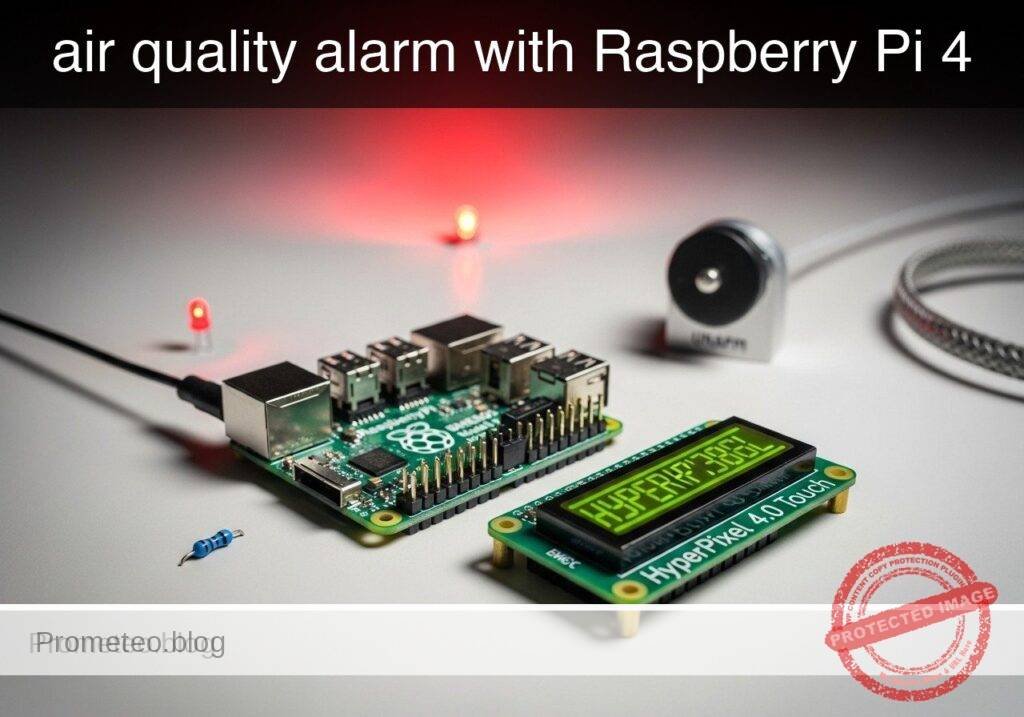
Raspberry Pi 4 Air-Quality Alarm with BME680 and HyperPixel 4.0 Touch
Objective and use case
What you’ll build: A Raspberry Pi 4 Model B air-quality dashboard using a BME680 sensor and HyperPixel 4.0 Touch display to show live room conditions and estimate IAQ, eCO2, and TVOC in real time. The interface runs locally at smooth touchscreen refresh rates and raises a clear on-screen alarm when estimated eCO2 exceeds a configurable threshold, such as 1000 ppm.
Why it matters / Use cases
- Classroom ventilation reminder that gives a visible prompt when estimated eCO2 rises above 1000–1500 ppm.
- Home office comfort monitor for tracking temperature, humidity, and stale-air trends with low-latency local updates.
- Workshop or hobby room indicator to spot poor air refresh and changing VOC patterns during indoor projects.
- Meeting room readiness display with color-coded status for quick go/no-go checks before occupancy.
- Educational prototype for comparing ventilation changes against estimated IAQ metrics and alarm behavior.
Expected outcome
- Touchscreen UI showing temperature, humidity, pressure, gas resistance, IAQ score, estimated eCO2, and estimated TVOC.
- Color-coded room status with responsive rendering, typically around 20–30 FPS on a Pi 4 for a lightweight dashboard.
- Visible alarm banner when estimated eCO2 crosses the configured limit, with sub-second local UI response.
- Touch or mouse interaction for toggling details and temporarily acknowledging the alarm without stopping monitoring.
- Support for both real hardware mode and mock mode for testing UI flow, alarm thresholds, and demo data.
- Efficient local operation suitable for kiosk-style use, often staying in a modest GPU range for a simple full-screen dashboard.
Audience: Raspberry Pi makers, educators, and hobbyists building practical environmental displays; Level: Intermediate
Architecture/flow: The Pi 4 reads BME680 sensor values, derives IAQ plus estimated eCO2/TVOC, updates a full-screen HyperPixel Touch dashboard, applies color status rules, and triggers a visible alarm banner with optional touch acknowledge when the configured threshold is exceeded; in mock mode, simulated readings follow the same pipeline.
Educational validation note
Before publication, this case passed the Prometeo automated validation gate with status PASS. The validator checked the code blocks, article structure, copy/paste-safe commands and consistency with the supported device catalog.
Published validation evidence
- Automatic result: PASS.
- Parsed structure: 31 sections, 1 tables and 23 code blocks detected in the published content.
- Checked code: 2 Python/py_compile, 20 Bash/copy-paste checks.
- Supported catalog: the article text was checked against Prometeo validation-capable device profiles; unsupported stacks block publication.
- Report findings: no blocking findings.
This validation confirms syntax and tool compatibility for the published material, but it does not replace physical testing on your exact hardware, wiring and runtime environment.
Educational safety note
Safety note
This project is an educational indoor air-quality prototype, not a certified safety instrument.
- The BME680 does not directly measure true CO2.
- The displayed eCO2 and IAQ values in this tutorial are heuristic estimates derived from humidity and gas-resistance behavior.
- Do not use this build as the sole basis for health decisions, legal compliance, hazardous-atmosphere detection, or emergency response.
- Power the Raspberry Pi only from a suitable low-voltage USB-C supply.
- Use a case or safe mounting so exposed electronics cannot short or be touched accidentally.
Prerequisites
You need:
- Raspberry Pi 4 Model B
- Raspberry Pi OS Bookworm 64-bit
- Python 3.11
- BME680 breakout with I2C support
- HyperPixel 4.0 Touch
- Basic terminal usage
- Basic GPIO/I2C wiring familiarity
Materials
| Item | Exact model | Purpose |
|---|---|---|
| Single-board computer | Raspberry Pi 4 Model B | Runs the application |
| Sensor | BME680 | Temperature, humidity, pressure, gas resistance |
| Touch display | HyperPixel 4.0 Touch | Local touchscreen UI |
| Power supply | 5 V USB-C supply for Raspberry Pi 4 | Stable power |
| Wiring | Female-to-female jumper wires | Sensor wiring |
| Storage | microSD card, 16 GB or larger | OS and project files |
Hardware setup
BME680 I2C wiring
Connect the BME680 to the Raspberry Pi 40-pin header:
- BME680 VCC/VIN -> 3.3 V on Raspberry Pi, physical pin 1
- BME680 GND -> GND on Raspberry Pi, physical pin 6
- BME680 SDA -> SDA1 on Raspberry Pi, physical pin 3
- BME680 SCL -> SCL1 on Raspberry Pi, physical pin 5
Notes:
- Confirm your breakout board is 3.3 V-safe
- Do not connect a 3.3 V-only board to 5 V
- If the board also supports SPI, use only the I2C pins listed above
HyperPixel 4.0 Touch
Install and verify the HyperPixel using the current Pimoroni instructions for your Raspberry Pi OS image. Before continuing, confirm:
- The display shows the Raspberry Pi desktop
- Touch input works correctly
System preparation
Update the Pi and enable I2C:
sudo apt update
sudo apt full-upgrade -y
sudo raspi-config
In raspi-config:
- Open Interface Options
- Enable I2C
- Reboot if prompted
Check Python:
python3 --version
Install required system packages:
sudo apt install -y git python3-pip python3-venv i2c-tools
Verify the sensor appears on I2C:
i2cdetect -y 1
A BME680 commonly appears at 0x76 or 0x77.
Project setup
Create the project and virtual environment:
mkdir -p ~/projects/touchscreen-co2-air-quality-alarm
cd ~/projects/touchscreen-co2-air-quality-alarm
python3 -m venv .venv
. .venv/bin/activate
python3 -m pip install --upgrade pip
python3 -m pip install pygame smbus2 bme680
Validate imports:
python3 -c "import pygame, smbus2, bme680; print('imports ok')"
Application code
air_quality_alarm.py
Public preview of the validated file. The complete source is shown to members and in PDF/Print.
#!/usr/bin/env python3
"""
Touchscreen air-quality alarm for:
- Raspberry Pi 4 Model B
- BME680 over I2C
- HyperPixel 4.0 Touch

The IAQ, eCO2, and TVOC values here are educational heuristic estimates.
They are useful for trend display and UI behavior validation, not certified measurement.
"""

from __future__ import annotations

import argparse
import math
import random
import sys
import time
from dataclasses import dataclass
from typing import Optional, Tuple

import pygame


@dataclass
class SensorReading:
    temperature_c: float
    humidity_pct: float
    pressure_hpa: float
    gas_ohms: float
    iaq_score: float
    eco2_ppm: int
    tvoc_ppb: int
    timestamp: float


def clamp(value: float, low: float, high: float) -> float:
    return max(low, min(high, value))


def estimate_iaq_score(humidity_pct: float, gas_ohms: float) -> float:
    """
    Educational heuristic only.
    Lower score is better, with an approximate 0..500 scale.
    """
    humidity_target = 40.0
    humidity_offset = abs(humidity_pct - humidity_target)
    humidity_score = clamp(humidity_offset / 40.0 * 25.0, 0.0, 25.0)

    gas_reference = 50000.0
    gas_ratio = clamp((gas_reference - gas_ohms) / gas_reference, 0.0, 1.0)
    gas_score = gas_ratio * 475.0

    return round(humidity_score + gas_score, 1)


def estimate_eco2_ppm(iaq_score: float, gas_ohms: float) -> int:
    """
    Educational heuristic only.
    Maps worsening gas behavior to an estimated eCO2 range.
    """
    base = 420
    score_component = int(iaq_score * 4.2)
    gas_component = int(clamp((50000.0 - gas_ohms) / 80.0, 0.0, 2000.0))
    return int(clamp(base + score_component + gas_component, 400, 2500))


def estimate_tvoc_ppb(iaq_score: float, gas_ohms: float) -> int:
    """
    Educational heuristic only.
    """
    base = 20
    score_component = int(iaq_score * 1.5)
    gas_component = int(clamp((50000.0 - gas_ohms) / 120.0, 0.0, 1000.0))
    return int(clamp(base + score_component + gas_component, 0, 1200))


def air_quality_state(eco2_ppm: int) -> Tuple[str, Tuple[int, int, int]]:
    if eco2_ppm < 800:
        return ("GOOD", (40, 140, 70))
    if eco2_ppm < 1200:
        return ("ELEVATED", (180, 150, 40))
    if eco2_ppm < 1600:
        return ("POOR", (190, 100, 30))
    return ("ALARM", (170, 40, 40))


class BME680Adapter:
    """Real sensor adapter using the bme680 package."""

    def __init__(self, i2c_addr: int = 0x76):
        self.i2c_addr = i2c_addr
        self.sensor = None

    def open(self) -> None:
        import bme680

        self.sensor = bme680.BME680(i2c_addr=self.i2c_addr)
        self.sensor.set_humidity_oversample(bme680.OS_2X)
        self.sensor.set_pressure_oversample(bme680.OS_4X)
        self.sensor.set_temperature_oversample(bme680.OS_8X)
        self.sensor.set_filter(bme680.FILTER_SIZE_3)
        self.sensor.set_gas_status(bme680.ENABLE_GAS_MEAS)
        self.sensor.set_gas_heater_temperature(320)
        self.sensor.set_gas_heater_duration(150)
        self.sensor.select_gas_heater_profile(0)

    def read(self) -> SensorReading:
        if self.sensor is None:
            raise RuntimeError("Sensor not opened")

        if not self.sensor.get_sensor_data():
            raise RuntimeError("No sensor data available")

        data = self.sensor.data
        gas_ohms = float(getattr(data, "gas_resistance", 0.0) or 0.0)

        iaq_score = estimate_iaq_score(float(data.humidity), gas_ohms)
        eco2_ppm = estimate_eco2_ppm(iaq_score, gas_ohms)
        tvoc_ppb = estimate_tvoc_ppb(iaq_score, gas_ohms)

        return SensorReading(
            temperature_c=float(data.temperature),
            humidity_pct=float(data.humidity),
            pressure_hpa=float(data.pressure),
            gas_ohms=gas_ohms,
            iaq_score=iaq_score,
            eco2_ppm=eco2_ppm,
            tvoc_ppb=tvoc_ppb,
            timestamp=time.time(),
        )


class MockBME680Adapter:
    """Mock adapter for validation without hardware."""

    def __init__(self) -> None:
        self.t0 = time.time()

    def open(self) -> None:
        return

    def read(self) -> SensorReading:
        elapsed = time.time() - self.t0

        temperature_c = 22.0 + 1.5 * math.sin(elapsed / 40.0)
        humidity_pct = 45.0 + 8.0 * math.sin(elapsed / 55.0)
        pressure_hpa = 1012.0 + 1.2 * math.sin(elapsed / 120.0)

        baseline = 45000.0
        drop = min(32000.0, elapsed * 350.0)
        noise = random.uniform(-1200.0, 1200.0)
        gas_ohms = max(5000.0, baseline - drop + noise)

        iaq_score = estimate_iaq_score(humidity_pct, gas_ohms)
        eco2_ppm = estimate_eco2_ppm(iaq_score, gas_ohms)
        tvoc_ppb = estimate_tvoc_ppb(iaq_score, gas_ohms)

        return SensorReading(
            temperature_c=temperature_c,
            humidity_pct=humidity_pct,
            pressure_hpa=pressure_hpa,
            gas_ohms=gas_ohms,
            iaq_score=iaq_score,
            eco2_ppm=eco2_ppm,
            tvoc_ppb=tvoc_ppb,
            timestamp=time.time(),
        )
# ...#!/usr/bin/env python3
"""
Touchscreen air-quality alarm for:
- Raspberry Pi 4 Model B
- BME680 over I2C
- HyperPixel 4.0 Touch
The IAQ, eCO2, and TVOC values here are educational heuristic estimates.
They are useful for trend display and UI behavior validation, not certified measurement.
"""
from __future__ import annotations
import argparse
import math
import random
import sys
import time
from dataclasses import dataclass
from typing import Optional, Tuple
import pygame
@dataclass
class SensorReading:
temperature_c: float
humidity_pct: float
pressure_hpa: float
gas_ohms: float
iaq_score: float
eco2_ppm: int
tvoc_ppb: int
timestamp: float
def clamp(value: float, low: float, high: float) -> float:
return max(low, min(high, value))
def estimate_iaq_score(humidity_pct: float, gas_ohms: float) -> float:
"""
Educational heuristic only.
Lower score is better, with an approximate 0..500 scale.
"""
humidity_target = 40.0
humidity_offset = abs(humidity_pct - humidity_target)
humidity_score = clamp(humidity_offset / 40.0 * 25.0, 0.0, 25.0)
gas_reference = 50000.0
gas_ratio = clamp((gas_reference - gas_ohms) / gas_reference, 0.0, 1.0)
gas_score = gas_ratio * 475.0
return round(humidity_score + gas_score, 1)
def estimate_eco2_ppm(iaq_score: float, gas_ohms: float) -> int:
"""
Educational heuristic only.
Maps worsening gas behavior to an estimated eCO2 range.
"""
base = 420
score_component = int(iaq_score * 4.2)
gas_component = int(clamp((50000.0 - gas_ohms) / 80.0, 0.0, 2000.0))
return int(clamp(base + score_component + gas_component, 400, 2500))
def estimate_tvoc_ppb(iaq_score: float, gas_ohms: float) -> int:
"""
Educational heuristic only.
"""
base = 20
score_component = int(iaq_score * 1.5)
gas_component = int(clamp((50000.0 - gas_ohms) / 120.0, 0.0, 1000.0))
return int(clamp(base + score_component + gas_component, 0, 1200))
def air_quality_state(eco2_ppm: int) -> Tuple[str, Tuple[int, int, int]]:
if eco2_ppm < 800:
return ("GOOD", (40, 140, 70))
if eco2_ppm < 1200:
return ("ELEVATED", (180, 150, 40))
if eco2_ppm < 1600:
return ("POOR", (190, 100, 30))
return ("ALARM", (170, 40, 40))
class BME680Adapter:
"""Real sensor adapter using the bme680 package."""
def __init__(self, i2c_addr: int = 0x76):
self.i2c_addr = i2c_addr
self.sensor = None
def open(self) -> None:
import bme680
self.sensor = bme680.BME680(i2c_addr=self.i2c_addr)
self.sensor.set_humidity_oversample(bme680.OS_2X)
self.sensor.set_pressure_oversample(bme680.OS_4X)
self.sensor.set_temperature_oversample(bme680.OS_8X)
self.sensor.set_filter(bme680.FILTER_SIZE_3)
self.sensor.set_gas_status(bme680.ENABLE_GAS_MEAS)
self.sensor.set_gas_heater_temperature(320)
self.sensor.set_gas_heater_duration(150)
self.sensor.select_gas_heater_profile(0)
def read(self) -> SensorReading:
if self.sensor is None:
raise RuntimeError("Sensor not opened")
if not self.sensor.get_sensor_data():
raise RuntimeError("No sensor data available")
data = self.sensor.data
gas_ohms = float(getattr(data, "gas_resistance", 0.0) or 0.0)
iaq_score = estimate_iaq_score(float(data.humidity), gas_ohms)
eco2_ppm = estimate_eco2_ppm(iaq_score, gas_ohms)
tvoc_ppb = estimate_tvoc_ppb(iaq_score, gas_ohms)
return SensorReading(
temperature_c=float(data.temperature),
humidity_pct=float(data.humidity),
pressure_hpa=float(data.pressure),
gas_ohms=gas_ohms,
iaq_score=iaq_score,
eco2_ppm=eco2_ppm,
tvoc_ppb=tvoc_ppb,
timestamp=time.time(),
)
class MockBME680Adapter:
"""Mock adapter for validation without hardware."""
def __init__(self) -> None:
self.t0 = time.time()
def open(self) -> None:
return
def read(self) -> SensorReading:
elapsed = time.time() - self.t0
temperature_c = 22.0 + 1.5 * math.sin(elapsed / 40.0)
humidity_pct = 45.0 + 8.0 * math.sin(elapsed / 55.0)
pressure_hpa = 1012.0 + 1.2 * math.sin(elapsed / 120.0)
baseline = 45000.0
drop = min(32000.0, elapsed * 350.0)
noise = random.uniform(-1200.0, 1200.0)
gas_ohms = max(5000.0, baseline - drop + noise)
iaq_score = estimate_iaq_score(humidity_pct, gas_ohms)
eco2_ppm = estimate_eco2_ppm(iaq_score, gas_ohms)
tvoc_ppb = estimate_tvoc_ppb(iaq_score, gas_ohms)
return SensorReading(
temperature_c=temperature_c,
humidity_pct=humidity_pct,
pressure_hpa=pressure_hpa,
gas_ohms=gas_ohms,
iaq_score=iaq_score,
eco2_ppm=eco2_ppm,
tvoc_ppb=tvoc_ppb,
timestamp=time.time(),
)
class HyperPixelUI:
    def __init__(self, width: int = 800, height: int = 480):
        pygame.init()
        pygame.font.init()
        self.screen = pygame.display.set_mode((width, height))
        pygame.display.set_caption("Air Quality Alarm")
        self.width = width
        self.height = height
        self.font_big = pygame.font.SysFont("Arial", 52)
        self.font_med = pygame.font.SysFont("Arial", 32)
        self.font_small = pygame.font.SysFont("Arial", 24)
        self.show_detail = False
        self.alarm_ack_until = 0.0

    def draw(self, reading: SensorReading, alarm_threshold: int) -> None:
        state, bg = air_quality_state(reading.eco2_ppm)
        self.screen.fill(bg)

        now = time.time()
        alarm_active = (
            reading.eco2_ppm >= alarm_threshold and now >= self.alarm_ack_until
        )

        title = self.font_big.render(state, True, (255, 255, 255))
        self.screen.blit(title, (30, 20))

        eco2_text = self.font_big.render(
            f"eCO2 {reading.eco2_ppm} ppm", True, (255, 255, 255)
)
self.screen.blit(eco2_text, (30, 95))
iaq_text = self.font_med.render(
f"IAQ score: {reading.iaq_score:.1f}", True, (255, 255, 255)
)
self.screen.blit(iaq_text, (30, 170))
temp_text = self.font_small.render(
f"Temp: {reading.temperature_c:.1f} C", True, (255, 255, 255)
)
hum_text = self.font_small.render(
f"Humidity: {reading.humidity_pct:.1f} %", True, (255, 255, 255)
)
pres_text = self.font_small.render(
f"Pressure: {reading.pressure_hpa:.1f} hPa", True, (255, 255, 255)
)
gas_text = self.font_small.render(
f"Gas: {reading.gas_ohms:.0f} ohms", True, (255, 255, 255)
)
tvoc_text = self.font_small.render(
f"TVOC est: {reading.tvoc_ppb} ppb", True, (255, 255, 255)
)
self.screen.blit(temp_text, (30, 230))
self.screen.blit(hum_text, (30, 265))
self.screen.blit(pres_text, (30, 300))
if self.show_detail:
self.screen.blit(gas_text, (30, 335))
self.screen.blit(tvoc_text, (30, 370))
info = self.font_small.render(
"Tap left: details | Tap right: acknowledge 60 s",
True,
(255, 255, 255),
)
self.screen.blit(info, (20, 440))
if alarm_active:
banner = pygame.Rect(500, 20, 260, 90)
pygame.draw.rect(self.screen, (255, 230, 230), banner, border_radius=12)
msg1 = self.font_med.render("VENTILATE ROOM", True, (120, 0, 0))
msg2 = self.font_small.render(
f"Threshold {alarm_threshold} ppm exceeded", True, (120, 0, 0)
)
self.screen.blit(msg1, (520, 35))
self.screen.blit(msg2, (520, 75))
pygame.display.flip()
def handle_event(self, event: pygame.event.Event) -> None:
if event.type == pygame.MOUSEBUTTONDOWN:
x, _y = event.pos
if x < self.width // 2:
self.show_detail = not self.show_detail
else:
self.alarm_ack_until = time.time() + 60.0
def parse_args() -> argparse.Namespace:
parser = argparse.ArgumentParser(description="Touchscreen CO2 air-quality alarm")
parser.add_argument("--mock", action="store_true", help="Run without hardware")
parser.add_argument(
"--i2c-addr",
default="0x76",
help="BME680 I2C address such as 0x76 or 0x77",
)
parser.add_argument(
"--alarm-ppm",
type=int,
default=1200,
help="Estimated eCO2 alarm threshold",
)
parser.add_argument(
"--interval",
type=float,
default=2.0,
help="Seconds between sensor updates",
)
return parser.parse_args()
def main() -> int:
args = parse_args()
i2c_addr = int(args.i2c_addr, 16)
sensor = MockBME680Adapter() if args.mock else BME680Adapter(i2c_addr=i2c_addr)
sensor.open()
ui = HyperPixelUI()
last_read = 0.0
reading: Optional[SensorReading] = None
running = True
while running:
for event in pygame.event.get():
if event.type == pygame.QUIT:
running = False
ui.handle_event(event)
now = time.time()
if reading is None or (now - last_read) >= args.interval:
reading = sensor.read()
last_read = now
if reading is not None:
ui.draw(reading, args.alarm_ppm)
time.sleep(0.05)
pygame.quit()
return 0
if __name__ == "__main__":
sys.exit(main())
test_logic.py
#!/usr/bin/env python3

import air_quality_alarm as app


def run() -> None:
    assert app.clamp(5, 0, 10) == 5
    assert app.clamp(-1, 0, 10) == 0
    assert app.clamp(11, 0, 10) == 10

    iaq_good = app.estimate_iaq_score(40.0, 50000.0)
    iaq_bad = app.estimate_iaq_score(70.0, 10000.0)
    assert iaq_good <= iaq_bad

    eco2_good = app.estimate_eco2_ppm(iaq_good, 50000.0)
    eco2_bad = app.estimate_eco2_ppm(iaq_bad, 10000.0)
    assert eco2_good < eco2_bad

    assert app.air_quality_state(700)[0] == "GOOD"
    assert app.air_quality_state(900)[0] == "ELEVATED"
    assert app.air_quality_state(1300)[0] == "POOR"
    assert app.air_quality_state(1800)[0] == "ALARM"

    mock = app.MockBME680Adapter()
    mock.open()
    reading = mock.read()
    assert 0 <= reading.iaq_score <= 500
    assert 400 <= reading.eco2_ppm <= 2500
    assert reading.pressure_hpa > 800

    print("logic tests passed")


if __name__ == "__main__":
    run()
Save the files
cd ~/projects/touchscreen-co2-air-quality-alarm
chmod 700 .
nano air_quality_alarm.py
nano test_logic.py
chmod +x air_quality_alarm.py test_logic.py
Validation steps
1. Validate syntax
cd ~/projects/touchscreen-co2-air-quality-alarm
. .venv/bin/activate
python3 -m py_compile air_quality_alarm.py test_logic.py
Expected evidence:
- No output from
py_compile
2. Validate logic tests
cd ~/projects/touchscreen-co2-air-quality-alarm
. .venv/bin/activate
python3 test_logic.py
Expected evidence:
logic tests passed
3. Validate mock mode
cd ~/projects/touchscreen-co2-air-quality-alarm
. .venv/bin/activate
python3 air_quality_alarm.py --mock --alarm-ppm 1200 --interval 1.5
Expected evidence:
- A window opens at approximately 800 x 480
- Values update every few seconds
- The background color changes as the simulated room worsens
- Clicking the left half toggles details
- Clicking the right half acknowledges the alarm for 60 seconds
- After enough simulated time, the VENTILATE ROOM banner appears
4. Validate real sensor mode
If the sensor is at 0x76:
cd ~/projects/touchscreen-co2-air-quality-alarm
. .venv/bin/activate
python3 air_quality_alarm.py --alarm-ppm 1200 --interval 2.0
If the sensor is at 0x77:
cd ~/projects/touchscreen-co2-air-quality-alarm
. .venv/bin/activate
python3 air_quality_alarm.py --i2c-addr 0x77 --alarm-ppm 1200 --interval 2.0
Expected evidence:
- Temperature is plausible for the room
- Humidity is plausible for the room
- Pressure is in a normal atmospheric range
- Gas resistance is non-zero
- The touchscreen updates continuously
5. Practical room validation
To validate the tutorial’s main objective, test the device in a real room:
- Put the device in a small enclosed room
- Leave the door and windows closed for a period
- Observe whether the estimated eCO2 trend rises over time
- Open a door or window
- Observe whether the displayed trend begins to improve over subsequent updates
Expected evidence:
- The status is easy to interpret on screen
- The visible alarm appears when the configured estimated threshold is exceeded
- Ventilation changes produce a visible trend change
This validates the prototype as a trend-based educational room reminder, not as a certified CO2 meter.
Run commands
Mock mode:
cd ~/projects/touchscreen-co2-air-quality-alarm
. .venv/bin/activate
python3 air_quality_alarm.py --mock --alarm-ppm 1200 --interval 1.5
Real hardware mode with default address:
cd ~/projects/touchscreen-co2-air-quality-alarm
. .venv/bin/activate
python3 air_quality_alarm.py --alarm-ppm 1200 --interval 2.0
Real hardware mode with alternate address:
cd ~/projects/touchscreen-co2-air-quality-alarm
. .venv/bin/activate
python3 air_quality_alarm.py --i2c-addr 0x77 --alarm-ppm 1200 --interval 2.0
Optional launcher script
cat > ~/projects/touchscreen-co2-air-quality-alarm/run.sh << 'EOF'
#!/bin/sh
set -eu
cd "$HOME/projects/touchscreen-co2-air-quality-alarm"
. .venv/bin/activate
exec python3 air_quality_alarm.py --alarm-ppm 1200 --interval 2.0
EOF
chmod +x ~/projects/touchscreen-co2-air-quality-alarm/run.sh
Troubleshooting
Sensor not visible in i2cdetect
Recheck:
- I2C enabled in
raspi-config - Correct 3.3 V power
- SDA and SCL not swapped
- Solid ground connection
- Address
0x76vs0x77
Useful commands:
i2cdetect -y 1
python3 air_quality_alarm.py --i2c-addr 0x77
Import errors
Activate the virtual environment and reinstall:
cd ~/projects/touchscreen-co2-air-quality-alarm
. .venv/bin/activate
python3 -m pip install pygame smbus2 bme680
UI does not appear on HyperPixel
Check:
- The HyperPixel is the active desktop display
- You are running from a local desktop session, not a headless SSH shell
- The display and touch drivers are correctly installed
Values look unrealistic
Possible reasons:
- Sensor warm-up time
- Direct drafts or body heat nearby
- Aggressive threshold for your room
Try a higher alarm threshold:
cd ~/projects/touchscreen-co2-air-quality-alarm
. .venv/bin/activate
python3 air_quality_alarm.py --alarm-ppm 1400 --interval 2.0
For stricter behavior:
cd ~/projects/touchscreen-co2-air-quality-alarm
. .venv/bin/activate
python3 air_quality_alarm.py --alarm-ppm 1000 --interval 2.0
Final checklist
- [ ] Raspberry Pi 4 Model B is running Raspberry Pi OS Bookworm 64-bit
- [ ] Python 3.11 is installed
- [ ] HyperPixel 4.0 Touch displays the desktop and accepts touch
- [ ] BME680 is wired to 3.3 V, GND, SDA, and SCL correctly
- [ ]
i2cdetect -y 1shows the sensor at0x76or0x77 - [ ] Virtual environment is created
- [ ] Dependencies install successfully
- [ ]
python3 -m py_compile air_quality_alarm.py test_logic.pysucceeds - [ ]
python3 test_logic.pyprintslogic tests passed - [ ] Mock mode opens the UI and shows changing values
- [ ] Left-side touch toggles detailed metrics
- [ ] Right-side touch acknowledges the alarm for 60 seconds
- [ ] Real mode shows live sensor values
- [ ] The visible alarm appears when the estimated threshold is crossed
- [ ] Ventilation changes cause a visible trend change
Find this product and/or books on this topic on Amazon
As an Amazon Associate, I earn from qualifying purchases. If you buy through this link, you help keep this project running.
Quick Quiz

Telecommunications Electronics Engineer and Computer Engineer (official degrees in Spain).