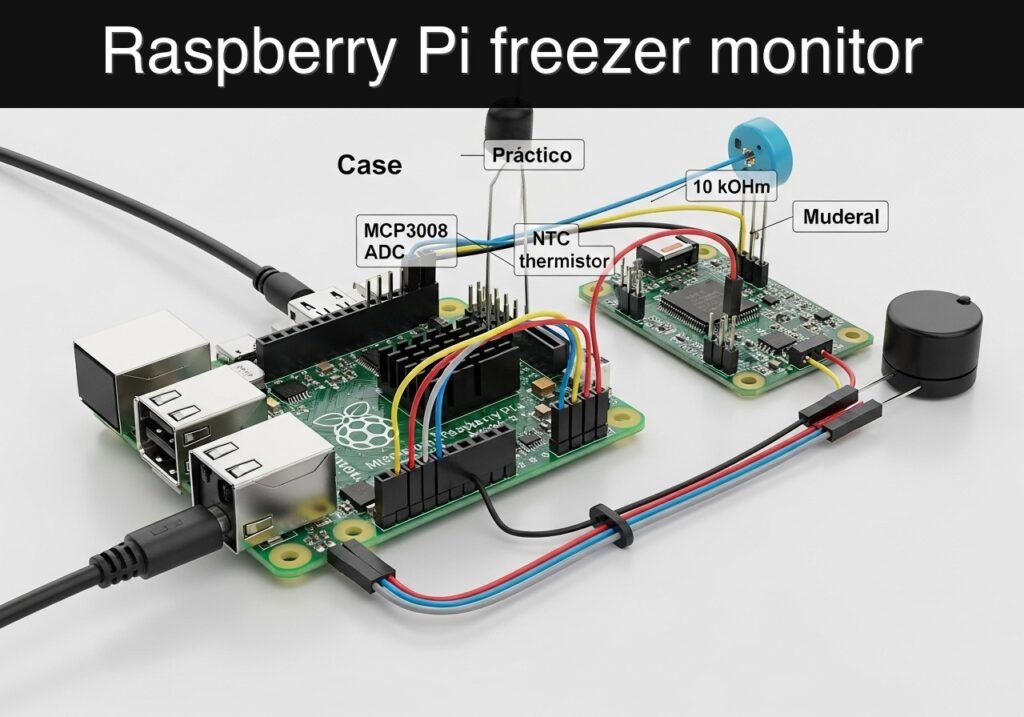
Objective and use case
What you’ll build: A Raspberry Pi freezer monitor that reads a waterproof DS18B20 sensor, serves the current temperature on a local web page, and triggers a visible alarm when the freezer rises above a safe limit. It also stores timestamped readings locally so you can verify temperature drift, door-open events, or cooling failures afterward.
Why it matters / Use cases
- Check freezer status from any device on your local network with page loads typically under 200 ms on a home LAN.
- Detect unsafe warming, for example when temperature climbs above -18 °C for several minutes after a door is left open.
- Keep a simple local log to confirm whether food stayed frozen during short power cuts or defrost cycles.
- Build a practical low-load monitoring service on Raspberry Pi with minimal compute demand, typically well under 5% CPU and near 0% GPU.
Expected outcome
- A working 1-Wire temperature reader connected to a DS18B20 with stable periodic sampling, such as every 5-10 seconds.
- A small browser dashboard showing current temperature, alarm status, and recent updates in near real time.
- Threshold-based alarm behavior that switches state when readings exceed your configured freezer limit.
- A local CSV or text log you can review later to measure temperature trends, alarm duration, and sensor response latency.
Audience: Raspberry Pi beginners, makers, and home lab users building a simple environmental monitor; Level: Basic
Architecture/flow: DS18B20 sensor → Raspberry Pi 1-Wire readout → lightweight local script/web server → browser status page + local temperature log + alarm state when threshold is exceeded.
Educational validation note
Before publication, this case passed the Prometeo automated validation gate with status PASS. The validator checked the code blocks, article structure, copy/paste-safe commands and consistency with the supported device catalog.
Published validation evidence
- Automatic result: PASS.
- Parsed structure: 4 sections, 3 tables and 11 code blocks detected before publication.
- Checked code: 3 Python/py_compile, 7 Bash/copy-paste checks.
- Supported catalog: the article text was checked against Prometeo’s validation-capable device profiles, and unsupported stacks block publication.
- Report findings: no blocking findings.
This validation confirms syntax and tool compatibility for the published material, but it does not replace physical testing on your exact hardware, wiring and runtime environment.
Educational safety note
This project is an educational prototype, not a certified product. Before powering the setup, verify the pinout of your exact ULX3S board revision, keep FPGA I/O signals at 3.3 V, never connect 5 V directly to I/O pins, disconnect power before changing wiring, and use suitable external supplies for loads, motors or servos while sharing ground only when the wiring requires it.
title: Freezer Temperature Web Alarm on Raspberry Pi
level: Basic
slug: practical-case-raspberry-pi
Freezer Temperature Web Alarm on Raspberry Pi
This practical case shows how to build a freezer temperature web alarm with a Raspberry Pi. The Raspberry Pi reads a waterproof DS18B20 1-Wire temperature sensor, serves a small local web page, and raises an alarm when the freezer temperature goes above a safe threshold for frozen food.
Educational safety note
This project is for monitoring only. Do not rely on it as the only protection for food safety, medicines, or commercial cold storage. Keep mains wiring away from condensation, use a proper 5 V Raspberry Pi power supply, and place electronics outside the freezer enclosure.
Conceptual block diagram
High-level view: what enters the system, what each block processes, and what comes out.
Functional architecture
Conceptual signal and responsibility flow between device blocks.

Objective
Build a freezer temperature web alarm that:
- measures temperature inside a freezer,
- displays the current reading in a browser,
- shows an alarm state when the freezer warms above a configured limit,
- logs readings locally for later verification.
Bill of Materials
- Raspberry Pi with Raspberry Pi OS
- DS18B20 waterproof temperature sensor
- 4.7 kOhm resistor
- Breadboard or terminal connections
- Jumper wires
- Network access on the Raspberry Pi
Wiring
The DS18B20 uses the 1-Wire bus. Connect it to GPIO4.
| DS18B20 wire | Function | Raspberry Pi pin | Notes |
|---|---|---|---|
| Red | VDD | 3.3 V, physical pin 1 | Do not use 5 V |
| Black | GND | GND, physical pin 6 | Common ground |
| Yellow/White | DATA | GPIO4, physical pin 7 | 1-Wire data |
| 4.7 kOhm resistor | Pull-up | Between 3.3 V and DATA | Required for stable reads |
Enable 1-Wire on Raspberry Pi
Edit /boot/firmware/config.txt on current Raspberry Pi OS releases and enable the 1-Wire overlay.
sudo sh -c 'grep -q "^dtoverlay=w1-gpio" /boot/firmware/config.txt || echo "dtoverlay=w1-gpio" >> /boot/firmware/config.txt'
sudo reboot
After reboot, confirm the kernel modules and sensor path are available:
lsmod | grep w1
ls /sys/bus/w1/devices/
You should see entries similar to:
w1_bus_master128-xxxxxxxxxxxx
Install Software
Install Flask for the web interface.
sudo apt update
sudo apt install -y python3-flask
Application
Create freezer_alarm.py:
#!/usr/bin/env python3
from __future__ import annotations

import csv
import glob
import os
import time
from datetime import datetime, timezone
from pathlib import Path

from flask import Flask, jsonify, render_template_string

# Alarm threshold in degrees Celsius.
# Example: alarm if freezer temperature rises above -12.0 C.
ALARM_THRESHOLD_C = -12.0

# Logging interval in seconds.
LOG_INTERVAL_S = 60

# CSV log file
LOG_FILE = Path("/home/pi/freezer_temperature_log.csv")

# DS18B20 sysfs base path
W1_BASE = "/sys/bus/w1/devices"

app = Flask(__name__)

HTML_TEMPLATE = """<!doctype html>
<html lang="en">
<head>
  <meta charset="utf-8">
  <meta http-equiv="refresh" content="15">
  <meta name="viewport" content="width=device-width, initial-scale=1">
  <title>Freezer Temperature Web Alarm</title>
  <style>
    body { font-family: Arial, sans-serif; margin: 2rem; background: #f5f7fa; color: #222; }
    .card { max-width: 36rem; padding: 1.5rem; border-radius: 12px; background: white; box-shadow: 0 2px 8px rgba(0,0,0,0.08); }
    .ok { color: #0a7d21; font-weight: bold; }
    .alarm { color: #b00020; font-weight: bold; }
    .value { font-size: 2rem; margin: 0.5rem 0; }
    code { background: #eef; padding: 0.1rem 0.3rem; border-radius: 4px; }
  </style>
</head>
<body>
  <div class="card">
    <h1>Freezer Temperature Web Alarm</h1>
    <p class="value">{{ temp_text }}</p>
    <p>Status:
      {% if alarm %}
        <span class="alarm">ALARM</span>
      {% else %}
        <span class="ok">OK</span>
      {% endif %}
    </p>
    <p>Alarm threshold: <code>{{ threshold }} C</code></p>
    <p>Last update: <code>{{ timestamp }}</code></p>
    <p>JSON endpoint: <code>/api/status</code></p>
  </div>
</body>
</html>
"""


def find_sensor_file() -> str:
    matches = glob.glob(os.path.join(W1_BASE, "28-*", "w1_slave"))
    if not matches:
        raise FileNotFoundError(
            "No DS18B20 sensor found under /sys/bus/w1/devices/. "
            "Check wiring and 1-Wire configuration."
        )
    return matches[0]


def read_temperature_c() -> float:
    sensor_file = find_sensor_file()
    with open(sensor_file, "r", encoding="ascii") as f:
        lines = f.read().strip().splitlines()

    if len(lines) != 2 or not lines[0].endswith("YES"):
        raise RuntimeError("Sensor CRC check failed")

    marker = "t="
    pos = lines[1].find(marker)
    if pos == -1:
        raise RuntimeError("Temperature value not found in sensor output")

    milli_c = int(lines[1][pos + len(marker):])
    return milli_c / 1000.0


def alarm_state(temp_c: float) -> bool:
    return temp_c > ALARM_THRESHOLD_C


def ensure_log_header() -> None:
    if not LOG_FILE.exists():
        LOG_FILE.parent.mkdir(parents=True, exist_ok=True)
        with open(LOG_FILE, "w", newline="", encoding="utf-8") as f:
            writer = csv.writer(f)
            writer.writerow(["timestamp_utc", "temperature_c", "alarm"])


def append_log_once() -> None:
    ensure_log_header()
    temp_c = read_temperature_c()
    state = alarm_state(temp_c)
    now = datetime.now(timezone.utc).isoformat()

    with open(LOG_FILE, "a", newline="", encoding="utf-8") as f:
        writer = csv.writer(f)
        writer.writerow([now, f"{temp_c:.3f}", int(state)])


@app.route("/")
def index():
    temp_c = read_temperature_c()
    state = alarm_state(temp_c)
    timestamp = datetime.now(timezone.utc).isoformat()

    return render_template_string(
        HTML_TEMPLATE,
        temp_text=f"{temp_c:.2f} C",
        alarm=state,
        threshold=f"{ALARM_THRESHOLD_C:.1f}",
        timestamp=timestamp,
    )


@app.route("/api/status")
def api_status():
    temp_c = read_temperature_c()
    state = alarm_state(temp_c)
    timestamp = datetime.now(timezone.utc).isoformat()
    return jsonify(
        {
            "device": "Raspberry Pi",
            "application": "freezer-temperature-web-alarm",
            "temperature_c": round(temp_c, 3),
            "alarm": state,
            "alarm_threshold_c": ALARM_THRESHOLD_C,
            "timestamp_utc": timestamp,
        }
    )


def main() -> None:
    append_log_once()
    app.run(host="0.0.0.0", port=8000, debug=False)


if __name__ == "__main__":
    main()
Make it executable:
chmod +x freezer_alarm.py
Optional Logger Service
The web app logs once at startup. For continuous background logging every minute, create freezer_logger.py:
#!/usr/bin/env python3
from __future__ import annotations

import csv
import glob
import os
import time
from datetime import datetime, timezone
from pathlib import Path

ALARM_THRESHOLD_C = -12.0
LOG_INTERVAL_S = 60
LOG_FILE = Path("/home/pi/freezer_temperature_log.csv")
W1_BASE = "/sys/bus/w1/devices"


def find_sensor_file() -> str:
    matches = glob.glob(os.path.join(W1_BASE, "28-*", "w1_slave"))
    if not matches:
        raise FileNotFoundError("No DS18B20 sensor found")
    return matches[0]


def read_temperature_c() -> float:
    sensor_file = find_sensor_file()
    with open(sensor_file, "r", encoding="ascii") as f:
        lines = f.read().strip().splitlines()

    if len(lines) != 2 or not lines[0].endswith("YES"):
        raise RuntimeError("Sensor CRC check failed")

    pos = lines[1].find("t=")
    if pos == -1:
        raise RuntimeError("Temperature value not found")

    return int(lines[1][pos + 2:]) / 1000.0


def ensure_log_header() -> None:
    if not LOG_FILE.exists():
        LOG_FILE.parent.mkdir(parents=True, exist_ok=True)
        with open(LOG_FILE, "w", newline="", encoding="utf-8") as f:
            csv.writer(f).writerow(["timestamp_utc", "temperature_c", "alarm"])


def main() -> None:
    ensure_log_header()
    while True:
        now = datetime.now(timezone.utc).isoformat()
        temp_c = read_temperature_c()
        alarm = int(temp_c > ALARM_THRESHOLD_C)
        with open(LOG_FILE, "a", newline="", encoding="utf-8") as f:
            csv.writer(f).writerow([now, f"{temp_c:.3f}", alarm])
        time.sleep(LOG_INTERVAL_S)


if __name__ == "__main__":
    main()
Run the web app:
python3 freezer_alarm.py
In another terminal, run the logger:
python3 freezer_logger.py
Open the status page from another device on the same network:
hostname -I
Then browse to:
http://<raspberry-pi-ip>:8000/
How the Alarm Works
This freezer temperature web alarm reports:
- OK when the freezer temperature is at or below
-12.0 C - ALARM when the freezer temperature rises above
-12.0 C
You can change the limit in both Python files by editing:
ALARM_THRESHOLD_C = -12.0
Validation Method
Do not claim accuracy or reliability without checking it. A simple validation method is:
| Check | Method | Expected evidence |
|---|---|---|
| Sensor detection | ls /sys/bus/w1/devices/ | A 28-... device directory exists |
| Live temperature read | Open /api/status | JSON includes temperature_c and alarm |
| Alarm threshold | Warm sensor slightly by hand or move probe toward room air for a short test | alarm changes from false to true when the measured temperature crosses the threshold |
| Logging | Wait at least 2 minutes | /home/pi/freezer_temperature_log.csv contains multiple timestamped rows |
Troubleshooting
| Symptom | Cause | Fix |
|---|---|---|
No 28-... sensor path | 1-Wire not enabled or wiring error | Recheck dtoverlay=w1-gpio, wiring, and reboot |
| CRC check failed | Weak connection or noise | Check resistor placement and cable joints |
| Web page not reachable | App not running or firewall/network issue | Start python3 freezer_alarm.py and verify Pi IP address |
| Temperature looks wrong | Probe not fully placed in target area | Reposition the sensor and compare against a known thermometer |
Result
You now have a Raspberry Pi freezer temperature web alarm that reads temperature from a DS18B20 sensor, exposes a browser page and JSON status endpoint, and records measurements for verification.
Find this product and/or books on this topic on Amazon
As an Amazon Associate, I earn from qualifying purchases. If you buy through this link, you help keep this project running.
Quick Quiz

Telecommunications Electronics Engineer and Computer Engineer (official degrees in Spain).